
What Is Static Code Analysis and How Does It Work
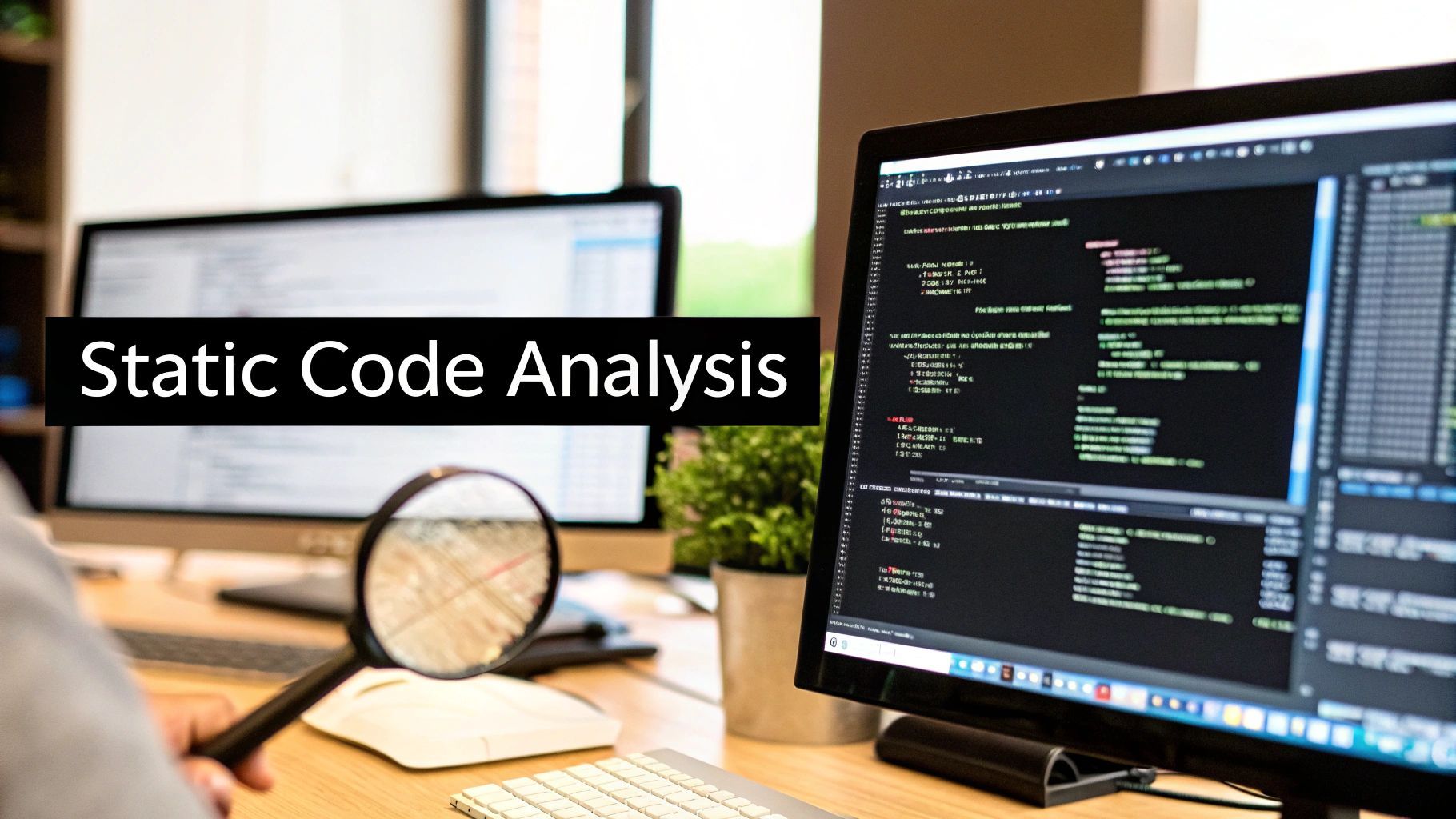
Ever had a spell-checker for your code? That’s the simplest way to think about static code analysis. It’s like having an automated partner that scans your source code for common bugs, security holes, and sloppy formatting before you even try to run it.
Your First Line of Defense in Software Development
This process, often called Static Application Security Testing (SAST), is a cornerstone of building solid software today. It works by checking your code against a massive set of known rules and patterns—all without actually executing the program. This “white-box” approach gives you an x-ray view into your application’s structure, catching mistakes when they’re still easy to fix.
It’s like having a senior developer looking over your shoulder, offering advice as you type. This immediate feedback is a game-changer. Why? Because squashing a bug during development costs a fraction of what it costs to fix it once it’s live in production. The Consortium for Information and Software Quality found that poor software quality costs companies over $2.08 trillion every year, a huge chunk of which comes from patching errors found after release.
Static vs. Dynamic Analysis at a Glance
To really get what static analysis does, it helps to see it next to its counterpart: dynamic analysis. Static analysis inspects code that’s “at rest,” while dynamic analysis tests the application while it’s up and running.
Here’s a quick breakdown to make the distinction clear:
| Attribute | Static Analysis (SAST) | Dynamic Analysis (DAST) |
|---|---|---|
| When It’s Used | Early in the development cycle, pre-compilation. | Later, during runtime or testing phases. |
| Code Visibility | Needs access to source code (“white-box”). | Treats the app as a “black-box,” no source code needed. |
| Issues Found | Coding errors, security vulnerabilities, style issues. | Performance bottlenecks, memory leaks, runtime errors. |
In the end, it’s not about choosing one over the other. Static and dynamic analysis are two sides of the same coin. Static analysis makes sure your blueprint is sound, and dynamic analysis ensures the final building stands strong when people start using it.
How Static Analysis Tools Read Your Code
Ever wonder how a tool can understand your code without actually running it? It’s not magic, but it is a pretty clever process. Static analysis involves systematically breaking down your source code into a format a machine can digest, letting it hunt for patterns, flaws, and security holes.
This lets the tool intelligently flag everything from potential vulnerabilities to simple deviations from your team’s coding standards.

At its core, the process is straightforward: take the code, check it against a set of rules, and spit out a report with the findings. But let’s look at what’s happening under the hood.
The Abstract Syntax Tree (AST)
The first thing a static analysis tool does is parsing. It takes your carefully written lines of code and transforms them into a tree-like structure called an Abstract Syntax Tree, or AST.
Think of the AST as a detailed blueprint of your code’s logic. It maps out all the relationships between functions, variables, and operators while completely ignoring the superficial stuff like comments and whitespace.
Once the AST is built, the tool has a perfect map of your code, ready for some deeper inspection.
Data Flow and Control Flow Analysis
With that map in hand, the tool gets to work using a couple of key techniques:
- Data Flow Analysis: This is all about tracking how data moves through your application. The tool follows variables from the moment they’re created to every place they’re used. This is how it catches tricky issues like potential null pointer exceptions or resource leaks.
- Control Flow Analysis: This technique examines all the possible execution paths your program could take. It’s great for identifying unreachable “dead” code that’s just sitting there, or dangerous infinite loops that could bring your application to a grinding halt.
By combining these methods, static analysis tools get a remarkably deep understanding of your code’s structure and even predict its potential behavior at runtime—all without executing a single line.
This kind of automated check is becoming non-negotiable as software gets more complex and security threats loom larger. In fact, the market for these tools was valued at around $1.59 billion and is still on the rise, showing just how much the industry is leaning into proactive quality control.
To see how this plays out in the real world, check out our guide on automated code review tools.
How Static Code Analysis Actually Helps Your Team
Let’s get practical. Bringing static code analysis into your workflow isn’t just about spotting a few extra bugs. It’s about changing the way your team writes, reviews, and ships software for the better. This one practice has a domino effect, improving everything from code quality to team morale.
The biggest win here is what we call “shifting left.” Think of it like catching a typo while you’re still writing the email, not after you’ve hit “send.” Finding a bug during the coding phase costs a tiny fraction of what it would to fix that same bug once it’s live and affecting users. It’s a simple idea with a massive impact on your budget and timeline.
Static analysis is your best defense against technical debt. It stops those “I’ll fix it later” shortcuts from piling up, keeping your codebase healthy and easy for anyone—new hires included—to jump into.
Better Code, Stronger Security
Right away, you’ll notice a huge improvement in consistency. Static analysis tools are like an automated style guide, making sure everyone on the team follows the same rules. No more endless debates in pull requests over formatting or minor conventions. The result is a clean, predictable codebase that’s just easier to work with.
This consistency pays off big time for security, too. Your analysis tool can act as a first line of defense, automatically scanning for common vulnerabilities like SQL injection or cross-site scripting (XSS) before a single line of insecure code gets merged. It handles the repetitive security checks, which is especially helpful when you’re doing an AI code review and need to focus on more complex logic.
The industry is clearly catching on. The static code analysis market is expected to jump from $4.3 billion to $12.7 billion by 2033, which shows just how essential this has become. You can read more about this market expansion on HTF Market Insights.
When you put it all together, you get a faster, more dependable development cycle. Teams spend less time chasing down preventable errors and more time building things that matter. It creates a positive feedback loop: better quality leads to stronger security, which in turn boosts everyone’s productivity.
Let’s shift from the “what” to the “why.” What kinds of problems do these tools actually catch? Think of a static analysis tool as an extra pair of eyes on your code—eyes that have seen thousands of common mistakes and know exactly what to look for.
It’s like having a tireless code reviewer that scans every single line, flagging everything from subtle logic errors to massive security holes. The real magic is that it finds these problems before your code ever ships, saving you from a world of hurt down the line.
Spotting Security Nightmares
One of the biggest wins with static analysis is its ability to sniff out security vulnerabilities. It acts as an automated security expert, catching common attack patterns before a hacker has a chance to find them.
- SQL Injection: This classic vulnerability happens when an attacker slips malicious commands into your database queries. A static analyzer will immediately flag code that builds SQL queries by mashing strings together with user input—a huge no-no.
- Cross-Site Scripting (XSS): If your app displays user-provided content without cleaning it up first, you’re opening the door for XSS. Attackers can inject nasty scripts that run in other users’ browsers. These tools are great at spotting where that unsanitized data hits the screen.
- Buffer Overflows: A real old-school but still dangerous problem where a program tries to stuff too much data into a small memory space. This can crash your application or, even worse, let an attacker run their own code.
Below is a quick look at some of the common defects a good static analysis tool can uncover.
Examples of Defects Found by Static Analysis
| Category | Specific Example | Potential Impact |
|---|---|---|
| Security | Hardcoded API keys or passwords | An attacker could gain direct access to your systems or third-party services. |
| Bugs | Null pointer dereference | Your application crashes unexpectedly, leading to a poor user experience. |
| Performance | Inefficient loops or database queries | The application becomes slow and unresponsive, frustrating users. |
| Maintainability | A function with high cyclomatic complexity | The code is nearly impossible to understand, debug, or safely modify. |
Catching these issues early is what separates a stable, secure application from one that’s constantly on fire.
Keeping Your Code Clean and Maintainable
Beyond scary security flaws, static analysis is your best friend for maintaining code quality. It helps you keep your codebase tidy and easy for anyone on the team to work with. A lot of this comes down to flagging code smells.
A code smell isn’t a bug—it’s a symptom. It’s a hint that something in your code’s design might be a little off, making it fragile and hard to change later on.
Common quality issues these tools pick up on include:
- Dead Code: Spotting unused variables, functions, or entire classes that just add clutter and confusion.
- Overly Complex Code: Flagging functions that have way too many loops and
ifstatements. This kind of code is a nightmare to test and even harder to debug. - Style Violations: Enforcing your team’s formatting rules, like consistent indentation or naming conventions, so everyone stays on the same page.
If you’re curious to learn more, we have a complete guide that explains what is code smell in more detail. Tackling these issues makes the entire development process smoother and more predictable for everyone involved.
Here’s the rewritten section, designed to sound completely human-written and natural.
Making Static Analysis Part of Your CI/CD Pipeline
So, you’ve seen what static analysis can do. But its real magic happens when you stop treating it as a one-off manual check and build it directly into your development process. By integrating these tools into your Continuous Integration/Continuous Delivery (CI/CD) pipeline, you turn them into an automated guardian for your codebase.
Think of it this way: every time a developer pushes a commit or opens a pull request, the pipeline automatically kicks off a scan. This isn’t about adding a slow, frustrating step. It’s about making quality a built-in, effortless part of how your team writes code, catching potential problems right when they’re introduced.
Building a Smart Safety Net
Now, the trick is to do this without drowning your developers in alerts. That’s where a smart configuration comes in. You can set up what are known as quality gates—essentially, automated checkpoints that stop code with serious flaws from ever being merged into your main branch.
For instance, you could configure a quality gate to fail if a scan finds:
- High-severity security holes: Things like a clear SQL injection risk.
- Critical bugs: A classic null pointer exception that’s guaranteed to cause a crash.
- A major dip in code coverage: Making sure that new code actually comes with tests.
This approach creates a safety net that supports your team. Instead of relying on human code reviews to spot every common mistake, you let the machines handle the first line of defense.
When you automate static analysis in your CI/CD pipeline, you free up your developers to focus on what really matters in a code review—the architecture, the logic, the business goals—not arguing over style guides or hunting for simple errors.
This kind of automated enforcement means every piece of code has to meet a consistent quality and security bar before it gets anywhere near production. It just makes the whole development cycle smoother, faster, and far more reliable.
How to Handle False Positives and Noise
No tool is perfect. One of the biggest headaches with static analysis is the constant battle with false positives—warnings that flag perfectly safe code as a problem.
When a tool cries wolf too often, developers naturally start tuning it out. This “alert fatigue” can turn a powerful safety net into just another noisy distraction, completely defeating its purpose.
The secret is to stop thinking of a static analysis tool as an unchangeable judge and start treating it like a configurable partner. It needs to be calibrated to understand your project’s specific context and your team’s unique coding standards.
Tuning the Tool for Your Team
Getting a handle on the noise requires more than just reacting to alerts. You have to proactively fine-tune the rule sets so they align with what your team actually cares about.
- Customize Rule Sets: Most tools ship with broad, generic rules. Take the time to go through them and switch off anything that doesn’t apply to your project or tech stack.
- Prioritize High-Confidence Alerts: Not all alerts are created equal. Focus your team’s energy on fixing critical security vulnerabilities and major bugs first. Stylistic nitpicks can wait.
- Suppress Specific Findings: If you’ve reviewed an alert and confirmed the code is safe, don’t just leave it there. Suppress it. Good tools will let you add a comment explaining why it was ignored, which keeps the report clean and actionable for everyone else.
This isn’t a “set it and forget it” task. As your codebase grows and changes, your rules will need to evolve with it.
It’s a real challenge. Research shows there can be about 6 false positives per 1,000 lines of code, and a staggering 45% of organizations point to these inaccuracies as a major roadblock. Thankfully, new AI-driven approaches are making a difference, with some pilot projects cutting the manual time needed for writing rules by 60%. You can learn more about these market trends at Business Research Insights.
By investing a little time in configuration upfront, you ensure that every alert your team sees is one they should take seriously. That’s how you build trust and make static analysis an indispensable part of your workflow.
Frequently Asked Questions About Static Analysis
When you first dip your toes into static code analysis, a few questions tend to pop up again and again. Let’s clear up some of the common points of confusion to help you see where these tools really shine in a modern workflow.
Getting these fundamentals right is key to making the most of what static analysis can do for you.
Is a Linter the Same as a Static Code Analysis Tool?
It’s a classic “all squares are rectangles, but not all rectangles are squares” situation. A linter is absolutely a type of static analysis tool, but it’s just one piece of a much bigger puzzle.
Linters are your first line of defense. They’re brilliant at checking for style, consistent formatting, and simple programming mistakes. Think of them as the grammar and spell-check for your code.
But a full-blown Static Application Security Testing (SAST) tool goes much, much deeper. It digs into how data and control flow through your application to uncover complex security vulnerabilities—things like SQL injection risks or tricky resource leaks that a basic linter would never see.
Can Static Analysis Replace Manual Code Reviews?
Not a chance. Think of it as a powerful assistant, not a replacement. Static analysis is a machine that’s great at spotting common, pattern-based errors automatically, saving your team a massive amount of time.
This automation frees up your human reviewers to do what they do best:
Manual code reviews are irreplaceable for judging the big picture. Is the business logic sound? Does the architecture make sense? Does this solution fit our long-term goals? An automated tool can’t answer those questions. A great workflow uses SAST to clear out the noise, so developers can focus on what truly matters.
How Do I Choose the Right Tool for My Team?
There’s no single “best” tool—the right one is the one that fits your team’s reality. When you’re shopping around, focus on these key factors:
- Language Support: Does the tool have first-class support for the programming languages and frameworks your team lives in every day?
- Integration: How easily does it fit into your world? You want something that plugs right into your IDE (like VS Code) and your CI/CD pipeline without a fuss.
- Your Main Goal: What’s your biggest pain point right now? Are you laser-focused on security (SAST), trying to improve overall code quality, or a bit of both?
- Budget: Don’t forget that many of the best tools have free or open-source tiers that are more than powerful enough to get you started.
My advice? Start by picking a tool that plays nicely with your tech stack and solves your most immediate problem, whether that’s security or code quality.
Level Up Your Code Quality Game
Turn automated code scanning into a powerful, seamless part of your development lifecycle.
📊 Core Metrics
- Bugs Caught Pre-Merge — Number of critical issues found before reaching the main branch.
- False Positive Rate — Percentage of alerts correctly suppressed or tuned out.
- Code Complexity Score — Tracking the maintainability of your codebase over time.
🕹️ My Cheatcodes
- 🌱 Shift Left — Integrate analysis into your CI/CD pipeline to catch errors on every commit, not just before release.
- 🦎 Tune Aggressively — A noisy tool is a useless tool. Customize rule sets to eliminate irrelevant warnings and alert fatigue.
- ⚡ Automate the Obvious — Let tools handle style and common bugs, freeing up human reviewers for high-level logic and architecture.
✅ Before Merging
- 🔍 Run static analysis scan automatically
- 📊 Pass all quality gate requirements
- 🧭 Suppress any verified false positives with comments
- 📈 Ensure human review focuses on logic, not syntax
Gallery
Lemon shots



