
What is prompt engineering: Master AI Prompt Crafting

Think of prompt engineering as learning how to have a productive conversation with an AI. It’s the skill of crafting just the right instructions—or prompts—to get a Large Language Model (LLM) to give you exactly what you want.
Instead of a vague request, you provide clear, context-rich directions. This way, the AI can be a truly helpful partner for generating code, debugging a tricky function, or even just brainstorming ideas for a new feature.
What Is Prompt Engineering, Really?
Imagine you’re asking for directions in a city where you don’t speak the language. Yelling the name of a landmark won’t get you far. You’d need to be clear, maybe use a map for context, and gesture to show what you mean. That’s a great way to think about prompt engineering.
It’s a deliberate practice. You’re carefully designing your input to guide the AI toward the most accurate and useful output possible. This is what makes AI go from a fun toy to a reliable tool in your daily work.
The old saying “garbage in, garbage out” has never been truer. A sloppy prompt will get you a generic, unhelpful, or flat-out wrong answer from an AI. On the other hand, a well-designed prompt unlocks its real power, especially in software development where every detail matters.
The Core Goal of Prompting
At its core, prompt engineering is all about bridging the gap between what you’re thinking and what the AI understands. It’s not about finding some secret “magic words.” It’s about being systematic in how you communicate.
This usually comes down to a few key things:
-
Clarity and Specificity: Vague requests get vague answers. “Fix this code” is a dead end. A much better prompt is, “Act as a senior Python developer. Review this function for performance bottlenecks and suggest specific optimizations. Please explain the time complexity of your solution.”
-
Providing Context: The LLM has no idea about your project’s history or your team’s coding standards unless you fill it in. You have to provide the relevant context—code snippets, error logs, or style guides—to get a response that actually fits your needs.
-
Defining the Output Format: You can tell the AI exactly how you want the answer formatted. Need a JSON object? A Markdown table? A numbered list? Just ask. This saves a ton of time you’d otherwise spend cleaning up the output.
This table breaks down these foundational ideas into a quick reference.
Key Principles of Effective Prompt Engineering
| Principle | Description | Impact on AI Output |
|---|---|---|
| Be Specific | Provide detailed instructions and constraints. Avoid ambiguity. | Produces focused, relevant responses that directly address the task. |
| Provide Context | Include background information, examples, or relevant data snippets. | Allows the AI to generate answers that are tailored to your specific situation. |
| Define the Persona | Tell the AI who to be (e.g., “Act as a senior database architect”). | Shapes the tone, style, and expertise level of the response. |
| Set the Format | Clearly state the desired output structure (e.g., JSON, list, table). | Delivers structured, machine-readable, or easy-to-use results. |
| Iterate and Refine | Start with a simple prompt and add complexity based on the AI’s output. | Helps you zero in on the best way to ask for what you need. |
Mastering these principles is the first step toward getting consistently great results from any LLM.
Why It’s More Than Just Asking Questions
Many people think prompt engineering is just a fancier way of saying “talking to a chatbot.” But it’s a much more disciplined, iterative process that mixes technical skill with a bit of creativity.
A good prompt engineer knows what the model can and can’t do. They frame their requests in a way that plays to the AI’s strengths and avoids its weaknesses.
A well-crafted prompt acts as a blueprint for the AI. It doesn’t just ask for a result; it guides the model through the logical steps required to build that result, ensuring higher quality and consistency.
For example, a developer might use a technique called “chain-of-thought” prompting. This is where you ask the AI to “think step-by-step” before giving the final answer. Forcing the model to lay out its reasoning often leads to better solutions for complex problems.
Ultimately, prompt engineering is what enables systems like AI question answering to truly understand what a user wants and deliver accurate answers. This shift from simple questions to structured conversations is what turns AI from a passive tool into a genuine collaborator.
How Prompting Grew From a Niche Skill to a Core Competency
Prompt engineering didn’t just pop up out of nowhere. It grew up right alongside the AI models it directs, evolving from a quirky skill for researchers into a must-have competency for developers and just about any professional working with AI. Tracing its rapid journey from the fringes to the mainstream shows exactly why a disciplined approach to prompting is no longer optional—it’s a competitive advantage.
It all started with early language models that required carefully, sometimes bizarrely, crafted inputs to generate anything remotely useful. This was the wild west of prompting. It was all experimentation, with a small community of enthusiasts swapping tips and tricks. Honestly, it felt more like an art than a science, driven almost entirely by intuition.
To really get why prompting became so critical, you have to look at the evolving landscape of AI software development as a whole. The entire field was shifting, turning what were once simple text commands into complex instructions capable of orchestrating sophisticated tasks.
The Dawn of Modern Prompting
The real turning point came in May 2020 with the launch of GPT-3. This model introduced a groundbreaking concept called “few-shot prompting.” Suddenly, you could show an LLM just a handful of examples directly in the prompt, and it would learn the task on the fly. This was a massive leap forward, as it meant you didn’t need to go through the expensive and time-consuming process of fine-tuning a model for every little thing.
This was the start of a new era. The simple yet powerful flow of idea to prompt to output became the fundamental loop for anyone building with AI.
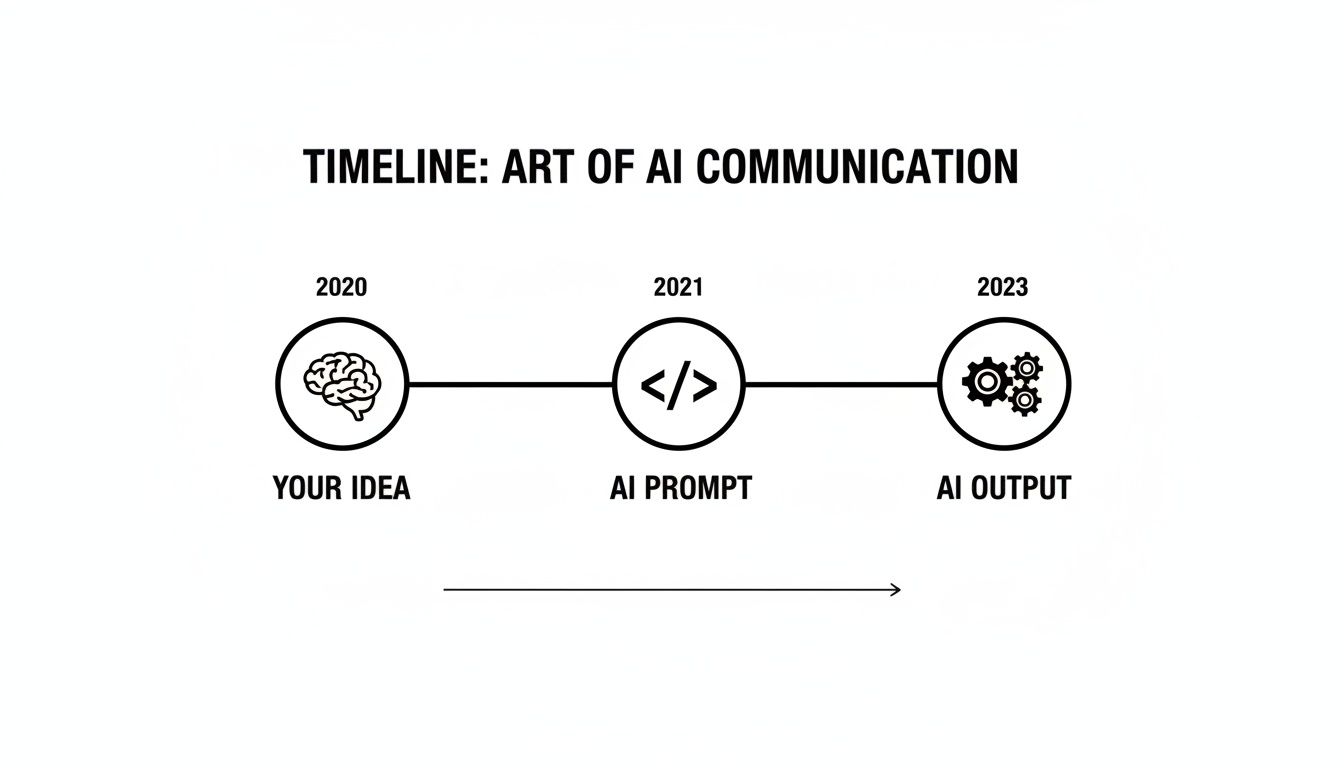
The developer community was crucial here. As more people experimented, they started sharing what worked. By early 2022, things exploded. Public repositories were filled with over 2,000 prompts across more than 170 datasets. It was a massive, collective effort to figure out the rules of this new game.
From Reasoning to Mainstream Adoption
The next major breakthrough landed in 2022 when researchers figured out “chain-of-thought” (CoT) prompting. The technique is brilliantly simple: just tell the model to “think step-by-step” before giving its final answer. This unlocked a whole new level of reasoning, letting models tackle logic puzzles, math problems, and tricky coding challenges with way more accuracy than before.
Chain-of-thought didn’t just give us better answers; it made the AI’s thinking visible. For developers, this was huge. You could finally see how the model got to its solution, which made debugging and improving both the prompt and the code a whole lot easier.
The final push into the mainstream came in November 2022 with the public release of ChatGPT. Overnight, “prompting” became a household word. Millions of people now had a powerful LLM at their fingertips, turning the trial-and-error process into a global, crowdsourced experiment that massively accelerated the discovery of what works.
This journey from a niche curiosity to a core skill is a defining trend in modern AI software engineering. For any engineering leader, this history lesson should be a wake-up call. It’s time to move past random, ad-hoc prompting and build standardized, shareable best practices so your team can consistently get the best out of AI.
Why Better Prompts Mean Better Code
In software development, we live and die by efficiency and quality. It’s easy to dismiss prompt engineering as some abstract, trendy term, but its impact on a developer’s day-to-day is incredibly direct and real. The gap between a vague command and a well-crafted prompt is often the difference between a frustrating dead-end and a breakthrough that saves you hours of work.
Better prompts don’t just feel better to write—they produce code that is quantifiably better, and they get it done faster.

You can see this connection most clearly when you’re up against those common, high-friction tasks. Think about refactoring a tangled piece of legacy code. That kind of job can easily eat up hours as you decipher old logic, hunt for edge cases, and carefully rewrite functions to meet today’s standards.
A developer’s first instinct might be to just dump the code into an AI chat and say, “Refactor this function.” What comes back? Usually, a generic rewrite that completely misses the point. It doesn’t know your team’s style guide, it ignores crucial business context, and it might even introduce subtle new bugs. You end up having to edit it so heavily that you wonder why you even bothered with the AI.
The Power of Precision
Now, let’s look at what happens when you use a structured, engineered prompt instead. Rather than a lazy one-liner, a developer who knows what they’re doing provides a detailed brief that turns the AI into a genuine collaborator.
A much better prompt would include a few key things:
- Persona: “Act as a senior software engineer specializing in performance optimization for TypeScript.”
- Context: “Here is a function from our user authentication module. It’s slow because it makes multiple sequential database calls inside a loop.”
- Constraints: “Refactor this to use
Promise.allfor parallel execution. Make sure you preserve all existing error handling. And stick to our team’s Prettier style guide.” - Format: “Give me the refactored code in a code block, then add a short explanation of the performance gains.”
The difference in the output you get is night and day. The AI now has the context, the rules, and the goal. It produces clean, efficient code that you can actually use right away. This is what prompt engineering really unlocks—it turns the AI from a clumsy assistant into a sharp, context-aware partner.
The goal of a great prompt isn’t just to get an answer; it’s to eliminate ambiguity. By providing clear constraints and rich context, you guide the AI to the one correct solution you need, not one of a thousand possible but irrelevant ones.
From Individual Gains to Team-Wide Consistency
The benefits here go way beyond just one person’s productivity. For engineering managers and team leads, this is a powerful way to scale best practices and enforce quality standards across the whole organization.
When a team starts to standardize its prompts for common tasks—like writing unit tests, documenting code, or drafting API specs—something amazing happens: consistency.
New hires can get up to speed much faster by using proven prompt templates. Junior developers can produce code that aligns with what a senior dev would expect. Even code reviews get smoother because the AI-generated first drafts are already high-quality and follow the established patterns.
This creates a fantastic feedback loop. Good prompts get saved, shared, and improved upon, building a library of “cheat codes” that lifts the entire team’s output. The return on this small investment of time becomes obvious:
- Reduced Friction: You spend less time fixing generic mistakes the AI makes.
- Faster Shipping: Your team has more time for creative problem-solving and shipping new features.
- Higher Quality: Everyone consistently adheres to coding standards and best practices.
Ultimately, learning good prompt skills isn’t just about making a developer’s life a little easier. It’s a strategic move that directly improves code quality, team velocity, and the product you ship to your users. Better prompts lead to better code, and better code leads to a better business.
Essential Prompting Techniques for Developers

Knowing why prompt engineering matters is one thing, but actually putting it to work is another. Let’s get practical and look at a playbook of core techniques that any developer can start using right away. These methods are the building blocks for clear communication with an AI, helping you turn a vague idea into a precise instruction that gets the job done right.
Think of it like briefing a brilliant but very literal-minded junior developer. Sometimes, you can give them a task and they’ll figure it out. Other times, you need to show them exactly what a good result looks like. Knowing which approach to use is the key.
Zero-Shot Prompting: The Default Approach
This is the simplest technique and probably the one you’re already using. Zero-shot prompting is when you give the AI a direct command without providing any examples of what you want back. You’re banking on the model’s built-in knowledge to figure out and execute the task.
This method is perfect for straightforward, common tasks where there isn’t much room for misinterpretation. It’s quick, efficient, and great for when you need a fast answer or a standard chunk of code.
For instance, asking an AI to “Write a Python function that takes a list of integers and returns the sum” is a classic zero-shot prompt. The model has seen this request countless times and can generate the right code without any hand-holding.
One-Shot and Few-Shot Prompting: Teaching by Example
A direct command doesn’t always cut it. When you need the output in a specific, non-standard format or when your task has unique rules, you need to show the AI what you want. This is where one-shot and few-shot prompting shine.
- One-Shot Prompting: You provide a single example of the input and the desired output before you make your actual request. This one example acts as a powerful template for the model to follow.
- Few-Shot Prompting: You give the model multiple examples (usually 2 to 5) to provide a richer understanding of the pattern you want it to replicate. This is fantastic for more complex formatting or nuanced jobs.
Imagine you’re trying to convert plain-text user feedback into a specific JSON format for an issue tracker. A few-shot prompt would be the perfect tool for the job.
Convert the user feedback into a JSON object with ‘type’, ‘component’, and ‘summary’ keys.
Feedback: “The login button is broken on the dashboard.” JSON: {“type”: “bug”, “component”: “authentication”, “summary”: “Login button not working on dashboard”}
Feedback: “We should add a dark mode to the settings page.” JSON: {“type”: “feature”, “component”: “UI”, “summary”: “Add dark mode to settings”}
Feedback: “The user profile picture is loading slowly.” JSON: By providing these examples, you’ve trained the model on your exact requirements, making sure the output is structured correctly every single time. Learning these methods is crucial if you want to know how to code with ChatGPT, Claude, Gemini, or Copilot, as it turns a generic tool into a personalized assistant.
Chain-of-Thought Prompting: Deconstructing Complexity
For complex problems that require several steps of reasoning, just asking for the final answer can cause the AI to take logical shortcuts and make mistakes. Chain-of-Thought (CoT) prompting fixes this by asking the model to “think step-by-step” or “explain its reasoning” before it gives you the solution.
By forcing the model to write out its thinking process, you dramatically increase the odds of getting a correct and logical result. It’s like asking a student to show their work on a math problem—it helps them catch their own mistakes along the way.
This technique is a game-changer for debugging tricky algorithms, planning a database schema, or outlining a new system architecture. You don’t just get the answer; you get the logical path the AI took, which makes it much easier to verify and trust the output.
Assigning a Persona: Giving the AI a Role
One of the easiest and most effective techniques is to assign the AI a specific role or persona. When you start your prompt with a phrase like “Act as a…” you frame the entire conversation and prime the model to respond with a certain style, tone, and level of expertise.
This simple instruction can massively improve the quality and relevance of the response. Here are a few ways developers can use it:
- For Security: “Act as a cybersecurity expert and review this code for potential SQL injection vulnerabilities.”
- For Infrastructure: “Act as a senior DevOps engineer and write a Dockerfile for this Node.js application. Make sure it’s optimized for production.”
- For Testing: “Act as a QA engineer and generate a list of edge cases to test for this user registration function.”
Giving the AI a persona helps focus its massive knowledge on the specific domain you need, ensuring the code and advice it gives you are practical, accurate, and in line with industry best practices.
Comparing Prompting Techniques
Choosing the right technique depends entirely on the task at hand. This table breaks down the different methods to help you decide which one fits your needs best.
| Technique | Best For | Example Use Case | Complexity |
|---|---|---|---|
| Zero-Shot | Simple, common tasks with unambiguous answers. | “Translate ‘hello world’ to Spanish.” | Low |
| One-Shot | Tasks requiring a specific format not easily described. | Showing one example of a log entry to format all others. | Low |
| Few-Shot | Complex or nuanced pattern matching. | Converting several natural language sentences into a specific JSON structure. | Medium |
| Chain-of-Thought | Multi-step reasoning, debugging, or complex problems. | “Plan a database migration from MySQL to Postgres, step-by-step.” | Medium |
| Persona | Getting domain-specific expertise or a certain style. | “Act as a senior frontend developer and suggest improvements for this React component.” | Low |
At the end of the day, these techniques aren’t mutually exclusive. The best prompts often combine a persona with a few-shot example or a chain-of-thought instruction to get truly powerful results.
Why Mastering Prompt Engineering Matters for Your Business

Let’s zoom out from the individual developer for a moment. For a business, getting prompt engineering right isn’t just a perk—it’s a serious competitive edge. It’s quickly becoming a non-negotiable skill for any company that wants to innovate instead of playing catch-up.
Why? Because the ability to get reliable, accurate, and consistent results from AI is what separates a successful AI strategy from a very expensive, time-draining experiment.
As more companies go all-in on AI, the stakes get higher. For any CTO or engineering leader, prompt engineering is a strategic lever. It’s how you guarantee you’re getting the most out of your investment in AI tools. When developers can steer AI with precision, the entire development process gets a shot of adrenaline.
Cut Out the Waste, Boost Efficiency
Think about the real cost of a bad prompt. It’s not just a few wasted seconds. It’s flawed code that has to be rewritten, which introduces technical debt, slows down projects, and burns out your team.
Well-crafted prompts flip that script entirely. They have a direct impact on your bottom line.
By establishing solid prompting practices, your teams can:
- Slash rework: Get code, documentation, or test cases that are right—or at least very close—the first time.
- Lower technical debt: Make sure AI-generated code follows your established standards from the get-go.
- Ship features faster: Spend less time fixing what the AI got wrong and more time building what customers want.
This shift turns AI from a source of friction into a true accelerator for your entire engineering organization. It’s a key part of the modern AI digital transformation that smart companies are getting behind.
The Numbers Don’t Lie
The market data tells a clear story: prompt engineering is a seriously valuable skill. In 2024, the global prompt engineering market was valued at $0.85 billion. That’s expected to jump to $2.01 billion by 2027.
This explosion is happening for a reason. By 2025, 84% of developers plan to be using AI tools, and 95% of Fortune 500 companies are already on board. And here’s the kicker: good prompts can cut AI-related errors by up to 76%. It’s easy to see why this is a top priority for any manager focused on team performance.
Investing in prompt engineering isn’t just about buying another developer tool. It’s a strategic investment in quality, speed, and innovation that pays off across the entire product lifecycle.
Answering Your Top Questions About Prompt Engineering
As teams start weaving AI into their everyday work, some common questions—and a few myths—about prompt engineering always pop up. Let’s tackle them head-on, building on what we’ve covered so far.
Is Prompt Engineering a Fad or a Lasting Skill?
This is a big one. While dedicated “Prompt Engineer” job titles might fade as AI models get more intuitive, the actual skill is absolutely here to stay.
Think of it less as a specific job and more as a fundamental competency, like knowing how to use Git or debug code. The ability to clearly state what you want, provide the right context, and guide an AI toward a useful outcome will always be essential. It’s becoming a basic part of how we’ll work with technology.
How Can I Tell If My Prompts Are Actually Working?
Great question. You don’t have to guess. You can measure the effectiveness of your prompts by looking at a few practical things:
- Output Quality: How much time do you spend fixing the AI’s output? A great prompt gives you something that’s 90% of the way there, not 20%.
- Time Saved: This is the bottom line. Are you finishing tasks noticeably faster than you would have without the AI or with a sloppy prompt?
- Consistency: Can you use the same prompt multiple times and get a reliably good result? A dependable prompt is worth its weight in gold.
Do I Need a PhD in Data Science for This?
Definitely not. Prompt engineering is far more about clear communication, logical thinking, and a bit of creative problem-solving than it is about machine learning algorithms.
The core skills are about structuring your thoughts and being precise with your language. While a technical background is a huge plus for coding prompts, you don’t need to be a data scientist. It’s a craft of clarity, not complexity.
Ready to turn these ideas into real results for your team? Zest is built to help your team find, share, and improve the prompts that drive real value. Stop guessing and start building a systematic approach to AI in your coding workflow. Learn more at https://meetzest.com.
Master AI Prompt Crafting
Turn theory into practice by transforming vague requests into precise instructions that deliver reliable, high-quality AI outputs.
📊 Core Metrics
- Output Quality — Reduction in time spent editing or fixing AI-generated code and content.
- Prompt Consistency — Percentage of prompts that deliver a successful result on the first try.
- Task Completion Speed — Measurable decrease in time-to-completion for development tasks using AI.
🕹️ My Cheatcodes
- 🌱 Persona First — Always start by telling the AI who to be (e.g., "Act as a cybersecurity expert...").
- 🦎 Context is King — Provide code snippets, error logs, and style guides to eliminate AI guesswork.
- ⚡ Show, Don't Just Tell — Use one-shot or few-shot examples for specific formatting needs.
📈 Reflection Points
- 💡 Did I provide enough context to avoid a generic, useless answer?
- 🧩 Could this prompt be saved as a reusable template for my team?
- 📘 How much manual rework did the AI's output require?
Gallery
Lemon shots



