What Is Code Smell? A Guide to Cleaner Code
Ever notice something in your code that just… feels wrong? It works, sure, but it’s clumsy, confusing, or just plain inefficient. That’s what we call a code smell.
It’s not a bug. It won’t crash your app or throw an error. Think of it like a strange odor in your kitchen—it isn’t a fire alarm, but it’s a definite sign that you should probably check the fridge before things get ugly. A code smell is a symptom of a deeper structural weakness that slowly makes your code harder to read, a pain to maintain, and a nightmare to update.
Decoding the Signs of Trouble in Your Codebase

At its heart, a code smell is a surface-level clue that points to a potential design flaw. While these issues don’t break anything today, they introduce friction that will absolutely slow you and your team down later. They are the subtle hints telling you that your codebase is becoming brittle and overly complex.
So, where do they come from? Often, they’re the result of good intentions meeting reality. Tight deadlines, shifting project requirements, or even just a junior developer still learning the ropes can lead to shortcuts. That “quick fix” you pushed out on a Friday might linger for months, making every subsequent update just a little bit harder.
Over time, these small compromises pile up, creating what we call technical debt.
Technical debt is the implied cost of rework caused by choosing an easy (limited) solution now instead of using a better approach that would take longer. Code smells are a primary contributor to this debt.
To really get a handle on code smells, it’s critical to understand how they differ from actual bugs. A bug is a clear-cut functional error—the software simply doesn’t do what it’s supposed to do. A code smell, on the other hand, is all about quality and design. The code works, but it’s structured in a way that will cause headaches down the road.
Code Smell vs. Bug: Key Differences
This distinction is crucial. When you fix a bug, you’re restoring correct functionality. But when you address a code smell—a process known as refactoring—you’re investing in the long-term health and sanity of your codebase.
Let’s break down the core differences in a simple table.
| Attribute | Code Smell | Bug |
|---|---|---|
| Impact | Affects maintainability, readability, and future development speed. | Affects functionality, causing incorrect or unexpected behavior. |
| Urgency | Can often be addressed later, but ignoring it increases technical debt. | Typically requires immediate attention to restore application stability. |
| Detection | Found through code reviews, experience, and static analysis tools. | Found through testing, user reports, and runtime errors. |
| Solution | Fixed by refactoring—improving the internal structure without changing behavior. | Fixed by debugging and correcting the flawed logic. |
Ultimately, chasing down bugs is a reactive process, while cleaning up code smells is a proactive one. Getting ahead of them keeps your software flexible, scalable, and easier for everyone to work on.
Where Do Code Smells Come From?
Code smells aren’t usually born out of malice or incompetence. They’re the natural, almost unavoidable side effects of building software. Picture a project that starts with a simple, elegant goal. Then, the pressure to ship a new feature by Friday leads to a “temporary” shortcut. It works, but it’s not pretty.
A few sprints later, a sudden change in market requirements forces the team to pivot. They have to build on top of that initial shortcut because there’s simply no time to go back and refactor. What started as a tiny, harmless compromise begins to attract more complexity, like a snowball rolling downhill. This is how most code smells are born—not from a single bad decision, but from a series of small, rational choices made under real-world pressure.
The Real-World Pressures That Create Smells
Several common scenarios are notorious for degrading a codebase over time. Each one adds a little more friction, making every future change slower and more painful than the last.
- Rushed Deadlines: When the clock is ticking, best practices are often the first thing to go. Developers take shortcuts to hit a launch date, always promising to refactor the code later. That “later” rarely arrives.
- Developer Inexperience: A junior developer might not have the battle-tested experience to see a poor design choice coming. They might solve a problem in a way that functions perfectly but creates long-term maintenance headaches, like a massive, do-it-all “God object.”
- Shifting Requirements: Projects are living things; they evolve. A feature that was once simple can morph into something incredibly complex. Patching new logic onto an old structure without rethinking the design is a surefire way to create tangled, smelly code.
- Inconsistent Team Standards: Without clear, shared coding conventions, every developer will solve similar problems in their own unique way. This leads to duplicated logic and a codebase that’s a nightmare for anyone to navigate.
Challenging a Common Myth
It’s easy to think code smells are like dust bunnies under a couch—they just slowly accumulate over years of maintenance. But that’s not the whole story. A major scientific study actually challenged this belief, uncovering a surprising truth about where smells really come from.
The research found that most code smells are baked in the moment a new class is created, and they tend to stick around for the software’s entire lifecycle. Smells like the ‘Blob Class’ or ‘Complex Class’ often show up right away, introduced by the original developer, not by someone making changes years later. You can dive deeper into this research over on scrum.org.
This is a critical insight. It tells us that fighting code smells isn’t just about cleaning up old messes; it’s about establishing solid design principles from the very beginning.
A Field Guide to Common Code Smells
So, to really get a grip on “what is code smell,” we need to get our hands dirty and look at the actual culprits you’ll find in the wild. Think of a developer like a naturalist in the field; with a bit of experience, you learn to spot common smells by their unique traits. Breaking them down into categories makes them way easier to spot and remember.
This infographic breaks down where these smells often come from—everything from the pressure of a looming deadline to just taking a few too many shortcuts.
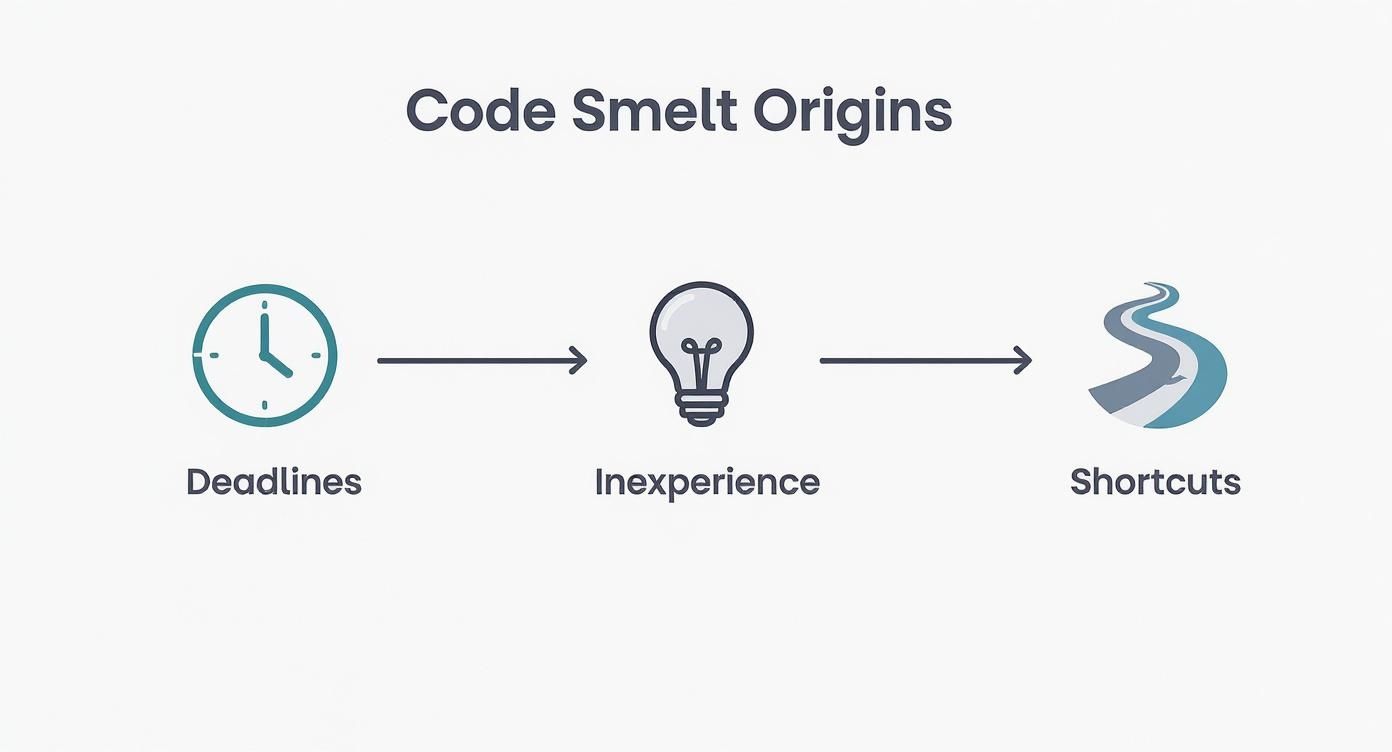
As you can see, there’s a clear line from real-world pressures to the technical compromises that end up as code smells. It’s a good reminder that they’re often a product of our working environment.
To make things more concrete, let’s group these smells into a few major categories. The table below gives a quick overview of the most common types, the problems they point to, and some classic examples you’ll run into.
Common Code Smell Categories and Examples
| Category | Core Problem | Common Examples |
|---|---|---|
| Bloaters | The code has grown too large and complex. | Long Method, Large Class (God Object), Long Parameter List |
| Object-Orientation Abusers | The code violates principles of object-oriented design. | Switch Statements, Refused Bequest, Feature Envy |
| Change Preventers | The code is rigid and difficult to modify safely. | Divergent Change, Shotgun Surgery, Parallel Inheritance Hierarchies |
| Dispensables | The code is unnecessary and can be removed. | Duplicate Code, Data Class, Dead Code |
| Couplers | The code has excessive dependencies between modules. | Inappropriate Intimacy, Message Chains, Middle Man |
This is just a high-level summary. Now let’s dive into a few of the biggest offenders from these categories.
Bloaters: Code That Has Grown Too Large
Bloaters are exactly what they sound like: bits of code that have become so massive and bloated that they’re a nightmare to work with. They usually start small and innocent, but over time, they take on more and more responsibility until they collapse under their own weight.
A perfect example is the Long Method. You start with a simple function to process an order. A few months later, it’s also handling payment validation, checking inventory, sending confirmation emails, and writing logs. This one method is now doing the job of five, making it incredibly difficult to test, debug, or reuse any single piece of its logic.
Then there’s the infamous Blob Class, also known as a “God Object.” This is a class that tries to do everything and know everything. Think of a UserManager class that handles user authentication, profile updates, data validation, and database interactions all by itself. It becomes the central hub for a huge chunk of the application, meaning any tiny change to it risks breaking a dozen other unrelated features.
Object-Orientation Abusers
This category is all about code that misuses or flat-out ignores the core ideas of object-oriented programming (OOP), like encapsulation and inheritance. When you see these smells, you’re often looking at code that’s tightly coupled and inflexible.
Feature Envy is a sneaky but common one. It happens when a method seems more interested in another class’s data than its own. For example, imagine a method in a ReportGenerator class that spends all its time calling getter methods on a User object just to pull data together. It’s “envious” of the User class.
Analogy: Think of Feature Envy like a chef who keeps running over to another chef’s station to grab their ingredients. It’s inefficient and a clear sign that the logic is in the wrong kitchen. The work should be moved closer to the data it’s actually working on.
Change Preventers
Change Preventers are smells that make your codebase rigid and brittle. A seemingly simple change forces you to hunt down and edit code in multiple different places, turning a quick fix into a long, risky ordeal.
Shotgun Surgery is a classic example. You need to change how dates are formatted, and suddenly you’re editing six different files: a UI component, a utility function, a report module, and a few test files. The logic is scattered everywhere, so one change requires a “shotgun blast” of tiny edits all over the codebase. This makes development painfully slow and error-prone, because it’s so easy to miss one of the spots you needed to update.
Finally, there’s Duplicate Code, maybe the most obvious and recognizable code smell of them all. You copy a chunk of logic from one place, paste it somewhere else, and maybe tweak one little thing. The danger here is obvious: when you find a bug in the original code, you fix it there but completely forget about the copy, leading to bugs and inconsistent behavior down the road.
Spotting these smells is the first step toward a healthier codebase. Many teams use a mix of manual code reviews and specialized automated code review tools to systematically find these issues before they pile up. By catching them early, you can refactor them with small, safe changes and keep technical debt from spiraling out of control.
How Code Smells Impact Your Project
Ignoring a code smell is a bit like hearing a faint, persistent rattle in your car’s engine. Sure, the car still gets you from A to B, but that sound is a clear warning sign. Let it go long enough, and that minor annoyance can turn into a major breakdown. In software, that breakdown looks like a project that gets progressively slower, riskier, and way more expensive to keep alive.
These seemingly small structural problems create a powerful ripple effect. They don’t just live in the code; they directly hit your team’s productivity and, ultimately, your project’s bottom line.
The Slowdown of Development Velocity
The first and most obvious casualty of smelly code is development speed. It just grinds to a halt. When a developer has to tackle a ridiculously long method or a tangled “God Object,” they have to spend a ton of time just figuring out what it does. They’re forced to untangle complex logic and map out hidden connections before they can even think about writing a new line of code.
All that mental effort adds up. A bug that should have been a simple one-hour fix can easily balloon into a full day of cautious, defensive coding. Every change becomes a high-stakes move because the risk of accidentally breaking something else is just too high.
Technical Debt: This is the direct result of code smells. The “debt” is all the extra work you’ll have to do later because you chose a shortcut now. Fixing code smells is how you start paying down that debt.
Increased Risk and Fragility
Code smells often create tightly coupled code, where different parts of your application are snarled together like a knotted mess of yarn. This is where things get fragile. A small change in one module can unexpectedly shatter a completely different, seemingly unrelated part of the system.
This is a developer’s worst nightmare. It destroys confidence in the codebase and makes everyone afraid to touch anything. The result is a brittle and unpredictable system where even the most minor updates can trigger a cascade of new bugs.
This isn’t just a hunch. Recent research on 116 open-source Java systems proved this connection. The study showed that code smells, and the way they interact, dramatically increase the number of dependencies between software modules. In 28 out of 36 cases, the combination of different smells directly led to a massive jump in these dependencies—the very thing that makes software so hard and expensive to maintain. You can dive into the specifics in the full research paper.
The Hidden Costs to Your Business
At the end of the day, all these technical headaches translate into real, tangible business costs. These aren’t just abstract complaints from your dev team; they have a direct financial impact.
- Longer Onboarding: It takes new developers forever to get up to speed because they first have to learn how to navigate a maze of confusing and poorly written code.
- Higher Maintenance Costs: Far more time is spent hunting down bugs and patching up a fragile system than on building new features that actually deliver value.
- Reduced Innovation: When your team is constantly bogged down fighting the codebase, there’s no time, energy, or mental space left for creative problem-solving and innovation.
Simply put, a codebase riddled with smells becomes a financial liability. It drains resources, kills your time-to-market, and makes it incredibly difficult to adapt to new business opportunities. Answering the question “what is code smell” isn’t just a technical task; it’s a fundamental business practice for ensuring a project’s long-term health.
Your Action Plan for Finding and Fixing Code Smells
Alright, so you know what a code smell is. That’s step one. But the real game-changer is learning how to hunt them down and squash them systematically. This isn’t just about writing code; it’s about crafting quality software.
The best approach is a tag-team effort: your human intuition paired with the relentless power of automation. By weaving both manual code reviews and automated tools into your daily workflow, you build a powerful defense against creeping technical debt.
This isn’t a new idea, either. The term ‘code smell’ was made famous back in the late 1990s by Kent Beck and Martin Fowler. They drove home the point that these smells, while not bugs themselves, are warning signs of deeper problems in your code’s architecture. Nipping them in the bud is crucial for keeping your codebase healthy and easy to maintain.
Manual Detection Through Code Reviews
Code reviews are your first and best line of defense. Think of it as having a second set of experienced eyes on your work. A good review process leans on the collective wisdom of your team to spot issues that a machine might completely miss, like confusing logic or just plain bad naming. Over time, you and your team will develop a “nose” for these common smells.
Here’s a quick mental checklist to run through during a peer review:
- Is the method a monster? If you have to scroll and scroll, or can’t explain what it does in one breath, it’s doing too much.
- Are the names actually helpful? Vague names like
processData()or variables likeitemare useless. What data? What kind of item? - Am I seeing double? Finding the same chunk of code copied and pasted in a few different places is a huge red flag.
- Did this one change touch everything? If a simple feature request forced you to edit 10 different files (a classic “Shotgun Surgery” smell), your code is too tangled up.
Automated Detection with Static Analysis
Human reviews are critical, but let’s be honest, we’re not perfect and we can’t read every line of code every single day. That’s where automated tools come in. Static analyzers, often called “linters,” are fantastic for scanning your entire codebase for well-known smell patterns. They’re like a tireless assistant who checks your work with every save or commit.
Most modern IDEs, like VS Code, have linters you can easily install as extensions. For a deeper, project-wide analysis, dedicated tools like SonarQube give you a high-level dashboard that flags code smells, bugs, and even security holes.
The real power here is visibility. A tool like this gives you an instant overview of your project’s health, pointing out the exact files that need the most love so you can prioritize your cleanup efforts.
The Cure: Refactoring Your Code
Once you’ve found a code smell, the cure is refactoring. This is simply the art of restructuring your code to improve its design without changing what it actually does. It’s about making small, safe tweaks that add up to a big improvement in clarity and maintainability.
Refactoring is the disciplined technique for restructuring an existing body of code, altering its internal structure without changing its external behavior.
Every refactoring technique is a specific solution for a specific smell. Here are a few of the most common moves in any developer’s playbook:
- Extract Method: This is the classic fix for a Long Method smell. You just take a self-contained piece of logic out of that giant function and pop it into its own, well-named method.
- Rename Variable/Method: Don’t underestimate this one. It sounds simple, but changing a variable from
dtoelapsedTimeInDayscan make the difference between confusing and crystal-clear code. - Introduce Parameter Object: Got a method with a ridiculously Long Parameter List? Group related parameters together into a single class or object. This cleans up the method signature instantly.
Getting into the habit of refactoring takes discipline, especially when you’re working with older code that might not have great test coverage. Having a strong suite of tests is your safety net. To build that foundation, learning the best practices for things like unit testing in Java is a great place to start, as it gives you the confidence to refactor without breaking things.
Your Top Code Smell Questions, Answered
Even with a solid game plan, a few practical questions always pop up when you start hunting for code smells. Let’s tackle the most common ones and get you clear on how this all works in the real world.
What Is the Difference Between a Code Smell and an Anti-Pattern?
This is a great question because it gets to the heart of how these ideas connect. They’re related, but they’re not the same thing.
Think of it this way: a code smell is a symptom, while an anti-pattern is a flawed solution to a common problem.
A smell is something you can spot on the surface, like a ridiculously Long Method or a chunk of Duplicate Code. An anti-pattern, on the other hand, is a bigger, more structural problem. A classic example is the “God Object,” an anti-pattern where one massive class tries to do everything. This single anti-pattern will almost certainly give off multiple code smells, like Large Class, Long Method, and Divergent Change.
In short: You might spot a few different code smells, but when you step back, you realize they all point to the same root cause—an anti-pattern. Fixing that one big anti-pattern can often clear up a bunch of smaller smells all at once.
Should I Fix Every Single Code Smell I Find?
Honestly? No. While a perfectly clean codebase is a nice ideal, context is everything. Trying to fix every single minor smell is a fast track to burnout, especially in a large, older system. It’s all about striking a balance between code quality and actually shipping features.
The key here is prioritization. A smell in a critical part of your application that changes all the time? That’s a high-priority target. A minor smell in some old, stable code that hasn’t been touched in years? It’s probably not worth the risk or effort to refactor.
Always ask yourself: what’s the potential gain versus the risk of accidentally breaking something?
When Is the Best Time to Look for and Fix Code Smells?
The best time is all the time. Seriously. Making this a part of your daily routine is way more effective than scheduling a giant “cleanup sprint” once a quarter. A proactive approach is the only way to keep technical debt from getting out of hand.
A fantastic rule to live by is the “Boy Scout Rule”: “Always leave the code cleaner than you found it.” If you’re in a file to fix a bug or add a feature, take five extra minutes to clean up a small smell you notice right there.
Here’s how that looks in practice:
- While You’re Coding: As you write new code, refactor on the fly to keep things tidy.
- During Code Reviews: This is the perfect moment for a teammate to spot something you missed. A fresh pair of eyes works wonders.
- With Every Commit: Set up automated tools to scan for common smells before the code even gets merged.
When you make this a constant, low-effort habit, you keep your codebase healthy without ever needing a massive, painful refactoring project.
A Scorecard for Your Team
Let’s be honest: keeping code clean is a constant battle, even for the most disciplined teams. It takes more than just good intentions. It requires consistent habits, open communication, and a shared agreement on what “good code” actually means.
A simple scorecard can be a game-changer here. It takes the vague idea of “quality” and turns it into concrete numbers and actionable steps, keeping everyone on the same page. If you’re looking for more ways to quantify this, our guide on how to measure code quality is a great next step.
By regularly checking in on a few key metrics and thinking about your process, you can shift the fight against code smells from a nagging chore into a powerful, positive part of your team’s culture.
## Systematize Your Code Cleanup
Transform the fight against code smells from a chore into a core team habit.

### Code Health Metrics
1. 👃 Code Smells Found — count of issues flagged by tools or peer reviews
2. 🛠️ Refactors Completed — number of smells actively removed per sprint
3. 📉 Tech Debt Ratio — percentage of your codebase impacted by known issues

### My Cheatcodes
🕹️ My Cheatcodes
- 🌱 Symptom vs. Cause — a smell is a symptom; an anti-pattern is the root flawed solution
- 🦎 Boy Scout Rule — always leave code cleaner than you found it
- ⚡ Proactive, Not Reactive — fix smells constantly, not just during "cleanup sprints"

### Reflection Points
📈 Reflection Points
- 💡 Does this smell exist in a critical, frequently-changed part of the app?
- 🧩 What real-world pressure (deadline, inexperience) led to this smell?
- 📘 Can we prevent this smell in the future with a new team standard?

### Checklists
✅ Before you commit
- 🔍 Run static analysis linter
- 📊 Manually scan for Long Methods or Duplicate Code
- 🧭 Ensure variable and method names are clear
- 📈 Refactor one small thing if you have time
Gallery
Lemon shots