
Unpacking the Unit Testing Meaning for Better Code

When you hear developers talk about testing, the term “unit test” gets thrown around a lot. But what does it actually mean? Let’s cut through the jargon.
Unit testing is simply the practice of checking the smallest, most fundamental pieces of your code—a single function, a method, a component—to make sure they work correctly on their own. It’s the very first line of defense against bugs.
So, What Is a Unit Test, Really?
Think of it like building a car. You wouldn’t assemble the entire vehicle and then cross your fingers hoping the engine starts. Instead, you’d test each part individually first. Does the spark plug ignite? Does the piston move correctly? Does the headlight turn on?
That’s exactly what unit testing does for software. You verify every little piece in total isolation.
This idea of isolation is the secret sauce. A true unit test doesn’t rely on a database, a network connection, or any other part of your application. This pinpoint focus is what makes them incredibly fast and reliable. When a unit test fails, you know exactly where the problem is. No guesswork, just a clear signal pointing to a specific chunk of code. If you want to dive deeper, you can explore our guide on what are unit tests.
Where Unit Tests Fit in the Bigger Picture
To really get it, you need to see how unit tests relate to other kinds of testing. The emphasis on quality assurance is growing fast; the global software testing market is expected to jump from USD 40 billion in 2024 to nearly USD 55.8 billion by 2026. That’s a massive investment in getting things right.
This process is often shown as a pyramid, with unit tests forming the wide, stable foundation.
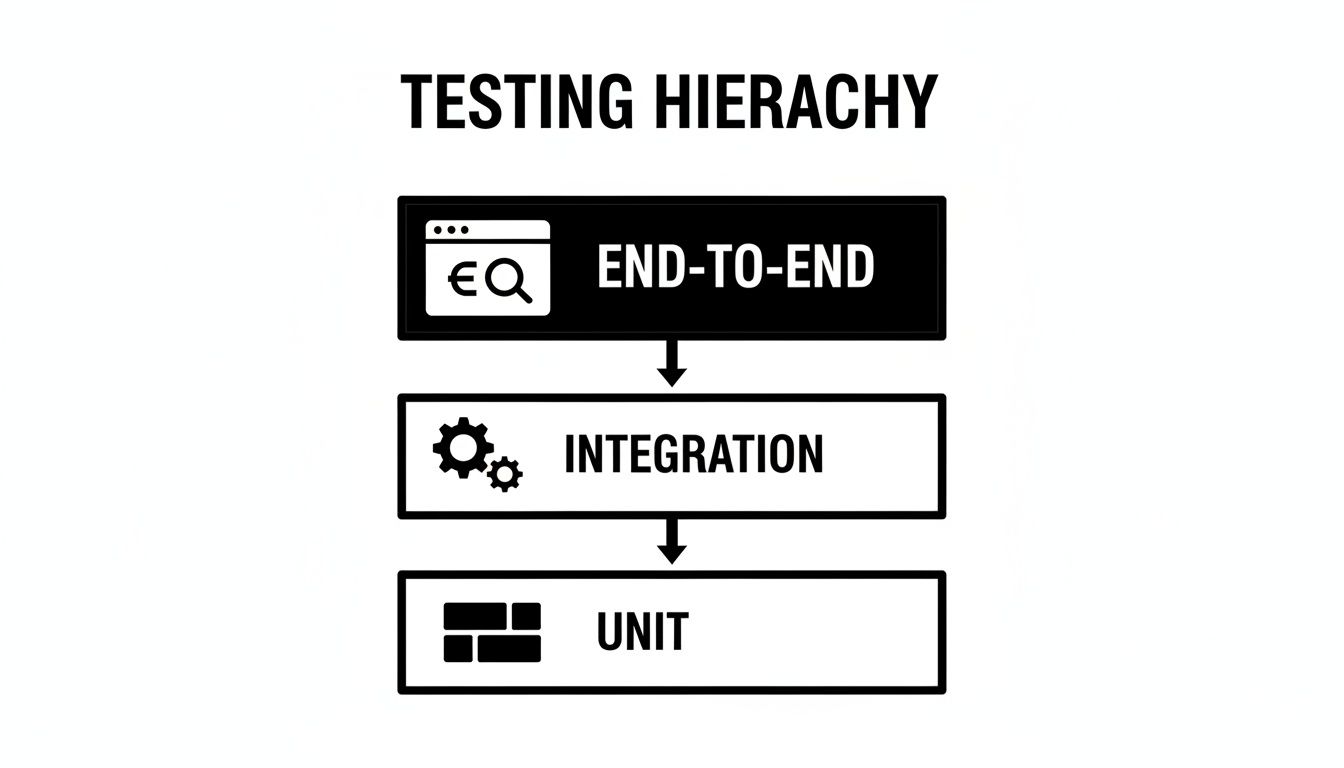
The pyramid shows a simple truth: you should have a lot of fast, cheap unit tests, a smaller number of integration tests, and very few slow, expensive end-to-end tests.
Unit Testing vs. Other Testing Types
The lines between different testing methods can feel a bit blurry sometimes. Each type has a unique job to do, and understanding their roles helps you build a much stronger testing strategy.
Here’s a quick comparison to clear things up.
Unit Testing vs. Other Testing Types
| Testing Type | Scope | Purpose | When to Use |
|---|---|---|---|
| Unit Testing | A single function, method, or class. | To verify a small piece of code works in isolation. | Constantly, as you write code. |
| Integration Testing | Two or more interacting units. | To check if different parts of the app work together. | After unit tests pass, before full system tests. |
| End-to-End (E2E) Testing | The entire application workflow. | To simulate real user scenarios from start to finish. | Before releasing features to production. |
As you can see, they aren’t competing with each other. They’re teammates. Unit tests confirm the building blocks are solid, integration tests check how they fit together, and E2E tests ensure the final product works as a whole.
Why Unit Tests Are Your Secret Weapon for Coding

It’s a classic developer nightmare. You push a small change to add a new feature, and suddenly, three other things break somewhere else in the app. We’ve all burned hours hunting down those kinds of mysterious bugs. This is exactly the sort of chaos that unit tests are meant to tame.
Think of unit tests as your personal safety net. They give you the freedom to refactor messy code, add new features, or just experiment, all without that nagging fear of causing a regression. With a solid test suite in place, you can make bold changes, knowing you’ll get an immediate warning if something goes sideways.
Build Confidence and Move Faster
When it comes down to it, the real unit testing meaning is about shipping code with more speed and confidence. Instead of manually clicking through the app to check every related feature after a change, you just run the tests. A wall of green checkmarks lets you know everything is still working, so you can move on in minutes, not hours.
That quick feedback cycle makes a huge difference in both productivity and stress.
- Catch Bugs Instantly: You’ll find problems at the earliest possible moment, when they’re still cheap and simple to fix. Say goodbye to those painful late-night debugging sessions before a release.
- Enable Fearless Refactoring: Go ahead and clean up that complex function or optimize a slow query. Your tests are there to guard against any unintended consequences.
- Ship Features with Certainty: You can merge your pull requests with a high degree of confidence that you haven’t broken the main branch.
Create Living Documentation for Your Code
Here’s another benefit that often gets overlooked: unit tests act as living documentation. A good test clearly shows what a piece of code is supposed to do by demonstrating its expected inputs and outputs. When a new developer joins your team, they can read the tests to get up to speed on a function’s behavior and its edge cases.
A good unit test is the perfect example of how to use a function. It’s code that documents other code, and unlike comments, it can never become outdated.
Ultimately, writing unit tests isn’t just another box to check. It’s a strategic discipline that helps you build better, more reliable software. It cuts down on complexity, smashes bugs early, and gives you a clear path for maintaining your code for years to come.
Writing Your First Unit Test, Step by Step
Alright, enough theory. Let’s get our hands dirty and write an actual unit test. The best way to really get what unit testing is all about is to see it in action. Thankfully, once you learn the basic pattern, it’s simple and repeatable.
We’ll use a straightforward JavaScript function for this walkthrough. The goal isn’t to get lost in complex code, but to focus on the testing recipe itself.
The Arrange, Act, Assert Pattern
Nearly every unit test you’ll ever write follows a clean, three-step recipe known as Arrange, Act, Assert (AAA). Think of it as the universal grammar for testing. Following this structure is the secret to writing tests that are dead simple to read, understand, and fix later on.
- Arrange: First, you set the stage. Get all your ingredients ready. This means creating any variables, preparing input data, or setting up any “fake” objects (mocks) your function needs to run.
- Act: Next, you perform the action. This is where you call the one single piece of code—the “unit”—that you’re actually testing. It’s usually just a single function call.
- Assert: Finally, you check the result. Did the function do what you expected? This is where you verify that the output perfectly matches what you predicted.
This simple structure keeps each test focused on one, and only one, thing.
A Concrete Example
Let’s say we have a small utility function called truncate. Its job is to shorten a string to a certain length and tack on an ellipsis (…).
Here’s the function we want to put under the microscope:
// The “unit” we are testing function truncate(text, maxLength) { if (text.length <= maxLength) { return text; } return text.slice(0, maxLength) + ‘…’; }
Now, let’s write a test for it using the AAA pattern. We’ll use syntax from a popular framework like Jest, but the core idea is exactly the same no matter what tool you use.
// A simple unit test for our truncate function test(‘should shorten the string if it exceeds max length’, () => { // 1. Arrange const originalText = ‘This is a very long string of text’; const maxLength = 10; const expectedResult = ‘This is a …’;
// 2. Act const result = truncate(originalText, maxLength);
// 3. Assert expect(result).toBe(expectedResult); });
And that’s it! We arranged our inputs, acted by calling the function, and asserted that the output was exactly what we wanted. Diving into a hands-on example of unit testing shows just how this pattern gives you clarity and confidence.
This little test now acts as a permanent, automated safety net for our truncate function, ensuring it always behaves as expected.
Your First Unit Test Scorecard
Use this guide to translate testing theory into practical, confident first steps.
📊 Core Metrics
- Tests Written — The total number of tests you create for a single function.
- Assertions Per Test — How many checks you make in one test. Aim for one main assertion to keep things focused.
- Clarity Score — Give yourself a score from 1 to 5 on how easy your test is to read at a glance.
🕹️ My Cheatcodes
- 🌱 Arrange, Act, Assert (AAA) — Make this your mantra. Structure every single test this way for consistency.
- 🦎 One Unit, One Test — Keep each test focused on just one function or method. This is key for isolation.
- ⚡ Predictable Inputs — Always use simple, hardcoded values in your 'Arrange' step. This makes your tests reliable and deterministic.
✅ Before Running Your Test
- 🔍 Know what you expect the output to be before you run the code.
- 📊 Make sure the function is isolated and not relying on outside systems.
- 🧭 Give your test a clear name that describes exactly what it's supposed to verify.
- 📈 Double-check that your 'Assert' step is directly testing the result from your 'Act' step.
Mastering the Core Principles of Effective Unit Tests

Just writing a test isn’t enough. There’s a world of difference between a test that saves you from a late-night bug hunt and one that just creates more work. The secret to getting real value from your tests lies in a few key principles that keep them fast, reliable, and easy to maintain.
The most important rule? A unit test must be isolated. This means the function you’re testing shouldn’t rely on anything external—no databases, no network calls, and no reading from the file system. But what if your code’s whole job is to call an outside API?
Isolating with Stunt Doubles
That’s where mocking and stubbing save the day. Think of them as stunt doubles for your code. When a function needs to do something risky or unpredictable, like call an external service, you swap in a mock to play that part.
Instead of hitting a real network endpoint, your test talks to a predictable fake that you control. This lets you simulate any response you want—a successful call, a connection error, or a timeout—without the real-world delays. It keeps your tests laser-focused on your unit’s logic and makes them run in milliseconds.
Another big idea is code coverage. This metric simply shows you what percentage of your code is actually run by your tests. It’s easy to get fixated on hitting a 100% coverage score, but that’s rarely the point.
Code coverage doesn’t measure the quality of your tests, only their reach. Its true power is in showing you the “dark corners” of your application—the parts of your code that have no tests at all.
Use your coverage report to spot the gaps in your safety net, then write meaningful tests for those areas. A test suite with 80% coverage that thoughtfully checks your most critical logic is far more valuable than a 100% suite full of trivial checks. To get a better handle on this, check out our complete guide on unit testing best practices.
Key Principles for High-Quality Unit Tests
To help you build a test suite that actually helps you move faster, we’ve put together a summary of the essential practices and the value they bring to your testing suite.
| Principle | Description | Benefit |
|---|---|---|
| Isolation | Tests run independently without external dependencies like networks or databases. | Speed & Reliability: Tests run in milliseconds and only fail if the unit is broken. |
| Mocking/Stubbing | Replacing external dependencies with predictable, controlled fakes. | Control: You can simulate any scenario, including errors, to test your code’s resilience. |
| Coverage as a Guide | Using coverage metrics to identify untested code paths, not as a final goal. | Insight: Helps you find gaps in your safety net and focus your testing efforts where they matter most. |
| Simplicity | Each test should be simple, easy to read, and check only one thing. | Maintainability: When a test fails, you know exactly what broke without having to decipher complex test logic. |
Sticking to these principles is what turns testing from a chore into a superpower for your development workflow.
How AI Is Changing the Unit Testing Game
Let’s be honest, AI coding assistants have completely shaken up how we write code. Tools like GitHub Copilot and Cursor aren’t just toys anymore; they’re part of the daily grind for a huge number of developers. This new reality has a direct impact on unit testing, opening up some incredible possibilities while also introducing a few new things to watch out for.
Think of AI as a massive shortcut for the tedious parts of testing. It’s fantastic at spotting patterns and churning out the boilerplate code that makes writing tests feel like a drag. For instance, you can get an AI to instantly generate the “Arrange, Act, Assert” skeleton for a function, freeing you up to focus on the actual test logic instead of the setup. It’s no surprise that tools like an AI Test Case Generator are popping up to help us squash bugs more efficiently.
The Rise of AI-Assisted Testing
This isn’t just a feeling; the numbers show a clear trend. The adoption of AI-driven testing tools jumped by 35% in 2025 alone, as teams race to keep up. As we use AI to write code faster, we absolutely need our testing to be just as fast and smart. You can dig into more of these testing industry statistics on Gitnux.org if you’re curious.
Here’s where an AI assistant can be a real game-changer for your unit tests:
- Generating Boilerplate: It can create the test file, pull in the right modules, and lay down the basic test structure in seconds.
- Suggesting Edge Cases: An AI can look at your function and suggest tests you might have forgotten, like null inputs, empty arrays, or ridiculously large numbers.
- Refactoring for Testability: If you have a messy, complex piece of code, you can ask an AI to help break it down into smaller, pure functions that are far easier to test.
The Human Factor Is Still Critical
But here’s the big “gotcha”: you can’t just blindly trust what the AI spits out. AI-generated tests demand vigilant human oversight. An AI might write a test that passes, but completely misses the actual business logic you were trying to protect.
The point of unit testing isn’t to hit a high coverage number. It’s to build genuine confidence that your code does what it’s supposed to do. A ‘green’ test that doesn’t check the right thing gives you a false sense of security.
If you lean too heavily on AI without thinking, you’ll end up with a test suite that looks impressive but lets critical bugs slip right through. The meaning of unit testing is shifting in the age of AI. The new goal is to use AI as a super-productive assistant that handles the grunt work, while you—the developer—provide the critical thinking to make sure the tests actually matter.
AI-Powered Unit Testing Scorecard
Use AI as a partner to write better tests, faster, without sacrificing quality.
📊 AI-Assisted Metrics
- Tests Generated — Total number of tests your AI assistant drafted for you.
- Meaningful Tests Kept — The percentage of those AI-generated tests you actually kept after reviewing.
- Edge Cases Found — How many genuinely new edge cases the AI helped you uncover.
🕹️ My Cheat Codes
- 🌱 Generate, Then Verify — Let the AI create the first draft, but always review it to confirm it tests what you intended.
- 🦎 Prompt for Scenarios — Ask your AI, "What are three edge cases for this function?" to find your blind spots.
- ⚡ Refactor First — If code is a nightmare to test, ask your AI to refactor it into a cleaner, pure function *before* you write the test.
📈 Reflection Points
- 💡 Does this AI-generated test check the business logic, or just something trivial?
- 🧩 Did I accept this test just to bump up my coverage score?
- 📘 Could another developer look at this test and understand its purpose without me explaining it?
Common Unit Testing Mistakes and How to Dodge Them
Getting into unit testing is easy. Sticking with it is the hard part. Over the years, I’ve seen countless developers get excited, write a bunch of tests, and then quietly abandon them a few months later. Why? Because they fall into a few common traps that make testing feel like a chore instead of a superpower.
Let’s walk through the big ones so you can sidestep them entirely.
The most common mistake, by far, is testing the implementation, not the behavior. This is when your test knows too much about how a function works on the inside. So, when you inevitably refactor that function—even if the outcome is exactly the same—the test shatters. It’s incredibly frustrating.
Test the Contract, Not the Construction
To fix this, you need a mental shift. Think of your function’s public-facing parts as a “contract.” What does it promise to do?
- If I give it input X, will it return output Y?
- If I give it invalid input Z, will it throw the right error?
Focus your tests on these observable results. When you do this, your tests become much more durable and won’t break every time you clean up the internal code. It’s the single most important habit for building a test suite that lasts.
Another classic pitfall is writing slow, clunky tests. If your test suite takes minutes to run, developers will find excuses not to run it. This usually happens when a “unit” test isn’t really a unit test at all—it’s making real network calls, hitting a live database, or reading from the file system.
This isn’t just a local problem; it has huge industry implications. In enterprise settings, compliance and regulatory checks can eat up 40% of all testing efforts. With spending on digital transformation expected to hit USD 1.85 trillion in 2024, the pressure for fast, efficient, and automated testing is immense. You can find more data on the software testing market over at Research Nester.
A slow test is a test that won’t get run. Keep your unit tests lightning-fast by aggressively mocking any external dependencies.
Finally, don’t write cryptic tests that are impossible to read. A test should be self-explanatory. If it needs a 10-minute verbal explanation, it’s not a good test. Use clear, descriptive names and a consistent structure like “Arrange, Act, Assert” so anyone on the team can look at a test and know its purpose instantly.
Dodge Common Unit Testing Mistakes
Use this scorecard to build a resilient and valuable test suite that accelerates development.
📊 Core Metrics
- Test Suite Speed — Total time it takes for all unit tests to run. Aim for seconds, not minutes.
- Refactor Resilience — How many tests break after a minor internal refactor. Should be close to zero.
- Test Readability Score — On a scale of 1-5, how quickly can a new dev understand a test's purpose?
🕹️ My Cheatcodes
- 🌱 Behavior Over Implementation — Test what a function does (its contract), not how it does it.
- 🦎 Mock Aggressively — Isolate your unit from all external dependencies like networks or databases.
- ⚡ Clarity is King — Write tests that are so clear they serve as documentation.
📈 Reflection Points
- 💡 Does this test depend on the internal structure of the code it's testing?
- 🧩 Is this test slow to execute? If so, what external dependency can I mock?
- 📘 Will a future developer understand this test's purpose without asking me?
Mastering Unit Testing: A Practical Guide
Alright, let's move from theory to practice. The goal here isn't just to *write* tests, but to write *smart* tests that turn every function into a reliable, bug-resistant building block for your application.Think of it like this: good unit testing is less about hitting a quota and more about building confidence in your code. So, how do we get there?
What Should You Actually Measure?
It’s easy to get lost in metrics, but only a few really matter for day-to-day development. I keep an eye on these three:
- Test Execution Speed: Your entire unit test suite should run fast—ideally in seconds. If it takes minutes, developers will stop running it. A slow test suite is an ignored test suite.
- Code Coverage: This tells you what percentage of your code is actually run by your tests. It’s a useful guide to find untested spots, but don’t treat it as the ultimate goal. 100% coverage doesn’t automatically mean your code is bug-free.
- Bugs Caught Pre-Merge: This is the real prize. How many potential bugs did your tests catch before they ever made it into the main branch? This metric proves the value of your testing culture.

Pro Tips for Writing Better Tests
Over the years, I’ve found a few core principles that separate a great test from a mediocre one.
- Isolate Everything: A unit test should only fail if the specific piece of code it’s testing is broken—nothing else. Use mocks and stubs to fake external dependencies like databases or APIs. This keeps your tests fast and deterministic.
- Test Behaviors, Not Implementation: Focus on what a function is supposed to do (the output for a given input), not how it does it. This makes your tests more resilient to refactoring. If you change the internal logic without changing the result, the test should still pass.
- Follow the AAA Pattern: This is a simple but powerful way to keep your tests clean and readable. Structure every single test with these three steps:
- Arrange: Set up all the necessary preconditions and inputs.
- Act: Execute the function or method you are testing.
- Assert: Verify that the outcome is what you expected.
A Quick Sanity Check for Every Test
Before you move on from a test you’ve just written, ask yourself these quick questions. It’ll save you and your teammates a lot of headaches later.
- Is this test easy to understand? A colleague (or you, in six months) should be able to look at it and immediately know what’s being tested and why.
- Does this test depend on anything external? If it needs a network connection, a running database, or a specific file on disk, it’s not a true unit test.
- Did I test more than just the “happy path”? Great tests also check for edge cases, invalid inputs, and potential errors.
Your Pre-Commit Checklist
Finally, make this a reflex. Before you even think about committing your code, run through this mental checklist.
- [ ] Run all unit tests related to the files you changed.
- [ ] Make sure any new code you wrote has a new test to go with it.
- [ ] Check that your test names are descriptive (e.g.,
test_calculates_tax_for_high_incomeis better thantest1). - [ ] Confirm that every single test passes. No exceptions.
Unlock Your Unit Testing Workflow
Transform your testing from a chore into a high-impact development discipline with these core takeaways.
📊 Core Metrics
- Test Execution Speed — Total runtime for your unit test suite, measured in seconds.
- Code Coverage — Percentage of code executed by tests, used as a guide to find untested paths.
- Bugs Caught Pre-Merge — Critical bugs identified by unit tests before hitting the main branch.
🕹️ My Cheatcodes
- 🌱 Isolate Everything — Use mocks and stubs to ensure a test only fails if its specific unit is broken.
- 🦎 Test Behaviors, Not Implementation — Focus on the contract (input/output), not the internal logic, to make tests resilient.
- ⚡ AAA Pattern is King — Structure every test with Arrange, Act, and Assert for maximum clarity and maintainability.
✅ Before Committing
- 🔍 Run all relevant unit tests for your changes.
- 📊 Ensure new code is covered by new, meaningful tests.
- 🧭 Verify test names are clear and descriptive.
- 📈 Confirm the entire test suite passes without exceptions.
Gallery
Lemon shots



