A Modern Standup Meeting Format That Actually Works
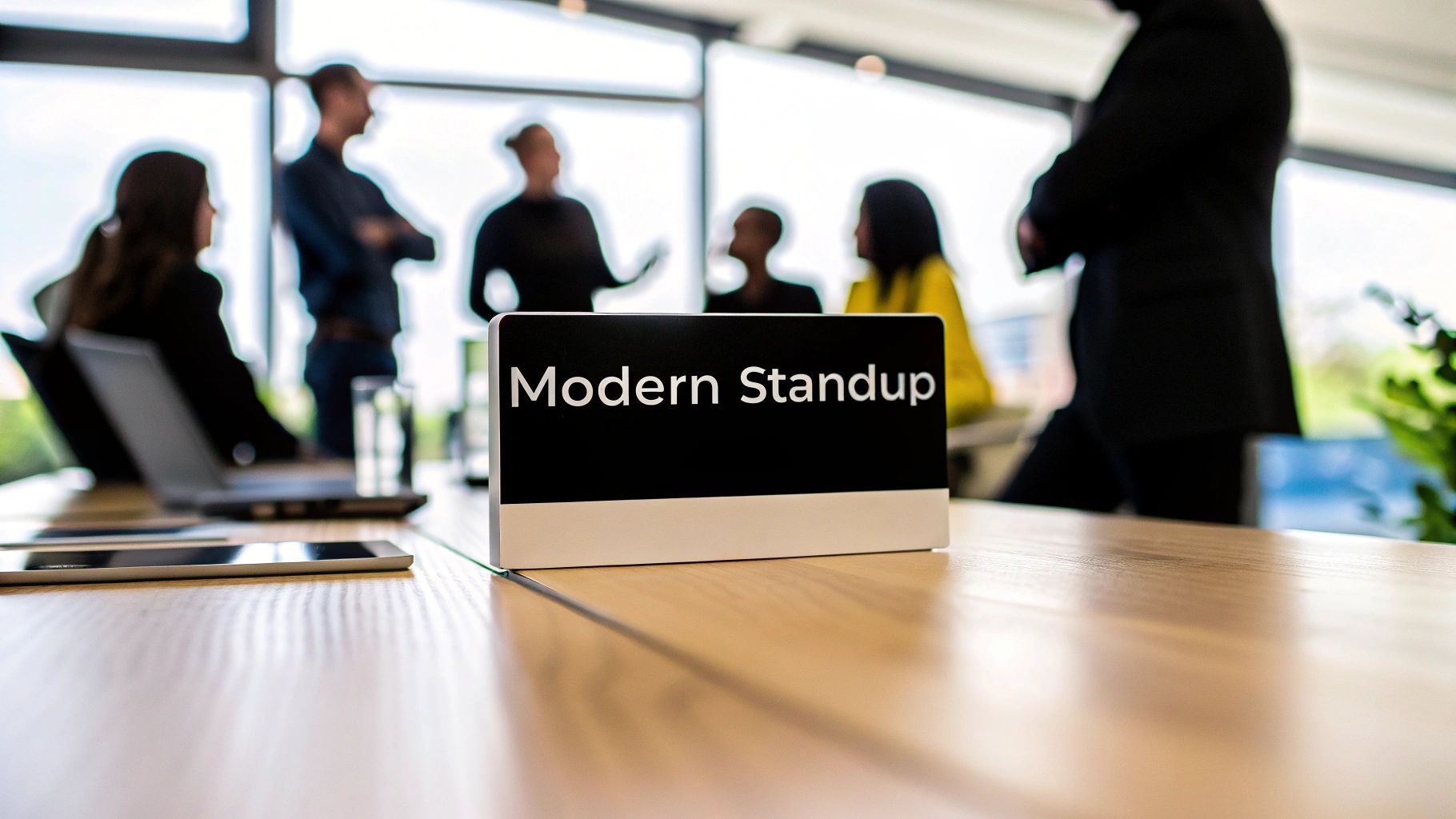
A good standup meeting is quick, focused, and actually helps your team. The whole point is to have a tactical sync-up that lasts somewhere between 5-15 minutes. It’s just enough time to get everyone aligned on what matters today and, more importantly, to surface any blockers before they completely derail the sprint.
Why Most Standup Meetings Fail
Let’s be real for a minute: most daily standups are broken. They feel like a pointless ritual that just eats into valuable time. What’s supposed to be a sharp, energetic huddle quickly turns into a rambling status report where everyone just waits for their turn to talk, tunes out the rest, and then rushes back to their “real” work.
If this sounds familiar, you’re not alone. We’re all drowning in meetings.
Meeting fatigue is at an all-time high. It’s wild to think about, but executives are now spending nearly 23 hours a week in meetings. Back in the 1960s, it was less than 10. With calendars this packed, every single meeting has to count. When the daily standup becomes just another long, drawn-out calendar event, it’s completely missed the mark.
The Clash with How We Work Now
This problem is even bigger for modern development teams. The classic “yesterday, today, blockers” format just doesn’t always fit with the way we build software anymore. Developers are already using tools like AI assistants in their code editors to track progress and solve problems on the fly. Asking them for a verbal recap can feel slow and, frankly, a bit redundant.
That’s when the standup stops being a strategic huddle and turns into status update theater.
This disconnect is where things usually go wrong:
- They drag on forever. If your standup is consistently blowing past the 15-minute mark, it’s a huge red flag. It shows a lack of focus and respect for everyone’s time.
- They turn into problem-solving sessions. A standup is for identifying blockers, not fixing them. Any deep dives need to happen after the meeting, with only the people who need to be there.
- Nobody is paying attention. When the meeting is just a series of passive report-outs, people will naturally disengage. They’ll start multitasking or just mentally check out until it’s over.
- The focus is on individuals, not the work. The conversation gets stuck on what each person did, instead of how the team is moving work forward toward its collective goal.
The funny thing is, daily standups are incredibly popular. Their use is widespread, with 87% of professionals using Agile methodologies making them a daily habit. And it’s not just for software teams anymore. You can find more statistics about stand-up meeting adoption that show just how many marketing, product, and operations teams rely on this format to stay aligned.
Ultimately, a broken standup isn’t just an annoyance—it’s a productivity killer. By fixing these common mistakes and taking a more disciplined approach, teams can slash unnecessary meeting invites by up to 35%. That’s a huge win, freeing up a ton of time to get back to actually building things.
The Essential Standup Meeting Agenda
A great standup isn’t just a daily ritual; it’s a high-impact alignment tool. But to get there, you need a clear, disciplined agenda that respects everyone’s time. It starts by moving beyond the tired “yesterday, today, blockers” script.
The real goal isn’t just a status update. It’s about understanding how work is actually flowing toward the finish line, and the format you choose is what drives that conversation.
Round Robin vs. Walk the Board
Two formats tend to dominate the standup scene: Round Robin and Walk the Board. Each has its place, but one is often more effective at getting to the heart of what matters.
-
Round Robin: This is the classic format where everyone takes a turn answering the three standard questions. It’s simple and guarantees everyone gets a chance to speak. The downside? It can quickly devolve into a series of disconnected reports, with people tuning out as soon as their turn is over.
-
Walk the Board: Here, the focus shifts from people to the work itself. The team gathers around their Kanban or Scrum board and discusses tasks, usually starting with those closest to completion (the far-right column) and moving left. This simple change reorients the entire conversation from “What did I do?” to “How do we get this done?”
If your team’s standups are plagued by long-winded stories or consistently run over time, Walk the Board is almost always the better choice. It keeps the focus squarely on collective progress and makes it easier to spot blockers tied to actual work items.
This chart illustrates how modern meeting practices evolved to solve these kinds of long-standing inefficiencies.
You can see the clear shift from unstructured, time-consuming meetings toward a model built for quick problem-solving and clear accountability.
The Facilitator’s Critical Role
No matter which format you use, a good facilitator is the secret ingredient. Their job is to be the pacer—keeping the energy up, the discussion on track, and the meeting on schedule. This is even more crucial for remote or hybrid teams. Using different meeting check-in formats can also be a game-changer for boosting engagement, especially in virtual settings.
A huge part of this role is protecting the timebox. A standup should be 15 minutes or less, with 10 minutes being the sweet spot for most teams. This is a powerful antidote to the meeting bloat we see today, where executives can lose 23 hours a week to meetings, up from just 10 hours in the 1960s.
The Parking Lot Technique: When a conversation starts spiraling into a deep technical debate, the facilitator needs to step in. The key is to acknowledge the issue, identify the right people to solve it, and “park” it for a follow-up right after the standup. This keeps the standup from turning into a problem-solving session.
Mastering the parking lot is non-negotiable for a healthy standup culture. It protects the team’s time and ensures the meeting stays focused on its core purpose: quick, effective alignment. Adopting these habits also lays the groundwork for better team-wide communication, which you can read more about in our guide to https://meetzest.com/blog/knowledge-sharing-best-practices.
To help you decide what’s best for your team, let’s compare how these formats stack up, especially when you bring modern tools into the mix.
Classic vs Modern Standup Meeting Formats
| Format Type | Core Focus | Ideal for | AI Enhancement |
|---|---|---|---|
| Round Robin | Individual updates and blockers. | Small, tightly-knit teams where personal context is valuable. | AI can pre-populate updates, summarize contributions, and highlight key blockers mentioned by individuals. |
| Walk the Board | Work items and flow towards completion. | Teams using Kanban/Scrum who need to focus on unblocking tasks. | AI can automatically flag stalled tickets, predict bottlenecks, and provide data on cycle time directly in the meeting. |
| Metrics-Driven | Data-driven progress against goals (e.g., burndown). | Mature agile teams focused on predictable delivery and continuous improvement. | AI generates real-time burndown charts, identifies scope creep, and offers predictive insights based on historical velocity. |
| Asynchronous | Written updates submitted before a deadline. | Geographically distributed teams across multiple time zones. | AI tools like Zest automate the collection of updates, create a centralized summary, and flag critical issues for follow-up. |
As you can see, AI doesn’t just automate the old way of doing things—it provides a layer of intelligence that makes each format more focused and effective. It turns a simple check-in into a proactive, data-informed huddle.
Mastering Roles and Timing for Better Flow
A disciplined standup is a high-impact standup. But what does that discipline actually look like? It really boils down to two things: timing and roles. If you don’t nail these, even the most perfect agenda will quickly go off the rails.
Let’s start with the most sacred rule of all: the 15-minute timebox. This isn’t just a friendly guideline; it’s a hard and fast rule that protects everyone’s time and focus. The moment standups start bleeding past that 15-minute mark, they stop being valuable and just become another meeting people dread.
Defining Clear Participant Roles
For a standup to run like a well-oiled machine, everyone needs to know their part. The titles might change from team to team, but the core jobs are always the same.
- The Facilitator: Think of this person as the guardian of the meeting’s pace. Their main job is to keep the conversation flowing, make sure everyone gets a chance to speak (briefly!), and politely cut off any deep-dive problem-solving. A great facilitator knows how to say, “That’s a great point, let’s park that and circle back after this,” without making anyone feel shut down. Many of these skills overlap with those of an effective remote scrum master.
- Team Members: The responsibility here is simple: show up prepared and be concise. This means thinking through your update before the meeting starts. Your goal isn’t to recount every single thing you did yesterday, but to give a quick, clear summary of your progress and flag anything that’s blocking you.
The best teams I’ve worked with have a culture where everyone owns the standup’s success. It’s not just on the facilitator to jump in when someone is rambling; the whole team feels empowered to keep things moving.
Practical Tips for Enforcing the Timebox
Just telling people to “be quick” isn’t enough. You need to build a structure that naturally encourages brevity and respects the clock.
Here are a few tricks I’ve seen work wonders:
- Use a Visible Timer. Put a big countdown timer up on a screen where everyone can see it. It’s amazing how a simple visual cue can keep people focused and on-point.
- Establish Fun ‘Penalties’. Keep it lighthearted. Maybe the last person to show up has to go first, or they’re on the hook for facilitating the next day. It encourages punctuality without feeling punishing.
- Take It Offline Aggressively. As soon as a conversation veers into a technical debate between two people, the facilitator needs to step in. Acknowledge the topic, quickly identify who needs to be in the follow-up chat, and move on.
When you get the roles and timing right, your standup transforms from a daily chore into an energizing huddle. It builds a culture that respects everyone’s time and keeps the team’s momentum going strong.
Adapting Your Standup for Remote Teams
Let’s be real: the classic in-person huddle around a whiteboard just doesn’t work when your team is scattered across different cities or, even trickier, different time zones. To keep everyone on the same page, you have to adapt your standup meeting format for a remote or hybrid world. This isn’t just about switching to video; it’s about rethinking how, when, and even if you should be meeting live at all.
For any distributed team, the first major fork in the road is deciding between a synchronous (live) meeting or an asynchronous (text-based) check-in. There’s no one-size-fits-all answer here. The right choice really comes down to your team’s unique workflow and how spread out everyone is.
Synchronous Video Standups
Jumping on a live video call with tools like Zoom or Microsoft Teams is the closest you’ll get to that in-person feel. It’s great for building camaraderie and getting quick clarifications. But, if you’re not careful, it can also become a major source of friction and wasted time.
If you’re going to do a live remote standup, you have to be disciplined about it:
- Cameras On: This one is non-negotiable. It keeps people present and focused instead of multitasking on another screen. It’s a small thing that makes a huge difference in engagement.
- Use a Virtual Whiteboard: Tools like Miro or Mural are perfect for replacing the physical Kanban board. “Walking the board” virtually keeps the conversation centered on the work itself, not just on individual status reports.
- Be Smart About Time Zones: A 9 AM standup in New York is a painful 6 AM start for your teammate in California. Be considerate and find a time that doesn’t burn anyone out. If you can’t, it might be time to consider another approach.
Asynchronous Text-Based Standups
For teams stretched across multiple time zones, asynchronous standups are often the most practical and inclusive option. Everyone just posts their update in a dedicated Slack channel or a specialized tool when their workday kicks off. This approach respects everyone’s schedule and cuts down on interruptions.
Asynchronous standups are often 50% faster than live meetings. They cut out the small talk and force people to be concise, plus you get a written record you can refer back to anytime.
This method is also a lifesaver for different work styles and creates a searchable history of progress and blockers. The biggest trap? Your standup channel becomes just another stream of unread notifications. Team leads have to stay active and respond quickly to make sure this format actually works.
The Rise of AI-Powered Automation
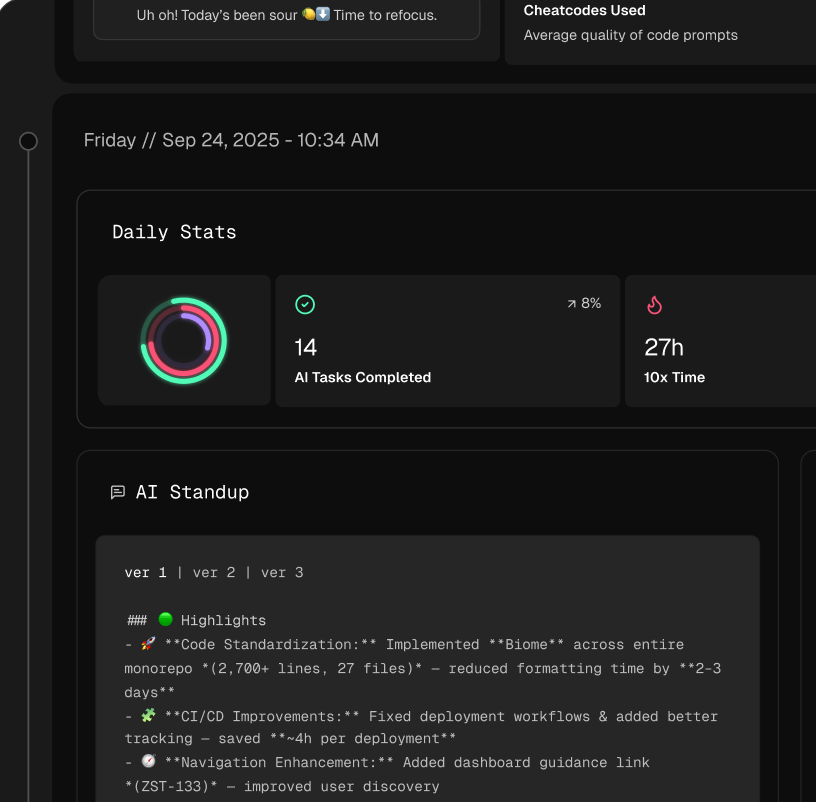
A much newer—and frankly, more efficient—way to handle this is by automating the whole process. Tools like Zest are changing the game by integrating directly into a developer’s workflow, right inside their code editor like VS Code, to generate standup summaries automatically.
Instead of interrupting a developer to ask them to remember and write down what they did, these tools analyze their actual coding activity, commits, and pull requests. The result is an objective, data-driven update. This gives managers a crystal-clear view of progress, wins, and blockers without adding yet another meeting to the calendar. It frees up a massive amount of developer time and gives you a far more accurate picture of what’s really going on.
How to Measure Standup Success
A standup that feels productive is great, but one that is productive is better. If your team walks away feeling energized but nothing actually improves, the meeting isn’t doing its job. The real success of a standup isn’t just a vibe; it’s something you can measure through feedback and a few key metrics that prove the meeting is still worth everyone’s time.
Without data, you’re just guessing. Measuring success is how you shift from subjective feelings (“I think that went well”) to objective outcomes (“We resolved three blockers within two hours”). This is what ties an efficient standup meeting format directly to shipping faster and boosting team morale.
Key Performance Indicators for Standups
So, how do you know if your standup is really working? You track a few key performance indicators (KPIs). These numbers give you a clear, honest look at the meeting’s health and its real-world impact.
To get started, focus on these three fundamentals:
- Blocker Resolution Time: This might be the most critical metric of all. How long does it take from the moment someone raises a blocker to the moment it’s gone? Fast resolution times show your team is great at spotting problems and swarming them immediately.
- Meeting Duration Adherence: A good standup respects everyone’s time. Track how consistently you stick to the 15-minute timebox. If you’re always running over, it’s a red flag that conversations are drifting into deep problem-solving instead of quick sync-ups.
- Team Sentiment: This one is more about feel, but it’s just as important. You can easily gather this during sprint retrospectives. Ask a simple question like, “On a scale of 1-5, how valuable were this week’s standups?” If you see those scores start to dip, it’s an early warning that the meeting is getting stale.
A healthy standup is a leading indicator of a healthy sprint. When blockers are surfaced and solved quickly, and the team feels aligned, you create momentum that directly translates into hitting your goals.
A Quick Standup Health Check
To keep your standups on track, it helps to regularly check in on these metrics. Think of it as a routine health check for one of your team’s most important rituals.
Standup Health Check Metrics
| Metric | What It Measures | How to Track It | Goal |
|---|---|---|---|
| Blocker Resolution Time | The time it takes to resolve a blocker after it’s raised. | Track start and end times for blocker tickets in your project management tool. | Consistently under 4 hours. |
| Meeting Duration | Adherence to the 15-minute timebox. | A simple timer during the meeting. Note overages. | Stay within the timebox 90% of the time. |
| Team Sentiment | How valuable the team perceives the standup to be. | Quick poll or question in sprint retrospectives. | Average score of 4 out of 5 or higher. |
| Participation Rate | How many team members actively contribute. | A quick headcount of who spoke. | 100% participation from attendees. |
Monitoring these numbers helps you spot problems before they derail your team’s focus and ensures the standup remains a high-value, low-overhead meeting.
Using AI for Deeper Insights
While tracking these things manually is a great start, modern tools can give you much deeper, more objective data without anyone having to lift a finger. This is where a platform like Zest really shines.
Instead of relying on what people remember to say, Zest can automatically analyze developer activity from tools like Jira and GitHub to surface real productivity data. It can show you exactly where bottlenecks are forming by tracking idle time on tickets or delays in code reviews. This gives engineering managers an unbiased view of team velocity and the true impact of those blockers discussed in the standup.
This automated approach doesn’t just save time—it reveals insights that are impossible to get from a verbal update alone. It connects the dots between what’s said in the daily check-in and what’s actually happening in the code, making sure your standup is a true catalyst for progress. You can learn more about which agile development metrics help build the clearest picture of your team’s performance.
Frequently Asked Questions
Even when everyone’s on board with improving the standup, you’re bound to hit a few snags. It just comes with the territory. Here are some quick, practical answers to the most common questions and challenges I see teams run into.
What’s the Best Time of Day for a Standup?
Honestly, the best time is almost always first thing in the morning. Kicking off the day with a standup gets everyone aligned on priorities right away and helps the team jump on blockers before they can throw a wrench in the day’s plans. It sets a productive, focused tone from the get-go.
But what about globally distributed teams? “First thing” gets a lot more complicated. In that situation, your goal is to find the most reasonable overlap that causes the least disruption. Sometimes this means a late-afternoon standup for one person is a morning huddle for another. Or, you might just decide to go fully asynchronous.
How Do You Handle Team Members Who Consistently Talk Too Long?
Ah, the classic standup problem. This one needs a firm but gentle touch from whoever is facilitating. The key is to make it about the process, not the person. You’re not cutting them off; you’re protecting the timebox for everyone.
I’ve found a simple, pre-agreed phrase works wonders. Something like, “That sounds important. Let’s park that for a follow-up right after this and pull in the right people.” It acknowledges their point while cleanly moving the conversation offline. Having a visible timer running also helps reinforce that shared sense of urgency.
Can Standups Actually Work for Non-Technical Teams?
Absolutely. While the standup has its roots in agile software development, its core principles—quick alignment, transparency, and unblocking work—are gold for any team. I’ve seen marketing, sales, design, and operations teams get huge benefits from a daily check-in.
The trick is to adapt the format. Instead of a software development board, a marketing team might “walk the board” of their campaign tracker in Asana. The goal stays the same: keep work moving and help each other get unstuck.
How Do We Get Started with Asynchronous Standups?
Making the switch to asynchronous standups is pretty straightforward. The first thing you need is a dedicated, public channel in your team’s chat tool, whether that’s Slack or Microsoft Teams.
Next, agree on a simple update template. It should still hit the core points: what you’re focused on and any blockers. Finally, set a clear deadline for everyone to post their update, like “by 10 AM in your local time.” For this to really work, the team lead has to be active in that channel, acknowledging updates and helping connect people to solve blockers.
Stop chasing status updates and start automating them. Zest plugs right into your team’s workflow, turning their daily activity into clear, AI-powered standups without another meeting on the calendar. See how it works at https://meetzest.com.
Master Your Standup Format
Turn your daily check-in from a tedious ritual into a high-impact alignment tool that connects team activity to real progress.
📊 Core Metrics
- Blocker Resolution Time — How quickly do we actually remove obstacles after they're raised?
- Meeting Duration Adherence — What percentage of our standups stay within the 15-minute timebox?
- Team Sentiment Score — In retros, how valuable does the team rate the standup (on a 1-5 scale)?
🕹️ My Cheatcodes
- 🌱 Walk the Board — Instead of going person by person, go ticket by ticket. This keeps the focus on the flow of work, not just individual to-do lists.
- 🦎 Park It — Get aggressive about moving deep-dive discussions offline. A quick "let's park that" protects the timebox for everyone else.
- ⚡ Async by Default — For distributed teams, this is a game-changer. It respects everyone's time zones and deep-work blocks.
📈 Reflection Points
- 💡 Is our standup an energizing huddle or a draining status report?
- 🧩 Are we just identifying blockers, or are we trying to solve them mid-meeting?
- 📘 Does our current format actually serve the way our team works today?
Gallery
Lemon shots