A Better Standup Meeting Agenda for Focused Daily Syncs
A good standup meeting agenda isn’t just a nice-to-have; it’s the one thing that can turn a meandering daily chat into a high-impact team ritual. It’s the secret to keeping the meeting under a tight 15 minutes, pinpointing exactly what’s blocking progress, and making sure everyone walks away aligned and ready to go. Skip it, and you’re just burning valuable dev time.
Why Your Daily Standup Needs a Real Agenda

We’ve all been there. The daily standup has become a staple, and for good reason—it’s a brilliant way to sync up, flag issues, and keep the project’s heart beating. But let’s be honest, how many of us have seen them devolve into long, rambling status reports that just drain the team’s energy before the day has even started?
This is exactly why a formal agenda is so crucial. A standup isn’t about reporting what you did yesterday. It’s about collaborating to clear the path forward for today. A solid agenda forces the conversation to stick to what actually matters: alignment and removing roadblocks.
The Pitfalls of Agenda-Less Standups
Without a clear structure, it’s all too easy for standups to fall into the same old traps. These little issues might seem minor at first, but over time, they can seriously damage a team’s productivity and morale.
- Losing Focus: Conversations veer off into deep technical rabbit holes or problem-solving sessions that only apply to two people, while everyone else zones out.
- Running Over Time: That quick, 15-minute sync somehow balloons into 30 minutes or more, slicing into that precious, uninterrupted coding time.
- Mental Checkout: When a meeting feels pointless or repetitive, people just tune out. The standup becomes a chore to get through, not a valuable planning session.
A great standup is a daily catalyst for momentum. A bad one is a daily ritual of interruption. The agenda is the single element that determines which one you have.
The Undeniable Importance of Structure
Daily standups are a cornerstone of modern development. With 87% of professionals using agile methodologies, it’s clear the industry sees their value. But just having a standup isn’t enough. Its success lives or dies by the quality of its agenda.
To really nail this, teams should look beyond just the meeting and embrace broader agile development best practices that create a culture of efficiency. And if you’re curious about how widespread this is, you can read the full report on meeting statistics to see how teams across different industries use standups.
At the end of the day, a well-designed agenda acts as the guardrails for your meeting. It keeps the conversation tight, relevant, and actionable, setting your entire team up for a productive day.
Building a Standup Agenda That Actually Works
Let’s be honest: most standups are a drag. They often drift from a quick sync into a long, rambling status report that drains everyone’s energy. The classic “what I did, what I’ll do, what’s in my way” format is a starting point, but it’s not enough.
A truly great standup agenda is less of a rigid script and more of a dynamic framework. Its sole purpose is to get everyone aligned, surface problems, and keep the project moving forward—all in record time. Before anyone even joins the call, the goal should be crystal clear: this is about synchronization, not status updates for management.
The Core Components of an Effective Agenda
You don’t need a complex system to fix your standup. All you need is a little discipline built around a few core components that respect everyone’s time. Getting these right can turn your daily sync from a chore into a tactical advantage for the whole team.
- Strict Timeboxing: This is non-negotiable. Give each person a firm time limit—90 seconds maximum is a great starting point. It forces everyone to be concise and stick to what really matters. Keep a visible timer running to hold everyone accountable.
- A “Parking Lot” System: We’ve all been in a standup hijacked by a deep-dive technical debate between two people. The “parking lot” is your escape hatch. It’s just a designated spot—a corner of a whiteboard or a shared digital note—to table topics that need a longer follow-up conversation after the standup.
- A Rotating Facilitator: Don’t let one person carry the burden of running the meeting forever. Appointing a new facilitator each week or sprint keeps the energy fresh and gives everyone a sense of ownership. The facilitator’s job is simple: keep time, stick to the agenda, and politely move rabbit-hole discussions to the parking lot.
A Repeatable Template for Tomorrow’s Standup
The best agendas are simple and repeatable. Once you nail down the structure, the meeting practically runs itself. Knowing how to write a meeting agenda effectively is a powerful skill, as it creates the foundation for focused, productive conversations.
Here’s a simple template you can steal for your next standup:
- Team Win (1 minute): Kick things off on a positive note. The facilitator can ask, “Anyone have a quick win or kudos to share from yesterday?” It’s a small thing that boosts morale and sets a collaborative tone.
- Round-Robin Updates (90 seconds/person): Go around the virtual room, but with a twist. Instead of just listing tasks, focus on progress toward the sprint goal and any immediate blockers. The facilitator can prompt with, “What’s the most critical update for the team today?”
- Blocker Triage (2 minutes): After everyone has spoken, quickly address any blockers that came up. The facilitator’s job here is to connect people, not solve the problem. A simple, “Who can help with this after the standup?” is all you need.
- Confirm Parking Lot & Close: The facilitator wraps up by reviewing the parking lot items and confirming who is responsible for the follow-up. Then, end the meeting decisively. No lingering.
The difference between a rambling standup and a focused one is discipline. The agenda provides the structure; the team provides the discipline.
The shift from a classic, unstructured standup to one driven by a modern agenda is night and day. Let’s look at the difference.
Traditional Standup vs Modern Agenda-Driven Sync
The table below breaks down how a small change in structure can lead to a big change in outcomes.
| Element | Traditional Standup | Modern Agenda-Driven Standup |
|---|---|---|
| Focus | Reporting individual tasks | Aligning on team goals and blockers |
| Timing | Often runs over 15 minutes | Strictly timeboxed to 15 minutes or less |
| Outcomes | Vague awareness of activity | Actionable plan to resolve blockers |
| Engagement | Team members often disengage | High engagement due to pace and relevance |
Ultimately, an agenda-driven sync leads to shorter, more valuable meetings and a team that feels like their time is respected. It’s a simple change that delivers immediate results.
How AI Is Reinventing the Daily Standup
Picture a standup where every single update is already drafted, data-backed, and concise before anyone even joins the call. This isn’t science fiction; it’s what’s happening right now as AI tools are automating the tedious parts of the daily sync, completely changing the game for the standup meeting agenda.
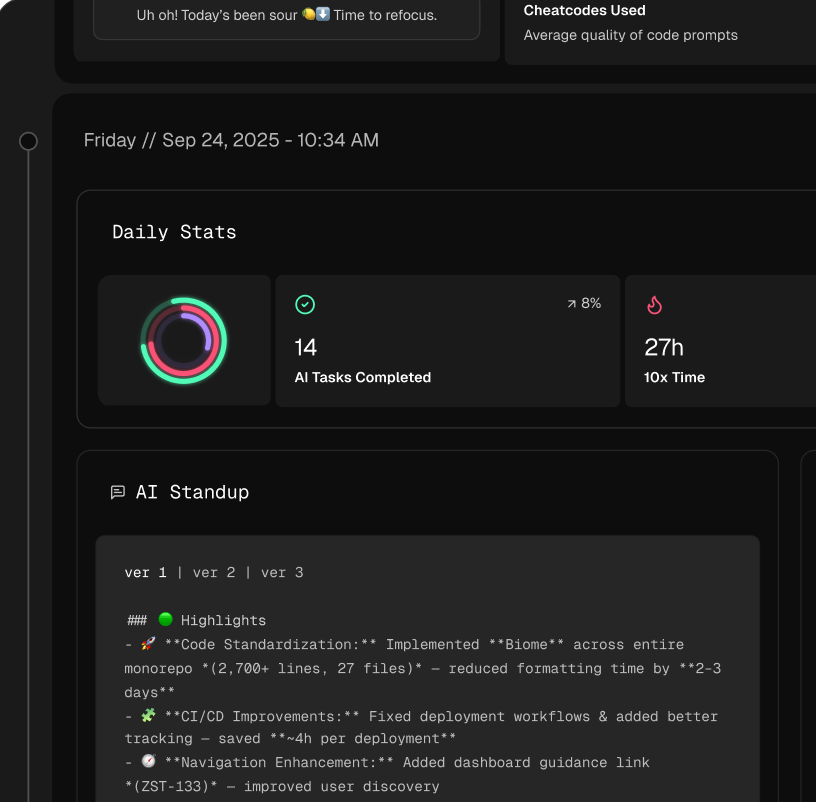
Instead of relying on what a developer remembers from the day before—which is often spotty—AI-powered tools like Zest plug right into their workflow. They actually analyze activity in the IDE to automatically pull together a summary of wins, roadblocks, and even time saved. This completely gets rid of manual prep. No more scrambling to remember what you worked on. The update is grounded in reality, not just memory.
This simple flow is what a great standup agenda is built on, and it’s something AI can help automate and keep honest.
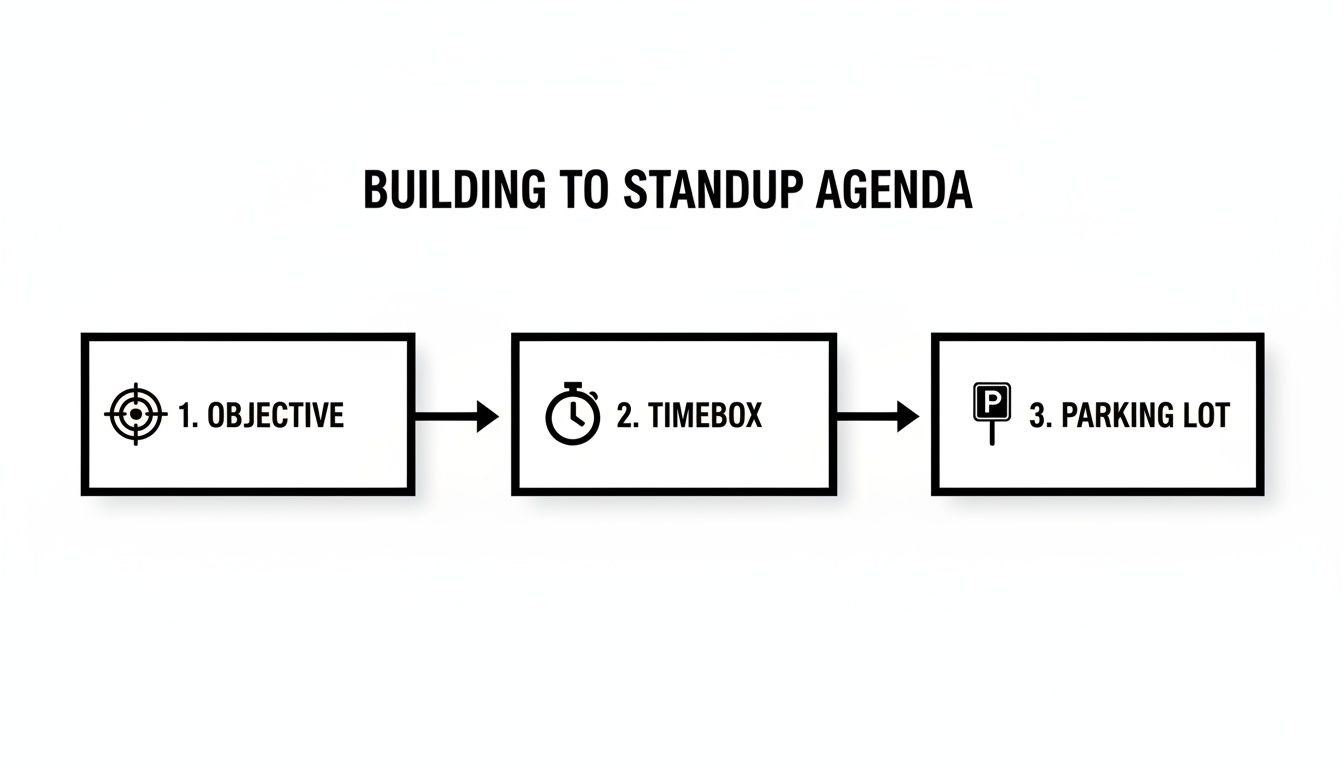
By locking in a clear objective, sticking to a timebox, and using a “parking lot” for tangents, the meeting stays sharp and focused on what truly matters.
From Manual Reporting to Automated Insights
Here’s the real magic: AI shifts the conversation from what you did to why it matters. When updates are automatically generated, the team can use those precious few minutes together for real strategic conversations.
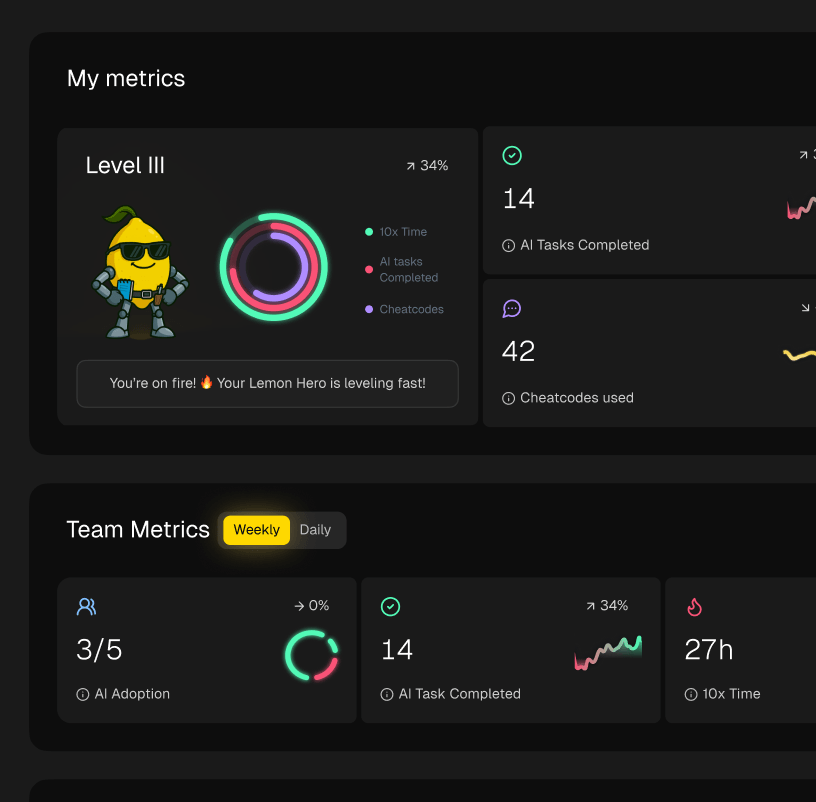
For engineering managers, this is a massive win. Forget trying to piece together a progress report from a dozen different updates. AI Metrics gives you a high-level dashboard showing team velocity, how much AI tools are being used, and where bottlenecks are forming—all without having to micromanage. It gives leaders a way to make smart decisions based on hard data, not just anecdotes.
By automating the ‘what’ and ‘how long,’ your team can finally use its standup time to focus on the ‘why’—strategizing around blockers and sharing knowledge that accelerates the entire team.
A More Strategic and Efficient Standup
Bringing AI into the mix doesn’t just cut down on wasted time; it elevates the whole point of the daily standup. The meeting stops being a status report and becomes a tactical huddle.
- Data-Driven Updates: Summaries are built from actual coding activity, commits, and tool usage. They’re accurate by default.
- Early Blocker Detection: AI can spot patterns, like someone spending way too much time on a single file, and flag it as a potential blocker before a developer even brings it up.
- Improved Focus: With the reporting taken care of, the team can jump straight into real problem-solving and sharing insights.
This approach makes the meeting run smoother and actually improves overall productivity for developers by letting them concentrate on meaningful work. And it’s not just about the agenda—AI can also clean up the little things that derail remote meetings. For instance, using free AI tools for removing background noise from audio ensures everyone can hear each other clearly.
At the end of the day, integrating AI lets the standup meeting agenda fulfill its true purpose: to build momentum, not just recap the past. It helps teams get ahead of problems, work together better, and ship great software faster.
What to Do When Standups Go Wrong
Even with a perfectly planned standup meeting agenda, things can go off the rails. It’s just human nature. Meetings drag on, conversations wander, and you can practically see people’s attention drifting away. The first step is admitting you have a problem. But what really separates the great teams from the ones just going through the motions is actively fixing it.
When your standup consistently blows past the 15-minute mark, it’s a red flag that something deeper is wrong. And it’s not just a waste of time; it’s a massive waste of money. In fact, poorly run meetings can cost a business around $283 per employee every single month. For a small team of ten developers, you’re looking at over $33,000 a year down the drain. That’s money you could be spending on tools that actually help.
The global impact is even more staggering. Unproductive meetings siphon an estimated $37 billion from U.S. companies annually. So yeah, this stuff matters.
When Standups Run Too Long
The number one reason meetings run long? Scope creep. Someone brings up an issue, and suddenly half the team is trying to solve a complex problem on the spot instead of just flagging it. This is where a good facilitator becomes your MVP.
Your best weapon here is a visible timer. Seriously, it works wonders. Put it on a shared screen for virtual meetings or on a monitor in the room. When someone’s time is up, the facilitator needs to step in—politely but firmly. A simple, “That’s a great point for a follow-up. Let’s park that and connect the right people right after this,” is all it takes to get things back on track.
Dealing with On-the-Spot Problem Solving
The whole point of a standup is to identify blockers, not to workshop them. When a developer mentions a stubborn bug, every other engineer’s instinct is to jump in with ideas. It comes from a good place, but it completely derails the meeting for everyone else.
The facilitator’s job is to channel that helpful energy. Acknowledge the problem, confirm who needs to be involved, and make it clear that the technical deep-dive will happen immediately after the standup. This respects everyone’s time and keeps the meeting focused on its real purpose: a quick sync for the entire team.
A standup is a compass check, not a full-blown navigation session. Its job is to point the team in the right direction for the day, leaving the detailed map-reading for smaller groups afterward.
Engaging Quiet and Remote Team Members
In every group, you’ll have people who are naturally less outspoken. For remote team members, it can be even tougher to find a gap in the conversation to jump in, which often leads to them feeling disconnected. A solid agenda needs to intentionally make space for these folks.
Here are a few tactics I’ve seen work well to make sure everyone gets heard:
- Mix Up the Speaking Order: Don’t just go around the circle or down the alphabet every time. A randomized order keeps people engaged and prevents the same person from always having to go last.
- Use Gentle Prompts: If a quiet developer gives a one-word update, the facilitator can ask a simple, open-ended question like, “Anything the team should be aware of on that ticket?”
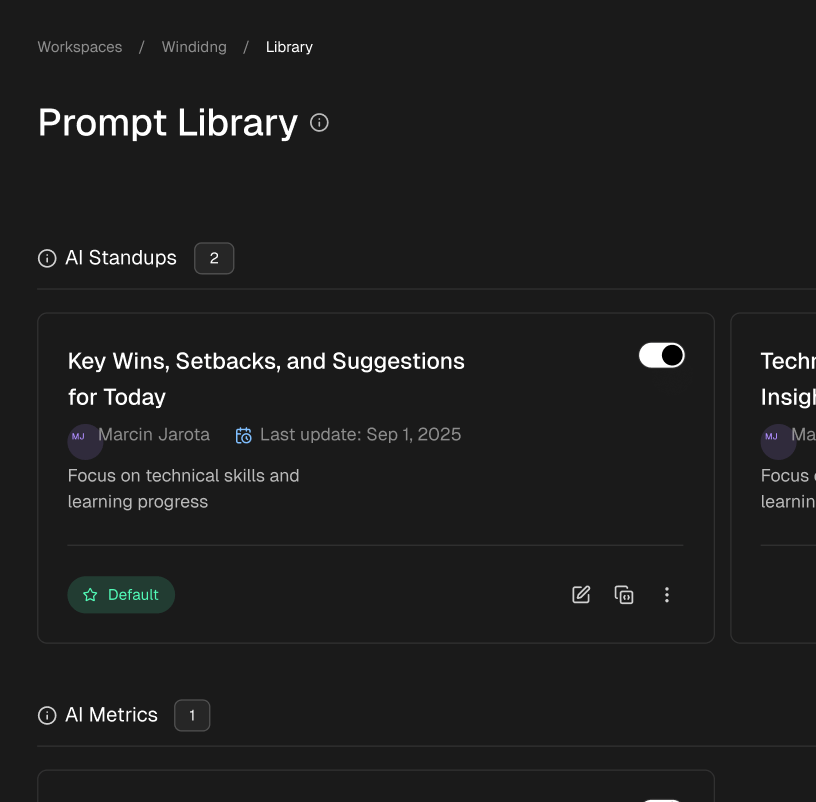
- Lean on Async Tools: For distributed teams, using a tool that lets people post their updates beforehand (like Zest’s AI Standups) is a game-changer. It ensures their contributions are visible before the meeting starts, taking the pressure off of speaking up live.
By getting ahead of these common pitfalls, your agenda transforms from a simple schedule into a powerful tool for building a more focused, efficient, and inclusive team.
Advanced Tips for Facilitating Engaging Standups

Having a solid standup meeting agenda is the foundation, but great facilitation is what truly brings it to life. Once you’ve got the structure down, the real magic happens in the small details of how you run the meeting. It’s about turning a routine check-in into an energizing huddle that people actually look forward to.
The goal here is to completely shift how the team sees the daily standup. It shouldn’t feel like a chore or just another status report for management. Think of it as the team’s daily tactical meeting—a quick, focused moment to connect, align, and clear any roadblocks for the day ahead. This needs a facilitator who can be a timekeeper, a coach, and a bit of a cheerleader all at once.
Start with a Spark
How you kick off the meeting sets the tone for everything that follows. Instead of jumping straight into the “what did you do yesterday?” routine, start with a quick, positive interaction.
- Celebrate a Quick Win: Ask, “Anyone have a win from yesterday to share?” It could be anything—squashing a nasty bug, getting great user feedback, or helping out a teammate.
- Positive Check-in: A simple question like, “What’s one thing you’re looking forward to tackling today?” can instantly boost morale and shift the team into a forward-thinking mindset.
This tiny change, often taking less than a minute, reframes the meeting as a collaborative and supportive space right from the start.
Master the Art of the Follow-Up Question
A seasoned facilitator knows how to dig a little deeper without derailing the entire meeting. When an update sounds vague or hints at a problem, a well-timed question can uncover a hidden blocker before it grows into a major issue. The trick is to keep it brief and focused on the next step.
Ditch the broad questions like, “So, why is that blocked?” Instead, try asking something more specific and action-oriented:
- “What’s the very next step needed to get that moving?”
- “Who’s the best person to sync with on that right after this call?”
- “Is there a quick decision we can make in the next hour to unblock you?”
These questions don’t try to solve the entire problem on the spot. They simply identify the path to the solution, which is the whole point of a standup.
An agenda tells you what to talk about. A great facilitator knows how to talk about it—focusing on forward momentum, not just past performance.
Foster Shared Learning and Competition
Why not turn your standup into a mini-hub for team growth? By weaving in insights from across the team, you start building a culture where everyone is constantly getting better. This is where tools like Zest can add a really interesting dynamic by surfacing patterns from the work people are already doing.
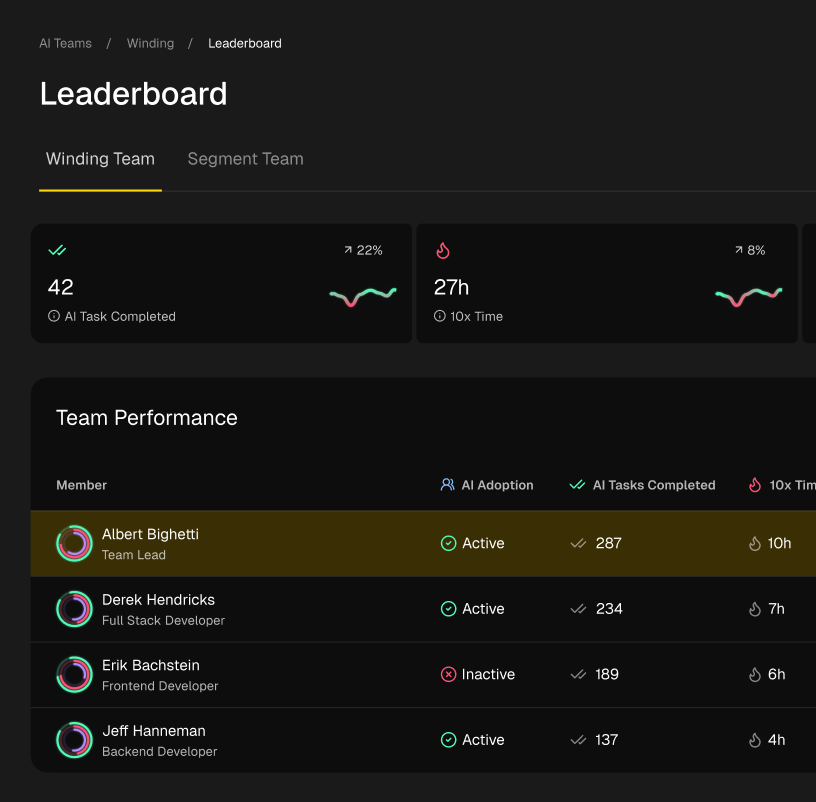
For instance, you could use a company leaderboard to spark some friendly competition around AI adoption. You can also highlight shared “cheatcodes”—those super-effective prompts or workflows discovered by top performers. Discussing these insights encourages effective knowledge sharing best practices and makes everyone on the team stronger. Suddenly, the standup is more than just a sync; it’s a valuable learning opportunity.
Common Standup Questions, Answered
Even when you think you’ve got the perfect process down, standups can get messy. A solid standup meeting agenda isn’t set in stone; it’s something you constantly tweak to handle the real challenges your team runs into. Let’s dig into some of the most common questions I hear from managers and developers alike.
How Long Should a Standup Actually Be?
The golden rule is 15 minutes. Max. And that’s for the whole team, not per person. This isn’t just a friendly suggestion—it’s a hard stop that forces everyone to be concise.
To make that happen, each person should aim for a 90-second update. If a conversation starts bubbling up that needs more time, it goes straight to the “parking lot” for the right people to tackle after the standup. This is where tools like Zest’s AI Standups can really help, by summarizing activity beforehand so people can get right to the point.
What’s the Best Way to Handle Blockers?
Here’s where most standups go off the rails. The meeting is for flagging blockers, not for solving them on the spot. The minute someone mentions they’re stuck, the facilitator needs to step in.
Their job is to acknowledge the problem, quickly figure out who can help, and make sure they sync up right after the meeting. This simple act respects everyone else’s time by not dragging the entire team into a problem that only involves a couple of people. A good agenda even has a line item that explicitly says, “blocker resolution happens outside the standup.”
How Do You Keep Remote Teams from Zoning Out?
Engagement is a huge challenge with virtual standups. It’s just too easy for people to tune out and become passive listeners. A “cameras on” policy is a non-negotiable starting point. It’s not about surveillance; it’s about human connection and making sure everyone is actually present.
Beyond that, you have to fight predictability. Change up the speaking order every day. Don’t just go down the list of participants in alphabetical order. A good facilitator also knows how to gently nudge quieter team members, making sure their updates and blockers get the airtime they deserve.
For remote and hybrid teams, asynchronous updates are a lifesaver. When the “what I did yesterday” part is handled automatically before the meeting, the live time can be spent on actual collaboration instead of just reading off a list.
Should the Standup Agenda Change Over Time?
Of course. It absolutely has to. Your agenda should be a living, breathing document that adapts as your team and projects change. If you’re sticking to a format that feels stale or isn’t adding value, you’re just asking for people to disengage.
Every few months, run a quick retro on the standup itself. Ask the team what’s working and what’s not. Maybe you’ll discover that adding a “kudos” shoutout at the end or a quick look at a key metric would be a huge morale booster. The goal is to stay flexible and make sure the meeting always serves its purpose: getting the team aligned, fast.
Master Your Standup Agenda
Use these takeaways to keep your daily sync sharp, focused, and consistently valuable for the entire team.
📊 Core Metrics
- Timebox Adherence — Percentage of standups completed within the 15-minute limit.
- Blocker Resolution Time — Average time taken to resolve issues flagged in the parking lot.
- Team Engagement Score — Active participation rate, especially from remote members.
🕹️ My Cheatcodes
- 🌱 Identify, Don't Solve — The standup is for flagging blockers, not for workshopping solutions.
- 🦎 Timebox Everything — A visible timer is the best tool for keeping conversations concise.
- ⚡ Async for Status — Use tools for automated updates to save live time for strategic syncs.
✅ Before Your Next Standup
- 🔍 Confirm a rotating facilitator is assigned.
- 📊 Ensure a visible "parking lot" is ready for tangents.
- 🧭 Prepare a positive win or check-in question to start the meeting.
- 📈 Set a visible timer for the 15-minute duration.
Gallery
Lemon shots