
A Stand Up Meeting Agenda That Actually Works
A good stand up meeting agenda is simple. It’s a quick, focused plan to guide the team through what they’ve done, what’s next, and what’s in their way. The whole point is a high-energy sync, not a long, boring status report.
If you do it right, the meeting is over in 15 minutes and everyone walks away knowing exactly what they need to do.
Why Most Daily Stand Ups Feel Like A Waste Of Time
Let’s be honest—a lot of daily stand ups are just plain broken. They feel more like a mandatory chore than a valuable team ritual. Instead of a quick alignment, they often spiral into something much less useful, leaving engineers feeling drained before the real work even starts.
The problem almost always comes down to a weak or nonexistent stand up meeting agenda. Without a clear structure, the meeting loses its purpose. This might seem like a small detail, but it sends ripples through team morale and project speed.
The Downward Spiral of Bad Stand Ups
When a stand up has no focus, it falls apart fast. The meeting drags on way past the 15-minute mark as people ramble through a laundry list of every little thing they did. This is where you start to lose developer momentum—a fragile and precious thing.
A study I often think about from the University of California, Irvine, found it can take over 23 minutes to get your focus back after an interruption. A long, rambling stand up is exactly that: a major, scheduled interruption right at the beginning of the day.
This kind of disruption kills any chance for engineers to get into a state of deep work, which is where complex problems actually get solved. The meeting goes from being a strategic sync to a straight-up productivity killer.
Common Pain Points You Might Recognize
You can feel the consequences of a bad stand up meeting agenda across the entire team. Spotting these symptoms is the first step to fixing the real problem.
Here are a few classic anti-patterns I see all the time:
- The Manager Status Report: This is when the meeting isn’t a peer-to-peer sync, but a series of one-on-one updates aimed directly at the manager. It kills collaboration and makes the team feel less empowered.
- Problem-Solving Purgatory: Someone brings up a blocker, and suddenly the whole team dives into a deep technical rabbit hole. While the intention is good, it hijacks the meeting for everyone who isn’t involved. The stand up is for identifying blockers, not solving them.
- The Disengaged Team: When meetings feel pointless, people check out. You know the look—checking phones, typing messages, or just staring into space, waiting for their turn to speak so they can finally get back to work.
These aren’t just small annoyances. They’re real problems that cause critical blockers to be missed, erode psychological safety, and slowly break down team cohesion. Once we can spot these pain points, we can start building a better framework to make the daily stand up the high-impact session it’s supposed to be.
The Core Principles Of A Powerful Stand Up
Let’s be honest: a lot of stand-ups are just a waste of time. They become a robotic recital of tasks, and everyone tunes out. A truly effective stand-up is different. It’s a quick, strategic huddle designed to keep the team moving.
To get there, you need to build your stand up meeting agenda around three simple but powerful pillars: Clarity, Blockers, and Momentum. This shifts the focus from a boring status report to a real, high-impact sync. It’s a cornerstone of agile development best practices and ensures everyone walks away ready to crush the day.
Pillar 1: Clarity
Clarity isn’t about what you did; it’s about the why behind your work. It connects your daily grind to the team’s bigger mission. Instead of just hearing a list of completed Jira tickets, the team needs to understand what was learned and how that work actually pushes the sprint forward.
A simple shift in the questions you ask can make all the difference.
- Instead of asking: “What did you work on yesterday?”
- Try asking: “What progress did you make towards our sprint goal?”
- Or even better: “Did you discover anything that could change our approach or help a teammate?”
This small change reframes the entire conversation. It’s no longer about a personal to-do list; it’s about our shared journey. This builds a powerful sense of collective ownership.
The goal is to surface insights, not just activities. An engineer who spent three hours wrestling with a tricky API issue didn’t just ‘work on a ticket.’ They gained critical knowledge that could save the rest of the team days of frustration. That’s the kind of clarity a great stand-up uncovers.
Pillar 2: Blockers
Identifying blockers is arguably the most important job of a stand-up, but it’s where most teams stumble. A blocker isn’t just a tough problem—it’s something actively stopping a teammate from making progress right now. A great agenda makes it safe and easy to flag these issues without derailing the entire meeting.
The trick is to identify, not solve. The stand-up is for raising the flag, not for a deep-dive troubleshooting session. Coach your team to be specific.
- Vague: “I’m stuck on the payment gateway.”
- Actionable: “I’m blocked on the payment gateway because I’m waiting for API credentials from the finance team. Can someone help me connect with the right person?”
See the difference? The second one gives the team lead a clear, immediate action to take after the meeting. Resources like this guide on the ultimate agenda for stand up meetings offer practical templates that can help nail this down.
Pillar 3: Momentum
Finally, a stand-up should be forward-looking. Momentum is all about creating a shared plan for the day ahead so the team can hit the ground running. This pillar gets rid of that post-meeting fog where people aren’t quite sure what to tackle next.
This is where modern tools are a game-changer. For instance, Zest’s AI Standups automatically pull developer activity, wins, and obstacles right from their work in VS Code. It creates a data-rich summary before the meeting even begins.
This means the conversation can skip the boring reporting and jump straight to maintaining momentum. The team can instantly see who’s grabbing the next priority task and spot potential dependencies before they turn into full-blown blockers. That kind of proactive alignment is what separates good teams from great ones.
How To Adapt Your Agenda For Any Team
Let’s be honest: a one-size-fits-all agenda for stand-ups is a myth. The scrappy, all-hands-on-deck vibe of a five-person startup team is a completely different world from the complex coordination needed for a distributed squad of ten or more. If you force a rigid format on a team it doesn’t fit, you’re just setting yourself up for disengaged engineers and wasted time.
The real secret is to be adaptable. Your goal isn’t to follow some textbook set of rules, but to build a flexible framework that actually serves your team’s specific size, workflow, and challenges. When you tailor the agenda, the stand-up transforms from a daily chore into a genuinely useful tool for alignment.
For Small Teams (2-5 Engineers)
Small teams live and die by their speed. The entire game is about rapid iteration and knocking down blockers the moment they appear. A long, formal stand-up is the last thing they need; the mission is to sync up fast and get right back to building.
Your agenda should be absolutely laser-focused on maintaining momentum. Forget the classic round-robin updates. Instead, gather around a central task board.
- Main Goal: Keep moving fast and clear immediate hurdles.
- Guiding Question: “What’s the #1 thing that could slow us down today, and how do we obliterate it?”
- Time Limit: Keep it to 5-7 minutes, tops. The conversation should feel more like a huddle than a meeting—fluid, centered on a shared goal, and over before anyone checks the clock.
For Mid-Sized Teams (6-10 Engineers)
As a team gets bigger, coordination suddenly becomes the biggest headache. Dependencies start popping up everywhere, and the risk of two people working on the same thing without realizing it skyrockets. The stand-up agenda has to evolve to prioritize visibility and keep everyone on the same page.
A bit more structure is your friend here. It helps ensure no important details fall through the cracks. The classic “yesterday, today, blockers” format can still work, but it needs a modern spin to keep it from feeling stale.
A mid-sized team’s biggest enemy is the silo. The daily stand-up is the antidote, forcing everyone to look up from their code and see the bigger picture. It’s where you catch two engineers accidentally solving the same problem from different angles.
Here’s what to focus on for a team this size:
- Main Goal: Coordination and managing dependencies.
- Guiding Question: “Who needs your help today, and whose help do you need to move forward?”
- Time Limit: 10-15 minutes. Sticking to this is critical. It shows you respect everyone’s time and focus.
The core principles of a good stand-up—Clarity, Blockers, and Momentum—become even more critical as the team grows.
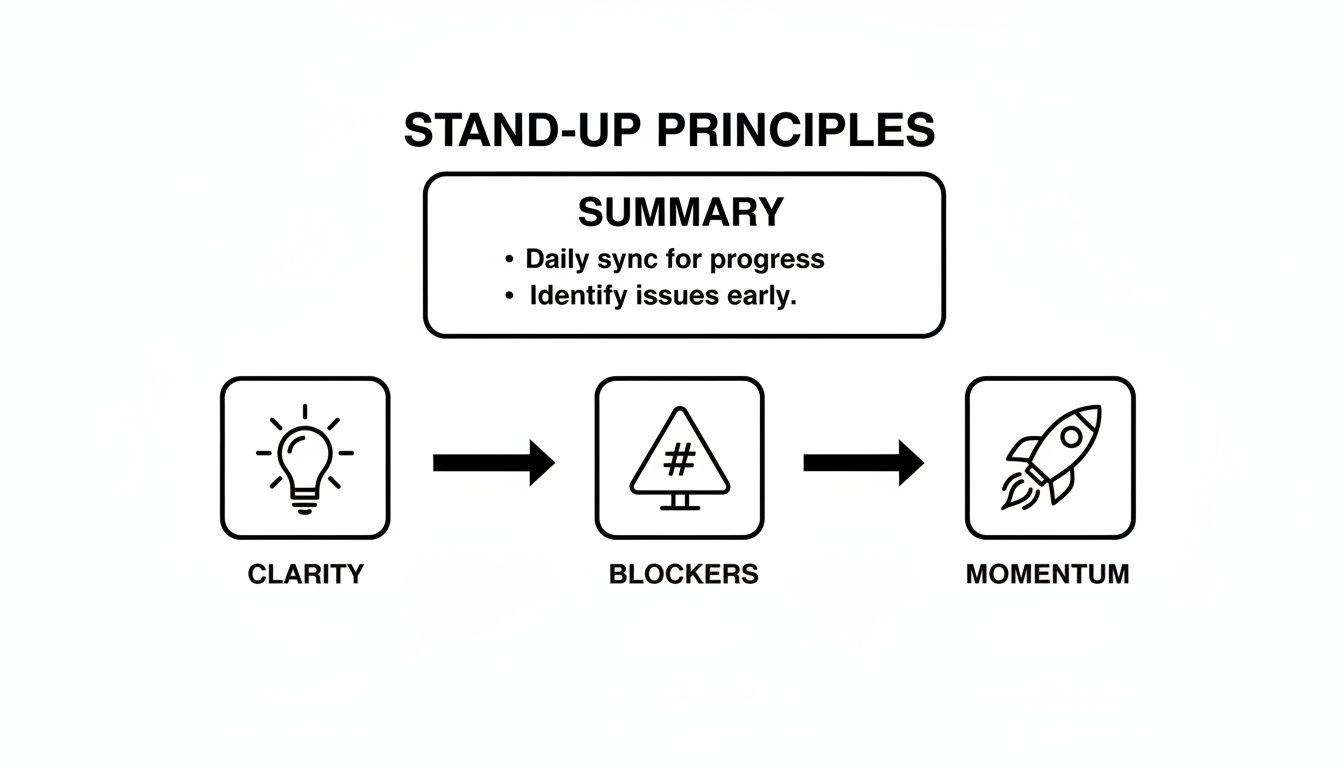
This visual is a great reminder that no matter the team size, the stand-up must serve these fundamental goals. Otherwise, it just turns into a boring status report.
For Remote and Distributed Teams
With fully remote teams, the stand-up pulls double duty: it’s about project alignment and human connection. You don’t have those spontaneous “water cooler” moments, so this daily sync becomes a vital touchpoint for building team chemistry and making sure everyone feels included.
The agenda needs to deliberately make space for that human element without sacrificing efficiency. The best model I’ve seen is a hybrid approach that combines asynchronous updates in Slack with a quick live meeting.
- Main Goal: Crystal-clear communication, connection, and over-communication.
- Guiding Question: “Looking at the async updates, what’s one discussion we need to have together to get aligned for the day?”
- Time Limit: 15-20 minutes. Don’t be afraid to budget a few minutes at the start for casual chat. It seems small, but it can make a massive difference in morale.
Tailoring Your Stand Up Agenda By Team Type
To make it even clearer, here’s a quick breakdown of how to think about structuring your stand-up based on your team’s profile.
| Team Type | Primary Focus | Sample Guiding Question | Target Duration |
|---|---|---|---|
| Small Team (2-5) | Speed and immediate blockers | “What’s the #1 thing that could slow us down today, and how do we clear it?” | 5-7 minutes |
| Mid-Sized Team (6-10) | Coordination & dependencies | “Who needs your help today, and whose help do you need to move forward?” | 10-15 minutes |
| Remote/Distributed | Clarity, connection, & alignment | “Based on async updates, what’s one discussion we need to have as a group today?” | 15-20 minutes |
Ultimately, the best stand up meeting agenda is the one that evolves with your team. By adapting it to your unique context, you ensure it remains a powerful tool that boosts both productivity and culture.
Using AI To Run Smarter Stand Ups
Imagine a stand-up where all the need-to-know context is gathered and summarized for you before anyone even joins the call. This isn’t some far-off concept; it’s what AI-powered tools are doing right now. They’re turning the daily stand up meeting agenda from a routine reporting session into a genuinely strategic huddle.
This shift couldn’t be more important. The daily stand-up is a staple of agile development, with 87% of professionals using agile methods making it part of their daily routine. By letting automation handle the data collection, teams can spend their limited time together focusing on what actually matters—solving problems.
From Manual Reporting To Strategic Problem Solving
The old way of running stand-ups relies entirely on human memory. Developers try to piece together what they did yesterday, figure out what’s on deck for today, and remember what’s blocking them. It’s an imperfect process that often turns the meeting into a series of status updates for a manager instead of a collaborative session for the team.
AI tools completely change this dynamic. Platforms like Zest plug directly into a developer’s workflow, like their VS Code environment, to automatically capture and analyze activity. This surfaces key insights without anyone having to manually track their time or remember every little detail. It means the meeting starts with a solid, data-rich foundation, not a blank slate.
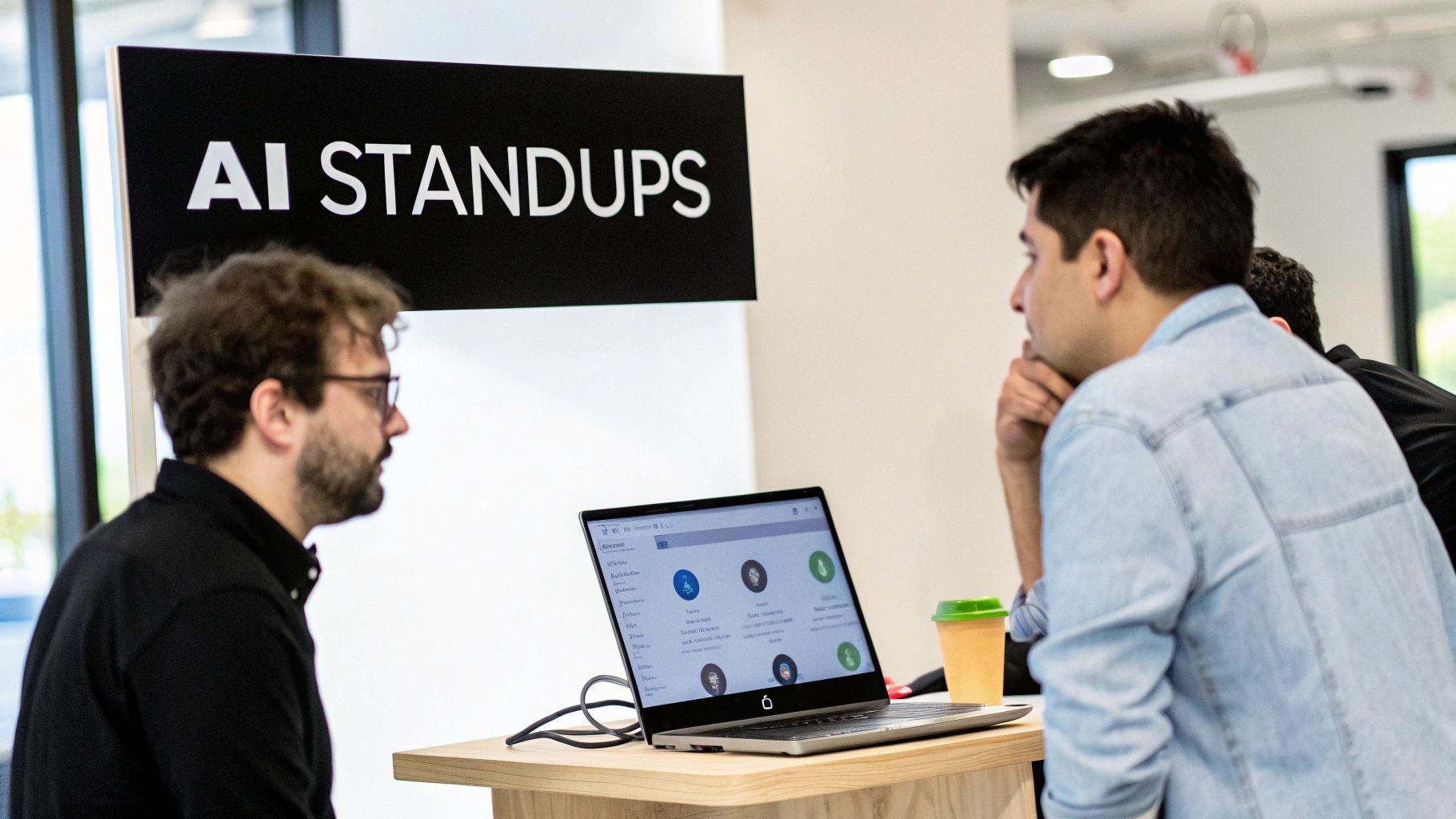
With this information ready to go, the conversation can immediately pivot to strategic discussions. You can jump right into clearing blockers and navigating dependencies instead of wasting the first ten minutes just getting everyone up to speed.
Turning Individual Struggles Into Team Wins
One of the most valuable things AI brings to stand-ups is the ability to flag “stuck time.” A developer might be hesitant to admit they’ve been spinning their wheels on a tough problem for hours. An AI tool, on the other hand, can objectively see when progress has stalled based on coding patterns and activity levels.
A tool that flags “4 hours of stuck time on the new authentication module” transforms a hidden struggle into a concrete agenda item. This isn’t about calling someone out. It’s about creating an opening for the team to jump in and share knowledge.
This kind of proactive insight is a game-changer. A blocker that might have festered for days is now a learning moment for the whole team. A senior dev might offer a quick solution, or maybe the team realizes a core library is causing headaches for everyone. This is how you build a truly resilient and collaborative engineering culture.
While AI can transform your stand-ups, many teams also find value in more focused applications. You can explore some of the best recurring task app options to see how different tools can help automate daily check-ins.
Ultimately, bringing AI into your stand-up shifts the focus from backward-looking reporting to forward-looking problem-solving. It gives developers back their most valuable resources—time and mental energy—to do what they do best: build incredible software. For more ideas, check out this list of AI productivity tools for developers that can streamline your team’s entire workflow.
Fixing Common Stand Up Problems
Even with a killer stand up meeting agenda, bad habits can creep in and slowly ruin the whole thing. Over time, teams often slip into patterns that transform a quick, useful sync into a daily chore nobody looks forward to. Spotting and correcting these issues is crucial for keeping your meetings healthy and productive.
These aren’t just minor annoyances, either. They’re the little things that slowly grind down a team’s momentum and spirit. But the good news is, a few simple adjustments can get your stand up back on track and make it the powerful huddle it’s supposed to be.
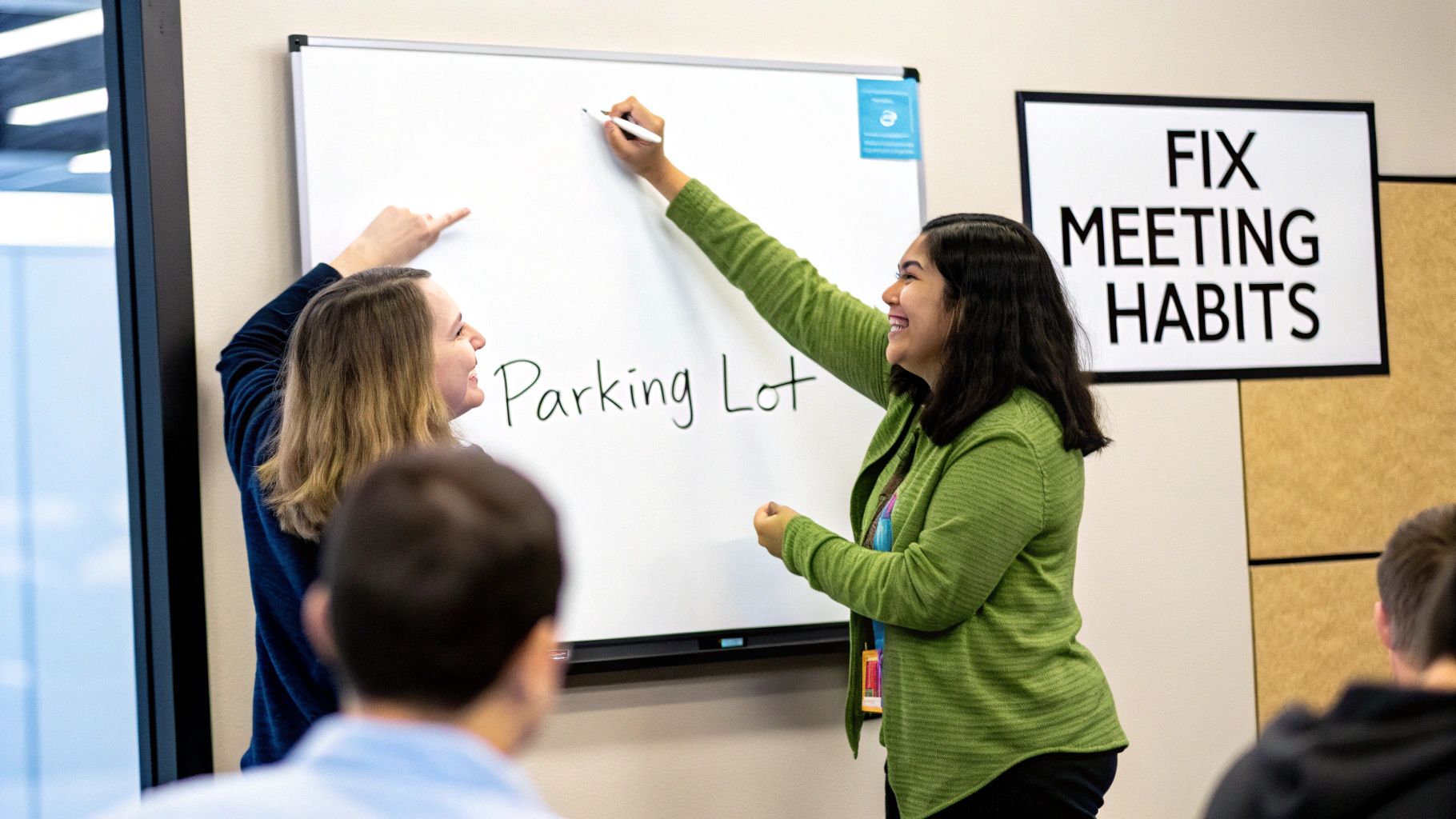
From my experience, a few anti-patterns show up again and again. Here’s a quick guide to spotting them in the wild and what to do about them.
Common Stand Up Pitfalls and How to Solve Them
| Anti-Pattern | What It Looks Like | How To Fix It |
|---|---|---|
| The Manager Monologue | Each engineer gives their update directly to the manager, who then gives feedback. Everyone else just listens. | The manager should step back (literally) and let the team talk to each other. Rotate the facilitator role daily so everyone shares ownership. |
| Problem-Solving Purgatory | An engineer mentions a blocker, and two others immediately jump into a deep technical debate, hijacking the meeting. | Use a “parking lot.” The facilitator should say, “Great topic. Let’s park that and tackle it right after this with the right people.” |
| The Marathon Meeting | The stand up consistently runs over 15 minutes. It feels long, drawn-out, and people start losing focus. | Stick to the script. The facilitator needs to be firm about keeping updates concise and moving the meeting along. A visible timer helps. |
| The Status Report | Everyone just lists what they did yesterday and what they’ll do today. There’s no talk of blockers or collaboration. | Reframe the prompts. Instead of “What did you do?” ask, “What progress did you make toward the sprint goal?” and “What’s in your way?” |
These simple fixes can make a world of difference. The key is to be intentional and consistent in how you run the meeting.
A Closer Look at Common Issues
Let’s dive a bit deeper into two of the most frequent offenders.
The Manager Monologue
I’ve seen this happen a million times: the stand up becomes a one-way status report to the manager. Instead of a peer-to-peer sync, each person directs their update to the team lead. This kills engagement and turns everyone else into a passive audience waiting for their turn.
The fix? The manager or scrum master needs to actively deflect the spotlight.
- Encourage peer feedback: When someone gives an update, prompt others by asking, “Anyone have thoughts on that?”
- Rotate the facilitator: Let a different engineer lead the meeting each day. This builds shared responsibility.
- Step back physically: A leader who stands at the front of the room invites a report-out dynamic. Blending into the circle fosters a more collaborative vibe.
Problem-Solving Purgatory
Here’s another classic. An engineer brings up a blocker, and suddenly two or three teammates dive into a deep technical discussion, trying to debug it on the spot. While well-intentioned, this completely derails the meeting for everyone else. Remember, the stand up is for identifying blockers, not solving them.
The solution is simple but requires discipline: the parking lot technique.
The moment a deep-dive conversation begins, the facilitator should gently interrupt. Say something like, “That’s a great discussion. Let’s add it to the ‘parking lot’ and sync up right after stand up.”
This small intervention respects everyone’s time while making sure the problem actually gets addressed. It’s one of the most effective ways to manage the common issues in engineering that disrupt team flow. You protect the purpose of the daily sync by creating a separate, dedicated space for those complex conversations.
Common Stand-Up Questions, Answered
Even with the perfect agenda on paper, running a great stand-up is an art. It’s about how you handle the day-to-day realities of your team. I’ve seen a lot over the years, and these are the questions that pop up time and time again.
Let’s cut through the noise and get you some straight answers.
How Long Should a Stand-Up Really Be?
The 15-minute rule isn’t just a suggestion; it’s a lifesaver. It’s the ideal benchmark because it forces focus. If your daily sync consistently creeps past that mark, it’s a big red flag. It usually means one of two things: the agenda is too loose, or the team is diving into problem-solving instead of just identifying issues.
This is where tools like Zest can make a huge difference. When everyone’s updates are automatically populated and shared before the meeting, you can skip the reporting and get right to aligning and clearing blockers. Every minute becomes more valuable.
How Do You Run Stand-Ups With a Remote Team?
For remote and hybrid teams, the magic is in blending async and sync. The best system I’ve seen is having everyone post their automated Zest AI Standup summaries in a shared Slack channel before the call. It’s a simple habit that gives everyone the context they need upfront.
That way, your precious face-to-face time on video can be spent on what really matters: talking through dependencies and getting blockers unstuck. It also helps to have a designated facilitator whose job is to keep the conversation flowing and make sure everyone gets a chance to speak, no matter where they’re logging in from.
Should Product Managers Be in the Engineering Stand-Up?
It really depends on what you’re trying to achieve that day. If the goal is a deep-dive technical sync, keeping it to just the engineering team is almost always more efficient. Developers can get into the nitty-gritty without having to stop and explain the backstory.
But, bringing a Product Manager in a couple of times a week can be a game-changer for clarifying priorities on the fly. A good compromise I’ve found is to run dev-only syncs on most days, with a broader “team stand-up” once or twice a week. You get cross-functional alignment without bogging down the daily technical rhythm.
How Do I Stop My Stand-Up from Being a Boring Status Report?
This is the big one. To kill the monotony, you have to shift the conversation from activities to outcomes. Stop asking, “What did you do yesterday?” It’s a recipe for a laundry list of tasks.
Instead, try prompts like, “What progress did we make toward our goal?” or “Did you learn anything that could help someone else on the team?”
When you kick things off with data-driven insights from a tool like Zest—highlighting wins, where people are getting stuck, and even AI usage—the tone changes instantly. It’s no longer about reading a to-do list; it’s about working together as a team to move the needle.
Your Stand-Up Optimization Checklist
Ready to turn your daily sync from a routine check-in into your team’s most valuable 15 minutes? Here’s a quick-hitter guide.
📊 Key Metrics to Watch
- Meeting Duration: Are you consistently staying under 15 minutes?
- Blockers Identified: How many real impediments are you surfacing each week?
- Async Update Rate: What percentage of the team shares their updates before the meeting starts?
🕹️ My Go-To Cheat Codes
- 🌱 Outcomes Over Activities: Always frame questions around progress toward a goal, not just tasks completed.
- 🦎 Identify, Don’t Solve: The stand-up is for flagging problems. Schedule a separate, smaller meeting to actually solve them.
- ⚡ Rotate the Facilitator: Giving everyone a turn to lead keeps the energy high and fosters a sense of shared ownership.
✅ Before Your Next Stand-Up
- 🔍 Set a clear focus: Is today about speed? Coordination? Unblocking a key feature?
- 📊 Share updates first: Get the Zest report or async notes out to the team beforehand.
- 🧭 Appoint a facilitator: Name the person who will keep the meeting on track and on time.
- 📈 Get a timer ready: Make it visible to everyone. It’s the easiest way to respect the 15-minute contract.
Optimize Your Stand-Up Agenda
Turn your daily sync into a high-momentum huddle that accelerates your team.
📊 Core Metrics
- Meeting Duration — target of 15 minutes or less
- Blockers Identified Weekly — count of critical impediments surfaced
- Team Engagement — qualitative measure of active participation vs. passive reporting
🕹️ My Cheatcodes
- 🌱 Outcomes Over Activities — focus questions on sprint goals, not task lists
- 🦎 Identify, Don't Solve — use a "parking lot" for deep dives to keep the meeting on track
- ⚡ Rotate the Facilitator — foster shared ownership and keep energy high
📈 Reflection Points
- 💡 Is our stand-up a status report or a strategic sync?
- 🧩 Are we making it psychologically safe to raise blockers?
- 📘 Does our agenda adapt to our current team size and needs?
Gallery
Lemon shots



