
A Modern Stand Up Agenda for AI-Powered Dev Teams
A modern stand up agenda is more than just a to-do list; it’s a powerful tool for digging up crucial insights, especially for teams building with AI. When you get the agenda right, you move way beyond basic status updates and start uncovering real workflow improvements, celebrating clever AI uses, and flagging exactly where developers are getting tripped up.
Why Your Stand Up Agenda Is Failing Your AI Devs
The daily stand-up is an agile staple, but let’s be honest—the classic “Yesterday, Today, Blockers” format feels a bit creaky. It was built for a world before AI, where we measured progress by lines of code, not the quality of prompts or how much time an AI assistant saved someone. That old approach just doesn’t capture the new realities of AI-assisted development.
When your stand-up agenda stays stuck in the past, it starts hiding more than it helps. A developer might say they’re “making progress on the new feature,” but that simple phrase buries the real story.
- Did they burn two hours fighting a confusing AI suggestion?
- Did they stumble upon a new prompt structure that saved them an hour of refactoring?
- Are they blocked not by a technical bug, but by an AI tool hallucinating a fix that doesn’t exist?
These are the kinds of details that actually help a team get faster, but the old format leaves no room for them to surface.
The Hidden Costs of an Outdated Agenda
Sticking with a generic stand-up agenda has real consequences. Your team misses out on sharing valuable “cheat codes”—those super-effective prompts or AI workflows that could save everyone time. Small frustrations with AI tools quietly build up, draining morale and wasting hours as developers feel like they’re solving the same problems all by themselves.
The daily stand-up should be a source of energy and alignment, not a robotic ritual. If your agenda isn’t bringing AI-related learnings and true blockers to light, it’s actively holding your team back.
What’s worse, a superficial agenda gives engineering managers a false sense of security. It looks like everything is humming along smoothly, but under the surface, the team is wrestling with the new and often tricky challenges of AI-assisted software engineering.
Shifting from Status Updates to Strategic Syncs
The fix is to shift the focus from what people are doing to how they’re doing it. The stand-up needs to become a daily strategic sync where the entire team gets smarter about using AI, together. There’s a reason this meeting became a core practice. A massive 87% of professionals using agile methods rely on them, and they’ve been shown to boost productivity by 20-30% simply by clearing up miscommunication.
A modern agenda treats every developer’s interaction with AI as a learning moment for the whole group. This simple change transforms the daily meeting from a passive report-out into an active, collaborative problem-solving session that builds a faster, smarter, and more cohesive team.
Your New AI-Native Stand Up Agenda
If your team is using AI, the old three-question stand-up format just doesn’t cut it anymore. You need an agenda that actually gets to the heart of what matters in an AI-assisted workflow. The focus has to shift from a boring recital of tasks to a lively exchange of what’s working, what’s not, and what we’ve learned while using our AI tools.
The whole point is to understand how everyone is working, not just what they’re working on. A stand-up designed for an AI-native team is lean, fast, and full of value. You’ll keep the meeting well under the 15-minute mark and walk away smarter.
We’ve all been in stand-ups that felt like a complete waste of time. This diagram perfectly captures why the traditional format often fails—it becomes a ritual with no real purpose.
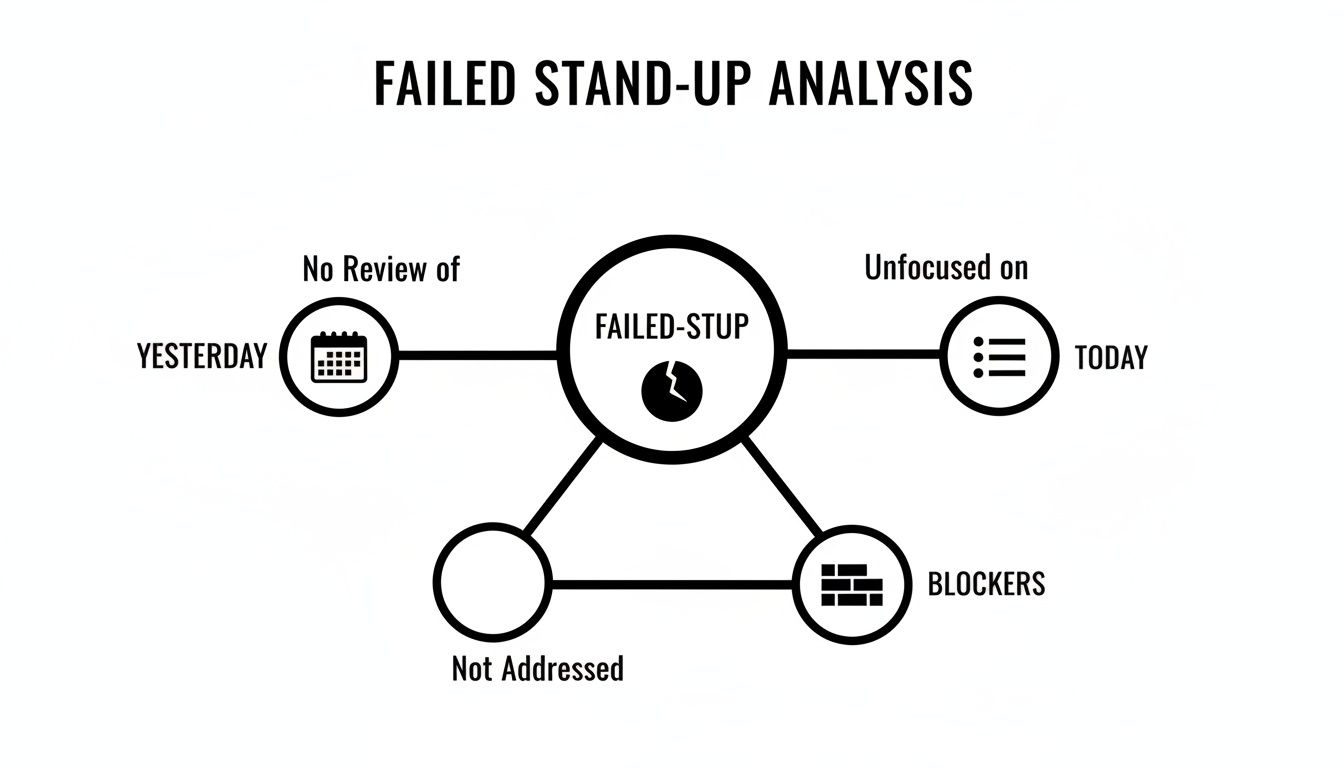
As you can see, a lack of review, zero focus on the day ahead, and unresolved blockers are the usual culprits. It’s time for something better.
The New Core Questions: Wins, Blockers, and Learnings
Let’s ditch the old script. This new three-part structure is all about AI interaction: Wins, Blockers, and Learnings. It’s a simple framework that gets developers talking about experiences that help everyone on the team.
-
Wins (What AI interaction saved time or created unexpected value?): This isn’t just about closing tickets. We’re looking for specific moments where an AI tool delivered big. Think, “Copilot refactored a huge function perfectly on the first try with this prompt, saving me at least an hour.”
-
Blockers (Where did AI mislead you or create rework?): This redefines what a “blocker” is. It’s not just a failing test anymore. An AI-native blocker sounds like, “I burned 90 minutes debugging a hallucinated API that Cursor suggested,” or “The AI assistant keeps spitting out outdated library syntax, and I have to clean it up every time.”
-
Learnings (What new technique or ‘cheat code’ did you discover?): This is the real gold. It’s where one person’s discovery becomes the entire team’s advantage. Someone might share, “I found that giving the AI file context before the prompt massively improves its suggestions for this specific component.”
This structure turns a dull status report into a rapid-fire knowledge-sharing session. The conversation naturally moves from “I’m working on ticket X” to “Here’s what I learned about using our tools to build X.”
Let’s look at how this new approach stacks up against the old way of doing things.
Comparing a Traditional vs AI-Native Stand Up Agenda
Here’s a quick breakdown of how a standard three-question stand-up evolves into a modern agenda designed for today’s AI-assisted development workflows.
| Agenda Point | Traditional Focus (Task-Based) | AI-Native Focus (Learning-Based) |
|---|---|---|
| Yesterday’s Update | “I worked on ticket ABC-123.” | “Wins: I used this prompt to…” |
| Today’s Plan | “I’ll continue working on ticket ABC-123.” | “Learnings: I found a trick to make the AI…” |
| Impediments | “I’m blocked by the staging environment.” | “Blockers: The AI hallucinated this API…” |
The shift is subtle but powerful. It moves the conversation from what was done to how it was done and what was learned in the process, which is far more valuable for the whole team.
Putting It All into Practice
Making this agenda work requires a small but important shift in mindset. The facilitator’s job is to keep the conversation focused on these three points and gently steer people away from getting lost in the technical weeds.
If a blocker needs a longer conversation, the right move is to park it. Just say, “Okay, let’s grab the right people and sync up right after this.” That’s how you keep the meeting on track.
This disciplined approach is key. For a more detailed look at structuring your meetings, check out our complete guide on the ideal agenda for a stand-up meeting.
By sticking to Wins, Blockers, and Learnings, your team will quickly build a shared playbook for using AI effectively. The daily stand-up stops being a chore and becomes a powerful engine for getting better every single day.
How to Run a Stand-Up That Actually Works
Having a sharp, AI-focused agenda is a fantastic start, but the real magic is in how you run the meeting. A great agenda for a daily scrum meeting can easily fall flat without the right discipline and energy. The goal here is to create a quick, valuable ritual that protects everyone’s time for deep work, not steals it.
The first—and most important—rule is to be ruthless about time. That 15-minute limit isn’t just a suggestion; it’s a hard stop. This forces everyone to be concise and keeps the conversation focused on coordinating with each other, not solving complex problems on the spot. If a topic needs more than a minute, it’s the facilitator’s job to step in, recognize it, and schedule a follow-up with only the people who need to be there.
This discipline is more important than ever. We’re all drowning in meetings, and meeting fatigue is a real drag on productivity. It’s a known fact that 79% of workers feel a clear agenda makes meetings productive, yet most still don’t have one. A good stand-up forces this principle into practice every single day.
Keeping the Energy Up and Everyone Engaged
Nothing makes a stand-up feel more like a chore than when it becomes a stale, repetitive routine. An easy way to fix this is to rotate who runs the meeting. When everyone gets a turn facilitating, they become more invested in keeping things on track.
The facilitator isn’t a boss; they’re just the guardian of the agenda and the clock. Their job is to make sure everyone gets a chance to speak and to gently steer conversations back when they go off on a tangent.
Another trap to avoid is letting the stand-up turn into a status report for managers. This meeting is for the team, by the team. It’s all about peer-to-peer alignment. If a manager has specific questions about project timelines or individual tasks, those are better handled outside of this quick sync.
A great stand-up feels like a tactical huddle before a big game, not a formal presentation. The energy should be collaborative and focused on what’s next, with everyone working to unblock each other so they can win the day.
How to Handle Common Stand-Up Pitfalls
Even with the best intentions, things can go sideways. Here are a few classic ways stand-ups get derailed and how to get them back on track.
-
The Problem: A developer starts getting deep into the weeds of a complex technical issue.
- The Fix: The facilitator gently interrupts: “That sounds important. Why don’t you and Sarah sync up right after this to dig into it?”
-
The Problem: Someone gives a vague update like, “Yesterday I worked on the API, and today I’ll keep working on it.”
- The Fix: The facilitator prompts for more useful information: “Awesome. Any specific breakthroughs or blockers with the AI tools you can share that might help the team?”
-
The Problem: A manager jumps in and starts grilling someone about ticket progress.
- The Fix: The facilitator redirects the conversation: “Good question. Let’s table that for the project sync later today so we can keep this moving.”
Running an effective stand-up is all about building good habits as a team. For more ideas on improving your meetings across the board, it’s worth reading up on optimizing your meeting culture. It’s about creating a rhythm that genuinely helps everyone get their work done, not just another meeting to attend.
Using Automation to Streamline Your Stand Up
A great stand-up agenda reflects what actually happened, but pulling that information together is usually the most tedious part. Imagine if your team could walk into every meeting with perfect, data-backed recall without spending a single minute on manual prep. This is exactly where automation can completely change the game.
Let’s be honest, the daily scramble to remember yesterday’s specific wins and blockers is a huge source of friction. Your developers are deep in complex problems, not meticulously logging every single step they take. Relying on memory often leads to vague updates that miss the details that matter, which kind of defeats the whole purpose of the meeting.
Shifting from Recall to Real Data
This is where AI workflow managers like Zest come in. They are built to solve this exact problem by getting rid of manual reporting entirely. Instead of asking developers to piece together their day from memory, these tools work quietly in the background, capturing activity directly from their code editors, like VS Code and Cursor.
This creates a detailed, contextual log of what a developer was really working on. The system sees every commit, every AI prompt they used, and can even spot moments where they might have been spinning their wheels on a tricky bit of logic.
But the real magic is what happens next. The tool takes all that raw activity and turns it into a clean, structured summary that highlights the key things you need for an AI-native stand-up:
- Automated Wins: It spots where an AI assistant provided a major breakthrough or saved a ton of time on a task.
- Data-Driven Blockers: It can flag when a developer spent an unusual amount of time on a file or when AI suggestions created rework, bringing up issues that might have otherwise been overlooked.
- Time Saved Metrics: It actually quantifies the impact of AI tools, giving you hard data on how much time was saved during specific coding sessions.
This data-driven approach takes the burden of recall off your developers. The stand-up agenda is no longer built on what someone remembers from yesterday; it’s built on a foundation of real, verifiable insights.
The result? A stand-up that’s both quicker and far more accurate. Engineering managers get a clear, objective look at the team’s progress and can spot potential roadblocks without ever having to micromanage.
Putting Automated Insights into Action
This screenshot gives you a glimpse of how a platform like Zest can serve up these automated summaries, making stand-up prep practically nonexistent.
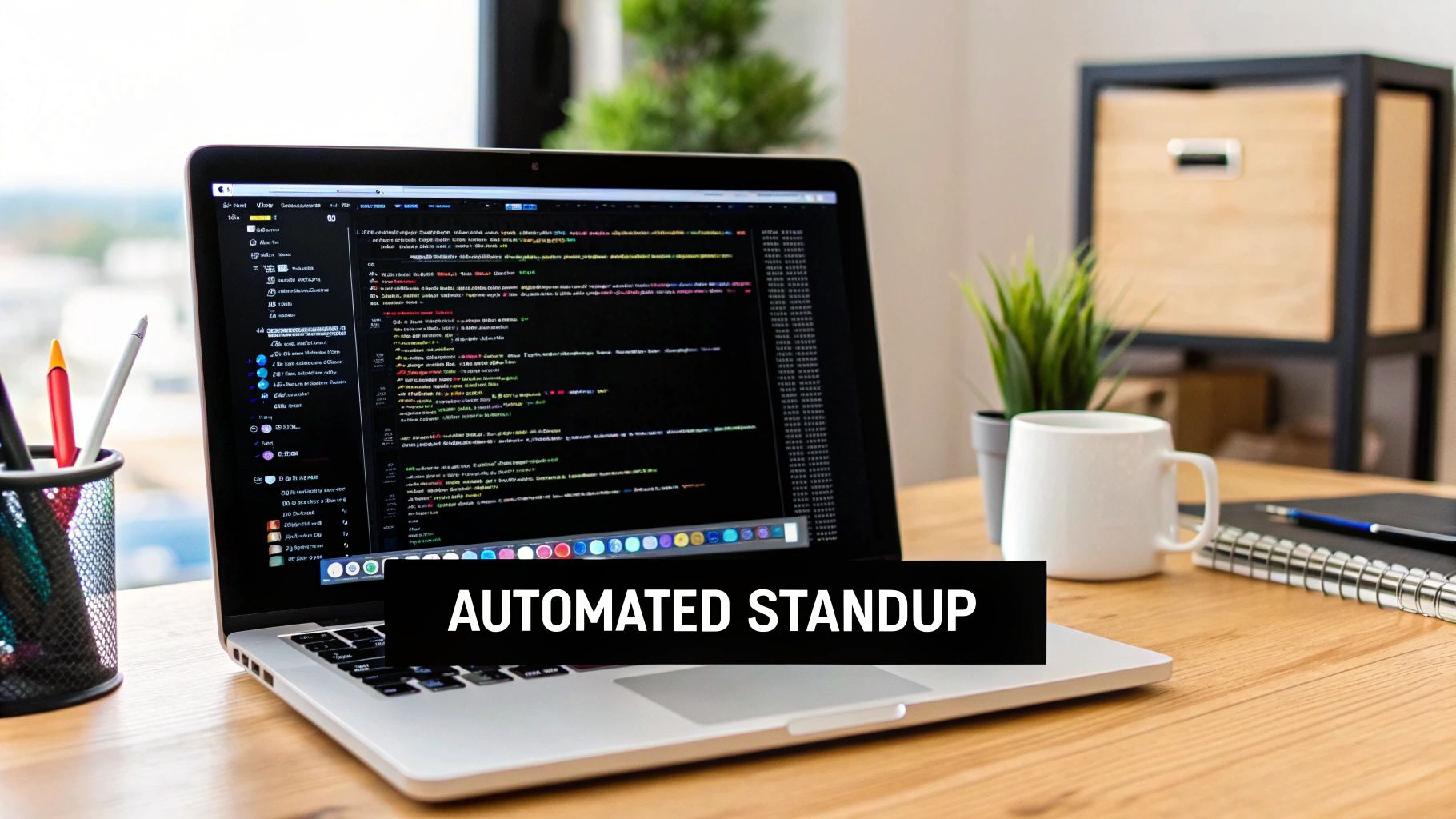
When this information is ready and waiting, the team’s focus shifts from just reporting status to actually discussing strategy and solving the real problems the data brings to light. The conversation becomes so much richer because it’s grounded in specific, shareable examples of what’s working and what’s not.
This kind of automation ensures that nothing important falls through the cracks. It turns the daily stand-up from a subjective reporting chore into an objective, data-informed sync that genuinely helps the entire team improve.
Turn Stand Up Insights Into Team Playbooks
A good stand-up tells you what’s happening right now. A great one captures knowledge that makes your whole team faster and smarter tomorrow. The daily sync is your best opportunity to turn those fleeting conversations into durable, team-wide assets.
The information that comes up in your new AI-native stand-up is just too valuable to let it vanish into thin air. Every time a developer shares a blocker or a win, it’s a signal. When you start tracking these signals, they reveal powerful patterns about how your team is really using its AI tools. This creates a feedback loop that drives real, continuous improvement.
For instance, you might notice a recurring blocker is tied to crafting effective prompts for a specific task. If you’re using an automated tool, a feature like ‘AI Hints’ can flag these moments where developers get stuck. That’s not just a daily hiccup; it’s a clear sign you have a learning opportunity that you can solve system-wide.
From Individual Hacks to Team Cheatcodes
The most powerful thing you can do with a well-run stand-up is create reusable “Cheatcodes.” Think of these as a shared library of winning strategies, killer prompts, and clever workflows that have been battle-tested by your own team. When one person discovers a prompt that perfectly refactors legacy code, that shouldn’t stay their personal secret.
This is all about actively listening for the “Learnings” and “Wins” shared in the stand-up. You just need a simple, central place to document them. It could be a shared doc, a wiki, or a dedicated tool like Zest that lets you capture these nuggets with a single click.
The real goal here is to make excellence repeatable. By turning individual breakthroughs into a shared playbook, you stop forcing every developer to reinvent the wheel. Instead, you give them a whole collection of proven solutions.
This approach builds a powerful, living knowledge base that gets better every single day. New hires can ramp up way faster by reviewing what already works, and senior developers can contribute their discoveries. It creates a culture where everyone is invested in making the whole team better.
Scaling What Works Across the Team
Once you start capturing these insights, you build momentum. A single developer’s brilliant idea, brought up during the daily stand up agenda, becomes a repeatable playbook for the entire team. Before you know it, you’ll see a real shift in performance and consistency across the board.
Here’s how this cycle feeds on itself:
- An Insight Pops Up: A developer shares a surprisingly effective AI workflow during the stand-up.
- It Gets Captured: The facilitator (or an automated tool) logs this “win” as a potential Cheatcode.
- It Gets Shared: The new Cheatcode is added to the team’s shared library, where everyone can see it.
- It Gets Adopted: Other team members start using the Cheatcode, saving themselves time and improving their work.
- New Insights Emerge: This widespread use leads to new discoveries and tweaks, which then get shared in future stand-ups.
This flywheel effect is how you scale a high-performance engineering culture. It turns the daily stand-up from a simple status meeting into the engine for your team’s growth, making sure every day makes the whole team just a little bit better.
Adapting Your Agenda for Remote and Hybrid Teams
Running a daily stand-up for a distributed team brings a whole different set of challenges. When your people are scattered across different cities—or even continents—the casual, in-person huddle just isn’t going to happen. This is where a disciplined and well-structured stand up agenda becomes absolutely essential.
The way we work has fundamentally changed, and our meetings have, too. Virtual meetings now make up a staggering 42% of all meetings in North America. Since 2020, the total number of meetings has tripled, with remote folks attending 50% more of them. That explosion in screen time means we have to keep our stand-ups tight and effective to avoid burning everyone out.
Synchronous vs. Asynchronous Stand-Ups
The first big question for any remote team is whether to meet live on video (synchronous) or post text-based updates in a tool like Slack (asynchronous). Honestly, there’s no single right answer; each has its pros and cons, and what works best really depends on your team’s DNA.
- Synchronous Video Calls: These are fantastic for keeping that human connection alive. Seeing faces and hearing voices helps build the kind of rapport that can easily fade when you’re not in the same room. The big catch? They can be a scheduling nightmare for teams spread across multiple time zones.
- Asynchronous Updates: This approach offers total flexibility. Team members can drop in their updates whenever their workday starts, no calendar coordination required. The trade-off is that you lose the spontaneous back-and-forth that often helps squash minor blockers on the spot.
A lot of hybrid teams I’ve worked with find a middle ground. Maybe you do live stand-ups three days a week and use async updates for the other two. Whatever you choose, the key is consistency so everyone knows what to expect.
The Critical Role of Automation
In a remote setup, you can’t just walk over to someone’s desk for a quick clarification. This is why having a single, objective source of truth isn’t just nice—it’s non-negotiable. Automated data collection quickly becomes a remote team’s best friend.
Automation ensures that those async updates are packed with real context and that live meetings are grounded in actual data, not just what someone happens to remember. It creates an unbiased record of wins, roadblocks, and lessons learned, keeping everyone on the same page, no matter where they’re logged in from.
If you want to dig deeper into this, there are great resources out there on how to manage remote teams effectively. Ultimately, a well-oiled, automated process is the secret sauce for keeping a distributed team feeling connected, aligned, and productive.
Got Questions? We’ve Got Answers
You’re not alone in wanting to get your stand-up agenda just right. Here are a few common questions I hear all the time, especially from teams working with AI tools.
How Long Should a Daily Stand-Up Meeting Be?
The magic number is 15 minutes. Seriously. Stick to it.
This isn’t just an arbitrary rule. The tight timebox forces everyone to be concise and focus on what truly matters: coordination and clearing roadblocks. It stops the meeting from devolving into a deep-dive problem-solving session, which should always be a separate, smaller chat. Respecting that 15-minute window protects your team’s most valuable asset—uninterrupted time to code.
Can a Stand-Up Agenda Work for Asynchronous Teams?
Absolutely, but you have to adapt. For distributed teams, the stand-up becomes a living, breathing thing in a shared channel, like on Slack. The core agenda—Wins, Blockers, Learnings—stays the same, but the delivery changes.
This is where automated summaries really shine. They provide the connective tissue you lose without a live conversation, giving everyone the context they need to stay aligned across different time zones. The secret sauce is consistency; everyone has to commit to their daily check-in for it to work.
A great asynchronous stand-up feels like a living document of the team’s progress, available whenever someone needs to catch up. It’s about clarity, not just another notification to clear.
Who Should Lead the Daily Stand-Up?
While the Scrum Master or team lead can facilitate, here’s a pro tip: rotate the facilitator role daily.
I’ve seen this simple tweak work wonders for team engagement. It gives everyone a little skin in the game and a sense of ownership over the meeting’s success. Plus, it’s a low-stakes way to help everyone build their communication and leadership skills. Remember, the facilitator is a guide, not a manager—their job is simply to keep the train on the tracks and on time.
Ready to stop relying on memory and start running your stand-ups with real data? Zest automatically captures developer activity and turns it into concise summaries of wins, blockers, and time saved. Get started for free at https://meetzest.com.
Refine Your Stand-Up Agenda
Turn your daily sync from a status report into a high-value huddle that makes the entire team faster and smarter.
📊 Core Metrics
- Blocker Resolution Rate — Percentage of AI-related blockers solved within 24 hours.
- Cheatcodes Captured — Number of reusable AI prompts or workflows added to the team playbook weekly.
- Meeting Time Adherence — Consistency of keeping the stand-up under the 15-minute hard stop.
🕹️ My Cheatcodes
- 🌱 Wins, Blockers, Learnings — Ditch the old script for this AI-native format to surface what really matters.
- 🦎 Rotate Facilitator — Give everyone ownership of the meeting's success to boost engagement.
- ⚡ Park the Deep Dives — Ruthlessly protect the 15-minute timebox by scheduling follow-ups for complex issues.
📈 Reflection Points
- 💡 Is our agenda surfacing real AI workflow issues or just ticket numbers?
- 🧩 Are we actively capturing learnings or letting valuable insights evaporate?
- 📘 Does the team leave the stand-up feeling aligned and energized, or drained?
Gallery
Lemon shots



