
AI-Powered Productivity for Developers
Judging a developer’s productivity by how many lines of code they write is like measuring a chef’s skill by the number of pots they use. It’s a classic case of confusing activity with impact, and it’s a recipe for bloated codebases and burned-out engineers. Real productivity is about shipping value, not just shipping features.
Why Old Developer Productivity Metrics Fail
Think about it like this: you have two mechanics in a workshop. One is all about speed. He bangs out ten ticket closures in a single day, swapping parts and moving on to the next job as fast as he can. The other mechanic only closes three tickets. But she takes her time, carefully diagnosing the root cause, doing preventative work, and leaving detailed notes.
At first glance, the first mechanic looks like a superstar. But a week later, half of his “fixed” cars are back in the shop with the same old problems, or worse, new ones. The second mechanic’s cars? They’re running like a dream. So, who was actually more productive?
This story gets right to the heart of the problem with old-school developer metrics. For years, managers have leaned on numbers that are easy to count but tell the wrong story.
- Lines of Code (LoC): This is probably the worst offender. It actually punishes a developer for writing smart, efficient code. Someone who solves a tough problem in 50 clean lines looks less productive than a teammate who churns out 500 lines of tangled logic. It’s an incentive for quantity, not quality.
- Commit Frequency: Sure, lots of commits can mean someone is making steady progress. Or it could mean they’re in a chaotic loop of fixing bugs they just created. Pushing code constantly doesn’t automatically equal meaningful headway.
- Tickets Closed: Just like our speedy mechanic, closing a ton of tickets says nothing about the quality of the work or its long-term value. This metric tempts developers to grab the easiest, low-impact tasks just to pump up their numbers, while the hard, important problems get ignored.
Focusing on these vanity metrics creates a culture of “looking busy” rather than a culture of creating value. It encourages shortcuts, builds technical debt, and ultimately erodes the very foundation of sustainable software development.
The old way is broken because it measures the effort someone puts in, not the outcome they create. It completely ignores the most important—and often invisible—parts of great engineering: deep thinking, collaboration, and careful planning.
True developer productivity isn’t about writing more code. It’s about solving the right problems with elegant, maintainable solutions. To get there, we need to shift our focus from output to outcomes, prioritizing things like developer experience and the real business value our teams deliver.
The Three Pillars of Modern Developer Productivity
If outdated metrics like lines of code are the problem, what’s the solution? The answer is to stop measuring activity and start enabling impact.
True developer productivity isn’t about pushing people to work harder or faster. It’s about building an environment where talented engineers can do their best work with the least amount of friction. This modern approach rests on three core pillars that, together, create sustainable, high-impact teams.
It all starts with a mental shift—recognizing that just because someone is busy doesn’t mean they’re being productive.
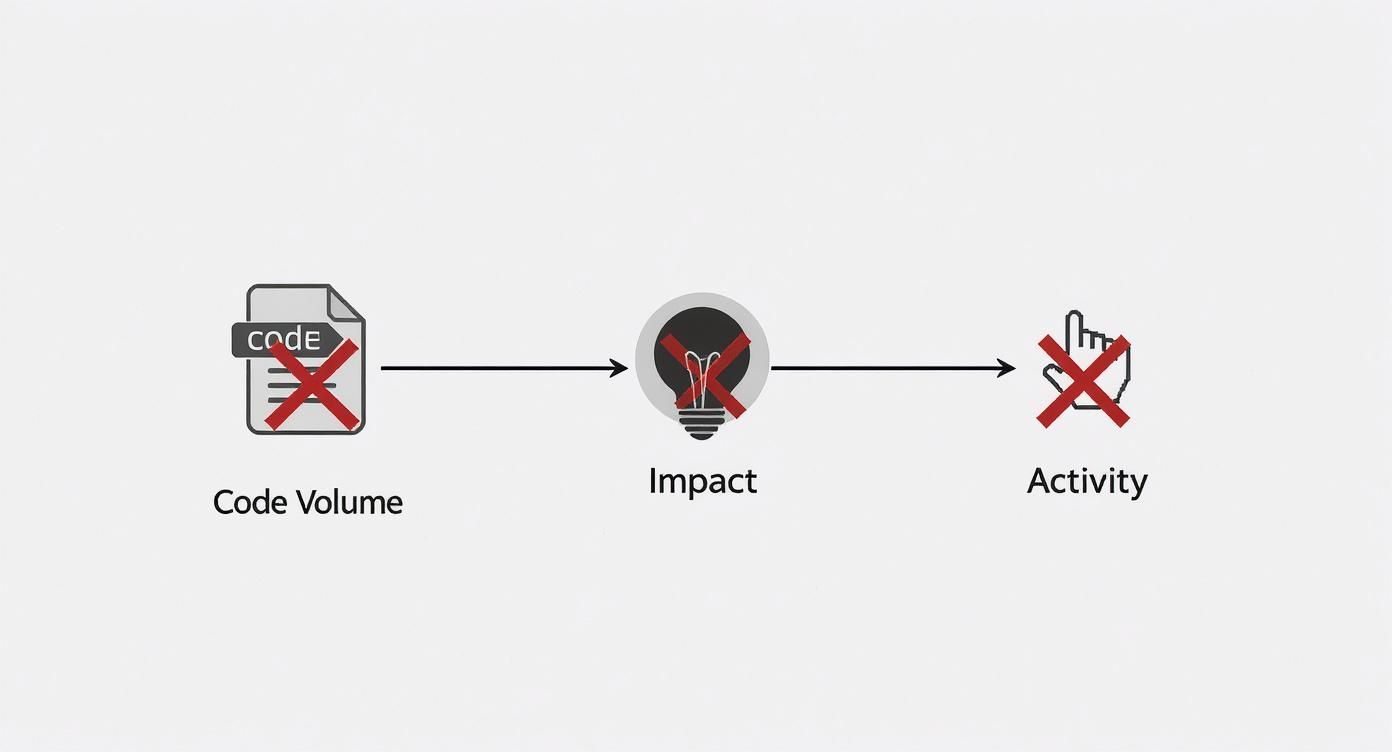
This diagram gets to the heart of the matter: impact is its own goal. Chasing misleading proxies like more commits or more pull requests often pulls teams in the completely wrong direction.
So, let’s focus on what actually moves the needle. Here are the three pillars that support a truly productive engineering culture.
Pillar 1: Preserving Flow State
A developer’s most valuable asset is uninterrupted focus. We’ve all been in “the zone”—that state of deep concentration where complex problems seem to unravel on their own. That’s the flow state, and it’s where real breakthroughs happen.
But it’s incredibly fragile. A single Slack notification, an unplanned meeting, or a tap on the shoulder can shatter it completely. And the data is brutal: studies show it can take over 20 minutes to get that focus back.
The first pillar of modern productivity is treating a developer’s time and attention as sacred. It’s about intentionally designing a work environment that fiercely guards against distractions.
Here’s how you can do it:
- Default to Async: For anything that isn’t a true emergency, use asynchronous tools like Slack or email. This lets developers engage on their own terms without derailing their current task.
- Guard the Calendar: Block out “deep work” periods—a few hours or even a full day—where no meetings are allowed. This gives your team predictable, protected time to get into a flow.
- Define Work Clearly: Vague tickets are a primary source of interruptions. Investing time upfront to write clear requirements and acceptance criteria saves countless hours of back-and-forth later.
A developer in a flow state can achieve in two hours what might otherwise take a full day of fragmented, interruption-driven work. This isn’t a perk; it’s an economic imperative.
Pillar 2: Intelligent Tooling and Automation
The second pillar is about giving developers tools that act as force multipliers. Think of it as automating all the repetitive, low-value work so engineers can reserve their brainpower for creative problem-solving and smart design. Today, this is all about AI and solid automation.
AI coding assistants are the perfect example. They can instantly generate boilerplate code, write unit tests, suggest refactoring opportunities, and even help untangle a complex legacy codebase. It’s like having a brilliant pair programmer on call 24/7, offloading huge amounts of cognitive weight.
Likewise, a fast and reliable CI/CD (Continuous Integration/Continuous Deployment) pipeline is non-negotiable. When a developer can push code and get automated feedback from tests and builds in minutes—not hours—it creates a tight feedback loop that eliminates wasted time and frustration.
Pillar 3: High-Trust Collaboration
Software development is a team sport. The final pillar focuses on removing friction from how people work together. High-trust collaboration means creating processes that are efficient, respectful, and geared toward collective success.
This really boils down to two key areas:
- Better Code Reviews: A slow, adversarial code review process is a massive productivity killer. A high-trust approach reframes reviews as a collaborative learning experience. This means setting clear expectations, automating style checks with linters, and keeping pull requests small and focused. The goal is to share knowledge and improve the code, not to point fingers.
- Clear, Accessible Documentation: Good documentation is an act of empathy for your teammates and your future self. When architecture decisions, setup guides, and team processes are written down and easy to find, you dramatically reduce the time people spend asking for help or reinventing the wheel. It’s the bedrock of a scalable, productive team.
By focusing on these three pillars—protecting flow, automating away the tedious stuff, and fostering seamless teamwork—organizations can build a system where developer productivity thrives naturally. It’s a powerful shift from counting commits to creating the conditions for real, consistent impact.
How AI Is Reshaping Developer Workflows
Artificial intelligence isn’t some far-off idea in software development anymore. It’s here, now, working right alongside developers in their daily coding. This is way more than just glorified autocompletion; AI is fundamentally changing how work gets done. Think of it as a co-pilot in the cockpit—it handles the routine navigation, freeing up the lead pilot (the developer) to focus on tricky maneuvers and the overall flight plan.

This partnership lets developers offload a huge amount of mental weight. Instead of grinding through boilerplate code or wrestling with the syntax of a new library, they can just hand those tasks off to an AI assistant. The effect on productivity for developers is instant and obvious. All that freed-up brainpower can go where it really counts: designing solid systems and cracking unique business problems.
Automating the Toil Work
Let’s be honest, a good chunk of a developer’s day can be eaten up by repetitive, tedious tasks. This is where AI really shines, automating the grunt work across the entire development cycle.
Here are a few key areas where AI is making a real difference:
- Code Generation: Tools like GitHub Copilot can spit out whole functions or classes from a simple comment written in plain English. What used to take minutes of typing now takes just a few seconds of thought.
- Unit Test Creation: Everyone knows writing tests is critical, but it’s also a drag. AI can look at a piece of code and automatically whip up the right unit tests, giving you better coverage with way less manual effort.
- Debugging Assistance: Instead of just flagging an error, new AI tools can analyze stack traces, suggest what might be wrong, and even offer potential fixes. This can slash debugging time from hours to minutes.
By taking over this “toil work,” AI doesn’t make developers obsolete—it makes them better. It lets them operate at a higher level, focusing on the big-picture logic and architecture instead of getting bogged down in syntax and setup.
AI acts as a powerful filter for complexity, handling the known, repeatable patterns so human developers can concentrate their creativity on solving novel challenges.
Accelerating Learning and Onboarding
AI tools have also become incredible learning aids. When a developer runs into an unfamiliar codebase or a new programming language, AI can be their on-demand tutor. It can explain a confusing block of code in simple terms, translate snippets from one language to another, and show instant examples of how to use a specific API.
This capability dramatically shortens the learning curve. New team members can get up to speed much faster, and senior devs can pick up new technologies with more confidence. For a deeper look at using AI to manage knowledge, it’s worth exploring the idea of building a second brain with AI.
The Measurable Impact on Performance
This isn’t just about feeling more productive; the data shows clear, undeniable gains. AI use has exploded among software developers, with a staggering 90% of development professionals now using it in their daily work.
And the results speak for themselves. Over 80% of these developers report that AI has boosted their productivity. Even better, research shows that developers using AI assistants are completing their tasks 30-50% faster.
This speed translates directly to faster cycle times, quicker feedback loops, and a much more agile development process. The benefits are crystal clear. You can learn more about how to put these tools to work in our guide on AI for coding: https://meetzest.com/blog/ai-for-code. By making AI a core part of the workflow, teams aren’t just shipping code faster—they’re building better, more reliable software.
Finding and Fixing Your Biggest Productivity Killers
Even the most well-oiled development teams have hidden friction points that secretly hold them back. Boosting developer productivity isn’t always about piling on new tools; sometimes, the biggest wins come from simply getting out of your own way. Pinpointing these bottlenecks is the first real step toward creating a development process that’s smoother, faster, and honestly, a lot more enjoyable for everyone involved.
Many of these problems are silent assassins. They won’t pop up on a dashboard, but you’ll feel their effects in developer frustration, blown deadlines, and that nagging sense of being constantly busy but never truly moving the needle. Think of this section as your field guide to spotting—and fixing—these common productivity drains.

The High Cost of Constant Context Switching
Context switching is the arch-nemesis of a developer’s flow state. Every single time an engineer has to drop a complex coding task to answer a “quick question,” hop on an unscheduled call, or chase down a vague requirement, their mental model of the code shatters. It can take over 20 minutes to get that deep focus back. A few interruptions a day can easily vaporize hours of productive time.
Warning Signs:
- A culture of “quick questions,” where a tap on the shoulder or an instant Slack message is the default.
- Calendars packed with back-to-back meetings, leaving only tiny, fragmented slivers of time for actual coding.
- Developers constantly saying things like, “Ugh, I lost my train of thought again,” after being interrupted.
Actionable Solutions:
- Implement “Focus Time” blocks. Get these on the calendar as recurring, meeting-free zones. This signals to everyone that unless the building is on fire, developers are not to be disturbed.
- Champion asynchronous communication. Push the team to default to tools like Slack threads or well-detailed tickets instead of demanding immediate attention. This lets developers respond when it doesn’t break their concentration.
- Batch your questions. Instead of ten small interruptions throughout the day, gather non-urgent questions into a single daily check-in or a shared document.
The Problem of Ambiguous Requirements
Nothing brings productivity to a screeching halt faster than unclear or constantly changing project requirements. When developers don’t have a clear target, they waste precious time building the wrong thing, hunting for clarification, and then redoing their work. This isn’t a coding problem; it’s a communication and planning breakdown.
“If I leave my Friday afternoon with unfinished business, and I spend my Monday on trying to figure out where I’ve left off and I don’t make a plan for the week, it’s likely that the week will not be very productive.”
This thought from indie developer Donny Wals gets to the heart of it. When “what’s next” is fuzzy, procrastination and inefficiency creep in. This is just as true for an entire team as it is for an individual.
Warning Signs:
- Pull requests filled with comments like, “Is this what you meant?” or “I wasn’t sure about this part.”
- Frequent rework that comes from feedback revealing a fundamental misunderstanding of the original goal.
- Developers getting blocked while they wait for answers from product managers or designers.
Actionable Solutions:
- Invest in better user stories. Make sure every ticket has crystal-clear acceptance criteria and explains the “why” behind a feature, not just the “what.”
- Hold effective kickoff meetings. Before anyone writes a single line of code, get engineering, product, and design in the same room to align on the goals and scope.
- Use visual aids. Seriously. Wireframes, mockups, and sequence diagrams can clear up ambiguity a thousand times better than a wall of text.
The Drag of Technical Debt
Think of technical debt as an invisible tax on every new feature you build. It’s the consequence of taking shortcuts—choosing a quick-and-dirty solution now that makes all future development slower and more painful. A little bit of debt is sometimes a necessary evil, but letting it pile up is like trying to sprint through a mud pit.
Actionable Solutions:
- Make tech debt visible. If it’s a known issue, it needs a ticket. Add it to the backlog just like a new feature request. If it’s not tracked, it will never, ever get prioritized.
- Allocate a “debt budget.” Dedicate a set percentage of every sprint (say, 15-20% of your team’s capacity) specifically to paying down existing tech debt. This is how you stop it from spiraling out of control.
- Reframe the conversation. Stop calling it “wasted” time. Explain to stakeholders that tackling tech debt now is what allows the team to build features faster and more reliably later. It’s an investment, not a cost.
How to Measure Productivity That Actually Matters
If your engineers roll their eyes every time “productivity metrics” come up in a meeting, you’re probably measuring the wrong things. The real challenge isn’t just tracking numbers; it’s about tracking the right numbers—the ones that paint a clear picture of your system’s health, not just how busy everyone looks. A modern approach has to connect high-level business goals with the day-to-day reality of writing code.
The goal here is simple: stop building developer leaderboards and start creating a diagnostic toolkit for your entire delivery process. This means pairing hard, quantitative data with the invaluable, qualitative feedback you can only get from the people actually doing the work.
Blending System Data with Human Insights
Think of any effective measurement strategy as a two-sided coin. On one side, you have objective, system-level data that tells you what is happening. On the other, you have the subjective, human-centric feedback that tells you why it’s happening.
You absolutely need both to see the whole picture. If you only look at the numbers, you risk burning out your team and chasing vanity metrics. But if you only rely on feelings, you’ll miss the systemic bottlenecks that are quietly killing your momentum.
The real magic happens where these two data streams overlap. For example, when a dip in deployment frequency lines up with developers reporting that the testing suite is painfully slow, you’ve found a genuine, actionable problem worth solving.
This balanced approach turns measurement from a top-down chore into a shared tool for making things better for everyone.
Start with the DORA Metrics
For the quantitative side of things, the DORA (DevOps Research and Assessment) metrics are the undisputed industry standard. Engineers respect them because they measure the health and velocity of the entire system—not the output of a single person.
Here are the four key metrics to get started with:
- Deployment Frequency: How often do you successfully ship code to production? A higher frequency is often a great sign of an agile, healthy pipeline.
- Lead Time for Changes: How long does it take for a commit to make its way into production? This is a powerful measure of your overall process efficiency, from the first line of code to the final release.
- Change Failure Rate: What percentage of your deployments cause an outage or require a hotfix? This metric is a direct reflection of your code quality and the reliability of your testing process.
- Time to Restore Service: When something does break, how long does it take to fix it? This measures your team’s ability to respond to and resolve incidents quickly.
To get a more complete look at these and other key indicators, check out our full guide on software engineering productivity metrics. These numbers give you a fantastic baseline for spotting friction in your workflow.
Don’t Forget the Developer Experience
The human side of the productivity equation is just as important. The developer experience (or DevEx) is all about the daily frustrations and moments of flow that your team encounters. Are they constantly fighting with their tools? Is the codebase a tangled mess that’s impossible to navigate? These qualitative insights provide the crucial context behind your DORA numbers.
The importance of this is clear across the industry. Recent surveys show that a whopping 66% of developers feel that current metrics don’t accurately reflect their work. This is a huge disconnect. And while it’s true that nearly nine out of ten developers save at least an hour a week using AI, a gap still exists between individual efficiency and overall team effectiveness—which just highlights the need for better measurement.
So, how do you capture this feedback? It doesn’t have to be complicated. Use simple, regular surveys or even informal check-ins, asking questions like:
- “On a scale of 1-10, how productive did you feel this week?”
- “What was the single biggest thing that slowed you down or caused frustration?”
- “Are our tools helping you or getting in your way?”
When you combine hard data with real human feedback, you create a complete, holistic view of what’s going on. This is how you make targeted improvements that genuinely help your team build and ship better software, faster. For a deeper look into implementing metrics that truly matter, there are some great practical guides on engineering productivity measurement.
Building a Culture of High-Impact Engineering
Let’s be honest: you can have all the best tools, metrics, and processes in the world, but they’re only half the story. The real secret to unlocking developer productivity lies in building a thriving engineering culture. This is the human element, the connective tissue that turns a group of smart people into a truly exceptional team.
A high-impact culture doesn’t just happen. It’s a system you build intentionally, one designed to amplify strengths, encourage growth, and make continuous improvement the default setting. It all starts with creating an environment where developers feel safe to experiment, ask for help, and even fail without fear of finger-pointing. When people feel that sense of trust, they’re free to take the calculated risks that lead to big breakthroughs.
Fostering Psychological Safety
The absolute foundation of any high-performing team is psychological safety. It’s that shared, unspoken belief that you can speak up with ideas, questions, concerns, or mistakes without being shut down or shamed.
In a psychologically safe environment, a junior dev feels just as comfortable questioning a senior’s code as a team lead does giving feedback. This safety is a direct line to productivity—it sparks proactive problem-solving, makes knowledge sharing happen faster, and gives everyone a real sense of ownership over the work.
You can start laying this groundwork with a few simple shifts:
- Lead with curiosity, not blame. When something goes wrong, the first question should always be, “What can we learn from this?” not “Whose fault is this?”
- Encourage questions. Frame asking for help as a sign of strength and a commitment to getting it right.
- Admit your own mistakes. When leaders are open about their own slip-ups, it gives the rest of the team permission to be human, too.
Embedding High-Impact Habits
A great culture isn’t defined by a mission statement on a wall; it’s defined by what people do every single day. To really boost your team’s output, you need to weave in habits that cut down on friction and supercharge learning.
One of the most powerful habits you can build is running blameless post-mortems after any major incident. The goal isn’t to find a scapegoat, but to dig deep into the systemic reasons why something failed. This process transforms stressful outages into priceless learning opportunities, making your entire system stronger for the future.
Culture is the compound interest of your team’s daily actions. Small, consistent habits like blameless post-mortems and efficient code reviews build a resilient and highly productive system over time.
Another crucial habit is a real commitment to knowledge sharing. When vital information is siloed in one person’s head, the whole team grinds to a halt. Building out centralized, easy-to-search documentation and promoting peer-to-peer mentoring are non-negotiable. For a deeper dive, check out our guide on knowledge sharing best practices. This makes sure hard-won lessons spread quickly, raising the bar for everyone.
As the global developer population sprints toward 47.2 million, the game is changing. It’s less about just hiring more engineers and more about enabling the ones you already have. With a staggering 51% of professional developers now using AI tools every day, optimizing how your team works together is the ultimate competitive advantage. You can explore more about these developer population trends on slashdata.co. Ultimately, this is the final piece of the productivity puzzle: creating a system where people can truly do their best work, together.
Got Questions? We’ve Got Answers.
As you start weaving these new ideas about developer productivity and AI into your team’s daily rhythm, some questions are bound to pop up. Let’s tackle a few of the most common ones I hear from engineering leaders.
How can a small team improve productivity on a tight budget?
You don’t need a huge budget to see huge improvements. The biggest gains often come from changing your processes and culture, which only cost you intention and effort.
A great place to start is by ruthlessly protecting your developers’ focus time. Block off “no-meeting” periods in the calendar so your team can actually get into a state of deep work without constant interruptions.
You can also tighten up your code review process. Make it faster, more constructive, and focused on knowledge sharing instead of just pointing out mistakes. But honestly, the most impactful change you can make for free is investing more time upfront to write incredibly clear project requirements. This simple act cuts down on confusion and rework, giving you a massive boost in momentum.
Are AI coding assistants going to make my developers lazy?
That’s a common worry, but it helps to think of AI as a very capable partner, not a crutch. It’s fantastic at handling all the tedious, repetitive stuff—the boilerplate code and grunt work that drains mental energy but doesn’t require creative problem-solving.
By offloading that work, you free up your developers to focus on what really matters: system architecture, tackling thorny bugs, and thinking strategically about the product. AI also acts as a learning tool on steroids. It can provide instant examples and make it easier for a developer to get up to speed with a new language or a complex, unfamiliar codebase. It makes them more skilled, not less.
What’s the one metric I should track if I can only pick one?
There’s no single silver bullet, and you should always aim for a balanced view. But if you twisted my arm and made me choose just one, I’d say start with Cycle Time.
Cycle Time measures the entire journey from the first line of code a developer commits to the moment it’s live in production. It’s so powerful because it gives you a complete, end-to-end picture of your development process. A long Cycle Time is like a flashing red light, immediately showing you where the friction is—whether it’s a bottleneck in code reviews, slow testing, or a clunky deployment process. It’s the best diagnostic tool you have.
A Practical Scorecard for Developer Productivity
So, how do you actually start measuring and improving your team’s productivity, especially with AI in the mix? It’s not about tracking every keystroke. It’s about focusing on what truly drives impact.
Here’s a simple scorecard I use to cut through the noise. Think of it less as a rigid report card and more as a compass to guide your team toward smoother, more impactful work.
📊 The Core Metrics That Matter
If you only track a few things, make them these three. They give you a surprisingly clear picture of your team’s health and velocity.
-
Cycle Time: This is the big one. It’s the average time from the very first commit on a feature to the moment it’s live in production. A shorter cycle time means you’re shipping value to users faster.
-
Change Failure Rate: What percentage of your deployments end up causing a failure in production? A high rate here is a major red flag, pointing to issues in your testing, review, or deployment process.
-
Flow State Ratio: This is a bit more qualitative but incredibly important. How many hours are your developers actually spending in deep, focused work versus how many hours they lose to meetings, shoulder taps, and other interruptions? The goal is to maximize that precious flow state.
🕹️ My Personal Cheat Codes
Metrics are great, but they don’t fix problems on their own. Over the years, I’ve found a few core principles that consistently move the needle.
-
🌱 Protect Focus Time: Treat uninterrupted blocks of time as sacred. This is when the real magic happens, so guard it fiercely against unnecessary meetings and distractions.
-
🦎 Measure Systems, Not People: Use these metrics to find friction in your process, not to rank individual developers. The goal is to uncover bottlenecks in the system—like a clunky CI/CD pipeline or a slow code review culture.
-
⚡ Augment with AI: Let AI handle the grunt work. Delegate boilerplate code, writing tests, and other routine tasks to your AI assistants. This frees up your team’s brainpower for the complex, creative problems only they can solve.
📈 Questions for Your Next Team Retro
To turn data into action, you need to ask the right questions. Use these prompts in your next retrospective to spark a real conversation about what’s holding you back.
-
💡 What was the single biggest time-waster for our team this week? Be honest and specific. Was it a flaky testing environment? A confusing spec?
-
🧩 Are our code reviews a bottleneck or a learning opportunity? Reviews should be a place for collaborative improvement, not a gatekeeping exercise that stalls progress for days.
-
📘 Is our current tech debt slowing us down more than we realize? Sometimes that “quick fix” from six months ago is now costing you hours every single week. It’s time to talk about it.
Level Up Your Developer Productivity
Use this scorecard to turn productivity insights into a system for high-impact engineering and less team friction.
📊 Core Metrics
- Cycle Time — average time from first commit to production deployment
- Change Failure Rate — percentage of deployments causing a production failure
- Flow State Ratio — hours in deep work vs. hours lost to interruptions
🕹️ My Cheatcodes
- 🌱 Protect Focus Time — treat uninterrupted time as sacred to enable deep work
- 🦎 Measure Systems, Not People — use metrics to diagnose process friction, not rank individuals
- ⚡ Augment with AI — delegate boilerplate code and routine tasks to AI assistants
📈 Reflection Points
- 💡 What was our team's biggest time-waster this week?
- 🧩 Are our code reviews a bottleneck or a learning opportunity?
- 📘 Is our current tech debt costing us more time than we realize?
Gallery
Lemon shots



