A Guide to JavaScript Data Types and Structures
To really get good at writing JavaScript, you have to start with the fundamentals—and it doesn’t get more fundamental than how the language handles information. At its core, every piece of data in your code, from a user’s name to the total of a shopping cart, is sorted into a specific category. These are JavaScript data types.
They’re the basic building blocks, like Number, String, and Boolean, that tell JavaScript what kind of value a variable holds and what you can (and can’t) do with it.
The Foundation of Your Code

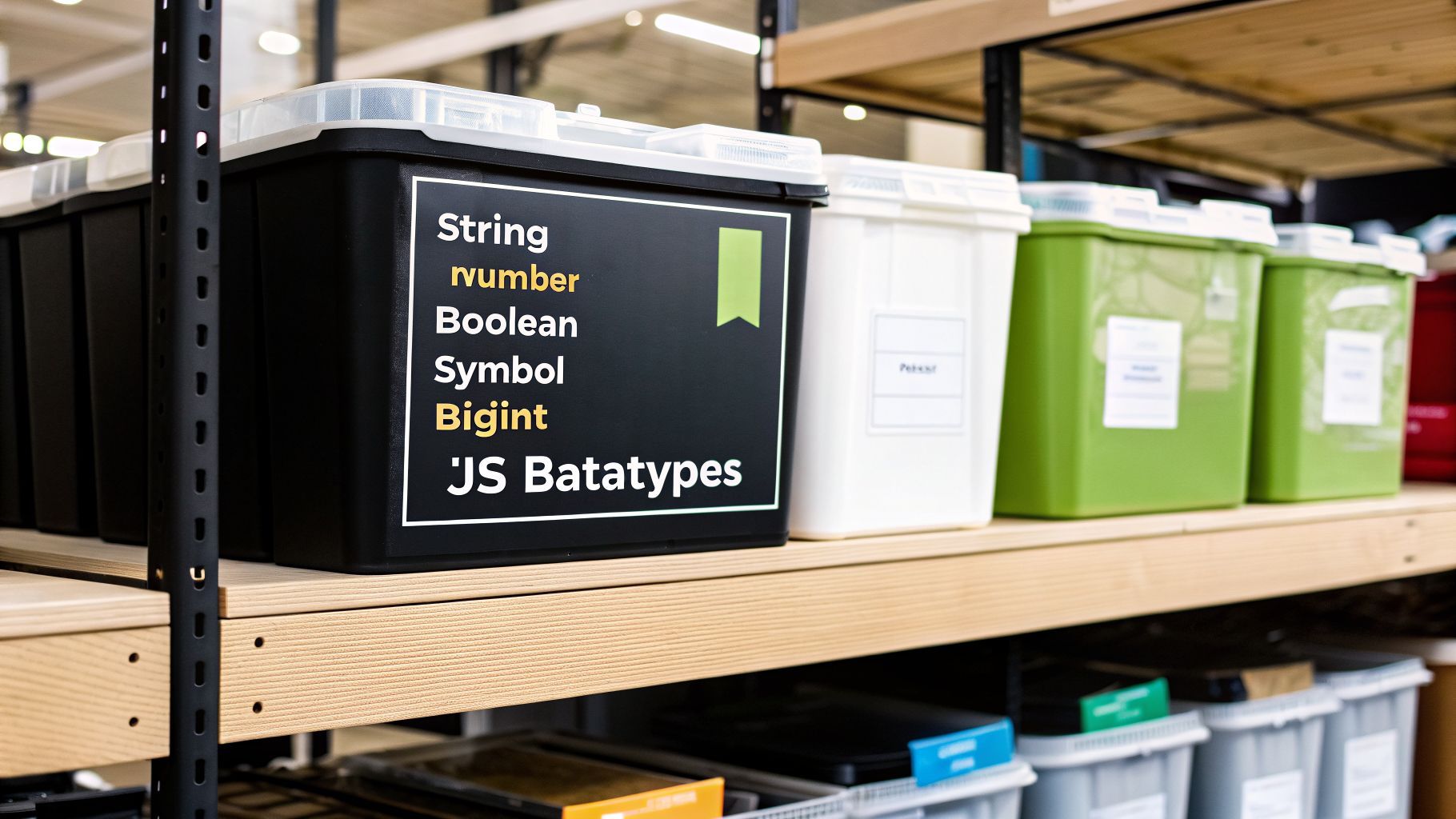
Think of it this way: data types are like specialized containers. You’ve got one for numbers, another for text, and a simple switch for true or false values. Knowing which container to use is everything, because the type of data defines the rules. You can’t divide a sentence by two, and you can’t capitalize a number.
This simple concept is the bedrock of all logic in your programs. Every variable, function, and piece of data you work with is governed by its type. When you get it right, your code is predictable and solid. Get it wrong, and you’re in for a world of confusing bugs and head-scratching errors.
Why Data Types Matter
So why is this so critical? Getting a real handle on JavaScript’s data types pays off in a few huge ways:
- Predictable Behavior: You’ll know exactly how your code will behave. For instance, the
+symbol will add two numbers, but it will join two strings together. - Error Prevention: So many common bugs come from type mismatches. Ever tried to run a function that turned out to be
undefined? That’s a type error. - Memory Management: Behind the scenes, the JavaScript engine handles memory differently depending on the data type, which can seriously affect performance in larger apps.
- Code Clarity: When you’re intentional about types, your code becomes incredibly easy to read—for your teammates and for your future self.
These core types—Number, String, Boolean, Null, Undefined, BigInt, and Symbol—are what make modern web development possible. It’s no exaggeration to say they are everywhere. As of 2026, JavaScript powers an incredible 98.9% of all websites, which means roughly 51 million sites rely on these fundamental types every single day. If you want to dig deeper into its dominance, you can explore more JavaScript usage statistics.
The Two Main Categories
To keep things organized, JavaScript splits its data types into two main buckets. This is a crucial distinction that will come up again and again.
- Primitive Types: These are the simplest, most fundamental data types. They are immutable, which means their value can’t be changed after they are created.
- Object Type: This is a much more complex type used for storing collections of data and building more sophisticated structures.
We’re going to cover both, but let’s start with a quick overview of the primitives.
The table below is your cheat sheet for JavaScript’s seven primitive data types. It gives you a quick look at what each one is and a simple example to lock in the concept.
Quick Guide to JavaScript’s Primitive Data Types
| Data Type | Description | Example |
|---|---|---|
| String | A sequence of characters used for text. | 'Hello, world!' |
| Number | Represents both integer and floating-point numbers. | 42 or 3.14 |
| Boolean | A logical value that can only be true or false. |
true |
| Undefined | A variable that has been declared but not yet assigned a value. | let name; |
| Null | Represents the intentional absence of any object value. It’s a “nothing” value. | let user = null; |
| BigInt | Represents whole numbers larger than the maximum safe integer for a Number. | 9007199254740991n |
| Symbol | A unique and immutable value, often used as an identifier for object properties. | Symbol('id') |
Think of these primitives as the atoms of your JavaScript code. Everything else you build—from simple functions to complex applications—is made from combinations of these fundamental types.
A Deep Dive Into the Seven Primitive Types

In JavaScript, everything is built on a foundation of primitive types. Think of them as the basic atoms of your data—the simplest, most fundamental values the language works with. The most important thing to know about them is that they are immutable. Once you create a primitive value, it can’t be changed. Any operation that seems to modify it is actually just creating a new value in memory.
Getting a solid handle on these seven atomic units is non-negotiable for writing clean, predictable code. Let’s walk through each one and see how they show up in the real world.
String: The Backbone of Text
The String type is for, well, text. Anything from a single character to a whole paragraph is a string. In JavaScript, you can define them with single quotes ('...'), double quotes ("..."), or the super-handy backticks (`...`).
let greeting = 'Hello, developer!';
let userName = "Alex";

// Backticks are awesome because they let you embed variables directly.
let welcomeMessage = `Welcome back, ${userName}!`;

console.log(welcomeMessage); // Outputs: "Welcome back, Alex!"
Strings are everywhere: UI messages, form inputs, API URLs, you name it. Because they’re immutable, methods like toUpperCase() don’t alter the original string; they just hand you back a brand new one.
Number: The Engine of Calculation
In JavaScript, the Number type handles all things numeric, whether you’re dealing with whole integers or floating-point decimals. It uses a 64-bit format, which gives you a huge range to work with but also introduces some quirks, especially with very large integers.
Numbers are the workhorses behind the scenes, powering everything from simple math to complex interactions.
- Calculations: Adding up items in a a shopping cart.
- Animations: Figuring out an element’s next position on the screen.
- Data Visualization: Supplying the values that build your charts and graphs.
But here’s the catch: there’s a ceiling to how large an integer the Number type can reliably represent. This limit is called Number.MAX_SAFE_INTEGER. Once you go past that, things can get weird, which is why we now have a newer tool for the job.
BigInt: For Numbers Beyond the Limit
Introduced in ES2020, BigInt was created specifically to solve the precision problem of the Number type. A BigInt can represent massive whole numbers with perfect accuracy, making it a lifesaver for certain applications.
To create one, just tack an n onto the end of an integer or use the BigInt() function.
// A regular Number has its limits.
const maxSafeInt = Number.MAX_SAFE_INTEGER;
console.log(maxSafeInt); // 9007199254740991

// Try to go beyond it, and you get a rounding error.
console.log(maxSafeInt + 2); // 9007199254740992 (Wrong!)

// BigInt to the rescue!
const largeNumber = 9007199254740991n;
console.log(largeNumber + 2n); // 9007199254740993n (Correct!)
JavaScript has come a long way since its creation by Brendan Eich at Netscape back in 1995. The arrival of BigInt in 2020 was a huge update, especially for fields needing 64-bit integer support. For instance, in the crypto world, where a reported 46.6% of programming tool developers work, this kind of precision is critical. You can dig into more interesting developer data by exploring JavaScript statistics on ElectroIQ.
Boolean: The Driver of Logic
The Boolean type is beautifully simple: its only possible values are true and false. Don’t let that simplicity fool you, though. It’s one of the most powerful JavaScript data types you have for directing the flow of your code.
Booleans are the core of all conditional logic. Every if statement, while loop, or ternary operator that makes a decision relies on a boolean.
Key Takeaway: Any time your code asks a question—Is the user logged in? Is this form valid? Did the data finish loading?—a boolean is what gives you the yes-or-no answer.
Undefined: The State of Uninitialization
When you declare a variable but don’t give it a value, its type is Undefined. This is JavaScript’s way of saying, “I know this variable exists, but it’s empty for now.”
let userProfile;

console.log(userProfile); // Outputs: undefined
This is totally different from a variable that was never declared, which would crash your code with a ReferenceError. You’ll often run into undefined by accident, like when you forget to return a value from a function or try to access a property that doesn’t exist on an object.
Null: The Intentional Absence of Value
While undefined is an accidental or implicit “empty,” Null is deliberate. When you set a variable to null, you are making an explicit statement: “This variable has no value.” It’s like putting a “Vacant” sign on a piece of memory.
For instance, you might set a currentUser variable to null when a user logs out. It’s an intentional “nothing” that you can check for later in your code.
Symbol: The Key to Unique Properties
Introduced in ES6, the Symbol type is probably the most esoteric of the primitives. A Symbol is a value that is guaranteed to be 100% unique and unchangeable.
const id1 = Symbol('id');
const id2 = Symbol('id');

console.log(id1 === id2); // Outputs: false
So what are they for? Their main job is to create unique property keys for objects. This is incredibly useful for avoiding name collisions, especially if you’re writing a library or working with third-party code where you don’t want your internal properties to clash with anything the user might add.
Working with Objects, Arrays, and Functions

If primitive types are the individual bricks and boards of your application, then Objects are the structures you build with them. They’re complex containers that let you group related data and functionality together. And unlike primitives, objects are mutable, which means you can change their contents after they’ve been created.
This leads us to one of the most important—and often misunderstood—concepts in JavaScript: the difference between “pass-by-value” for primitives and “pass-by-reference” for objects.
The Blueprint vs. The House Analogy
Think of a primitive value, like the number 42, as a physical house. If you copy that variable, you’re building an entirely new, identical house right next door. You can paint the new house a different color or knock down a wall, and the original house remains completely untouched.
An object, on the other hand, works more like a blueprint for a house.
When you “copy” a variable that holds an object, you aren’t getting a new house. You’re just getting a second copy of the same blueprint. Both variables now point to the exact same location in memory—the same single house. If you use one blueprint to paint the front door red, anyone looking at the other blueprint will see a red door, too. Why? Because there’s only one house.
Key Insight: When you pass an object to a function or assign it to a new variable, you are passing a reference—a pointer to the object’s location in memory. Modifying the object through one reference will be visible through all other references.
This is a fundamental behavior of JavaScript data types that trips up developers of all skill levels. Getting this distinction right is the key to avoiding all sorts of strange and unexpected side effects in your code.
Objects: The Building Blocks of Structure
At its heart, a JavaScript object is simply a collection of key-value pairs. You can think of it like a digital filing cabinet where you store related bits of information under specific, easy-to-remember labels.
The easiest way to create one is with an object literal—a simple pair of curly braces {}.
let user = {
  firstName: "Alex",
  lastName: "Taylor",
  isLoggedIn: true,
  loginCount: 5,
};

// You can access properties with simple dot notation.
console.log(user.firstName); // Outputs: "Alex"

// And since objects are mutable, you can change them.
user.isLoggedIn = false;
console.log(user.isLoggedIn); // Outputs: false
Objects are incredibly flexible, making it easy to model real-world concepts like users, products, or configuration settings. When you’re passing this kind of structured data around, especially to and from a server, it’s often serialized into a format like JSON. If you’re curious how different formats stack up, this guide on Protobuf vs JSON is a great read.
Arrays: Ordered Lists of Data
If objects are filing cabinets, Arrays are numbered lists. They’re a special kind of object built specifically for holding an ordered collection of items. You create them with square brackets [].
// An array holding a list of strings
let permissions = ["admin", "editor", "viewer"];

// Arrays can also hold a mix of different data types
let userActivity = [2024, "login", true];

// You access elements by their numerical index, starting from 0
console.log(permissions[0]); // Outputs: "admin"
Arrays come packed with a whole toolbox of built-in methods (.push(), .pop(), .map(), etc.) that make it simple to add, remove, and transform the data they contain. They are the workhorse for managing any kind of list, from a user’s to-do items to a collection of API search results.
Functions: Bundles of Reusable Logic
Functions are another special type of object in JavaScript. Their main job is to hold a block of code that you can run whenever you need it. This makes them the primary tool for organizing your logic and making it reusable.
You can learn more about how they work in our deep dive on async functions in JavaScript.
function greetUser(name) {
  return `Hello, ${name}!`;
}

// "Calling" the function executes the code inside
let greeting = greetUser("Jordan");
console.log(greeting); // Outputs: "Hello, Jordan!"
Because functions are technically objects, they can be treated just like any other value. You can assign them to variables, pass them into other functions as arguments, or even store them in objects and arrays. This “first-class” status is what unlocks many of JavaScript’s most powerful and flexible programming patterns.
Navigating the Quirks of the Typeof Operator
The typeof operator is your go-to tool for a quick gut-check on a variable. Think of it as asking JavaScript, “Hey, what kind of data am I looking at?” In return, you get a simple string identifying the variable’s primitive type. Most of the time, it works exactly like you’d hope.
let name = "Alice";
let score = 95;
let isActive = true;
let something;

console.log(typeof name);     // "string"
console.log(typeof score);    // "number"
console.log(typeof isActive); // "boolean"
console.log(typeof something);  // "undefined"
This makes typeof fantastic for simple debugging. But here’s the catch: it has a few infamous quirks, born from the early days of JavaScript, that can and will trip you up. Getting to know these exceptions isn’t just trivia; it’s essential for writing code that doesn’t break in weird ways and for correctly identifying all JavaScript data types.
The Infamous Null Is an Object Bug
Let’s get the most notorious one out of the way first. Every JavaScript developer learns this the hard way.
let noValue = null;
console.log(typeof noValue); // "object"
You’re reading that right. typeof null returns "object". This isn’t a mistake in your code—it’s a bug baked into the very first version of the language. Back then, JavaScript used a “type tag” system to identify data. Objects had a tag of 0, and null was represented as a NULL pointer (0x00), which also resulted in a type tag of 0. And so, the bug was born.
This has been a known issue for decades. So why not fix it? Doing so would break an unimaginable amount of existing code across the web. It’s now a permanent feature of the language, a rite of passage for every developer to learn and work around.
Everything Else That Looks Like an Object
The typeof operator’s confusion doesn’t stop with null. It tends to lump several different data structures into the same generic "object" bucket. This includes arrays, which is a huge blind spot.
let user = { name: "Bob" };
let scores = [88, 92, 100];
let greet = function() { console.log("Hi"); };

console.log(typeof user);   // "object"
console.log(typeof scores); // "object"
Interestingly, functions get special treatment and correctly return "function". But as you can see, both plain objects and arrays are simply labeled "object". This makes typeof pretty useless when you need to tell the difference between an array and a regular object—a very common task.
To help you visualize these behaviors, here’s a quick summary of what typeof returns and where the common pitfalls lie.
Typeof Operator Return Values and Common Gotchas
This table breaks down the typeof operator’s return value for each JavaScript type, calling out the tricky cases you need to watch for.
| Value | Type | typeof Return Value |
Note |
|---|---|---|---|
"Hello" |
String | "string" |
As expected. |
42 |
Number | "number" |
As expected. |
true |
Boolean | "boolean" |
As expected. |
undefined |
Undefined | "undefined" |
As expected. |
Symbol('id') |
Symbol | symbol |
As expected. |
9007n |
BigInt | "bigint" |
As expected. |
function(){} |
Function | "function" |
Functions are a special case. |
null |
Null | "object" |
Gotcha! The infamous historical bug. |
[1, 2, 3] |
Array | "object" |
Gotcha! Arrays are not uniquely identified. |
{a: 1} |
Object | "object" |
As expected. |
As the table shows, typeof just can’t reliably tell an array from an object. This is precisely why Array.isArray() was added to the language. It’s the modern, foolproof way to check if something is an array. For even more robust strategies, check out our complete guide on how to perform a reliable JavaScript type check.
Decoding Type Coercion and Comparison Rules
One of JavaScript’s most famous (and sometimes infamous) features is its tendency to convert data types for you behind the scenes. This is called type coercion, and it’s a real double-edged sword. While it can sometimes make your code a little shorter, it’s a classic source of headaches and bugs if you aren’t careful.
Type coercion happens automatically when you use operators on different types of data. For instance, what happens when you try to add a string to a number? JavaScript has to make a choice.
let result = "Score: " + 100;
console.log(result); // "Score: 100"
Here, JavaScript sees the + operator and the string, so it converts the number 100 into a string and joins them together. That’s pretty intuitive. But this kind of loose typing can go wrong fast, especially with comparisons. In fact, studies back in 2021 found that bugs related to coercion accounted for up to 55% of runtime errors.
It’s a big reason why tools like TypeScript have become so popular. By enforcing stricter types, developers have managed to slash errors in both frontend (98% JS pro usage) and backend (65%) code. You can see more details in these programming usage statistics.
The Battle of Equals: Loose vs. Strict
This brings us to one of the most important rules for writing clean, predictable JavaScript: knowing the difference between == (loose equality) and === (strict equality).
- Loose Equality (
==): This operator tries to be “helpful” by converting the values to a matching type before it compares them. - Strict Equality (
===): This operator is strict. It checks if the values are equal and if they are the same type. If the types are different, it just saysfalseand moves on.
Let’s see just how different they are:
console.log(5 == "5");   // true (The string "5" gets converted to a number first)
console.log(5 === "5");  // false (Nope. One is a number, one is a string)

console.log(0 == false); // true (The boolean false gets converted to the number 0)
console.log(0 === false); // false (Different types, no conversion happens)
The loose equality operator (==) follows a complicated and frankly weird set of rules that can lead to some truly baffling bugs. It’s almost never what you actually want.
Golden Rule of JavaScript Comparisons: Always use strict equality (
===). The only common exception is if you specifically want to check for bothnullandundefinedat once, sincevalue == nullwill catch both.
Truthy and Falsy Values
Type coercion also shows up in a big way when you write if statements or use other conditional logic. In JavaScript, it’s not just the boolean value false that can act as “false.” A few other specific values are considered falsy.
You just have to memorize this short list. These are the only falsy values in all of JavaScript:
false0(the number zero)-0(negative zero)0n(BigInt zero)""(an empty string)nullundefinedNaN(Not a Number)
That’s it. Every other value is “truthy.” This includes some surprising ones, like an empty array [], an empty object {}, or even the string "false".
if ([]) {
  console.log("Empty arrays are truthy!"); // This code will run!
}

if ("0") {
  console.log("The string '0' is truthy, too!"); // This will also run!
}
Getting comfortable with truthy and falsy values lets you write much cleaner and more concise code, since you don’t always need to check for myArray.length > 0 or myString !== "".
This typeof behavior is a key reason why you have to be careful. As the diagram below shows, it can report 'object' for things that are very different, like null, arrays, and actual objects.

It’s a perfect visual reminder of why you can’t just rely on typeof alone. You need more robust checks to really know what you’re dealing with.
Achieving Type Safety with TypeScript
JavaScript’s dynamic nature is a double-edged sword. While it offers incredible flexibility for quick prototyping, that same freedom can become a huge headache as an application grows. Hunting down runtime errors caused by unpredictable JavaScript data types in a large codebase is a pain every seasoned developer knows well.
This is exactly the problem TypeScript was built to solve. It’s the modern answer for bringing order and predictability to the JavaScript ecosystem.
Think of TypeScript as a “superset” of JavaScript. What that really means is that any JavaScript code you write is already valid TypeScript. The magic comes from its optional static type system, which lets you explicitly define the kind of data you expect for variables, function parameters, and return values. This one feature completely changes the game.
From Dynamic to Type-Safe
The whole point is to catch mistakes while you’re coding, long before your work ever gets to a user’s browser. Instead of your app crashing because you accidentally passed a string to a function that needed a number, the TypeScript compiler flags the issue right inside your code editor.
Here’s a classic JavaScript bug waiting to happen:
// Plain JavaScript - potential for error
function calculateTotal(price, quantity) {
  return price * quantity;
}

// This silently produces NaN (Not a Number), a nasty bug to find later
calculateTotal("10.99", "2");
Now, let’s add TypeScript’s type annotations and watch the error disappear before it’s even created:
// TypeScript - error caught immediately
function calculateTotal(price: number, quantity: number): number {
  return price * quantity;
}

// This line will now light up with a compile-time error in your editor
calculateTotal("10.99", "2");
This instant feedback makes your code far more reliable. It also acts as built-in documentation, letting any other developer immediately understand what the function needs and what it provides.
The Benefits of Adopting TypeScript
Adding a type system isn’t just about catching bugs; it fundamentally improves code quality and makes you a more productive developer. The industry has certainly taken notice. An estimated 69% of large-scale web apps now use TypeScript, with its overall developer adoption projected to hit 38.5% by 2026. This rapid growth is no accident—it’s driven by tangible benefits, which you can learn more about in these programming usage statistics.
Here’s why so many teams are making the switch:
- Fewer Bugs: You eliminate an entire class of common runtime errors right from the start.
- Enhanced Readability: Explicit types make your code’s purpose and intent crystal clear.
- Easier Refactoring: You can restructure code with confidence, knowing the compiler will act as your safety net and catch any mistakes.
- Improved Tooling: Your IDE becomes a superpower, offering smarter autocompletion, helpful suggestions, and real-time error checking.
If you’re ready to dive deeper into building robust, type-safe applications, understanding concepts like polymorphism vs inheritance is a fantastic next step. By layering in this safety, you turn JavaScript’s dynamic nature from a potential weakness into a well-managed strength, setting your projects up for long-term success.
Common Questions About JavaScript Data Types
As you get your hands dirty with JavaScript, you’ll inevitably run into the same tricky questions that have stumped developers for years. Getting these concepts straight is the difference between writing brittle code and building solid, predictable applications.
Let’s walk through a few of the most common gotchas and clear them up once and for all.
What Is the Real Difference Between Null and Undefined?
This is a classic. Both null and undefined seem to represent “nothing,” but they have fundamentally different meanings in practice.
undefinedis what you get by default. It’s JavaScript’s way of saying a variable has been declared, but nobody has given it a value yet. Think of it as an accidental or unintentional lack of a value.null, on the other hand, is a value you assign on purpose. It’s an explicit way to say, “I am intentionally setting this variable to have no value.” You, the developer, are making a deliberate choice.
Practical Tip: I always tell my team to use
nullwhen they need to intentionally clear a value, like resetting a user’s selection in a dropdown. Letundefinedremain the signal that something simply hasn’t been initialized yet.
How Can I Reliably Check if a Variable Is an Array?
You might think typeof would work here, but it will lead you astray. Because arrays are technically a type of object, running typeof [] returns 'object', making it totally useless for telling an array apart from a plain object.
Thankfully, there’s a modern and foolproof way to do this: Array.isArray(). This method was created specifically to solve this exact problem. It simply returns true or false, no ambiguity.
let scores = [90, 85, 100];
let user = { name: 'Alex' };

console.log(Array.isArray(scores)); // true
console.log(Array.isArray(user));   // false
Make it a habit to always use Array.isArray() for your array checks. It’s cleaner, safer, and makes your code’s intent perfectly clear.
What Are Truthy and Falsy Values?
In JavaScript, values can behave like true or false when you put them in a boolean context, like inside an if statement. This is called “type coercion.”
A “falsy” value is any value that gets coerced into false. The list is short and specific—there are only eight of them to remember:
false0and-00n(the BigInt version of zero)""(an empty string)nullundefinedNaN
Everything else is “truthy”. That’s right—an empty object {}, an empty array [], and even the string "false" all evaluate to true! If you’re dealing with more complex data structures like dates, our guide on how to parse dates in JavaScript can be a big help.
Putting It All Together: From Theory to Clean Code
Level up from just knowing the types to using them with confidence.
Look, understanding JavaScript types isn’t just about passing a technical interview. It’s about writing code that doesn’t break in weird, unexpected ways. It’s how you build things that are easier for you (and your teammates) to read and maintain later.
Over the years, I’ve seen firsthand how a few simple habits can dramatically cut down on bugs. We’re talking about a significant drop in type errors, especially those sneaky ones that only show up in production. When you’re intentional about types, you gain a sense of refactor confidence that’s hard to beat. You can change things without worrying that you’re breaking something in a completely different part of the app.
My Personal Rules of Thumb
These are the non-negotiables for me—the little things I do without thinking that have saved me countless hours of debugging. I call them my “cheatcodes.”
-
🌱 Start with
const. I default toconstfor everything. It’s a simple way to prevent variables from being accidentally changed. If I actually need to reassign a variable, I’ll consciously switch tolet. -
🦎 Stick to strict equality (
===). Seriously. Just do it. The unpredictable nature of type coercion with==isn’t worth the headache. Using===removes an entire category of bugs from your code. -
⚡ Know the
typeofweirdness. You have to remember its quirks.typeof nullgives you ‘object’, and so does an array. It’s just a part of the language we have to live with and work around.
Quick Questions I Ask Myself While Coding
These are the little thoughts that run through my head as I’m writing code. They help me pause and make sure I’m making the best choice for the long term.
- 💡 Is an Object the right tool here, or would an Array be simpler and more direct?
- 🧩 I see a potential for naming conflicts on this object. Could a
Symbolbe a clean solution? - 📘 When was the last time I used
==? I’ll do a quick search. Was it really necessary, or was it just a moment of weakness?
My Pre-Commit Mental Checklist
Before I even think about shipping code, I run through a quick mental scan. This has caught so many silly mistakes.
- 🔍 Are my checks for
nullandundefinedconsistent across the new code? - 📊 Did I check for an array using
Array.isArray()instead of a sloppytypeofcheck? - 🧭 A final scan for any loose equality (
==) that might have slipped in. - 📈 Do any of these numbers have the potential to get really big? If so, have I used
BigInt?
Ready to stop guessing and start measuring your AI-assisted coding? With Zest, you can turn these principles into practice. Capture your most effective prompts as “cheatcodes,” get automatic insights into your workflow, and see exactly how AI is helping you ship faster. Start your free plan and transform your daily coding sessions at https://meetzest.com.
JS Data Types Scorecard
Use these principles to write code that is predictable, solid, and easy to maintain.
📊 Core Metrics
- Type Errors Prevented — reduction in runtime bugs from type mismatches
- Code Readability Score — clarity gained from intentional type usage
- Refactor Confidence — ability to change code without unexpected side effects
🕹️ My Cheatcodes
- 🌱 Default to `const` — prevent accidental reassignments; use `let` intentionally.
- 🦎 Always Use `===` — avoid unpredictable type coercion bugs from loose equality (`==`).
- ⚡ Know `typeof` Quirks — remember `typeof null` is `'object'` and use `Array.isArray()`.
📈 Reflection Points
- 💡 Is this an `Object` or should it be an `Array`?
- 🧩 Could a `Symbol` prevent property name collisions here?
- 📘 Did I intentionally use `null` vs. letting a value be `undefined`?
Gallery
Lemon shots