How to Code with ChatGPT A Practical Developer Guide
To get the most out of coding with ChatGPT, you have to think of it as a collaborator—not just a code-generating machine. It’s less about finding one perfect prompt and more about having a back-and-forth conversation. You start with a clear, context-rich prompt, then guide and refine the AI’s output directly within your IDE. The best code comes from this interactive process of questioning, guiding, and verifying.
Your Foundation for AI-Powered Coding
Welcome to a new way of building software, where your AI assistant is a genuine partner in the process. Learning how to code with ChatGPT isn’t about getting flawless applications in a single go. Instead, it’s about building a solid foundation on clear communication, smart tool integration, and an iterative mindset.
Think of it like briefing a junior developer who is incredibly fast but needs very specific direction.
Since its launch, ChatGPT has completely shaken up development workflows. Projections show that by mid-2025, a massive 63-79% of developers will be using its capabilities regularly, solidifying its place in modern programming.

Setting Up Your AI-Powered Environment
First things first: you need to bring the AI into your coding environment. Constantly switching between a browser tab and your editor just adds friction and slows you down. The real goal is to make the AI feel like a natural extension of your workflow.
- VS Code Extensions: The easiest way to start is with an extension. Tools like the official OpenAI one or others from the community let you bring ChatGPT right into your editor. You can highlight code, ask for a refactor, or generate a new snippet without ever leaving the file you’re working on.
- AI-Native Editors: For an even tighter integration, you can try an editor built from the ground up with AI in mind. It’s worth comparing your options, like looking into the differences between ChatGPT vs. Cursor, to see how these native environments can make AI interactions feel much more seamless.
Mastering the Art of the Seed Prompt
The quality of the code you get back is a direct reflection of the quality of the prompt you write. A vague request like “write a Python script” will give you a generic, probably useless, piece of code. A great “seed prompt” is the launchpad for a productive session.
A powerful seed prompt is specific and context-aware. It should act as a detailed project brief, giving the AI all the information it needs to produce a relevant and high-quality first draft.
Your first prompt should always cover these three bases:
- The Goal: State exactly what you want the code to do. (e.g., “Create a function that fetches user data from a REST API.”)
- The Stack: Name the programming language, framework, and any key libraries. (e.g., “Use Python with the Requests library.”)
- The Constraints: Mention any rules, patterns, or requirements. (e.g., “It must include error handling for network issues and parse the JSON response.”)
Putting in a little extra effort upfront for a detailed prompt saves you a ton of time on the backend. When you give the AI clear instructions from the start, its first attempt is a strong starting point, not a frustrating dead end. For a deeper look at this, check out our guide on using AI for code.
To get you started, here’s a quick rundown of the core principles you’ll want to keep in mind.
Core Principles for Effective ChatGPT Coding
| Principle | What It Means | Why It Matters |
|---|---|---|
| Be Specific | Provide detailed context, including language, libraries, and desired outcome. | Vague prompts lead to generic, often incorrect, code. Specificity gets you closer to the target on the first try. |
| Integrate Your Tools | Use extensions or AI-native editors to bring ChatGPT into your IDE. | Eliminates context-switching, speeds up your workflow, and keeps you in the flow state. |
| Iterate and Refine | Treat the first output as a draft. Guide the AI with follow-up prompts. | No AI is perfect. The best results come from a collaborative conversation, not a one-shot command. |
| Verify Everything | Always test, debug, and review the AI-generated code yourself. | AI can hallucinate or introduce subtle bugs. You are still the final authority on code quality and security. |
Embracing these ideas from the beginning will make your experience much smoother and more productive. It’s all about setting up your environment for success and learning how to communicate effectively with your new AI partner.
Advanced Prompts for Code Generation and Refactoring
Once you get past simple “write me a function” requests, you start to see where ChatGPT really shines as a coding partner. Advanced prompting is what turns it from a code snippet generator into a genuine collaborator that can untangle complex logic, refactor messy code, and even explain itself. Getting this right is the key to actually being productive with it.
Think of every prompt as a detailed briefing for a junior developer. That’s the mindset. Coding with AI is quickly becoming standard practice for a reason. In fact, it’s projected that by late 2025, 79% of developers will be using tools like ChatGPT for daily tasks like debugging, writing functions, and generating documentation. To get those results, you need to give the AI rich, specific instructions.
Adopting the Persona Pattern for Expert Output
One of the most effective tricks I’ve learned is using the persona pattern. Instead of just asking for code, you tell the AI to act as an expert in a specific field. This simple framing pushes the model to tap into a more specialized part of its training, which almost always results in better, more idiomatic code.
For example, a generic prompt is just: “Write a Go function to handle concurrent requests.”
A much better persona-based prompt would be: “Act as a senior Go developer who specializes in high-performance, concurrent systems. Write a robust Go function that uses goroutines and channels to process a slice of URLs in parallel. Make sure you include proper error handling and use a WaitGroup to signal when everything is complete.”
That little shift in how you ask makes a world of difference. The code you get back is consistently more professional and reliable.
Precision Refactoring with Targeted Instructions
ChatGPT is also a beast at refactoring, but only if you give it a clear goal. A vague request like “make this better” is a waste of time. You need to tell it exactly what you want to improve. This focuses the AI on the problem you’re trying to solve and saves you from wading through generic suggestions.
Here are a few scenarios I find myself using all the time:
- Performance Boost: “Refactor this Python function to be more performant. Look for bottlenecks in the current implementation and apply optimizations, like swapping the for-loop for a list comprehension or a vectorized operation.”
- Readability Enhancement: “Improve the readability of this JavaScript snippet. I want more descriptive variable names, and can you break down the main function into smaller, single-responsibility functions? Also, add JSDoc comments to explain what each one does.”
- Modernization: “Convert this old React class-based component into a modern functional component using Hooks. Make sure
useStateanduseEffectcorrectly replace the old lifecycle methods.”
Giving the AI a clear target like this steers it toward producing code that actually fits your project’s standards.
This is the kind of environment where AI-driven refactoring really pays off—right inside your editor.
When you have an AI assistant integrated into your IDE, you can apply these suggested changes instantly, which makes the whole workflow feel incredibly smooth.
Unlocking Logic with the Chain of Thought Method
Sometimes, the “why” behind the code is just as important as the code itself. For this, I use the chain of thought method, where you ask ChatGPT to explain its reasoning step-by-step. It’s incredibly useful for dissecting a complex algorithm, figuring out a tricky bug, or just learning a new pattern.
By asking the AI to “think out loud,” you get a window into its problem-solving process. This lets you spot flawed logic early and helps you actually understand the code you’re about to use.
When you’re stuck on a bug, try a prompt like this: “Here’s a function that’s failing and the error message I’m getting. Walk me through your thought process for diagnosing the root cause, step-by-step, and then give me the corrected code.”
This forces the model to be more deliberate and methodical, which often leads to a more accurate fix. It’s also a fantastic way to learn, especially when you’re working with a library or framework you’re not familiar with. If you want to go deeper on this, it’s worth exploring the process of prompt engineering. And for more advanced tasks, check out the capabilities of the ChatGPT Code Interpreter, which opens up a whole new world of data analysis and direct code execution.
An AI-Assisted Debugging and Testing Workflow
Bugs are an unavoidable part of a developer’s life, but the hours spent hunting them down don’t have to be. Your debugging process is a perfect candidate for an AI-assisted upgrade. Learning how to code with ChatGPT for debugging goes way beyond just pasting error messages; it’s about building a structured conversation that gets you to a solution much faster.
This systematic approach can turn a frustrating bug hunt into an efficient, and honestly, even educational, exercise. When you provide the right context, you turn the AI into a sharp-eyed partner that can spot issues you might have overlooked.
Presenting Errors for an Accurate Diagnosis
The biggest mistake I see developers make is just dropping an error message and stack trace into the prompt. Sure, this might get you a lucky guess, but it’s incredibly inefficient. Without any context, the AI is just pattern-matching against common problems tied to that error.
To get a real diagnosis, you need to paint the full picture.
- The Error Message: Start with the complete, unedited error message and stack trace. This is your main clue.
- The Problematic Code: Share the function or code block where the error is happening. Don’t just send a single line; give it enough surrounding code to understand the logic.
- Your Intent: Briefly explain what the code is supposed to do. This helps the AI spot the disconnect between your goal and what’s actually happening.
A great debugging prompt is basically a mini bug report. It gives the AI the “what” (the error), the “where” (the code), and the “why” (your intent). With that, it has everything it needs to give you a targeted, accurate fix.
This flow shows how you can structure advanced prompts, starting with a persona and moving on to explaining complex logic—a critical path for effective debugging.

As you can see, a good AI interaction isn’t a single shot. It’s a multi-step process where each stage builds on the last, giving the AI the context it needs for a genuinely helpful response.
From Diagnosis to Resolution
Once you’ve laid out the problem, you can guide ChatGPT toward a fix. This is where you move from just diagnosing to actively problem-solving. For instance, if you’re stuck on a nasty race condition in a multi-threaded app, you can ask the AI to analyze your synchronization logic (like your mutexes or channels) and suggest safer patterns.
Or, for a subtle off-by-one error in a loop, ask it to generate a small table of inputs and expected outputs. Seeing it laid out visually can help you pinpoint the logical flaw instantly. The idea is to use the AI to examine the problem from different angles.
Generating Tests to Isolate and Prevent Bugs
A truly solid debugging workflow doesn’t just fix today’s bug; it prevents tomorrow’s. ChatGPT is surprisingly good at writing tests, and you can really lean on this.
- Reproduce the Bug: Once you have a hunch about the cause, ask ChatGPT to write a specific unit test that fails by reproducing that exact bug. This is a great way to confirm your diagnosis before you even touch the implementation.
- Write the Corrected Code: Now, give it the failing test and ask it to write the code that makes the test pass. This Test-Driven Development (TDD) style workflow ensures your fix is precise and effective.
- Build a Comprehensive Test Suite: Think bigger than just one bug. Ask ChatGPT to generate a full test suite for a function or class. Prompt it to cover edge cases, bad inputs, and happy-path scenarios to make your codebase more resilient. For a deeper dive, you can explore different techniques for debugging code with AI to see what fits your team’s style.
By weaving AI-generated tests into your workflow, you build a safety net that catches regressions and validates your fixes. This structured approach—diagnose with context, resolve with guided prompts, and validate with tests—is a game-changer for saving time and building a more stable codebase.
Navigating Common Pitfalls and Security Risks
Using ChatGPT to write code feels like a shortcut to god mode, but it’s a power you have to wield carefully. The tool is far from perfect, and a huge part of coding with AI responsibly is knowing its limits and the very real dangers it can introduce. If you want to maintain code quality, keep your architecture sound, and—most importantly—avoid a security nightmare, you need to know the common traps.
Everyone’s excited about AI in programming, but there’s a good reason for the skepticism, too. A survey from KPMG and the University of Melbourne found that while 72% of us see AI as a helpful coding partner, about half don’t really trust the code it spits out. This gap really gets to the heart of the matter: how reliable is this stuff, really? For a broader perspective, you can find more insights on these AI coding trends.
Dodging AI Hallucinations and Bad Code
One of the first gremlins you’ll run into is what we call an AI “hallucination.” This is when ChatGPT confidently serves up code that looks right and is syntactically correct, but is functionally, logically, or just plain wrong.
It might invent a library function that doesn’t exist, completely butcher the logic of an algorithm, or give you something that’s horribly inefficient. Because the output looks so plausible, it’s tempting to just grab it and move on. This is precisely where your developer instincts have to take over.
Blindly copy-pasting code from ChatGPT is the fastest way to inject subtle, hard-to-find bugs into your codebase. Treat every line of AI-generated code as an unvetted suggestion, not a finished product.
You need a quick and dirty verification process to catch these issues before they cause real damage:
- Isolate and Test: Always run the code snippet in a sandboxed file or a separate test environment first. Don’t just drop it into your main project.
- Check the Docs: If the AI recommends a library or function you haven’t used before, pop open the official documentation to make sure it’s real and works the way ChatGPT claims.
- Make It Explain Itself: Use the “chain of thought” technique. Ask the AI to explain its logic step-by-step. You’ll often spot the flawed reasoning right away.
The Unbreakable Rule of Data Security
If you take only one thing away from this section, make it this: Never, ever paste sensitive information into a public AI tool. Your chat history can, and likely will, be used for training future models. Once that data is out there, you have zero control.
Pasting proprietary code isn’t just a sloppy habit; it’s a security breach waiting to happen.
This is a hard “no” for anything like:
- API keys and credentials: Any secrets, tokens, or passwords.
- Proprietary business logic: The “secret sauce” algorithms that make your company money.
- Customer or personal data: Any Personally Identifiable Information (PII) is completely off-limits.
- Internal configs: Database connection strings, server details, or internal file paths.
Breaking this rule exposes your company to massive risks, from intellectual property theft to full-blown data breaches. If you absolutely need AI to work with sensitive code, you must use a locally-run model or an enterprise-grade private version.
A Quick Checklist for Security Reviews
AI-generated code isn’t insecure by default, but it can easily introduce vulnerabilities because it has no concept of your application’s security context. It’s just completing a pattern.
Before you commit any code the AI has touched, run through this quick mental checklist:
- Input Validation: Does the code actually sanitize and validate all user inputs? This is your first line of defense against injection attacks like SQLi or XSS.
- Error Handling: How are errors handled? They should fail gracefully and never leak sensitive system information in the error messages.
- Dependency Check: If the AI suggested a new library, have you looked it up? Check its reputation on npm or GitHub and look for known vulnerabilities.
- Auth Checks: Does the code properly enforce authentication and authorization? It’s easy for AI to write a function without remembering to protect it.
At the end of the day, you are the human in the loop. You’re the one responsible for the code that gets shipped. Using ChatGPT as a powerful assistant is brilliant, but outsourcing your critical judgment is a recipe for disaster. Own your code, verify everything, and never let security take a backseat.
Scaling AI Coding Practices Across Your Team
When one developer gets a productivity bump from AI, that’s a nice win. But the real magic happens when an entire team gets on the same page, learning how to code with ChatGPT in a coordinated way. Shifting from scattered solo experiments to a shared, standardized practice is what separates teams seeing minor gains from those who truly transform their development speed.
This is all about building a system where your team’s collective output is way more than just the sum of individual efforts.

Build a Shared Prompt Library
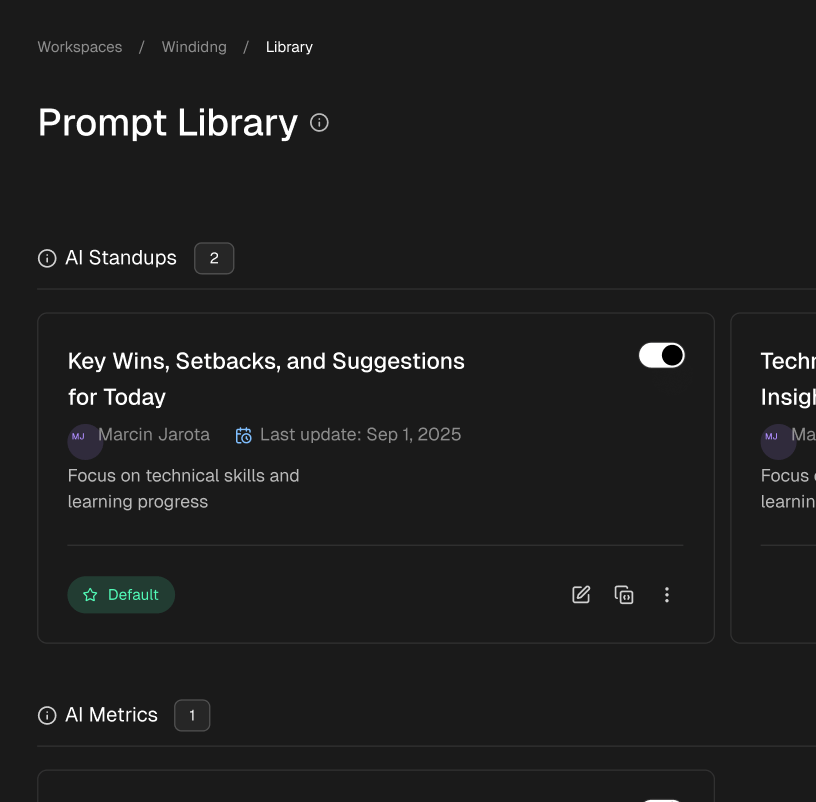
The quickest way to get everyone on board with good habits is to make them ridiculously easy to adopt. A team-wide prompt library—basically a shared collection of proven, high-quality prompts—is your cornerstone. Instead of every developer trying to figure out the best prompt from scratch, they have a go-to resource for common tasks.
Think of it as a set of “cheatcodes” that bottle up what actually works for your specific codebase and common challenges.
Here are a few categories you should start with:
- Documentation: Prompts that whip up consistent, solid API documentation or READMEs from a chunk of code.
- Boilerplate: Templates for quickly spinning up a new microservice, a React component, or a database migration that already follows your team’s preferred structure.
- Pre-Flight Code Checks: Prompts that act as a first-pass code review, spotting common style guide issues, potential bugs, or unhandled edge cases before a human ever sees it.
- Test Generation: Standardized prompts for writing unit or integration tests that match your team’s established testing patterns.
A shared library is the fastest way to elevate everyone’s output. To give you a better idea, here’s a look at what some of these standardized prompts might look like in practice.
Team Prompt Library Examples
This table shows a sample of standardized prompts teams can adopt for consistent, high-quality AI-assisted coding tasks.
| Task | Prompt Template | Expected Outcome |
|---|---|---|
| Generate Unit Tests | Given the following [Language] function [function_name], write a comprehensive set of unit tests using the [Testing Framework] framework. Cover all edge cases, including [specific_case_1] and [specific_case_2]. Our tests must follow our convention of [your_convention]. |
A complete test file that can be dropped into the codebase, following team patterns and testing critical logic paths. |
| Refactor for Readability | Act as a senior software engineer. Review this code block and refactor it for improved readability and maintainability without changing its core logic. Explain your changes with brief code comments. | Cleaner, more idiomatic code with inline comments explaining the rationale behind the refactoring decisions. |
| Write API Docs | Create a markdown document for the following API endpoint. Include the endpoint URL, HTTP method, required request parameters, a sample request body, and a sample JSON response for both success (200) and error (404) scenarios. | Ready-to-use markdown documentation that can be pasted directly into a README or Confluence page. |
By building out a library like this, you ensure that every team member is starting from a proven, effective foundation for their AI-assisted work.
Set Up Clear Guardrails for IP Protection
The moment your team starts using a public AI tool, you need simple, non-negotiable rules about what can and cannot be shared. Protecting your company’s intellectual property is non-negotiable, and one slip-up can have huge consequences. Your guidelines have to be dead simple.
Your team’s AI usage policy should be built on one simple principle: Assume everything you paste into a public AI tool could one day become public. This mindset eliminates ambiguity and enforces safe habits from day one.
This isn’t about scaring people off. It’s about creating a safe sandbox where they can get work done without putting the company’s private code or data at risk. Get these guidelines documented and talk about them often.
Measure the Real-World Impact
To know if this is all worth the effort, you have to track the impact. You don’t need some crazy analytics platform to start; just focus on a few key metrics that are directly tied to your team’s goals.
Here’s a practical way to track your progress:
| Metric | How to Measure It | Why It Matters |
|---|---|---|
| Bug Resolution Time | Track the average time from a bug report to the merged fix. | A drop here is a strong signal that AI is speeding up the debugging and diagnosis process. |
| Feature Development Cycle | Measure the time from creating a new feature branch to getting it deployed. | Shorter cycles suggest AI is cutting down time on tasks like boilerplate code and writing first drafts. |
| PR Review Duration | Monitor how long pull requests sit open before they get merged. | If developers are using AI for pre-reviews, you might see PRs get approved faster with fewer back-and-forth comments. |
By tracking real outcomes, you can move past anecdotal “I feel more productive” stories to hard data that shows the value of your AI strategy. This data-driven approach helps you refine your prompt library, spot where more training is needed, and build a strong case for integrating AI even more deeply across engineering.
Frequently Asked Questions
Even with all its power, figuring out how to code effectively with ChatGPT brings up a lot of good questions. Let’s dig into some of the most common things developers ask when they start weaving this tool into their daily work.
Can ChatGPT Actually Replace Software Developers?
Not a chance. At least, not anytime soon.
It’s much more helpful to think of ChatGPT as an incredibly capable junior developer or a coding assistant. It can dramatically speed up your workflow by handling boilerplate code, brainstorming solutions, or helping you track down a nasty bug.
This frees you up to focus on what humans do best: system architecture, complex problem-solving, and understanding the nuances of business logic. The best results always come from a skilled developer guiding the AI, not the other way around.
Which Programming Languages Does ChatGPT Handle Best?
ChatGPT is a true polyglot, but it definitely has its favorites. It’s exceptionally good with languages that have a massive public footprint online, like Python, JavaScript, Java, C++, and Go. The same goes for popular frameworks like React or Django.
The more training data available, the better its suggestions. If you’re working with a more obscure or brand-new language, you’ll find its outputs are less reliable. For those niche cases, you’ll need to feed it much more context and specific examples to get quality code.
Is the Code Generated by ChatGPT Secure and Reliable?
You should always treat AI-generated code as a first draft—never a production-ready solution. While ChatGPT is great at producing code that looks right and often runs, it can easily introduce subtle bugs, performance bottlenecks, or serious security holes.
Your job as the developer is to be the final gatekeeper. Meticulously review, test, and understand every line of code before it ever gets merged. Blindly copying and pasting is a recipe for disaster, especially in critical parts of your application.
How Can I Get Better Code from ChatGPT?
The quality of the code you get out is directly tied to the quality of the prompt you put in. Vague requests will get you generic, uninspired code. To get better results, you need to be crystal clear.
Your prompts should always include:
- The programming language and any specific libraries or frameworks.
- A clear description of your goal—what should this code actually do?
- Concrete examples of inputs and expected outputs.
A great pro-tip is to use a “persona pattern” (like, “You are a senior DevOps engineer specializing in AWS…”) to frame its thinking. Also, ask it to explain its reasoning. This forces a more logical process and gives you better insight into the code. Be prepared to refine your prompt a few times to get it just right.
Master ChatGPT Coding Workflows
Transform your development process by treating ChatGPT as a collaborator, not just a code generator, to build better software faster.
📊 Core Metrics
- Time to First Draft — measure the time saved on initial boilerplate code
- Bug Resolution Time — track the speed increase in diagnosing and fixing bugs
- Refactor Quality — assess the reduction in code complexity post-AI suggestions
🕹️ My Cheatcodes
- 🌱 Context First — always start prompts with the goal, stack, and constraints
- 🦎 Iterate and Refine — treat the AI as a partner in a conversation, not a vending machine
- ⚡ Verify Everything — test and review all AI-generated code before merging
📈 Reflection Points
- 💡 Did I blindly copy-paste or truly understand the logic?
- 🧩 Could a more specific prompt have yielded a better first draft?
- 📘 Did I check the AI's output for potential security vulnerabilities?
Gallery
Lemon shots