
Your Guide to a Better Daily Standup Agenda
Let’s be real—for a lot of teams, the daily standup has become a total drag. It’s that meeting everyone has to go to, but nobody really wants to. It often feels less like a team huddle and more like a mandatory status report for the boss.
If your standup feels like a chore, you’re not just dealing with low morale. You’re looking at a broken process.
The main culprit is usually the classic “three questions” format: What did I do yesterday? What will I do today? What’s blocking me? On paper, it sounds fine. In practice, it turns the meeting into a series of individual reports instead of a collaborative problem-solving session.
People just go around the room, list their tasks, and then mentally check out. The conversation dies, and the focus shifts from the team’s progress to just personal activity.
The Real Cost of Bad Standups
This kind of ritualistic reporting kills the energy in the room. Crucial information gets buried in a series of disconnected updates. Instead of the team swarming a problem together, you get a bunch of siloed reports.
Progress grinds to a halt. Dependencies get missed. Blockers sit unresolved because the format itself doesn’t encourage anyone to jump in and help. For remote and hybrid teams, it’s even worse—the lack of physical presence makes it way too easy for people to completely disengage.
The cost isn’t just in lost momentum. Poorly run meetings are a massive financial drain. Employees can spend six hours a week in meetings, and that number skyrockets to 23 hours for senior managers. All told, inefficient meetings cost U.S. businesses an estimated $259 billion a year. You can dig into more of these staggering statistics from Standup Alice.
Your daily standup is either adding to that waste or fighting against it. A sharp, effective agenda is your best defense.
The purpose of a standup isn’t to justify your existence for the last 24 hours. It’s to realign the team on the most important goal and clear the path for everyone to get there, together.
It’s About Outcomes, Not Activity
So, how do you fix it? You have to change the entire point of the meeting. A good standup isn’t about what people are doing; it’s about what the team is achieving. It’s a subtle but powerful shift from an activity-focused mindset to an outcome-driven one.
Instead of asking, “What did you do?” try asking, “How did we move closer to our sprint goal yesterday?”
This one little change completely transforms the conversation. It goes from being a list of individual accomplishments to a genuine check-in on the team’s collective progress.
Making this shift helps you:
- Actually Collaborate: It forces everyone to think about how their work plugs into the bigger picture and where they might be able to help someone else.
- Surface Blockers Organically: When the team goal is front and center, anything getting in the way becomes an obvious problem for everyone to solve, not just one person’s headache.
- Create Real Ownership: People get way more invested when the daily chat is about winning as a team, not just ticking off their personal to-do list.
That 15-minute slot is one of the most powerful levers you can pull to improve your team’s performance. By switching to an outcome-driven daily standup agenda, you can turn a dreaded daily chore into the most valuable quarter-hour of your day.
How to Design an Agenda That Actually Drives Results
Let’s be honest: most daily standups are a waste of time. They fall into a monotonous trap of reporting, not collaborating. If your standup is just a round-robin of “yesterday I did X, today I’ll do Y, no blockers,” you’re missing the point. It’s time to scrap that script.
The real goal is to create a focused, 15-minute huddle that answers one critical question: “Are we on track to hit our sprint goal, and what’s getting in our way?” This isn’t about individual status updates; it’s about team alignment and momentum. We need an agenda that sparks real conversation and surfaces dependencies before they become disasters.
The Core of an Outcome-Focused Agenda
A truly effective standup revolves around the work, not the people. Instead of going person by person, you “walk the board.” This simple change keeps the entire conversation grounded in tangible progress and the flow of value toward the “Done” column.
Here’s a practical, three-part framework I’ve seen work wonders:
- Re-center on the Sprint Goal (2 minutes): Kick things off by restating the sprint goal. It sounds simple, but it’s a powerful way to frame the entire conversation. The facilitator can just ask, “As a reminder, our primary goal this sprint is to ship the new checkout flow. How’s everyone feeling about our progress?”
- Walk the Board, Right to Left (10 minutes): This is the game-changer. Start with the tasks closest to completion. This creates a natural “pull” system, focusing energy on getting work over the finish line. For each card, the question is simple: “What’s needed to move this to the next column?”
- Wrap with Wins and Blockers (3 minutes): End by making blockers and wins explicit. The facilitator can ask, “What are our most critical blockers right now, and who’s tackling them?” Followed by, “Anyone have a quick win or learning from yesterday to share?”
This structure naturally shifts the dynamic from passive reporting to active problem-solving.
From Monotony to Momentum
This journey from a stale, reporting-focused meeting to a dynamic, unblocking session is a deliberate one. You have to actively change the format to change the outcome.
The key is realizing that a better agenda isn’t about more talking; it’s about having the right conversation—one that clears the path for the team to do their best work.
Modern Standup Agenda vs Traditional Format
So, what does this shift actually look like in practice? The old way focuses on individual activity, while the modern approach is all about collective outcomes.
| Component | Traditional Standup (Activity-Focused) | Modern Standup (Outcome-Focused) |
|---|---|---|
| Opening | Goes person by person in a circle. | Starts with a quick review of the sprint goal. |
| Focus | Individual tasks and personal to-do lists. | Progress of work items across the board. |
| Flow | Round-robin updates (“Yesterday, Today, Blockers”). | “Walks the board” from right to left (closest to Done). |
| Primary Question | “What did you do?” | “What’s needed to move this work forward?” |
| Outcome | A status report for the manager. | A clear plan for the next 24 hours and identified blockers. |
Switching to an outcome-focused agenda moves the standup from a daily chore to a valuable strategic huddle that actually helps the team move faster.
Tweaking the Agenda for Your Team
This framework is a solid starting point, but the best agendas are tailored. Different teams have different rhythms.
- For Engineering Teams: The “walk the board” method is gold. The conversation should zero in on technical dependencies, pull request bottlenecks, and integration hurdles. You’ll hear questions like, “Is anyone blocked waiting on a PR review?” or “Any risks with the deployment later today?” Tracking team velocity is also crucial; check out our guide on the right KPIs for engineering teams to see what you should be measuring.
- For Marketing Teams: A marketing crew might focus more on campaign progress. Instead of a Kanban board, you might be looking at a campaign calendar. The key questions become, “Are the creative assets for next week’s launch ready?” or “What are the early signals from the new ad campaign?”
- For Design Teams: Designers thrive on feedback loops. Their standup could center on new prototypes and user testing results. Prompts might include, “What did we learn from yesterday’s user testing session?” or “Are the handoffs for the new UI components complete?”
Remember, a great standup isn’t measured by how much people talk. It’s measured by the quality of alignment and problem-solving that happens. Keep it short, focused, and always forward-looking.
How to Run a Standup That Doesn’t Suck for Remote and Hybrid Teams
An agenda that works great when everyone’s in the same room can completely fall flat for a distributed team. You lose all the subtle cues from body language, and you can’t just grab someone for a quick chat after the meeting. This makes the standup’s structure absolutely critical.
For remote and hybrid teams, the real fight is twofold: keeping a genuine sense of connection while battling the soul-crushing drain of Zoom fatigue.
The classic round-robin format is especially brutal in a remote setup. It pretty much trains people to zone out until it’s their turn, turning what should be a collaborative huddle into a series of disconnected monologues. A remote-friendly daily standup agenda has to prioritize real interaction and absolute clarity, not just going through the motions. The goal is simple: make the time you spend together on a call as valuable as humanly possible by moving the boring status updates somewhere else.
The Magic of Asynchronous Updates
The single most effective change you can make for remote standups is to split the reporting from the problem-solving. This is exactly where asynchronous tools like Slack shine.
Have your team post their updates in a dedicated channel before the video call. You’ll immediately see a few huge wins:
- Shorter, Punchier Meetings: The live standup can shrink to just 5-10 minutes. It becomes a laser-focused session on blockers and dependencies that actually need a real-time conversation.
- Less Mental Strain: People can read and digest updates on their own time before the call. They show up ready with smart questions instead of trying to process everything on the fly.
- A Written History: You get an automatic, searchable log of daily progress. This is gold for tracking how a project is evolving or understanding team velocity over time.
This isn’t a new idea, but it’s never been more relevant. In 2024, a staggering 86% of meetings globally have at least one person joining remotely, which makes hybrid the new normal. This reality has supercharged the adoption of async standups, a concept famously pioneered by Google with their internal ‘Snippets’ system. Team members would just email their updates, which were then compiled and shared, keeping everyone in the loop without yet another meeting on the calendar. You can read more about the history of daily standups and how they’ve adapted over time.
A Hybrid-Friendly Agenda That Actually Works
Designing a daily standup agenda for a hybrid team is a balancing act. You have to make absolutely sure the folks dialing in feel just as included and heard as the people physically in the office.
Here’s a structure built for exactly that.
Part 1: The Asynchronous Prep (Before the Call)
- Dedicated Slack Channel: Set up a bot to post a daily reminder asking everyone to share their updates.
- Simple Prompts: Keep the format clean and easy to scan:
- Yesterday: What were the key wins?
- Today: What’s the top priority?
- Blockers: What’s getting in your way? (Make sure to @-mention the right people).
Part 2: The Synchronous Huddle (The 10-Minute Video Call)
- Facilitator Shares Their Screen: The facilitator pulls up the async thread or the team’s Kanban board for everyone to see.
- Blockers First, Always: Jump straight into the most critical blockers identified in the async updates. No fluff, no preamble.
- Open the Floor: The facilitator asks a simple question: “Looking at the updates, are there any dependencies we need to discuss or chances to pair up today?”
- Confirm and End: As soon as every blocker has a clear owner and a plan, the meeting is over.
By front-loading the “what” in an async channel, the live meeting becomes entirely about the “how.” It transforms from a status check into a high-value, tactical sync-up focused on unblocking progress.
This isn’t just about respecting people’s time; it’s about making the entire team more effective. If you’re interested in a deeper look at what truly drives team performance, check out our analysis on measuring productivity in engineering. By tweaking your daily standup agenda for the reality of distributed work, you can keep that collaborative fire alive, no matter where your team members happen to be.
Using AI to Supercharge Your Standups
Picture this: your daily stand-up starts, and all the boring reporting is already done. Instead of a round-robin of “yesterday I did X,” your team immediately dives into solving the real problems holding you back. This isn’t some far-off dream. It’s exactly what happens when you weave AI into your daily stand-up agenda.
AI tools are fundamentally changing the purpose of this 15-minute meeting. They handle the grunt work of collecting status updates, which frees up your team to have a forward-looking, strategic conversation. The result is a more focused and genuinely useful gathering that actually respects everyone’s time.
Automating the Tedious Work of Reporting
The best way to think about AI here is as a smart assistant that gathers and makes sense of information for you. Platforms like Zest plug directly into the tools your engineering team lives in every day—Jira, GitHub, Slack, and even their code editor.
Before anyone even joins the call, the AI is working in the background to:
- Compile Progress: It automatically pulls data on closed tickets, merged pull requests, and important conversations happening in your Slack channels. No more manual digging.
- Identify Blockers: The system is smart enough to spot when a task has been stuck in the “In Progress” column for too long or when conversations include keywords like “blocked” or “stuck.”
- Summarize Contributions: It creates a quick, scannable summary of what each person has accomplished, so no one has to rack their brain trying to remember every little detail from the day before.
This automated data gathering means your team comes to the meeting with a shared, accurate picture of what’s already happened. The conversation can instantly shift to what really matters.
Here’s a glimpse of how an AI-powered tool can generate these daily summaries, giving the team a clear overview of progress and potential issues right away.
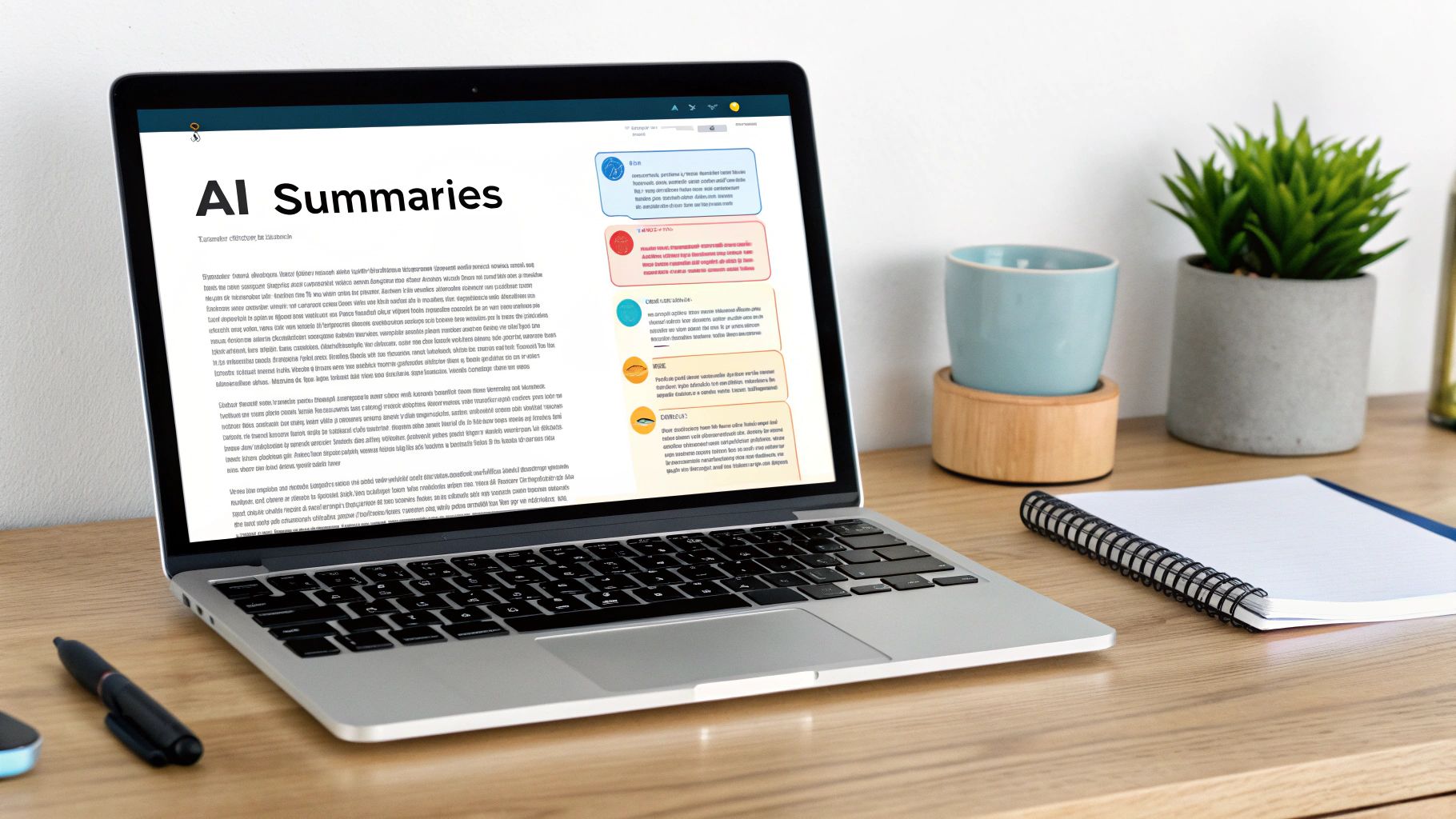
This pre-meeting brief empowers the facilitator to walk in already knowing where the team’s attention is most needed, turning the stand-up into a proactive problem-solving session from the get-go.
From Status Updates to Strategic Insights
Once the basic reporting is off your plate, AI can start offering deeper insights that would be almost impossible to spot manually. Think of it as an impartial observer that highlights trends and patterns in your team’s workflow over time.
Suddenly, you have data-driven answers to crucial questions:
- Where are our bottlenecks? AI can analyze cycle times to show you exactly which stages of your workflow are consistently slowing things down.
- Is our workload balanced? It can flag when one developer is constantly buried under pull request reviews or getting all the complex tickets.
- Are we actually getting better? Over weeks and months, AI can track key metrics like how quickly you resolve blockers and whether you’re hitting your sprint goals, giving you a real signal on your team’s health.
This level of analysis turns your daily stand-up from a simple sync-up into a powerful engine for continuous improvement.
The real power of AI in stand-ups isn’t just about saving time; it’s about elevating the conversation. It provides the data-driven context needed for your team to make smarter, faster decisions every single day.
Making AI a Natural Part of Your Agenda
The good news is that you don’t need to throw out your entire process. You can simply weave AI into your existing daily stand-up agenda to make every part of it more impactful.
For instance, a modern, AI-assisted agenda might look something like this:
- AI-Generated Briefing (Pre-Meeting): Everyone takes a minute to review a summary of progress and flagged issues before the call even starts.
- Review Critical Blockers (5 mins): The facilitator shares their screen, showing only the AI-identified blockers. The discussion is laser-focused on one question: “Who can help with this right now?”
- Cross-Team Dependencies (5 mins): The group quickly goes over any dependencies the AI flagged, making sure nothing falls through the cracks between teams.
- Confirm Daily Goals (5 mins): With a crystal-clear picture of progress and blockers, the team can quickly align on the top priorities for the next 24 hours.
This approach keeps the vital human element of collaboration front and center while letting the technology handle the repetitive, low-value tasks. It’s the key to making your daily stand-up the most productive 15 minutes of your team’s day.
How to Fix Common Standup Problems
Even the most well-intentioned daily standup agenda can slowly drift off course. It starts subtly—the meeting begins a few minutes late, one person’s update turns into a monologue, and before you know it, you’re right back in that soul-crushing status report meeting you tried to escape.
Catching these bad habits early is the secret to keeping your standup sharp and valuable. The good news? They’re almost always fixable. Most issues boil down to a lack of focus or discipline, and a gentle but firm course correction is all it takes to get back on track. The ultimate goal is to empower the team to self-correct, creating a culture where everyone feels responsible for the meeting’s success.
Symptom 1: The Meeting Drags On Past 15 Minutes
This is by far the most common standup pitfall. That 15-minute timebox isn’t a friendly suggestion—it’s a hard limit designed to force everyone to be concise and focused. When your standup consistently creeps past the 15-minute mark, it’s a red flag that the conversation has lost its way.
The Remedy
The facilitator needs to embrace the role of a friendly but firm timekeeper. Start the meeting on time, every time, even if a few people are running late.
A visible timer works wonders here. When a topic starts spiraling into a deep technical debate or a complex problem-solving session, the facilitator must jump in right away.
Try the “parking lot” method. It’s a simple but effective way to acknowledge the conversation’s importance without derailing the standup. Just say, “This is a great discussion, but it sounds like we need more than a few minutes. Let’s park it and have the right people sync up immediately after this.”
This little script respects everyone’s time while making sure the important issue doesn’t get dropped.
Symptom 2: It Feels Like a Status Report for a Manager
Take a look around during your next standup. Is everyone directing their updates to one person, like the engineering manager or product owner? If so, your standup has devolved from a team sync into a reporting session. The meeting should be a peer-to-peer conversation, not a top-down inspection.
The Remedy
Ditch the person-by-person round-robin and try “walking the board” instead. Start the conversation with the work items themselves, usually focusing on tickets closest to being finished. This simple shift forces the conversation to be about the work, not about what each person did. It naturally encourages team members to talk to each other about shared tasks and dependencies.
For more ideas on building these collaborative workflows, our guide on agile development best practices has some great strategies.
Symptom 3: Updates Are Vague and Unhelpful
You know the type of update: “Yesterday, I worked on the login ticket. Today, I’ll continue working on the login ticket. No blockers.” This tells the team absolutely nothing useful. It doesn’t signal progress, highlight risk, or invite collaboration.
Daily standups are a cornerstone for agile teams, with 87% of Scrum teams holding them. Yet, when updates are this generic, it’s no wonder many developers find them pointless. This widespread dissatisfaction has pushed teams to find better ways to keep the meeting valuable. If you’re looking for inspiration, you can explore different daily standup formats on Parabol.co to see how others are shaking things up.
The Remedy
The facilitator—or really, any team member—should feel empowered to ask clarifying questions. A few gentle prompts can make all the difference:
- “What’s the latest on that ticket? Is it ready for someone to review?”
- “What’s the very next step needed to move that ticket to the ‘Done’ column?”
- “Any idea when that might be ready for QA to take a look?”
These kinds of questions coach people to provide more specific, outcome-focused updates. After a few days of this, you’ll find that team members start answering these questions proactively. It’s a small change that turns a passive report into an active conversation about moving work forward.
Got Questions About Your Daily Standup?
Even with the perfect agenda, you’ll run into questions. It’s the little details that make the difference between a standup that fires up your team and one that just drains the clock. Think of this as your go-to guide for navigating those common bumps in the road.
These aren’t just academic questions—they’re the real-world hurdles that trip teams up every single day. Getting clear answers helps everyone understand why you’re doing things a certain way, which is key to building a standup culture that actually works.
How Long Should a Standup Really Be?
Keep it to a tight 15 minutes. No exceptions. It doesn’t matter if you have three people or ten.
This isn’t just some arbitrary number pulled from a textbook; it’s a deliberate constraint. The time pressure forces everyone to be concise and focus only on what’s critical for the next 24 hours—moving the sprint forward and knocking down blockers. Anything that needs more time belongs somewhere else.
My best tip? Create a “parking lot.” When a deeper topic comes up, jot it down, name the people who need to be there, and schedule it for right after the standup. This one trick keeps the meeting moving and respects everyone’s time.
Who Actually Gets to Talk?
The daily standup is a meeting for the development team. That means the people doing the work are the ones who should be talking.
The Scrum Master is there to facilitate, not to take notes for a status report. Their job is to keep things on track and on time. Product Owners or other stakeholders? They can listen in, but they should stay silent unless they have a piece of critical information that will directly block the team’s work today. This keeps the meeting a tactical huddle, not a report-out session for management.
Is There a “Best” Format?
The best format is always the one that focuses on outcomes, not just what individuals did yesterday. The classic “three questions” can easily turn into a round-robin of boring status updates, and that’s a trap you want to avoid.
Instead, try one of these approaches that I’ve seen work wonders:
- Walk the Board: Put your sprint or Kanban board on the big screen and talk through it. Start with the tickets closest to being “Done” (usually on the far right) and ask, “What will it take to get this across the finish line?” This keeps the conversation laser-focused on the flow of work.
- Focus on the Goal: Reframe the conversation around the team’s shared mission. Ask questions like, “What’s the most important thing we can do as a team today to move closer to our sprint goal?” It’s a subtle shift, but it moves the mindset from “me” to “we.”
What Do We Do When a Deep Technical Debate Breaks Out?
This is where a good facilitator earns their keep. The moment a conversation veers into a deep-dive on code or architecture, you have to step in.
The trick is to do it immediately but without making anyone feel shut down. You need to acknowledge that the conversation is important, just not right now.
Try this simple script:
- Acknowledge: “This sounds like an important technical chat we need to have.”
- Defer: “Let’s put it in the parking lot and tackle it right after this.”
- Clarify: “Who needs to be in on that follow-up?”
This validates the topic’s importance while fiercely protecting the time and focus of everyone else in the room. It ensures the big conversations happen without derailing the entire standup.
Level Up Your Daily Standup
Turn your daily standup from a chore into the most valuable 15 minutes of your team's day by focusing on outcomes over activity.
📊 Core Metrics
- Meeting Adherence — Percentage of standups that finish within the 15-minute timebox.
- Blocker Resolution Time — Average time from when a blocker is raised to when it's resolved.
- Sprint Goal Confidence — Daily team sentiment score on hitting the sprint goal.
🕹️ My Cheatcodes
- board-walk Walk the Board — Shift focus from people to the progress of work items, right to left.
- parking-lot Use the Parking Lot — Ruthlessly defer deep dives to keep the meeting moving.
- goal-first State the Goal — Start every meeting by restating the sprint goal to align everyone.
📈 Reflection Points
- 💡 Is this meeting a team sync or just a status report for the manager?
- 🧩 Is every blocker leaving this meeting with a clear owner and a next step?
- 📘 Did our conversation today actually help us move work forward?
Gallery
Lemon shots



