
Daily Stand Up Agenda: A Guide to Sharper Team Focus
A good daily stand up agenda is about so much more than just a status update. It’s designed to spotlight progress, demolish blockers, and keep the whole team pulling in the same direction.
You probably know the classic three questions: What did I do yesterday? What will I do today? Are there any blockers? It’s a simple formula meant to create a quick, focused sync. But is it still working for your team?
Moving Beyond the Three Classic Questions
The daily stand-up is a fundamental part of agile, but let’s be honest—many teams are just going through the motions. What’s supposed to be a quick, energetic huddle can easily turn into a soul-crushing status report where everyone talks at the manager instead of with each other. This gets even worse in hybrid and remote setups, where another video call can feel like a genuine productivity killer.
The old-school format, while it comes from a good place, often misses the point entirely. It keeps the focus on the past (“what I did”) instead of on the future (“what we’ll achieve today”). That tiny shift in perspective is everything. It’s the difference between a team just listing off tasks and a team actually coming together to solve problems and crush their goals.
The Problem with the Classic Format
So, why does this tried-and-true method so often fall flat? It usually comes down to how people interpret the questions.
- It becomes a to-do list recital: Team members just rattle off tasks without tying them back to the sprint goal or the bigger picture. Nobody gets any real value from that.
- It invites micro-management: When updates are aimed squarely at the team lead, the meeting starts to feel like a daily report card. This kills psychological safety and makes people hesitant to be honest.
- It hides the real blockers: People are often reluctant to bring up the small, nagging issues—like waiting on feedback or being fuzzy on a requirement—because they don’t feel like “official” blockers.
The point of a stand-up isn’t to prove you were busy. It’s to sync up for the next 24 hours so everyone can make real, meaningful progress toward the team’s goal.
Let’s look at how a simple change in focus can completely change the dynamic of your daily stand-up.
Traditional vs Outcome-Driven Stand-up Agenda
| Element | Traditional Agenda (The Trap) | Outcome-Driven Agenda (The Goal) |
|---|---|---|
| Focus | Individual activity and tasks completed | Collective progress towards the sprint goal |
| Updates | Backward-looking: “I did X yesterday.” | Forward-looking: “Today, I’m moving us closer to the goal by doing Y.” |
| Blockers | Only “hard” blockers are mentioned (e.g., system down) | Any impediment, risk, or dependency is raised |
| Energy | Low-energy, reporting to a manager | High-energy, collaborative problem-solving |
| Outcome | Individuals are accountable for their tasks | The team is accountable for the sprint goal |
Moving to an outcome-driven agenda helps everyone connect their daily work to the team’s shared objectives, making the meeting far more valuable for everyone involved.
It’s no surprise that daily stand-ups have become so ingrained in agile development. A staggering 87% of Agile software teams around the world hold them every single workday. When done right, the classic agenda can slash meeting times by up to 30% for some teams by forcing transparency and quick problem-solving.
The key is to shift the team’s mindset. Stop treating the stand-up like a status update and start treating it like a tactical team sync. Think of it as a daily huddle to review the game plan, make adjustments on the fly, and ensure the team is set up to win the day.
By tweaking your agenda for a stand-up meeting, you can transform this daily ritual from a chore into one of your most powerful tools for collaboration and focus. This sets the stage perfectly for more advanced strategies that can take your stand-up from just good to truly great.
Crafting a Stand-Up Agenda That Actually Works
Let’s be honest: most stand-ups fall into a trap. They become a monotonous round-robin of status updates where people are just waiting for their turn to talk. The key to a great stand-up isn’t just checking in; it’s creating a focused, structured conversation that builds momentum.
A truly effective agenda is the heartbeat of the team. It keeps everyone in sync and laser-focused on what really matters. It’s about shifting the team’s mindset from just reporting tasks to actively collaborating on a shared goal.
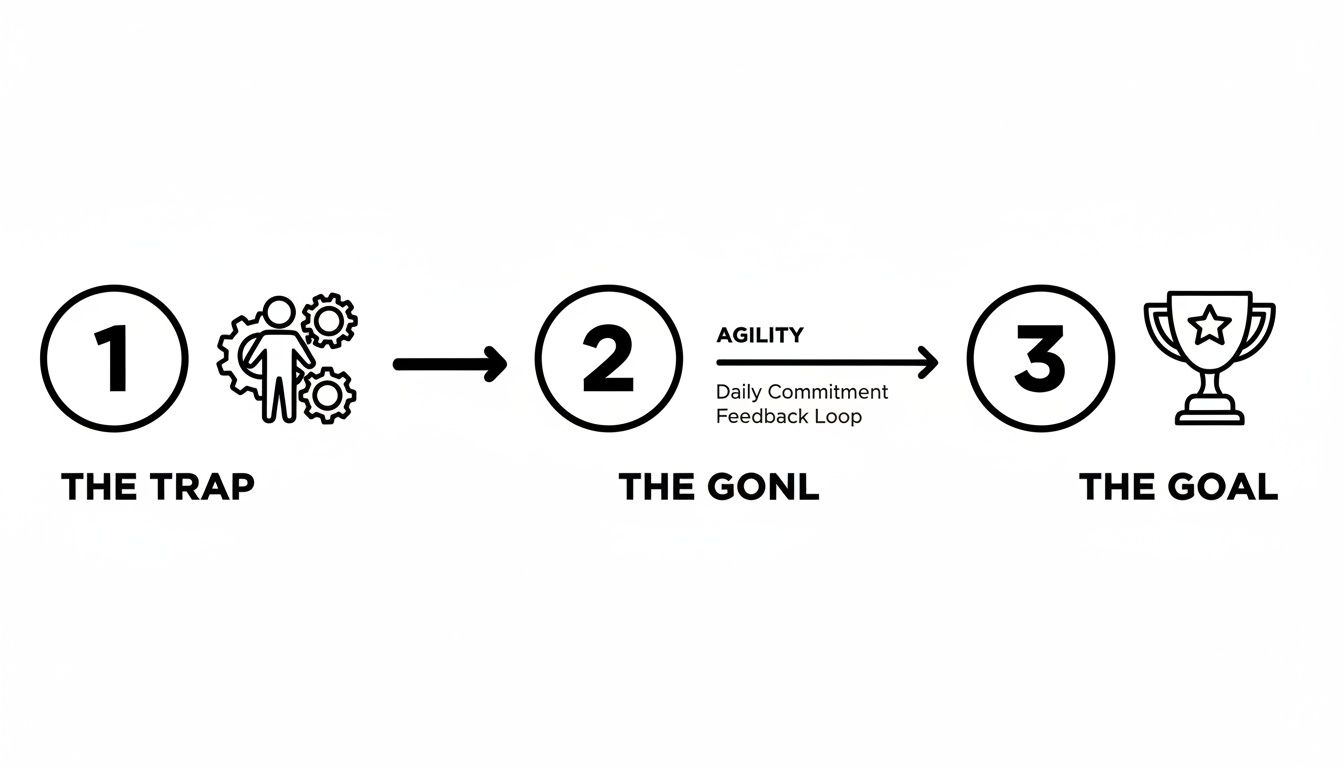
Think of agility as the bridge that gets your team from the trap of old, static habits to the goal of real, collaborative progress. Your agenda is the blueprint for that bridge.
The Anatomy of an Effective Agenda
I’ve found the most successful stand-ups—the ones that stay under that magic 15-minute mark—stick to a simple three-part structure. Each part has a clear job to do, keeping the meeting tight and on-point.
-
The Kickoff (1-2 minutes): Don’t just jump into updates. The facilitator should start by quickly restating the sprint goal or the team’s biggest priority. It’s a simple trick, but it instantly frames the conversation and gives everyone’s update a clear context.
-
Core Updates (10-12 minutes): This is the main event. But instead of a laundry list of every single thing a person did, the focus needs to be on progress and roadblocks related to the sprint goal. Anything else is noise.
-
The Wrap-Up (1-2 minutes): Before everyone scatters, the facilitator summarizes any blockers that came up. The crucial next step is to confirm who owns what after the meeting. This creates immediate accountability and makes sure those problems actually get solved.
If you’re looking to make your meeting even more efficient, this 7-minute daily standup agenda is a fantastic, battle-tested template.
Ask Better Questions, Get Better Answers
The classic three questions are a good start, but they can get stale. Tweaking the language to focus on goals instead of just activities can completely change the tone of the meeting. You get more strategic thinking and less robotic reporting.
For example, instead of the tired, “What did you do yesterday?” try one of these:
- “What progress did we make on our sprint goal since we last synced?”
- “What did you learn yesterday that could help the team today?”
And instead of, “What will you do today?” you could ask:
- “What’s the most important thing you’ll do today to move our goal forward?”
- “What’s your game plan for tackling your top priority?”
This small shift encourages people to think about their contribution to the team’s success, not just their to-do list. The whole point is to coordinate and collaborate for the next 24 hours, making sure the team is aligned and ready to tackle what’s next.
Mastering Facilitation to Keep Stand-Ups on Track
You can have the most beautifully crafted agenda in the world, but without a good facilitator, it’s just a piece of paper. The facilitator is the guardian of the meeting’s focus and energy. Their job is to make sure the stand-up is a quick, valuable sync for the team—not a slow, painful march through a to-do list.
I’ve seen it happen a thousand times. The best-laid plans go off the rails fast. You get the “ramble,” where a simple update turns into a ten-minute story that loses half the team. Or, even more common, someone mentions a blocker and suddenly the entire team dives into on-the-spot problem-solving, burning through the clock. And of course, there’s the classic stand-up that devolves into a status report for the manager, with everyone talking at the boss instead of to each other.
These traps kill momentum and completely miss the point of a stand-up.

Gentle Redirection and the Parking Lot
The secret to great facilitation is gentle but firm redirection. It’s not about being rude or cutting people off; it’s about artfully guiding the conversation back to its purpose.
One of the most effective tools I’ve ever used is the “parking lot.” When a topic comes up that’s important but too deep for a 15-minute meeting, the facilitator steps in. A simple, “That’s a great point. Let’s put that in the parking lot and grab the right people to discuss it right after this,” works wonders. This acknowledges the person’s concern without letting the meeting get derailed.
Here are a few phrases I keep in my back pocket:
- For the rambler: “Thanks for the detail. To keep us on track, what’s the one key thing the team needs to know for today?”
- For the problem-solvers: “Sounds like we need a plan for that blocker. Who can sync up immediately after this to dig in?”
- For the status reporter: “Good update. How does that affect what others are working on today?”
A facilitator’s real job is to protect the team’s time. By gently keeping everyone focused on the agenda, you make sure the stand-up serves the whole team, not just the loudest person in the room.
Drawing People In and Following Through on Blockers
A sharp facilitator also notices who isn’t talking. Some of your most insightful team members might be the quietest. They often won’t jump in on their own, so you have to create the space for them. A simple, “Chris, what are your thoughts on that?” can be all it takes to bring them into the fold.
And the job isn’t over when the stand-up ends. The facilitator needs to make sure those blockers actually get addressed. Before everyone scatters, confirm who owns the next step. This follow-through is what turns a conversation about a problem into a solution.
Adapting Your Agenda for Remote and Hybrid Teams
Running a daily stand-up with a distributed team is a different beast altogether. Gone are the days of huddling around a whiteboard. Now, you’re navigating a grid of faces on a screen, where you lose all those subtle, in-person cues. Time zones can make what should be a quick sync-up feel like a logistical nightmare.
Simply put, the daily stand up agenda that works when everyone’s in the same room often falls flat for remote or hybrid teams. It needs a rethink.
The shift to hybrid work has exploded our calendars. Employees worldwide now spend 11.3 hours per week in meetings—that’s a three-fold increase since 2020. With 46% of us juggling three or more stand-ups a day and 86% of all meetings now including remote folks, the pressure is on to get them right.
Synchronous vs Asynchronous Stand-Ups
Your first big call with a remote team is deciding how to meet. Will you do a live video call (synchronous) or go with text-based updates in a tool like Slack (asynchronous)? Each has its pros and cons.
-
Synchronous Video Calls: Nothing beats a live call for building team chemistry and getting quick clarifications. The natural back-and-forth can uncover tricky blockers much faster than typing ever could. The downside? They’re a real pain to schedule across time zones and can lead to serious video-call fatigue.
-
Asynchronous Updates: This approach offers incredible flexibility, respecting everyone’s individual schedule and work rhythm. Team members can post thoughtful, well-crafted updates without breaking their flow. On the flip side, it can feel a bit disconnected and make it harder to spot and jump on problems right away.
A hybrid approach is often the sweet spot. Try holding live video stand-ups two or three times a week for that crucial face time, then use asynchronous check-ins on the other days to protect everyone’s focus.
Making Remote Stand-Ups Engaging
If you stick with live video calls, you have to be intentional about keeping people engaged. The facilitator’s role isn’t just important; it’s absolutely critical in a remote setting.
Here are a few things I’ve found that really work:
-
Set Clear Expectations: A “cameras-on” policy isn’t about micromanaging—it’s about connection. Actually seeing faces helps you read the room and builds a much stronger team bond.
-
Lean on Virtual Tools: Don’t just talk at each other. Fire up a virtual whiteboard like Miro or a shared doc to jot down blockers as they come up. This simple visual keeps everyone on the same page and gives you a concrete action list by the end.
-
Pass the Baton: Rotating the facilitator role is a game-changer for remote teams. It spreads the ownership around and stops the meeting from feeling like a manager’s daily status report. We go into a lot more detail on this in our guide to the role of a remote scrum master.
At the end of the day, you’re trying to create a ritual that gives your team clarity and connection without adding more drag to their day. For more great ideas on managing remote teams effectively, that guide offers some fantastic insights you can apply right away.
How AI Is Automating the Daily Stand-Up
Let’s be honest. The traditional daily stand-up, for all its good intentions, has a fundamental flaw: it runs on subjective, human-reported data.
Team members do their best to recall what they did yesterday and make a good guess at what they’ll get done today. But this process is full of holes—recency bias, accidental omissions, and our natural tendency to talk about being busy rather than making real progress. All that time spent trying to remember and report is time not spent on deep, focused work.
This is where AI is completely changing the game. Instead of relying on memory, new tools are creating a far more objective and data-driven daily stand-up. The focus shifts from what people say they’re doing to what the data shows they’ve actually accomplished.
From Manual Reports to Automated Insights
Imagine a stand-up summary that literally writes itself. That’s the core idea behind AI-powered workflow tools like Zest. By plugging directly into a developer’s environment—like VS Code or Cursor—these tools analyze what’s really happening: code commits, pull requests, and even how much time is spent on specific files.
This data is then automatically rolled up into an “AI Standup” summary. This isn’t just a boring list of tasks. It’s a clear, objective report on wins, progress, and where the time is actually going.
The result is a stand-up that’s finally free from guesswork. Managers get a precise, real-time picture of what’s happening, and developers get back valuable time they used to lose just prepping for the meeting. Our guide on the best stand-up agenda shows how you can use this kind of data to drive much more strategic conversations.
Surfacing Blockers Before They Are Spoken
One of the biggest wins with AI automation is spotting bottlenecks before a developer even realizes they’re stuck. A traditional stand-up depends on someone feeling confident enough to say, “I’m blocked.” But what about all the hidden friction that slows things down?
AI metrics turn every interaction within a developer’s tools into a clear data feed. This allows systems to detect patterns that signal a struggle, such as:
- Excessive time on a single file: A developer is spending hours on something that should have taken minutes.
- High frequency of context switching: Someone is constantly jumping between tasks without finishing anything.
- Code “churn”: The same piece of code is being rewritten over and over again.
By flagging these patterns, AI surfaces underlying issues that might never get mentioned in a standard meeting. This proactive approach turns the stand-up from a reactive reporting session into a forward-looking strategy huddle.
It’s interesting to note that while stand-ups are designed to improve alignment, they can sometimes backfire. A field experiment at a Google hackathon, documented by Harvard Business Review, found that teams using them produced 15-20% less innovative products. This suggests that a rigid focus on just giving status updates can stifle creative problem-solving—a pitfall that data-driven automation helps you avoid.
By automating the tedious work of data collection, AI frees up human brainpower for what it does best: creative problem-solving, strategic planning, and genuine collaboration.
This shift doesn’t make the stand-up obsolete; it makes it better. The conversation can move beyond simple status updates to tackle the real challenges and opportunities the AI has uncovered, ensuring the team’s daily sync is the most valuable 15 minutes of their day.
Got Questions About Daily Stand-ups? We’ve Got Answers.
Even the best-run teams have questions about their daily stand-ups. It’s only natural. Refining this core ritual is an ongoing process, and a few common sticking points always seem to pop up.
Let’s clear the air and tackle some of the most frequent questions I hear from developers and managers alike. Think of this as the practical, no-fluff guide to getting your stand-up right.
How Long Should a Daily Stand-Up Be, Really?
Keep it to 15 minutes. Max. This isn’t just a suggestion; it’s a hard and fast rule that forces everyone to be concise. The goal here is quick alignment, not a deep dive into problem-solving.
If your meetings are constantly bleeding past the 15-minute mark, you’ve got a problem. It’s a classic sign that your team is trying to solve issues during the stand-up instead of just flagging them for a follow-up. Set a timer. Empower whoever is facilitating to politely move things along. For smaller crews of three to five people, you might even wrap up in under 10 minutes, which is a fantastic sign of efficiency.
What’s the Difference Between a Stand-Up and a Status Meeting?
This is probably the most critical distinction to get right. A daily stand-up is a fast-paced sync for the team, by the team. It’s all about a group of peers aligning on the day’s work and calling out anything that’s getting in the way of hitting the sprint goal. The conversation flows in every direction.
A status meeting is completely different. It’s a report delivered to someone—usually a manager or stakeholder. The information flow is one-way: from the individual to the boss. The primary goal is accountability, not collaboration.
Mixing these two up is the single fastest way to kill your stand-up. What should feel like a collaborative huddle turns into a daily interrogation, completely destroying psychological safety and honest communication.
Should a Manager Run the Daily Stand-Up?
In an ideal world? No. While it’s fine for a manager or team lead to facilitate now and then, the most effective stand-ups are owned and run by the team itself. My favorite trick is to rotate the facilitator role among all the team members. It’s a simple move that builds a powerful sense of shared ownership.
When a manager always leads, people instinctively start directing their updates to that person instead of to each other. The whole peer-to-peer dynamic just evaporates. The manager’s best move is to be an active listener, observe what’s happening, and then swoop in to remove blockers after the meeting is over. Their job is to serve the team, not preside over it.
How Can AI Tools Improve Our Stand-Up?
AI tools like Zest don’t just replace the stand-up; they give it a massive upgrade. Let’s be honest, the biggest flaw in a traditional stand-up is that it relies entirely on what people remember to say. Those updates can be subjective, incomplete, or unintentionally biased.
Zest gets around this by automating the data collection. It taps directly into tools like VS Code to analyze what developers are actually working on. From there, it generates an “AI Standup”—a completely objective summary of what got done, where time was spent, and what roadblocks popped up.
This flips the meeting on its head. Instead of a boring reporting session, it becomes a sharp, data-driven huddle. The team can use its precious 15 minutes to solve the real problems the AI has already surfaced for them. Every minute suddenly becomes way more valuable.
Optimize Your Stand-Up Agenda
Transform your daily check-in from a routine chore into a high-impact alignment ritual.
📊 Core Metrics
- Timebox Adherence — Percentage of meetings completed within the 15-minute limit.
- Blocker Resolution Time — Average hours from when a blocker is raised to when it's resolved.
- Team Engagement Score — A simple 1-5 poll on whether the stand-up was a valuable use of time.
🕹️ My Cheatcodes
- 🌱 Goal-First Framing — Start by stating the sprint goal to anchor all updates.
- 🦎 Use a Parking Lot — Defer deep dives to keep the meeting on track and respect everyone's time.
- ⚡ Rotate Facilitators — Build shared ownership and prevent the meeting from becoming a status report to a manager.
📈 Reflection Points
- 💡 Are we reporting *to* someone, or are we aligning *with* each other?
- 🧩 Are we just identifying blockers, or accidentally trying to solve them mid-meeting?
- 📘 Could any part of this stand-up be replaced with a more efficient async update?
Gallery
Lemon shots



