
7 Essential Resources for Mastering Cursor AI Best Practices in 2025

Cursor has fundamentally changed the developer workflow, but mastering it requires more than just knowing a few commands. It demands a deliberate approach, a set of best practices for everything from prompt engineering to managing project context and team-wide adoption. Simply using AI is not enough; the goal is to use it effectively, consistently, and measurably to accelerate development and improve code quality. Without a structured methodology, developers often hit a productivity ceiling, struggling with inconsistent results, context loss, and an inability to share what works.
This roundup cuts through the noise. We have gathered the seven most essential resources that will help you and your team implement proven Cursor AI best practices. Whether you are an individual developer refining your personal habits or an engineering manager scaling AI adoption across your organization, these platforms provide the actionable guidance needed to turn potential into tangible gains. Inside, you’ll find everything from official workshops and community-driven prompt directories to advanced workflow managers like Zest, which helps capture and scale effective AI usage patterns. Each entry includes a direct link and a clear overview of how it solves specific challenges in the AI-assisted coding lifecycle. Let’s dive into the tools and techniques that will help you ship better code, faster.
1. Zest
Zest is an AI-coding workflow manager that operates directly within VS Code and Cursor, designed to transform individual AI usage into a measurable team advantage. Instead of just using Cursor as a standalone tool, Zest provides a meta-layer of intelligence that captures, analyzes, and scales effective AI coding patterns across your entire engineering organization. It’s built to answer the critical questions managers and team leads have: Is our investment in AI paying off? Who are our top performers, and how can we replicate their success?
What makes Zest a standout choice for implementing cursor ai best practices is its focus on operationalizing AI usage. It moves beyond the individual developer’s immediate coding session and creates a feedback loop for the entire team. It automatically translates daily AI-assisted activity into high-level insights, eliminating the need for manual reporting and providing objective data on where AI is accelerating development and where it’s causing friction. This shifts the conversation from “Are we using AI?” to “How well are we using AI?”.
Key Features and How They Drive Best Practices
Zest’s feature set is engineered to create a virtuous cycle of AI improvement, from individual analysis to team-wide standardization.
- AI Metrics & AI Standups: Zest automatically consolidates every AI-assisted task, tool interaction, and minute spent into a single, observable feed. This raw data powers its AI Standups, which are daily summaries of wins, blockers, and time saved. For a developer, this provides a clear, no-effort summary of their day. For a manager, it offers an immediate, actionable snapshot of team progress without interrupting anyone’s workflow.
- AI Hints: This feature provides session-level diagnostics to pinpoint exactly where an AI interaction went wrong. It identifies weak prompts, flags moments of “stuck time,” and highlights inefficient workflows. This is crucial for training developers on prompt engineering by showing them, with their own work as the example, how a slightly different approach could have yielded better, faster results.
- Team Cheatcodes: Zest’s most powerful feature for scaling best practices is its ability to capture and share reusable prompts and strategies. When a developer has a particularly successful interaction with Cursor, that prompt-and-context combination can be saved as a “Cheatcode.” This shared library becomes a living document of what works, allowing the entire team to adopt the techniques of its most effective AI users. It turns tribal knowledge into a scalable asset.
- Leaderboards & Adoption Charts: To drive adoption, Zest provides built-in social proof. Leaderboards show who is saving the most time with AI, and adoption charts visualize how deeply AI tools are integrated across different teams. This friendly competition and transparent data help motivate team members and give leaders a clear view of where to focus training and support efforts.
Pricing and Access
Zest offers a flexible pricing model that allows individuals and teams to start small and scale up.
- Developer (Free): Includes AI Metrics and a 3-day history. Ideal for individual developers looking to analyze their own AI usage.
- Pro ($5/month): Adds AI Standups, individual Cheatcodes, and a 90-day history.
- Team ($10/user/month): Unlocks team leaderboards, shared Cheatcodes, and a 365-day history.
- Enterprise (Custom Pricing): Offers custom deployments, dedicated support, and longer data retention.
Installation is straightforward via extensions for VS Code, Cursor, and related browsers. The free Developer plan requires no credit card, making it a frictionless way to evaluate the platform.
Pros and Cons
| Pros | Cons |
|---|---|
| Automatic insights via AI Standups and Metrics eliminate manual reporting. | Primarily focused on VS Code and Cursor, limiting support for other IDEs. |
| Session-level AI Hints provide actionable feedback for improving prompts. | History retention is limited on lower-tier plans (3-90 days), requiring an upgrade for long-term trend analysis. |
| Team Cheatcodes capture and scale high-performing AI workflows across the organization. | Full team features and organization-wide rollouts necessitate higher-tier Team or Enterprise plans. |
| Leaderboards and adoption charts offer social proof to drive engagement and accountability. | As a newer tool, it may lack the extensive integration ecosystem of more established developer analytics platforms. |
| A free tier allows for easy, no-risk evaluation for individual developers. |
Final Verdict
Zest is more than just a monitoring tool; it’s a complete system for cultivating and scaling cursor ai best practices. By making AI usage visible, measurable, and shareable, it provides the framework necessary for engineering teams to achieve a true return on their investment in AI-native development. It’s an essential addition for any organization serious about moving from ad-hoc AI usage to a systematic, high-performance strategy.
Website: https://meetzest.com
2. Cursor (official)
The official Cursor website is the primary hub for anyone looking to adopt the AI-first code editor. It serves as the single source of truth for downloads, plan pricing, and team administration. Going directly to the source ensures you get the latest, most secure builds and accurate information on features and usage limits, which is a critical step in establishing solid cursor ai best practices.
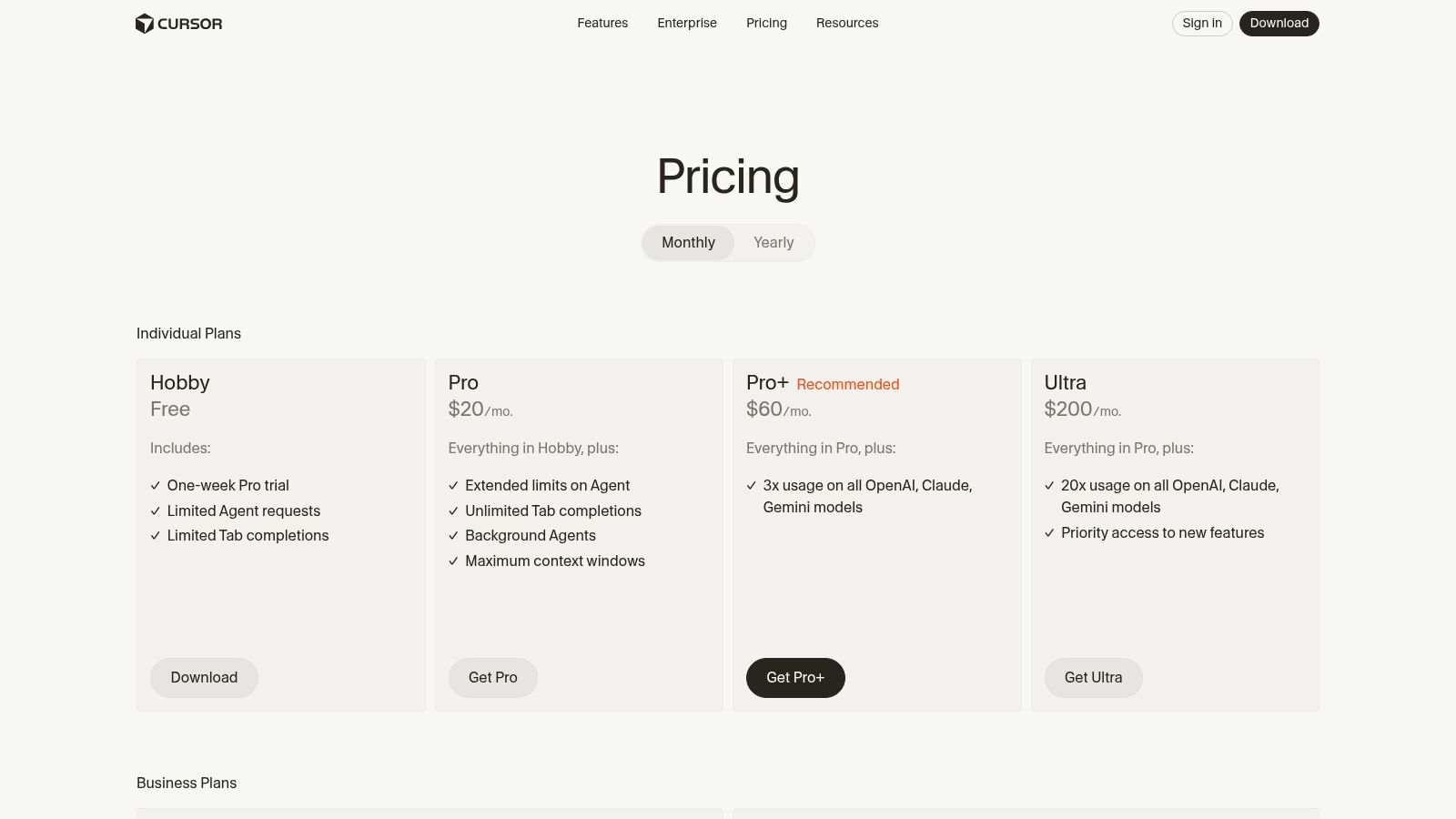
This platform is best for developers and teams who want direct access to everything Cursor offers, from initial download to enterprise-scale management. Unlike third-party resources, the official site provides transparent and up-to-date details on how different models (like GPT-4o or Claude 3 Opus) affect your usage credits, helping you budget and manage costs effectively.
Key Features and Offerings
The Cursor site clearly outlines its plan structure, catering to a wide range of users from hobbyists to large enterprises.
- Plan Tiers: You can find detailed comparisons of Individual plans (Hobby, Pro, Pro+) and Business plans (Teams, Enterprise), showing the specific features and usage limits for each.
- Bugbot Add-on: It’s the only place to get official information and purchase tiers for Bugbot, Cursor’s automated code review and analysis tool that helps teams find and fix issues before they reach production.
- Admin Controls: For business customers, the site provides access to the admin dashboard for managing seats, monitoring usage, and accessing audit logs, which is crucial for compliance and governance. While exploring Cursor’s features, it can also be beneficial to understand its place in the market by looking at various Cursor alternatives for AI developers.
Pros and Cons
| Pros | Cons |
|---|---|
| ✅ Direct Access: Get the latest builds and features immediately. | ❌ Changing Policies: Pricing and usage policies can evolve quickly. |
| ✅ Clear Documentation: Official details on rate limits and billing. | ❌ Download Friction: Some users report occasional versioning issues. |
| ✅ Team Management: Robust admin and audit controls for business. |
Ultimately, using the official Cursor site is a foundational best practice. It centralizes control and information, preventing issues that can arise from outdated or unofficial sources. Mastering the official platform is key to improving your team’s workflow and maximizing your investment. By understanding the tools and resources available, you can significantly enhance your team’s output. Learn more about how Cursor impacts developer productivity by exploring its capabilities further.
Website: https://cursor.com/pricing
3. Cursor Workshop (Model Selection and Prompting Best practices)
The official Cursor Workshop is a focused, 30-minute masterclass designed to elevate your AI interaction skills directly within the editor. It provides concrete, actionable guidance on the nuances of model selection and prompt engineering, making it an invaluable resource for anyone serious about mastering cursor ai best practices. The workshop demystifies the trade-offs between different AI models and teaches you how to write precise, efficient prompts.
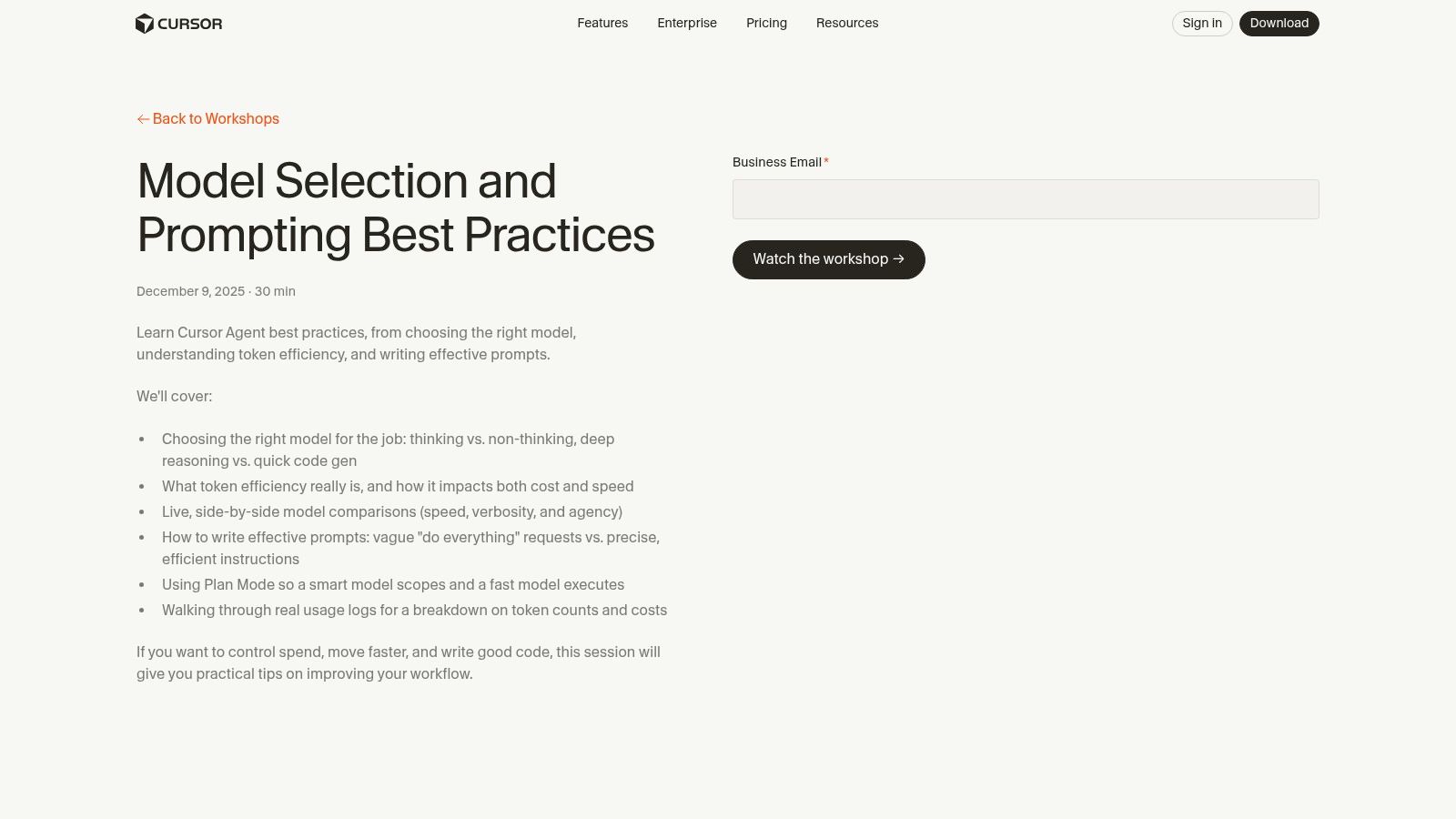
This platform is best for developers who want to move beyond basic AI commands and learn the tactical skills needed to control costs and improve output quality. Unlike general AI tutorials, this workshop is tailored specifically to Cursor’s features, demonstrating how to leverage “thinking” versus “non-thinking” models and how to use Plan Mode to scope complex tasks effectively. It is a must-watch for teams looking to standardize their AI usage and maximize their return on investment.
Key Features and Offerings
The workshop recording provides a concentrated dose of practical knowledge that can be immediately applied to your daily coding workflow.
- Model Trade-off Guidance: It offers clear explanations of when to use powerful but expensive models (like GPT-4o) versus faster, cheaper models for simpler tasks, helping you optimize for both speed and token efficiency.
- Practical Prompting Tactics: The session is packed with real-world examples of how to structure prompts for precision, control verbosity, and manage your credit spend without sacrificing quality.
- Planner/Agent Workflow Tips: You will learn how to effectively use Plan Mode by scoping tasks correctly and executing them with the appropriate model, turning complex requests into manageable, automated workflows. By applying these techniques, you can learn how to use Cursor more effectively in your projects.
Pros and Cons
| Pros | Cons |
|---|---|
| ✅ First-Party Guidance: Official, highly actionable advice from Cursor. | ❌ Narrow Scope: A single session, not a comprehensive course series. |
| ✅ Directly Actionable: All tips map directly to features in the editor. | ❌ Account Required: Access is tied to having a Cursor account. |
| ✅ Cost-Control Focus: Teaches token efficiency and credit management. |
Ultimately, this workshop is a crucial resource for any developer looking to use Cursor strategically. It provides the foundational knowledge required to make informed decisions about model usage and prompt construction, ensuring you get the most value out of the tool. Investing 30 minutes to watch it can pay significant dividends in productivity and cost savings.
Website: https://cursor.com/workshops/recording/model-selection-prompting-best-practices
4. Udemy — Cursor Course: FullStack development with Cursor Vibe Coding
For developers who learn best through hands-on application, Udemy offers project-based courses that provide a structured path to mastery. This specific course focuses on building full-stack applications using Cursor, teaching not just the “how” but the “why” behind effective AI-assisted development. It’s an excellent resource for internalizing cursor ai best practices by applying them in a realistic, start-to-finish project environment.
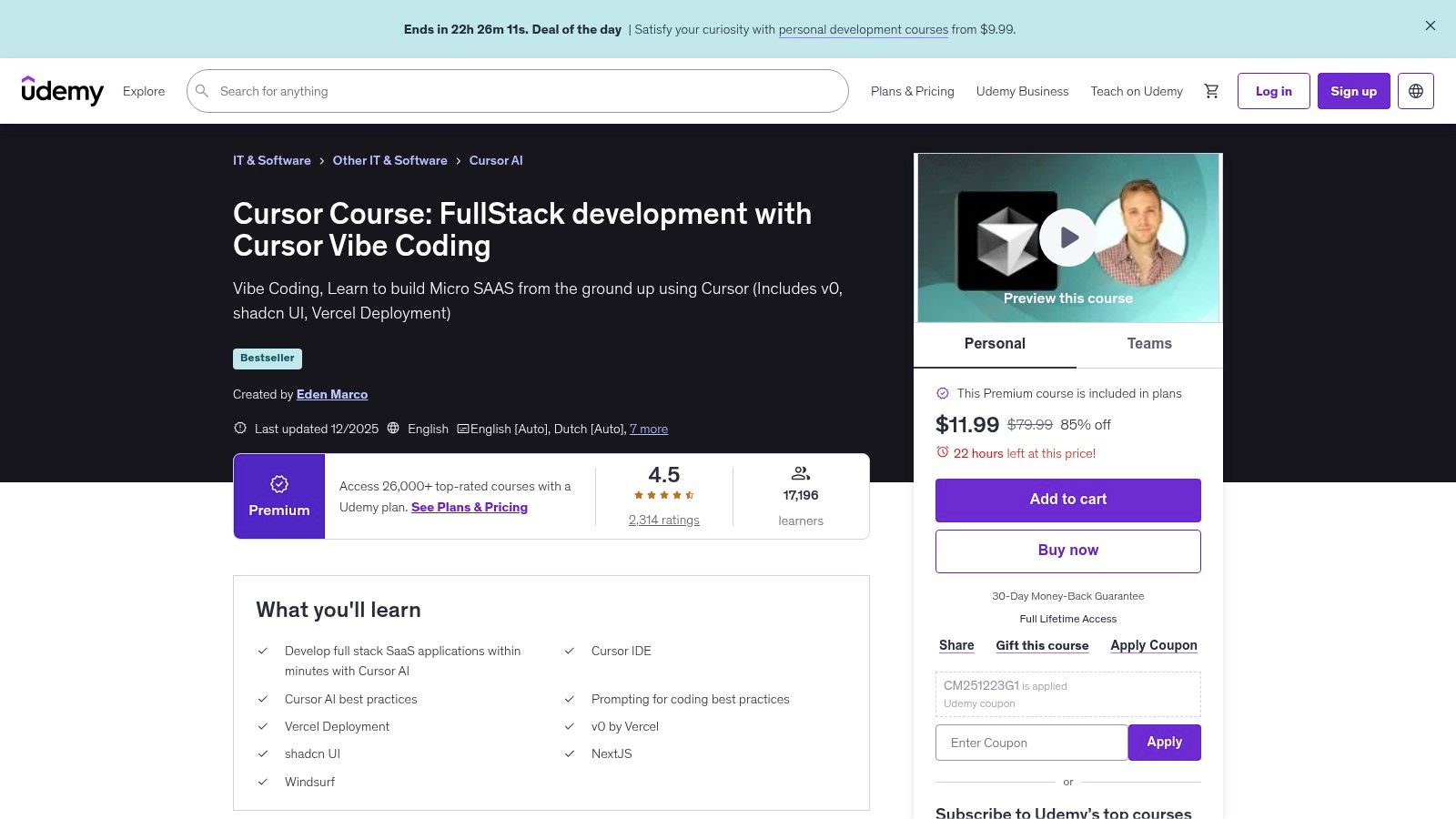
This platform is ideal for intermediate to advanced developers who want to integrate Cursor deeply into their workflow. The course centers around “vibe coding,” a method that relies on conveying high-level intent to the AI and letting it handle the implementation details. This approach is powerful but requires a specific set of prompting skills, which the curriculum is designed to build. For deeper insights into this approach, particularly as it relates to FullStack development with AI, consider exploring resources dedicated to understanding the concept of Vibecoding.
Key Features and Offerings
The course provides a comprehensive learning experience that combines modern tech stacks with practical AI workflows.
- Project-Based Learning: Students build micro-SaaS applications using popular tools like Next.js, Vercel, and shadcn, ensuring the skills learned are immediately applicable.
- Vibe Coding and Prompting: The curriculum explicitly covers best practices for prompting and leveraging Cursor’s unique “vibe coding” capabilities to accelerate development.
- Lifetime Access: As with most Udemy courses, a one-time purchase provides lifetime access to the material, including all future updates, allowing you to revisit concepts as needed.
Pros and Cons
| Pros | Cons |
|---|---|
| ✅ Strong Social Proof: High ratings and enrollment numbers. | ❌ Not Beginner-Friendly: Assumes a solid foundation in software engineering. |
| ✅ Practical Application: Build real-world apps from scratch. | ❌ Variable Content Quality: Dependent on the instructor’s expertise. |
| ✅ Affordable: Udemy’s frequent discounts make it cost-effective. |
Ultimately, a structured course like this provides a guided, practical path to adopting advanced Cursor workflows. It moves beyond isolated tips and tricks to build a cohesive mental model for AI-first development, making it an invaluable resource for developers serious about leveling up their skills. The project-driven format ensures that you don’t just learn best practices; you live them.
Website: https://www.udemy.com/course/cursor-ai-ide/
5. Frontend Masters — Write Better Prompts for Cursor, Claude & Copilot
While official documentation teaches you the what of Cursor, mastering the how requires a deeper dive into prompt engineering. Frontend Masters offers a specialized course that teaches durable, tool-agnostic prompting strategies, explicitly including Cursor. This resource is ideal for developers who want to learn repeatable patterns that improve AI outcomes, reduce token waste, and transfer across different AI coding assistants, which is a core tenet of advanced cursor ai best practices.
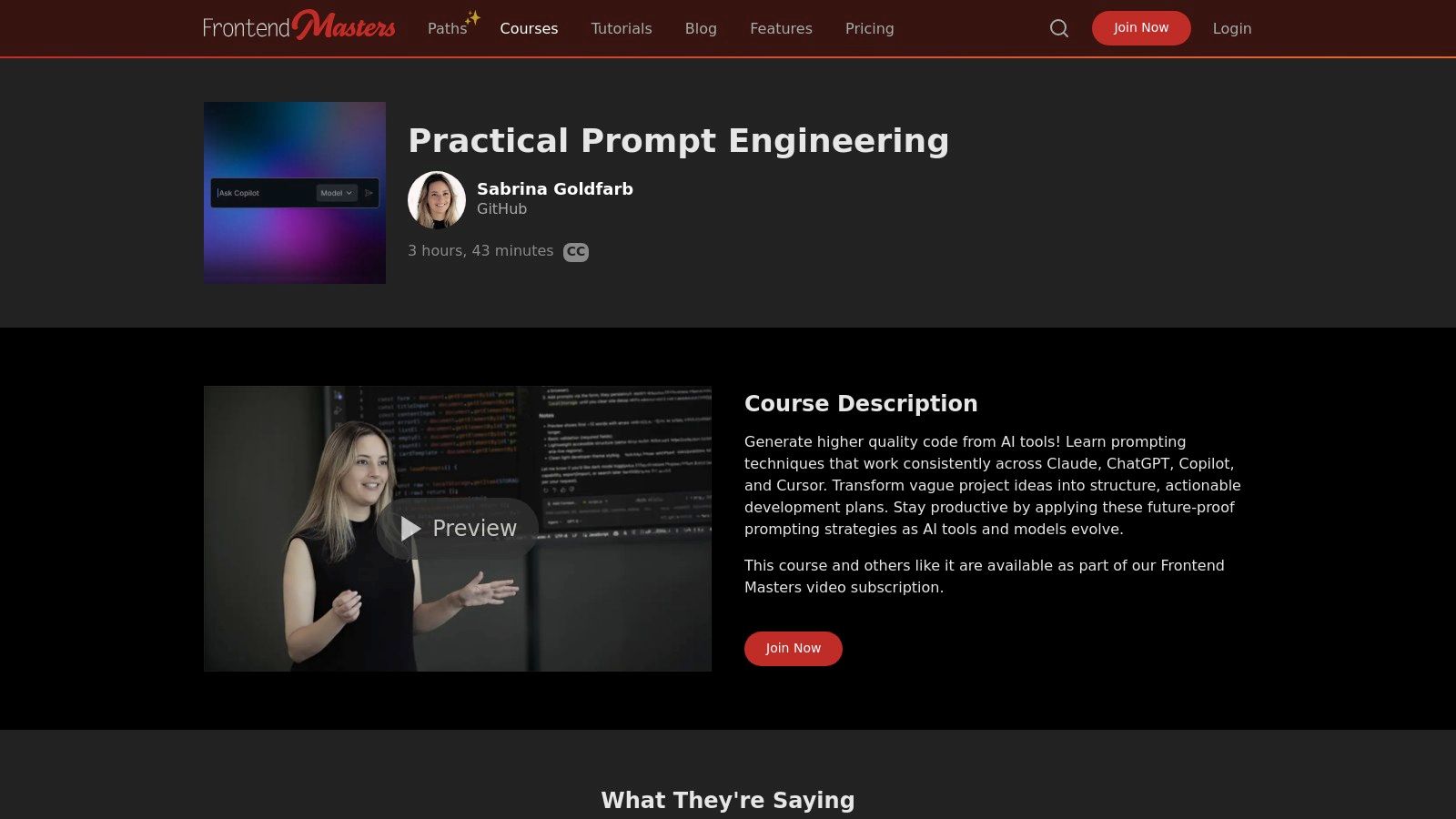
This platform is best for individual developers and teams who understand that the quality of AI-generated code is directly proportional to the quality of the prompts they write. Instead of focusing on tool-specific tricks, this course teaches foundational principles that make your interactions with Cursor, Claude, and Copilot more efficient and predictable. It is part of a broader ‘Coding with AI’ learning path, offering a structured, high-quality educational experience.
Key Features and Offerings
The course focuses on practical, repeatable techniques to elevate your prompt-crafting skills from basic requests to sophisticated instructions.
- Generalizable Techniques: Learn core prompting strategies like zero-shot, one-shot, and few-shot prompting, and how to apply them effectively within Cursor to get precise results.
- Emphasis on Consistency: The curriculum teaches how to create consistent, structured prompts that produce reliable outputs, helping you build a personal library of effective commands.
- Token Efficiency: A key focus is on writing concise yet context-rich prompts that minimize token usage, helping you stay within your plan’s limits and reduce costs.
- Structured Learning Path: As part of Frontend Masters, the course benefits from high production quality, expert instruction, and a curated curriculum that builds skills progressively.
Pros and Cons
| Pros | Cons |
|---|---|
| ✅ High-Quality Curriculum: Expert-led instruction with professional production. | ❌ Subscription Required: Access is via a subscription, not a one-time purchase. |
| ✅ Durable, Transferable Skills: Teaches principles that apply beyond just Cursor. | ❌ Less Cursor-Specific: More tool-agnostic than official Cursor documentation. |
| ✅ Reduces Token Waste: Focuses on writing efficient, cost-effective prompts. |
Ultimately, investing in your prompt engineering skills via a platform like Frontend Masters pays significant dividends. While official docs are essential, a structured course provides the underlying theory and practice needed to become a power user. Better prompts lead to better code, fewer retries, and a more intuitive partnership with the AI, making it a critical step for any developer serious about maximizing their productivity with Cursor.
Website: https://frontendmasters.com/courses/prompt-engineering/
6. Codecademy — Intro to AI Coding with Cursor
Onboarding a team to a new tool can be challenging, but Codecademy’s “Intro to AI Coding with Cursor” course streamlines the process. It serves as a fast, structured on-ramp for developers to grasp the fundamentals before diving into more complex workflows. This zero-cost starting point is perfect for standardizing baseline knowledge, which is a key element of effective cursor ai best practices adoption at scale.
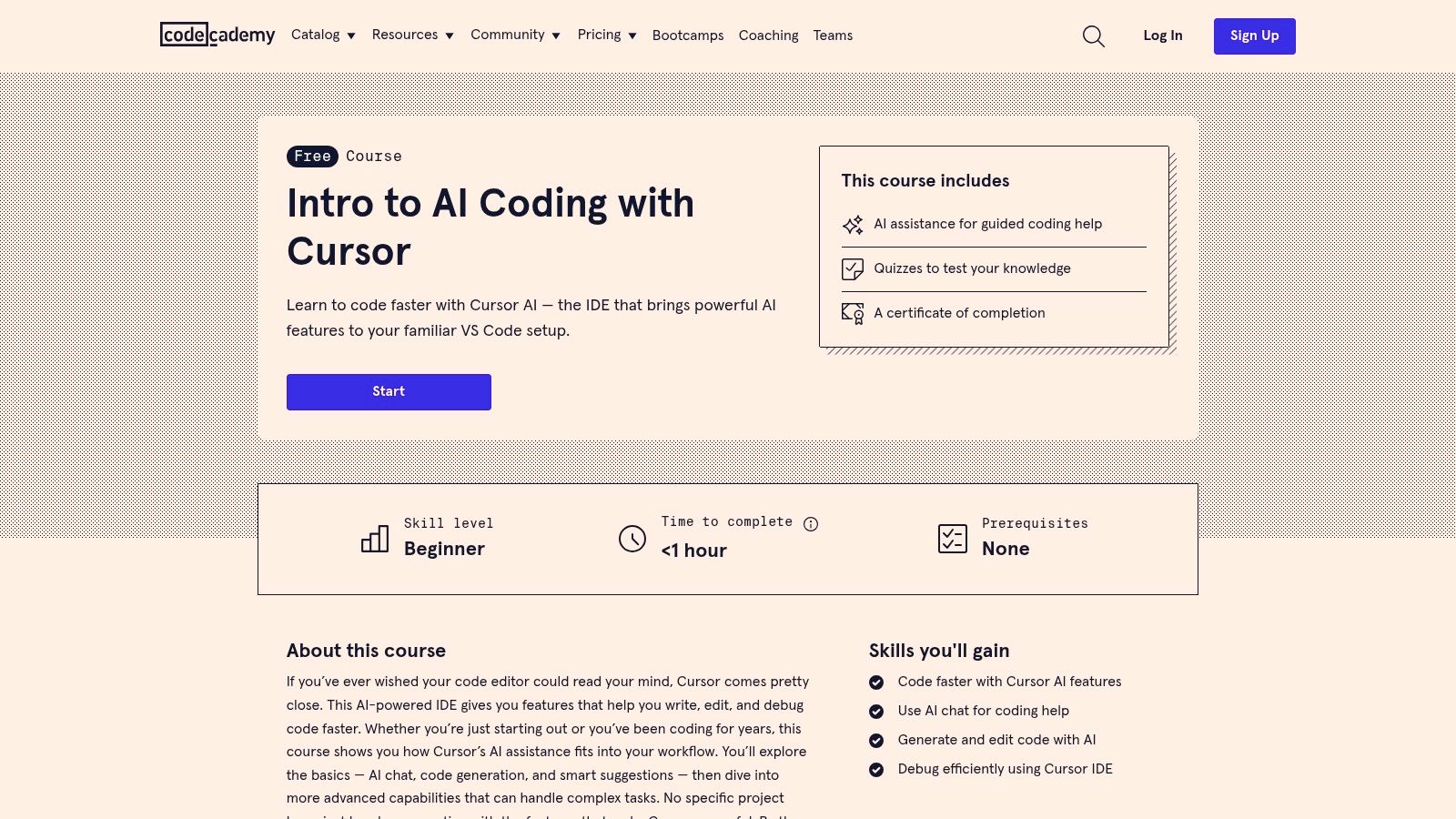
This platform is best for engineering managers and team leads looking to quickly align new hires or existing team members on Cursor’s core features. In under an hour, developers can complete the course and gain a shared vocabulary for AI-assisted coding, covering everything from chat-based generation to inline code suggestions. This ensures everyone starts from the same page, making it easier to implement more advanced, team-wide best practices later.
Key Features and Offerings
The Codecademy course is designed for rapid, foundational learning, making it an ideal first step in any team’s Cursor adoption journey.
- Core Concepts Covered: The curriculum introduces the basics of AI chat, code generation, and AI-powered suggestions within the Cursor editor, providing a solid, practical overview.
- Interactive Learning: It includes hands-on exercises, quizzes to test comprehension, and a certificate of completion that can be used to track team-wide training progress.
- Accessibility: As a free, prerequisite-free course, it removes barriers to entry, allowing any developer to get started immediately without needing prior AI tool experience. The accessible format is a great precursor to a more detailed Cursor AI tutorial.
- Efficient Onboarding: With an estimated completion time of less than one hour, it respects developers’ time while delivering essential, high-impact knowledge.
Pros and Cons
| Pros | Cons |
|---|---|
| ✅ Fast Onboarding: New team members can complete it quickly. | ❌ High-Level Overview: Not a substitute for in-depth best practice content. |
| ✅ Zero-Cost Training: A free resource to standardize team knowledge. | ❌ Lacks Advanced Topics: Omits enterprise or complex workflow considerations. |
| ✅ Structured Learning: Provides a clear, guided introduction. |
Ultimately, using this Codecademy course as a first step is a practical best practice for any team adopting Cursor. It establishes a consistent baseline of understanding across the organization, ensuring that every developer is equipped with the fundamental skills needed to leverage the AI editor effectively. This shared foundation is crucial for building more sophisticated, collaborative, and productive AI-driven workflows.
Website: https://www.codecademy.com/learn/intro-to-ai-coding-with-cursor
7. Cursor Directory (community rules/templates and MCP resources)
The Cursor Directory is a community-driven hub designed to accelerate the adoption of effective AI coding patterns. It centralizes shareable Cursor Rules, best-practice templates, and MCP (Multi-Cursor Protocol) server resources, making it a goldmine for anyone looking to go beyond basic prompts. Tapping into this collective knowledge is a core component of developing advanced cursor ai best practices, as it provides battle-tested solutions from active developers.
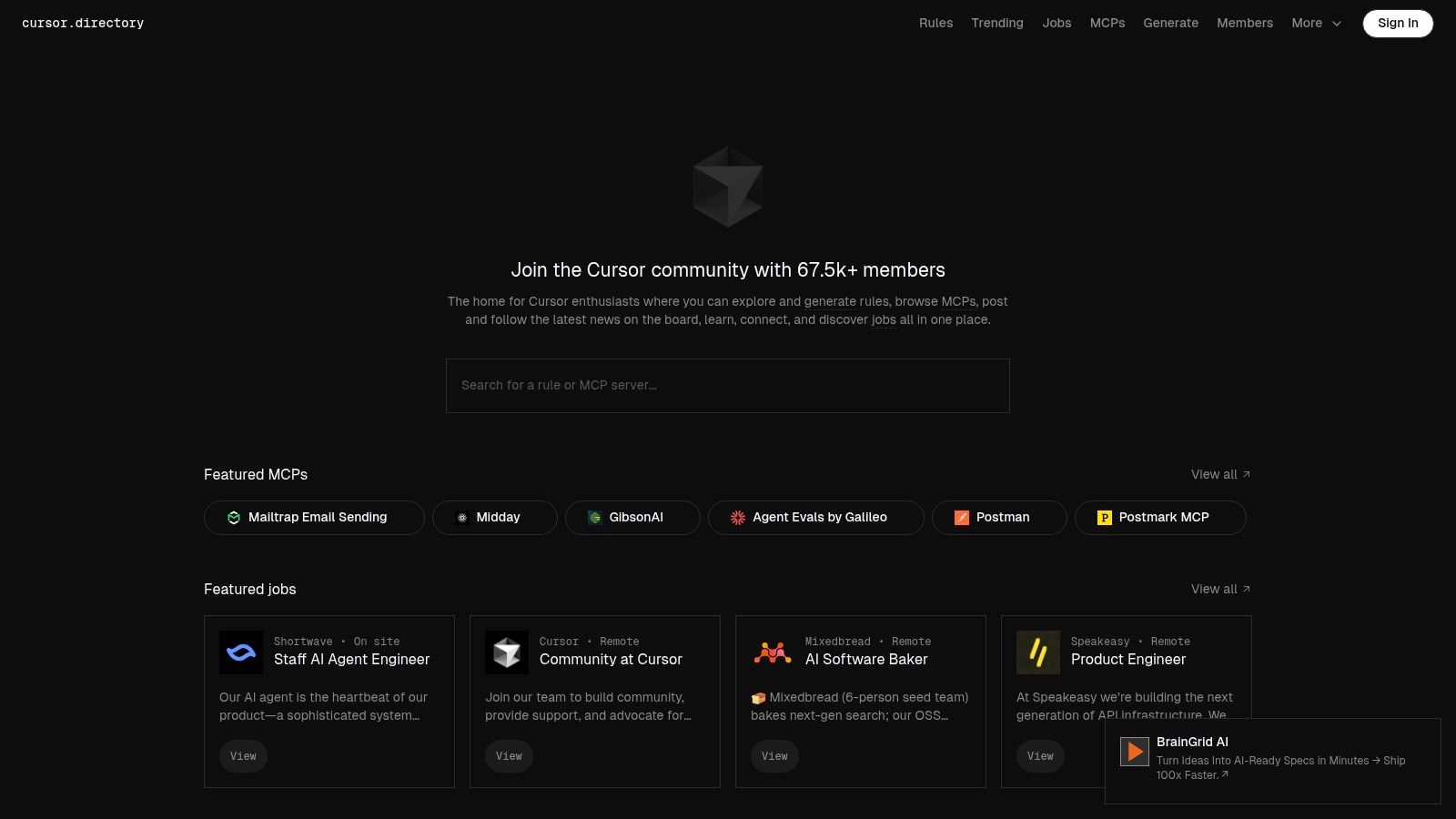
This platform is best for developers and teams who want to standardize their AI workflows without reinventing the wheel. Instead of crafting every rule from scratch, you can browse, adapt, and implement high-quality templates for code generation, refactoring, and documentation. The directory bridges the gap between individual experimentation and team-wide consistency, offering practical starting points that reflect real-world use cases.
Key Features and Offerings
The Cursor Directory’s main value lies in its curated library of community-sourced rules and resources that are free to browse and adapt.
- Rule Templates: It features an extensive collection of rulesets organized into categories like ‘Best Practices’ and ‘Tooling’. Users can find templates for enforcing coding standards, generating boilerplate, or integrating specific frameworks.
- Community Posts: The site includes updates, job listings, and discussions focused on Cursor workflows, providing a space for users to connect and share insights.
- Curated Resources: It links to valuable resources and examples for creating and managing your
.cursor/rules, helping you quickly master this powerful feature. - Free Access: All community-contributed rules and templates are available to copy and adapt at no cost, lowering the barrier to entry for implementing sophisticated AI automation.
Pros and Cons
| Pros | Cons |
|---|---|
| ✅ Real-World Practices: Access a large library of practical, proven rules. | ❌ Variable Quality: Community content quality varies; review is required. |
| ✅ Standardization Aid: Provides excellent starting points for team rules. | ❌ Adaptation Needed: Resources may need modification to fit specific projects. |
| ✅ Active Community: A great source for evolving patterns and techniques. |
Ultimately, leveraging the Cursor Directory is a smart way to learn from the wider community and quickly implement effective AI automation. It saves significant time by providing a foundation of rules you can build upon, allowing your team to focus on adapting best practices rather than creating them from zero. Exploring the directory ensures your team’s AI usage stays aligned with emerging industry standards.
Website: https://cursor.directory/
Cursor AI Best Practices — 7-Item Comparison
| Solution | Implementation (🔄) | Resource Needs (⚡) | Expected Outcomes (📊) | Ideal Use Cases (💡) | Key Advantages (⭐) |
|---|---|---|---|---|---|
| Zest | Low — install VS Code/Cursor extensions; minimal setup | VS Code/Cursor, optional Pro/Team plans for history & team features | Team-level metrics, automatic AI Standups, faster diagnosis of blockers | Engineering teams wanting measurable AI adoption & shared prompts | Automatic standups, AI Metrics, Cheatcodes, leaderboards |
| Cursor (official) | Medium — account setup, downloads, admin controls for teams | Account, plan subscription (Hobby→Enterprise), desktop installs | First‑party builds, clear usage billing and admin/audit visibility | Purchasing/downloading Cursor and managing team licenses | Official source for builds, transparent pricing, admin controls |
| Cursor Workshop (recording) | Low — 30‑minute recorded session | Cursor account to access recording; 30 minutes time | Actionable prompting & model-selection tactics; cost/usage tradeoffs | Quick upskilling on model choice and prompt efficiency | Concise, first‑party, directly applicable tips to Cursor workflows |
| Udemy — Cursor Course | Medium — project-based learning, multi-hour commitment | One-time purchase, development environment, time for projects | Hands‑on full‑stack projects and applied Cursor prompting skills | Learners wanting in-depth, project-driven practice and portfolio pieces | Project-based learning, strong social proof, lifetime access |
| Frontend Masters — Prompting Course | Medium — structured course path, subscription | Subscription, time investment; part of broader learning path | Durable prompting patterns transferable across tools; reduced token waste | Practitioners seeking tool‑agnostic prompt engineering skills | High production quality, curated curriculum, cross‑tool techniques |
| Codecademy — Intro to AI Coding | Low — short guided course (<1 hr) | Free account, small time commitment | Basic Cursor familiarity and certificate of completion | Fast team onboarding or beginner introductions to Cursor | Quick, structured, zero‑cost intro to Cursor fundamentals |
| Cursor Directory | Low–Medium — browse & adapt community templates | Time to evaluate/adapt rules; no cost to browse | Reusable .cursor/rules, community best practices, evolving patterns | Teams wanting ready templates and real‑world rule examples | Large community library, practical templates and examples |
Turning Best Practices into Daily Habits
You’ve explored the tools, courses, and community resources designed to elevate your Cursor AI experience. From mastering model selection with Cursor Workshop to scaling team knowledge with Zest, the path to becoming a proficient AI-powered developer is clear. However, the real transformation doesn’t happen by simply knowing these resources exist. It happens when you integrate these cursor ai best practices into your everyday coding rhythm.
The journey from novice to expert is paved with consistent, deliberate action. Adopting these advanced techniques is not a one-time setup but an ongoing process of refinement. It’s about building muscle memory for providing precise context, structuring effective prompts, and critically validating AI-generated code. Each practice we’ve discussed, from using @ symbols to manage context to creating reusable Cheatcodes for common tasks, is a building block for a more intelligent and efficient workflow.
From Theory to Tangible Results
To avoid feeling overwhelmed, focus on incremental adoption. Don’t try to implement every single tip at once. Instead, pick one or two practices that address your most significant pain points.
- If you struggle with vague AI responses, concentrate on the prompt engineering techniques from the Frontend Masters course. Practice the “Persona, Context, Task, Format” model until it becomes second nature.
- If your team’s AI usage is inconsistent, introduce the concept of a shared library using community resources like the Cursor Directory or a more robust system like Zest to capture and distribute high-performing prompts.
- If you’re unsure of AI’s actual impact, start tracking key metrics. Measure how many times you successfully debug with AI versus manually, or how much boilerplate code you eliminate in a week. This data provides concrete evidence of your progress.
The ultimate goal is to make these best practices so ingrained that they become invisible. You’ll stop “prompting an AI” and start having a seamless, productive conversation with your coding partner, one that anticipates your needs and accelerates your creative process.
The Power of Continuous Improvement and Collaboration
True mastery of Cursor AI is a dynamic and collaborative effort. As you become more skilled, your role shifts from being just a user to a leader who can guide your team toward greater productivity. Share your successes and failures. Document what works. A powerful prompt that saves you an hour is a valuable asset; when shared, its value multiplies across your entire organization.
This is where the ecosystem of tools we’ve discussed truly shines. They provide the structure needed to turn individual habits into collective strengths. By consciously applying these cursor ai best practices and leveraging tools to measure and share your wins, you move beyond simply using a powerful editor. You begin to architect a new way of working, one where AI is not just a feature but a fundamental and reliable pillar of your development lifecycle. The future of software development is here, and by adopting these habits, you are actively building it.
Mastering Cursor Workflows
Turn these best practices into measurable improvements in your daily coding habits.
📊 Core Metrics
- Prompt Efficiency Score — ratio of successful AI interactions to total attempts.
- AI-Assisted Time Saved — total development hours reduced by leveraging Cursor features.
- Team Adoption Rate — percentage of team members actively using shared prompts and rules.
🕹️ My Cheatcodes
- 🌱 Context First — always use `@` to scope files and symbols before making a request.
- 🦎 Iterate, Don't Re-prompt — refine an existing AI conversation instead of starting a new one from scratch.
- ⚡ Measure to Improve — use tools like Zest to identify what works and turn it into a reusable team asset.
✅ Before Closing the Editor
- 🔍 Did I validate the last AI-generated block of code?
- 📊 Did I choose the right model for cost and complexity?
- 🧭 Could a successful prompt be saved as a team Cheatcode?
- 📈 Did I learn one new pattern or command today?
Gallery
Lemon shots



