
12 Best Code Review Automation Tools for Developers in 2025
The pressure to ship faster is constant, but so is the need for high-quality, secure code. Relying solely on manual peer reviews creates bottlenecks, leads to reviewer fatigue, and allows subtle bugs to slip through. This is where code review automation tools act as a tireless, expert partner, catching everything from security vulnerabilities to style violations before they ever reach production. They free up developers to focus on complex logic and architectural decisions, not on spotting trivial fixes or stylistic inconsistencies.
This guide provides a comprehensive breakdown of the 12 best code review automation tools available today. We move beyond marketing copy to offer an in-depth analysis of each platform, complete with key features, pros, cons, and real-world use cases. You’ll find direct links and screenshots for each tool, helping you see exactly how it integrates into your workflow.
For instance, we’ll show you how to create practical checklists, like this one for an Astro to Cloudflare Workers deployment, that you can automate.
✅ Prompt
“Checklist: confirm my Astro site is deployed on Cloudflare Workers with best-in-class performance, SEO, and DX. Verify adapter, asset storage, caching, hydration, and SSR/SSG choices. Give me a clear yes/no on each item and point out fixes if something’s missing.”
📝 Example Response
Astro on Cloudflare Workers — Deployment Checklist
- Adapter → Using
@astrojs/cloudflareor@astrojs/cloudflare/worker? → ✅ Yes - Static vs SSR → Static pages prebuilt + only SSR where required (API, auth, etc.) → ✅ Yes
- Cold start avoidance → Worker bundle < 1MB, no heavy deps → ✅ Yes
- Assets → Offloaded to R2 / Cloudflare Images, not bundled in Worker → ❌ No → Fix: move images to R2 and rewrite URLs
- Caching → Edge cache headers set (
Cache-Control,stale-while-revalidate) → ✅ Yes - SEO → Title/meta tags verified, hreflang (if multilingual), robots.txt and sitemap.xml generated → ✅ Yes
- Core Web Vitals → Partial hydration configured, Lighthouse score >90 → ✅ Yes
- Global Edge → Tested from multiple PoPs (US/EU/Asia) for <100ms TTFB → ✅ Yes
- Limits → Worker within 30ms CPU budget, script <10MB → ✅ Yes
- Monitoring → Wrangler tail + Analytics enabled → ✅ Yes
Result: 9/10 checks passed. Only asset storage needs fixing.
Our goal is to help you find the best tool for your specific needs, whether you’re a solo developer, an engineering manager, or leading a platform team, so you can save time, reduce friction, and elevate your team’s engineering standards.
1. GitHub
As the central hub for modern software development, GitHub offers robust, native code review automation tools directly within its Pull Request (PR) workflow. It’s the default choice for teams already using the platform, providing a seamless and familiar experience without requiring third-party integrations for core functionality. GitHub’s strength lies in its ecosystem and policy enforcement capabilities.
What makes GitHub stand out is its deep integration of automation with repository governance. You can enforce quality gates using branch protection rules, requiring status checks from CI/CD pipelines (like GitHub Actions) to pass before a merge is allowed. This ensures that every PR is automatically tested, linted, and scanned for vulnerabilities. Required reviews can also be automated, ensuring the right team members or code owners are always looped in.
Key Features & Use Case
- Branch Protection Rules: Mandate passing CI checks, code owner reviews, and prevent direct pushes to critical branches.
- CODEOWNERS File: Automatically assign reviewers based on which files or directories are changed in a PR, routing reviews to the most relevant experts.
- GitHub Actions Integration: Trigger automated linters, security scanners (like CodeQL), and test suites on every push to a PR.
- Marketplace Apps: Extend functionality with tools like Dependabot for automated dependency updates or third-party static analysis services.
Practical Use Case: A platform engineering team can enforce that any change to their infrastructure-as-code (IaC) files (*.tf, *.yaml) must pass a Terratest validation, receive an approval from at least one member of the @org/platform-team, and have no blocking SonarQube vulnerabilities before it can be merged into the main branch. This entire workflow is automated within the PR interface.
2. GitLab
As an all-in-one DevSecOps platform, GitLab weaves code review automation directly into its Merge Request (MR) process, offering a powerful alternative for teams seeking a single, unified toolchain. Its core advantage is consolidating source control, CI/CD, security scanning, and review workflows, eliminating the need to integrate multiple third-party tools. This approach provides a seamless experience from planning to deployment.

What makes GitLab a standout among code review automation tools is its ability to present security and quality feedback as first-class citizens within the MR. Instead of just a pass/fail status, GitLab displays detailed SAST, DAST, and code quality reports directly in the MR widget. This empowers developers to see and fix issues immediately, treating automated review feedback with the same importance as human comments.
Key Features & Use Case
- Merge Request Approvals: Configure rules that require a specific number or type of approvals before merging, which can be tied to code owners or specific groups.
- Built-in CI/CD and Scanning: Automatically run linters, test suites, and security scans (SAST, DAST, dependency scanning) using GitLab CI/CD, with results embedded in the MR.
- Code Quality Widgets: See how an MR impacts code quality with test coverage details and potential degradations highlighted inline.
- Approval Rules & Policies: Enforce compliance by requiring approvals from security or compliance teams when scans detect vulnerabilities of a certain severity.
Practical Use Case: A financial services development team can set up a merge request approval rule that automatically requires an explicit sign-off from the @security-team whenever a SAST scan detects a new “High” or “Critical” vulnerability. This ensures security experts review critical findings before the code is merged, fully automating a key compliance checkpoint within the development workflow.
3. Azure DevOps (Azure Repos)
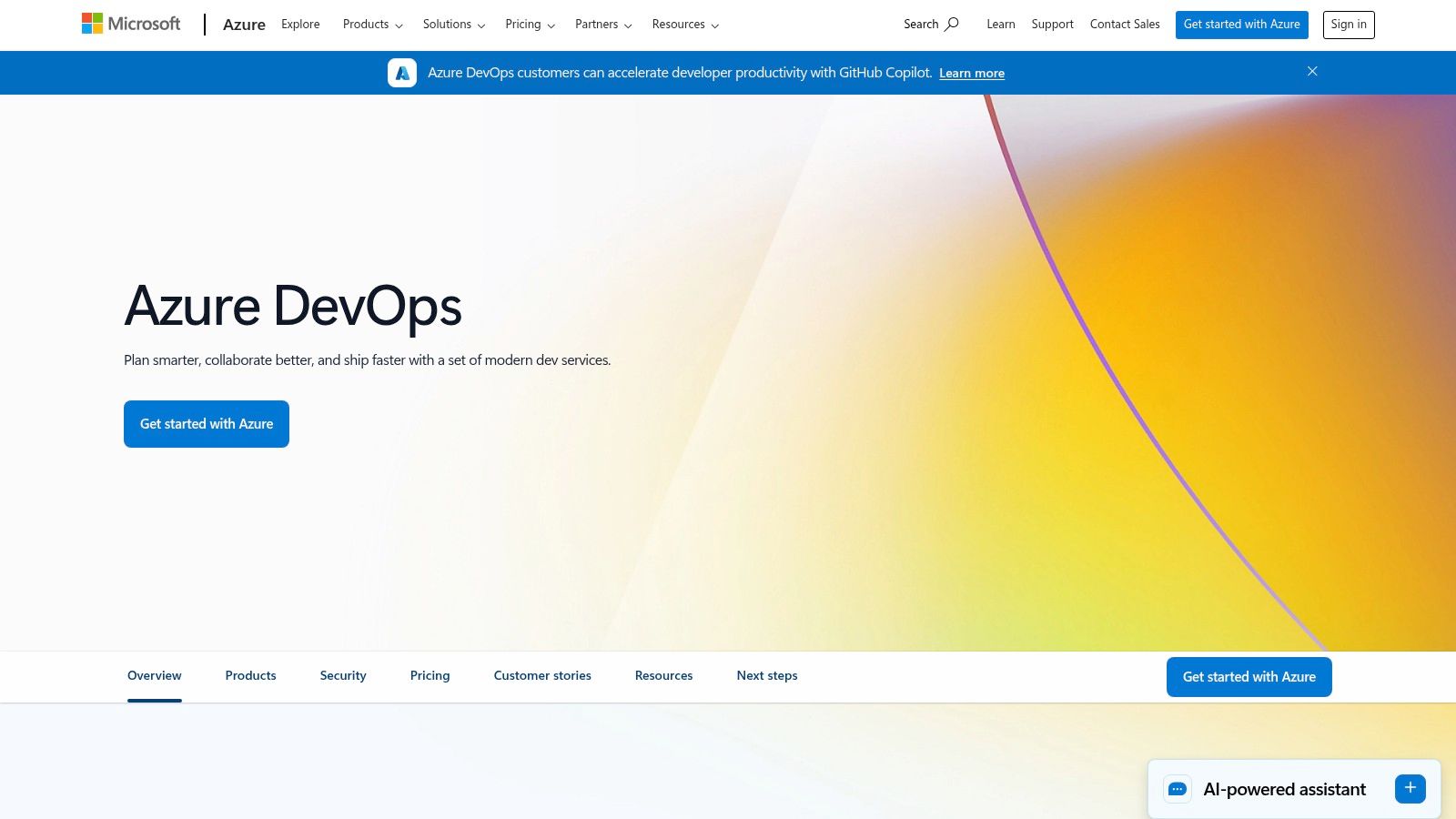
For teams deeply embedded in the Microsoft ecosystem, Azure DevOps provides a powerful, integrated suite of code review automation tools within Azure Repos. It serves as a direct alternative to GitHub, offering similar pull request (PR) workflows but with native ties to Azure Active Directory, Boards, and Pipelines. Its key advantage is the seamless, all-in-one experience for organizations already leveraging Azure cloud services.
Azure DevOps excels at enforcing strict quality and security gates through its branch policies. These policies act as automated checklists for every PR, preventing merges until required builds succeed, work items are linked, and specific reviewers have approved the changes. This ensures that all code entering a primary branch has been automatically vetted by CI/CD processes and human oversight, making it one of the more robust code review automation tools available for enterprise environments.
Key Features & Use Case
- Branch Policies: Enforce mandatory build validations, link work items from Azure Boards, and require approvals from specific individuals or groups before merging.
- Integrated Pipelines: Automatically trigger CI builds to run tests, static analysis, and security scans as part of the PR validation process.
- Marketplace Extensions: Enhance PRs with third-party and AI-powered tools for automated code suggestions, security scanning, and compliance checks.
- Unlimited Private Repositories: Offered for free, making it a cost-effective choice for teams of all sizes, with the first five users being free.
Practical Use Case: A development team using Azure for their infrastructure can configure a branch policy on their release branch. This policy automatically triggers a pipeline that builds the application, runs unit tests, and performs a security scan using a marketplace extension. The PR is blocked from merging until the build passes, all security vulnerabilities are addressed, and at least two senior developers from the @ProjectLeads group have provided their approval.
4. Gerrit Code Review
Gerrit is an open-source, web-based code collaboration tool that provides a robust, workflow-driven alternative to the standard pull request model. Built on top of Git, it is designed for projects that demand strict, pre-merge reviews and a high degree of process control. It’s a favored choice in large-scale, regulated industries and major open-source projects like Android, where granular access controls and a structured review lifecycle are non-negotiable.
What makes Gerrit stand out is its change-centric workflow. Instead of pull requests, developers push “changesets” which are treated as individual reviewable units. This system allows for a highly structured and auditable review process, integrating tightly with automated verification systems (like Jenkins or Zuul) to enforce quality gates. This makes it one of the most powerful free code review automation tools for teams that need to manage complex dependencies and rigorous validation pipelines.
Key Features & Use Case
- Change-Centric Workflow: Every commit is a reviewable changeset, enabling precise feedback and iterative improvements.
- Fine-Grained Access Control: Provides extremely detailed permissions on a per-branch, per-project basis, crucial for security and compliance. You can learn more about how this fits into a broader strategy by reading about secure code reviews on meetzest.com.
- Plugin Extensibility: A rich ecosystem of plugins allows for deep integration with CI/CD systems, issue trackers, and other developer tools.
- Automated Verifiers: Tightly integrates with CI tools to automatically run tests and apply a
Verifiedlabel, gating merges on successful builds.
Practical Use Case: An automotive firmware team uses Gerrit to manage contributions to their core codebase. A developer pushes a change, which automatically triggers a Jenkins pipeline to build the code and run hardware-in-the-loop tests. The change is blocked from submission until the CI pipeline applies a +1 Verified score and senior engineers from both the systems and safety groups grant a +2 Code-Review approval, ensuring multiple layers of automated and manual verification.
5. Reviewable
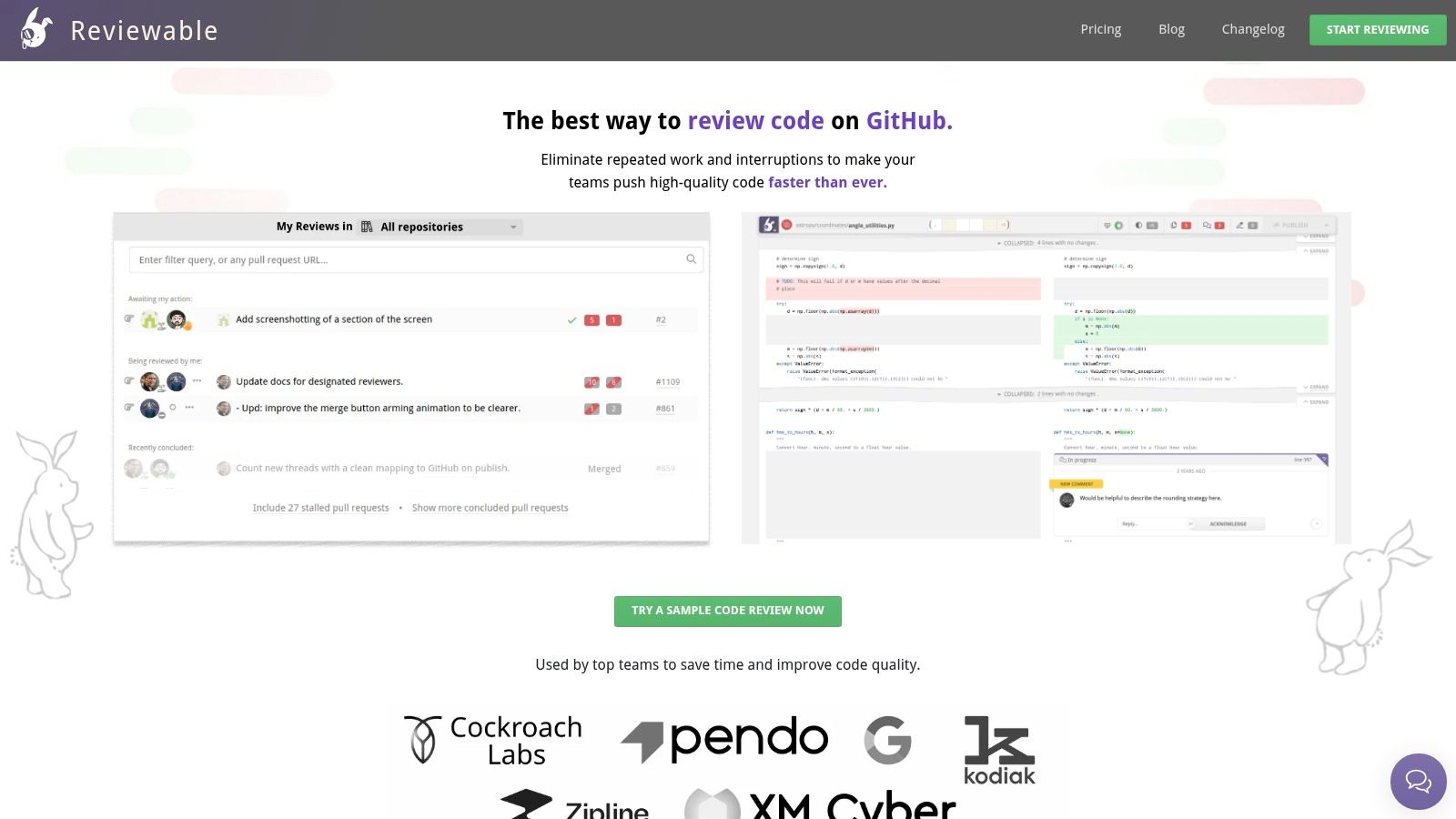
Reviewable is a specialized code review tool built on top of GitHub that focuses on improving the user experience for complex and iterative reviews. It’s designed to solve the common frustration of re-reviewing code after a developer pushes changes, making it one of the most efficient code review automation tools for teams dealing with large or frequently updated pull requests. Its intelligence lies in tracking what you’ve already seen, even across rebases.
What makes Reviewable stand out is its “review-centric” interface that minimizes wasted effort. It intelligently maps discussions and reviewed-file statuses across code revisions, so you never have to re-read the same lines twice. Instead of a simple chronological PR feed, it presents a clear, actionable dashboard showing exactly what’s new since your last look, allowing reviewers to focus only on the delta.
Key Features & Use Case
- Intelligent Diff Tracking: Remembers which lines and files you’ve reviewed, even if the code is rebased or amended, showing you only the new changes.
- Per-File Review Status: Mark individual files as “reviewed” to track progress on large PRs with many files.
- Batched Comments: Draft all your comments and publish them in a single, non-disruptive batch instead of sending a notification for each one.
- Customizable Merge Rules: Define complex conditions for mergeability beyond what GitHub offers, such as requiring a certain number of approvals or resolving all discussions.
Practical Use Case: A developer is reviewing a large feature branch with 30+ files. Using Reviewable, they can review and mark files as complete over multiple sessions. When the PR author pushes an update fixing a typo, Reviewable highlights only the single changed line, sparing the reviewer from having to re-evaluate the entire changeset and confirming the rest of the code remains approved.
6. SonarQube / Sonar
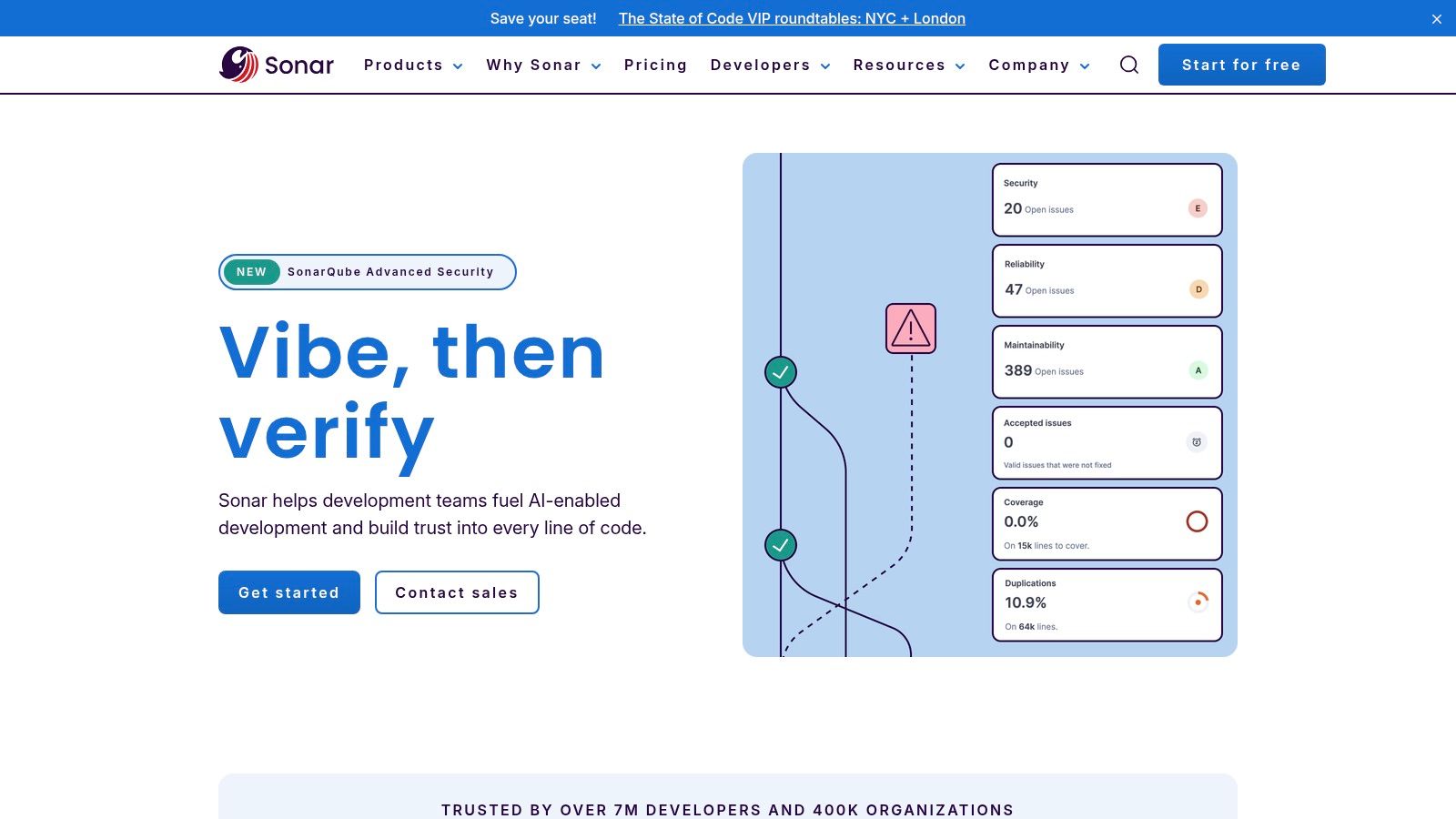
SonarQube (self-hosted) and SonarCloud (cloud-based) are specialized static analysis platforms that bring deep code quality and security scanning into the code review process. They act as a powerful, automated reviewer, focusing on maintainability, reliability, and security. It integrates directly into CI/CD pipelines and decorates pull requests with detailed reports, making it a cornerstone for teams aiming for a “Clean as You Code” methodology.
What sets Sonar apart is its establishment of the Quality Gate, a non-negotiable set of conditions that code must meet before it can be merged. This feature transforms code quality from a suggestion into a strict, enforceable policy. By analyzing new code exclusively, it prevents the introduction of new bugs, vulnerabilities, and code smells, ensuring the overall health of the codebase improves over time.
Key Features & Use Case
- Quality Gates: Define and enforce clear pass/fail conditions on new code for metrics like code coverage, duplications, vulnerabilities, and code smells.
- Pull Request Decoration: Provides direct feedback within GitHub, GitLab, Bitbucket, and Azure DevOps, highlighting issues in the changed code.
- Broad Language Support: Offers in-depth analysis for over 30 programming languages, frameworks, and infrastructure-as-code technologies.
- Security Analysis (SAST): Identifies security vulnerabilities, including those based on OWASP Top 10 and CWE Top 25 standards.
Practical Use Case: A DevOps team configures a Quality Gate in SonarCloud that blocks any pull request from merging if it introduces new “Blocker” vulnerabilities, lowers code coverage on new code below 85%, or adds any new “code smells.” When a developer opens a PR, Sonar automatically runs, comments on the specific lines with issues, and posts a failing status check, preventing the merge until all quality criteria are met. This makes it one of the most effective code review automation tools for enforcing standards.
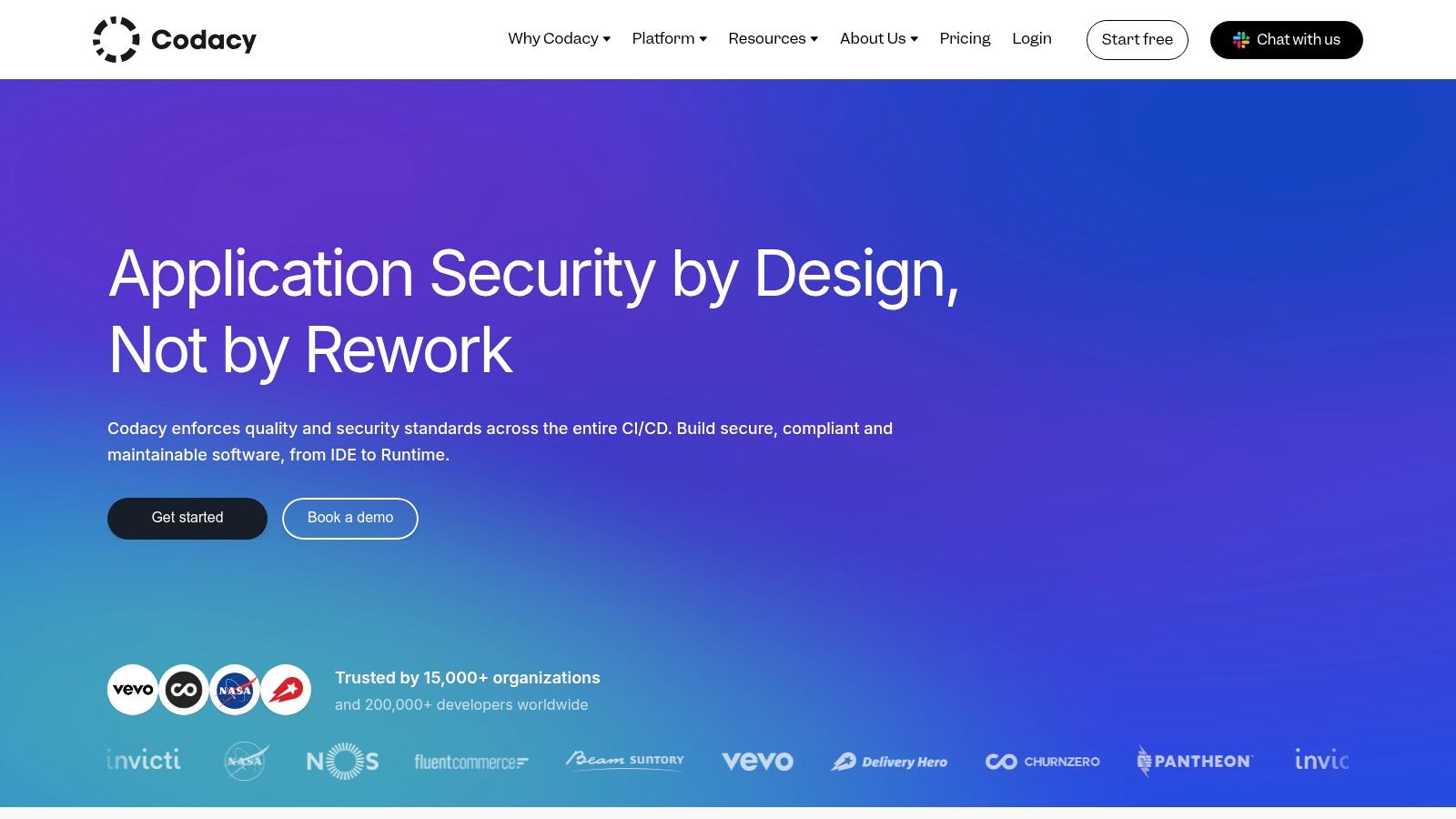
7. Codacy
Codacy is a dedicated static analysis platform designed to automate and standardize code quality across the entire development lifecycle. It integrates directly into Git workflows, providing automated feedback within pull requests, much like a seasoned developer would. This helps teams enforce consistency and catch issues from security vulnerabilities to code style violations before they ever reach the main branch.
What sets Codacy apart is its balance between comprehensive analysis and ease of use, making it an excellent choice for teams looking to implement strong code review automation without a steep learning curve. It supports over 40 programming languages and uses a combination of its own checks and well-known open-source tools. Its focus on code quality, security, and coverage metrics provides a holistic view of repository health directly within the developer’s workflow.
Key Features & Use Case
- Automated PR Comments & Status Checks: Provides inline comments on pull requests for specific issues and uses pass/fail status checks as a quality gate.
- Multi-VCS Integration: Works seamlessly with GitHub, GitLab, and Bitbucket, adapting to your team’s existing toolchain.
- Team & Organization Policies: Enforce consistent coding standards and quality gates across all projects and teams.
- Code Coverage Enforcement: Blocks merges if test coverage drops below a configurable threshold, ensuring new code is adequately tested.
Practical Use Case: A growing startup can use Codacy to ensure all backend Python developers adhere to the same PEP 8 style guide and security standards. By setting up a quality gate, any PR that introduces a high-severity security flaw or causes test coverage to drop by more than 2% is automatically blocked. This automates enforcement of their core software engineering best practices and frees up senior developers from tedious style-related review tasks.
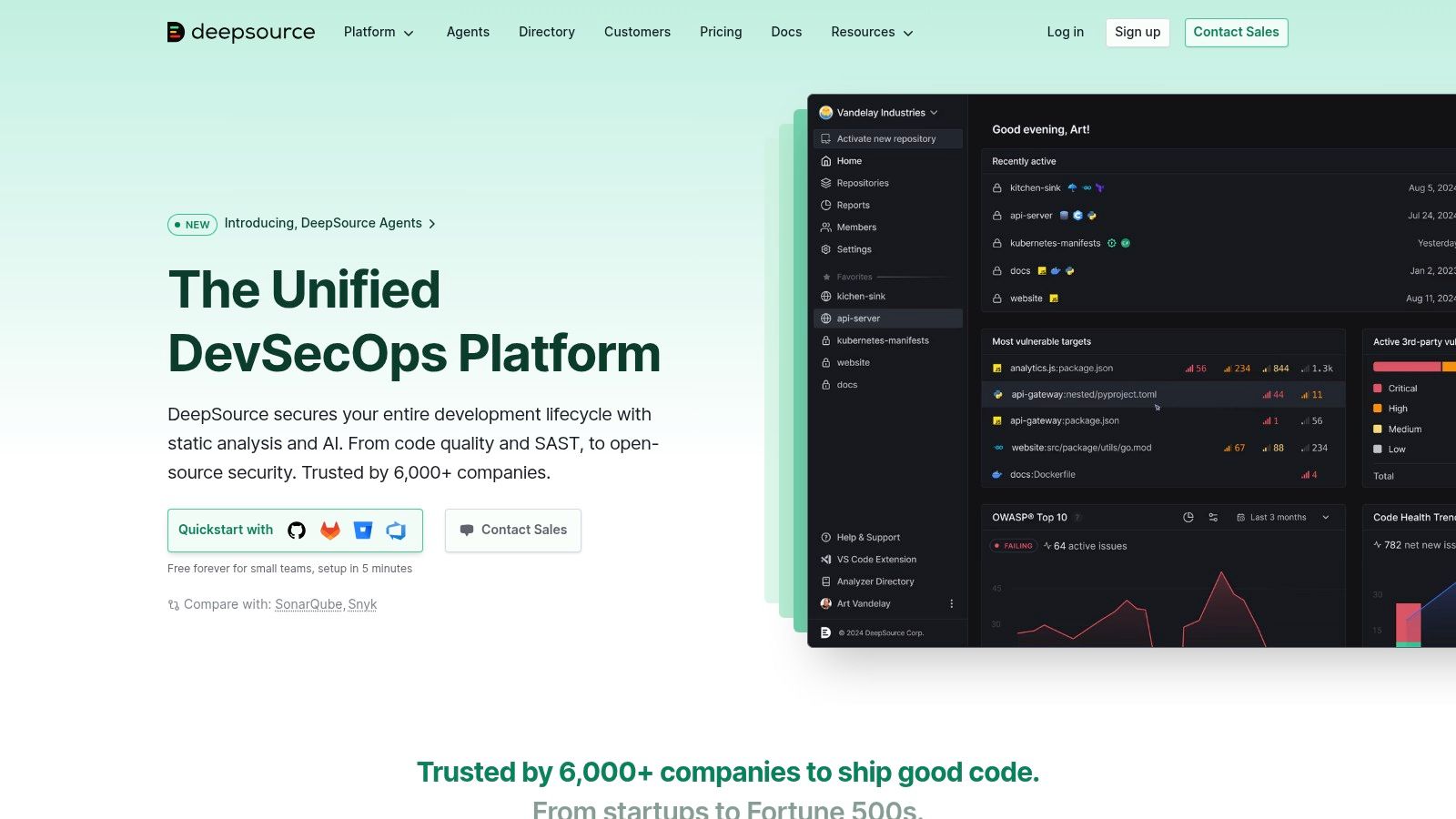
8. DeepSource
DeepSource is a fast and reliable static analysis platform that finds and fixes issues in code during review, focusing heavily on developer experience. It integrates directly into the pull request workflow, providing rich annotations, detailed explanations for every issue detected, and, most notably, the ability to automatically fix many of them with a single click. This makes it one of the most actionable code review automation tools available.
What sets DeepSource apart is its Autofix feature, which generates suggested fixes for common bugs, anti-patterns, and security vulnerabilities. Instead of just flagging a problem, it proposes a concrete code change that developers can apply directly within their PR. This significantly reduces the time spent on manual refactoring and helps enforce consistent coding standards across the team. Its predictable, per-seat pricing model is also a major advantage over tools that charge per line of code.
Key Features & Use Case
- Autofix Suggestions: Automatically generates and suggests fixes for detected issues directly in the pull request.
- Comprehensive Analyzers: Supports a wide range of languages including Python, Go, Java, and JavaScript with specialized issue detectors.
- CI/CD Integration: Runs analyses as a status check in your CI pipeline, blocking merges until quality gates are met.
- Predictable Pricing: Offers per-seat plans with unlimited private repositories and lines of code, avoiding surprise costs as projects grow.
Practical Use Case: A Python development team uses DeepSource to enforce best practices. When a developer opens a PR with an inefficient list comprehension, DeepSource not only flags it but also creates an Autofix suggestion to refactor it. The developer can commit the fix directly from the DeepSource UI without pulling the code locally, ensuring the correction is made instantly and accurately before the PR is even reviewed by a human.
9. Qlty Cloud (formerly Code Climate Quality)
Qlty Cloud is the modern successor to the well-regarded Code Climate Quality, focusing on providing fast, actionable insights into code health and security. It directly integrates into the pull request workflow, delivering clear status checks, diff coverage metrics, and security vulnerability reports. Its primary strength is a re-engineered, high-performance plugin architecture that expands language support and speeds up analysis.
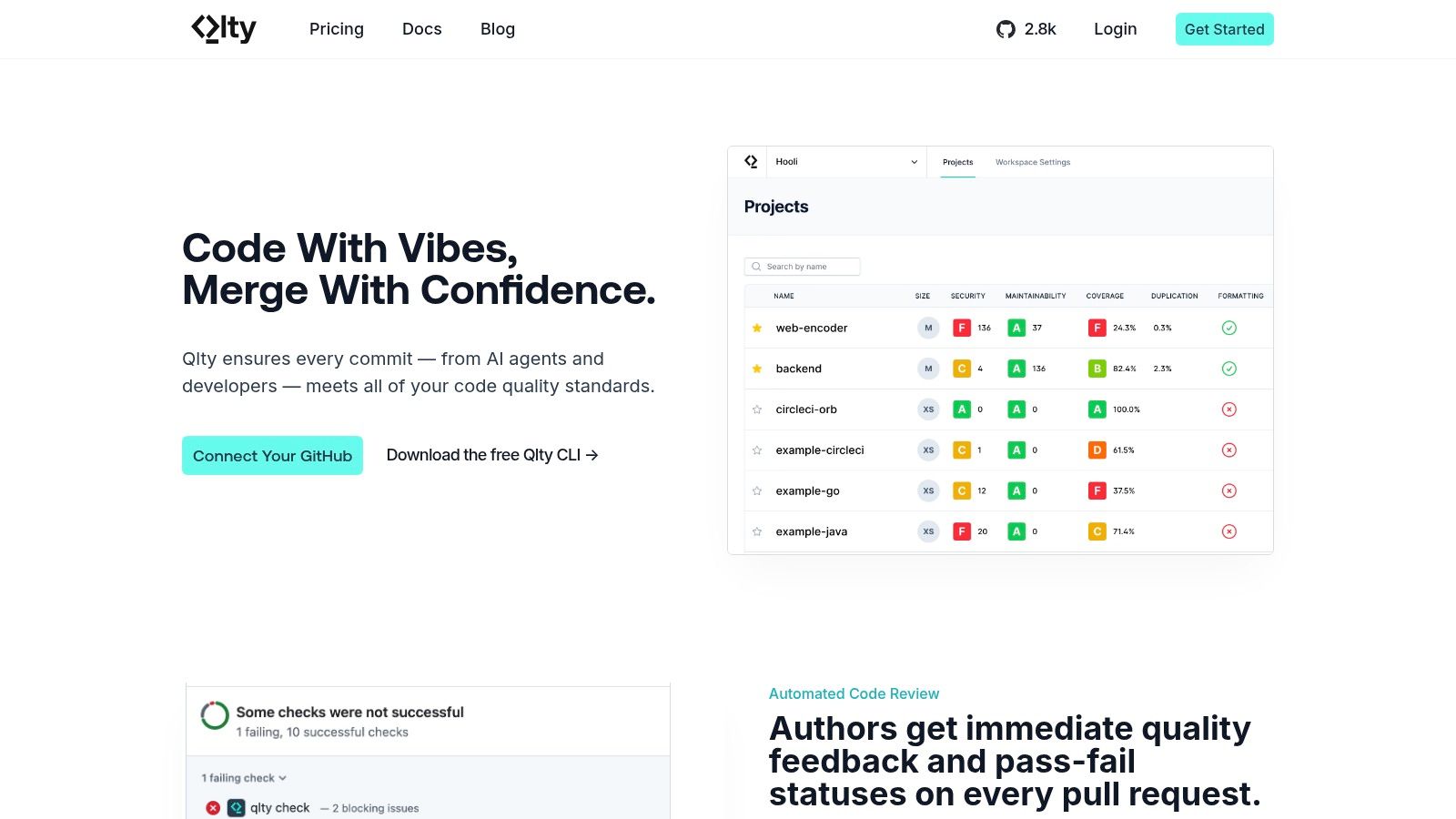
What makes Qlty Cloud stand out is its commitment to improving developer experience with a faster feedback loop. By leveraging a more efficient plugin system and offering a developer-friendly CLI, it reduces the waiting time for static analysis results. This makes it one of the more nimble code review automation tools, ensuring quality gates don’t become a bottleneck for development teams who prized the original Code Climate’s approach.
Key Features & Use Case
- Diff Coverage Reporting: Enforces that new code added in a PR meets a specific test coverage threshold, preventing technical debt.
- Expanded Security Scanning: Integrates modern security analysis tools through its plugin system to catch vulnerabilities before they are merged.
- High-Performance Plugins: A redesigned architecture offers faster analysis times and easier integration for a wide range of languages and frameworks.
- Developer-First CLI: Allows developers to run the same static analysis checks locally that will be performed in the CI/CD pipeline.
Practical Use Case: A backend team using Go can configure Qlty Cloud to fail any PR that introduces new code with less than 85% test coverage. Additionally, they can enable security plugins to automatically scan for common issues like SQL injection or insecure direct object references, providing comments directly on the relevant lines in the PR and blocking the merge until all critical issues are resolved.
10. Snyk Code
Snyk Code is a developer-first static application security testing (SAST) tool that embeds security directly into the code review workflow. It operates as one of the most effective code review automation tools by treating security vulnerabilities as quality issues, flagging them within pull requests just like a linter would. This approach helps teams find and fix security flaws before they ever reach production.
What makes Snyk Code stand out is its speed and accuracy, powered by a semantic analysis engine that understands the context and data flow of your application. Instead of just matching patterns, it traces issues across files and functions, reducing false positives. It then presents findings directly in the PR with clear explanations and AI-powered fix suggestions, empowering developers to resolve security issues without needing to be security experts.

Key Features & Use Case
- PR Checks and Comments: Automatically scans PRs for vulnerabilities, adding summary and inline comments with issue details.
- AI-Powered Fix Suggestions: Provides concrete code suggestions to fix identified security flaws directly within the PR interface.
- Broad SCM Integration: Natively connects with GitHub, GitLab, Bitbucket, and Azure Repos for seamless integration.
- Unified Platform: Can be combined with Snyk’s other products for Software Composition Analysis (SCA), container, and IaC scanning.
Practical Use Case: A backend team working on a Node.js API can configure Snyk Code to automatically scan every pull request. When a developer introduces a new dependency with a known SQL injection vulnerability, Snyk adds a blocking status check to the PR. It leaves a comment on the exact line of code, explaining the vulnerability and providing a one-click code suggestion to patch it, ensuring the flaw is fixed before merge.
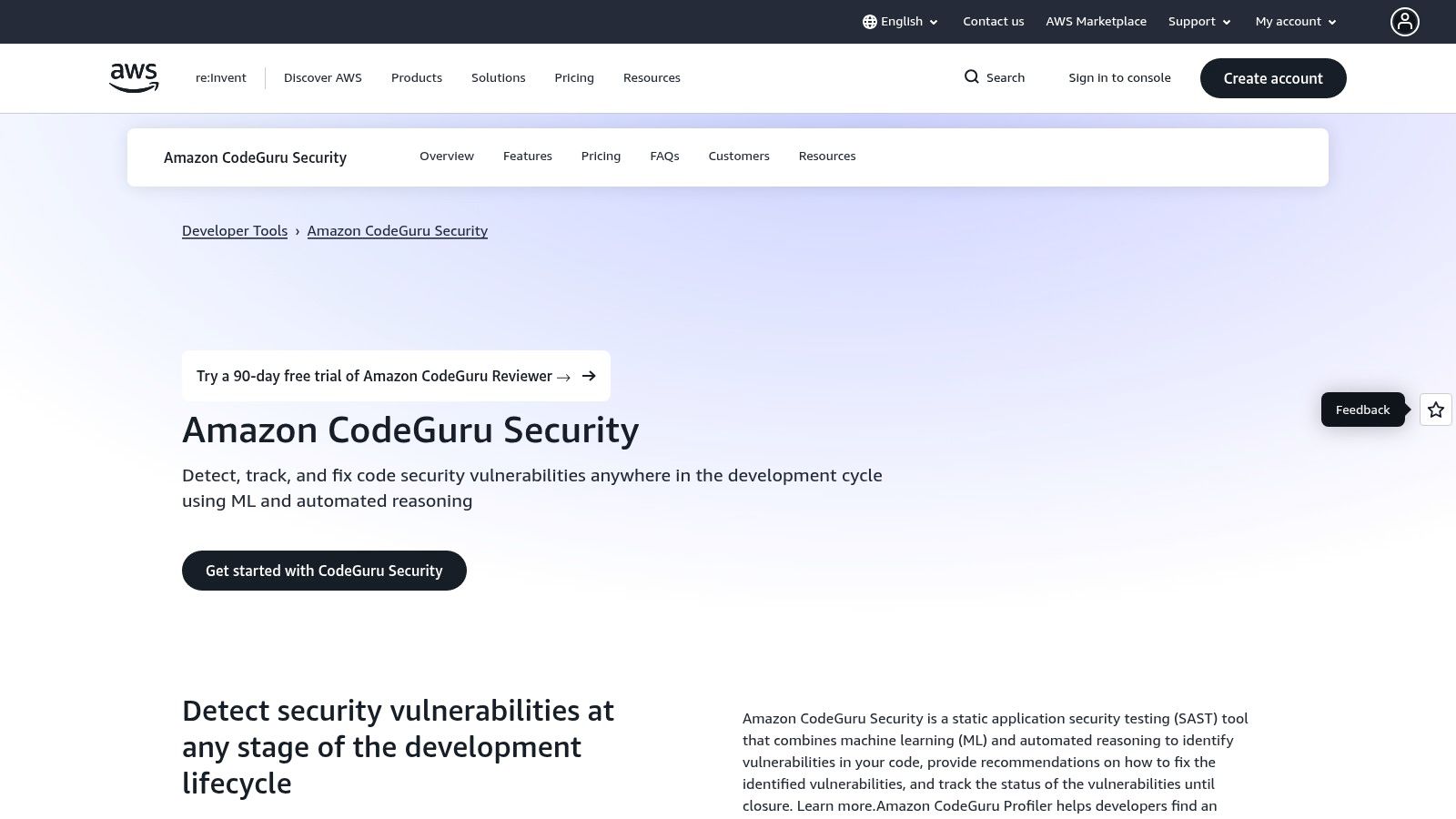
11. AWS CodeGuru Reviewer
For teams deeply embedded in the Amazon Web Services ecosystem, AWS CodeGuru Reviewer offers a native, AI-powered solution for automating code reviews. It integrates directly with repositories in AWS CodeCommit, GitHub, and Bitbucket, providing intelligent recommendations to improve code quality and identify security vulnerabilities. Its primary advantage is its seamless fit within the broader suite of AWS developer tools.
What makes CodeGuru stand out is its use of machine learning models trained on decades of Amazon.com and AWS codebases. This allows it to detect subtle and hard-to-find defects, such as resource leaks, security issues, and deviations from AWS best practices. The service provides actionable feedback directly within pull requests, making it one of the more integrated AI-driven code review automation tools available.
Key Features & Use Case
- AI-Powered Recommendations: Identifies concurrency issues, resource leaks, and security flaws based on ML models.
- AWS Best Practices: Scans for incorrect or inefficient use of AWS APIs and SDKs.
- CI/CD Integration: Triggers scans automatically within pull requests on supported platforms like GitHub.
- Predictable Pricing: Offers a fixed monthly cost based on the number of lines of code in a repository, simplifying budget management.
Practical Use Case: A backend team using Lambda and DynamoDB can use CodeGuru to automatically scan every pull request. The tool flags inefficient DynamoDB query patterns, potential null pointer exceptions in their Java code, and ensures the code correctly handles AWS SDK exceptions, all before a human reviewer even sees the changes. This preemptively enforces cloud-specific best practices.
12. GitHub Marketplace (Code Review category)
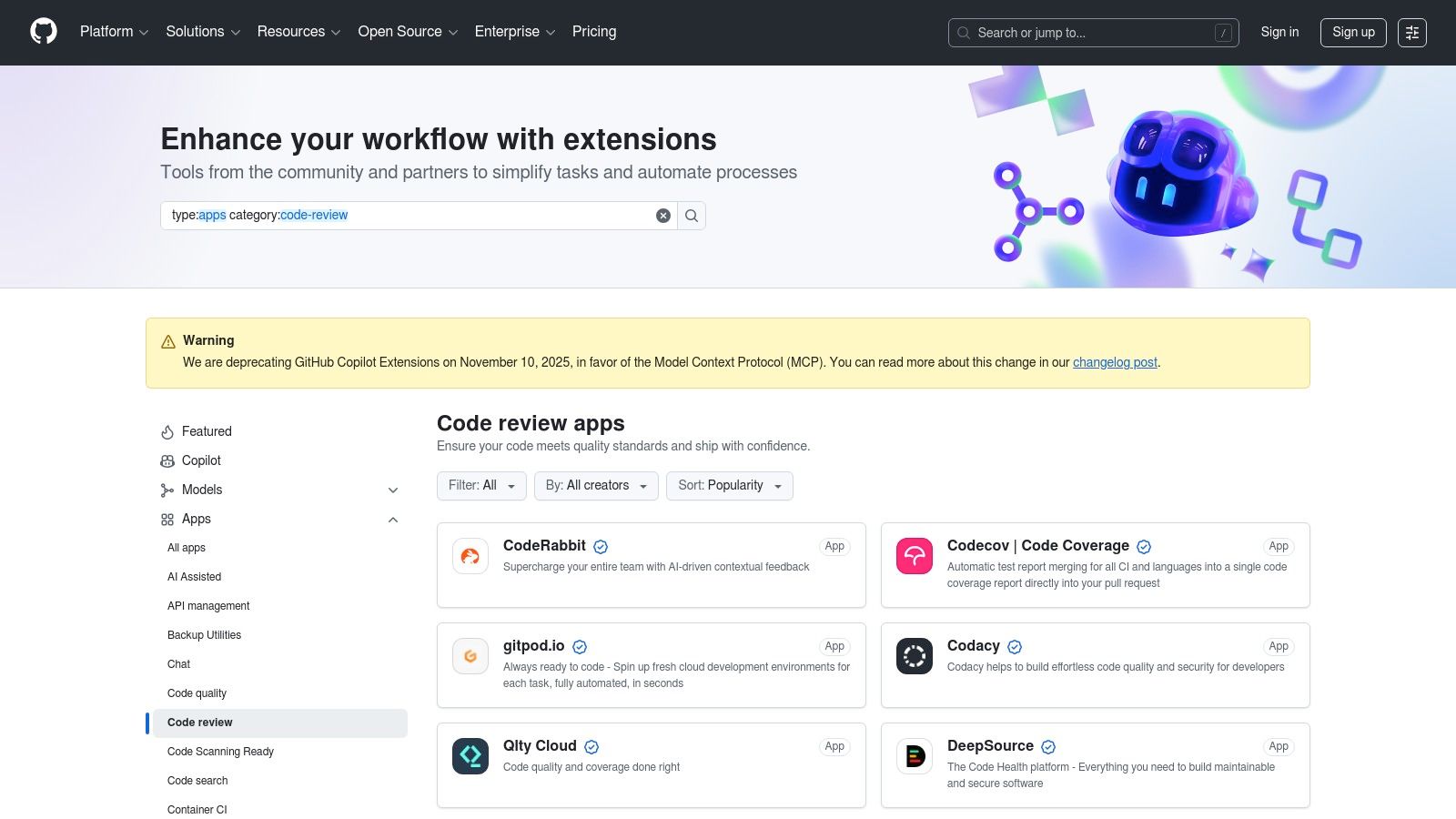
For teams deeply embedded in the GitHub ecosystem, the GitHub Marketplace is the most direct path to discovering and integrating specialized code review automation tools. It acts as a centralized app store where you can find, purchase, and install third-party applications that extend GitHub’s native capabilities, with billing conveniently consolidated through your existing GitHub account. This seamless procurement process removes significant friction for engineering teams.
What makes the Marketplace stand out is its dedicated “Code Review” category, which aggregates a diverse range of solutions. Instead of building every check yourself, you can deploy pre-built bots for AI-powered suggestions, security scanning, code coverage enforcement, and style consistency. This allows teams to layer specialized, best-in-class tools directly into their pull request workflow without managing separate vendors or complex integrations.
Key Features & Use Case
- Dedicated Code Review Category: A curated section featuring popular tools like Codacy, DeepSource, and various AI code reviewers.
- Unified Billing & Installation: Apps are installed at the organization or repository level and managed through GitHub billing.
- Diverse Tooling Selection: Find everything from static analysis and security scanners to merge automation and accessibility checkers.
- GitHub Actions Integration: Many apps are available as GitHub Actions, allowing for easy integration into existing CI/CD pipelines.
Practical Use Case: A frontend team wants to add automated accessibility (a11y) and code coverage checks to their PRs without building custom Actions. They can browse the Marketplace, find an accessibility bot and a coverage tool like Codecov, and install them with a few clicks. The new checks will automatically run and post statuses on every new PR, blocking merges that fail to meet the defined a11y standards or drop test coverage below 85%.
Core Features Comparison of 12 Code Review Automation Tools
| Tool | Core Features / Highlights | UX & Quality Metrics | Value & Pricing 💰 | Target Audience 👥 | Unique Selling Points ✨ |
|---|---|---|---|---|---|
| GitHub | Inline PR reviews, branch protection, GitHub Actions | Smooth UX ★★★★☆ | Free to large enterprise tiers 💰 | GitHub teams & open source 👥 | Vast app ecosystem, minimal context switching 🏆 |
| GitLab | Merge Request reviews, CI, security checks, policy controls | Integrated CI & quality ★★★★☆ | Transparent tiers, trials 💰 | Full DevSecOps teams 👥 | All-in-one platform (source+CI+security) ✨ |
| Azure DevOps | Branch policies, AI extensions, unlimited private repos | MS integration, predictable UX ★★★☆☆ | Free 5 users then per-user 💰 | Microsoft-centric orgs 👥 | Tight MS ecosystem integration ✨ |
| Gerrit Code Review | Open source, plugin-extensible, fine-grained workflows | Highly customizable ★★★★☆ | Free (open source) | Large/regulated projects 👥 | Workflow complexity & control 🏆 |
| Reviewable | Smart GitHub PR reviews, line-mapping, batch comments | Saves review time ★★★★☆ | Paid, GitHub only 💰 | GitHub users with large PRs 👥 | Optimized for iterative, large PRs ✨ |
| SonarQube / Sonar | PR quality gates, SAST, code smells, multi-lang support | Extensive rules ★★★★☆ | Server/cloud, complex pricing 💰 | Teams needing quality & security 👥 | Mature compliance, multi-language 🏆 |
| Codacy | Automated PR comments, AI safety, integration | Simple UX, real-time feedback ★★★☆☆ | Per-seat plans, variable 💰 | Small to mid-size teams 👥 | Local coding guardrails, AI-assisted ✨ |
| DeepSource | Autofix, transformers, unlimited runs on paid tiers | Quick onboarding ★★★★☆ | Predictable per-seat 💰 | Dev teams wanting fixes ✨ | Autofix + code transforms 🏆 |
| Qlty Cloud | PR status checks, diff coverage, security scans | Developer-friendly UX ★★★☆☆ | Signup/contact for pricing 💰 | Migration from Code Climate 👥 | Modern plugin system, performance boost ✨ |
| Snyk Code | Inline PR security checks, AI fix suggestions | Robust security tooling ★★★★☆ | Free tier limits, enterprise sales 💰 | Security-conscious devs 👥 | Consolidated SAST, SCA & IaC scanning ✨ |
| AWS CodeGuru Reviewer | Automated reviews, security recs, AWS ecosystem integration | Predictable UX ★★★☆☆ | Fixed pricing by LOC 💰 | AWS-centric teams 👥 | AWS-native integration, simple pricing ✨ |
| GitHub Marketplace (Code Review) | Collection of code review apps, AI reviewers, policy bots | Mixed UX quality ★★★☆☆ | Mostly free/paid apps 💰 | GitHub orgs seeking tooling 👥 | Fast app discovery & install 🏆 |
Choosing and Implementing Your Automation Stack
Navigating the landscape of code review automation tools can feel overwhelming, but the journey from manual checks to a streamlined, automated workflow is a powerful investment in your team’s productivity and code quality. As we’ve explored, the right tool for you depends entirely on your specific context. A startup might prioritize the integrated, all-in-one solutions of GitHub or GitLab, while a large enterprise with strict security mandates may lean on specialized tools like Snyk Code or SonarQube.
The key takeaway is that no single tool is a silver bullet. The most effective strategies often involve a carefully selected “stack” of tools. For instance, you might use GitHub’s native pull request features for peer review, layer on DeepSource for deep static analysis and autofixes, and integrate Snyk to catch security vulnerabilities before they hit production. This layered approach creates a comprehensive safety net that catches a wider range of issues without overburdening any single part of the process.
From Selection to Successful Implementation
Choosing the right tool is just the first step; successful implementation is about integrating it seamlessly into your team’s workflow. Start by identifying your biggest pain point: is it security, style consistency, or pull request turnaround time? Use that to shortlist two or three of the most promising code review automation tools from this list.
A great way to test a tool’s value is to apply it to a real-world scenario, like ensuring a new feature branch meets all quality gates before it can be merged. You can create a practical checklist to validate your setup, ensuring it’s optimized for both performance and developer experience.
Here’s a prompt you can adapt to confirm your chosen tool is configured correctly for your project:
✅ Prompt
“Checklist: confirm our new code review tool [Tool Name] is correctly configured for our [Language/Framework] project. Verify it comments on PRs, blocks merges on critical issues, integrates with Slack, and that developers can easily suppress false positives. Give me a clear yes/no on each item and steps to fix anything missing.”
📝 Example Response
[Tool Name] - Implementation Checklist
- PR Decoration → Comments appear on new PRs? → ✅ Yes
- Status Checks → Failing check blocks merging? → ✅ Yes
- Configuration → Custom ruleset (
.tool_config.yml) is active? → ✅ Yes - Notifications → Slack alerts for critical issues are working? → ❌ No → Fix: Re-authenticate the Slack app in [Tool Name] settings.
- False Positives → Can developers ignore specific findings? → ✅ Yes
Result: 4/5 checks passed. Only Slack notifications need fixing.
Final Thoughts
By systematically evaluating, testing, and integrating these tools, you build a robust, automated review process that supports your team instead of slowing them down. This shift frees up valuable engineering time, allowing developers to focus on solving complex problems rather than spotting missing semicolons. The ultimate goal is to create a culture where high-quality code is the path of least resistance, and the right automation stack is your most powerful ally in achieving that.
Automating code review is a huge step, but what about understanding and optimizing the new workflows you create? Zest provides visibility into how your team adopts tools, shares knowledge, and uses AI assistants, helping you turn individual best practices into repeatable, team-wide habits. See how your team really works and find your next big productivity win at Zest.
Gallery
Lemon shots



