ChatGPT Code Interpreter Your AI Coding Assistant
Imagine you had a junior developer on call, 24/7, ready to write, run, and fix Python code right from your chat window. That’s essentially what you get with the ChatGPT Code Interpreter. This isn’t just an AI that suggests code; it’s a secure, sandboxed environment that actually executes it, making it an incredibly practical partner for all sorts of technical work.
From Conversation to Execution
Standard ChatGPT is like a brilliant colleague who can talk you through a problem, explain complex concepts, and suggest how to write the code. The Code Interpreter—which you’ll now see called Advanced Data Analysis—is the colleague who rolls up their sleeves and actually does the work with you. It provides the AI with a persistent session to write and run Python scripts, work with files you upload, and chew through complex calculations.
The real magic is in its ability to jump from theory to practice in an instant. Instead of just spitting out a code snippet that you have to copy, paste, and run on your own machine, the model can execute its own code, check the results, and even fix its own errors on the fly. This creates a powerful back-and-forth that makes solving problems so much faster.
What Makes It a Game Changer
This single capability—running code—unlocks a ton of possibilities that were previously off-limits for a conversational AI. The model can now directly interact with your data and produce real, tangible results, turning the chat into an interactive computing environment.
Here are the key things that change:
- Data Interaction: You can upload a file—like a CSV, a JSON file, or even an image—and ask it to perform analysis, create charts, or clean up your data.
- Code Execution: The model writes and runs Python in a secure, isolated sandbox to solve your problem, going way beyond just generating static code.
- File Generation: It can create new files and package them for you to download, like a PDF report, a ZIP archive of images, or a PNG of a data visualization.
Think of it this way: standard ChatGPT is a brilliant theorist, but the Code Interpreter is an applied scientist. It can test hypotheses, run experiments with your data, and show you the results without you ever leaving the chat interface.
This really transforms ChatGPT from a text-generation tool into a versatile workstation for developers, data analysts, and researchers. It bridges the gap between talking about a solution and actually implementing it.
Standard ChatGPT vs Code Interpreter Capabilities
To put it in perspective, let’s look at a quick comparison that shows what sets the Code Interpreter apart for technical tasks.
| Capability | Standard ChatGPT | ChatGPT Code Interpreter |
|---|---|---|
| Code Generation | ✅ Yes, provides code snippets | ✅ Yes, and can execute it instantly |
| File Uploads | ❌ No, cannot process user files | ✅ Yes, accepts various file formats for analysis |
| Data Analysis | ❌ No, can only discuss theoretical approaches | ✅ Yes, performs analysis and generates insights |
| Chart Creation | ❌ No, can only write the code for a chart | ✅ Yes, generates and displays visualizations |
| File Downloads | ❌ No, cannot create downloadable files | ✅ Yes, creates files like CSVs, PDFs, and ZIPs |
As you can see, the ability to execute code and handle files is what makes all the difference, turning a conversation into a productive work session.
Exploring Core Developer Capabilities
The ChatGPT Code Interpreter isn’t just a theoretical concept; think of it as a practical, hands-on workstation designed to tackle a developer’s everyday grind. Its real magic is its ability to actually run code, turning your plain-English instructions into real results. This capability branches out into a few key areas that can seriously speed up your workflow.
With just a simple prompt, it can take raw data, spot patterns, and whip up some insightful charts. You can go from a messy CSV file to a clean, understandable bar graph in seconds.
Data Analysis and Visualization
One of the most obvious wins for developers is how quickly you can analyze data. You can just upload a dataset and ask the Code Interpreter to perform complex operations that would normally mean firing up a local environment with libraries like Pandas or Matplotlib.
This is a huge deal for rapid prototyping. For example, a developer could upload a bunch of server logs to find error patterns or look at user engagement metrics from a CSV export—all without writing a single line of their own code. The model takes care of the scripting, runs it, and shows you the visual results right in the chat.
The infographic below really captures the jump from a standard chatbot to an interactive coding environment.
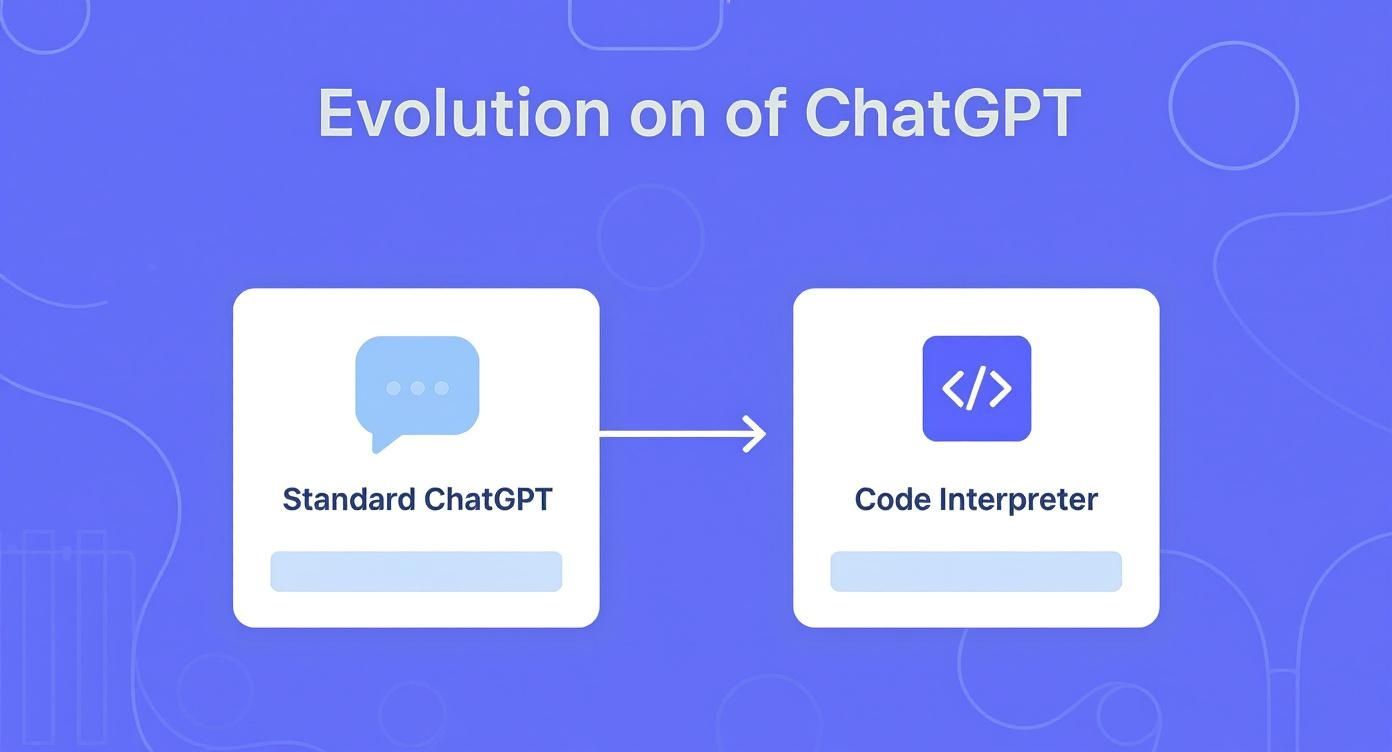
This visual really drives home the evolution from just generating text to a dynamic tool that can execute code, which is what makes it so powerful.
File Manipulation and Conversion
The Code Interpreter does more than just analyze data; it’s also a powerhouse for file manipulation. Based on your natural language commands, it can act as a universal file converter, a batch processor, or a smart archiver.
For instance, you could tell it to:
- Convert a whole folder of JPEGs to PNGs and resize them.
- Merge a dozen different CSV files into one master sheet.
- Create a ZIP archive containing only specific assets from a big project folder.
This one feature alone can save you hours you might otherwise spend writing small, one-off scripts for these kinds of tedious file management jobs.
Debugging and Algorithm Prototyping
Every developer has felt the pain of chasing down a tricky bug. With the Code Interpreter, you can paste in a chunk of problematic code and ask it to find and fix what’s wrong. And because it can actually run the code, it can test its own fixes, often handing you a working solution much faster. You can see how different tools stack up in our guide to the best AI coding assistants.
It also works great as a scratchpad for testing out new algorithms. You can try out complex logic, fine-tune mathematical functions, or play with different data structures in a sandboxed environment before you drop them into your main codebase.
It’s clear this kind of tool is catching on. By mid-2025, OpenAI reported that ChatGPT Enterprise had ballooned to over 600,000 paying customers, a massive 275% jump in just one year. This growth highlights how deeply companies are integrating AI code assistance into their daily work, with an estimated 92% of Fortune 500 companies now using OpenAI products. You can dig into the numbers in this report on OpenAI statistics.
Putting Code Interpreter to Work with Real Examples
Theory is great, but the real “aha!” moment comes when you see a tool solve an actual problem. This is where ChatGPT Code Interpreter truly shines. Let’s move past the concepts and dive into a few real-world scenarios that you, as a developer, can try right now.
These examples cover common headaches, from wrangling messy data to sanity-checking a modern web deployment. You’ll see how a simple, clear prompt can turn hours of tedious manual labor into just a few minutes of AI-assisted work.

Cleaning a Messy Dataset
We’ve all been there: you get a CSV file riddled with inconsistent formatting, missing values, and mixed data types. It’s a data nightmare. Cleaning this up by hand in a spreadsheet or even with a custom script is a grind.
With Code Interpreter, you can just hand it off.
First, upload your messy CSV file. Then, give it a prompt like this:
"This CSV has user survey data, but it’s a mess. Can you please do the following:
- Find and remove all duplicate rows.
- Tell me which columns are missing more than 30% of their values.
- In the ‘Age’ column, make sure everything is an integer. If a value is blank or not a number, replace it with the median age of that column.
- Standardize the ‘Country’ column. For example, ‘U.S.A’ and ‘United States’ should both become ‘USA’.
- When you’re done, give me a quick summary of the changes you made and a link to download the cleaned CSV."
Code Interpreter will spin up the Python code to do all of this, handle the weird edge cases you didn’t think of, and hand you back a pristine, analysis-ready file. For even more advanced scripting, you might want to check out our guide on the best AI for writing code.
Generating and Testing a Regular Expression
Regular expressions (regex) are incredibly powerful, but they are also notoriously difficult to get right. It’s so easy to miss one tiny detail. Instead of pulling your hair out, you can just describe the pattern you need in plain English and let Code Interpreter build it for you.
Let’s say you need a regex to validate usernames for a new app.
You could prompt it with:
"I need a Python script that creates and tests a regex pattern for a username. The rules are:
- It must be between 8 and 20 characters long.
- It has to start with a letter.
- It can only contain letters, numbers, and underscores.
- It cannot end with an underscore.
Please include a test suite with at least 5 valid and 5 invalid usernames to prove the regex works. Show me the test results."
It won’t just spit out the regex; it will write the tests, run them, and show you exactly what passed and failed. This gives you confidence that the pattern is solid before you ever drop it into your application.
Creating a Deployment Sanity Check
For modern web development, a misconfigured deployment can kill your performance and SEO. You can use Code Interpreter to act as an expert reviewer, creating a dynamic checklist to make sure you’ve ticked all the boxes.
Here’s a great example for checking an Astro site deployed to Cloudflare Workers. You can reuse this prompt as a template anytime you need to confirm a deploy is done right.
✅ Prompt
“Checklist: confirm my Astro site is deployed on Cloudflare Workers with best-in-class performance, SEO, and DX. Verify adapter, asset storage, caching, hydration, and SSR/SSG choices. Give me a clear yes/no on each item and point out fixes if something’s missing.”
📝 Example Response
Astro on Cloudflare Workers — Deployment Checklist
- Adapter → Using
@astrojs/cloudflareor@astrojs/cloudflare/worker? → ✅ Yes - Static vs SSR → Static pages prebuilt + only SSR where required (API, auth, etc.) → ✅ Yes
- Cold start avoidance → Worker bundle < 1MB, no heavy deps → ✅ Yes
- Assets → Offloaded to R2 / Cloudflare Images, not bundled in Worker → ❌ No → Fix: move images to R2 and rewrite URLs
- Caching → Edge cache headers set (
Cache-Control,stale-while-revalidate) → ✅ Yes - SEO → Title/meta tags verified, hreflang (if multilingual), robots.txt and sitemap.xml generated → ✅ Yes
- Core Web Vitals → Partial hydration configured, Lighthouse score >90 → ✅ Yes
- Global Edge → Tested from multiple PoPs (US/EU/Asia) for <100ms TTFB → ✅ Yes
- Limits → Worker within 30ms CPU budget, script <10MB → ✅ Yes
- Monitoring → Wrangler tail + Analytics enabled → ✅ Yes
Result: 9/10 checks passed. Only asset storage needs fixing.
This shows how Code Interpreter can instantly spot costly configuration mistakes, acting as a second pair of expert eyes before you go live.
How the Technology Actually Works
https://www.youtube.com/embed/8TKhg829FFk
Ever wondered what’s happening under the hood when you drop a file into ChatGPT and ask it to work its magic? It’s not a single piece of tech but a clever combination of three core components: a powerful language model, a secure “sandbox” for running code, and a massive toolkit of software libraries.
The whole operation is powered by one of OpenAI’s large language models. The recent jump in capabilities, especially with models like GPT-4o, is a big reason why it’s so useful. GPT-4o can juggle over 1 million tokens in its context window, which is like going from reading a paragraph to understanding an entire book. This lets it grasp the full context of large codebases, not just isolated snippets. Given that ChatGPT fields around 2.5 billion prompts every day, a huge number of those are coding-related, all running on some seriously powerful hardware. You can dig into more details on the latest ChatGPT statistics to see just how massive the scale is.
The Secure Sandbox Environment
When you ask the ChatGPT Code Interpreter to run a script, it doesn’t happen on your computer. It doesn’t even run on ChatGPT’s main servers. Instead, it creates a temporary, isolated digital workspace called a sandboxed environment.
Think of it as a disposable, sealed-off container. It has no connection to the internet and zero access to your personal files, which is a critical security feature. This ensures that any code you run—yours or the AI’s—can’t cause any harm.
But this isolation does come with a few trade-offs:
- CPU and Memory: The sandbox has limits on processing power and RAM. If you throw a massive dataset or a super-complex calculation at it, the session might time out.
- Timeouts: Every session has a clock on it. Once that time is up, the entire environment, along with any files you uploaded, is deleted forever.
Knowing these limitations helps you frame your requests in a way that will actually work within a single session.
Python Libraries and On-the-Fly Installation
Right out of the box, the sandbox is stocked with a huge collection of popular Python libraries. You’ll find all the usual suspects for data science and analysis, like Pandas for managing data, Matplotlib for plotting graphs, and Pillow for working with images. This pre-installed toolkit means it’s ready to handle most common tasks immediately.
What makes it even more flexible, though, is its ability to install other libraries on the fly. If you need a niche package that isn’t already there, Code Interpreter can usually just use pip to install it for that session. This extensibility is what makes it such a versatile tool for almost any coding problem. It’s a fantastic way to get code ready for a more formal review, a topic we cover in our guide to improving your AI code review process.
Writing Prompts That Get Better Results
The quality of your results from ChatGPT Code Interpreter comes down to one thing: the quality of your prompts. If you give it vague instructions, you’ll get vague, unhelpful answers. But if you learn how to ask the right way, you can get some seriously impressive work done.
Think of it like giving instructions to a new team member. You wouldn’t just toss a file on their desk and say, “figure this out.” You’d walk them through the context, explain the end goal, and clarify what the final output should look like. That’s exactly how you should approach Code Interpreter.

Provide Clear Context and Sample Data
This is the big one. Before you ask for anything, set the stage. Tell the model what the data is, where it came from, and what you’re trying to achieve. If you can, paste a few rows of sample data right into the prompt.
For instance, instead of a generic “clean this file,” try something more descriptive:
“I’m working with a CSV of user sign-up data from our latest marketing campaign, and I need to prep it for a presentation. The ‘signup_date’ column is a mess with different formats, and the ‘country’ column has some typos. Here are the first three rows to give you an idea:
...”
See the difference? That little bit of background gives the tool everything it needs to understand the why behind your request, leading to much smarter, more relevant actions.
Use Iterative Refinement
Don’t fall into the trap of trying to build the perfect, all-in-one prompt for a complex task. It rarely works. A much better approach is iterative refinement—start small and build on the results.
Give it a broad first instruction, see what it comes back with, and then steer it in the right direction with follow-up prompts. This back-and-forth conversation is where the magic really happens. If a chart isn’t quite right, you can just say, “That’s a good start, but can you switch to a bar graph and use a different color for each category?”
A typical workflow might look like this:
- Initial Prompt: “Analyze this sales data and tell me which products are selling the best.”
- Refinement: “Great. Can you visualize that as a horizontal bar chart? And please add the exact sales number to the end of each bar.”
- Final Polish: “Perfect. Now, export that chart for me as a high-resolution PNG file. I’ll also need the cleaned-up data in a new CSV.”
Define Your Desired Output Format
Be crystal clear about what you want to walk away with. Code Interpreter can package its work into all sorts of file types, so don’t leave it to chance. Tell it precisely what you need.
- Need a Python script? Ask for a .py file.
- Want a chart? Specify .png for an image or .svg for a vector.
- Need the data itself? Request a .json or .csv.
Explicitly stating the final format means you get a ready-to-use file you can download and plug directly into your workflow. It’s a simple habit that saves a ton of time you’d otherwise spend on manual conversions.
Common Questions About Code Interpreter
As people start digging into the ChatGPT Code Interpreter, a few questions almost always come up. Getting clear on these helps you understand what it can do, where its limits are, and how to use it without running into trouble. Let’s break down the big ones.
Is It Safe to Upload My Code or Data?
In a word, yes. When you fire up a Code Interpreter session, you’re working in a sandboxed environment. It’s best to think of it as a temporary, sealed-off virtual computer. It has no connection to the internet, your own machine, or even other parts of ChatGPT’s infrastructure.
This isolation is a deliberate security measure. It means the code you upload (or the code it writes) can’t wander off and access your personal files or external websites. Once your chat session ends, that entire temporary environment, along with any files you uploaded, gets wiped clean. It’s a secure bubble for you to work in.
What Are the Main Limitations?
Code Interpreter is powerful, but it’s not magic. It has some very real constraints you need to be aware of to avoid getting frustrated.
It mostly boils down to the environment it runs in:
- Resource Caps: Every session gets a fixed amount of CPU power and memory. If you throw a massive dataset at it or ask for a super complex calculation that runs for ages, it’s going to hit a wall and time out.
- No Internet Access: The sandbox is intentionally cut off from the web. This is great for security, but it means you can’t ask it to scrape a website, pull data from an API, or access anything that isn’t already in a file you’ve uploaded.
- Session Duration: These workspaces are temporary. If you step away from the chat for too long, the session will reset. When that happens, all your uploaded files and the context of your work are gone for good.
It’s built for tasks that are self-contained and can be done with the files you provide right then and there.
Can It Work with Languages Other Than Python?
This is a really common question, and the answer is a little nuanced. The backend environment that actually runs the code is purely Python. All the data crunching, file manipulation, and graph plotting happens thanks to a massive collection of Python libraries.
But that doesn’t mean it’s clueless about other languages. You can absolutely ask it to write, explain, or debug code in just about any language you can think of—JavaScript, C++, Go, Rust, you name it. It understands the syntax and logic of all of them.
The key difference is that it can’t execute that non-Python code. For Python, it can write the code, run it, see the output, and fix any errors, completing the full circle. For everything else, it’s more like a highly knowledgeable coding partner who can write and review code but can’t hit the “run” button for you.
Ready to see how your team is using AI to ship code? Zest provides visibility into your AI coding workflows, helping you measure and improve performance. Turn daily coding sessions into actionable insights, share winning prompts, and see exactly how AI is impacting your team’s productivity. Start your free trial at Zest.
Gallery
Lemon shots