
Best Code Review Tools: best code review deepcode codacy sonarqube & More

Manual code reviews are a significant bottleneck in modern software development. They are time-consuming, inconsistent, and often fail to catch subtle bugs or complex security vulnerabilities. This problem is magnified by the increasing adoption of AI coding assistants, which can generate vast amounts of code that still requires rigorous validation. Relying solely on human oversight is no longer a scalable or effective strategy for ensuring code quality and security. The solution is to augment your process with powerful, automated code analysis tools.
This comprehensive guide dives deep into the best code review tools available today, helping you find the perfect fit for your team’s specific needs. We will provide a detailed comparison of top contenders like DeepCode (now Snyk Code), Codacy, and SonarQube, alongside other powerful alternatives. You’ll get a clear breakdown of their strengths and weaknesses across critical areas:
- AI-Powered Analysis: How they use machine learning to find complex issues.
- Language & Framework Support: Which ecosystems they cover best.
- IDE Integration: Seamless support for editors like VS Code and Cursor.
- Pricing & Deployment: Cloud vs. self-hosted options and their costs.
- Actionable Reporting: How they present findings to developers.
Each entry includes screenshots, direct links, and an honest assessment of its ideal use case, from individual developers to large enterprise teams. We’ll also explore how to integrate these platforms into a modern, AI-assisted workflow, using tools like Zest to standardize best practices and measure the impact on your team’s productivity. Forget surface-level feature lists; this article provides the practical insights you need to upgrade your review process, ship code faster, and improve quality.
1. Codacy
Codacy positions itself as a streamlined, cloud-first platform for automating code quality and security analysis. Its primary strength lies in its incredibly fast onboarding process. Unlike tools that require complex CI/CD pipeline configurations, Codacy integrates directly with cloud Git providers like GitHub, GitLab, and Bitbucket with just a few clicks. This makes it an excellent choice for teams that want to implement automated checks without a heavy engineering investment.

The platform delivers AI-powered feedback directly within pull requests, covering static analysis (SAST), secrets detection, and dependency vulnerabilities across more than 49 languages. This immediate feedback loop helps developers fix issues before they merge, enforcing organization-wide quality standards. Codacy also offers IDE integrations for VS Code, Cursor, and JetBrains, bringing its insights directly into the developer’s local environment. This is especially useful for teams adopting AI-generated code, as Codacy can act as a guardrail. Its clear dashboards for tracking test coverage and team performance provide managers with valuable visibility. While it lacks support for self-hosted Git servers, its ease of use for cloud-based teams is a major advantage. To see how this fits into a broader strategy, you can find a deeper dive into code review best practices and explore how Codacy can help.
Key Features & Use Case
- Ideal Use Case: Teams on GitHub, GitLab, or Bitbucket (cloud versions) who need a fast, zero-configuration setup for automated code quality and security checks directly in their pull requests.
- AI-Powered Feedback: Provides suggestions and identifies issues ranging from style to complex security vulnerabilities.
- Test Coverage Tracking: Visualizes code coverage metrics over time, helping teams identify untested code and manage risk.
- IDE Integration: Linters and analysis run directly in VS Code, Cursor, and JetBrains, catching issues before a commit is even made.
Pricing & Access
Codacy offers a transparent pricing model. It’s free for open-source projects and public repositories. For private projects, there’s a 14-day free trial, after which paid plans are required to access advanced features and support for larger teams.
Pros & Cons
- Pro: Extremely simple and fast to set up; no CI pipeline modification is necessary.
- Pro: Clear, user-friendly interface and actionable dashboards.
- Con: Limited to cloud-based Git providers; no support for self-hosted enterprise servers.
- Con: Some of the most powerful features are gated behind the paid tiers.
Website: https://www.codacy.com/
2. SonarQube Server (self-hosted)
SonarQube is a mature, open-core platform for continuous inspection of code quality and security, specifically designed for organizations that require on-premise control. Its self-hosted nature makes it the go-to solution for companies in regulated industries or those with strict data governance policies that prevent the use of cloud-based services. SonarQube provides in-depth static analysis that identifies bugs, code smells, and security vulnerabilities, integrating directly into the CI/CD pipeline to act as a quality gate before deployment. This on-premise model offers complete control over data, configuration, and security.

The platform supports over 30 languages and offers powerful features like pull request decoration, branch analysis, and secrets detection. For larger organizations, its enterprise-level reporting and portfolio management tools are a significant differentiator, providing a high-level overview of project health and technical debt across the entire organization. While the operational overhead of self-hosting is a key consideration, the trade-off is unparalleled control and an established, reliable ecosystem. The comparison of SonarQube with tools like DeepCode and Codacy often comes down to this fundamental choice between self-hosted governance and cloud-based convenience.
Key Features & Use Case
- Ideal Use Case: Enterprises and regulated teams that need a self-hosted, on-premise static analysis tool for comprehensive code quality, security, and governance.
- Enterprise Governance: Delivers advanced portfolio management and auditing features to track quality and risk across multiple teams and projects.
- Deep CI/CD Integration: Acts as a quality gate within build pipelines (e.g., Jenkins, Azure DevOps), failing builds that do not meet defined standards.
- Extensive Language Support: Provides deep analysis for over 30 programming languages, frameworks, and IaC platforms.
Pricing & Access
SonarQube’s self-hosted Community Edition is free and open-source, offering core analysis features. For advanced capabilities like pull request decoration, security reports, and support for more languages, paid Developer, Enterprise, and Data Center editions are required. Pricing for these tiers is typically based on the number of lines of code analyzed.
Pros & Cons
- Pro: Complete control over data and infrastructure, ideal for compliance and security-conscious organizations.
- Pro: Strong auditing and governance features for large-scale enterprise use.
- Con: Self-hosting introduces significant operational and maintenance overhead.
- Con: Pricing based on lines of code can become very expensive for organizations with large codebases.
Website: https://www.sonarsource.com/plans-and-pricing/
3. SonarQube Cloud (SonarCloud)
SonarQube Cloud, known as SonarCloud, offers the robust static analysis engine of SonarQube as a fully managed cloud service. It is designed for teams using cloud-based Git providers like GitHub, Bitbucket, and Azure DevOps who want Sonar’s powerful analysis without the overhead of managing a server. SonarCloud excels at providing continuous code quality and security feedback directly within the CI/CD pipeline and pull requests, making it a staple for organizations committed to the “Clean as You Code” philosophy.
The platform integrates smoothly into developer workflows, decorating pull requests with quality gate statuses, issue reports, and test coverage metrics. This immediate feedback helps developers address bugs, vulnerabilities, and code smells before they become part of the main codebase. Recently, Sonar has been embedding AI-powered features like SonarQube CodeFix and AI-enhanced detection rules, which automatically suggest fixes for common problems. This blend of trusted analysis with modern AI assistance makes SonarCloud a powerful competitor in the landscape of tools like DeepCode, Codacy, and SonarQube itself.
Key Features & Use Case
- Ideal Use Case: Teams using cloud Git platforms (GitHub, Bitbucket, Azure DevOps) who need enterprise-grade Sonar analysis without the burden of self-hosting.
- PR Decoration: Provides rich feedback and quality gate checks directly within pull requests to prevent bad code from being merged.
- AI CodeFix & Assurance: Leverages AI to provide context-aware fix suggestions and enhance the accuracy of security rule detection.
- Secrets Detection: Scans code to identify and flag exposed credentials, API keys, and other sensitive information.
Pricing & Access
SonarCloud is free for open-source projects, offering unlimited scanning. For private projects, it provides a free tier with a cap on lines of code and users. Paid plans are based on the total number of private lines of code analyzed, offering a flexible pricing model that scales with your organization’s needs.
Pros & Cons
- Pro: Maintenance-free, managed service providing the full power of Sonar’s analysis engine.
- Pro: Flexible lines-of-code-based billing and a generous free tier for small private projects.
- Con: The lines-of-code caps on paid plans can be restrictive for very large, monolithic private repositories.
- Con: Less configurable than the self-hosted SonarQube Community or Enterprise editions.
Website: https://www.sonarsource.com/plans-and-pricing/sonarcloud/
4. Snyk Code (DeepCode AI)
Snyk Code leverages the powerful semantic analysis of DeepCode AI to deliver a developer-first static application security testing (SAST) tool. It excels at providing fast, accurate, and low-noise results directly within the developer’s workflow. By integrating into IDEs, source control, and CI/CD pipelines, Snyk Code is designed to find and fix vulnerabilities in real-time without forcing developers to switch contexts, making it a strong contender when comparing tools like DeepCode, Codacy, and SonarQube.

The platform’s standout feature is its AI Fix capability, which offers pre-validated, one-click fixes for identified issues. Its engine uses language-aware taint analysis to trace data flows and uncover complex vulnerabilities that other tools might miss. This approach provides practical, actionable remediation guidance that helps developers learn and improve their security practices. Understanding how tools like Snyk Code leverage AI can be further illuminated by exploring the broader strategies for mastering AI automation for SaaS success. For those interested in a deeper look at how such capabilities are transforming development, you can explore the evolution of AI code review automation.
Key Features & Use Case
- Ideal Use Case: Development teams that prioritize speed and accuracy in security scanning, with a focus on integrating practical, AI-driven fixes directly into their IDEs and pull request workflows.
- DeepCode AI Engine: Provides real-time SAST scans with high accuracy and minimal false positives.
- AI Fix Suggestions: Delivers actionable, pre-validated code suggestions to remediate vulnerabilities quickly.
- Broad Integration: Supports a wide range of languages, IDEs (VS Code, JetBrains), and CI/CD tools for seamless workflow integration.
Pricing & Access
Snyk offers a free tier that includes a limited number of Snyk Code tests per month. Paid plans unlock higher test limits, advanced features like deeper reporting, and enterprise-grade support.
Pros & Cons
- Pro: Extremely fast scans and practical AI-powered fix guidance embedded directly in developer tools.
- Pro: Enterprise privacy options are available, including self-hosted AI models for sensitive codebases.
- Con: Accessing the full suite of features and unlimited scans requires moving to paid tiers.
- Con: The comprehensive platform and various plans can initially be complex to navigate.
Website: https://snyk.io/product/snyk-code/
5. GitHub (Pull Request Reviews + Advanced Security)
As the most ubiquitous platform for source control, GitHub offers a powerful, natively integrated code review experience centered around its pull request (PR) workflow. Its core strength is its seamless integration into the daily developer lifecycle. Teams can enforce quality gates using protected branches, require status checks to pass before merging, and assign specific code owners to automatically request reviews from the right people. This foundational layer makes it an essential tool for any team, regardless of size.
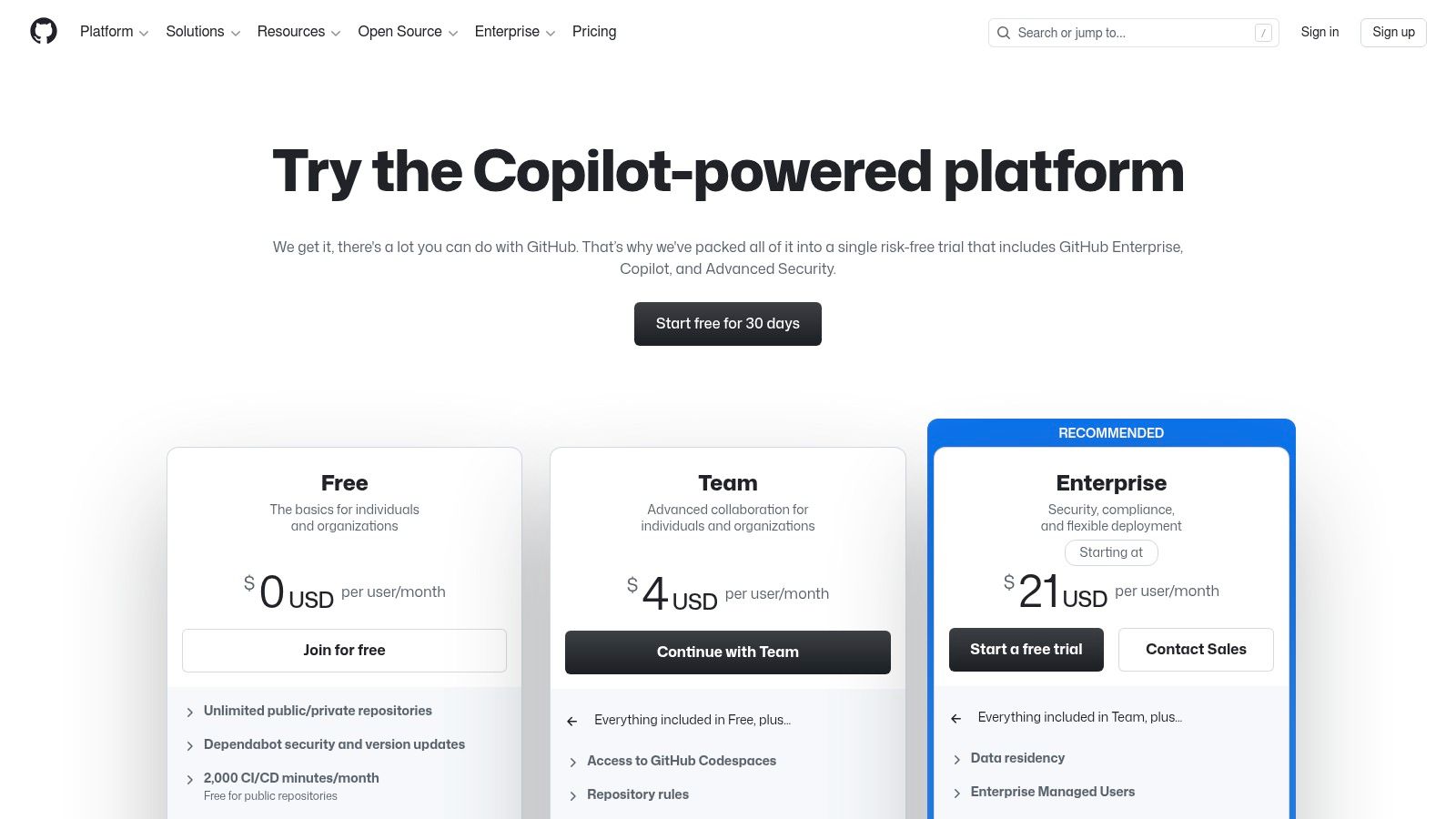
While the basic PR review is manual, GitHub’s true power comes from its extensibility via the Marketplace and GitHub Actions. Teams can integrate nearly any third-party static analysis tool (including many on this list) to run checks automatically. For those seeking a fully native solution, GitHub Advanced Security offers powerful features like CodeQL for deep semantic code analysis, secret scanning, and dependency review directly within the platform. This makes it a comprehensive ecosystem that can scale from simple manual reviews to a fully automated security pipeline. For a deeper understanding of integrating these tools, you can explore more on how to conduct secure code reviews.
Key Features & Use Case
- Ideal Use Case: Development teams of any size already using GitHub for version control who want a native, deeply integrated code review process that can be extended with powerful, first-party security scanning.
- Pull Request Workflow: Includes branch protections, required reviews, and CODEOWNERS files to streamline and enforce review policies.
- Extensible Ecosystem: A massive Marketplace of apps and seamless integration with GitHub Actions allows for limitless customization of CI/CD and analysis pipelines.
- GitHub Advanced Security: An optional add-on providing enterprise-grade SAST (CodeQL), secret scanning, and dependency analysis without leaving the GitHub UI.
Pricing & Access
GitHub offers a free tier for individuals and small teams with core PR features. The Team plan provides more advanced collaboration tools, while the Enterprise plan is required for GitHub Advanced Security and other premium features.
Pros & Cons
- Pro: The platform is already central to most developer workflows, ensuring high adoption.
- Pro: Highly extensible through the GitHub Marketplace and Actions, offering immense flexibility.
- Con: The most powerful automated security features are locked behind the expensive GitHub Advanced Security add-on.
- Con: Relies on third-party tools for many checks unless you purchase the top-tier plan.
Website: https://github.com/pricing
6. GitLab (Merge Request Reviews + DevSecOps)
GitLab offers an all-in-one DevSecOps platform where code review is a tightly integrated component of a much larger workflow, not a standalone feature. Its core strength is unifying source code management, CI/CD, and security scanning into a single application. This approach is ideal for teams looking to minimize toolchain complexity and avoid the overhead of integrating disparate systems. Instead of connecting an external tool, security and quality checks are native to the merge request process.
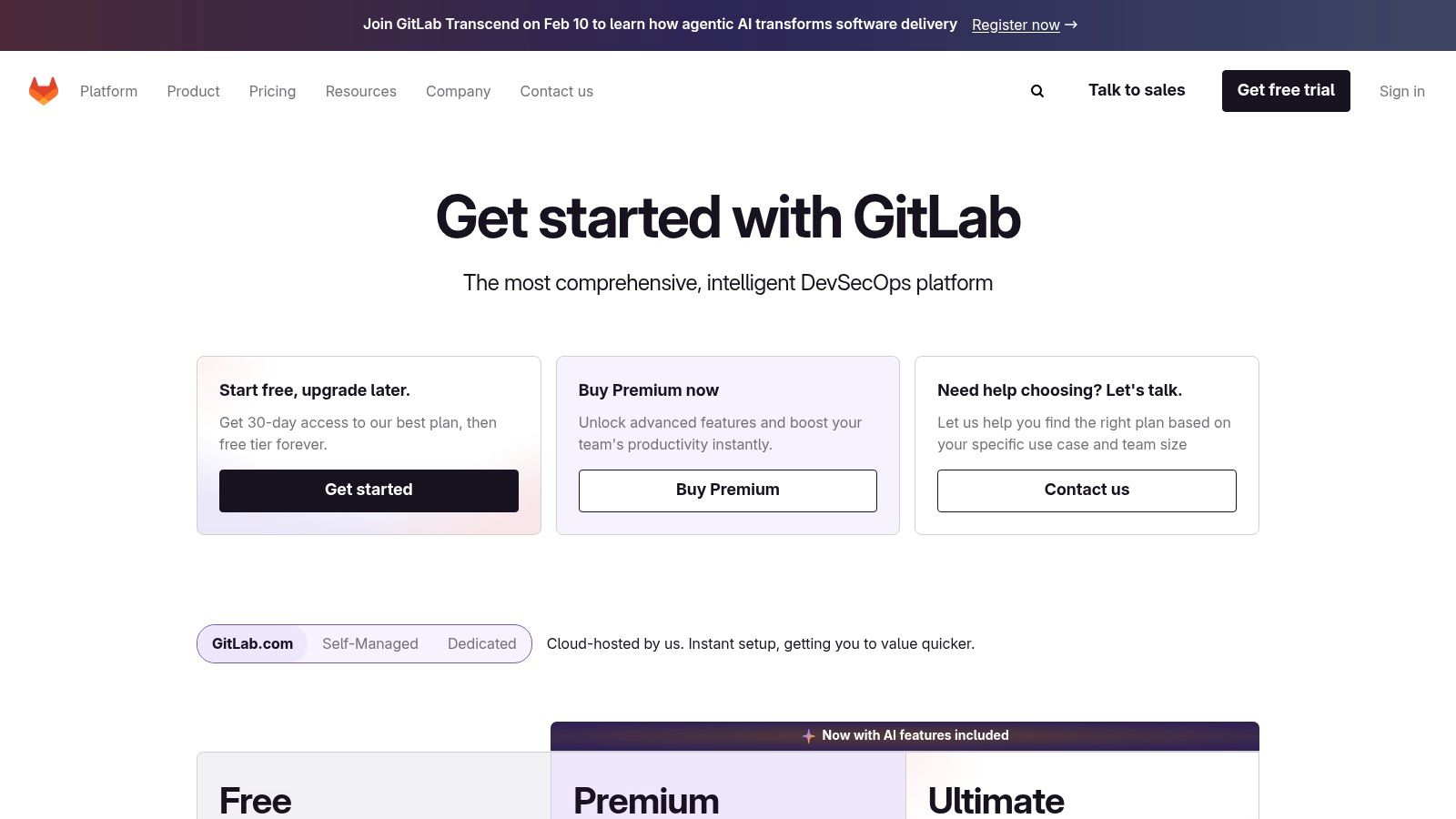
The platform provides built-in static analysis (SAST), dynamic analysis (DAST), dependency scanning, and secret detection that run automatically within CI/CD pipelines, with results displayed directly in the merge request. This makes GitLab a strong contender against suites like SonarQube for teams that prefer a single vendor solution. While the most advanced security and compliance features are reserved for its highest-paid tier, the unified experience simplifies governance and provides a single source of truth for development, operations, and security teams. This makes it a powerful option for organizations prioritizing platform consolidation over a best-of-breed tool strategy.
Key Features & Use Case
- Ideal Use Case: Organizations that want a single, integrated platform for the entire software development lifecycle, including built-in code review, CI/CD, and security scanning, to reduce integration complexity.
- Integrated DevSecOps: Security scans (SAST, DAST, secrets detection) are native to the CI/CD pipeline and report directly within merge requests.
- Unified Workflow: Combines planning, source code management, CI, security, and monitoring in one tool, creating a seamless user experience.
- Compliance and Governance: Offers features to enforce security gates and compliance policies directly within the development workflow.
Pricing & Access
GitLab has a free tier with core features for individuals and small teams. Paid plans (Premium and Ultimate) unlock advanced CI/CD, security, and compliance features. Pricing is per user, per month, which can become costly for large teams, especially when factoring in CI minute consumption.
Pros & Cons
- Pro: Single-platform approach simplifies the toolchain and reduces integration maintenance.
- Pro: Predictable per-seat pricing model with a generous free tier.
- Con: The most powerful security and compliance features are gated behind the expensive Ultimate tier.
- Con: Can be less flexible than combining specialized, best-in-class tools from different vendors.
Website: https://about.gitlab.com/pricing/
7. Bitbucket (PR Reviews + Pipelines)
While not a standalone static analysis tool, Bitbucket earns its spot by integrating code review and CI/CD into one cohesive platform. Its strength is its deep connection to the Atlassian ecosystem, particularly Jira. For teams already managing their projects in Jira, Bitbucket offers a seamless workflow where code commits, branches, and pull requests are automatically linked to tickets. This provides unparalleled context during reviews, as developers and managers can see the user story or bug report behind every change.
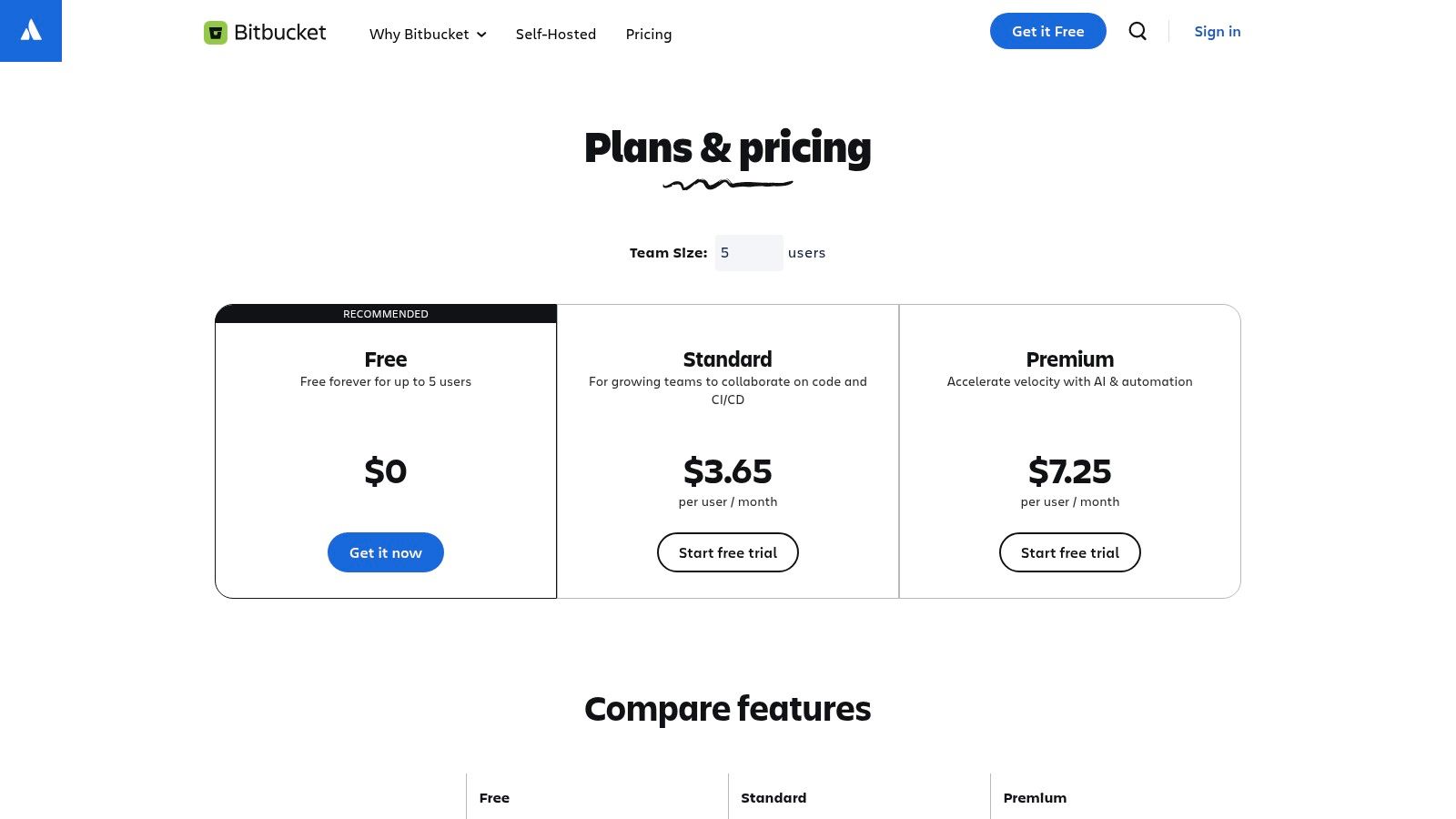
The platform’s native pull request interface includes merge checks, branch permissions, and inline commenting, forming a solid foundation for manual peer reviews. The built-in Bitbucket Pipelines feature allows teams to automate builds, tests, and even static analysis by integrating tools like SonarQube. This turns Bitbucket into a central hub for both manual and automated quality gates. It’s a pragmatic, cost-effective choice for teams wanting a unified Git hosting and CI/CD solution without the complexity of managing multiple vendors, especially when comparing it to other tools in the “best code review deepcode codacy sonarqube” landscape.
Key Features & Use Case
- Ideal Use Case: Teams deeply invested in the Atlassian suite (Jira, Confluence) who want a single platform for Git hosting, pull request reviews, and integrated CI/CD automation.
- Jira Integration: Automatically syncs branches, commits, and PR status with Jira tickets for complete project traceability.
- Bitbucket Pipelines: Built-in CI/CD service to run tests and static analysis checks on every commit, enforcing quality standards.
- Merge Checks: Enforce conditions like passing builds or a minimum number of approvals before a pull request can be merged.
Pricing & Access
Bitbucket has a very competitive free tier that includes unlimited private repositories for up to five users. Paid plans start at a low per-user price, making it highly affordable for small to medium-sized teams. Build minutes and storage are included, with options to pay for overages.
Pros & Cons
- Pro: Unbeatable integration with Jira, providing excellent context for code reviews.
- Pro: Combines source control, code review, and CI/CD in a single, cost-effective package.
- Con: Its CI/CD and third-party app ecosystem is smaller compared to GitHub’s.
- Con: Lacks native, advanced static analysis; requires integration with other tools like SonarQube for deeper insights.
Website: https://www.atlassian.com/en/software/bitbucket/pricing
8. Azure DevOps (Azure Repos Pull Requests)
For teams deeply embedded in the Microsoft ecosystem, Azure DevOps offers a powerful, all-in-one solution where code review is a tightly integrated component, not just an add-on. Its strength lies in combining source control (Azure Repos), project management (Azure Boards), and CI/CD (Azure Pipelines) into a single platform. The pull request experience in Azure Repos is designed for enterprise-grade control, allowing teams to enforce strict branch policies, require specific reviewers, and link code changes directly to work items in Azure Boards for full traceability.

This integration is its key differentiator. A developer can see the entire lifecycle of a feature, from the user story to the pull request and its subsequent deployment, all in one place. While it doesn’t offer the same standalone, AI-driven analysis as tools like DeepCode or Codacy out of the box, it integrates seamlessly with them and SonarQube. This allows organizations to build a comprehensive code review process that combines manual oversight with powerful automated checks, all managed under a unified enterprise identity system.
Key Features & Use Case
- Ideal Use Case: Organizations heavily invested in the Azure or Microsoft stack that need a fully integrated platform for repos, boards, and pipelines with robust code review policies.
- Strict Branch Policies: Enforce required reviewers, successful build completion, and work item linking before a pull request can be merged.
- Integrated DevOps Lifecycle: Natively connect pull requests to user stories in Azure Boards and trigger automated builds and releases via Azure Pipelines.
- Enterprise-Grade Security: Leverages Azure Active Directory for single sign-on (SSO) and centralized user management.
Pricing & Access
Azure DevOps is free for the first five users with unlimited private Git repos. After the fifth user, plans are priced on a per-user, per-month basis, making it predictable for growing teams. Additional costs may apply for CI/CD parallel jobs and artifact storage.
Pros & Cons
- Pro: Unmatched integration with the broader Microsoft and Azure ecosystem.
- Pro: The first five users are free, offering a generous starting point for small teams.
- Con: The UI and workflows can feel more complex and less streamlined compared to competitors like GitHub.
- Con: While the base product is powerful, achieving automated analysis comparable to SonarQube requires separate tool integration.
Website: https://azure.microsoft.com/en-us/pricing/details/devops/
9. JetBrains Qodana
JetBrains Qodana extends the powerful code inspection and analysis capabilities of its famous IDEs into the CI/CD pipeline. Its core advantage is the native, first-party support for the same inspections that developers already trust within IntelliJ IDEA, PyCharm, and other JetBrains tools. This creates a seamless quality assurance loop, where developers can run checks locally and the CI server validates the exact same rules, ensuring consistency and reducing friction. It is designed to be a quality gate, preventing code with critical issues from being merged into the main branch.
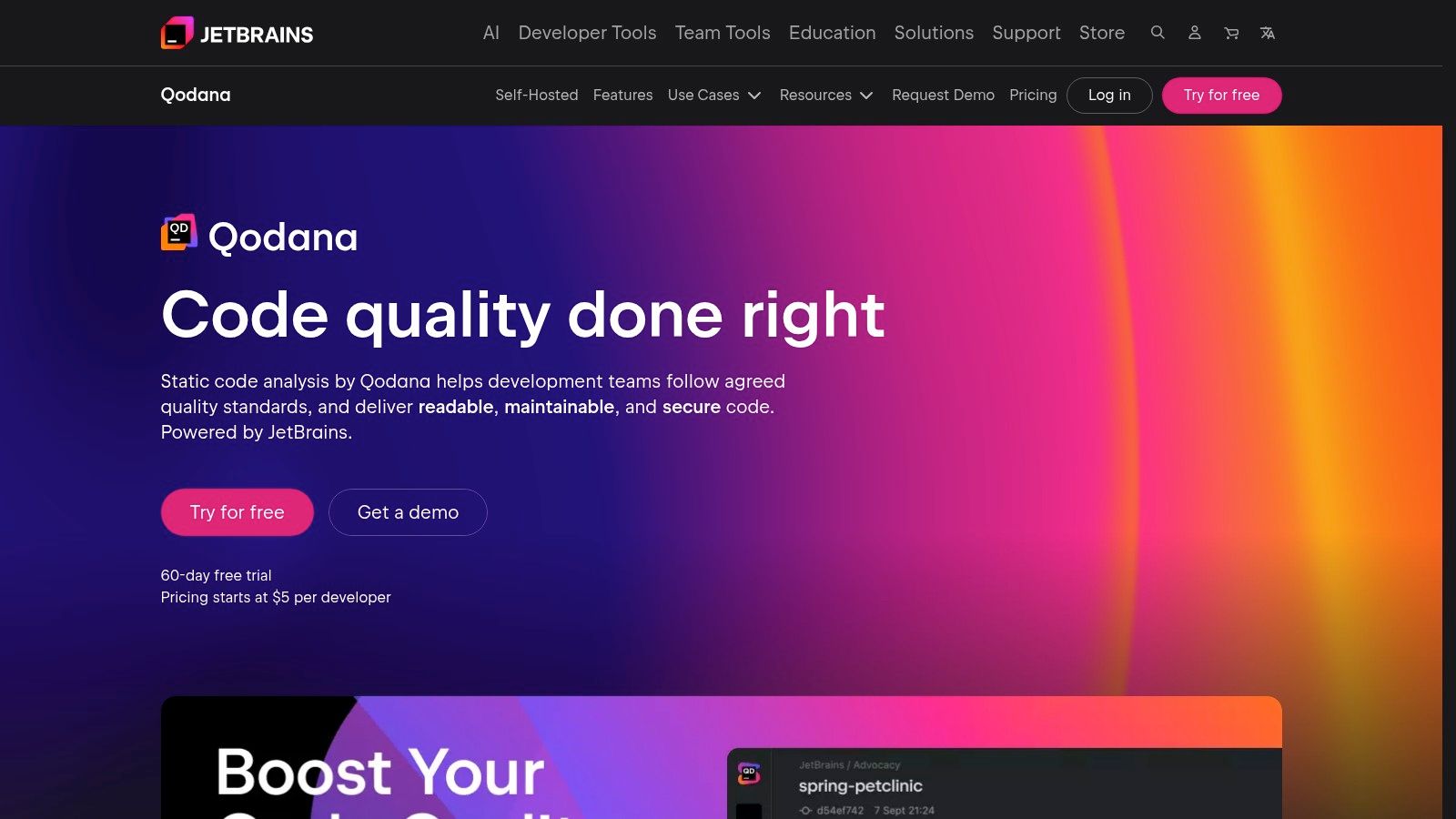
Qodana offers flexible deployment, with both a cloud version for easy setup and a self-hosted option for organizations that require complete control over their source code and analysis data. This makes it a strong contender in enterprise environments with strict data residency or security policies. The platform provides detailed reports and dashboards in Qodana Cloud, allowing teams to track quality trends, identify recurring problems, and manage technical debt. While its deep integration with the JetBrains ecosystem is a major plus, the contributor-based pricing model may require careful management for larger or more fluid teams.
Key Features & Use Case
- Ideal Use Case: Development teams heavily invested in the JetBrains ecosystem who want to enforce consistent code quality standards between their local IDE and the CI pipeline.
- Unified Inspections: Uses the same trusted linters and static analysis engines found in JetBrains IDEs for consistent results.
- Quality Gates: Can be configured to fail CI/CD builds based on customizable quality thresholds, preventing bad code from being merged.
- Self-Hosted Option: Provides a self-hosted deployment for maximum control over data and security, a key requirement for many enterprises.
Pricing & Access
Qodana offers a free Community plan for small teams and open-source projects. Paid plans are priced per active contributor per year and unlock advanced features, more languages, and higher usage limits. A free trial is available for the commercial tiers.
Pros & Cons
- Pro: Perfect alignment with JetBrains IDEs creates a seamless and consistent developer workflow.
- Pro: The self-hosted option is a major benefit for organizations with strict data control requirements.
- Con: Contributor-based pricing can become complex to manage for teams with fluctuating member numbers.
- Con: May be less appealing for teams not already using JetBrains IDEs as their primary development environment.
Website: https://www.jetbrains.com/qodana/
10. Gerrit Code Review (plus GerritForge managed)
Gerrit is an open-source, Git-native code review tool that enforces a strict pre-submit review workflow. Unlike the pull request model common in tools like GitHub, Gerrit acts as an intermediary Git server, forcing all changes to be reviewed and approved before they can be merged into the official repository. This gatekeeping approach makes it exceptionally powerful for large, high-stakes projects where enforcing process and maintaining a linear, clean history is paramount. It’s a battle-tested solution used by massive open-source projects like Android and Chromium.
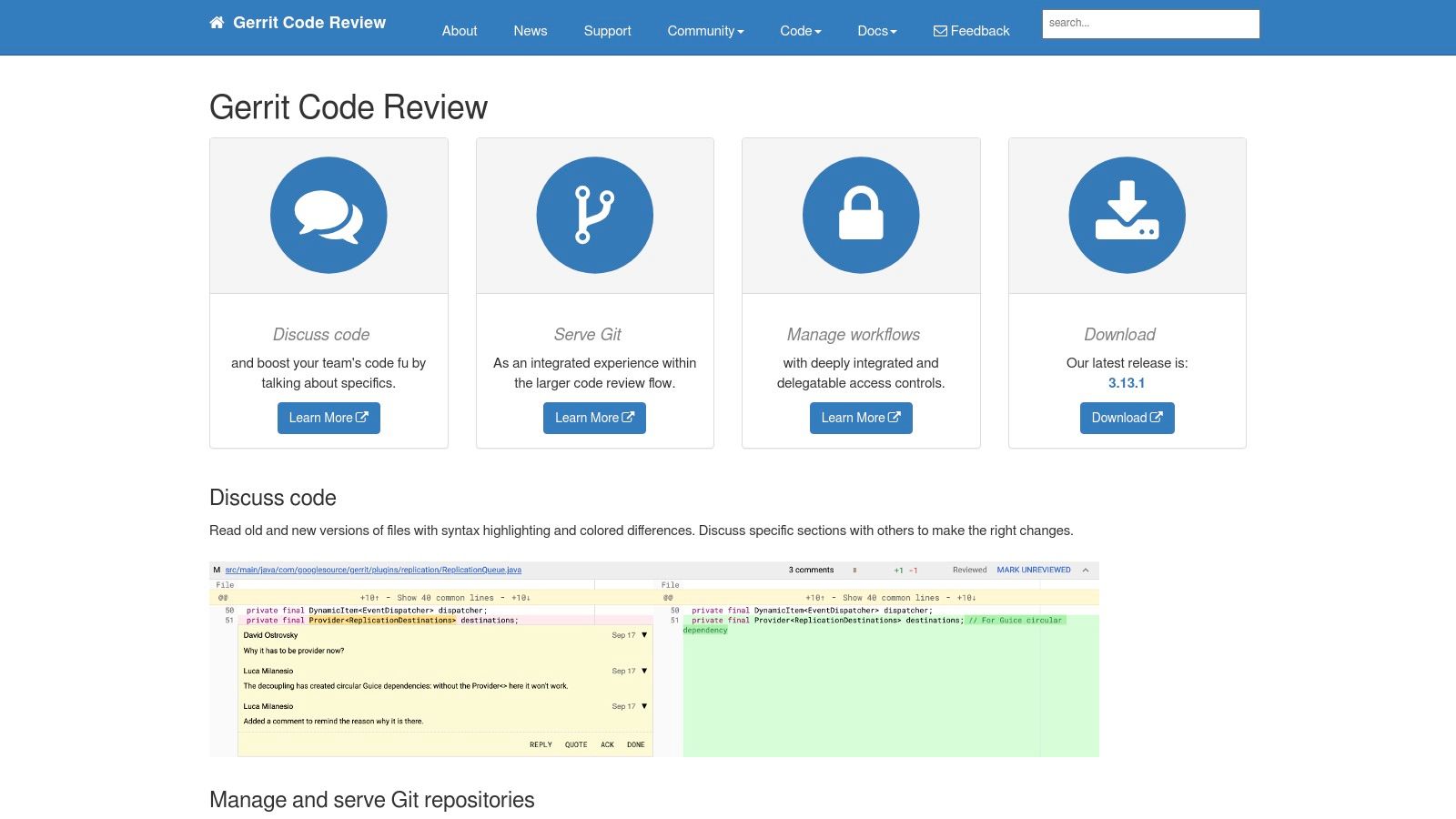
The platform’s strength lies in its fine-grained access controls and extensive plugin ecosystem, which allow teams to build highly customized, automated review and verification pipelines. While the self-hosted open-source version offers maximum control, it requires significant setup and maintenance. For teams wanting Gerrit’s power without the operational overhead, GerritForge provides a managed, enterprise-grade service with SLAs, high availability, and professional support. This makes Gerrit a viable alternative to other systems in the best code review deepcode codacy sonarqube landscape, especially for organizations that prioritize process enforcement over a simpler UI.
Key Features & Use Case
- Ideal Use Case: Large-scale enterprise or open-source projects that require a strict, enforceable pre-merge review gate and a highly auditable, linear Git history.
- Pre-Submit Review Workflow: Integrates directly with Git hosting and replication, acting as a gatekeeper to the main repository. No changes can be merged without passing review.
- Fine-Grained Access Controls: Offers deep control over who can submit, review, and approve changes on a per-repository or even per-branch basis.
- Managed Enterprise Offering: GerritForge provides Gerrit-as-a-Service with enterprise support, high availability, and disaster recovery for teams that need its robust workflow at scale.
Pricing & Access
The core Gerrit software is completely free and open-source for self-hosted deployment. GerritForge offers managed hosting and enterprise support with custom pricing based on team size, SLAs, and required features.
Pros & Cons
- Pro: Extremely controllable workflows and proven scalability for massive projects.
- Pro: Option for a free self-hosted deployment or a fully managed enterprise service.
- Con: Has a significantly steeper learning curve compared to modern pull-request-based tools.
- Con: Configuration complexity and plugin management can increase initial setup and maintenance effort.
Website: https://www.gerritcodereview.com/
11. Review Board (RBCommons hosted)
Review Board is a mature, open-source code review tool that stands out for its extensive support for a wide range of version control systems (VCS). While many modern tools focus exclusively on Git, Review Board accommodates teams using Perforce, Subversion, and Mercurial, making it invaluable for organizations with diverse or legacy SCM environments. The RBCommons hosted service offers a quick way to get started without the overhead of self-hosting, providing a reliable platform for pre-commit and post-commit reviews.

The platform specializes in detailed diff analysis, allowing reviewers to comment inline on code, documents, images, and even PDF files. This makes it suitable not just for developers but for designers and documentation teams as well. Its review request system provides a structured workflow for submitting, discussing, and approving changes. While its user interface feels more traditional compared to the sleek, pull request-centric designs of newer competitors, its power and flexibility for complex enterprise environments are significant. Integrations with CI systems, chat tools like Slack, and project management platforms ensure it fits into existing workflows.
Key Features & Use Case
- Ideal Use Case: Enterprise teams using a mix of version control systems like Perforce, Subversion, and Git who need a robust, formal review process for code, documents, and graphics.
- Broad VCS Support: Natively supports Git, GitHub, GitLab, Bitbucket, Perforce, Subversion, and more, a key differentiator from most modern tools.
- Multi-Format Review: Allows for inline commenting on text-based code, images, and PDF documents within a single interface.
- Hosted and Self-Hosted Options: RBCommons provides a quick cloud setup, while the open-source Review Board can be self-hosted for maximum control.
Pricing & Access
RBCommons offers a 30-day free trial for its hosted service. After the trial, it uses a straightforward, user-based subscription model. The self-hosted version of Review Board is free and open-source, but requires your own infrastructure and maintenance.
Pros & Cons
- Pro: Excellent support for legacy and non-Git version control systems like Perforce and SVN.
- Pro: Powerful diff viewer that supports a wide range of file types beyond just code.
- Con: The user interface and overall experience can feel dated compared to platforms like Codacy or DeepCode.
- Con: The ecosystem of integrations is smaller than what is available on major platforms like GitHub or GitLab.
Website: https://rbcommons.com/
12. AWS CodeGuru Reviewer
AWS CodeGuru Reviewer is Amazon’s machine learning-powered service for automating code reviews and providing security recommendations. Its key advantage is its deep integration into the AWS ecosystem, making it a natural fit for teams already heavily invested in AWS services like CodeCommit, S3, and CodePipeline. The tool performs both incremental analysis on pull requests and full repository scans, identifying issues ranging from security vulnerabilities and resource leaks to deviations from AWS best practices.
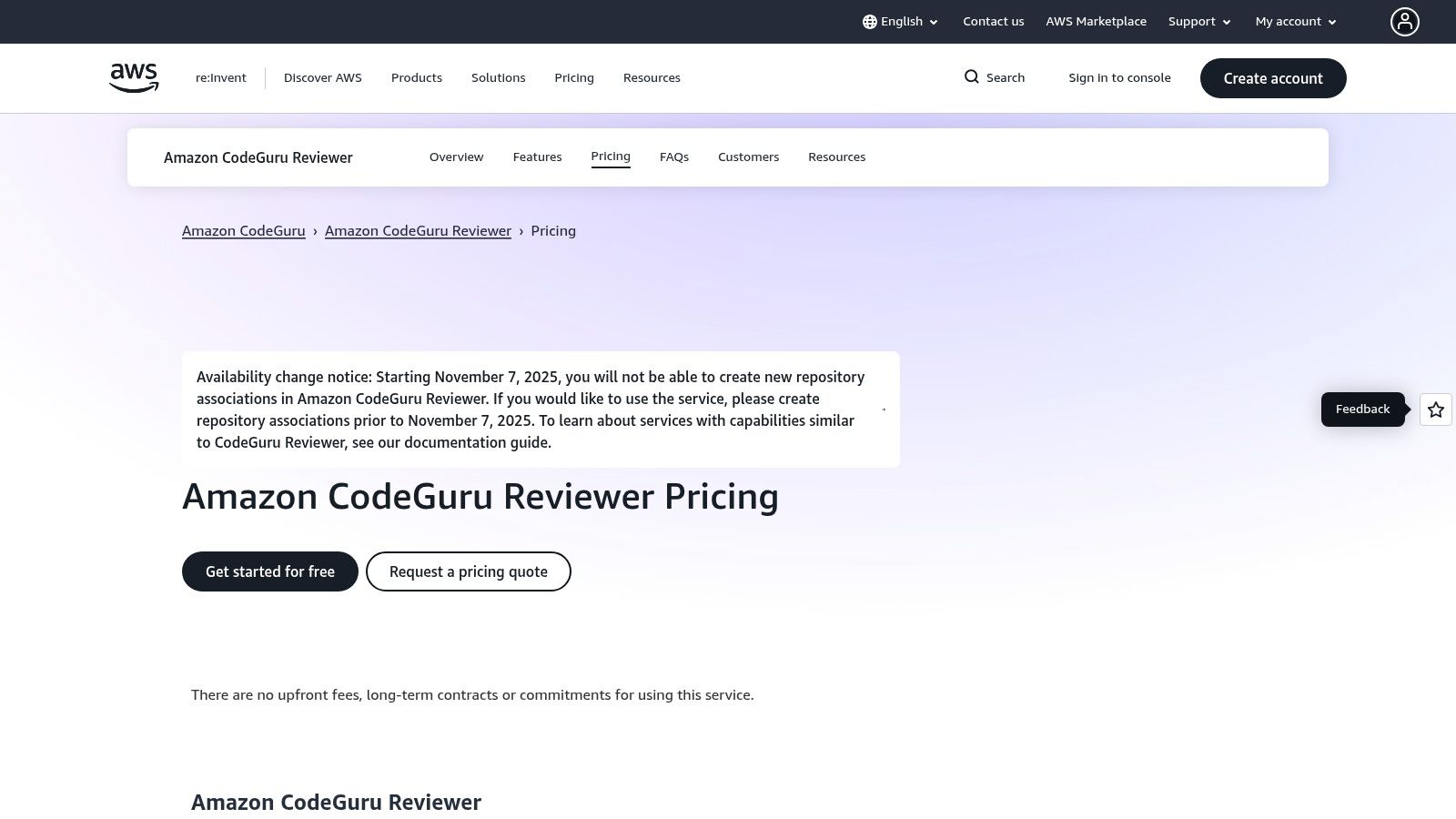
The primary value of CodeGuru is its specialized knowledge base, which is trained on decades of Amazon’s internal code and open-source projects. This allows it to offer highly relevant, context-aware suggestions, especially for applications running on AWS infrastructure. However, its future utility for new users is severely limited. As of November 7, 2025, AWS has disabled the creation of new repository associations, effectively closing the door to new adopters. This makes it a legacy option, primarily valuable for teams who already have it integrated into their workflows. It stands as a unique but increasingly niche tool compared to more accessible solutions like DeepCode, Codacy, or SonarQube.
Key Features & Use Case
- Ideal Use Case: Engineering teams with pre-existing CodeGuru repository associations who are deeply embedded in the AWS ecosystem and need specialized AWS-centric security and performance feedback.
- ML-Driven Recommendations: Detects hard-to-find defects, such as race conditions and resource leaks, based on models trained on Amazon’s extensive codebase.
- Security Analysis: Identifies security vulnerabilities, including injection flaws and insecure handling of sensitive data, and suggests remediations.
- Full and Incremental Scans: Supports both on-demand full repository scans and automated checks on pull requests for continuous quality control.
Pricing & Access
AWS CodeGuru Reviewer uses a straightforward pay-as-you-go model based on the lines of code (LOC) analyzed. Historically, it offered a generous 90-day free tier covering up to 100,000 LOC. Crucially, new repository associations were disabled after November 7, 2025, making it inaccessible for new projects.
Pros & Cons
- Pro: Seamless integration with AWS services for teams already using the ecosystem.
- Pro: Provides highly specific recommendations for AWS best practices and security.
- Con: No longer available for new customers or new repository integrations.
- Con: Its focus is narrower than general-purpose tools, with less extensive language support compared to competitors.
Website: https://aws.amazon.com/codeguru/reviewer/pricing/
Top 12 Code Review Tools Comparison
| Product | Core focus | UX / Quality (★) | Value / Pricing (💰) | Target audience (👥) | Unique / Standout (✨🏆) |
|---|---|---|---|---|---|
| Codacy | Cloud-first PR scanning, SAST & coverage | ★★★★ | 💰 Clear tiers, 14‑day trial, free for public repos | 👥 Teams needing fast onboarding & PR‑time checks | ✨ One‑click Git integrations; AI PR feedback 🏆 |
| SonarQube Server (self‑hosted) | On‑prem static analysis, governance & reporting | ★★★★ | 💰 LOC‑based pricing, can be costly at scale | 👥 Regulated enterprises & self‑managed infra | ✨ Enterprise reporting & full on‑prem control 🏆 |
| SonarCloud (Cloud) | Managed Sonar analysis for cloud repos | ★★★★ | 💰 LOC‑billing for private projects; free public scans | 👥 Cloud teams who want Sonar without infra | ✨ Maintenance‑free Sonar experience 🏆 |
| Snyk Code (DeepCode AI) | IDE‑native SAST with AI suggestions & fixes | ★★★★★ | 💰 Free/paid tiers; enterprise privacy options | 👥 Developer‑first teams prioritizing speed | ✨ Real‑time fixes & language‑aware AI suggestions 🏆 |
| GitHub (PRs + Advanced Security) | Git hosting + PR reviews + large app ecosystem | ★★★★★ | 💰 Competitive team/enterprise plans; add‑ons for advanced sec | 👥 Broad audience — mainstream developer flow | ✨ Massive Marketplace, Copilot & Actions integration 🏆 |
| GitLab (MRs + DevSecOps) | End‑to‑end DevSecOps: MR reviews + CI + security | ★★★★ | 💰 Seat‑based tiers; Ultimate for advanced security | 👥 Teams wanting integrated CI/CD & security | ✨ Single‑platform DevSecOps with built‑in scanners 🏆 |
| Bitbucket (PRs + Pipelines) | PR reviews with Pipelines & Jira integration | ★★★ | 💰 Low per‑user pricing; CI minutes/storage considerations | 👥 Atlassian ecosystem teams | ✨ Deep Jira integration and cost‑effective plans 💰 |
| Azure DevOps (Azure Repos) | PR policies + integrated boards, pipelines & artifacts | ★★★★ | 💰 First 5 users free; per‑user pricing after | 👥 Microsoft/Azure shops & enterprises | ✨ Enterprise identity/SSO & integrated toolchain 🏆 |
| JetBrains Qodana | Static analysis & linters aligned to JetBrains IDEs | ★★★★ | 💰 Contributor‑based pricing; self‑hosted option | 👥 Teams using JetBrains IDEs | ✨ First‑party rules, CI & IDE alignment 🏆 |
| Gerrit Code Review (GerritForge) | Pre‑submit Git workflow with fine‑grained controls | ★★★ | 💰 Open‑source or managed SLAs (varied) | 👥 Large projects needing strict gatekeeping | ✨ Highly controllable workflows & replication support 🏆 |
| Review Board (RBCommons) | Mature code review with broad VCS support | ★★★ | 💰 Simple hosted pricing; self‑host option | 👥 Mixed‑SCM environments (Git, SVN, Perforce) | ✨ Broad VCS & rich diff/review features 💰 |
| AWS CodeGuru Reviewer | ML‑driven PR/code security recommendations (AWS) | ★★★ | 💰 LOC‑tiered pricing; integration with AWS toolchain | 👥 AWS‑centric teams (existing associations) | ✨ ML recommendations & security findings (new repo associations limited) |
Choosing the Right Tool to Future-Proof Your Codebase
We’ve explored a powerful lineup of automated code review tools, from the AI-driven precision of Snyk Code (DeepCode) to the enterprise-grade governance of SonarQube and the streamlined developer experience of Codacy. The journey through platform-native solutions like GitHub Advanced Security and GitLab’s DevSecOps capabilities, alongside specialized tools like AWS CodeGuru and Qodana, reveals a clear truth: there is no single “best” tool for everyone. The ideal choice depends entirely on your team’s specific context, priorities, and existing technology stack.
Making the right decision requires looking beyond a simple feature list. It’s about finding the tool that seamlessly integrates into your development lifecycle, provides actionable feedback without creating noise, and ultimately empowers your developers to write better, more secure code. The goal isn’t just to catch bugs; it’s to create a culture of quality and continuous improvement. When choosing a code review tool, understanding and proactively addressing issues like technical debt is paramount for future-proofing your codebase and preventing small issues from becoming major obstacles down the line.
Your Decision-Making Framework
To select the best code review tool, consider these key dimensions:
- Team Size & Structure: A small startup will have different needs than a large, regulated enterprise. Cloud-native tools like Codacy or Snyk Code offer quick setup and minimal maintenance, making them perfect for agile teams. In contrast, large organizations requiring on-premise control and detailed audit trails will find SonarQube Server or Gerrit to be a more suitable fit.
- Ecosystem Integration: The path of least resistance is often the wisest. If your team lives in GitHub, GitLab, or Azure DevOps, start by maximizing the potential of their built-in and marketplace tools. These integrations are often tighter, require less context-switching, and can be enabled with just a few clicks, providing immediate value.
- Security vs. Quality Focus: While most modern tools address both, they often have a primary strength. Snyk Code excels with its security-first, AI-powered vulnerability detection. SonarQube and Codacy provide a more balanced approach, offering robust static analysis for code quality, maintainability, and security vulnerabilities alike.
- Budget and Scalability: Your financial constraints and future growth plans are critical. Open-source options like SonarQube Server offer immense power with no licensing fees but require investment in infrastructure and maintenance. SaaS products like SonarCloud or Codacy’s paid tiers provide predictable pricing that scales with your team, trading cost for convenience and support.
From Automation to Intelligence
The true power of these tools is unlocked when they move from being simple gatekeepers to active partners in the development process. This is where an AI-assisted workflow becomes transformative. The ultimate goal isn’t just to automate reviews but to create a tight, intelligent feedback loop that accelerates development while elevating code quality.
By pairing a top-tier static analysis tool like SonarQube, DeepCode, or Codacy with a workflow intelligence platform, you can capture the “why” behind the code changes. You can see how developers are using AI assistants, standardize effective patterns, and ensure that the insights from automated reviews translate into lasting improvements in team-wide practices. This integrated approach ensures your codebase doesn’t just pass the checks today; it becomes more resilient, secure, and maintainable for the future.
Ready to move beyond simple code checks and build an intelligent, AI-powered development workflow? Zest provides the visibility you need to understand how your team uses AI, share effective prompts, and standardize best practices. Integrate your automated review process with workflow intelligence by trying Zest today.
Master Your Code Review Stack
Turn automated code analysis into a continuous improvement engine for your entire team.
📊 Core Metrics
- Code Quality Score — improvement in maintainability and complexity ratings
- Security Vulnerabilities Caught — critical issues flagged pre-production by the tool
- Review Cycle Time — reduction in time from PR creation to merge
🕹️ My Cheatcodes
- 🌱 Start Integrated — leverage your existing platform's tools (GitHub, GitLab) first before adding a new one
- 🦎 Balance Signal & Noise — configure rulesets aggressively to only surface actionable, high-impact issues
- ⚡ Automate the Obvious — let tools handle style, complexity, and common bugs so humans can focus on logic and architecture
📈 Reflection Points
- 💡 Is our chosen tool creating friction or accelerating development?
- 🧩 Are developers ignoring alerts, and if so, why?
- 📘 How are we using tool insights to prevent future technical debt?
✅ Before Committing to a Tool
- 🔍 Run a proof-of-concept on a real project
- 📊 Compare alert accuracy between your top 2-3 choices
- 🧭 Confirm seamless integration with your CI/CD pipeline
- 📈 Get buy-in from the development team
Gallery
Lemon shots



