
12 Best AI for Writing Code: Developer Tools in 2025

Choosing the best AI for writing code has become a critical decision for developers and engineering leaders. The market is flooded with tools promising to boost productivity, moving far beyond simple autocompletion to offer complex refactoring, test generation, and even full-stack application scaffolding. But which ones actually deliver on their promises and fit your specific workflow?
This guide cuts through the marketing noise to provide a practical, developer-focused review of the top AI coding assistants available today. We move past generic feature lists to give you an in-depth look at real-world use cases, honest limitations, and the specific scenarios where each tool truly shines. You’ll find direct comparisons of platforms like GitHub Copilot, Amazon Q Developer, Google Gemini Code Assist, and more.
Our goal is to help you find the right AI partner. Whether you’re a solo developer in VS Code, a startup team standardizing on effective prompts, or an enterprise leader implementing organization-wide AI policies, this list provides the clarity you need. Each entry includes detailed analysis, screenshots, and direct links to help you make an informed decision and start writing better code, faster. We’ll even include practical examples, like a prompt-and-response checklist for verifying a Cloudflare Workers deployment, to show you how these tools solve real problems.
1. GitHub Copilot
As one of the first and most widely adopted AI pair-programming tools, GitHub Copilot has become an essential part of the modern developer’s workflow. It stands out due to its profound integration directly within popular IDEs like VS Code, Neovim, and the JetBrains suite, making it feel less like a separate tool and more like an extension of the developer’s own thought process. This seamless experience is what makes it a top contender for the best AI for writing code.
Copilot excels at turning natural language comments into functional code, autocompleting repetitive boilerplate, and even suggesting entire functions based on the context of your file. Its deep connection to the GitHub ecosystem means it understands the context of your repositories, pull requests, and issues, providing more relevant and accurate suggestions. For those wanting a deeper dive into its capabilities, you can find a comprehensive overview of various AI coding assistants in this comparison of GitHub Copilot and similar tools.
Practical Use Case: Deployment Checklist
You can use Copilot Chat to generate complex, context-aware checklists for technical tasks. This helps standardize processes and prevent deployment errors.
✅ Prompt
“Checklist: confirm my Astro site is deployed on Cloudflare Workers with best-in-class performance, SEO, and DX. Verify adapter, asset storage, caching, hydration, and SSR/SSG choices. Give me a clear yes/no on each item and point out fixes if something’s missing.”
📝 Example Response
Astro on Cloudflare Workers — Deployment Checklist
- Adapter → Using
@astrojs/cloudflareor@astrojs/cloudflare/worker? → ✅ Yes - Static vs SSR → Static pages prebuilt + only SSR where required (API, auth, etc.) → ✅ Yes
- Cold start avoidance → Worker bundle < 1MB, no heavy deps → ✅ Yes
- Assets → Offloaded to R2 / Cloudflare Images, not bundled in Worker → ❌ No → Fix: move images to R2 and rewrite URLs
- Caching → Edge cache headers set (
Cache-Control,stale-while-revalidate) → ✅ Yes - SEO → Title/meta tags verified, hreflang (if multilingual), robots.txt and sitemap.xml generated → ✅ Yes
- Core Web Vitals → Partial hydration configured, Lighthouse score >90 → ✅ Yes
- Global Edge → Tested from multiple PoPs (US/EU/Asia) for <100ms TTFB → ✅ Yes
- Limits → Worker within 30ms CPU budget, script <10MB → ✅ Yes
- Monitoring → Wrangler tail + Analytics enabled → ✅ Yes
Result: 9/10 checks passed. Only asset storage needs fixing.
2. Amazon Q Developer
For teams deeply embedded in the AWS ecosystem, Amazon Q Developer offers an unparalleled level of integration and enterprise-grade control. It functions as an end-to-end AI assistant within popular IDEs (VS Code, JetBrains) and the command line, designed to streamline development both on and off AWS. Its key differentiator is its focus on agentic coding and large-scale code transformations, making it a strong contender for the best AI for writing code in enterprise settings.
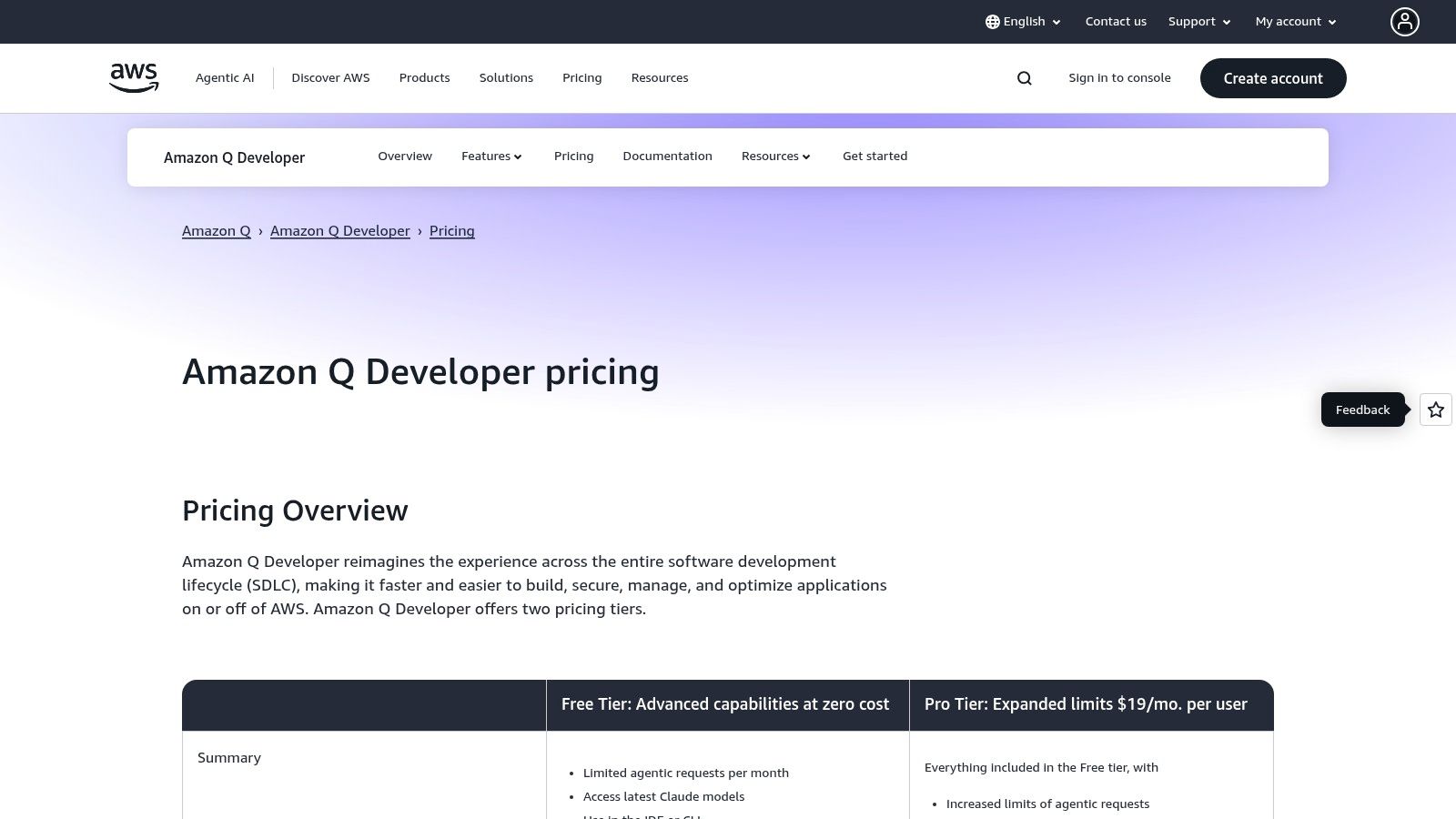
Amazon Q goes beyond simple code completion by handling complex, multi-step requests and executing application upgrades, such as modernizing legacy Java applications. The platform includes robust governance features like IP safeguards, Single Sign-On (SSO), and administrative dashboards in its Pro plan, addressing critical security and management needs. While some advanced features are metered, its free tier provides a solid entry point for individual developers. You can learn more about its pricing and plans on the Amazon Q Developer website.
Practical Use Case: Automating Code Modernization
You can use Amazon Q’s code transformation agent to handle complex, time-consuming upgrades, such as migrating a Java application from version 8 to 17. This saves hundreds of developer hours and reduces manual error.
✅ Prompt:
“Start a new transformation to upgrade my Spring Boot application com.mycompany.app from Java 8 to Java 17. Analyze dependencies, update deprecated code, and ensure compatibility with the new LTS version.”
📝 Example Response: Java 8 to 17 Upgrade Plan
- Dependency Analysis -> Scanning
pom.xmlfor incompatible libraries. -> ✅ Complete - Code Updates -> Identified 15 files with deprecated API usage. ->
java.util.Datereplaced withjava.time.LocalDate. -> ✅ In Progress - Module System -> No Jigsaw modules detected. Skipping
module-info.javacreation. -> ✅ Complete - Build Configuration -> Updating source and target versions in
pom.xml. -> ✅ Complete - Summary -> Transformation is 75% complete. Reviewing generated code now. Awaiting human approval for final merge.
3. Google Gemini Code Assist
Google enters the AI pair-programming space with Gemini Code Assist, a powerful contender that leverages its advanced Gemini models. It differentiates itself by integrating deeply within the Google Cloud ecosystem while also offering robust support for popular IDEs like VS Code and JetBrains. A key feature is its commitment to enterprise-grade security and compliance, including source citations that help developers attribute code and avoid potential licensing issues.
Gemini Code Assist offers a generous free tier for individual developers, providing a frictionless entry point to test its capabilities. For teams, especially those already invested in Google Cloud, its ability to be customized on private codebases provides a significant advantage. This private model ensures suggestions are highly relevant to an organization’s internal libraries and coding patterns, making it one of the best AI for writing code in a corporate setting. The tool provides smart actions, code generation, and an interactive chat, positioning it as a direct and capable alternative to established players.
Practical Use Case: Automating Unit Tests
You can use Gemini Code Assist to quickly generate comprehensive unit tests for existing functions, ensuring code quality and saving significant development time.
✅ Prompt: “Write a unit test for this Go function. Use the standard ‘testing’ package. Include a table-driven test with sub-tests covering cases for a valid email, an invalid email, and an empty string.”
📝 Example Response:
package main

import "testing"

func TestValidateEmail(t *testing.T) {
    cases := []struct {
        name  string
        email string
        want  bool
    }{
        {"Valid Email", "test@example.com", true},
        {"Invalid Email", "test@.com", false},
        {"Empty String", "", false},
        {"No At Symbol", "testexample.com", false},
    }

    for _, tc := range cases {
        t.Run(tc.name, func(t *testing.T) {
            got := ValidateEmail(tc.email)
            if got != tc.want {
                t.Errorf("ValidateEmail(%q) = %v; want %v", tc.email, got, tc.want)
            }
        })
    }
}
4. OpenAI ChatGPT (for coding)
While not a dedicated IDE plugin by default, OpenAI’s ChatGPT has earned its place as a powerful tool for developers due to its exceptional conversational and reasoning abilities. It shines as a versatile assistant for tasks that go beyond simple autocompletion, such as brainstorming architectural patterns, debugging complex logic, generating test cases, or refactoring large blocks of code. Its strength lies in its ability to understand nuanced, natural language requests, making it the best AI for writing code when you need a thinking partner rather than just an autocomplete engine.

ChatGPT is easily accessible via its web and desktop apps, providing a straightforward interface for any developer to start using immediately. The platform supports multiple reasoning models, custom GPTs for specialized tasks, and collaborative features in its business tiers. While its primary interface is separate from the IDE, its code generation and analysis capabilities are top-tier, and it’s invaluable for tasks like documentation, data analysis with Python, and high-level problem-solving. It’s an excellent resource for any developer looking for a powerful, general-purpose AI assistant.
Practical Use Case: Data Transformation Script
You can use ChatGPT to quickly prototype a script for a common data engineering task, like converting a large CSV file to a more efficient Parquet format. This is perfect for data analysis or ingestion pipelines.
✅ Prompt: “Write a Python script that takes a file path for a CSV as a command-line argument and converts it into a Parquet file in the same directory. Use pandas and pyarrow. Include error handling for file not found.”
📝 Example Response:
import pandas as pd
import sys
import os

def convert_csv_to_parquet(csv_path):
    """Converts a CSV file to a Parquet file."""
    if not os.path.exists(csv_path):
        print(f"Error: File not found at {csv_path}")
        return

    try:
        df = pd.read_csv(csv_path)
        parquet_path = os.path.splitext(csv_path)[0] + '.parquet'
        df.to_parquet(parquet_path, engine='pyarrow')
        print(f"Successfully converted {csv_path} to {parquet_path}")
    except Exception as e:
        print(f"An error occurred: {e}")

if __name__ == "__main__":
    if len(sys.argv) != 2:
        print("Usage: python convert.py <path_to_csv_file>")
    else:
        convert_csv_to_parquet(sys.argv[1])
5. Anthropic Claude Code
Anthropic Claude Code is a powerful and agentic coding assistant designed for developers who prefer a terminal-native workflow. It stands out by operating directly within your command line and integrating with IDEs like VS Code and JetBrains, allowing it to perform deep, multi-file edits, run tests, and manage git workflows. Instead of just suggesting snippets, it acts more like an automated junior developer, understanding your project context to make complex changes across the codebase.

Powered by Anthropic’s advanced Claude Sonnet and Opus models, it possesses a strong understanding of code logic and structure. The tool requires explicit user approval before writing any changes to your files, giving you full control and preventing unintended modifications. Included with Claude Pro or Max subscriptions, it offers a scalable solution from individual use to team-wide automation via SDKs and GitHub Actions. This makes it a strong candidate for the best AI for writing code, especially for tasks requiring broad, context-aware refactoring.
Practical Use Case: Refactoring a Monorepo
You can instruct Claude Code to perform a complex, cross-file refactoring task, such as standardizing an API client across an entire monorepo. It will analyze the files, propose changes, and apply them upon your approval.
✅ Prompt:
“Refactor all API client instances in the ./packages directory. Replace the old api.fetchData() method with the new apiClient.get() method from the @my-org/api-client package. Ensure all call sites are updated with the correct parameters and handle the returned promise.”
📝 Example Response:
claude edit ./packages
Okay, I will perform the following refactoring tasks:
- Scan all files in the
./packagesdirectory for usages ofapi.fetchData(). - For each instance, I will import
apiClientfrom@my-org/api-client. - I will replace the call with
apiClient.get()and adapt the arguments. - I will present a diff of all proposed changes for your approval.
I have found 12 files to modify. Here is the plan:
- packages/app-a/src/utils.ts: Update 2 instances
- packages/app-b/src/data-loader.ts: Update 4 instances … (and so on)
Proceed? (y/n)
6. Cursor IDE
Cursor positions itself not just as a tool, but as an “AI-first” code editor designed from the ground up to integrate artificial intelligence into every facet of development. Built as a fork of VS Code, it provides a familiar and comfortable environment for developers while layering on powerful, deeply integrated AI features. This approach makes it a strong candidate for the best AI for writing code, as it combines a world-class editor with next-generation capabilities.

The editor excels with its AI chat, inline editing, and a unique “Auto-debug” feature that can analyze stack traces and suggest fixes. Cursor allows you to “bring your own” API key or subscribe to plans that bundle usage of top models from OpenAI, Anthropic, and Google. For teams, it offers features like shared conversation history and centralized billing, making it scalable from solo developers to large enterprise environments. The core value is its native, all-in-one feel, which reduces the context-switching required by external AI tools.
Practical Use Case: Full Stack Codebase Migration
Cursor’s ability to index your entire codebase allows it to perform complex, multi-file refactoring tasks that other tools might struggle with. This is ideal for significant codebase migrations or upgrades.
✅ Prompt: “Migrate this entire Express.js route file from JavaScript to TypeScript. Ensure all types for request body, params, and responses are correctly defined based on their usage in the controller logic. Add JSDoc comments to the new TypeScript functions.”
📝 Example Response: (Cursor would generate a diff view, applying changes across the specified file)
// old/routes/user.js
// app.post('/users', (req, res) => { ... });

// new/routes/user.ts
import { Request, Response } from 'express';

interface CreateUserBody {
  name: string;
  email: string;
}

/**
 * @description Creates a new user
 * @route POST /api/users
 */
export const createUser = (req: Request<{}, {}, CreateUserBody>, res: Response): void => {
  const { name, email } = req.body;
  // ... existing logic with types
  res.status(201).json({ id: 1, name, email });
};
7. Windsurf (formerly Codeium)
Windsurf, which was formerly known as Codeium, has evolved into a powerful agentic platform designed to handle complex coding tasks that go beyond simple autocompletion. It differentiates itself by offering not only IDE extensions but also a standalone Windsurf Editor and sophisticated “Cascade flows.” These agentic workflows allow the AI to perform multi-step operations, such as editing multiple files, running terminal commands, and executing complex refactors, making it a strong candidate for the best AI for writing code for advanced use cases.

Windsurf operates on a freemium model, providing a generous free tier alongside Pro and Teams plans that unlock premium models and greater control over code indexing. Its wide support for popular editors like VS Code and JetBrains ensures it can fit into existing developer environments. The platform’s strength lies in its ability to automate entire workflows, from initial code generation to testing and refactoring, which helps streamline the development lifecycle significantly. While recent pricing changes in 2025 have caused some user confusion, its agentic capabilities remain a key advantage.
Practical Use Case: Implementing a New API Endpoint
Windsurf’s Cascade flows are ideal for multi-step tasks like adding a new feature. You can instruct the agent to create a new API endpoint, including the route, controller logic, and basic tests across multiple files.
✅ Prompt:
“Create a new /users/{id}/profile GET endpoint in my Express.js project. It should retrieve user data from the UserModel. Add a new controller function in userController.js, define the route in userRoutes.js, and add a basic Jest test case in user.test.js to check for a 200 status response.”
📝 Example Response: Windsurf would initiate a Cascade flow, performing these actions sequentially:
- File Edit:
userController.js-> Adds a newgetUserProfilefunction that queries theUserModel. - File Edit:
userRoutes.js-> Adds a new routerouter.get('/users/:id/profile', userController.getUserProfile);. - File Edit:
user.test.js-> Appends a newdescribeblock with a test to call the/users/1/profileendpoint and assert a200status code. - Terminal Command -> Runs
npm testto validate the new endpoint test passes.
8. Tabnine
Tabnine carves out a unique space in the AI coding assistant market by prioritizing enterprise-grade security, compliance, and flexible deployment options. It’s built for organizations where code privacy, IP protection, and governance are non-negotiable. Unlike cloud-only tools, Tabnine can be self-hosted on-premises or in a VPC, offering a fully air-gapped solution that ensures proprietary code never leaves a company’s secure environment.
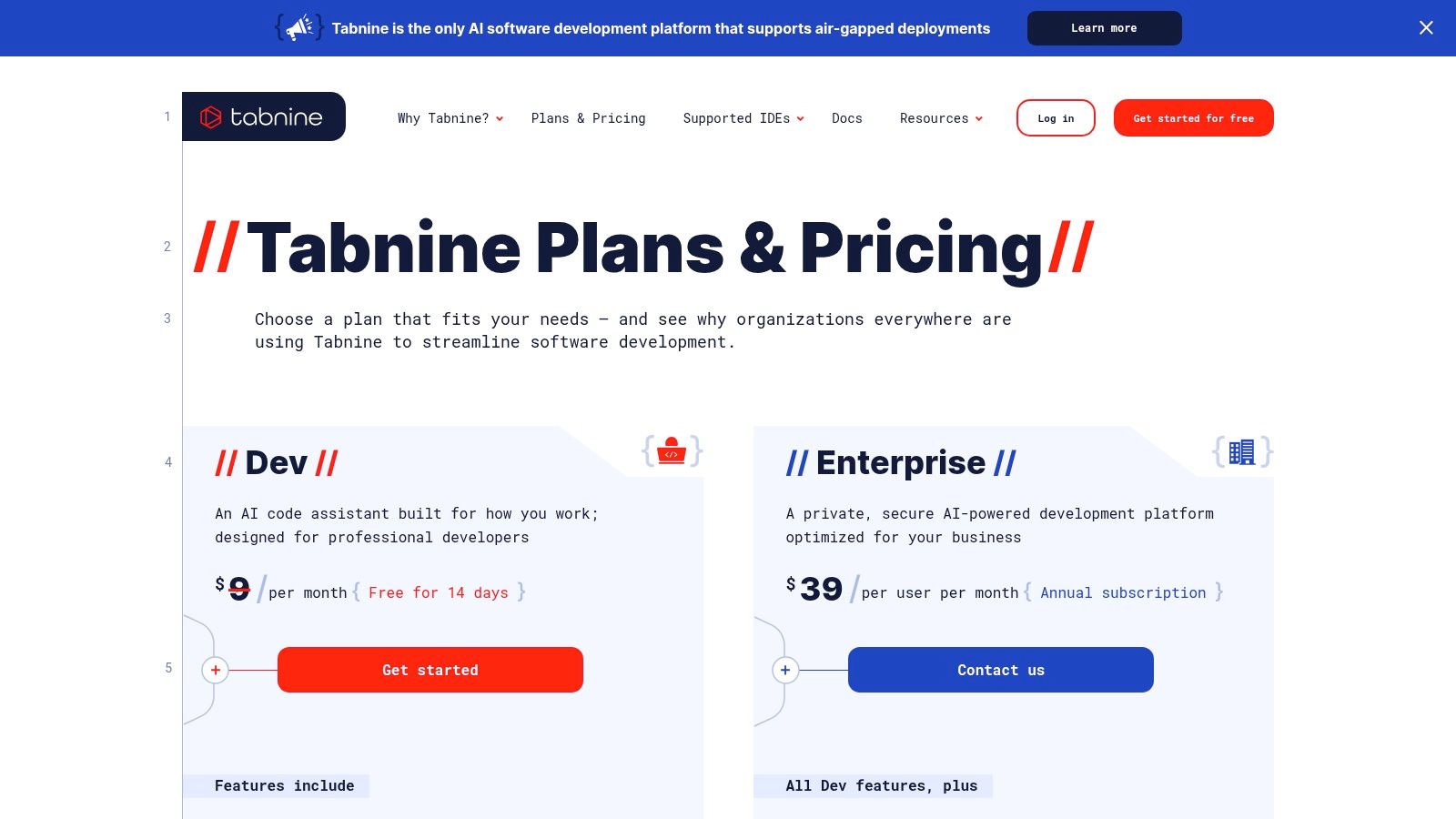
This focus on control makes it one of the best AI for writing code in regulated industries. Tabnine’s model is trained exclusively on permissively licensed open-source code, which helps development teams avoid license compliance issues and comes with IP indemnity. It offers extensive IDE compatibility and provides detailed analytics for engineering managers to track AI adoption and impact. While its advanced features are geared toward enterprise teams, it still provides a robust free tier for individual developers. You can compare plans on the Tabnine pricing page.
Practical Use Case: Standardizing API Error Handling
You can use Tabnine Chat to create standardized, reusable error-handling logic for your backend APIs, ensuring all developers on the team follow the same patterns for consistency and reliability.
✅ Prompt: “Create a TypeScript function for a Node.js/Express API to handle common errors. It should accept an error object and an Express response object. It needs to handle validation errors (400), authentication errors (401), not found errors (404), and a generic server error (500). Log the error server-side and send a clean JSON response to the client.”
📝 Example Response:
import { Response } from 'express';

// Define a custom error class for better type checking
class ApiError extends Error {
  constructor(public statusCode: number, message: string) {
    super(message);
  }
}

const handleError = (err: Error, res: Response) => {
  console.error(err); // Server-side logging

  if (err instanceof ApiError) {
    return res.status(err.statusCode).json({
      status: 'error',
      message: err.message,
    });
  }

  // Generic fallback for unexpected errors
  return res.status(500).json({
    status: 'error',
    message: 'An internal server error occurred.',
  });
};

export { handleError, ApiError };
9. Replit AI (Agent and Assistant)
Replit AI transforms the development experience by integrating powerful AI capabilities directly into its browser-based IDE. This all-in-one platform is designed for rapid prototyping, learning, and shipping full-stack applications without complex local setup. It stands out by combining a development environment, AI-powered code assistance, and one-click deployment, making it a uniquely accessible tool and one of the best AI for writing code from idea to production.

The platform features an AI Assistant for real-time code completion and debugging, alongside the more advanced Replit Agent. The Agent can take on multi-step coding tasks autonomously, such as building an entire feature from a high-level prompt. This synergy of tools within a single, collaborative environment is ideal for both beginners who need guidance and experienced developers looking to accelerate their workflow. Paid plans like the Core and Teams tiers include generous monthly credits for AI usage, which operates on a usage-based model.
Practical Use Case: Building a Backend Route
You can leverage the Replit Agent to autonomously create a fully functional backend API endpoint, complete with logic and error handling, from a single natural language request.
✅ Prompt:
“Build a new Express.js route at /api/users/:id that fetches user data from a mock JSON file. It should handle the case where the user ID doesn’t exist and return a 404 error. Include JSDoc comments for the function.”
📝 Example Response:
(The agent would generate the following file routes/users.js and update index.js to use it)
// routes/users.js
const express = require('express');
const router = express.Router();
const users = require('../data/users.json'); // Mock data

/**
 * GET user by ID
 * @param {object} req - Express request object
 * @param {object} res - Express response object
 */
router.get('/:id', (req, res) => {
  const user = users.find(u => u.id === parseInt(req.params.id));
  if (!user) {
    return res.status(404).json({ message: 'User not found' });
  }
  res.json(user);
});

module.exports = router;
10. JetBrains AI Assistant
For developers deeply embedded in the JetBrains ecosystem, the AI Assistant offers an unmatched native experience. It integrates directly into popular IDEs like IntelliJ IDEA, PyCharm, and Rider, making it feel like a natural extension of the editor rather than a separate tool. This tight integration allows the AI to understand the full context of your project, including its dependencies and structure, providing highly relevant and accurate code suggestions.

The AI Assistant excels at tasks like code completion, refactoring, generating documentation, and creating unit tests. One of its unique aspects is the transparent credit-based system, which allows users to access both cloud and local AI models. While some features consume credits, this model provides flexibility and control over usage. Higher-tier plans for enterprises include important features like single sign-on and enhanced administrative controls, making it a viable option for teams looking for the best AI for writing code within a managed environment. You can learn more about its licensing and subscriptions directly on their site.
Practical Use Case: Generating Unit Tests
You can leverage the AI Assistant to automatically generate comprehensive unit tests for your existing code, saving significant time and improving test coverage.
✅ Prompt: “Generate a set of unit tests for the following Java method. Include tests for edge cases like null inputs and empty lists. Use JUnit 5.”
📝 Example Response:
import org.junit.jupiter.api.Test;
import static org.junit.jupiter.api.Assertions.*;

class MyStringUtilsTest {

    @Test
    void testConcatenateWithValidStrings() {
        assertEquals("HelloWorld", MyStringUtils.concatenate("Hello", "World"));
    }

    @Test
    void testConcatenateWithFirstStringNull() {
        assertThrows(IllegalArgumentException.class, () -> {
            MyStringUtils.concatenate(null, "World");
        });
    }

    @Test
    void testConcatenateWithSecondStringEmpty() {
        assertEquals("Hello", MyStringUtils.concatenate("Hello", ""));
    }
}
11. Microsoft Visual Studio IntelliCode
Microsoft Visual Studio IntelliCode enhances the traditional IntelliSense experience by using AI to provide smarter, context-aware code completions. Instead of just alphabetical suggestions, IntelliCode predicts the most likely API or code construct you’ll need based on your current context, trained on thousands of open-source GitHub repositories. It operates locally, making it a great privacy-focused tool that complements, rather than replaces, larger AI assistants like GitHub Copilot.

This tool is seamlessly integrated into Visual Studio and VS Code, offering whole-line completions and argument suggestions that feel like a natural extension of the editor. Its strength lies in improving developer productivity on a micro-level, saving keystrokes and reducing the mental load of recalling exact method names. For developers who value local processing and a lightweight footprint, IntelliCode is a valuable addition to their toolkit, often working in tandem with other AI solutions. While it doesn’t write entire functions from comments, it excels at making the line-by-line coding process faster and more accurate.
Practical Use Case: Smarter Method Completion
IntelliCode shines when working with complex libraries or frameworks where you might not remember the exact method name you need. It uses the context of your code to prioritize and suggest the most relevant options at the top of the IntelliSense list.
✅ Action:
You’re working with a List<string> in C# and type myList.. Instead of an alphabetical list, IntelliCode will likely star and highlight methods like .Add(), .FirstOrDefault(), or .Count() because they are the most common operations performed on a list in that context.
📝 Example Result: IntelliSense instantly shows starred suggestions:
⭐ Add⭐ FirstOrDefault⭐ Count⭐ ForEachAllAny- … and so on.
This small but constant optimization streamlines the coding flow, reinforcing good patterns and making the process feel more intuitive.
12. Hugging Face – Code Llama (Meta) model hub
For teams wanting ultimate control and privacy, Hugging Face serves as the essential hub for accessing powerful, open-source models like Meta’s Code Llama. Instead of a SaaS tool, it provides direct access to the models themselves (from 7B to 70B parameters), allowing you to download and run them locally or on your own infrastructure. This makes it one of the best AI for writing code options for organizations with strict security requirements or those building custom, in-house developer tools.
Hugging Face stands out by empowering developers to build bespoke solutions without the per-seat fees of commercial products. The platform offers downloadable model weights, documentation, and a vast ecosystem of community tools built on the Transformers library. This approach is ideal for specialized use cases, offline environments, or fine-tuning a model on a proprietary codebase for unparalleled contextual accuracy. You can explore and download the instruction-tuned 70-billion parameter model directly from the Code Llama 70B Instruct page.
Practical Use Case: Local Codebase Refactoring
You can run Code Llama locally to perform complex, codebase-specific refactoring tasks that you wouldn’t want to expose to a third-party service. This ensures your proprietary logic remains secure.
✅ Prompt: “I have a Python monolith with a ‘utils’ module containing over 50 unrelated functions. Group these functions into new, smaller modules based on their domain (e.g., ‘string_manipulation.py’, ‘file_io.py’, ‘date_helpers.py’). Generate the file structure and show which functions move where.”
📝 Example Response:
Refactoring Plan: utils Module
string_manipulation.pydef format_user_name(name): ...def to_snake_case(text): ...def trim_whitespace(s): ...
file_io.pydef read_json_file(path): ...def write_to_csv(data, filename): ...def delete_file_safely(path): ...
date_helpers.pydef get_iso_timestamp(): ...def is_weekday(dt): ...def format_date_for_display(dt): ...
Action: Create the three new files and move the specified functions from the original utils.py. Update all import statements across the codebase.
Top 12 AI Code Writing Tools Comparison
| Product | Core Features / Capabilities | User Experience & Quality ★ | Value & Pricing 💰 | Target Audience 👥 | Unique Selling Points ✨ |
|---|---|---|---|---|---|
| GitHub Copilot | Code completion, chat, multi-model access | ★★★★☆ Mature & seamless GitHub integration | 💰 Free to Pro+ tiers, student benefits | Developers in GitHub ecosystem | 🏆 Deep GitHub/PR workflow integration |
| Amazon Q Developer | IDE & CLI integration, agentic coding, per-line pricing | ★★★★ Native AWS tools & governance | 💰 Free tier, metered agentic use | AWS users, enterprises | ✨ Agentic requests with IP safeguards |
| Google Gemini Code Assist | Multi-IDE code gen/chat, source citations | ★★★★ Free individual tier (US) | 💰 Clear standard/enterprise tiers | Google Cloud teams | ✨ Source citations in IDE & console |
| OpenAI ChatGPT (coding) | Code prototyping, refactoring, multi-model support | ★★★★★ Broad use, many integrations | 💰 Web & desktop, separate API billing | General developers, diverse use cases | 🏆 Versatile assistant beyond code |
| Anthropic Claude Code | Terminal & IDE multi-file edits, automation SDK | ★★★★ Terminal-native workflow | 💰 Paid Pro/Max plans | Devs preferring CLI & multi-file edits | ✨ Explicit approval before file changes |
| Cursor IDE | AI background agents, large context windows, model choice | ★★★★ VS Code-like UI, scalable | 💰 Tiered plans; higher cost | Teams & enterprises | ✨ Unlimited completions, Bugbot add-on |
| Windsurf (Codeium) | Agentic IDE, multi-file edits, Cascade workflow | ★★★★ Strong agentic refactoring | 💰 Free+Pro/Teams/Enterprise | Multi-editor users, refactoring needs | ✨ Cascade agentic workflows |
| Tabnine | Privacy-focused, on-prem & VPC deploy, license controls | ★★★★ Enterprise-grade governance | 💰 Enterprise emphasis | Compliance-focused orgs | ✨ Fully air-gapped enterprise deploy |
| Replit AI (Agent & Asst) | Hosted IDE, AI agent, debugging, one-click deploy | ★★★★ Browser-based & collaborative | 💰 Usage-based AI credits | Prototyping, teaching, app developers | 🏆 All-in-one dev+deploy platform |
| JetBrains AI Assistant | IDE-integrated completion, multi-file edits, credit system | ★★★★ Native JetBrains experience | 💰 Credit purchase, multi-tier plans | JetBrains IDE users | ✨ AI chat + automation “Junie” agent |
| Visual Studio IntelliCode | Local ML code completions, refactoring | ★★★★ Free, privacy-first local run | 💰 Free | Visual Studio & VS Code users | ✨ Local inference complements AI |
| Hugging Face Code Llama | Open models for download/self-hosting, multi-model sizes | ★★★ Requires MLOps & GPU setup | 💰 No SaaS fees | Teams with ML ops & privacy needs | ✨ Full control, open-source models |
Making AI Work for You: Measure, Improve, and Share
We’ve explored a powerful lineup of AI coding assistants, from the omnipresent GitHub Copilot and the enterprise-focused Amazon Q Developer to specialized tools like Cursor and open models like Code Llama. Each offers a unique approach to augmenting the development process. But after the initial setup and “wow” moments, the real challenge begins: turning a neat new tool into a fundamental driver of team productivity.
Finding the best AI for writing code isn’t about picking a single winner from our list. It’s about building a system where AI-assisted development becomes a measurable, repeatable, and scalable advantage for your entire team. The true value isn’t just in generating code faster; it’s in elevating the quality, consistency, and collaborative knowledge of your engineering organization.
From Individual Tool to Team Superpower
The transition from individual adoption to team-wide proficiency requires a deliberate strategy. A developer on your team might discover a brilliant way to use Gemini Code Assist for refactoring legacy code, but that insight remains isolated without a system to capture and share it. Another engineer might be struggling with inefficient prompts for Claude, slowing them down without anyone realizing it.
This is where workflow visibility becomes crucial. You need to answer key questions:
- What works? Which specific prompts and workflows are consistently saving time and reducing bugs?
- Who needs help? Where are developers getting stuck or spending too much time iterating on AI suggestions?
- What is the real impact? Can you quantify the time saved on tasks like writing boilerplate code, generating tests, or debugging complex issues?
Creating Your Team’s AI Playbook
The secret to maximizing your AI investment is to build a living “playbook” of best practices. This playbook shouldn’t be a static document in a forgotten wiki. It should be a dynamic, accessible resource that grows from your team’s daily work.
Start by encouraging developers to share their most effective prompts. For instance, creating a standardized “cheatcode” for a common, complex task can save hundreds of hours across the organization. Imagine turning a multi-step deployment verification process into a single, reusable prompt that anyone on the team can use.
Here’s a practical example of a sharable, high-value prompt that can become part of your team’s playbook. Instead of manually checking a deployment, a developer can use a structured prompt to get an instant, detailed audit.
✅ Prompt
“Checklist: confirm my Astro site is deployed on Cloudflare Workers with best-in-class performance, SEO, and DX. Verify adapter, asset storage, caching, hydration, and SSR/SSG choices. Give me a clear yes/no on each item and point out fixes if something’s missing.”
📝 Example Response
Astro on Cloudflare Workers — Deployment Checklist
- Adapter → Using
@astrojs/cloudflareor@astrojs/cloudflare/worker? → ✅ Yes - Static vs SSR → Static pages prebuilt + only SSR where required (API, auth, etc.) → ✅ Yes
- Cold start avoidance → Worker bundle < 1MB, no heavy deps → ✅ Yes
- Assets → Offloaded to R2 / Cloudflare Images, not bundled in Worker → ❌ No → Fix: move images to R2 and rewrite URLs
- Caching → Edge cache headers set (
Cache-Control,stale-while-revalidate) → ✅ Yes - SEO → Title/meta tags verified, hreflang (if multilingual), robots.txt and sitemap.xml generated → ✅ Yes
- Core Web Vitals → Partial hydration configured, Lighthouse score >90 → ✅ Yes
- Global Edge → Tested from multiple PoPs (US/EU/Asia) for <100ms TTFB → ✅ Yes
- Limits → Worker within 30ms CPU budget, script <10MB → ✅ Yes
- Monitoring → Wrangler tail + Analytics enabled → ✅ Yes
Result: 9/10 checks passed. Only asset storage needs fixing.
By capturing, standardizing, and sharing patterns like this, you transform individual productivity hacks into a collective organizational asset. This is how you ensure the best AI for writing code is not just the one you choose, but the one your team masters together. Your final decision should be less about a tool’s features and more about your team’s ability to adopt, measure, and optimize its usage effectively.
Ready to move beyond just choosing a tool and start optimizing your team’s AI-powered workflows? Zest integrates directly into your developers’ editors to automatically measure AI usage, identify successful patterns, and share them as reusable “cheatcodes.” Turn your team’s best prompts into a shared library and gain clear visibility into your AI ROI with Zest.
Gallery
Lemon shots



