Top Picks: best ai coding tools tabnine and more for 2025
The landscape of AI coding tools is exploding.The landscape of AI coding tools is exploding. Developers now have a powerful suite of assistants promising to accelerate development, reduce boilerplate, and act as a partner in solving complex problems. But with so many options, from established players to innovative new editors, how do you choose the right one? This guide cuts through the marketing noise to deliver a practical, in-depth comparison of the top contenders.
We provide a direct, honest assessment to help you find the best AI coding tools. We start with a deep dive into Tabnine, exploring its unique capabilities and ecosystem before benchmarking it against major alternatives like GitHub Copilot, Amazon Q Developer, and Gemini Code Assist. Each review includes real-world use cases, specific integration notes for VS Code and Cursor, and an analysis of enterprise-critical features that separate the good from the great.
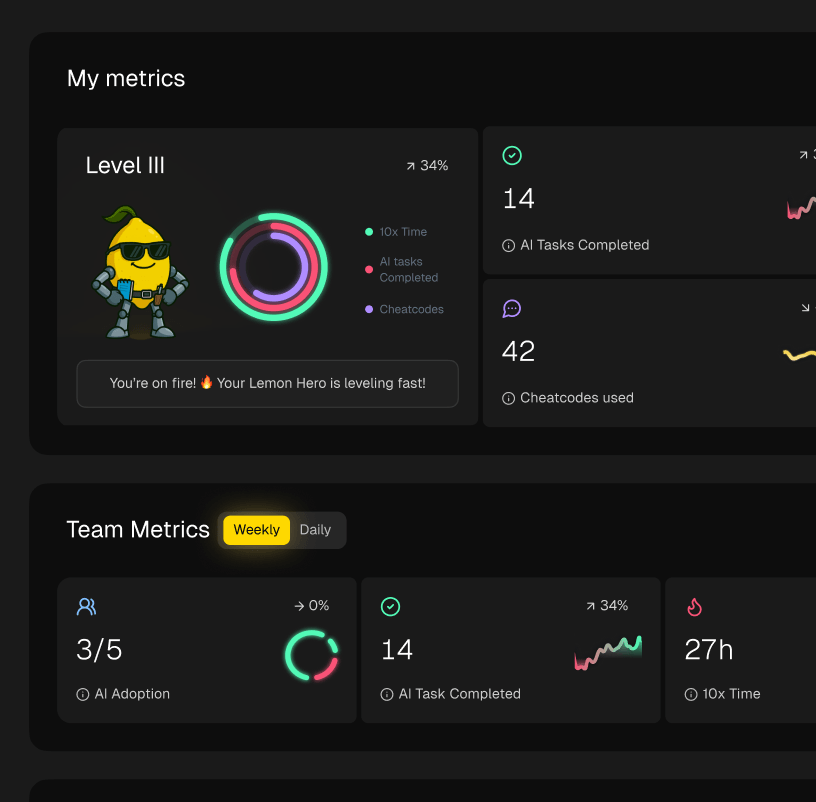
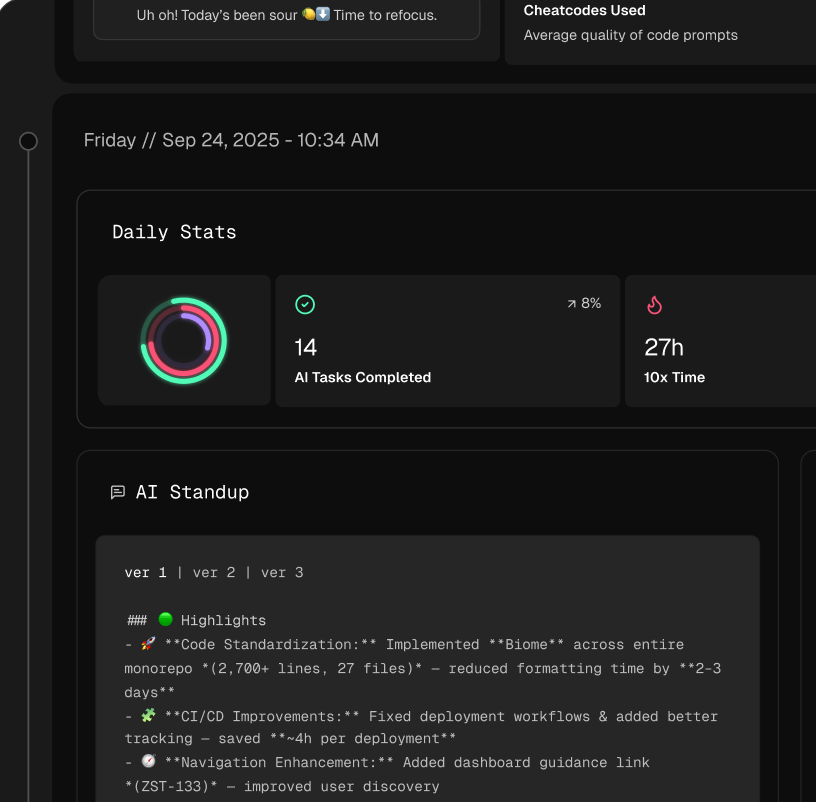
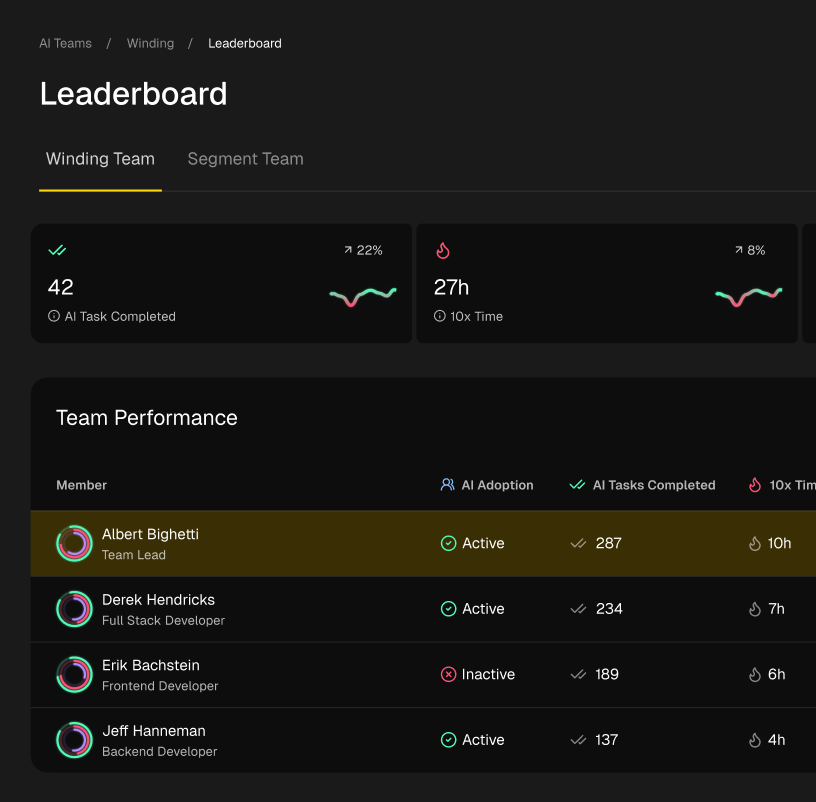
This listicle is designed for individual developers, engineering managers, and CTOs alike. You will find clear pros and cons, pricing breakdowns, and direct links to each platform, helping you select the perfect AI co-pilot for your personal workflow or your team’s specific needs. We also explore how tools like Zest can provide essential visibility into AI adoption and its impact on your engineering workflows.
1. Tabnine – Official Website & Enterprise Platform
For engineering leaders and teams operating under strict security protocols, Tabnine’s official website is the definitive resource. It details the platform’s core enterprise value: secure, private, and flexible AI assistance. The site clearly articulates how Tabnine can be self-hosted in a VPC, on-premises, or even in an air-gapped environment, making it a standout choice for organizations needing to comply with SOC 2, ISO, or GDPR. This focus on security and governance makes it a crucial first stop when evaluating the best AI coding tools like Tabnine for corporate use.
The platform functions as a centralized AI hub, allowing teams to leverage various leading LLMs while maintaining control and visibility through analytics. It works across major IDEs like VS Code, JetBrains, and Visual Studio. While the site excels at outlining deployment options and security features, individual developer pricing is less prominent, reflecting its enterprise focus. For the most direct installation, using your IDE’s marketplace is often smoother than following some legacy links on the site.
- Website: https://www.tabnine.com/
- Best For: Enterprise teams with strict security, privacy, or compliance needs.
- Key Feature: Self-hosting options (VPC, on-prem, air-gapped) and central governance.
- Pros: Authoritative source for product details; strong emphasis on enterprise-grade security.
- Cons: Less focus on individual developer plans; some site links can be outdated.
2. Tabnine – pricing and plans
For budget planning and procurement, Tabnine’s dedicated pricing page is the essential resource. It provides a clear breakdown of the commercial terms for the Tabnine Agentic Platform, detailing per-user costs and bundled features for different tiers. This page is crucial for understanding the total cost of ownership, especially when considering various deployment options or integrating your own Large Language Models (LLMs). It outlines what’s included at the organizational level, from agent features like chat and code review to governance and analytics capabilities.
The page clearly explains how deployment choices like SaaS, VPC, or on-premises affect billing and provides notes on how usage is metered for Tabnine-provided models. While its presentation is heavily geared toward enterprise teams evaluating the best AI coding tools like Tabnine, it offers invaluable transparency for any team assessing the platform. However, the details on private-LLM usage and third-party provider billing can introduce complexity, requiring careful consideration to calculate the final cost.
- Website: https://www.tabnine.com/pricing
- Best For: Engineering managers, procurement teams, and CTOs planning budgets.
- Key Feature: Transparent per-user pricing and detailed feature breakdowns for all tiers.
- Pros: Single source for current pricing; helpful for budget planning and feature comparison.
- Cons: Enterprise-centric presentation; estimating total cost with private LLMs can be complex.
3. VS Code Marketplace – Tabnine extension (legacy listing)
For developers and engineering teams needing to validate extension identifiers or perform compliance checks, the official VS Code Marketplace listing for Tabnine is an indispensable resource. Although marked as “Legacy” because the primary onboarding now happens directly within the IDE, this page remains a trusted source for historical data. It provides the extension’s unique identifier, which is crucial for automated deployment scripts or for ensuring that the correct, verified version of Tabnine is being installed across an organization.
This marketplace entry offers a transparent view of the extension’s version history, total install count, and user ratings over time. While not the ideal starting point for a new user looking for one of the best AI coding tools like Tabnine, it serves a critical function for governance and automation. Engineering leaders can point to this official Microsoft-hosted page to confirm the publisher’s authenticity and review legacy version details for security audits. The provided command-line install syntax is also a practical shortcut for anyone scripting their development environment setup.
- Website: https://marketplace.visualstudio.com/items?itemName=TabNine.tabnine-vscode
- Best For: IT admins, compliance officers, and developers scripting automated environment setups.
- Key Feature: Provides the unique extension identifier (
TabNine.tabnine-vscode) for verification and scripts. - Pros: Trusted Microsoft source for publisher validation; provides historical data and install commands.
- Cons: Marked as “Legacy” and is not the primary installation path for new developers.
4. JetBrains Marketplace – Tabnine plugin (legacy/self‑hosted track)
For development teams using JetBrains IDEs like IntelliJ, PyCharm, or WebStorm within a corporate firewall, the JetBrains Marketplace is the official channel for validation. This listing specifically addresses the installation path for Tabnine’s self-hosted enterprise deployments, including private VPC and fully air-gapped environments. It serves as a crucial resource for teams with strict IT governance that prevents direct-from-web installs, confirming the plugin’s identity and providing links to documentation for restricted setups. This makes it a key part of evaluating the best AI coding tools like Tabnine for secure, large-scale adoption.
While the public marketplace page is marked as “legacy,” it remains a key signpost for enterprise administrators who need to manage private plugin repositories. It clarifies the process for connecting the IDE to a self-hosted Tabnine server, a critical step that cannot be accomplished through the standard cloud-based plugin. However, for individual developers or teams on the cloud version, modern installation flows are now handled directly within the IDE’s built-in plugin manager, making this specific page less relevant for them.
- Website: https://plugins.jetbrains.com/plugin/12798–legacy-tabnine
- Best For: Enterprise teams using JetBrains IDEs with self-hosted or air-gapped Tabnine.
- Key Feature: Official guidance and documentation links for private, secure deployments.
- Pros: Official JetBrains channel for verified plugins; clear instructions for complex enterprise setups.
- Cons: Page is marked legacy; most new cloud-based installs are now managed inside the IDE.
5. Tabnine – Install for VS Code (official one‑click path)
For individual developers or distributed teams, this dedicated installation page is the most direct and modern way to integrate Tabnine into VS Code. It provides a simple one-click path that bypasses some of the more complex enterprise documentation, making it ideal for quickly getting started. The page also clarifies the sign-in flow, including crucial instructions for using authentication tokens. This is particularly useful for developers working in remote environments like WSL, dev containers, or SSH sessions where standard browser-based login isn’t feasible.
While tailored for VS Code, the page serves as a practical hub, linking out to the broader installation matrix for other IDEs like JetBrains, Visual Studio, and Eclipse. This makes it a great onboarding resource for teams with mixed development environments. It focuses purely on the installation process and skims over the advanced enterprise controls and self-hosting options, which are detailed elsewhere. The install itself is free, but unlocking the full feature set is governed by your specific Tabnine subscription plan, making it one of the most flexible best AI coding tools like Tabnine to adopt.
- Website: https://www.tabnine.com/install/vs-code/
- Best For: Individual developers and teams needing a fast, multi-environment onboarding path.
- Key Feature: Updated token-based authentication guidance for remote and containerized setups.
- Pros: Fastest official path to install Tabnine in VS Code; excellent for onboarding distributed teams.
- Cons: Skims advanced enterprise controls; installation is free but full access depends on a paid plan.
6. GitHub Copilot – plans and product site
As a primary comparator for the best AI coding tools like Tabnine, GitHub Copilot’s official site is an essential resource for understanding the market landscape. The website clearly outlines its various plans, from individual Pro tiers to comprehensive Business and Enterprise solutions. It serves as the main hub for purchasing licenses and managing team access, integrating directly into the familiar GitHub ecosystem. This deep integration makes it a go-to choice for teams already heavily invested in GitHub for version control and CI/CD workflows.
The site provides a transparent matrix detailing features available in each plan, including model access, usage quotas, and organizational management tools. For engineering managers, the centralized seat management and policy controls in the Business and Enterprise tiers are significant draws. While its ubiquitous nature is a major advantage, organizations should note that premium features and extensive use can lead to additional costs that require monitoring. For a deeper dive into its capabilities, learn more about the best AI coding tools with GitHub Copilot and how it stacks up.
- Website: https://github.com/features/copilot
- Best For: Teams and individuals deeply embedded in the GitHub ecosystem.
- Key Feature: Seamless integration with GitHub workflows and centralized seat management.
- Pros: Ubiquitous and well-integrated; transparent plan comparisons and easy license management.
- Cons: Premium usage can require cost monitoring; advanced enterprise features may incur extra fees.
7. Amazon Q Developer – official overview and pricing
For development teams deeply integrated into the AWS ecosystem, the Amazon Q Developer website serves as the central hub for its AI coding assistant. The site effectively details how Q, the successor to CodeWhisperer, provides tight alignment with AWS services, security models, and governance through IAM Identity Center integration. It clearly outlines the Free and Pro tiers, making it a compelling option for organizations already leveraging AWS infrastructure who want a native, context-aware AI tool. This focus on seamless AWS integration makes it a primary resource when comparing the best AI coding tools like Tabnine for cloud-native development.
The platform’s official site provides clear documentation for its plugins across VS Code, JetBrains, and the command line. A key differentiator highlighted is its agentic chat and code transformation capabilities, governed by a Lines of Code (LOC) quota system with transparent overage pricing. This model, while potentially unfamiliar, offers predictable economics for heavy refactoring tasks. While the tool is powerful within its intended environment, organizations not committed to AWS may find more ecosystem-neutral tools to be a better fit. You can discover more about the different options for the best AI for writing code here.
- Website: https://aws.amazon.com/q/developer/
- Best For: Teams heavily invested in the AWS ecosystem needing native AI assistance.
- Key Feature: Tight integration with AWS services and IAM for governance and security.
- Pros: Generous Free tier for evaluation; strong alignment with AWS security; clear billing for code transformation.
- Cons: Delivers the best experience within the AWS ecosystem; quota and LOC billing may be unfamiliar.
8. Google Gemini Code Assist – Google Cloud pricing
For organizations deeply embedded in the Google Cloud ecosystem, the Gemini Code Assist pricing page is an essential resource. It outlines how to integrate Google’s powerful AI coding assistant directly into existing cloud workflows and billing cycles. This page details the Standard and Enterprise tiers, showing a clear pathway for teams to adopt AI with the governance and security of the Google Cloud Admin console. The model is particularly suited for enterprises prioritizing centralized management and leveraging other Google Cloud services like Cloud Assist.
Unlike the straightforward per-seat pricing common with tools like Tabnine, Google’s pricing is presented as a credit-style or hourly usage model, with discounts available for commitments. This approach offers flexibility but may feel less familiar to teams accustomed to traditional SaaS subscriptions. The value proposition is strongest when Gemini Code Assist is used alongside other Google services, making it one of the best AI coding tools for businesses already committed to Google’s platform. It functions as a powerful, integrated solution rather than a standalone developer tool.
- Website: https://cloud.google.com/products/gemini/pricing
- Best For: Organizations using Google Cloud and requiring enterprise governance.
- Key Feature: Deep integration with Google Cloud services and billing through the admin console.
- Pros: Clear licensing tiers for enterprise needs; strong synergy with Cloud Assist features.
- Cons: Pricing model may be complex for those outside the Google ecosystem; best value is tied to other Google services.
9. Cursor – official pricing (AI code editor)
Cursor’s official pricing page is the go-to resource for teams evaluating this AI-first editor as a companion or alternative to Tabnine. It clearly lays out the value proposition: an integrated development environment built from the ground up for agent-driven coding. The page details features like large context windows and background agents that differentiate it from IDE plugins, presenting a compelling case for developers who prefer a deeply embedded AI workflow over a tool that works on top of an existing editor.
The site effectively organizes plans for individuals, teams, and enterprises, highlighting centralized billing, SSO, and analytics for organizational use. It also provides transparent pricing for powerful add-ons like Bugbot, which automates code and pull request reviews. For teams considering a switch from traditional IDEs, this page is essential for understanding the cost-benefit analysis and exploring viable Cursor alternatives if a full editor change is not feasible. The clear structure makes it one of the best resources for comparing AI coding tools against solutions like Tabnine.
- Website: https://cursor.com/pricing
- Best For: Individuals and teams wanting a fully integrated, AI-native editor experience.
- Key Feature: Agent-driven coding, large context windows, and optional automated review tools.
- Pros: Generous usage limits per plan; clear add-on pricing for features like Bugbot.
- Cons: Committing to a new editor can be a hurdle for teams standardized on VS Code or JetBrains.
10. Codeium / Windsurf – official pricing
For developers looking for a strong, low-risk alternative to GitHub Copilot, Codeium’s pricing page is an essential destination. It lays out one of the most compelling free tiers available, offering unlimited code completions and a generous allocation of chat/prompt credits. This makes it an ideal starting point for anyone wanting to trial a powerful AI assistant without immediate financial commitment, positioning it as a key resource when comparing the best AI coding tools like Tabnine. The page clearly details what’s included, covering its broad IDE support and access to product documentation.
The platform, now directing to Windsurf for its commercial offerings, provides a clear upgrade path for teams needing centralized billing, analytics, and self-hosted deployment options. While the dual branding between Codeium and Windsurf can initially be confusing, the value proposition for both individuals and teams is strong. The credit-based system for advanced features on paid plans may require some monitoring to manage usage, but the robust free plan provides more than enough functionality to evaluate its core capabilities thoroughly before upgrading.
- Website: https://www.codeium.com/pricing
- Best For: Individuals and teams wanting to trial a full-featured AI coding tool for free.
- Key Feature: A generous free forever plan with unlimited code completions.
- Pros: Excellent low-risk entry point for AI adoption; supports a wide range of IDEs.
- Cons: The credit system for paid features can require monitoring; branding transition to Windsurf may cause confusion.
11. Sourcegraph Cody – usage and pricing (enterprise focus)
For enterprise teams evaluating how Sourcegraph’s AI assistant stacks up against Tabnine, this official documentation page is the definitive resource. It clarifies Cody’s new enterprise-only positioning after the discontinuation of its Free and Pro plans in mid-2025. This makes it an essential stop for organizations that need a powerful combination of universal code search across large monorepos and context-aware AI assistance, a core differentiator from many other best AI coding tools like Tabnine that focus primarily on generation.
The page directly addresses the transition, outlining the future of Cody as an integrated part of the Sourcegraph Enterprise platform. This focus is ideal for large-scale deployments where understanding code context across millions of lines is paramount. While it effectively communicates the value proposition for large companies, the lack of any individual or small-team offering means developers looking for a personal AI tool will need to look elsewhere. The documentation serves its purpose well: providing clear, authoritative information on Cody’s enterprise pricing and availability.
- Website: https://sourcegraph.com/docs/cody/usage-and-pricing
- Best For: Enterprise engineering teams needing AI integrated with large-scale code search.
- Key Feature: Deep integration with Sourcegraph’s code search for context-rich AI assistance in massive codebases.
- Pros: Authoritative source on Cody’s enterprise availability; highlights the powerful pairing of code search and AI.
- Cons: No longer offers free or individual plans; strictly relevant for enterprise customers.
12. JetBrains AI Assistant – licensing and subscriptions
For development teams already embedded in the JetBrains ecosystem, this official licensing page is the most direct path to integrating AI capabilities. It details how the JetBrains AI Assistant, a powerful competitor to tools like Tabnine, functions within their IDEs. The page clearly explains the multiple license tiers available, from the free plan to enterprise options, outlining the account-based licensing that works across the entire JetBrains product portfolio. This makes it an essential resource for organizations wanting to add AI features with minimal friction.
The platform’s standout feature is its clear quota and AI credit model, which allows teams to manage and predict costs based on usage. The site provides a transparent breakdown of how credits are consumed for chat, code completion, and refactoring tasks. While this offers excellent financial control, the credit terminology can present a learning curve for new users. Unlike some of the other best AI coding tools like Tabnine that offer simpler subscription plans, JetBrains’ model requires teams to monitor usage to avoid unexpected costs.
- Website: https://www.jetbrains.com/help/ai-assistant/licensing-and-subscriptions.html
- Best For: Existing JetBrains customers looking for a natively integrated AI solution.
- Key Feature: Transparent AI credit and quota system for predictable cost management.
- Pros: Direct and authoritative source for pricing; seamless adoption for JetBrains users.
- Cons: Credit-based model can be complex; total cost is variable and depends on usage.
Tabnine vs 11 Alternatives — AI Coding Tools Comparison
| Item | Core features ✨ | Target 👥 | UX / Quality ★ | Pricing / Value 💰 | Standout 🏆 |
|---|---|---|---|---|---|
| Tabnine – official website | Enterprise privacy, multi‑IDE, governance, LLM choices ✨ | 👥 Enterprises & IT teams | ★★★★ | 💰 Enterprise‑focused; pricing details on pricing page | 🏆 Strong security & deployment options |
| Tabnine – pricing and plans | Agent features (chat, review), deployment & metering ✨ | 👥 Procurement / SRE / IT leads | ★★★★ | 💰 Per‑seat & metered models; clear bundles | 🏆 Single source for enterprise billing & quotas |
| VS Code Marketplace – Tabnine (legacy) | Extension metadata, installs, historical ratings ✨ | 👥 Compliance & automation engineers | ★★★ | 💰 Free extension (legacy) | 🏆 Microsoft marketplace verification |
| JetBrains Marketplace – Tabnine (legacy/self‑hosted) | Plugin compatibility, self‑hosted/air‑gapped docs ✨ | 👥 JetBrains shops & restricted envs | ★★★ | 💰 Self‑hosted / enterprise licensing options | 🏆 Guidance for air‑gapped installs |
| Tabnine – Install for VS Code (one‑click) | One‑click install, token sign‑in, remote flows ✨ | 👥 Individual devs & mixed teams | ★★★★ | 💰 Free install; full features gated by plan | 🏆 Fastest onboarding path |
| GitHub Copilot – plans & product site | Multi‑plan tiers, deep GitHub/IDE integrations ✨ | 👥 GitHub users & orgs | ★★★★ | 💰 Per‑user plans (Free/Pro/Business) | 🏆 Native GitHub workflow integration |
| Amazon Q Developer – overview & pricing | IDE plugins, agentic chat, IAM & admin controls ✨ | 👥 AWS‑centric teams | ★★★ | 💰 Free + Pro; LOC/quota billing model | 🏆 Tight AWS governance & IAM integration |
| Google Gemini Code Assist – Cloud pricing | Cloud billing, enterprise tier, Cloud Assist ✨ | 👥 Google Cloud customers | ★★★ | 💰 Hourly/credit pricing; commitment discounts | 🏆 Deep Google Cloud & Assist integration |
| Cursor – official pricing | Agent‑driven editor, background agents, Bugbot ✨ | 👥 Editor‑centric devs & teams | ★★★★ | 💰 Generous per‑plan usage; add‑ons for reviews | 🏆 Agent editor + automated PR reviews (Bugbot) |
| Codeium / Windsurf – official pricing | Free tier, team features, IDE plugins ✨ | 👥 Individuals & small teams | ★★★ | 💰 Free plan + credits for advanced use | 🏆 Strong low‑risk free trial option |
| Sourcegraph Cody – usage & pricing | Cody + code search, enterprise guidance ✨ | 👥 Large orgs with monorepos | ★★★ | 💰 Enterprise‑only posture after changes | 🏆 Best for large‑scale code search + AI assist |
| JetBrains AI Assistant – licensing & subs | License tiers, credits, IDE‑wide AI features ✨ | 👥 Existing JetBrains customers | ★★★★ | 💰 Credit/quota model; tiered subscriptions | 🏆 Native AI in JetBrains IDEs |
Choosing Your Tool: How to Measure and Maximize AI’s Impact
Navigating the landscape of AI coding assistants can feel overwhelming. We’ve explored a range of powerful options, from the enterprise-grade security and personalization of Tabnine to the widely adopted GitHub Copilot and the context-aware power of Amazon Q. Each tool presents a unique value proposition, tailored to different needs, team sizes, and security requirements.
The core takeaway is that the “best” tool is not a one-size-fits-all answer. For a solo developer or a small startup, the broad, general-purpose models in GitHub Copilot or Codeium might offer the fastest path to productivity. For larger organizations handling sensitive code, the privacy, control, and custom models of a tool like Tabnine become non-negotiable. The decision hinges on balancing raw code generation power with essential factors like security, codebase privacy, and team-specific context.
From Adoption to Optimization
Simply choosing and installing a tool is only the beginning. The real challenge, and the greatest opportunity, lies in measuring its actual impact and optimizing its use across your team. Without visibility, you’re essentially guessing about the return on your investment. Are developers saving time? Are they using the tool effectively, or are they struggling with clunky prompts and irrelevant suggestions?
This is where a dedicated workflow intelligence platform becomes critical. By tracking key metrics, you can move from anecdotal feedback to data-driven decisions. Consider these factors when implementing your chosen AI tool:
- Adoption Rate: How many developers are actively using the tool daily? Low adoption can signal issues with setup, performance, or perceived value.
- Time Saved: Can you quantify the efficiency gains? Look at metrics like code completions accepted, lines of code generated, and time spent on boilerplate tasks.
- Workflow Integration: Does the tool seamlessly fit into existing developer workflows in VS Code or Cursor, or does it create friction?
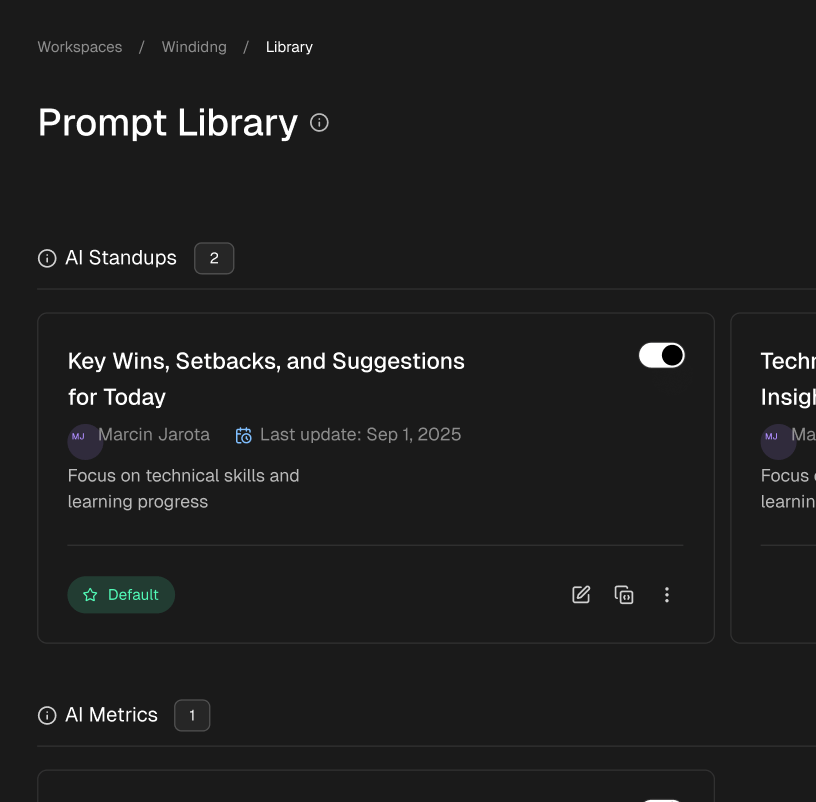
- Prompt Effectiveness: What kinds of prompts and commands yield the best results? Sharing these “cheatcodes” can rapidly accelerate the team’s learning curve.
Measuring these elements transforms an AI tool from a neat gadget into a strategic asset. It allows engineering leaders to justify the investment, identify power users who can mentor others, and spot areas where additional training is needed. This data-driven approach is essential for truly maximizing the impact of the best AI coding tools like Tabnine. It helps you understand not just if the tool works, but how and why it works for your specific team and projects. To fully grasp the potential of these tools and how they might evolve, consider a broader vision of AI’s role in development, asking questions like what if AI built your automations for you and integrating that future-forward thinking into your strategy today.
Ready to move from guessing to knowing? Zest plugs directly into your team’s code editor to measure AI adoption, quantify time saved, and surface the workflows that actually drive productivity. Stop wondering about ROI and start proving it. Try Zest to unlock your team’s AI potential.
Maximize Your AI Coding Impact
Turn your team's AI tool adoption into measurable, data-driven productivity gains.
📊 Core Metrics
- AI Adoption Rate — Percentage of team actively using AI tools daily
- Time Saved Per Dev — Hours reclaimed from boilerplate via code completions
- Effective Prompt Ratio — Successful vs. unsuccessful AI interactions
🕹️ My Cheatcodes
- 🌱 Measure First — Don't just adopt; track usage and impact from day one.
- 🦎 Context is King — Choose tools that understand your private codebase for relevant suggestions.
- ⚡ Share What Works — Identify effective prompts and workflows and scale them across the team.
📈 Reflection Points
- 💡 Does our chosen tool meet our security and privacy needs?
- 🧩 Are we actively measuring the ROI of our AI coding assistant?
- 📘 How can we create a feedback loop to improve how our team uses AI?
✅ Before Finalizing Your AI Tool
- 🔍 Evaluate security and code privacy policies
- 📊 Define success metrics for productivity
- 🧭 Pilot the tool with a small, focused team
- 📈 Establish a plan for measuring and sharing insights
Gallery
Lemon shots