
The best ai coding tools github copilot: 12 Top AI Assistants in 2025

The landscape of software development has fundamentally shifted. AI assistants are no longer a novelty but essential partners in daily coding workflows. Simple code completion has evolved into intelligent chat, agentic task automation, and sophisticated code generation. With so many powerful options flooding the market, choosing the right tool can feel overwhelming. This guide is designed to cut through the noise.
This comprehensive listicle ranks and reviews the 12 best AI coding tools, with a deep dive into GitHub Copilot and its leading competitors like Amazon Q, Tabnine, and Cursor. We move beyond marketing claims to provide a practical analysis of each tool’s real-world performance. You’ll find a clear breakdown of their strengths, weaknesses, ideal use cases, and critical privacy considerations.
Our goal is to give you a clear roadmap for selecting the perfect AI pair programmer. Whether you are a solo developer fine-tuning your VS Code setup, an engineering manager measuring team adoption, or a CTO standardizing tools across your organization, this resource will help you make an informed decision. We’ll also explore how these tools integrate into various platforms. For a broader understanding of how artificial intelligence is integrated into cloud platforms, you might find more information on AI in cloud environments. Each review includes direct links and practical insights to help you get started immediately.
1. GitHub Copilot
As the definitive market leader, GitHub Copilot is more than just a code completion tool; it’s a comprehensive AI development suite deeply embedded in the GitHub ecosystem. Its primary strength lies in its seamless integration with popular IDEs like VS Code, Visual Studio, and JetBrains, providing developers with context-aware code suggestions, function generation, and boilerplate reduction directly in their editor. This tight integration minimizes workflow disruption, making it a top choice for those already invested in GitHub and Microsoft platforms.
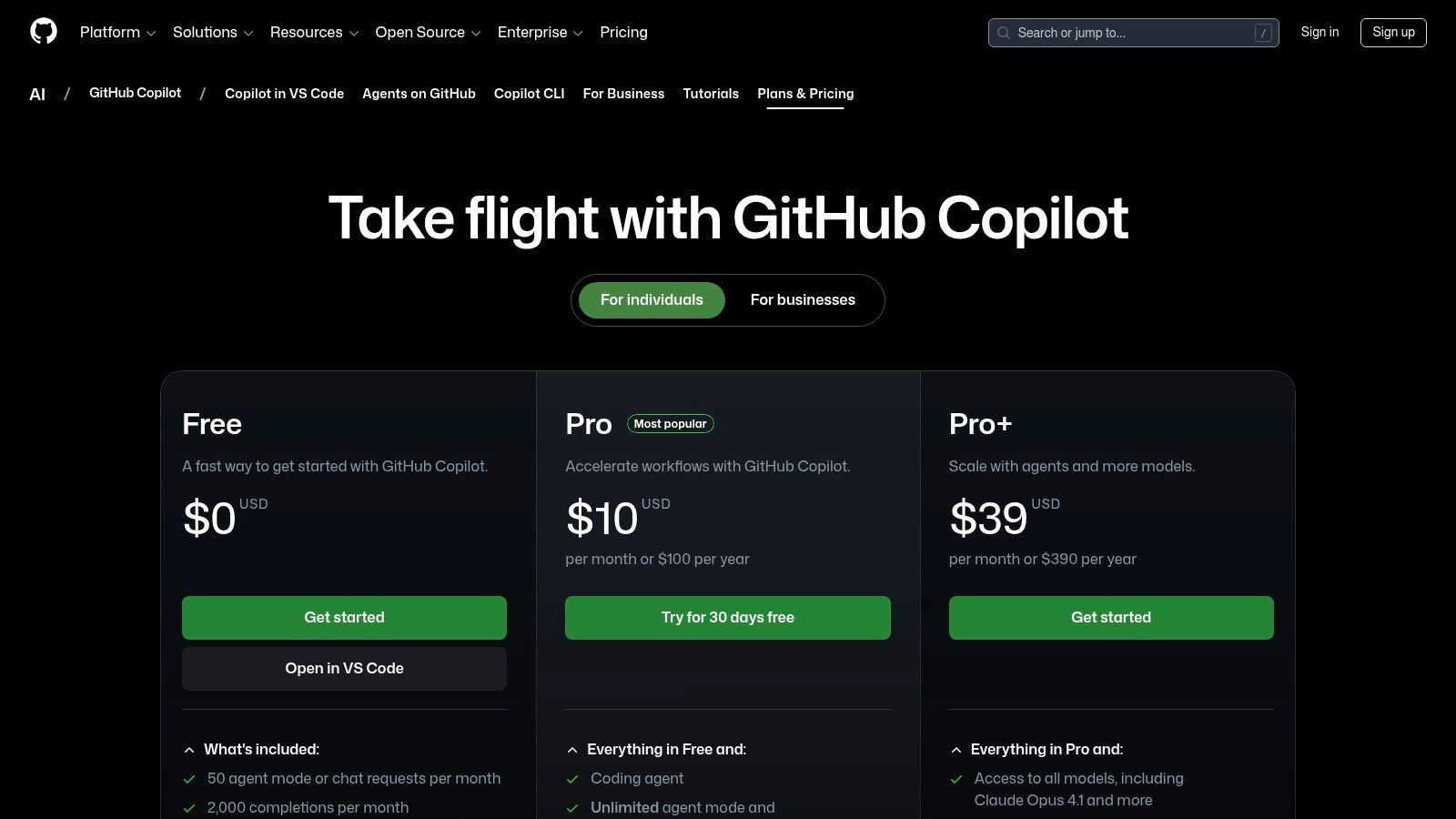
Beyond completions, its feature set includes Copilot Chat for conversational coding, debugging, and documentation, and the newer “Agent” mode for more complex, multi-step tasks. While the free access for students and open-source maintainers is a significant plus, businesses should note that enterprise features and premium request buckets require higher-tier organizational plans. If you’re looking for a powerful, all-in-one solution and want to see how it stacks up against others, you can learn more about GitHub Copilot alternatives.
Key Details & Use Cases
- Best For: Developers and teams deeply integrated with the GitHub/Microsoft ecosystem.
- Standout Feature: Unmatched IDE integration and a comprehensive feature suite including completions, chat, and agents.
- Pricing: Starts free for verified students, teachers, and maintainers of popular OSS projects. Paid plans for individuals start at $10/month, with business and enterprise tiers offering advanced features and security.
- Tip: Use Copilot Chat’s
/explaincommand to quickly understand unfamiliar code blocks or/fixto get suggestions for debugging errors without leaving your editor.
2. Visual Studio + GitHub Copilot
For developers committed to the Microsoft ecosystem, the official Visual Studio integration page serves as the definitive starting point for one of the best AI coding tools. This resource streamlines the setup process by detailing the unified Copilot and Copilot Chat extension, now built directly into Visual Studio 2022 (version 17.10 and newer). It removes the friction of third-party installers, offering first-party guidance to ensure a smooth, reliable installation and a deeply integrated experience.
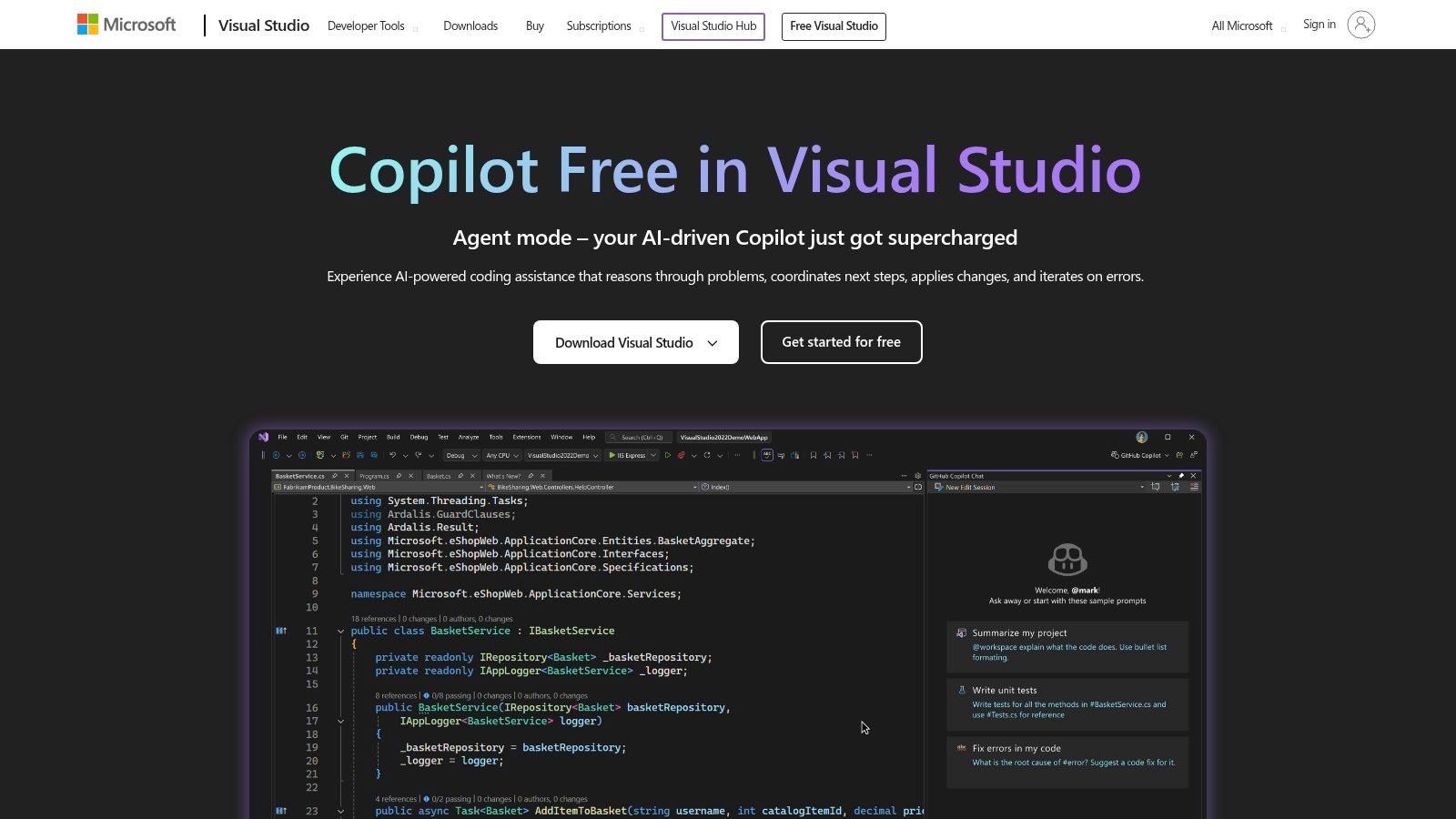
The platform clearly outlines how inline chat, code comprehension, and intelligent completions function within the familiar Visual Studio interface. While it’s an essential resource, its main limitation is that it’s exclusively for users with up-to-date Visual Studio builds, as older versions lack the unified extension and its advanced chat features. It also reinforces that an active GitHub Copilot subscription is required, providing clear pointers to the relevant plans. If you’re a .NET or C++ developer in Visual Studio, this native integration is unparalleled.
Key Details & Use Cases
- Best For: .NET and C++ developers using modern versions of Visual Studio.
- Standout Feature: Seamless, first-party installation and unified Copilot Chat directly within the Visual Studio IDE, reducing setup complexity.
- Pricing: The extension is free to install, but functionality requires an active GitHub Copilot subscription (starting at $10/month for individuals).
- Tip: Use the inline chat (Alt + /) to ask questions about your selected code without switching context to a separate chat window, keeping your focus entirely within the editor.
3. GitHub Copilot Chat (VS Code extension)
While Copilot’s core features operate across many editors, the official GitHub repository for the VS Code extension is the definitive source for unlocking its full conversational potential. This isn’t just a download page; it’s a hub for developers to get the latest feature updates, compatibility notes, and direct guidance from Microsoft on enabling advanced capabilities like Copilot Edits and the emerging Agent Mode directly within their VS Code environment. It provides crucial versioning information, ensuring your setup remains stable and supported.

This resource is essential for any team looking to standardize its use of GitHub Copilot’s most powerful features. Because it’s maintained by Microsoft, the documentation and release notes are always up-to-date, offering a clear roadmap for what’s new and how to implement it. Although you still need an active Copilot subscription to use the extension, this repository is the best place for technical guidance, making it a key destination for developers and engineering managers who want to maximize their investment in one of the best AI coding tools available.
Key Details & Use Cases
- Best For: Developers and teams using VS Code who need the latest features and official documentation for Copilot Chat.
- Standout Feature: Direct-from-Microsoft guidance on enabling advanced features like Agent Mode and Copilot Edits.
- Pricing: The repository and extension are free to access, but a GitHub Copilot subscription ($10/month for individuals) is required for use.
- Tip: “Watch” this GitHub repository to receive notifications about new releases and updates, ensuring your team is always using the most recent and powerful version of the extension.
4. JetBrains Marketplace — GitHub Copilot plugin
For developers committed to the JetBrains suite of IDEs like IntelliJ IDEA, PyCharm, or WebStorm, the official JetBrains Marketplace is the definitive source for integrating GitHub Copilot. This isn’t a separate tool but the official distribution channel, ensuring seamless one-click installation, version management, and guaranteed compatibility directly within the IDE’s ecosystem. It centralizes the plugin, making it simple to find, install, and update without ever leaving your development environment.

The marketplace listing provides crucial information on versioned builds and IDE compatibility, which is vital for teams managing complex development environments. While access to the plugin itself is free, it acts as a gateway and requires an active GitHub Copilot subscription to function. Its primary value is convenience and reliability, offering a native experience that feels like a natural extension of the IDE rather than a third-party add-on. This makes it an essential stop for any JetBrains user looking to leverage one of the best AI coding tools available.
Key Details & Use Cases
- Best For: Developers using any JetBrains IDE (IntelliJ, PyCharm, Rider, etc.) who want a native, reliable installation method.
- Standout Feature: Official, one-click integration and version management within the JetBrains IDE ecosystem.
- Pricing: The plugin is free to install, but a GitHub Copilot subscription (starting at $10/month) is required for it to work.
- Tip: Before installing, check the “Versions” tab on the marketplace page to ensure compatibility with your specific IDE build, especially if you are using an Early Access Program (EAP) version of a JetBrains product.
5. GitHub Docs — Copilot Extensions
While not an AI tool itself, the official GitHub Docs for Copilot Extensions is an indispensable resource for maximizing your investment in the ecosystem. This documentation provides the authoritative, ground-truth information needed to correctly install, configure, and troubleshoot the integrations that connect GitHub Copilot with third-party services like DataStax, Docker, and Sentry. By centralizing this information, it eliminates the guesswork and trial-and-error often associated with setting up complex developer tools, ensuring you get integrations running smoothly and securely.
The primary value of this resource is clarity. It details which clients are supported (like VS Code and Visual Studio), what permissions each extension requires, and where to find them in the relevant marketplaces. Crucially, it also provides lifecycle and deprecation notes, such as the wind-down dates for older app-based extensions, helping teams plan migrations and avoid disruptions. For any team looking to expand beyond basic code completion and leverage the full power of one of the best AI coding tools, GitHub Copilot, this documentation is the essential starting point for building a more connected and intelligent development workflow.
Key Details & Use Cases
- Best For: Developers and platform teams looking to integrate third-party services directly into their GitHub Copilot workflow.
- Standout Feature: Authoritative, up-to-date guidance on installation, permissions, and supported environments for all official Copilot extensions.
- Pricing: Access to the documentation is completely free. However, GitHub Copilot and any third-party services you integrate will have their own pricing plans.
- Tip: Before installing a new extension, check its page in the documentation to understand its required permissions and ensure it aligns with your organization’s security policies.
6. Amazon Q Developer (formerly CodeWhisperer)
For teams building on Amazon Web Services, Amazon Q Developer (formerly CodeWhisperer) presents a highly specialized AI coding companion. Its greatest advantage is its profound integration with the AWS ecosystem, offering contextual suggestions for AWS APIs and services that general-purpose tools might miss. It provides not only in-IDE completions for VS Code and JetBrains but also extends its capabilities to the command line and features agentic actions for complex tasks like code transformation and upgrades.
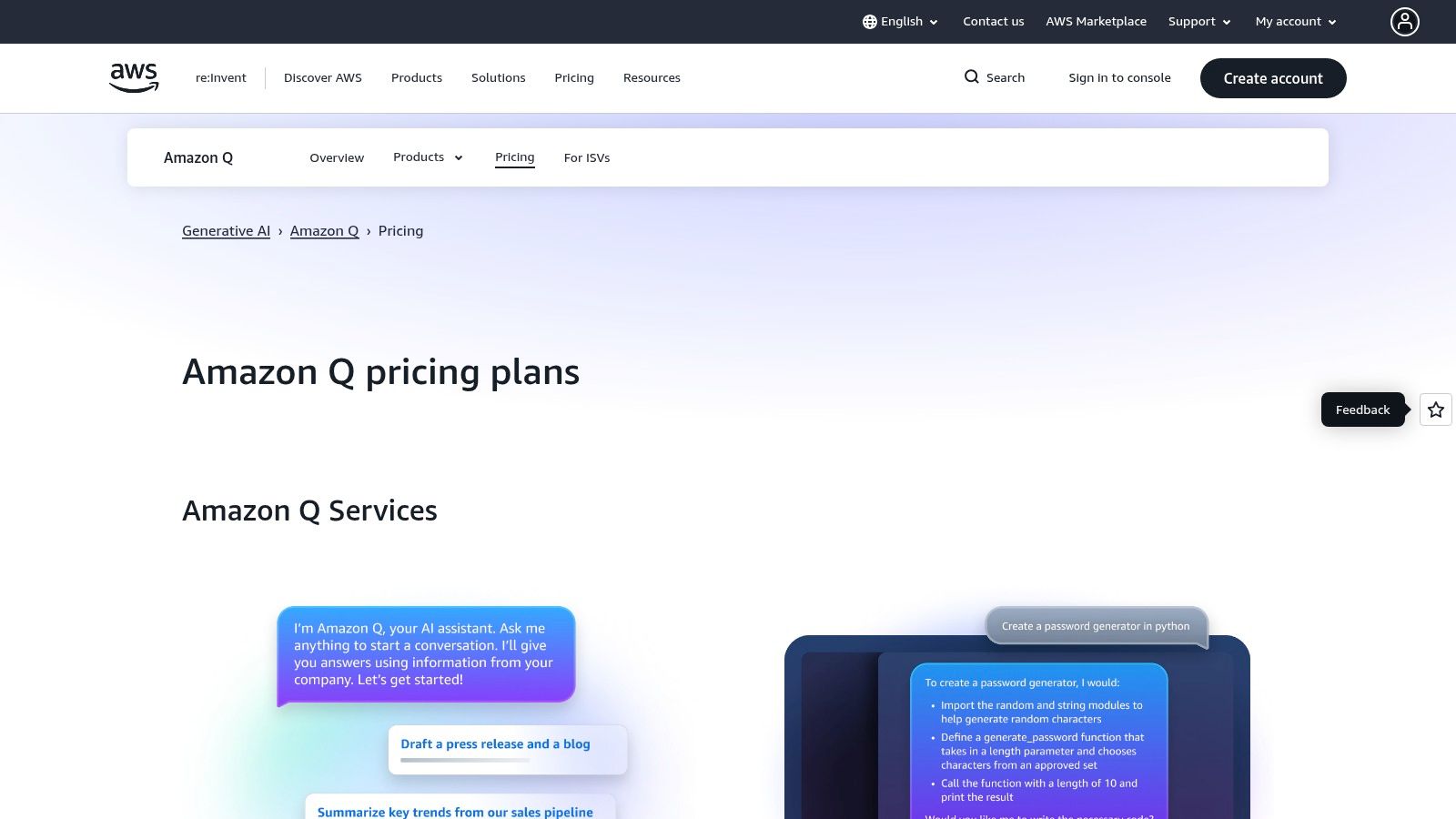
This tool is clearly positioned as a competitor to other best AI coding tools like GitHub Copilot, particularly for enterprise use cases where governance is key. The Pro tier adds crucial features like security scanning, enterprise policy controls, and intellectual property indemnity, addressing common organizational concerns. While the free tier is generous for individuals, teams should carefully review the default data-sharing and usage policies to ensure they align with their compliance requirements before widespread adoption.
Key Details & Use Cases
- Best For: Developers and organizations heavily invested in the AWS cloud infrastructure.
- Standout Feature: Deep, context-aware integration with AWS services, APIs, and CLI workflows.
- Pricing: A free individual tier is available with basic code completions. The Pro plan costs $19/user/month and adds administrative controls, security scanning, and advanced agentic features.
- Tip: Use the
/transformagentic feature to automate dependency upgrades or convert Java versions, letting Amazon Q handle the tedious boilerplate and refactoring work directly within your project.
7. Google Gemini Code Assist
Leveraging Google’s formidable Gemini models, Gemini Code Assist emerges as a powerful contender, especially for developers and enterprises invested in the Google Cloud Platform. Its key differentiator is the massive 1 million-token context window, allowing it to understand and reason about entire codebases for more accurate, context-aware suggestions and refactoring. This makes it an exceptional tool for working on large-scale, complex projects where understanding broader architectural patterns is crucial for generating meaningful code.
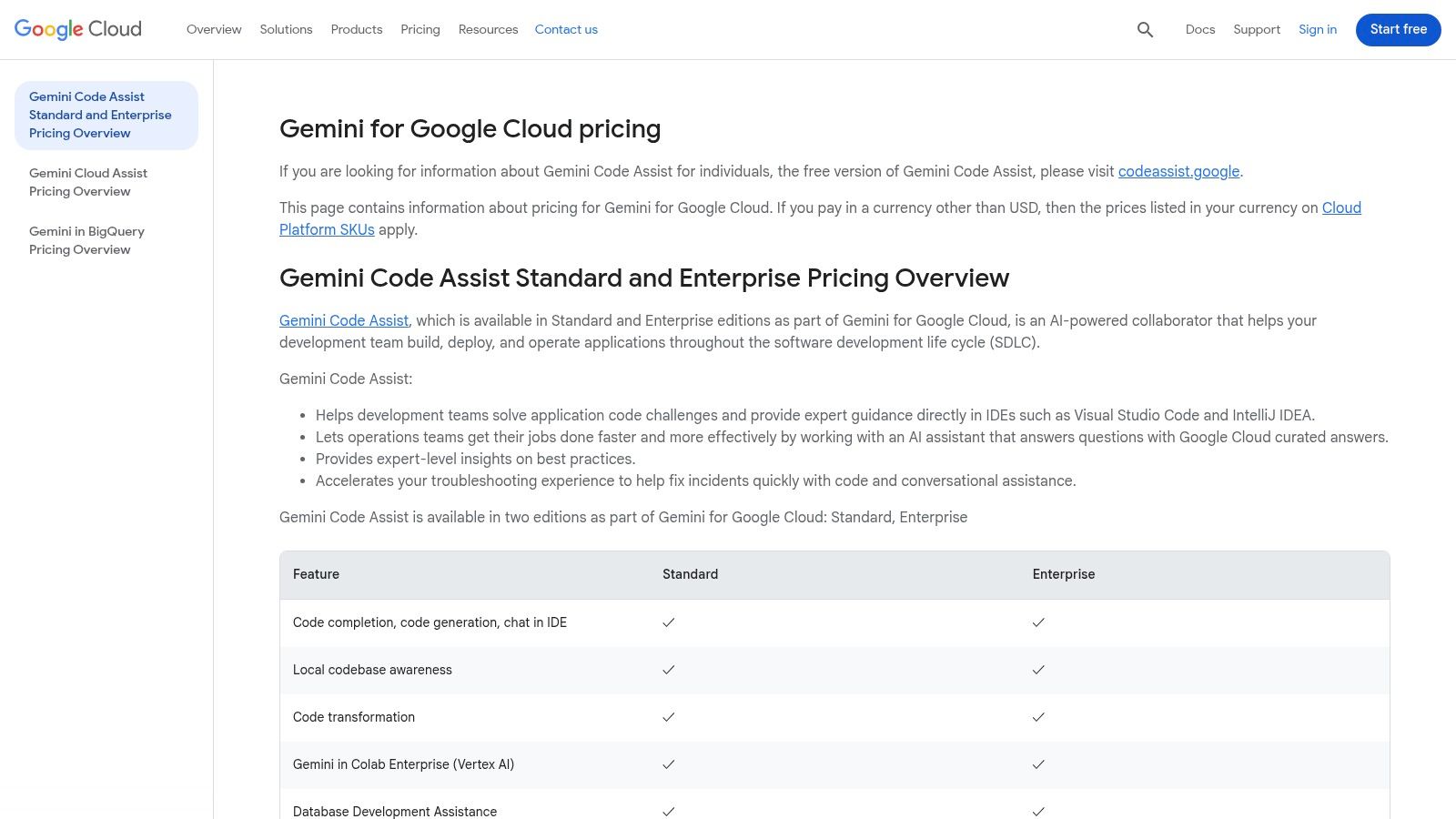
While it offers standard IDE integrations for VS Code and JetBrains, its true strength is unlocked within the GCP ecosystem. Features like integration with enterprise release channels and deep workflow tie-ins provide significant value. The pricing model, based on seat-hours, is different from the typical monthly subscription and may require some adjustment for teams used to predictable billing. However, its generous free tier makes it one of the more accessible options for individual developers looking for one of the best AI coding tools outside the GitHub Copilot sphere.
Key Details & Use Cases
- Best For: Developers and enterprises using Google Cloud Platform or working on very large codebases.
- Standout Feature: A massive 1 million-token context window that provides superior codebase awareness.
- Pricing: A free tier is available for individuals. Standard and Enterprise plans are offered through Google Cloud, billed per-user with a usage-based model that can be found at cloud.google.com/products/gemini/pricing.
- Tip: Use Gemini’s large context to ask high-level questions about your entire project’s architecture or to get help refactoring code that has dependencies across multiple files.
8. Cursor
Instead of a plugin, Cursor is a dedicated AI-first IDE built on a VS Code fork, designed for teams who want an agentic and deeply integrated coding experience. Its core strength is its focus on larger, more complex tasks through features like agents that run in the background and support for expansive context windows. This makes it one of the best AI coding tools for developers tackling significant refactors, new feature development, or codebase-wide bug fixes where understanding broader context is critical.

Cursor provides robust support for multiple leading model providers like OpenAI, Anthropic, and Google, giving teams flexibility. For businesses, it offers essential enterprise features including org-level privacy controls, SSO/SCIM, and analytics. While its full power requires adopting the Cursor IDE instead of a standard VS Code setup, the trade-off is a more cohesive AI environment. To get the most out of its unique features, you can learn more about how to use Cursor effectively.
Key Details & Use Cases
- Best For: Teams seeking a dedicated, AI-native IDE with advanced context-handling and agentic capabilities.
- Standout Feature: AI agents with large context windows that can perform complex, multi-file tasks in the background.
- Pricing: Offers a free basic tier. Paid plans start at $20/month per user for Pro, with custom pricing for Enterprise plans that include advanced security and administration features.
- Tip: Use the “Codebase” feature to index your entire project, allowing Cursor to answer questions and make edits with full repository awareness, significantly improving the quality of its suggestions.
9. Replit (Replit Agent)
Replit shifts the paradigm from a simple AI assistant to a fully integrated, cloud-native development environment with autonomous capabilities. Its standout feature is the Replit Agent, designed to take on complex, multi-step tasks like building, debugging, and deploying entire applications with minimal human intervention. This makes it an exceptional tool for rapid prototyping and for teams who want to bypass local environment setup and collaborate in a unified, web-based IDE.
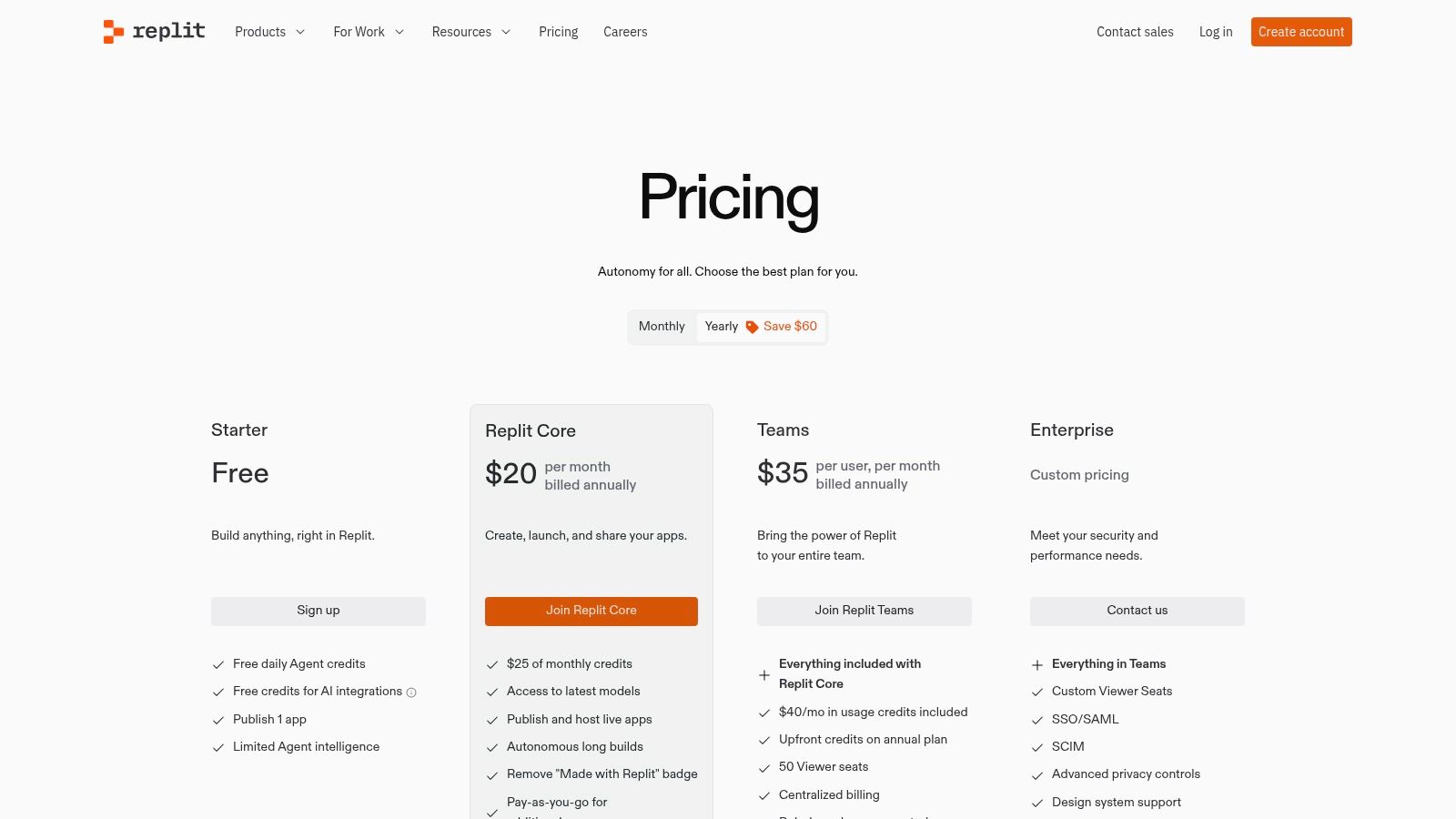
The platform’s all-in-one nature is its biggest strength, combining coding, AI assistance, and hosting into a single, cohesive workflow. However, its unique “effort-based” pricing for Agent tasks can introduce cost variability. While plans include monthly credits, heavy or complex agent usage is billed on a pay-as-you-go basis, which can be less predictable than the fixed-seat pricing of tools like GitHub Copilot. It’s one of the best AI coding tools for projects that benefit from a zero-setup, end-to-end development cycle.
Key Details & Use Cases
- Best For: Teams focused on rapid prototyping and developers who prefer a fully managed, cloud-based environment.
- Standout Feature: The Replit Agent, an autonomous AI that can independently build, test, and deploy code based on high-level prompts.
- Pricing: Offers a free starter tier. Paid plans like Core ($20/month) and Teams include monthly Agent credits, with additional usage billed based on task complexity.
- Tip: Use the Agent for end-to-end tasks like “build a full-stack app with a React frontend and Python backend” to leverage its autonomous workflow capabilities, rather than for simple code completions.
10. Tabnine
Tabnine carves out its niche by focusing squarely on the enterprise, offering a secure and highly customizable AI coding assistant. Its main differentiator is its commitment to privacy and control, providing options for private, self-hosted models and zero-retention policies that appeal to organizations in regulated industries. This security-first approach allows teams to leverage powerful AI assistance without compromising data integrity or sending proprietary code to external servers.
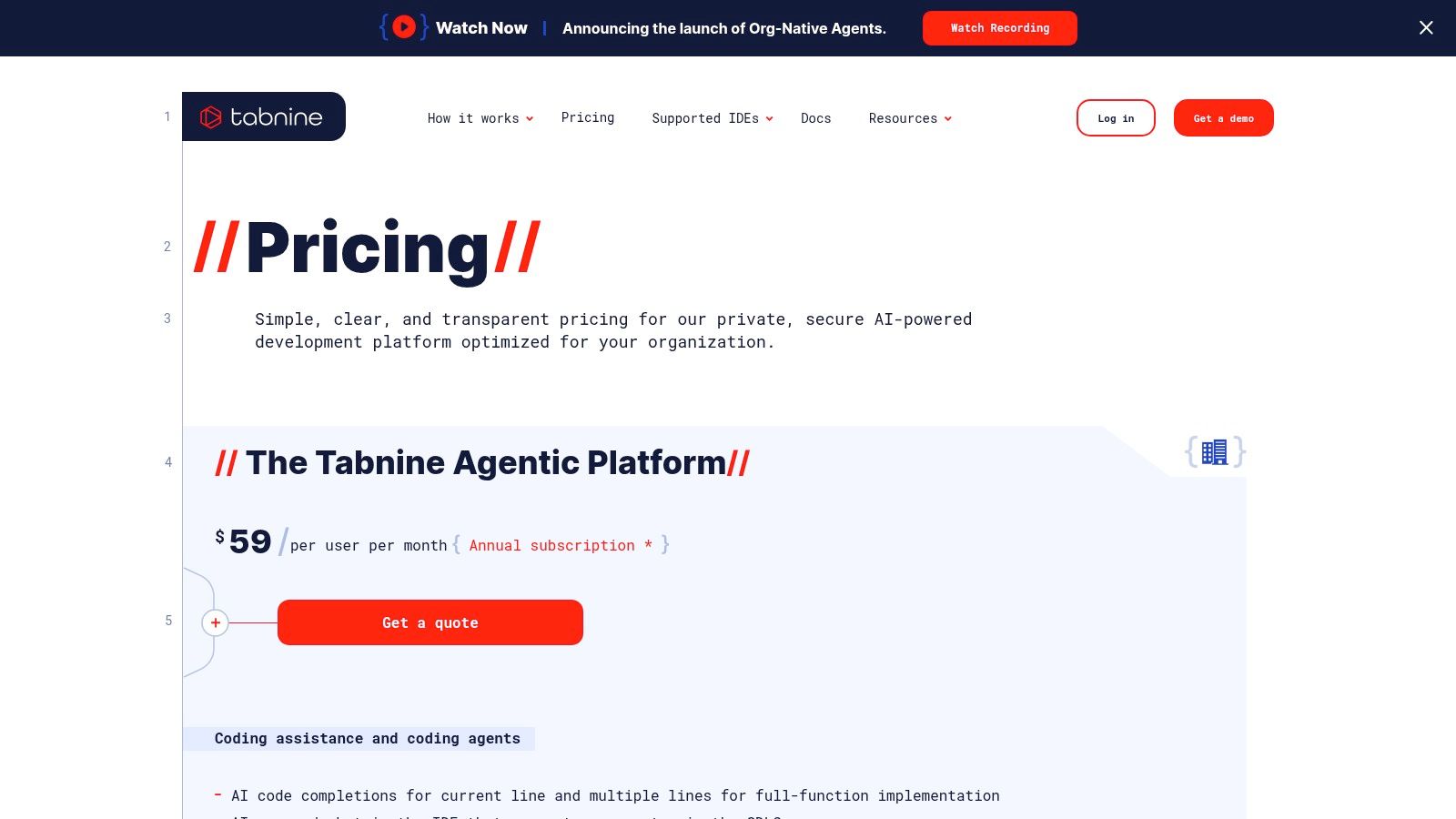
The platform stands out by offering a choice of underlying LLMs from providers like Anthropic, OpenAI, and Google, giving businesses flexibility rather than locking them into a single ecosystem. It also supports organization-native agents for tasks like generating test cases or integrating with Jira. While the discontinuation of its free basic plan makes it less accessible for individual hobbyists, its robust security controls, multi-IDE support, and model flexibility make it a compelling choice for large, security-conscious development teams looking for an alternative to tools like GitHub Copilot.
Key Details & Use Cases
- Best For: Large enterprises and regulated organizations needing strict security, privacy controls, and model choice.
- Standout Feature: Flexible model selection and enterprise-grade security, including private hosting and zero-retention options.
- Pricing: Paid plans are required for full functionality. Pricing is tiered for Pro and Enterprise, with costs depending on team size and features like agentic capabilities. Visit their pricing page for details.
- Tip: Leverage Tabnine’s ability to connect to your organization’s repositories to create a personalized model that provides more relevant, context-aware suggestions based on your existing codebase and conventions.
11. Sourcegraph Cody (Enterprise)
For organizations managing massive, complex codebases, Sourcegraph Cody offers an enterprise-grade AI assistant deeply integrated with its powerful code search and intelligence platform. Its core strength is leveraging a comprehensive index of an entire codebase, providing highly contextual and accurate answers, completions, and refactoring suggestions. This makes it particularly effective in large monorepos or regulated environments where understanding intricate code relationships is critical for security and compliance.

Unlike many consumer-focused tools, Cody is built for enterprise governance, offering self-hosted deployment options and the flexibility to choose different underlying LLMs. This gives administrators full control over data privacy and access. However, it’s important to note that individual and self-serve plans have been discontinued, positioning Cody exclusively as a solution that requires direct engagement with the Sourcegraph sales team for an enterprise license.
Key Details & Use Cases
- Best For: Large enterprises, especially those in regulated industries or with complex monorepos.
- Standout Feature: Deep integration with Sourcegraph’s code search and intelligence graph for superior codebase context.
- Pricing: Enterprise-only. Requires contacting the Sourcegraph sales team for custom pricing and deployment. No free or individual plans are available.
- Tip: Use Cody to ask questions about your entire repository’s architecture, such as “Where is the authentication logic defined for our billing service?” to leverage its full-codebase awareness.
12. JetBrains AI Assistant
For developers committed to the JetBrains suite of IDEs, the native AI Assistant offers an unparalleled level of integration. Rather than a third-party plugin, it is built directly into environments like IntelliJ IDEA, PyCharm, and WebStorm, providing deeply contextual assistance. It excels at complex, multi-file refactoring and leverages retrieval-augmented generation (RAG) to understand the full scope of your project, offering more accurate and relevant suggestions than tools with limited file context.
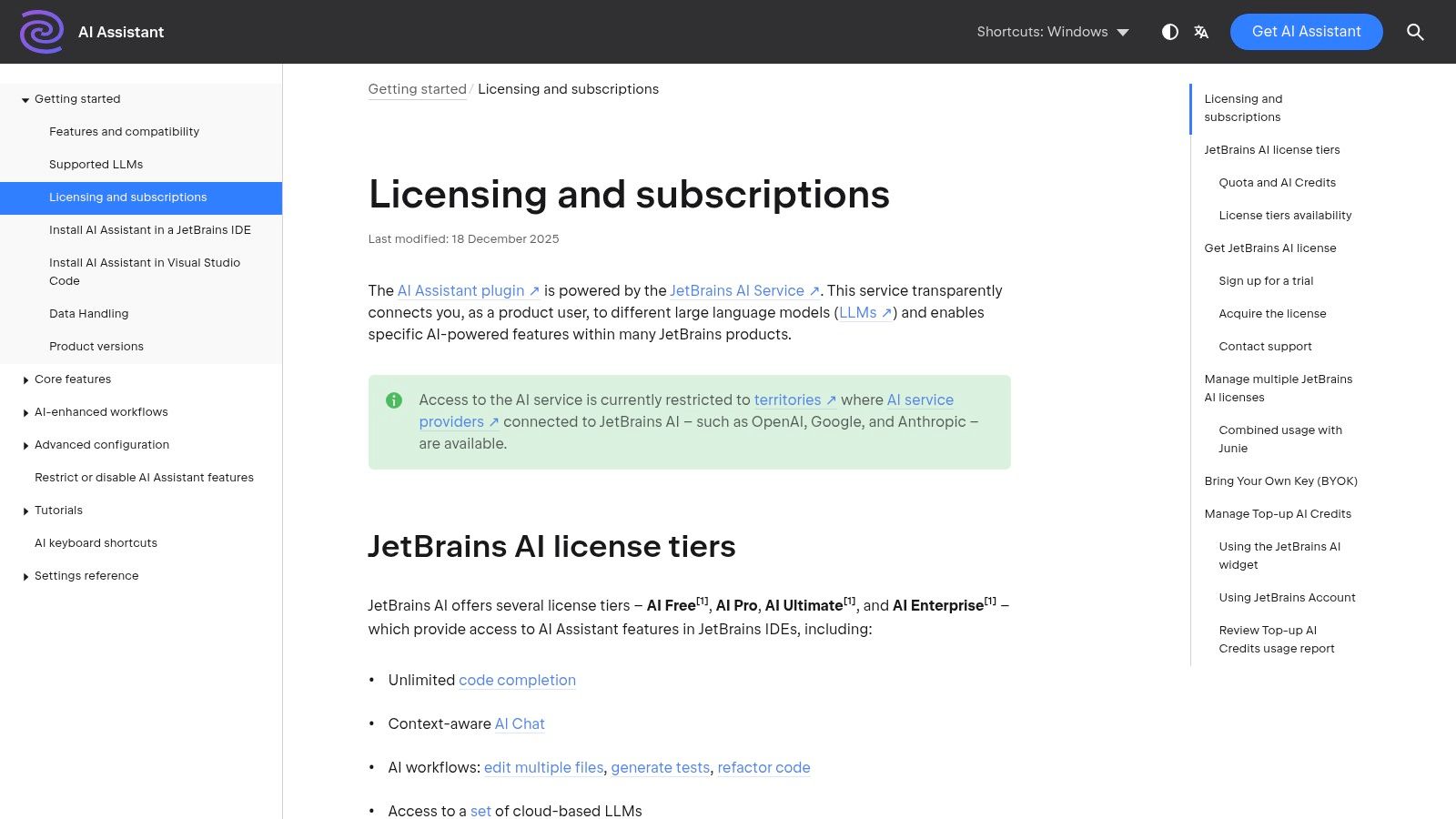
This tool stands out from other AI coding assistants by operating on a credit-based consumption model, offering transparent usage quotas. While a free tier is available, professional developers will likely need a Pro or Ultimate plan, which can be bundled with an All Products Pack subscription. This model gives teams predictable costs and control over AI expenditure, but it does require monitoring to avoid interruptions. Its tight integration makes it a strong contender among the best AI coding tools for teams already using JetBrains products.
Key Details & Use Cases
- Best For: Developers and organizations heavily invested in the JetBrains ecosystem of IDEs.
- Standout Feature: Deep, native IDE integration with multi-file context awareness and a transparent, credit-based consumption model.
- Pricing: A limited free tier is available. Paid plans (Pro, Ultimate, Enterprise) are required for higher usage, with options to purchase credit top-ups or bundle with IDE subscriptions.
- Tip: Use the “AI Actions” menu (Alt+Enter) to access context-specific refactoring, documentation generation, and commit message creation directly from your code.
Top 12 AI Coding Tools: Features & Integrations
| Product | Core features ✨ | UX / Quality ★ | Price / Value 💰 | Target 👥 | Standout 🏆 |
|---|---|---|---|---|---|
| GitHub Copilot | Completions, Copilot Chat, Agent Mode, multi‑IDE | ★★★★ — GitHub/MS native | 💰 Free for students/OSS; Pro/Business tiers | 👥 Individual devs & orgs | Deep GitHub + Microsoft integration |
| Visual Studio + GitHub Copilot | Unified Copilot extension, inline chat in VS | ★★★★ — first‑party installer flow | 💰 Requires Copilot subscription | 👥 Visual Studio users | Seamless VS install & UX |
| GitHub Copilot Chat (VS Code) | Copilot Chat, Edits, Agent Mode for VS Code | ★★★★ — maintained by Microsoft | 💰 Requires Copilot subscription | 👥 VS Code developers | Up‑to‑date docs & feature enablement |
| JetBrains Marketplace — Copilot plugin | One‑click install across JetBrains IDEs | ★★★ — broad coverage; EAP caveats | 💰 Requires Copilot subscription | 👥 JetBrains IDE users | Official JetBrains distribution |
| GitHub Docs — Copilot Extensions | Install guides, supported clients, lifecycle notes | ★★★★ — authoritative guidance | 💰 Docs only (no billing) | 👥 Admins & integrators | Authoritative install & migration docs |
| Amazon Q Developer | IDE plugins, CLI, agentic features, security scanning | ★★★ — AWS‑centric, compliance focus | 💰 Free tier + Pro (seat pricing) | 👥 AWS teams & regulated orgs | AWS integration & enterprise controls |
| Google Gemini Code Assist | IDE/CLI, 1M‑token context window, GCP integrations | ★★★★ — generous quotas, GCP ties | 💰 Seat‑hour / cloud pricing | 👥 GCP teams & large codebases | Huge context window for big repos |
| Cursor | Agentic IDE, large context, org privacy controls | ★★★ — AI‑first IDE (forked VS Code) | 💰 Per‑seat tiers + add‑ons | 👥 Teams wanting dedicated AI IDE | Dedicated AI‑first IDE experience |
| Replit (Replit Agent) | Hosted cloud IDE + autonomous agents | ★★★ — rapid prototyping UX | 💰 Pay‑as‑you‑go agent credits | 👥 Prototypers, educators, small teams | All‑in‑one cloud build+agent workflow |
| Tabnine | Private assistants, model choice, org agents | ★★★ — enterprise security emphasis | 💰 Paid tiers (free basic discontinued) | 👥 Security‑sensitive enterprises | Zero‑retention & multi‑model flexibility |
| Sourcegraph Cody (Enterprise) | Deep code search, self‑hosted/cloud enterprise options | ★★★ — optimized for monorepos | 💰 Enterprise only (sales) | 👥 Large monorepos & regulated orgs | Code search + governance for huge repos |
| JetBrains AI Assistant | Multi‑file edits, RAG context, model selection | ★★★★ — native JetBrains integration | 💰 Free tier + credit‑based paid plans | 👥 JetBrains users wanting native AI | Native IDE assistant with RAG & credits |
Choosing Your Co-Pilot: How to Measure and Maximize AI Impact
Navigating the landscape of AI coding assistants can feel overwhelming. We’ve explored a powerful array of options, from the ubiquitous GitHub Copilot and its deep integration with Visual Studio and VS Code, to specialized powerhouses like Cursor and enterprise-grade solutions like Sourcegraph Cody. Each tool, whether it’s Amazon Q Developer, Tabnine, or Google Gemini Code Assist, brings a unique set of capabilities to the table, promising to accelerate development, streamline workflows, and reduce cognitive load.
The central takeaway is that there is no single “best” tool for every developer or every team. The ideal choice hinges on your specific context. A solo developer might prioritize the free tier and seamless UX of Codeium, while a large enterprise will weigh the security, compliance, and custom model training offered by tools like Amazon Q Developer or Sourcegraph Cody. Your preferred IDE, be it VS Code, a JetBrains product, or a cloud-based environment like Replit, also plays a crucial role in your decision.
From Selection to Strategic Implementation
Choosing a tool is only the first step. The real transformation happens when you move from casual use to strategic implementation. This involves more than just accepting code completions; it’s about actively integrating the AI into every phase of your workflow, from initial scaffolding and boilerplate reduction to complex debugging and code refactoring.
To truly maximize your investment, consider these key factors:
- Team vs. Individual Needs: Is your goal to boost personal productivity, or are you aiming for team-wide consistency? For teams, features like shared prompts, custom recipes, and centralized management become critical.
- Privacy and Security: Where is your code being sent? Does the tool train on your proprietary data? For organizations handling sensitive information, on-premise solutions or tools with strict zero-retention policies are non-negotiable.
- Cost and Scalability: Evaluate the pricing models carefully. Does a per-user subscription make sense, or would a usage-based model be more cost-effective as you scale? Don’t forget to factor in the potential productivity gains against the subscription cost.
Measuring What Matters: Quantifying AI’s Impact
The most significant challenge isn’t just picking one of the best AI coding tools like GitHub Copilot; it’s proving its value. How do you move beyond anecdotal evidence and quantify the impact on your team’s velocity and output? Without a clear measurement strategy, AI tools risk becoming expensive novelties rather than core productivity drivers. When considering how to choose and maximize the impact of AI co-pilots, it’s essential to understand the broader landscape of developer productivity. For a deeper dive into general strategies to improve developer productivity, you can refer to this article.
This is where a dedicated analytics platform becomes indispensable. By tracking metrics like AI adoption rates, time saved per task, and the effectiveness of certain prompts, you can gain objective insights. Tools like Zest provide this crucial visibility, offering AI Metrics, shareable “cheatcodes” for effective prompts, and team leaderboards. This data-driven approach allows engineering leaders to identify power users, pinpoint areas where developers are struggling, and standardize best practices across the organization.
Ultimately, the journey with AI coding assistants is one of continuous discovery and optimization. The right tool, combined with a commitment to measuring its impact and refining your workflows, will not just change how you write code, it will fundamentally elevate what you and your team can achieve.
Ready to move from guessing to knowing? Zest provides the essential analytics and workflow management to measure your team’s AI adoption, identify what’s working, and maximize the ROI of tools like GitHub Copilot. See how much time your team is actually saving by signing up for Zest today.
Maximize Your AI Coding Impact
Transform your AI coding assistant from a simple tool into a strategic asset by measuring usage and standardizing effective workflows.
📊 Core Metrics
- AI Adoption Rate — Percentage of your engineering team actively using a tool like GitHub Copilot.
- Task Completion Velocity — The reduction in time taken to complete common tasks (e.g., writing unit tests, refactoring functions).
- Prompt Success Ratio — The number of accepted AI suggestions versus the total number of prompts initiated.
🕹️ My Cheatcodes
- 🌱 Context First — Explain the goal (e.g., "Refactor this function for readability") before providing the code.
- 🦎 Iterate on Suggestions — Treat the first output as a draft. Ask for alternatives, simplifications, or explanations.
- ⚡ Measure Everything — Use analytics to track which AI assistants and prompts deliver the most value and ROI.
📈 Reflection Points
- 💡 Is my team using our AI tool for more than just basic autocompletion?
- 🧩 Which coding tasks see the most significant speed improvement from AI?
- 📘 Do we have a shared library of effective prompts for our most common use cases?
Gallery
Lemon shots



