
Top 12 Best AI Coding Tools for Developers in 2025

The world of software development is undergoing a fundamental shift, with AI assistants becoming indispensable partners in the coding process. Yet, choosing the right tool can feel overwhelming. Options range from simple autocompletion helpers to sophisticated AI agents that can build, test, and debug entire features autonomously. This guide is designed to cut through the noise, offering an authoritative, in-depth roundup of the best AI coding tools available for developers and engineering teams today.
We’ll move beyond the marketing hype to provide a practical, hands-on analysis of each platform. For every tool listed, you will find a breakdown of its core features, ideal use cases, specific pros and cons drawn from real-world experience, and transparent pricing structures. To get a broader perspective on the top contenders in this evolving landscape, you can explore a comprehensive review of the 12 Best AI Coding Assistants to Boost Productivity in 2025 from DocuWriter.ai, which offers another valuable viewpoint.
Whether you’re an individual developer seeking a personal productivity multiplier in VS Code or an engineering manager aiming to standardize your team’s AI stack, this resource provides the clarity you need. We’ve included direct links and screenshots to help you evaluate each option quickly. Our goal is simple: to help you make an informed decision and effectively integrate these powerful AI tools into your daily workflow, transforming how you build software. Let’s dive into the platforms that truly deliver on their promise.
1. GitHub Copilot
GitHub Copilot is the de facto starting point for many developers venturing into AI-assisted coding. Developed by GitHub and OpenAI, it functions as an AI pair programmer directly within your IDE. Its deep integration with the GitHub ecosystem makes it a seamless addition for individuals and teams already managing their code on the platform. More than just an autocompletion tool, Copilot offers a comprehensive suite of features, including a conversational chat interface, code review assistance, and command-line integration.

As one of the most mature and widely adopted AI coding tools, its primary strength lies in its contextual awareness. It analyzes your open files, existing code, and even comments to provide remarkably relevant suggestions, from single lines to entire functions. For teams, the Enterprise plan adds crucial security, privacy, and administrative controls, ensuring that organizational code remains protected while developers gain a productivity boost. While it sets a high bar, it’s always useful to see how it stacks up against other options; you can explore some top GitHub Copilot alternatives to find the perfect fit for your specific needs.
Key Features & Use Cases
- Intelligent Code Completion: Get real-time, context-aware code suggestions in multiple languages directly in your editor.
- Copilot Chat: Ask coding questions, debug errors, or generate boilerplate using a natural language chat interface within your IDE.
- GitHub Integration: Leverages the full context of your GitHub repositories for more accurate suggestions and workflow automation.
- CLI & Agent Capabilities: Use Copilot in the terminal for command assistance and leverage its growing agent features for more complex, multi-step tasks.
Pricing
- Copilot Individual: $10/month or $100/year.
- Copilot Business: $19 per user/month.
- Copilot Enterprise: $39 per user/month.
Pros & Cons
| Pros | Cons |
|---|---|
| Seamless integration with VS Code and the GitHub ecosystem. | Best experience is tightly coupled with the GitHub ecosystem. |
| Mature platform with extensive documentation and community support. | Advanced features can consume premium request quotas, increasing costs. |
| Broad language and framework support. | Can sometimes suggest outdated or insecure code snippets. |
Integrating Zest with GitHub Copilot
- Capture Winning Prompts: Use Zest to save and categorize effective Copilot Chat prompts for generating unit tests, refactoring complex functions, or explaining code blocks.
- Measure Impact: Track how often developers accept Copilot’s suggestions and correlate this with metrics like cycle time and PR size to quantify its productivity impact.
- Create a “Copilot Cheatcode” Zest: Build a shared knowledge base of the best tips, tricks, and prompt patterns your team discovers for maximizing Copilot’s effectiveness.
Website: https://github.com/features/copilot
2. Google Gemini Code Assist
As a direct competitor to GitHub Copilot, Google Gemini Code Assist (formerly Duet AI) is Google’s powerful entry into the AI-assisted development space. Built on the advanced Gemini family of models, it integrates directly into popular IDEs like VS Code and the JetBrains suite. Its primary appeal lies in its deep integration with the Google Cloud ecosystem, making it a compelling choice for developers and teams heavily invested in Google’s infrastructure. It offers a robust set of features, from intelligent code completion to sophisticated code transformation and chat-based assistance.
Gemini Code Assist distinguishes itself with its fast-moving feature cadence, often previewing new capabilities at major events like Google I/O. For individual developers, it provides a very capable and often free tier, offering access to core AI coding features without an initial investment. For enterprises, it provides the necessary security, privacy, and policy controls required for large-scale adoption, positioning it as one of the best AI coding tools for teams looking to leverage Google’s cutting-edge models within a secure, managed environment.
Key Features & Use Cases
- Smart Code Completion & Generation: Provides context-aware suggestions for completing code and generating entire functions or blocks from natural language comments.
- Code Transformation & Explanation: Use the integrated chat to explain complex code snippets, add documentation, or refactor existing code for better readability and performance.
- Google Cloud Integration: Offers specialized assistance for writing code against Google Cloud APIs and services, simplifying cloud-native development.
- Error Resolution & Debugging: Helps identify bugs and provides intelligent suggestions for fixing them directly within the IDE, speeding up the debugging process.
Pricing
- Gemini Code Assist: Free for individual developers (with usage limits).
- Gemini Enterprise: Custom pricing, often bundled with other Google Cloud services.
Pros & Cons
| Pros | Cons |
|---|---|
| Generous free tier for individual developers. | Enterprise features and full capabilities are gated to paid plans. |
| Strong integration potential with the Google Cloud ecosystem. | Availability and specific features can vary by region and account. |
| Fast-moving development cycle with frequent updates. | Can be less mature than competitors in certain niche languages. |
Integrating Zest with Google Gemini Code Assist
- Standardize Cloud Prompts: Use Zest to create a shared library of effective prompts for generating boilerplate for Google Cloud services like Cloud Functions, BigQuery, or Pub/Sub.
- Track Refactoring Impact: Document “before and after” code snippets in Zest when using Gemini’s refactoring suggestions to build a tangible record of code quality improvements.
- Build a “Gemini Cookbook”: Curate a Zest knowledge base of your team’s best practices, tips, and chat patterns for debugging, documentation, and code generation.
Website: https://cloud.google.com/gemini/code-assist
3. Amazon Q Developer
For teams deeply embedded in the AWS ecosystem, Amazon Q Developer is a purpose-built AI assistant designed to streamline cloud-native development. Integrated directly into the AWS Console and major IDEs, it leverages the vast context of your AWS environment to provide highly relevant coding assistance, debugging, and operational support. Its core strength lies in its ability to understand AWS services, IAM roles, and infrastructure, making it one of the best AI coding tools for cloud-centric workflows.
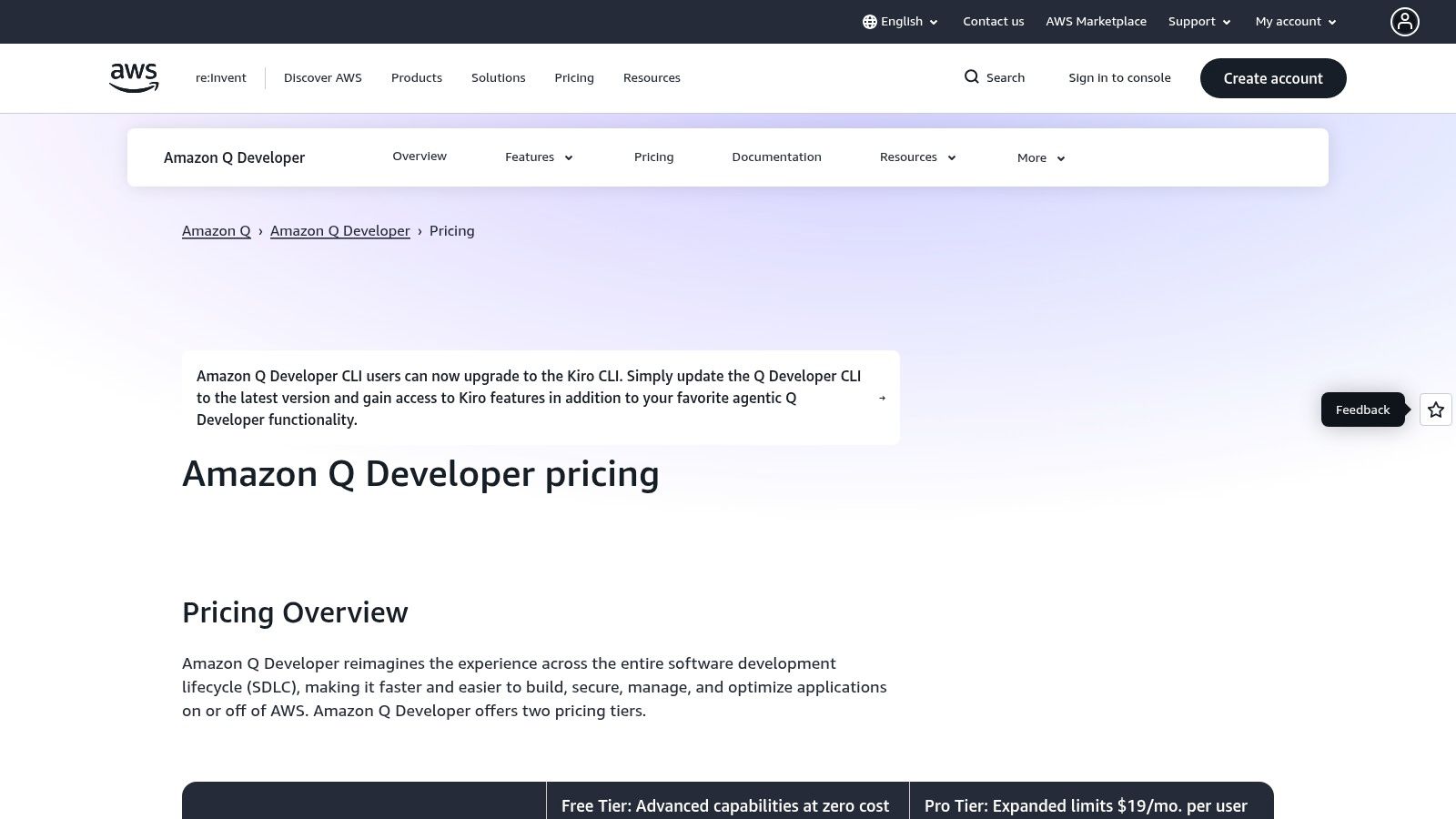
Beyond simple code generation, Amazon Q Developer excels at complex, AWS-specific tasks. It can help refactor legacy applications, automate code transformations like upgrading Java versions, and troubleshoot resource configurations using natural language. For organizations, it offers robust administrative controls through AWS IAM Identity Center, ensuring that access and usage align with existing security policies. While its specialization is a major advantage for AWS users, those looking for a more general-purpose assistant might want to explore the broader landscape of AI for writing code.
Key Features & Use Cases
- AWS-Aware Assistance: Get expert guidance on AWS APIs, best practices, and troubleshooting directly in your IDE or the AWS Console.
- Automated Code Transformations: Upgrade application versions (e.g., Java 8 to 17) and refactor code with automated, multi-step actions.
- Security Scanning: Scan code for security vulnerabilities and receive suggested fixes to improve application security.
- Centralized Controls: Manage access and policies for your entire organization through native integration with AWS IAM Identity Center.
Pricing
- Developer Free Tier: Includes a generous monthly quota for code suggestions and transformations.
- Developer Pro Tier: $19 per user/month, offering higher usage limits and advanced features.
Pros & Cons
| Pros | Cons |
|---|---|
| Native integration with AWS services and IAM for security. | Best suited for users already on AWS; less attractive outside the ecosystem. |
| Powerful automated codebase upgrades and transformations. | Security incidents highlight the need to keep extensions vetted and updated. |
| Centralized billing and management for entire organizations. | The feature set is heavily focused on AWS-specific development tasks. |
Integrating Zest with Amazon Q Developer
- Document AWS-Specific Prompts: Use Zest to create a shared library of effective prompts for generating CloudFormation templates, debugging Lambda functions, or optimizing IAM policies.
- Track Transformation ROI: Log each successful code transformation (e.g., a Java version upgrade) in Zest to track the time saved and engineering effort reduced.
- Build an “AWS Q Playbook” Zest: Compile a knowledge base of best practices, security scanning workflows, and troubleshooting commands your team discovers while using Amazon Q Developer.
Website: https://aws.amazon.com/q/developer/pricing
4. JetBrains AI Assistant
For developers deeply invested in the JetBrains ecosystem, the AI Assistant offers a native and highly integrated experience. Built directly into the IntelliJ family of IDEs, it’s designed to feel like a natural extension of the powerful refactoring and code analysis tools JetBrains is known for. This first-party solution provides inline code completion, a familiar AI chat interface, and sophisticated actions like test generation and multi-file refactoring, all without leaving the IDE.

Its primary advantage is its deep contextual understanding of your project’s structure, a hallmark of JetBrains IDEs. For enterprise teams, the assistant provides crucial organizational controls, including pathways for using local models, ensuring code privacy and security. While some user feedback is mixed and quality can vary by language, its seamless workflow integration makes it one of the best AI coding tools for dedicated IntelliJ, PyCharm, or WebStorm users seeking to enhance their existing development environment.
Key Features & Use Cases
- Deep IDE Integration: Natively embedded actions for refactoring, test generation, and code documentation directly within IntelliJ-based IDEs.
- Context-Aware AI Chat: Ask questions, explain code snippets, or generate commits with a chat that understands your project’s full context.
- Multi-File Edits: Perform complex, project-wide changes by describing your intent in natural language.
- Enterprise Controls: Offers organizational-level management and options for connecting to local large language models for enhanced privacy.
Pricing
- Pricing is integrated into JetBrains product subscriptions, often as an add-on with a credit-based system for AI usage.
Pros & Cons
| Pros | Cons |
|---|---|
| Seamless native experience in IntelliJ-family IDEs. | User feedback on suggestion quality can be mixed. |
| Strong enterprise deployment and privacy controls. | Effectiveness can vary depending on the language and project size. |
| Flexible AI credits model scales from free to pro tiers. | Less portable if you frequently switch to other editors. |
Integrating Zest with JetBrains AI Assistant
- Standardize Refactoring Prompts: Use Zest to store and share powerful prompts for the AI Assistant’s refactoring tools, ensuring consistent code modernization across your team.
- Monitor AI Credit Usage: Track how AI credit consumption correlates with development velocity or bug reduction to understand the ROI of the tool.
- Build a JetBrains AI Playbook: Create a Zest collection of best practices for generating unit tests, documenting code, and performing multi-file edits specific to your team’s tech stack.
Website: https://www.jetbrains.com/ai/
5. Cursor IDE
Cursor is an AI-native IDE built from the ground up for AI-powered development, offering a familiar VS Code-style interface supercharged with agent-based workflows. It stands out by providing multi-model flexibility, allowing developers to switch between providers like OpenAI, Claude, and Gemini directly within the editor. This approach makes it one of the best AI coding tools for developers who want to experiment with different LLMs without leaving their environment.
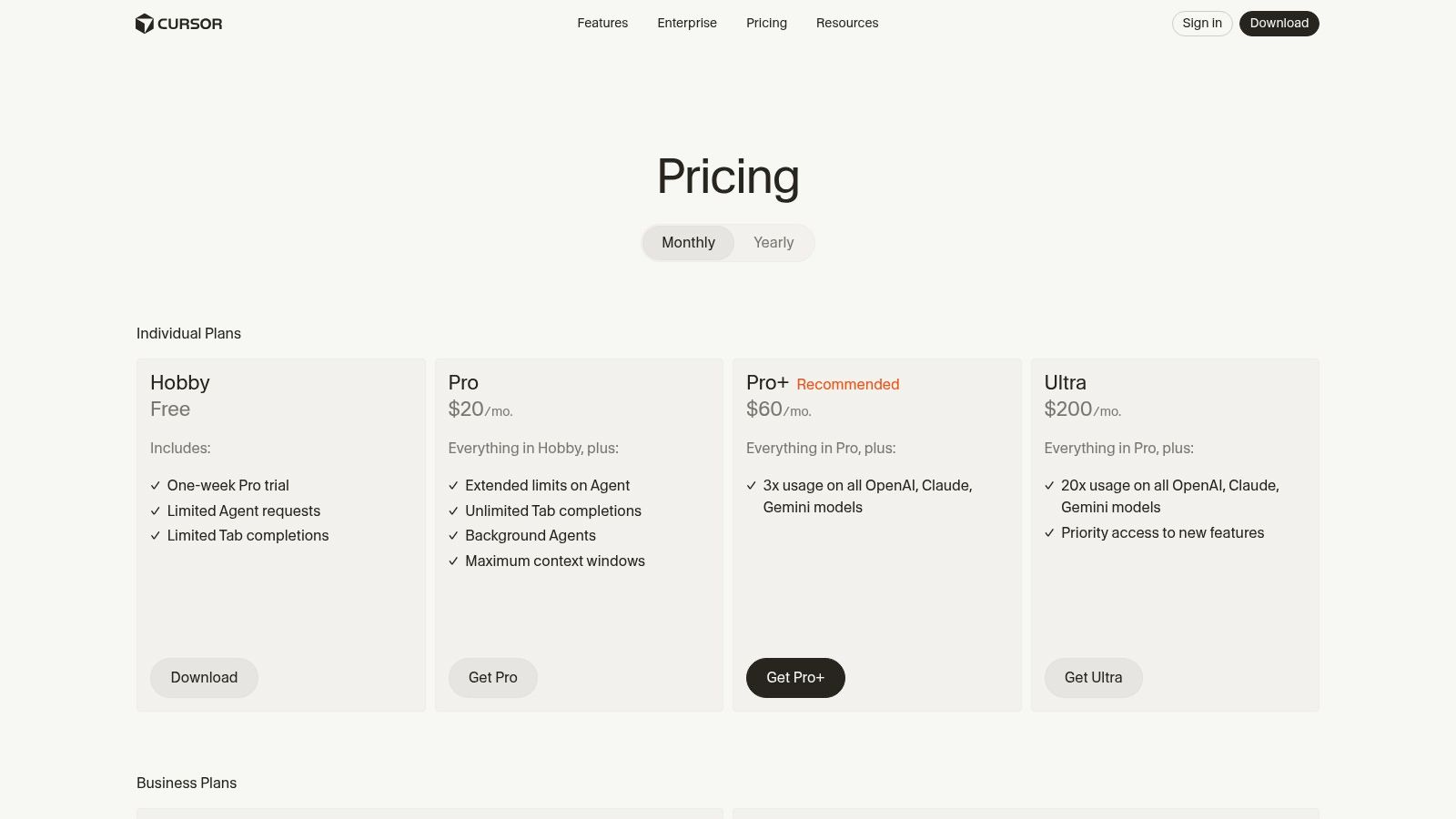
Unlike tools that simply add an AI layer to an existing IDE, Cursor integrates AI at its core. It enables powerful features like background agents that can work on tasks autonomously and a dedicated “Bugbot” that reviews pull requests to identify and fix issues proactively. For developers seeking a highly optimized, AI-first coding environment with maximum control over the underlying models, Cursor provides a compelling and powerful alternative to traditional setups.
Key Features & Use Cases
- Agent-Based Workflows: Utilize AI agents to handle complex tasks like generating code from scratch, refactoring entire features, or debugging complex issues.
- Multi-Model Support: Seamlessly switch between different AI models (e.g., GPT-4o, Claude 3 Opus, Gemini Pro) to find the best one for a specific task.
- “Apply to Selection” AI Edits: Highlight any code block and instruct the AI to perform a specific edit, refactor, or fix directly in place.
- Bugbot PR Reviewer: An add-on that automatically reviews pull requests, finds bugs, and suggests fixes with detailed analytics.
Pricing
- Basic: Free (with limited slow AI requests).
- Pro: $20 per user/month (with 500 fast GPT-4o requests).
- Business: $40 per user/month (with 2000 fast GPT-4o requests and BYOK).
Pros & Cons
| Pros | Cons |
|---|---|
| AI-native design offers a deeply integrated experience. | Costs can scale quickly depending on usage and model choices. |
| Flexible multi-model support lets you choose the best LLM. | Advanced organizational controls are gated behind the Business plan. |
| Powerful agentic features for tackling complex development tasks. | Can have a steeper learning curve than simple chat assistants. |
Integrating Zest with Cursor IDE
- Document Multi-Model Wins: Use Zest to log which models (GPT, Claude, etc.) perform best for specific tasks like test generation, documentation, or refactoring in your codebase.
- Standardize Agent Prompts: Create a “Cursor Agent Cookbook” in Zest to share the most effective prompts your team discovers for multi-file edits or feature generation.
- Track Bugbot Effectiveness: Correlate Bugbot’s findings with your team’s bug density and PR review times to measure its impact on code quality and velocity.
Website: https://cursor.com
6. Replit
Replit offers a unique, all-in-one approach by combining a cloud-based IDE with powerful AI features and integrated deployment tools. This browser-based platform is designed for rapid prototyping, collaborative projects, and educational purposes, allowing developers to code, run, and host applications entirely in one place. Its standout feature is the hosted environment, which eliminates local setup complexities and provides scalable compute resources on demand.

What makes Replit one of the best AI coding tools is its focus on a complete development lifecycle. From its AI-powered code completion to the autonomous Replit Agent capable of building and testing code, it streamlines the entire workflow from idea to live application. The usage-based AI model, which includes a monthly credit allowance, provides flexibility for individuals and startups to scale their use of AI features without committing to a high-priced, per-seat plan upfront.
Key Features & Use Cases
- Hosted Development Environments: Instantly provision and run code in a cloud environment with scalable compute power and one-click deployment options.
- Replit Agent: An autonomous AI agent that can understand high-level goals, build applications, and run test loops with minimal human intervention.
- Collaborative Coding: Real-time, Google Docs-style collaboration features make it ideal for pair programming, team projects, and classroom settings.
- Usage-Based AI Billing: A flexible model where users get a monthly credit pool (“Cycles”) for AI features and can pay as they go for additional usage.
Pricing
- Starter Plan: Free.
- Replit Core: $20 per member/month (billed monthly) or $16 per member/month (billed annually). Includes monthly Cycles for AI usage.
- Teams Plan: Custom pricing.
Pros & Cons
| Pros | Cons |
|---|---|
| All-in-one platform for coding, collaboration, and hosting. | Users report that AI credit usage can be hard to predict and monitor. |
| Ideal for education, quick prototyping, and startup teams. | AI agent performance can be inconsistent for complex, novel tasks. |
| Flexible, usage-based pricing for advanced AI features. | Less control over the underlying environment compared to local setups. |
Integrating Zest with Replit
- Track Agent Prompts: Use Zest to save the most effective high-level prompts and instructions you give to the Replit Agent for building or debugging applications.
- Monitor AI Credit Burn: Correlate specific AI-assisted tasks (e.g., code generation, agent runs) with your “Cycles” consumption to identify the most cost-effective workflows.
- Build a Replit Project Zest: Create a shared repository in Zest for your team’s best Replit templates, boilerplate code, and deployment checklists to accelerate new projects.
Website: https://replit.com/pricing
7. Anthropic Claude Code
For teams standardizing on Anthropic’s powerful language models, Claude Code offers a dedicated environment built for advanced reasoning and complex coding tasks. It moves beyond simple autocompletion to provide a platform where developers can engage in deep, multi-step workflows. This makes it particularly attractive for tasks requiring a nuanced understanding of large codebases, such as planning refactors, debugging intricate issues, or generating code based on high-level architectural descriptions.
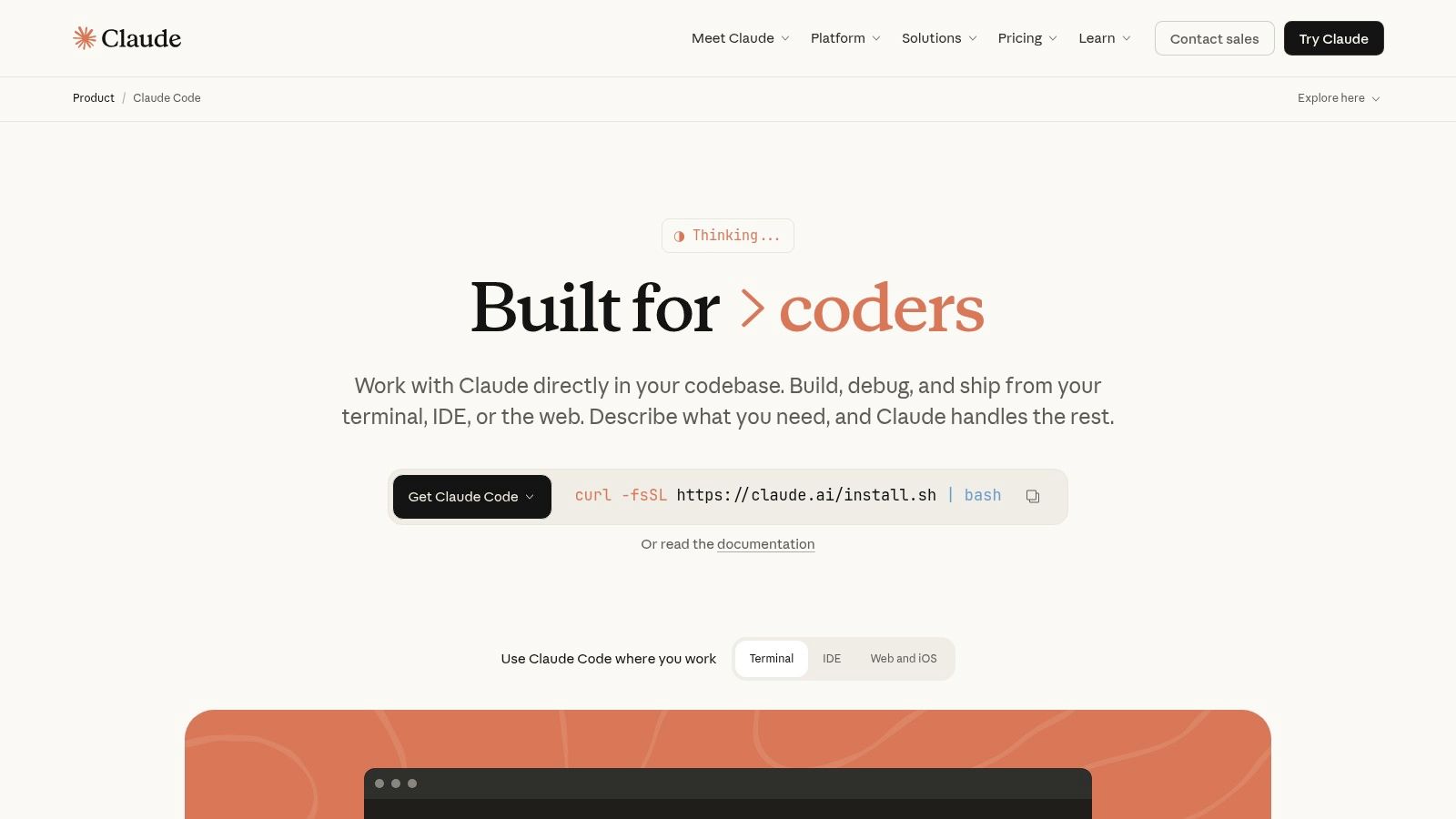
Claude Code’s strength lies in its ability to handle projects as a whole, allowing users to create, edit, and even execute files directly within its interface. This project-level context, combined with terminal integration, enables it to perform actions that many other AI coding tools cannot, positioning it as a powerful assistant for developers tackling sophisticated software challenges. The flexible pricing, with both per-seat and pay-as-you-go API options, provides a scalable path for teams of all sizes.
Key Features & Use Cases
- Deep Reasoning Workflows: Engage in complex, multi-step problem-solving sessions where Claude can analyze entire projects and suggest architectural changes.
- Terminal Integration: Grant Claude the ability to execute commands, run tests, and interact with your development environment for hands-on debugging.
- Project Support: Work with multiple files and directories, allowing Claude to create new files, read existing ones, and maintain context across the entire codebase.
- Team & Enterprise Focus: Designed with team collaboration in mind, offering administrative controls and clear cost-tracking tools for organizational use.
Pricing
- Claude Pro: $20/month for individual access to the latest models.
- Claude Team: $30 per user/month (min 5 seats).
- Claude API: Pay-as-you-go pricing based on model usage.
Pros & Cons
| Pros | Cons |
|---|---|
| Excellent reasoning capabilities for large and complex codebases. | Heavy usage of the most capable models (like Opus) can become costly. |
| Flexible pricing with both per-seat and API options for teams. | The best features and scaling are primarily on the higher-priced tiers. |
| Integrated project and terminal access for advanced tasks. | Less IDE integration compared to tools like Copilot or Codeium. |
Integrating Zest with Anthropic Claude Code
- Document Complex Refactors: Use Zest to capture the entire conversational workflow when using Claude to plan and execute a large-scale code refactor.
- Standardize Project Prompts: Create a shared Zest library of prompts for bootstrapping new projects, generating boilerplate, or setting up testing frameworks with Claude.
- Monitor API Costs: Correlate specific tasks or prompts captured in Zest with your Anthropic API usage reports to identify high-cost, high-value operations.
Website: https://www.anthropic.com/claude-code
8. OpenAI ChatGPT
While many of the best AI coding tools focus on IDE integration, OpenAI ChatGPT excels as a powerful, general-purpose assistant with increasingly sophisticated coding capabilities. It’s not just a plugin; it’s a comprehensive ecosystem for research, experimentation, and execution. Its ability to handle file uploads, manage multi-file projects, and leverage advanced models like GPT-4o makes it invaluable for tasks that go beyond simple code completion, such as prototyping, data analysis, and complex problem-solving.
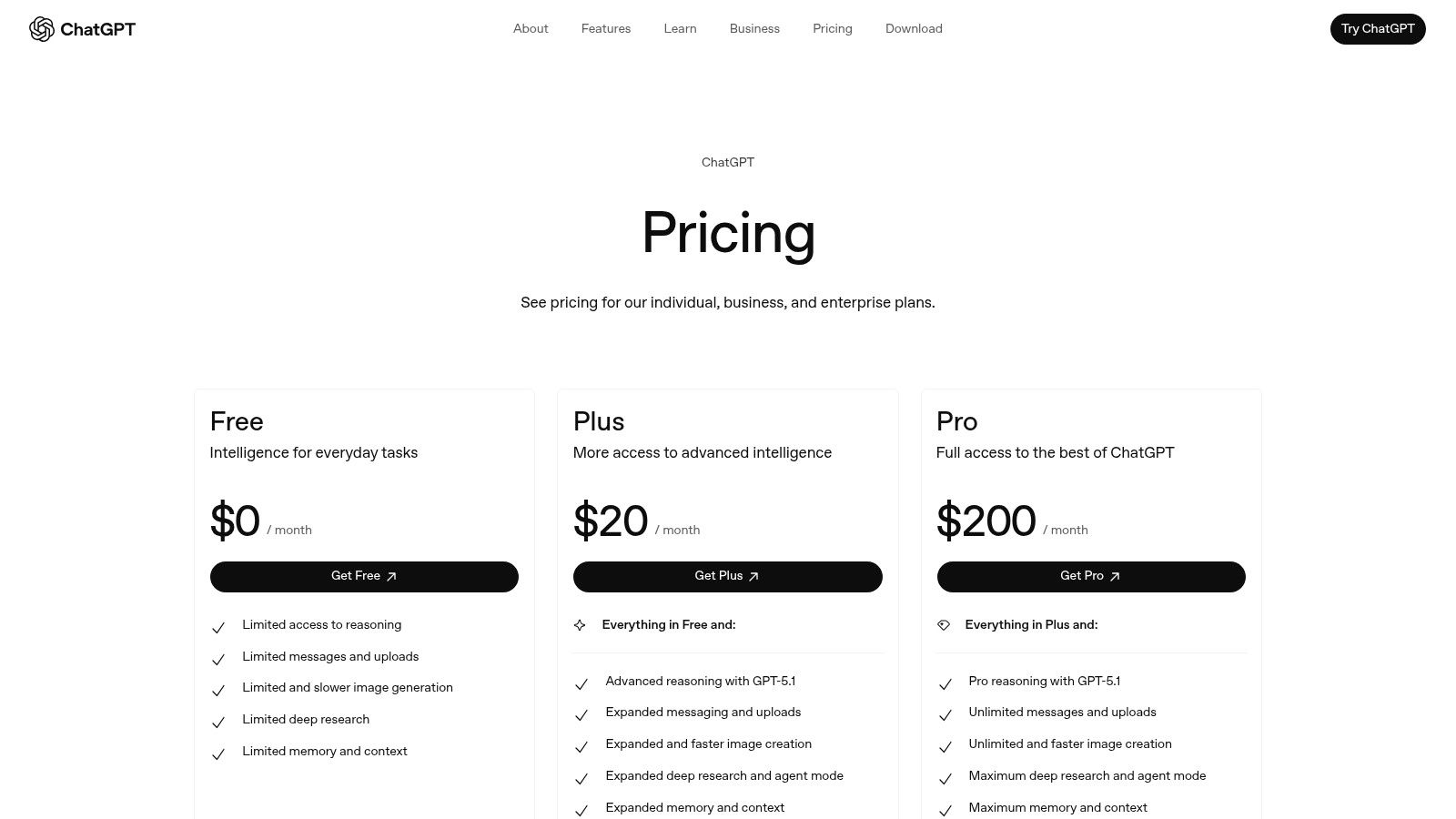
ChatGPT’s strength lies in its versatility. Developers can use it to brainstorm architectural solutions, write documentation, debug tricky issues by pasting code snippets, or even analyze datasets using its powerful data analysis features. You can learn more about its advanced coding capabilities to see how it can fit into your workflow. Beyond its direct coding assistance, understanding how to incorporate new tools like ChatGPT Agent into your testing strategy can further extend its utility. For teams, the Business plan offers essential administrative controls and security features, making it a viable tool for collaborative projects.
Key Features & Use Cases
- Advanced Reasoning Models: Access to state-of-the-art models like GPT-4o for complex coding, research, and multimodal tasks.
- File Uploads & Data Analysis: Upload codebases, datasets, and documents for in-depth analysis, summarization, and transformation.
- Interactive Code Editing: Write, edit, and execute code within the chat interface, making it a sandboxed environment for quick tests.
- Team & Business Plans: Provides administrative controls, higher usage limits, and enhanced privacy for professional team collaboration.
Pricing
- Free Plan: Access to GPT-3.5 and limited GPT-4o usage.
- ChatGPT Plus: $20/month for priority access to newer models and advanced features.
- ChatGPT Team: $25 per user/month (billed annually) for team collaboration and admin tools.
Pros & Cons
| Pros | Cons |
|---|---|
| Powerful generalist capabilities for coding and research. | Not IDE-native by default, requiring context-switching. |
| Fast iteration and access to the latest OpenAI models. | Heavy professional use often requires a paid plan for higher limits. |
| Team and Business plans offer security and admin controls. | Can be less convenient for line-by-line, in-editor assistance. |
Integrating Zest with OpenAI ChatGPT
- Curate a Prompt Library: Use Zest to save and organize high-performing prompts for generating boilerplate, writing documentation, or creating test data with ChatGPT.
- Document Complex Workflows: Capture multi-step debugging or research sessions from ChatGPT into a Zest to share the thought process and solution with your team.
- Create Onboarding “Cheatcodes”: Build a Zest knowledge base with your team’s best practices for using ChatGPT for coding, helping new hires get up to speed quickly.
Website: https://openai.com/chatgpt/pricing
9. Tabnine
Tabnine carves out a niche among the best AI coding tools by focusing on enterprise-grade privacy, security, and deployment flexibility. Unlike many cloud-only solutions, Tabnine offers on-premise, VPC, and even fully air-gapped deployment options, making it a strong choice for organizations in regulated industries or those with strict data governance policies. Its platform is built to be model-agnostic, allowing teams to leverage a variety of large language models from providers like OpenAI, Anthropic, and Google, or even use their own fine-tuned models.
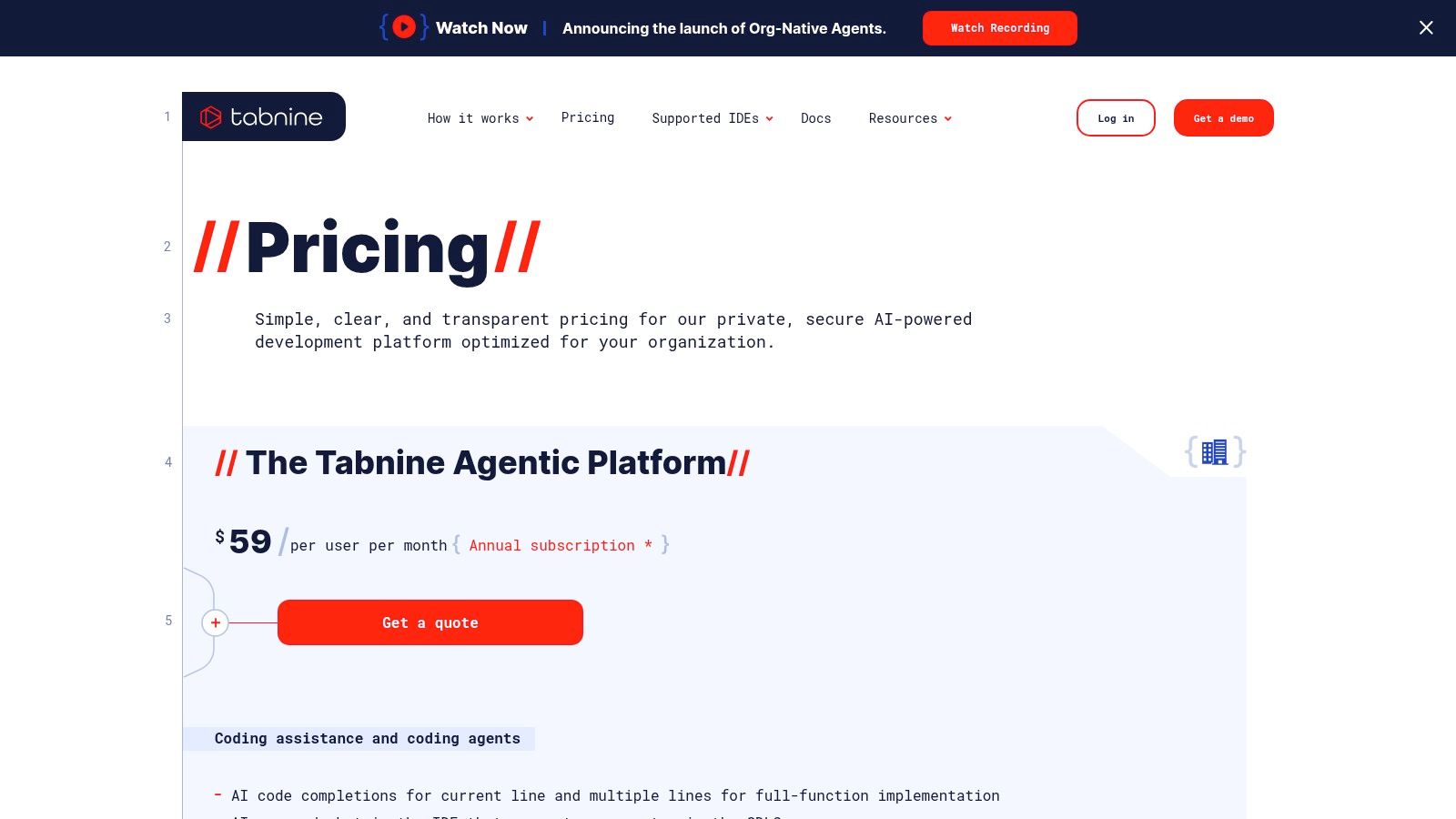
The platform’s core strength lies in its commitment to protecting intellectual property. Tabnine guarantees that your code is never used to train its public models and provides extensive administrative controls and analytics to manage usage across an organization. This focus on security and control, combined with broad IDE support, positions Tabnine as the go-to AI assistant for enterprises that require a powerful coding tool without compromising on data privacy or compliance standards.
Key Features & Use Cases
- Flexible Deployment: Run Tabnine on SaaS, in your private cloud (VPC), or completely on-premise for maximum data control.
- Multi-LLM Support: Connect to various models from OpenAI, Anthropic, Google, Meta, and others to fit specific project needs.
- Privacy & Governance: Ensures code privacy with strong IP safeguards, with options to connect to company-specific code repositories for context.
- Centralized Analytics: Provides engineering leaders with detailed insights into AI tool adoption, usage patterns, and productivity impact.
Pricing
- Pro: $12 per user/month (billed annually).
- Business: $19 per user/month (billed annually).
- Enterprise: Custom pricing for advanced features and deployment options.
Pros & Cons
| Pros | Cons |
|---|---|
| Privacy-first with flexible deployment (SaaS, VPC, on-prem). | Full value is realized mainly in enterprise setups, not solo use. |
| Broad IDE and LLM support for enterprise needs. | Pricing is tailored to organizations and can be costly. |
| Strong governance and analytics for team management. | Individual Pro plan has fewer features than enterprise tiers. |
Integrating Zest with Tabnine
- Document Deployment Choices: Use Zest to document the rationale behind choosing a specific LLM or deployment model (e.g., on-prem for a security-sensitive project).
- Track Contextual Prompts: Capture and share effective prompts that leverage Tabnine’s ability to connect to your company’s codebase for highly relevant suggestions.
- Create a Governance Zest: Build a shared knowledge base detailing your organization’s Tabnine usage policies, prompt guidelines, and security best practices.
Website: https://tabnine.com/pricing
10. Windsurf (formerly Codeium editor)
Windsurf, which evolved from the Codeium editor, presents itself as a competitively priced, AI-first IDE built around unique workflows. It moves beyond simple code completion with its “Cascade” feature, a plan-then-write process designed to tackle more complex coding tasks from the outset. This approach, combined with features like Supercomplete and Smart Paste, positions Windsurf as one of the best AI coding tools for developers looking for an integrated environment that prioritizes agent-style development from the ground up.
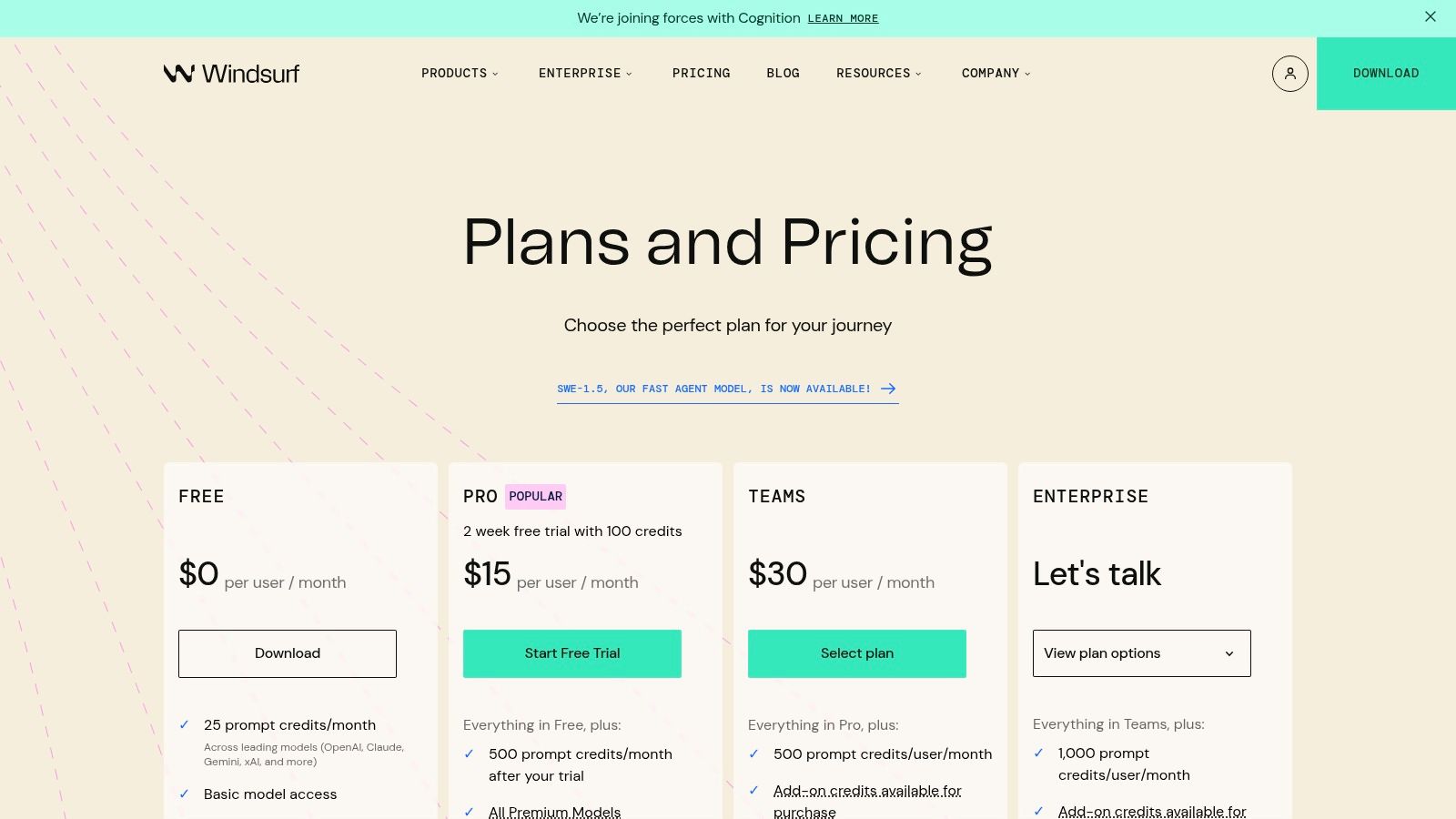
The platform operates on a flexible, credit-based system and leverages its own proprietary SWE models, offering an accessible alternative to larger incumbents. For teams, it provides centralized billing, analytics, and code review capabilities, making it a viable option for organizations seeking powerful AI assistance without the enterprise-level price tag. Its focus on building a complete AI-native development experience, rather than just a plugin, makes it a compelling choice for those wanting to fully embrace AI in their workflow.
Key Features & Use Cases
- Cascade Workflow: A plan-then-write system where developers first outline a plan with AI, which is then used to generate the complete code, ideal for complex features.
- Supercomplete: An advanced code and chat completion mode that provides extensive suggestions and conversational assistance within the editor.
- Smart Paste & Live Previews: Intelligently formats and adapts pasted code snippets and provides real-time previews, accelerating development and reducing errors.
- Team-Focused Tools: Includes features for collaborative reviews, centralized billing, and usage analytics to manage AI adoption across an organization.
Pricing
Windsurf uses a credit-based system. Current pricing includes:
- Personal: Free tier available.
- Pro: Starts at $12 per user/month, including a base set of credits, with options to purchase more.
Pros & Cons
| Pros | Cons |
|---|---|
| Agent-style workflows integrated directly into an AI-first IDE. | The credit model requires monitoring to avoid unexpected costs. |
| Low-cost Pro tier offers a competitive entry point for teams. | A younger ecosystem may have less community support than incumbents. |
| Flexible credits system provides access to multiple models. | Being a full IDE, it may require a bigger workflow shift. |
Integrating Zest with Windsurf
- Document Cascade Plans: Use Zest to save and share effective “Cascade” plans that your team develops for common tasks like creating new API endpoints or building UI components.
- Track Credit Consumption: Correlate Windsurf credit usage data with project velocity and ticket completion rates in Zest to understand the ROI of different AI-assisted workflows.
- Create a Smart Paste Library: Build a Zest knowledge base of frequently used code blocks and document the best ways to use Smart Paste to adapt them for new projects.
Website: https://windsurf.com/pricing
11. Visual Studio Code Marketplace
While not a single tool, the Visual Studio Code Marketplace is the central nervous system for nearly all of the best AI coding tools available today. As the official extension hub for the world’s most popular code editor, it’s the primary destination for discovering, installing, and managing AI assistants like Copilot, Gemini plugins, and countless specialized helpers. It acts as a one-stop shop where developers can tailor their IDE with the latest AI-powered capabilities, from code generation to automated security scanning.
The marketplace’s strength lies in its vast selection and the community feedback built around it. Developers can quickly gauge an extension’s quality and popularity through transparent install counts, ratings, and user reviews. This ecosystem allows for rapid innovation, as new and niche AI tools can be distributed to millions of users with a single click. For any team using VS Code, mastering the marketplace is key to staying on the cutting edge of AI-assisted development.
Key Features & Use Cases
- Centralized Discovery: Search, filter, and browse a massive catalog of AI and ML extensions directly within the VS Code editor or on the web.
- One-Click Installation & Updates: Seamlessly install, manage, and update extensions, ensuring your toolset is always current.
- Community-Driven Vetting: Use ratings, reviews, and install counts to assess the reliability and usefulness of different AI tools before installing.
- Broad AI Tool Ecosystem: Access everything from major platforms like GitHub Copilot to specialized tools for data science, prompt engineering, and code reviews.
Pricing
- Free: The marketplace itself is free to use.
- Varies by Extension: Individual extensions may be free, require a subscription, or need an API key for a paid external service.
Pros & Cons
| Pros | Cons |
|---|---|
| The de facto hub for VS Code with an unparalleled selection. | Quality and maintenance levels vary significantly between publishers. |
| User metrics (installs, reviews) help guide discovery. | Some extensions require external paid services or API keys to function. |
| One-click installation and seamless update management. | Vetting is not foolproof; caution is needed with less-known publishers. |
Integrating Zest with the VS Code Marketplace
- Curate Extension Stacks: Use Zest to create and share a “Zest” of recommended AI extensions for different roles (e.g., front-end, data science) on your team.
- Document Best Practices: When a developer finds a highly effective new extension, they can add its usage guide and key prompts to a shared Zest.
- Track Adoption: Monitor which new AI extensions are being discussed and adopted by the team to identify emerging productivity trends.
Website: https://marketplace.visualstudio.com/search?category=AI&target=VSCode
12. GitHub Marketplace
While many AI tools focus on the developer’s IDE, GitHub Marketplace brings AI capabilities directly into the repository and CI/CD pipeline. It serves as a catalog of GitHub Apps and Actions that automate code quality tasks like AI-powered code reviews, pull request summarizations, and automated bug fixes. This approach is ideal for teams wanting to enforce quality standards and speed up reviews without requiring every developer to adopt a specific IDE plugin.
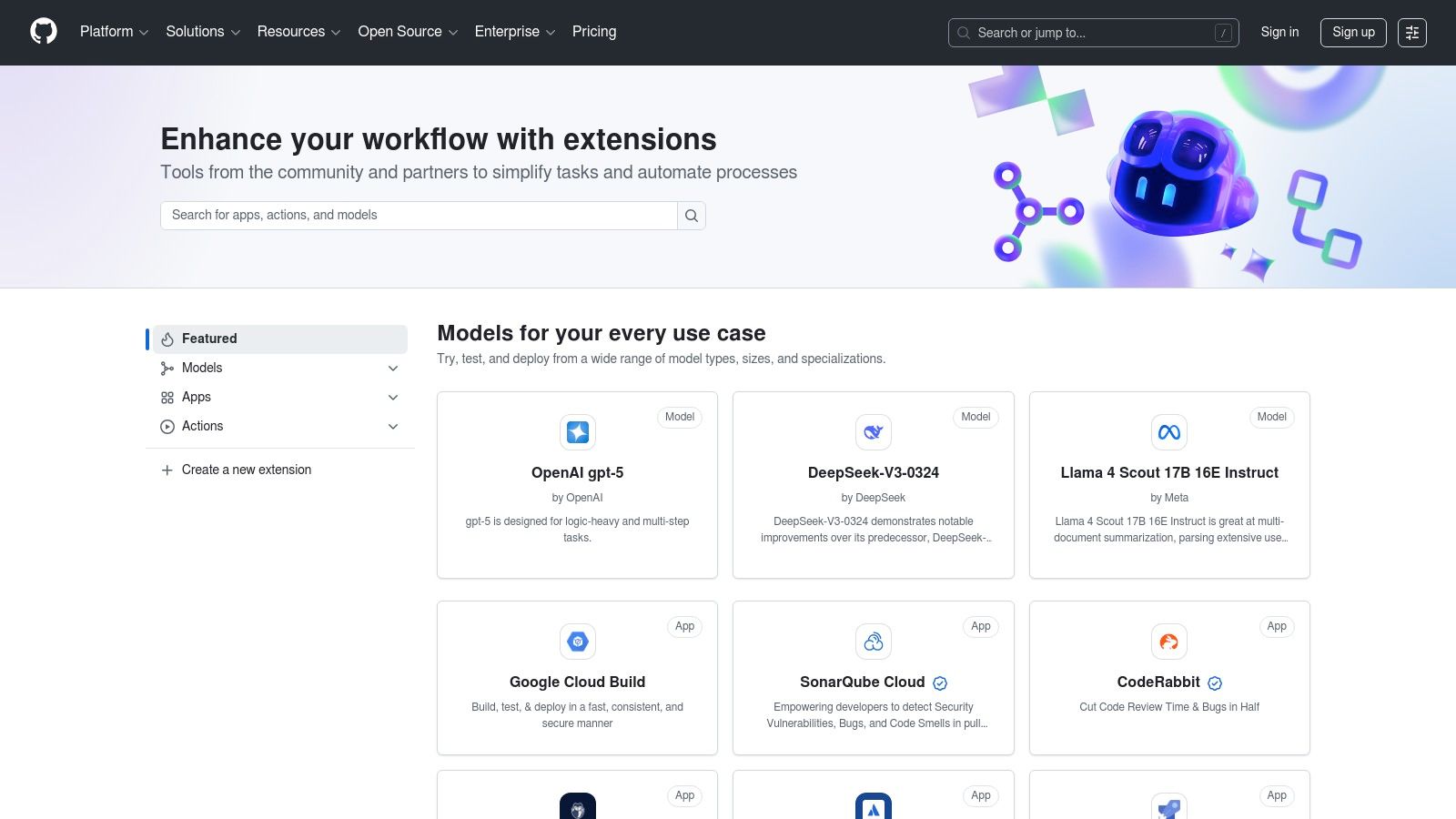
The primary strength of the Marketplace is its seamless integration with the native GitHub workflow. By adding an Action to your repository’s workflow YAML file, you can trigger AI-driven analysis on every pull request. This repository-level automation provides consistent, high-quality feedback for the entire team. Since it’s a marketplace, you have a broad choice of providers and tools, allowing you to find the perfect fit for your stack, from open-source actions to sophisticated commercial applications.
Key Features & Use Cases
- Automated Code Reviews: Use AI Actions to analyze pull requests for bugs, style inconsistencies, and security vulnerabilities.
- PR Descriptions & Summaries: Automatically generate clear and concise descriptions for pull requests, saving developers time.
- CI/CD Integration: Embed AI-powered quality checks and automated fixes directly into your continuous integration workflows.
- Broad Provider Choice: Access tools built on various models like OpenAI, Anthropic, and Google, tailored to different needs.
Pricing
- Varies by publisher; many Actions are free or open-source, while others are paid services or require external API keys with their own costs.
Pros & Cons
| Pros | Cons |
|---|---|
| Speeds up review and QA at the repository level. | Quality and maintenance can vary significantly between publishers. |
| Easy integration via GitHub Actions workflow YAML files. | Some Actions are paid or require external API keys and services. |
| Many open-source or low-cost options available. | Can add complexity and cost to CI/CD pipeline management. |
Integrating Zest with GitHub Marketplace
- Benchmark Review Actions: Use Zest to track key PR metrics like comments per review and time-to-merge before and after implementing an AI review Action to measure its impact.
- Capture Action Configurations: Save the optimal YAML configurations for your favorite AI Actions in a shared Zest, creating a reusable library for new projects.
- Document Best Practices: Create a Zest that documents which AI review tools work best for specific languages or repository types, guiding teams on tool selection.
Website: https://github.com/marketplace
Top 12 AI Coding Tools — Comparison
| Product | Core features | Quality (★) | Value (💰) | Target (👥) | USP (✨/🏆) |
|---|---|---|---|---|---|
| GitHub Copilot | Chat, completions, code review, agents | ★★★★☆ | 💰💰 Free→Enterprise | 👥 GitHub/VS Code devs & teams | ✨ GitHub-native workflows & Agent HQ 🏆 |
| Google Gemini Code Assist | Completion, edits, review agents, CLI | ★★★★ | 💰 Free→Paid tiers | 👥 Google Cloud users & individuals | ✨ Gemini models + CLI integration |
| Amazon Q Developer | IDE/console chat, code transforms, IAM | ★★★★ | 💰💰 Free tier + pay‑as‑you‑go | 👥 AWS-centric engineering teams | ✨ Native AWS + org controls |
| JetBrains AI Assistant | Inline completions, multi-file edits, tests | ★★★★ | 💰💰 Tiers + AI credits | 👥 IntelliJ-family users & enterprises | ✨ Deep native IntelliJ experience |
| Cursor IDE | Agent workflows, multi-model support, Bugbot | ★★★★ | 💰💰💰 Plans scale with usage/models | 👥 AI-native power users & teams | ✨ Agent-first IDE + Bugbot reviewer |
| Replit | Hosted envs, agents, one-click deploys | ★★★★ | 💰💰 Credits & usage billing | 👥 Startups, classrooms, solo builders | ✨ Build-run-host all‑in‑one |
| Anthropic Claude Code | Multi-step coding, terminal & project exec | ★★★★ | 💰💰💰 High-capability models costlier | 👥 Teams standardizing on Anthropic | ✨ Strong multi-step reasoning |
| OpenAI ChatGPT | Code editing, projects, multimodal tools | ★★★★★ | 💰💰 Free→Business/Pro | 👥 Researchers & cross‑team workflows | ✨ Powerful generalist + APIs 🏆 |
| Tabnine | Completions, chat, agents, deployment options | ★★★★ | 💰💰💰 Enterprise pricing | 👥 Privacy/security-conscious enterprises | ✨ Privacy-first, on‑prem/VPC options |
| Windsurf (Codeium) | Cascade plan-then-write, Supercomplete | ★★★★ | 💰💰 Low-cost Pro & credits | 👥 Cost-sensitive AI-first devs | ✨ Plan-then-write + credit model |
| Visual Studio Code Marketplace | Discover/install AI extensions, ratings | ★★★★ | 💰 Free (extensions may charge) | 👥 VS Code users & extension hunters | ✨ Central hub for VS Code AI plugins |
| GitHub Marketplace | AI Actions, PR automation, repo tools | ★★★★ | 💰 Free→Paid Actions | 👥 Repo owners & CI/CD engineers | ✨ Repo-level automation & Actions integration |
Supercharging Your Workflow: The Future is AI-Assisted
Navigating the expansive landscape of AI coding tools can feel overwhelming, but it’s a journey well worth taking. As we’ve explored, the market offers a diverse array of solutions tailored to specific needs, from individual developers fine-tuning their workflows to enterprise teams standardizing on secure, powerful platforms. The conversation has decisively shifted from if you should use AI to how you can strategically deploy it to maximize your team’s potential.
The tools we’ve covered, including the deeply integrated GitHub Copilot, the enterprise-focused Amazon Q Developer, and the innovative Cursor IDE, represent the best AI coding tools available today. Each offers a unique value proposition. Copilot thrives on its ecosystem integration, Gemini Code Assist leverages Google’s powerful models for large-scale projects, and standalone editors like Cursor and Replit provide holistic, AI-native development environments. The key takeaway is that there is no single “best” tool for everyone; the right choice depends entirely on your specific context.
Making the Right Choice for Your Team
To select the ideal tool, you must move beyond feature lists and consider the practical realities of your development cycle. Here are the core factors to guide your decision:
- Individual vs. Team Needs: An individual developer might prioritize a tool with the most creative code suggestions and minimal setup, like Cursor. An engineering manager, however, will focus on tools with enterprise-grade security, team management features, and observability, like Tabnine or Amazon Q.
- Ecosystem and Integration: How well does the tool fit into your existing stack? If your team lives in JetBrains IDEs, their AI Assistant is a natural fit. A team heavily invested in the GitHub ecosystem will find Copilot’s seamless integration a massive advantage. Don’t underestimate the friction caused by a tool that doesn’t play well with your current setup.
- Primary Use Case: What is your main goal? Is it to accelerate boilerplate code generation, improve code quality through AI-driven reviews, or get better at debugging complex issues? Tools like Claude and ChatGPT excel at conversational debugging and complex logic, while inline assistants like Copilot and Windsurf are masters of real-time autocompletion.
Implementing for Impact, Not Just Adoption
Adopting one of the best AI coding tools is only the first step. True transformation comes from intentional implementation and continuous optimization. Simply giving developers a license isn’t enough. Engineering leads and CTOs must foster an environment where effective usage patterns are discovered, shared, and standardized.
This is where a structured approach becomes critical. Encourage your team to experiment with different prompts and workflows. Document what works. A “cheat code” for refactoring legacy code in Gemini might be completely different from one for generating unit tests in Copilot. Using a tool like Zest allows you to capture these valuable, context-specific insights directly within your workflow, creating a shared knowledge base that elevates the entire team’s performance. By measuring the impact of these tools on key metrics like pull request cycle time and code churn, you can justify the investment and build a data-driven case for broader adoption.
The future of software development is not about replacing developers with AI; it’s about augmenting them. The most effective engineering teams will be those who master the art of human-AI collaboration. By thoughtfully selecting, implementing, and optimizing the right tools, you can supercharge your workflow, reduce cognitive load, and empower your developers to focus on what they do best: solving complex problems and building incredible products.
Ready to move beyond simple adoption and truly measure the impact of your new AI tools? Zest helps you capture your team’s best prompts and workflows, turning individual discoveries into shared, reusable “cheat codes” that accelerate everyone. See how top engineering teams use Zest to build a powerful, collaborative AI workflow.
Master Your AI Coding Tools
Turn your team's AI experiments into a standardized, high-impact development process by thoughtfully selecting and implementing the right tools.
📊 Core Adoption Metrics
- Feature Adoption Rate — percentage of team actively using a specific AI tool.
- PR Cycle Time Reduction — decrease in time from first commit to merge.
- Code Churn Improvement — reduction in code that is rewritten or deleted shortly after being committed.
🕹️ My Cheatcodes
- 🌱 Context First — always provide ecosystem context (e.g., AWS vs. GCP) for better suggestions.
- 🦎 Use Case Matching — select tools based on primary need (e.g., autocompletion vs. debugging).
- ⚡ Measure, Don't Guess — track the impact of AI tools on real-world dev metrics, not just adoption.
📈 Reflection Points
- 💡 Is our chosen tool aligned with our team's existing workflow and security needs?
- 🧩 Are we actively sharing successful AI usage patterns and prompts across the team?
- 📘 Does this tool reduce cognitive load or simply add more complexity?
Gallery
Lemon shots



