
12 Best AI Coding Assistants to Ship Faster in 2025
The landscape of AI coding tools has exploded, moving far beyond simple code completion. Today, the best AI coding assistants act as true partners in the development lifecycle, helping you debug complex issues, refactor legacy code, and even architect new features. But with so many options, from GitHub Copilot to specialized editors like Cursor, choosing the right one for your specific stack and workflow is a challenge.
This guide cuts through the noise. We move past marketing claims and dive deep into 12 leading assistants with hands-on analysis. Instead of generic feature lists, you’ll find practical, real-world examples showing exactly how each tool helps you get specific tasks done faster. For instance, we’ll demonstrate how to craft a precise prompt to generate a deployment checklist, ensuring your Astro site is perfectly configured on Cloudflare Workers.
Our goal is simple: to help you find the best tool for your needs, whether you’re an individual developer, an engineering manager tracking AI adoption, or a CTO standardizing organization-wide usage. Each review includes screenshots, direct links, and an honest assessment of limitations, providing a clear path to boosting your productivity. Let’s find your ideal AI coding partner.
1. GitHub Copilot
GitHub Copilot is arguably the most well-known AI coding assistant, deeply integrated into the developer workflow. It extends beyond simple code completion, acting as a pair programmer that understands the context of your entire project. It’s built directly into popular IDEs like VS Code, JetBrains, and Visual Studio, making it a seamless addition for many developers.
What sets Copilot apart is its tight integration with the GitHub ecosystem. It can analyze pull requests, suggest code reviews, and even help write commit messages, directly addressing the entire software development lifecycle. For teams already invested in GitHub, this native experience is a significant advantage over other tools.

Features & Use Cases
Copilot excels at generating boilerplate code, writing unit tests, and even translating code from one language to another. Its chat interface allows for complex, multi-file conversations, enabling you to ask questions about your entire codebase. You can find out more about how it helps with AI-powered code reviews.
A powerful, practical use is generating validation checklists. For example, you can use the following prompt to get a clear, actionable checklist for a complex deployment, saving you from manual verification.
✅ Prompt
“Checklist: confirm my Astro site is deployed on Cloudflare Workers with best-in-class performance, SEO, and DX. Verify adapter, asset storage, caching, hydration, and SSR/SSG choices. Give me a clear yes/no on each item and point out fixes if something’s missing.”
📝 Example Response
Astro on Cloudflare Workers — Deployment Checklist
- Adapter → Using
@astrojs/cloudflareor@astrojs/cloudflare/worker? → ✅ Yes - Static vs SSR → Static pages prebuilt + only SSR where required (API, auth, etc.) → ✅ Yes
- Cold start avoidance → Worker bundle < 1MB, no heavy deps → ✅ Yes
- Assets → Offloaded to R2 / Cloudflare Images, not bundled in Worker → ❌ No → Fix: move images to R2 and rewrite URLs
- Caching → Edge cache headers set (
Cache-Control,stale-while-revalidate) → ✅ Yes - SEO → Title/meta tags verified, hreflang (if multilingual), robots.txt and sitemap.xml generated → ✅ Yes
- Core Web Vitals → Partial hydration configured, Lighthouse score >90 → ✅ Yes
- Global Edge → Tested from multiple PoPs (US/EU/Asia) for <100ms TTFB → ✅ Yes
- Limits → Worker within 30ms CPU budget, script <10MB → ✅ Yes
- Monitoring → Wrangler tail + Analytics enabled → ✅ Yes
Result: 9/10 checks passed. Only asset storage needs fixing.
Pros & Cons
Pros:
- Deep GitHub Integration: Unmatched connection to repositories, issues, and pull requests.
- Broad IDE Support: Works natively in VS Code, JetBrains, Visual Studio, and more.
- Enterprise-Ready: Offers robust management and policy controls for organizations.
Cons:
- Can Be Intrusive: Some developers find its constant suggestions distracting.
- Usage Quotas: Access to the most powerful models (like GPT-4) is limited on standard plans.
Pricing
Copilot offers several tiers, including a free plan for verified students, teachers, and maintainers of popular open-source projects.
- Copilot Individual: $10/month or $100/year.
- Copilot Business: $19/user/month.
- Copilot Enterprise: $39/user/month.
You can learn more at the GitHub Copilot plans page.
2. Amazon Q Developer (AWS)
Amazon Q Developer is AWS’s answer to the demand for integrated AI coding assistants, designed specifically for developers building on the AWS cloud. It integrates directly into IDEs like VS Code and JetBrains, and also into the AWS command-line interface (CLI), providing a native experience for teams deeply embedded in the AWS ecosystem.
What differentiates Amazon Q is its deep understanding of AWS services. It can provide recommendations, troubleshoot issues, and generate code that utilizes AWS SDKs and best practices. For developers navigating the complexities of services like Lambda, S3, or IAM, this specialized knowledge makes it one of the best AI coding assistants available.
Features & Use Cases
Amazon Q Developer excels at code generation, debugging, and application modernization tasks within the AWS environment. Its agentic capabilities allow it to perform multi-step actions like feature implementation or upgrading application dependencies. You can ask it to refactor a legacy Java application or troubleshoot a specific AWS permissions error.
A great practical use case is generating IaC templates. You can use a detailed prompt to generate a robust CloudFormation template, ensuring best practices for security and scalability are included from the start.
✅ Prompt
“Generate an AWS CloudFormation template in YAML for a serverless web application. It should include an S3 bucket for static website hosting, a CloudFront distribution with an OAI to restrict direct S3 access, a Lambda function written in Node.js 20.x that handles a simple API endpoint via API Gateway (HTTP API), and an IAM role with the least privilege necessary for the Lambda to execute and write logs to CloudWatch.”
📝 Example Response
AWSTemplateFormatVersion: '2010-09-09'
Description: Serverless Web App with S3, CloudFront, Lambda, and API Gateway

Resources:
  # S3 Bucket for static assets
  WebAppBucket:
    Type: AWS::S3::Bucket
    Properties:
      AccessControl: Private
      WebsiteConfiguration:
        IndexDocument: index.html
        ErrorDocument: error.html

  # Origin Access Identity for CloudFront
  WebAppOAI:
    Type: AWS::CloudFront::CloudFrontOriginAccessIdentity
    Properties:
      CloudFrontOriginAccessIdentityConfig:
        Comment: OAI for my web app

  # S3 Bucket Policy to allow CloudFront access
  WebAppBucketPolicy:
    Type: AWS::S3::BucketPolicy
    Properties:
      Bucket: !Ref WebAppBucket
      PolicyDocument:
        Statement:
          - Sid: AllowCloudFrontServicePrincipal
            Effect: Allow
            Principal:
              Service: cloudfront.amazonaws.com
            Action: s3:GetObject
            Resource: !Sub "arn:aws:s3:::${WebAppBucket}/*"
            Condition:
              StringEquals:
                "AWS:SourceArn": !Sub "arn:aws:cloudfront::${AWS::AccountId}:distribution/${WebAppCloudFrontDistribution}"

  # ... (CloudFront, Lambda, API Gateway, IAM Role definitions follow)
Pros & Cons
Pros:
- Seamless AWS Integration: Unmatched expertise for AWS services, SDKs, and infrastructure.
- Enterprise-Grade Controls: Centralized billing and identity management through existing AWS accounts.
- Generous Free Tier: Offers a solid free plan for individual developers to get started.
Cons:
- AWS-Centric: Less effective for projects not hosted on or interacting with AWS.
- Varying Usage Limits: The free and pro tiers have different capabilities and rate limits.
Pricing
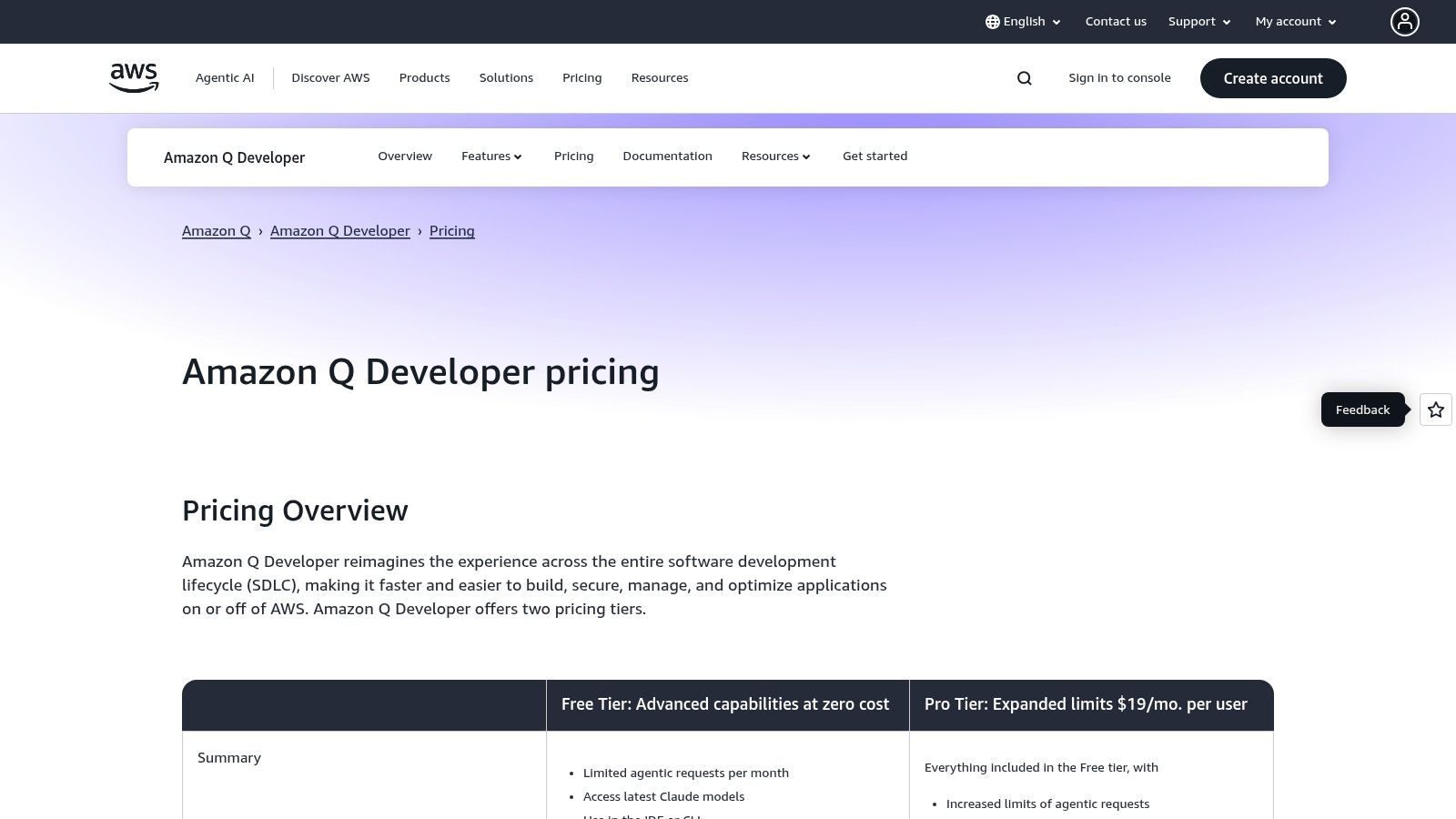
Amazon Q Developer offers a free tier and a paid pro version, both managed within an AWS account.
- Q Developer Free Tier: Includes code suggestions, chat, and security scanning at no cost.
- Q Developer Pro: $19/user/month, with higher usage limits, more advanced capabilities like code transformations, and broader ecosystem access.
You can learn more at the Amazon Q Developer pricing page.
3. Google Gemini Code Assist
Google Gemini Code Assist is Google’s answer to AI-powered development, offering deep integration with its own cloud ecosystem. It functions as a powerful coding assistant within VS Code and JetBrains IDEs, but its true strength lies in its native connection to Google Cloud services, making it one of the best AI coding assistants for developers working in that environment.
What sets Code Assist apart is its contextual awareness of your Google Cloud infrastructure. It can provide smart actions directly within the Cloud Console and offer code suggestions that are optimized for services like Cloud Run, GKE, and BigQuery. This direct line to Google’s services streamlines development and deployment for teams heavily invested in GCP.
Features & Use Cases
Gemini Code Assist excels at code completion and generation with its conversational assistant, but it goes further by providing smart actions and citations for its suggestions. This helps maintain code quality and provides a clear understanding of where the generated code originates, enhancing trust and security within enterprise workflows.
A great practical use is generating deployment checklists. Gemini is great at providing structured, actionable feedback that helps catch misconfigurations before they become problems.
✅ Prompt
“Checklist: confirm my Astro site is deployed on Cloudflare Workers with best-in-class performance, SEO, and DX. Verify adapter, asset storage, caching, hydration, and SSR/SSG choices. Give me a clear yes/no on each item and point out fixes if something’s missing.”
📝 Example Response
Astro on Cloudflare Workers — Deployment Checklist
- Adapter → Using
@astrojs/cloudflareor@astrojs/cloudflare/worker? → ✅ Yes - Static vs SSR → Static pages prebuilt + only SSR where required (API, auth, etc.) → ✅ Yes
- Cold start avoidance → Worker bundle < 1MB, no heavy deps → ✅ Yes
- Assets → Offloaded to R2 / Cloudflare Images, not bundled in Worker → ❌ No → Fix: move images to R2 and rewrite URLs
- Caching → Edge cache headers set (
Cache-Control,stale-while-revalidate) → ✅ Yes - SEO → Title/meta tags verified, hreflang (if multilingual), robots.txt and sitemap.xml generated → ✅ Yes
- Core Web Vitals → Partial hydration configured, Lighthouse score >90 → ✅ Yes
- Global Edge → Tested from multiple PoPs (US/EU/Asia) for <100ms TTFB → ✅ Yes
- Limits → Worker within 30ms CPU budget, script <10MB → ✅ Yes
- Monitoring → Wrangler tail + Analytics enabled → ✅ Yes
Result: 9/10 checks passed. Only asset storage needs fixing.
Pros & Cons
Pros:
- Deep Google Cloud Integration: Unmatched awareness of your GCP projects and services.
- Rich Free Preview: Offers a generous free tier for individuals to try its core features.
- Clear Pricing Tiers: Simple Standard and Enterprise plans make adoption straightforward.
Cons:
- Niche Focus: Most beneficial for organizations already using Google Cloud Platform.
- Enterprise Features Gated: Advanced security and management tools require a higher-priced subscription.
Pricing
Google Gemini Code Assist is available for free during its preview period for individual users. For teams and enterprises, it offers paid plans.
- Standard: $19/user/month.
- Enterprise: Contact sales for pricing.
You can learn more at the Google Gemini Code Assist website.
4. Codeium + Windsurf Editor
Codeium stands out as one of the best AI coding assistants by offering a surprisingly robust free tier that includes unlimited code completion and AI chat. It supports developers with extensions for VS Code and JetBrains, but also provides its own standalone IDE, Windsurf, for a fully integrated experience. This flexibility makes it accessible to a wide range of developers without an immediate financial commitment.
What makes Codeium unique is its “Supercomplete” feature, designed to generate large, multi-line blocks of code or even entire files from a simple comment. This goes beyond standard autocomplete and empowers developers to scaffold complex components quickly. The platform also uses a flexible credit system, allowing users to access premium models like GPT-4o and Claude 3 Opus on demand.
Features & Use Cases
Codeium is great for rapid prototyping and generating complex logic. Its chat is context-aware, allowing you to ask questions about your entire workspace. The ability to switch between different high-end AI models provides versatility for tackling various coding challenges, from simple function generation to intricate algorithm design.
A great practical use is creating detailed deployment checklists. You can ask Codeium’s chat to generate a verification list to ensure your project is correctly configured, using a structured prompt to get a high-quality response.
✅ Prompt
“Checklist: confirm my Astro site is deployed on Cloudflare Workers with best-in-class performance, SEO, and DX. Verify adapter, asset storage, caching, hydration, and SSR/SSG choices. Give me a clear yes/no on each item and point out fixes if something’s missing.”
📝 Example Response
Astro on Cloudflare Workers — Deployment Checklist
- Adapter → Using
@astrojs/cloudflareor@astrojs/cloudflare/worker? → ✅ Yes - Static vs SSR → Static pages prebuilt + only SSR where required (API, auth, etc.) → ✅ Yes
- Cold start avoidance → Worker bundle < 1MB, no heavy deps → ✅ Yes
- Assets → Offloaded to R2 / Cloudflare Images, not bundled in Worker → ❌ No → Fix: move images to R2 and rewrite URLs
- Caching → Edge cache headers set (
Cache-Control,stale-while-revalidate) → ✅ Yes - SEO → Title/meta tags verified, hreflang (if multilingual), robots.txt and sitemap.xml generated → ✅ Yes
- Core Web Vitals → Partial hydration configured, Lighthouse score >90 → ✅ Yes
- Global Edge → Tested from multiple PoPs (US/EU/Asia) for <100ms TTFB → ✅ Yes
- Limits → Worker within 30ms CPU budget, script <10MB → ✅ Yes
- Monitoring → Wrangler tail + Analytics enabled → ✅ Yes
Result: 9/10 checks passed. Only asset storage needs fixing.
Pros & Cons
Pros:
- Generous Free Tier: Unlimited autocomplete and chat are available at no cost.
- Flexible Model Access: A monthly credit system lets you use powerful models like GPT-4o when needed.
- Broad IDE Support: Works in popular editors and offers its own standalone Windsurf IDE.
Cons:
- Credit System Confusion: The mechanics of credit usage for premium models can be confusing for new users.
- Paid Advanced Features: Key differentiators like “Supercomplete” require paid credits.
Pricing
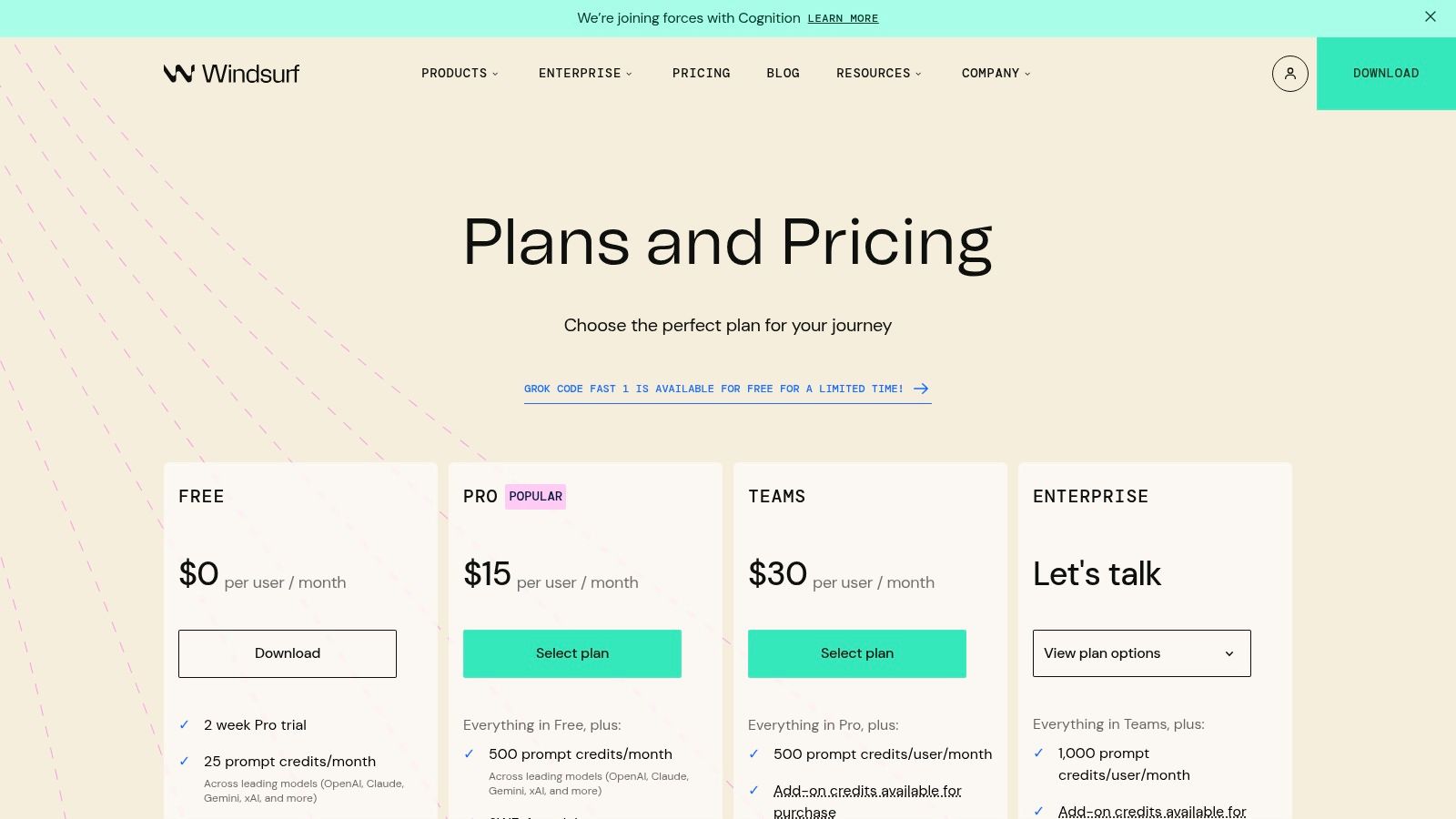
Codeium’s pricing is built around a freemium model with a credit-based system for advanced features.
- Individual: Free for unlimited code completion and chat.
- Teams: $15/user/month, includes group seats and advanced code search.
- Enterprise: Custom pricing for self-hosting and fine-tuning options.
- Premium Model Credits: Available for purchase to access models like GPT-4o.
You can learn more on the Codeium pricing page.
5. Cursor – The AI Code Editor
Cursor is not just a plugin; it’s a complete AI-native IDE built from the ground up, forked from VS Code. This design philosophy means AI is deeply woven into every aspect of the editor, rather than being an add-on. It provides a familiar interface for VS Code users but enhances it with powerful, context-aware AI capabilities designed to understand your entire codebase.
What makes Cursor one of the best AI coding assistants is its focus on holistic project understanding. Features like codebase-wide chat, auto-debugging with “Bugbot,” and AI-powered diff generation go beyond simple completions. It’s built for developers who want AI to be a core part of their environment, not just a tool they occasionally call upon.
Features & Use Cases
Cursor shines at tasks requiring broad context, like refactoring complex components or onboarding to a new repository. Its chat can reference multiple files and documentation simultaneously, providing more accurate and relevant answers. You can highlight code, ask the AI to fix or improve it, and apply the suggested changes as a diff with a single click.
A great practical use is leveraging its ability to process complex instructions and provide structured, actionable feedback for tasks like deployment verification.
✅ Prompt
“Checklist: confirm my Astro site is deployed on Cloudflare Workers with best-in-class performance, SEO, and DX. Verify adapter, asset storage, caching, hydration, and SSR/SSG choices. Give me a clear yes/no on each item and point out fixes if something’s missing.”
📝 Example Response
Astro on Cloudflare Workers — Deployment Checklist
- Adapter → Using
@astrojs/cloudflareor@astrojs/cloudflare/worker? → ✅ Yes - Static vs SSR → Static pages prebuilt + only SSR where required (API, auth, etc.) → ✅ Yes
- Cold start avoidance → Worker bundle < 1MB, no heavy deps → ✅ Yes
- Assets → Offloaded to R2 / Cloudflare Images, not bundled in Worker → ❌ No → Fix: move images to R2 and rewrite URLs
- Caching → Edge cache headers set (
Cache-Control,stale-while-revalidate) → ✅ Yes - SEO → Title/meta tags verified, hreflang (if multilingual), robots.txt and sitemap.xml generated → ✅ Yes
- Core Web Vitals → Partial hydration configured, Lighthouse score >90 → ✅ Yes
- Global Edge → Tested from multiple PoPs (US/EU/Asia) for <100ms TTFB → ✅ Yes
- Limits → Worker within 30ms CPU budget, script <10MB → ✅ Yes
- Monitoring → Wrangler tail + Analytics enabled → ✅ Yes
Result: 9/10 checks passed. Only asset storage needs fixing.
Pros & Cons
Pros:
- Powerful Agent Workflows: Handles complex, multi-file tasks and background processes.
- VS Code Compatibility: Familiar interface and full support for VS Code extensions.
- Robust Team Management: Features like SAML/SSO and admin controls for organizations.
Cons:
- Potentially High Cost: Higher tiers can be expensive for individual developers or small teams.
- Dependent on Premium Models: Some of the most powerful features consume credits for models like GPT-4.
Pricing
Cursor offers a free tier with limited access to advanced AI models and several paid plans for professional use.
- Basic: Free (limited slow GPT-4 uses, 200 fast GPT-3.5 uses/month).
- Pro: $20/month (unlimited slow GPT-4, 500 fast GPT-4 uses/month).
- Business: $40/user/month (includes team features, SAML/SSO, and privacy controls).
You can find more details on the Cursor pricing page.
6. Tabnine
Tabnine carves out its niche among the best AI coding assistants by prioritizing security, privacy, and enterprise-grade control. It is designed for organizations where intellectual property protection and code compliance are paramount, offering unique self-hosted and VPC deployment options that keep your codebase entirely within your private network. This privacy-first approach is its core differentiator from cloud-based alternatives.
What sets Tabnine apart is its deep commitment to enterprise needs. It offers advanced analytics, code provenance, and attribution, giving engineering leaders visibility into how AI is being used across their teams. This makes it an ideal choice for regulated industries or companies with strict security postures that still want to leverage powerful AI code generation.
Features & Use Cases
Tabnine excels at providing highly contextual, team-aware code completions by learning from your organization’s specific codebase. Its integrations with GitHub, GitLab, and Bitbucket allow it to build a model trained on your team’s best practices and coding standards, ensuring suggestions are consistent and relevant.
A powerful use case is enforcing code compliance. For example, a team can ensure all new code adheres to internal licensing policies by using Tabnine’s code provenance features, which trace the origin of every AI-generated suggestion to its training data. A developer could prompt the chat with a specific code block.
✅ Prompt
“Analyze this Go function for compliance with our internal style guide, which requires snake_case for variable names and a max line length of 100 characters. Also, verify it doesn’t use any GPL-licensed dependencies based on our allowed license list.”
📝 Example Response
Compliance Check Result:
- Style Guide (snake_case): ⚠️ Warning → Variable
customerIDat line 5 should becustomer_id. - Style Guide (line length): ✅ Pass → All lines are under 100 characters.
- License Compliance: ✅ Pass → No GPL-licensed dependencies detected. The
fmtandnet/httppackages are part of the Go standard library (BSD-style license).
Action Required: Refactor customerID to customer_id for compliance.
Pros & Cons
Pros:
- Excellent IP Protection: Self-hosted and air-gapped options provide maximum security.
- Flexible Model Options: Use Tabnine’s models, a third-party model, or one trained on your internal code.
- Enterprise-Grade Management: Robust controls, analytics, and policy enforcement for teams.
Cons:
- Enterprise-Focused Pricing: Primarily targets larger teams and organizations, not individual developers.
- Fewer Consumer Features: Lacks some of the broader, consumer-oriented chat features of its rivals.
Pricing
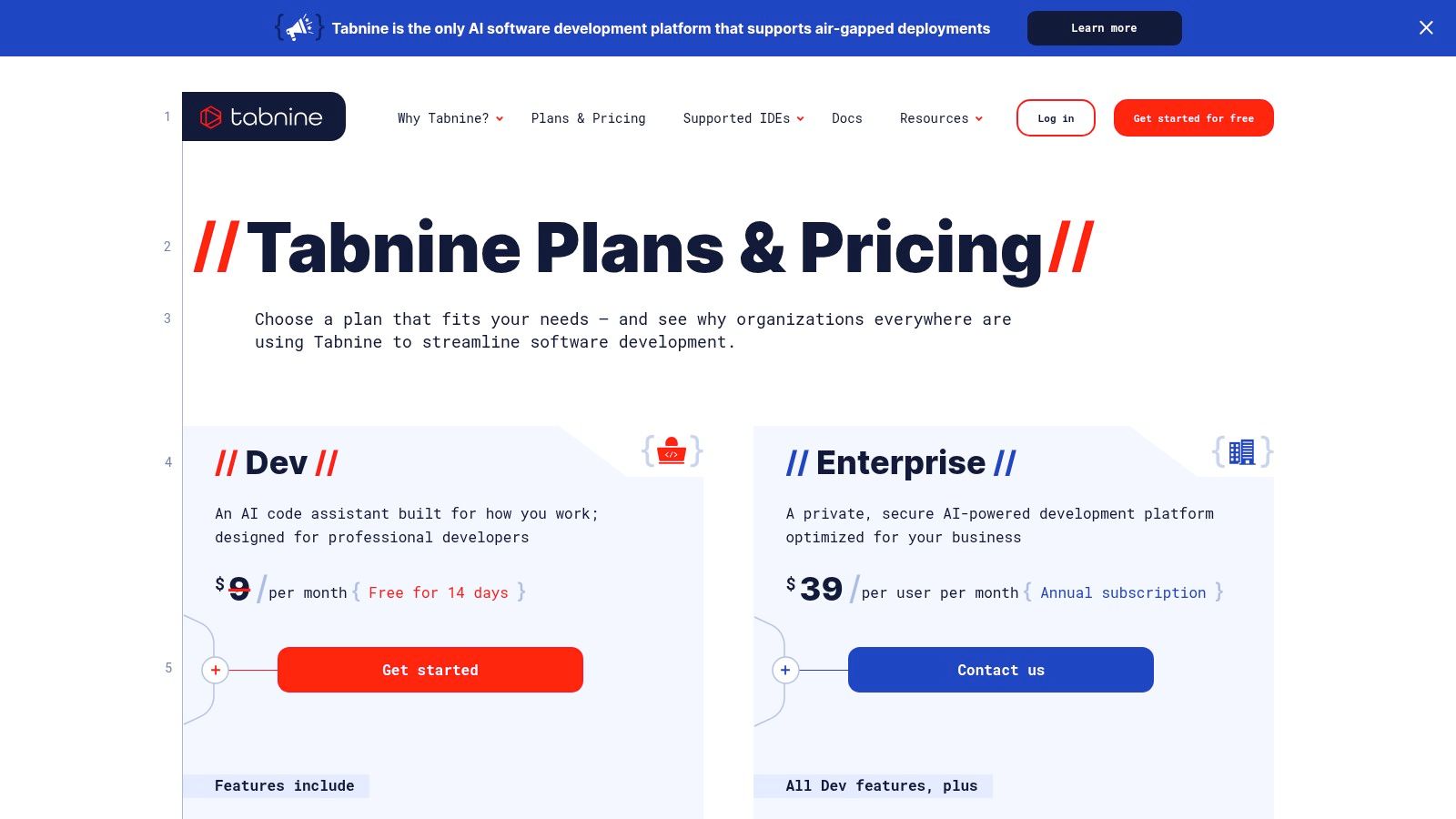
Tabnine offers a free Basic plan with standard code completions. Its professional and enterprise tiers unlock advanced features.
- Pro: $12/user/month.
- Enterprise: $39/user/month.
You can learn more at the Tabnine pricing page.
7. JetBrains AI Assistant
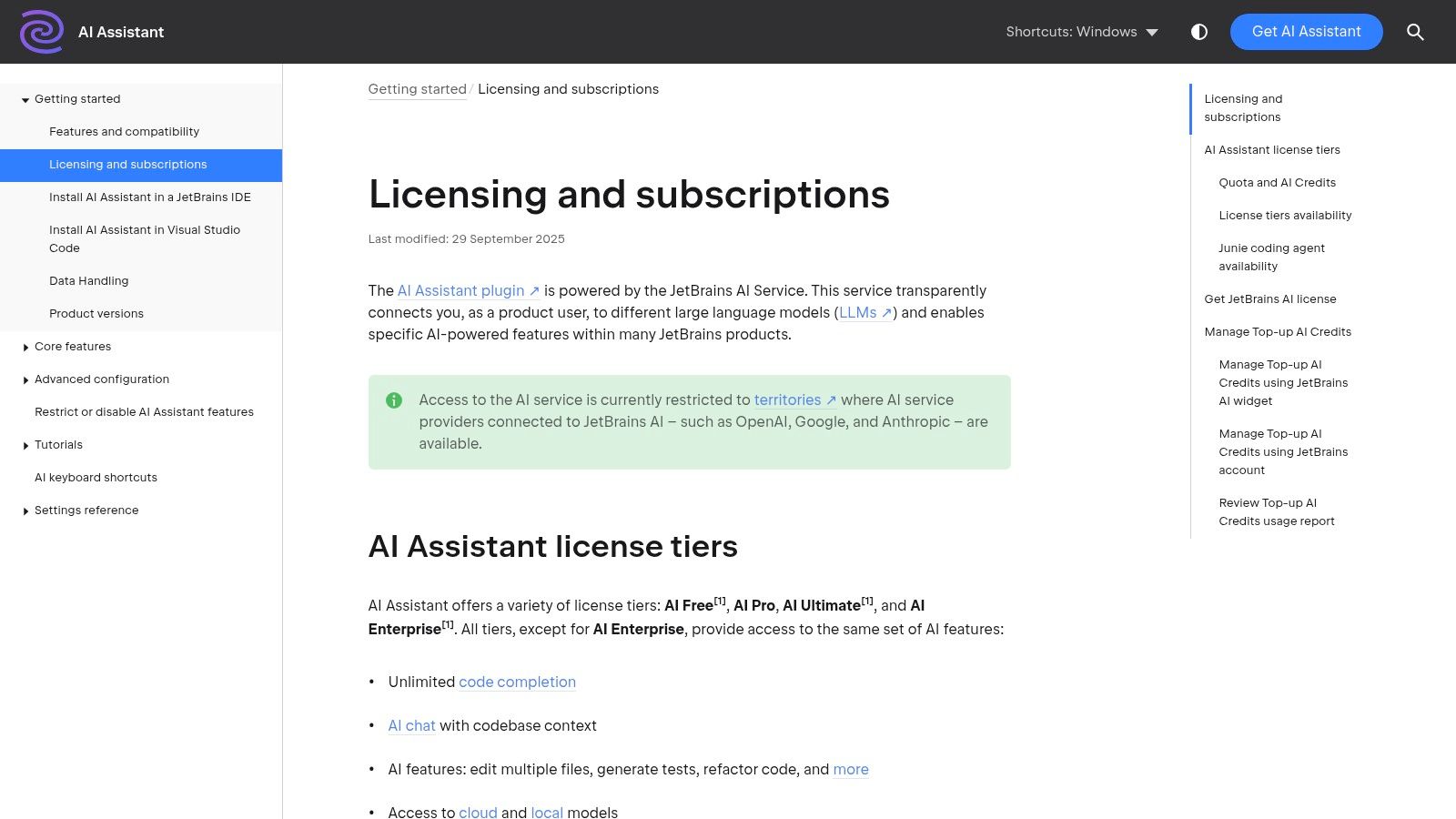
For developers deeply embedded in the JetBrains ecosystem, the official AI Assistant offers an unparalleled level of integration. It’s not a third-party plugin but a first-party tool designed to work seamlessly within IDEs like IntelliJ IDEA, PyCharm, and WebStorm. This native experience ensures that the assistant has deep, contextual awareness of your code, project structure, and IDE functionalities.
What makes the JetBrains AI Assistant one of the best AI coding assistants is its focus on refactoring and multi-file awareness. It goes beyond simple completions by enabling complex, project-wide changes through natural language prompts. This tight coupling with the IDE’s powerful refactoring engines allows it to execute changes that other assistants can only suggest.
Features & Use Cases
JetBrains AI Assistant excels at generating unit tests, explaining code snippets, and creating documentation directly within the editor. Its chat interface can answer questions about your codebase, find usages, and suggest improvements. It is particularly effective for complex refactoring tasks across multiple files, like renaming a widely used class and updating all its instances.
A practical use case is generating a CI/CD pipeline configuration. You can ask it to create a GitHub Actions workflow file for a Maven project, and it will generate the YAML with the correct steps for building, testing, and deploying, saving significant setup time.
✅ Prompt
“Generate a GitHub Actions workflow file for a standard Java Maven project. The workflow should trigger on push to the main branch. It needs to check out the code, set up JDK 17, cache Maven dependencies, build the project with mvn -B package --file pom.xml, and run the tests.”
📝 Example Response
# .github/workflows/maven.yml
name: Java CI with Maven

on:
  push:
    branches: [ "main" ]
  pull_request:
    branches: [ "main" ]

jobs:
  build:
    runs-on: ubuntu-latest

    steps:
    - uses: actions/checkout@v4
    - name: Set up JDK 17
      uses: actions/setup-java@v4
      with:
        java-version: '17'
        distribution: 'temurin'
        cache: maven
    - name: Build with Maven
      run: mvn -B package --file pom.xml
Pros & Cons
Pros:
- Deep IDE Integration: First-party tool with direct access to IDE actions and indexes.
- Flexible Credit Model: Pay-as-you-go credit system provides flexibility.
- Enterprise Controls: Supports organizational controls, custom models, and SSO.
Cons:
- Complex Credit System: Accounting for credit usage can be confusing for new users.
- Regional Limitations: Availability may be restricted based on region and model provider.
Pricing
JetBrains AI Assistant uses a credit-based subscription model, offering a set number of credits per month that are consumed by various AI actions.
- AI Assistant Add-on: $10/month or $100/year for individuals.
- Enterprise Tier: Custom pricing, allowing use of multiple cloud AI models.
You can learn more at the JetBrains AI Assistant licensing page.
8. Replit (Replit Agent and AI)
Replit combines a cloud-based development environment with a powerful AI agent, creating a unique platform where you can build, debug, and deploy applications entirely in your browser. Its core strength is the integration of coding assistance with a complete development lifecycle, from writing the first line of code to one-click hosting. This all-in-one approach removes the friction of local setup and configuration.
What truly sets Replit apart is its AI agent, designed to handle autonomous coding tasks. Instead of just suggesting code snippets, it can take on larger objectives like building features or fixing bugs across your codebase. For teams, this is a major advantage, as it streamlines collaboration within a shared, cloud-native environment, making it one of the most comprehensive AI coding assistants available.

Features & Use Cases
Replit’s AI agent excels at taking high-level prompts and turning them into functional code, debugging complex issues, and handling deployments. Its collaborative features allow teams to work together in a live environment, with AI assistance available to everyone.
A practical use case is rapidly scaffolding and deploying a full-stack application. You can give the agent a high-level goal, and it will generate the necessary code and configuration.
✅ Prompt
“Create a new Python Flask application. Add a single API endpoint /api/status that returns a JSON object {'status': 'ok'}. Write a requirements.txt file with Flask as a dependency. Configure the .replit file to run the application using gunicorn.”
📝 Example Response
(AI Agent performs the following actions):
- Creates
main.py:from flask import Flask, jsonify app = Flask(__name__) @app.route('/api/status') def get_status(): return jsonify({'status': 'ok'}) if __name__ == '__main__': app.run(host='0.0.0.0', port=8080) - Creates
requirements.txt:Flask gunicorn - Modifies
.replitfile:# ... run = "gunicorn main:app --bind 0.0.0.0:8080" # ... - Installs dependencies and runs the application.
Result: A fully functional and deployable API is running in the Replit environment.
Pros & Cons
Pros:
- All-in-One Platform: Full cloud-based build, run, and deploy capability.
- Rapid Innovation: The platform sees rapid feature evolution and agent enhancements.
- Clear Tiers: Offers straightforward plans for individuals and teams with usage-based billing.
Cons:
- Usage-Based Billing: Heavy AI usage can lead to unexpected costs on certain plans.
- Platform-Specific: Best suited for web and application stacks natively supported by Replit.
Pricing
Replit offers a free tier for basic projects and learning, with paid plans for more power and features.
- Replit Core: $20/member/month (billed monthly) or $120/member/year.
- Teams Pro (Legacy): For existing teams.
- Enterprise: Custom pricing.
You can learn more at the Replit pricing page.
9. Anthropic Claude (Claude Code)
Anthropic Claude stands out for its powerful reasoning and comprehension capabilities, making it one of the best AI coding assistants for complex logic, refactoring, and in-depth code analysis. Unlike assistants focused purely on autocompletion, Claude excels at understanding intricate requirements and generating well-structured, maintainable code. It’s accessible via its web interface, API, and through major cloud providers, offering flexibility for different developer needs.
What sets Claude apart is its strength in handling sophisticated, context-heavy tasks. It can digest large codebases or dense documentation and provide insightful explanations or suggestions. This makes it an invaluable partner for debugging complex issues, modernizing legacy code, or brainstorming architectural solutions from a high-level perspective.
Features & Use Cases
Claude’s models are ideal for generating detailed explanations, refactoring code for better performance, and writing comprehensive unit tests. The “Claude Code” terminal assistant also offers tools like cost-tracking commands, giving developers direct insight into their usage.
A great practical use is creating detailed deployment checklists. Its strong reasoning allows it to generate clear, actionable lists that can help prevent common deployment errors.
✅ Prompt
“Checklist: confirm my Astro site is deployed on Cloudflare Workers with best-in-class performance, SEO, and DX. Verify adapter, asset storage, caching, hydration, and SSR/SSG choices. Give me a clear yes/no on each item and point out fixes if something’s missing.”
📝 Example Response
Astro on Cloudflare Workers — Deployment Checklist
- Adapter → Using
@astrojs/cloudflareor@astrojs/cloudflare/worker? → ✅ Yes - Static vs SSR → Static pages prebuilt + only SSR where required (API, auth, etc.) → ✅ Yes
- Cold start avoidance → Worker bundle < 1MB, no heavy deps → ✅ Yes
- Assets → Offloaded to R2 / Cloudflare Images, not bundled in Worker → ❌ No → Fix: move images to R2 and rewrite URLs
- Caching → Edge cache headers set (
Cache-Control,stale-while-revalidate) → ✅ Yes - SEO → Title/meta tags verified, hreflang (if multilingual), robots.txt and sitemap.xml generated → ✅ Yes
- Core Web Vitals → Partial hydration configured, Lighthouse score >90 → ✅ Yes
- Global Edge → Tested from multiple PoPs (US/EU/Asia) for <100ms TTFB → ✅ Yes
- Limits → Worker within 30ms CPU budget, script <10MB → ✅ Yes
- Monitoring → Wrangler tail + Analytics enabled → ✅ Yes
Result: 9/10 checks passed. Only asset storage needs fixing.
Pros & Cons
Pros:
- Superior Reasoning: Excellent for complex code logic, refactoring, and architectural discussions.
- Flexible Access: Available through a user-friendly web app, a powerful API, and cloud platforms.
- Clear Cost Control: Usage-based pricing with console monitoring helps manage expenses.
Cons:
- Usage-Based Costs: Expenses can accumulate quickly with heavy use, requiring careful monitoring.
- Regional Availability: The most advanced models and features may have geographic restrictions.
Pricing
Claude’s pricing is token-based, varying by the model chosen. A free tier is available for light use, with paid plans for more demanding needs.
- Claude Pro: $20/month for 5x more usage than the free tier and priority access.
- Claude API: Pay-as-you-go pricing based on model and token consumption (input/output).
You can find detailed pricing information on the Anthropic Claude pricing page.
10. OpenAI (ChatGPT and API for coding assistance)
OpenAI provides the foundational models, like GPT-4o, that power many other AI coding assistants, but its direct offerings are formidable tools in their own right. Developers can leverage the ChatGPT interface, with its powerful Code Interpreter and file search capabilities, or use the API to build custom coding agents and integrate AI directly into their workflows. This versatility makes it a core component of the modern developer’s toolkit.
What sets OpenAI’s platform apart is the sheer power and flexibility of its models. While other tools offer curated experiences, OpenAI gives developers raw access to state-of-the-art AI. This enables bespoke solutions, from simple command-line helpers to complex, automated code generation and refactoring pipelines, tailored to specific project needs.
Features & Use Cases
The ChatGPT desktop app and web interface are excellent for brainstorming, debugging complex logic, and generating entire code modules. Its API allows for creating custom coding agents and plugins integrated into any IDE or CLI. The built-in Code Interpreter can execute Python code, analyze data, and create visualizations on the fly, making it a powerful interactive environment.
A great practical use is generating deployment checklists. You can ask for a step-by-step verification list to ensure your Astro site is perfectly configured for Cloudflare Workers, which also improves code documentation best practices by standardizing procedures.
✅ Prompt
“Checklist: confirm my Astro site is deployed on Cloudflare Workers with best-in-class performance, SEO, and DX. Verify adapter, asset storage, caching, hydration, and SSR/SSG choices. Give me a clear yes/no on each item and point out fixes if something’s missing.”
📝 Example Response
Astro on Cloudflare Workers — Deployment Checklist
- Adapter → Using
@astrojs/cloudflareor@astrojs/cloudflare/worker? → ✅ Yes - Static vs SSR → Static pages prebuilt + only SSR where required (API, auth, etc.) → ✅ Yes
- Cold start avoidance → Worker bundle < 1MB, no heavy deps → ✅ Yes
- Assets → Offloaded to R2 / Cloudflare Images, not bundled in Worker → ❌ No → Fix: move images to R2 and rewrite URLs
- Caching → Edge cache headers set (
Cache-Control,stale-while-revalidate) → ✅ Yes - SEO → Title/meta tags verified, hreflang (if multilingual), robots.txt and sitemap.xml generated → ✅ Yes
- Core Web Vitals → Partial hydration configured, Lighthouse score >90 → ✅ Yes
- Global Edge → Tested from multiple PoPs (US/EU/Asia) for <100ms TTFB → ✅ Yes
- Limits → Worker within 30ms CPU budget, script <10MB → ✅ Yes
- Monitoring → Wrangler tail + Analytics enabled → ✅ Yes
Result: 9/10 checks passed. Only asset storage needs fixing.
Pros & Cons
Pros:
- Top-tier AI model quality: Access to the latest and most capable language models.
- Flexible pay-as-you-go API: Scalable pricing that adapts to your usage needs.
- Team and enterprise workspaces: Provides robust administrative controls and collaboration features.
Cons:
- Relies on third-party plugins: The best IDE integrations often depend on community-built extensions.
- API costs need monitoring: Unchecked API usage can become expensive at scale.
Pricing
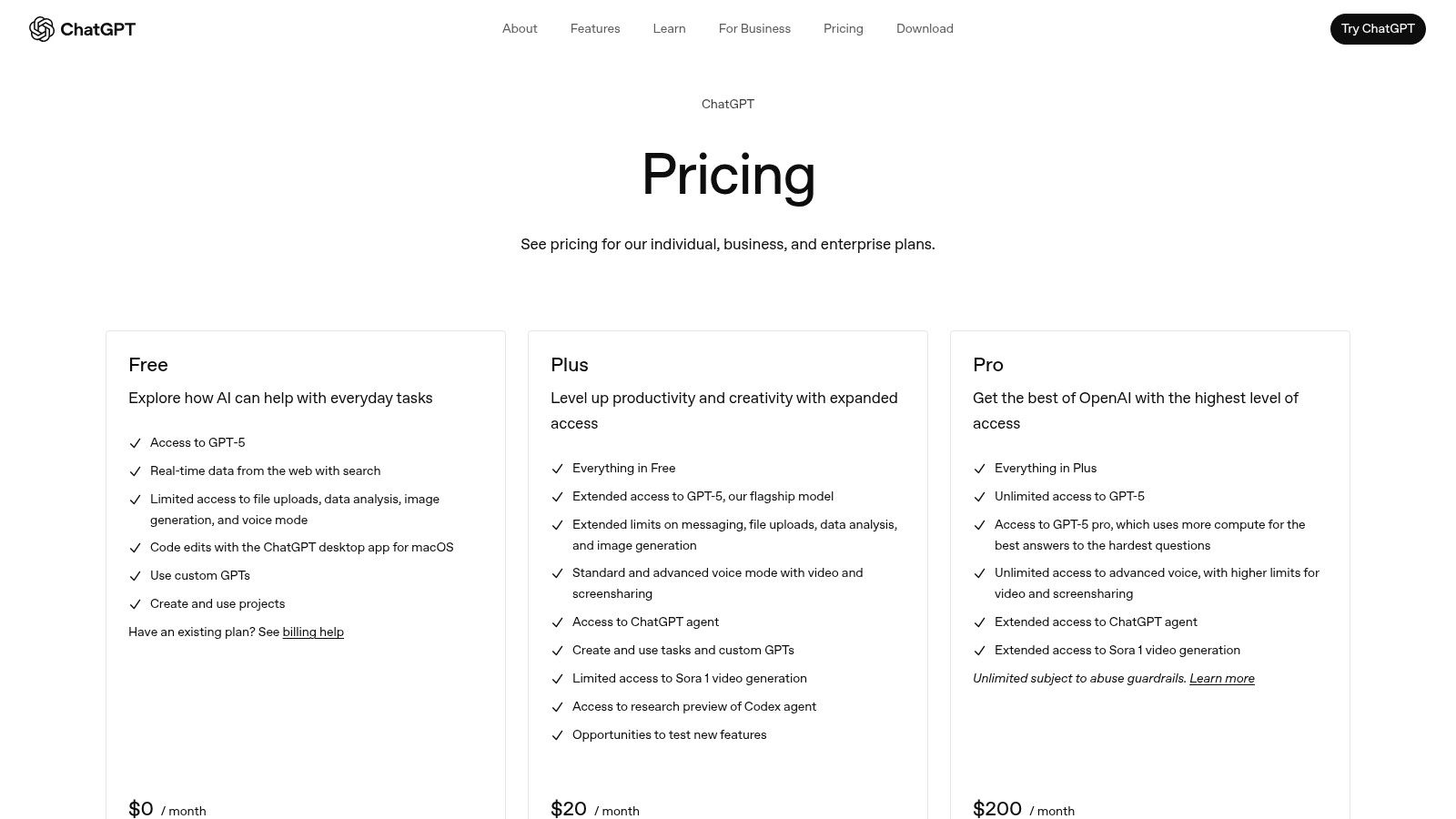
OpenAI offers various plans for both its chat interface and API access.
- ChatGPT Plus: $20/user/month for priority access to the latest models.
- ChatGPT Team: $25/user/month (billed annually) for team collaboration features.
- API: Pay-as-you-go based on token usage for different models.
You can find detailed pricing information on the OpenAI pricing page.
11. Microsoft Visual Studio IntelliCode
Microsoft Visual Studio IntelliCode is an AI-enhanced extension built directly into Visual Studio and VS Code, serving as one of the more established AI coding assistants. It focuses on improving developer productivity through context-aware suggestions that run locally on your machine. This on-device processing offers significant privacy and speed benefits, as your code never leaves your computer for analysis.
Unlike cloud-based assistants, IntelliCode enhances the core IntelliSense experience by ranking completion lists based on your current coding context. It learns from thousands of open-source projects on GitHub to predict the most likely API or method you’ll want to use, making it a subtle but powerful upgrade to the native editor experience.
Features & Use Cases
IntelliCode provides whole-line autocompletions for C# in Visual Studio and Python in VS Code, suggesting entire lines of code as you type. It also detects repeated edits and suggests quick refactoring actions to apply the same change elsewhere. For teams looking to reduce technical debt, these automated suggestions can help enforce consistency.
A great use case is speeding up common programming patterns. When working with a new library, IntelliCode’s starred suggestions prioritize the most relevant APIs, helping you discover and use them correctly without having to dig through documentation.
✅ Practical Example: Argument Completion
When you’re calling a method with multiple arguments, IntelliCode suggests completions for the arguments themselves, not just the method name.
Typing this in C#:
var client = new HttpClient();
var request = new HttpRequestMessage(
IntelliCode suggests:
var client = new HttpClient();
var request = new HttpRequestMessage(HttpMethod.Post, "https://api.example.com/data");
It intelligently fills in both the HttpMethod enum and a plausible URL string based on the context of your code, saving you keystrokes and lookups.
Pros & Cons
Pros:
- Runs Locally: Provides excellent privacy and low latency since code is processed on-device.
- Included by Default: Comes bundled with Visual Studio and is a free extension for VS Code.
- Seamless Integration: Enhances existing IntelliSense without being intrusive.
Cons:
- Limited Scope: Lacks the advanced chat, code generation, and broader language support of tools like Copilot.
- No Agent-like Features: Cannot answer complex questions about your codebase or perform multi-step tasks.
Pricing
IntelliCode is free and included as part of Visual Studio or as a free extension for Visual Studio Code. There are no separate subscription tiers or costs associated with its core features.
You can learn more and install it from the Visual Studio IntelliCode page.
12. StackBlitz Bolt.new
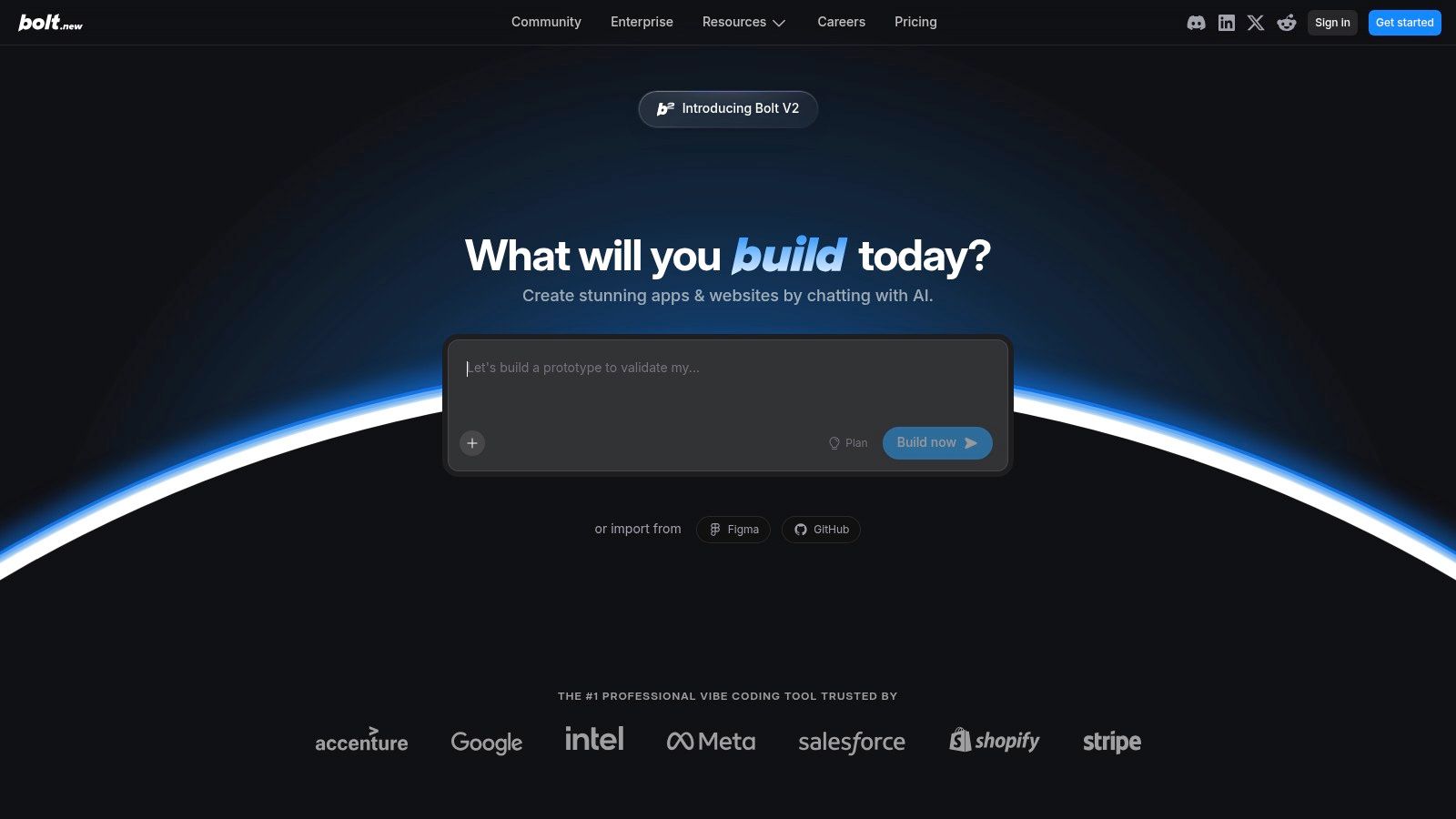
StackBlitz Bolt.new takes a different approach to AI coding assistants by focusing on generating entire full-stack applications from a single prompt. It leverages WebContainers to create a complete, in-browser development environment instantly. This allows you to go from an idea to a fully deployed application with hosting, domains, and serverless functions without ever leaving your browser.
What makes Bolt.new unique is its all-in-one workflow. It’s not just about code suggestions; it’s an entire platform for building, editing, and deploying web applications. This tight integration removes the friction of setting up local environments, managing infrastructure, and configuring deployment pipelines, making it one of the fastest ways to launch a new project.
Features & Use Cases
Bolt.new is designed for rapid prototyping and building web applications. Its core feature is prompt-to-app generation, where you describe the app you want, and it builds the entire stack. The platform includes built-in hosting, serverless functions, authentication, and analytics, with strong integrations for Supabase and Stripe.
A great practical use case is quickly validating an idea. You can generate a functional prototype with a database and user authentication in minutes.
✅ Prompt
“Create a full-stack SaaS boilerplate using Next.js with TypeScript and Tailwind CSS. Integrate it with Supabase for authentication and database storage. Include a basic marketing landing page, a dashboard page that is protected by authentication, and a pricing page with three tiers. Set up server-side rendering for the landing page.”
📝 Example Response
(AI generates a complete, runnable project in a new StackBlitz environment):
- File Structure: A full Next.js project is created (
/app,/components,/lib, etc.). - Dependencies:
package.jsonis populated withnext,react,tailwindcss,@supabase/supabase-js, etc. - Authentication: Supabase client is initialized; login/logout functionality and route protection middleware are implemented.
- Database Schema: A basic SQL schema for user profiles might be suggested in a
schema.sqlfile. - UI Components: React components for the landing page, dashboard, and pricing table are generated with Tailwind CSS classes.
- Deployment: The application is instantly runnable and deployable within the StackBlitz environment.
Pros & Cons
Pros:
- Fast Workflow: Go from a text prompt to a deployed app in a single platform.
- Integrated Web Stack: Seamlessly connects with Supabase and Stripe for common web app needs.
- Team-Friendly: Offers token-based usage with admin controls and clear visibility for teams.
Cons:
- Token Pricing: The token-based model can be confusing to predict and manage.
- Web-Focused: Best suited for web apps; porting to other environments requires exporting the code.
Pricing
StackBlitz Bolt.new operates on a token-based system. Users purchase tokens which are consumed as applications are generated and resources are used.
- Pricing: Starts at $20 for 2,000 tokens, with larger packages available.
- Team Plans: Custom plans are available for teams needing administrative controls and shared token pools.
You can learn more at the StackBlitz Bolt.new website.
Top 12 AI Coding Assistants Feature Comparison
| Product | Core Features ✨ | User Experience ★★★★☆ | Value Proposition 💰 | Target Audience 👥 | Unique Selling Points 🏆 | Price Points 💰 |
|---|---|---|---|---|---|---|
| GitHub Copilot | Multi-model AI, code review, IDE chat | Deep GitHub & IDE integration ★★★★☆ | Strong synergy with GitHub repos 💰 | Devs on GitHub & enterprises 👥 | Agent mode, PR help, multi-IDE support ✨ | Subscription, discounts available 💰 |
| Amazon Q Developer (AWS) | IDE & CLI integration, Claude AI access | Seamless AWS infra fit ★★★☆☆ | Centralized billing & AWS identity 💰 | AWS-focused dev teams 👥 | Enterprise controls, agentic capabilities ✨ | Free & Pro tiers 💰 |
| Google Gemini Code Assist | Conversational AI, multi-IDE & GCP integration | Smooth GCP tooling support ★★★★☆ | Free preview & tiered pricing 💰 | Google Cloud users 👥 | Smart IDE/cloud console actions ✨ | Standard & Enterprise tiers 💰 |
| Codeium + Windsurf Editor | Unlimited autocomplete, multi-model options | Generous free tier, flexible credits ★★★★☆ | Monthly credit system for premium AI 💰 | Indie devs & teams 👥 | ‘Supercomplete’ large diffs ✨ | Free + paid credits 💰 |
| Cursor – The AI Code Editor | Agent workflows, multi-model support, privacy | Powerful team features ★★★★☆ | Transparent scaling pricing 💰 | Teams & orgs with admin needs 👥 | Bugbot for auto code review ✨ | Tiered pricing plans 💰 |
| Tabnine | On-premises, IP protection, analytics | Enterprise compliance focus ★★★★☆ | Strong IP & compliance 💰 | Security-sensitive enterprises 👥 | Self-hosted, extensive integrations ✨ | Enterprise-focused pricing 💰 |
| JetBrains AI Assistant | Multi-file edits, refactoring, credit system | Tight JetBrains IDE integration ★★★☆☆ | Flexible credit subscriptions 💰 | JetBrains users & orgs 👥 | Deep IDE integration & enterprise features ✨ | Credit-based pricing 💰 |
| Replit (Agent + AI) | Autonomous agents, cloud build & deploy | Cloud-native & collaborative ★★★☆☆ | Usage-based AI billing 💰 | Web/app devs & teams 👥 | One-click deploy, autonomous coding agents ✨ | Tiered, usage-based 💰 |
| Anthropic Claude (Code) | High-quality reasoning, terminal assistant | Excellent for complex code ★★★★☆ | Usage-based token pricing 💰 | Advanced devs & enterprises 👥 | Claude Code terminal, multi-platform access ✨ | Usage-based API pricing 💰 |
| OpenAI (ChatGPT & API) | ChatGPT + API, built-in tools | Top AI quality & flexibility ★★★★★ | Pay-as-you-go API 💰 | Wide dev audience 👥 | Code Interpreter, broad ecosystem ✨ | Usage-based + subscriptions 💰 |
| MS Visual Studio IntelliCode | On-device completions, privacy-focused | Fast & private local AI ★★★☆☆ | Included with VS products 💰 | Privacy-focused devs 👥 | Local runs, privacy & low latency ✨ | Free with IDE |
| StackBlitz Bolt.new | Prompt-to-app, integrated hosting & tokens | Fast web app builds ★★★☆☆ | All-in-one web dev platform 💰 | Web developers & teams 👥 | WebContainers, serverless & token mgmt ✨ | Token-based pricing 💰 |
From Experiment to Workflow: Making AI Work for Your Team
Choosing the right AI coding assistant from this list is a significant first step, but it’s only the beginning. We’ve explored a wide range of powerful tools, from the industry-standard GitHub Copilot to specialized environments like Cursor and enterprise-focused giants like Google Gemini Code Assist. Each offers unique strengths, whether it’s deep integration, powerful chat capabilities, or a focus on self-hosting and privacy like Codeium.
The real transformation, however, happens when these tools move from being a novelty to a core component of your development workflow. The ultimate goal isn’t just to have an AI autocomplete your code; it’s to create a reliable, repeatable system where AI accelerates every phase of the development lifecycle. This means going beyond basic code generation and embracing a more strategic approach to prompting and integration.
Turning Prompts into Team Assets
A powerful prompt is a force multiplier. Instead of each developer reinventing the wheel, your team should be capturing and sharing the prompts that deliver the most value. Think of it like building an internal library of “AI cheat codes.”
For instance, the Astro-to-Cloudflare deployment checklist we shared earlier is a perfect example of a high-value, reusable asset.
✅ Prompt
“Checklist: confirm my Astro site is deployed on Cloudflare Workers with best-in-class performance, SEO, and DX. Verify adapter, asset storage, caching, hydration, and SSR/SSG choices. Give me a clear yes/no on each item and point out fixes if something’s missing.”
📝 Example Response
Astro on Cloudflare Workers — Deployment Checklist
- Adapter → Using
@astrojs/cloudflareor@astrojs/cloudflare/worker? → ✅ Yes - Static vs SSR → Static pages prebuilt + only SSR where required (API, auth, etc.) → ✅ Yes
- Cold start avoidance → Worker bundle < 1MB, no heavy deps → ✅ Yes
- Assets → Offloaded to R2 / Cloudflare Images, not bundled in Worker → ❌ No → Fix: move images to R2 and rewrite URLs
- Caching → Edge cache headers set (
Cache-Control,stale-while-revalidate) → ✅ Yes - SEO → Title/meta tags verified, hreflang (if multilingual), robots.txt and sitemap.xml generated → ✅ Yes
- Core Web Vitals → Partial hydration configured, Lighthouse score >90 → ✅ Yes
- Global Edge → Tested from multiple PoPs (US/EU/Asia) for <100ms TTFB → ✅ Yes
- Limits → Worker within 30ms CPU budget, script <10MB → ✅ Yes
- Monitoring → Wrangler tail + Analytics enabled → ✅ Yes
Result: 9/10 checks passed. Only asset storage needs fixing.
This structured prompt forces the AI to provide a comprehensive, actionable response that prevents common mistakes and ensures best practices are followed. Engineering managers and team leads should encourage the creation and standardization of such prompts for common tasks like writing unit tests, refactoring legacy code, or generating API documentation.
Selecting and Implementing Your AI Assistant
So, how do you make the final call? Your choice among the best AI coding assistants should be guided by your team’s specific context.
- For Individual Developers or Small Teams: Start with a versatile, well-integrated tool like GitHub Copilot or Cursor. Their ease of use and powerful feature sets provide an immediate productivity boost with a minimal learning curve.
- For Large Enterprises or AWS-Centric Teams: Look towards Amazon Q Developer or Google Gemini Code Assist. These tools offer enterprise-grade security, code remediation, and deep integration with their respective cloud ecosystems.
- For Teams Prioritizing Privacy and Customization: Codeium is an excellent choice, offering self-hosting options that keep your codebase secure. Similarly, using APIs from OpenAI or Anthropic allows for building highly customized internal tools.
Once you’ve made a choice, focus on successful implementation. Encourage experimentation, create a shared space for prompt engineering tips, and most importantly, measure the impact. Are developers saving time? Is code quality improving? Answering these questions is key to proving the ROI and ensuring long-term adoption. The journey with AI is one of continuous learning and refinement, turning a powerful experiment into a fundamental part of how you build great software.
Ready to move from simply using AI to truly understanding its impact on your team’s productivity? Zest provides visibility into your team’s AI usage, helping you discover which prompts are most effective and where developers are gaining the most leverage. Turn your team’s AI experiments into measurable wins and build a playbook of best practices by signing up for Zest today.
Gallery
Lemon shots



