
Top 12 Best Alternative to Jira Platforms for 2026
Jira has long been the default for issue tracking, but its complexity and rigid structure often slow down fast-moving engineering teams. The rise of AI-assisted coding and the need for developer-first workflows have created a demand for faster, more integrated, and intuitive tools. Many modern teams find that a well-chosen alternative to Jira can significantly reduce administrative overhead, improve the developer experience, and better align with how software is built today.
This guide is designed to help you find the right tool for your specific needs. We get straight to the point, evaluating 12 of the best platforms available. We move beyond generic feature lists to provide a comprehensive resource based on real-world use cases, especially for teams integrating AI assistants like Cursor into their process.
You will find a detailed breakdown for each option, complete with screenshots and direct links. Our analysis covers:
- Core Features: What it does best and why it matters.
- Pros & Cons: An honest assessment of strengths and limitations.
- Best For: Clear recommendations for individual developers, startups, or large enterprises.
- Pricing & Integration: Details on cost and compatibility with your existing stack, including VS Code and other developer tools.
We provide a clear framework to help you find the perfect fit for your workflow, whether you’re a CTO aiming for organization-wide consistency or a solo developer looking to optimize your personal productivity. Let’s find the right alternative to Jira to speed up your team.
1. Linear
Linear is a project management tool built from the ground up for modern engineering and product teams. It stands out by being intentionally opinionated, focusing on speed, efficiency, and a refined user experience. Instead of offering endless customization like Jira, Linear provides a structured workflow centered around cycles (sprints), projects, and roadmaps, which helps teams ship faster with less administrative work. This makes it an excellent alternative to Jira for teams that value velocity and a clean interface.
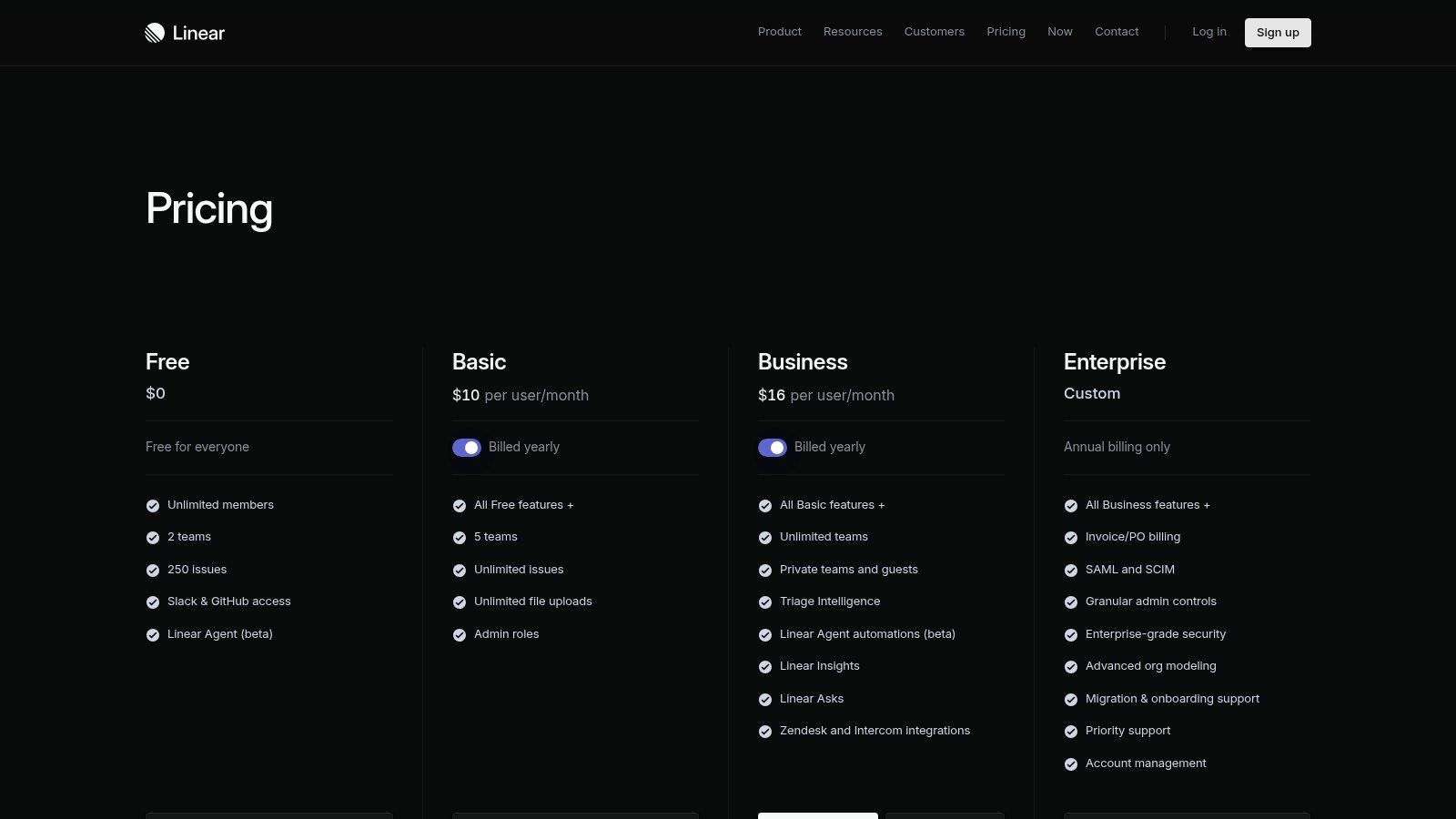
The platform’s core philosophy is visible in its keyboard-first design and lightning-fast UI, which minimizes clicks and context switching. For developers, the deep integrations with GitHub, GitLab, and Slack are a major advantage. You can link pull requests to issues, automatically update issue status based on Git activity, and create issues directly from Slack conversations. Its new AI features, like the Linear Agent, further assist by summarizing issues and automating parts of the triage process.
Key Details & Pricing
- Best For: Startups and scale-ups, dev-heavy teams, and organizations that want a fast, non-bureaucratic project tracker.
- Pros: Extremely responsive UI with powerful keyboard shortcuts, minimal configuration needed, and seamless developer tool integrations.
- Cons: Less flexible for complex, non-standard workflows compared to legacy tools. Native test case management is limited and often requires integration with other services.
- Pricing: Offers a Free plan for small teams. The Standard plan is $10 per user/month, and the Plus plan is $19 per user/month, adding features like advanced security and custom SLAs. Learn more about how it fits into the broader ecosystem of project management software for engineers.
- Website: linear.app
2. ClickUp
ClickUp positions itself as an all-in-one work platform designed to replace multiple applications by combining tasks, documents, goals, whiteboards, and chat into a single system. Its main appeal is extreme customizability and a broad feature set, making it a powerful alternative to Jira for teams that need to manage diverse workflows beyond just software development. Where Jira is often rigid, ClickUp offers a flexible hierarchical structure and multiple views (List, Board, Gantt) that can be adapted for any department, from marketing to engineering.
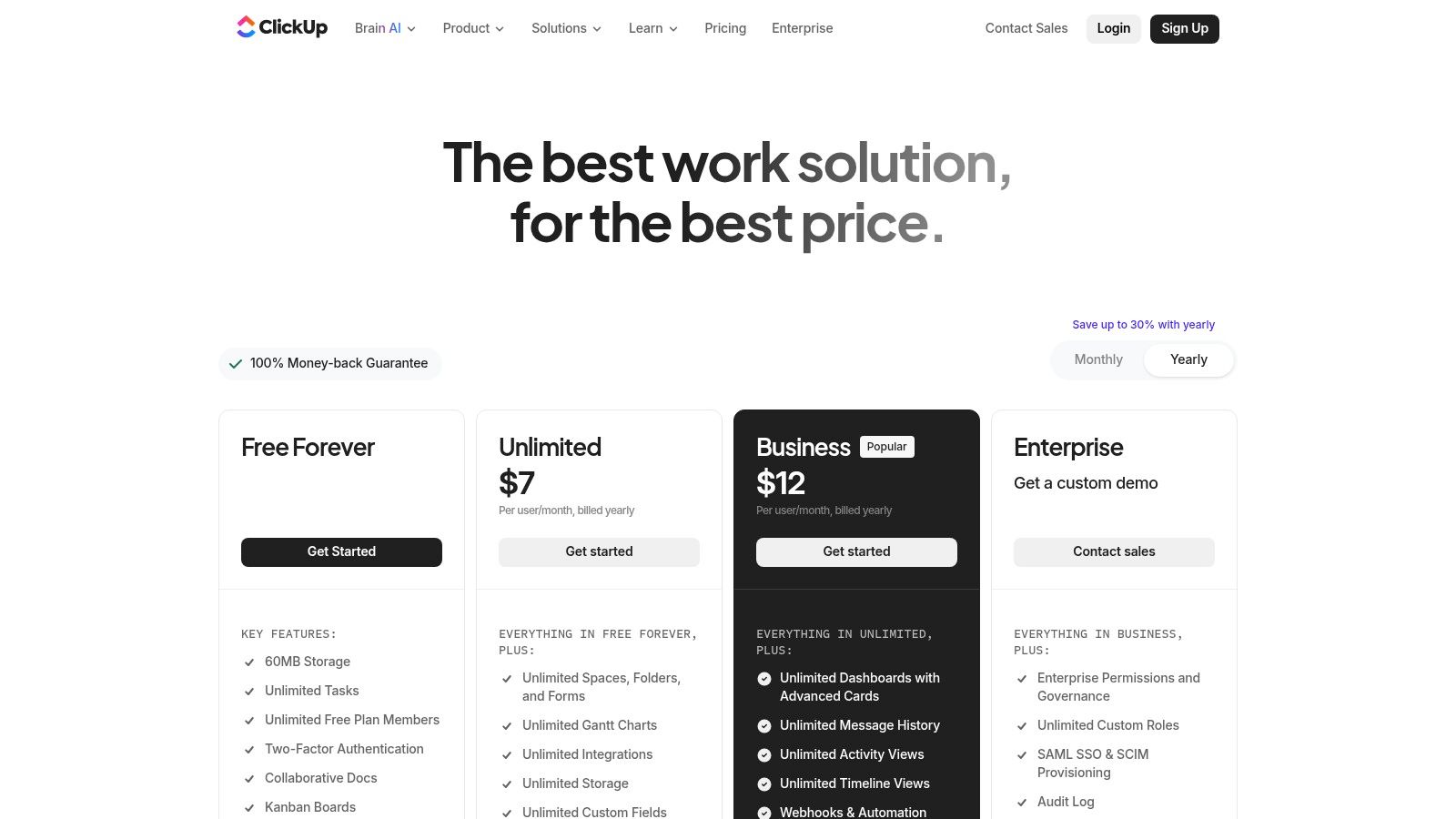
The platform’s strength lies in its ability to consolidate work. You can create project plans, write documentation in ClickUp Docs, track progress against company goals, and automate routine tasks without leaving the app. For engineering teams, integrations with GitHub and GitLab allow for standard issue-tracking workflows. Optional AI add-ons, like ClickUp Brain, assist with writing, summarizing tasks, and generating ideas. This makes it a great fit for organizations looking to centralize their tool stack and reduce subscription costs.
Key Details & Pricing
- Best For: Cross-functional teams, organizations wanting to consolidate tools, and project managers who need deep customization options.
- Pros: Very broad feature surface can replace several apps, and it has robust templating and multiple visualization options for different project views.
- Cons: Can feel complex to administer at scale due to the sheer number of features. Guest/seat policies and plan limits have changed over time, so it’s important to watch billing details closely.
- Pricing: A Free Forever plan is available for personal use. Paid plans start with Unlimited at $10 per user/month, Business at $19 per user/month, and custom Enterprise pricing. Learn more about how different methodologies like agile vs kanban vs scrum can be implemented within the tool.
- Website: clickup.com/pricing
3. Asana
Asana is a work management platform designed for broad, cross-functional team collaboration. Its strength lies in a familiar, user-friendly interface that helps orchestrate complex workflows across different departments, not just engineering. With views like lists, boards, and timelines, it offers a more general-purpose approach than dev-centric tools. This makes Asana a strong alternative to Jira when project visibility for non-technical stakeholders, such as marketing or sales, is a top priority.
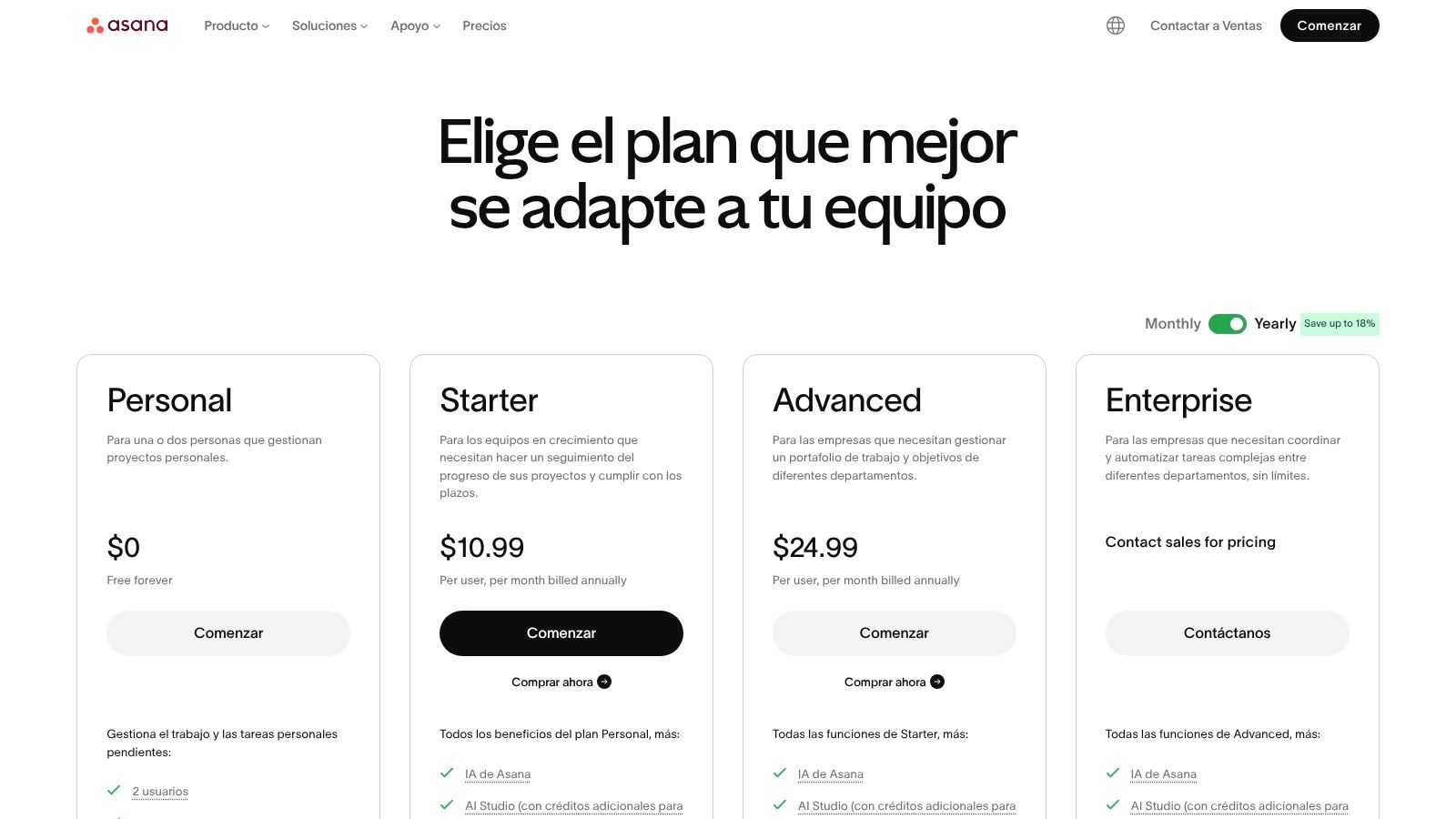
The platform has grown to include powerful automation and AI features. Rules can automate routine tasks, such as moving tickets or notifying team members, reducing manual overhead. Asana AI helps generate tasks, summarize work, and suggest project plans, while the AI Studio allows teams to build custom, intelligent workflows. These capabilities, combined with robust goal and portfolio management, give engineering managers and product leaders a high-level view of progress against strategic objectives.
Key Details & Pricing
- Best For: Cross-functional teams, organizations needing strong portfolio management, and companies where non-technical user onboarding is critical.
- Pros: Easy onboarding for business teams, rich portfolio and goal management for managers, and extensive templates for common business processes.
- Cons: Advanced features are mostly on higher tiers. Developers may prefer dev-native tools for deeper code linkage and a more specialized workflow.
- Pricing: A Personal plan is available for free. Paid plans include Starter ($10.99 per user/month), Advanced ($24.99 per user/month), and custom Enterprise tiers.
- Website: asana.com
4. Trello
Trello is a visual collaboration tool that organizes projects into boards, lists, and cards, making it famous for its straightforward Kanban-style interface. While part of the Atlassian ecosystem alongside Jira, it serves a different purpose by prioritizing simplicity and ease of use over deep, complex features. Its intuitive drag-and-drop system is perfect for managing lightweight sprint boards, triaging backlogs, or tracking simple tasks. This makes Trello a great alternative to Jira for teams that find Jira’s complexity to be overkill for their workflow needs.
The platform’s strength lies in its flexibility and low barrier to entry; you can set up a new board in seconds. Its “Power-Ups” system allows teams to add integrations and features like custom fields, calendars, and automation on an as-needed basis. While it lacks Jira’s native reporting and granular permissions on lower tiers, premium plans add multiple views (Timeline, Dashboard, Calendar) and an automation engine called Butler. Recent AI enhancements further help with task generation and summarization directly on cards.
Key Details & Pricing
- Best For: Marketing teams, small software teams, non-technical departments, and anyone needing a simple, visual task board for ad-hoc collaboration.
- Pros: Very low friction to start and flexible for many different workflows. A wide library of “Power-Ups” and templates extends its core functionality.
- Cons: Limited native reporting and permissions on lower tiers can be a blocker for larger organizations. Scaling for complex software programs requires careful structure and multiple integrations.
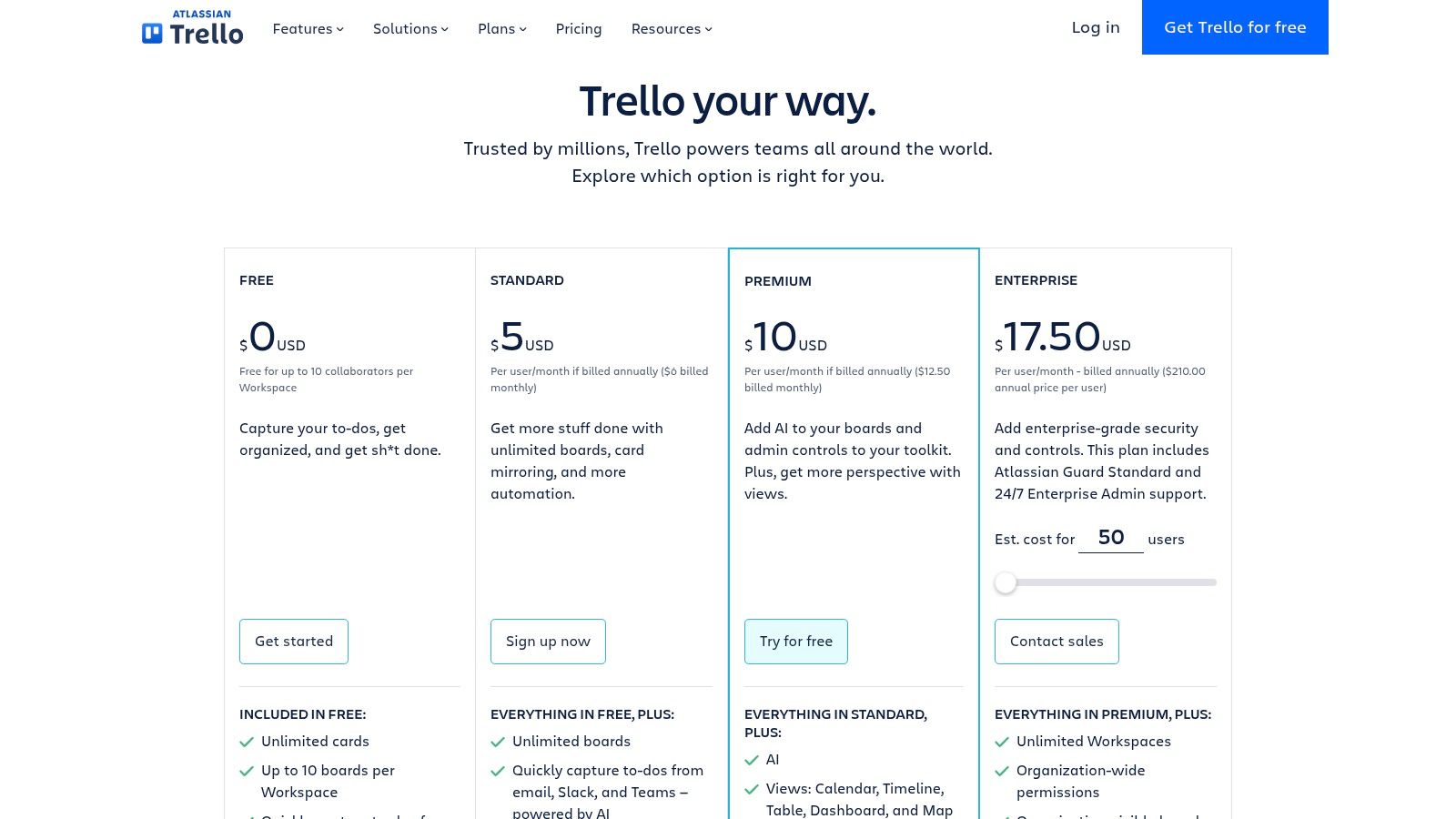
- Pricing: A generous Free plan is available. Paid plans start with Standard at $6 per user/month, Premium at $12.50 per user/month, and an Enterprise plan with custom pricing for advanced security and administration.
- Website: trello.com/pricing
5. monday.com Work Management
monday.com presents itself as a visual “Work Operating System” (Work OS) designed for flexibility across various departments, not just engineering. Its strength lies in its highly customizable boards and multiple views (like Gantt, Calendar, and Kanban), which allow teams to visualize work in whatever way makes sense for them. This makes it a strong alternative to Jira, especially for organizations where engineering projects need to be visible and coordinated with marketing, sales, and operations teams.
The platform’s automation builder is a key feature, enabling users to create “if-this-then-that” rules to handle repetitive tasks without writing code. For instance, you can automatically notify a manager when a task’s status changes to “Done” or create a follow-up task when a deadline is missed. The recent addition of an AI Assistant provides capabilities for summarizing tasks and generating content, further reducing manual work. To understand how monday.com can transform your team’s workflow and help elevate team productivity with monday.com, consider reviewing this guide.
Key Details & Pricing
- Best For: Cross-functional teams that need a single, highly visual platform to manage projects across engineering, marketing, and operations.
- Pros: Rich visualization and powerful automation options. Scales well to non-engineering departments, creating a unified workspace for the entire company.
- Cons: Seats are often sold in bundles (e.g., minimum of 3), which can affect the price for smaller teams. Access to more generous automation and integration quotas requires moving to higher-priced tiers.
- Pricing: Offers a Free individual plan. The Basic plan starts at $9 per user/month, with Standard at $12 per user/month and Pro at $19 per user/month, each unlocking more views, automations, and integrations.
- Website: monday.com
6. JetBrains YouTrack
JetBrains YouTrack is a developer-centric issue tracker designed for teams that want a practical balance between flexibility and performance. Coming from the creators of popular IDEs like IntelliJ and Rider, it integrates deeply into the developer’s daily workflow. YouTrack provides classic project management features such as agile boards, backlogs, and reports, but also includes a built-in Helpdesk module, making it a powerful alternative to Jira for teams that handle both internal development and external support requests.
The platform distinguishes itself by being firmly rooted in the JetBrains ecosystem and offering both Cloud and self-hosted Server deployment options. Its native AI assistant helps with writing and summarizing issues, keeping it competitive with modern tools. While its UI might feel more utilitarian than flashy, it’s built for efficiency, offering powerful search queries and keyboard-centric navigation that developers appreciate. For teams already invested in JetBrains tools, adopting YouTrack is a natural and straightforward step.
Key Details & Pricing
- Best For: Development teams using the JetBrains ecosystem, organizations requiring a self-hosted option, and teams that need an integrated helpdesk solution.
- Pros: Generous free plan for up to 10 users, strong integrations with JetBrains IDEs, and flexible deployment (Cloud or Server). The Helpdesk module is a unique, valuable addition.
- Cons: The UI has a steeper learning curve compared to newer tools. Its marketplace for third-party apps is smaller and less extensive than Atlassian’s.
- Pricing: The Cloud version is Free for up to 10 users. Paid plans start at $4.59 per user/month. The Server option is priced in user packs, starting at $1,650 per year for 25 users.
- Website: jetbrains.com/youtrack
7. Shortcut (formerly Clubhouse)
Shortcut (formerly Clubhouse) is a project management tool built for modern software teams that want a balance between simplicity and power. It occupies a sweet spot, offering more structure than basic Kanban boards but less complexity than enterprise suites like Jira. The platform is organized around a clear hierarchy of Stories, Epics, and Milestones, making it intuitive to plan work, track progress, and align sprint-level tasks with broader company goals. This makes it a strong alternative to Jira for teams that have outgrown simpler tools but aren’t ready for enterprise-level overhead.
The platform is notably developer-friendly, with deep integrations for GitHub, GitLab, and Bitbucket that automate status updates based on branch or pull request activity. Features like Iterations (sprints), roadmapping, and built-in Docs help centralize knowledge and planning without leaving the tool. Its reporting capabilities, including burndown charts and cumulative flow diagrams, provide clear insights into team velocity and project health, while its simple onboarding process allows teams to get up and running quickly.
Key Details & Pricing
- Best For: Small to medium-sized software teams, startups, and organizations looking for a developer-centric tool with straightforward pricing.
- Pros: Developer-friendly data model with useful reports and automations. Simple pricing and easy onboarding make it accessible for growing teams.
- Cons: Fewer enterprise-level portfolio management features compared to heavyweight ALM suites. Native test case and release management capabilities are limited and often require integrations.
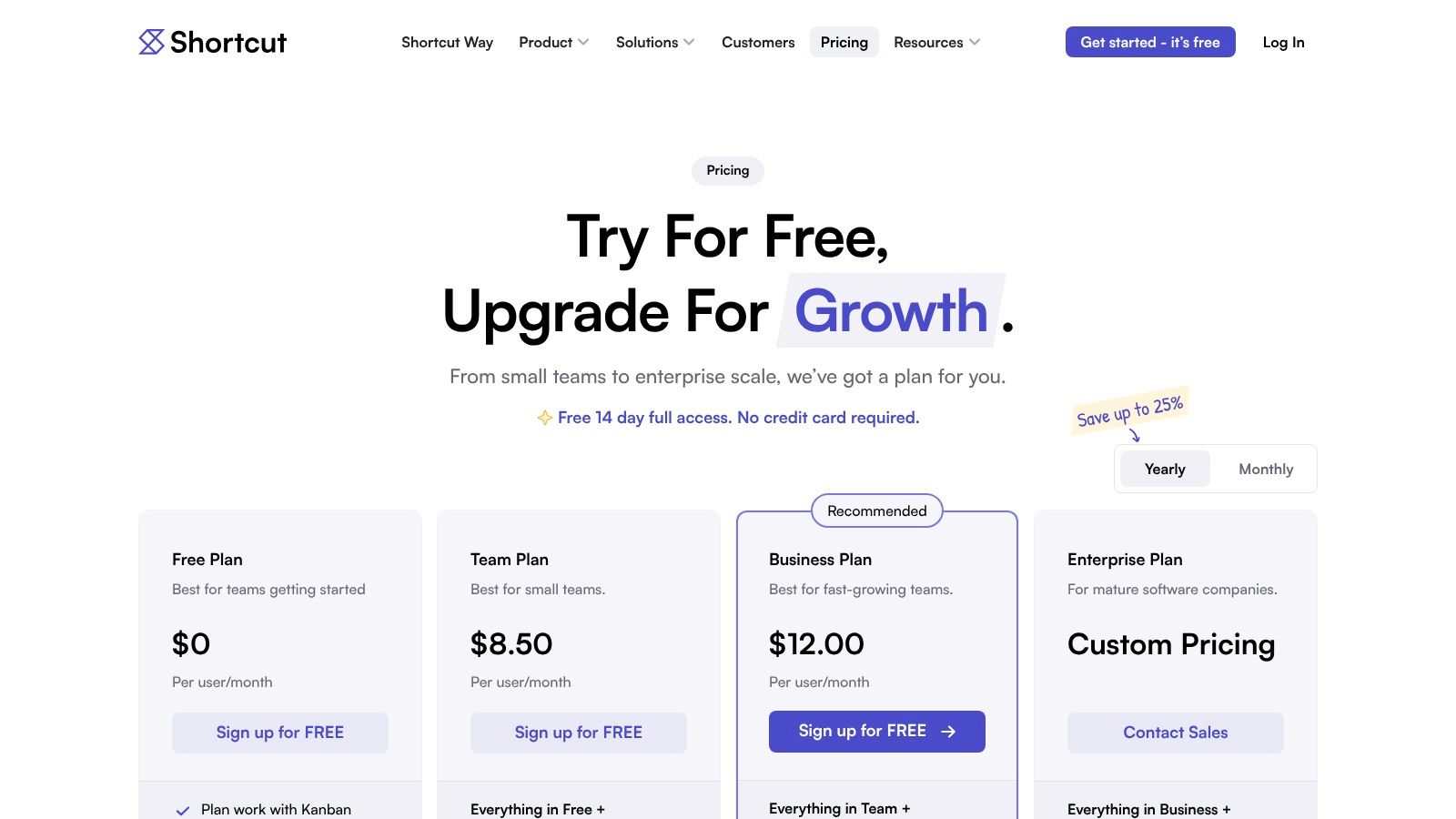
- Pricing: A generous Free plan is available for teams of up to 10 users. The Team plan costs $8.50 per user/month, and the Business plan is $12 per user/month, adding advanced features like roadmaps and expanded reporting.
- Website: shortcut.com
8. Azure DevOps Boards
Azure DevOps Boards is Microsoft’s integrated suite for software planning and tracking. It is a powerful component within the broader Azure DevOps ecosystem, which also includes Repos, Pipelines, Test Plans, and Artifacts. For teams already committed to the Microsoft stack, particularly those using Azure for cloud infrastructure and CI/CD, it presents a deeply integrated project management solution. This makes it a compelling alternative to Jira, especially when you want a unified platform for code, builds, and planning.
The platform supports both Scrum and Kanban methodologies through customizable boards, backlogs, and sprint planning tools. Its power lies in the native connection between work items (like user stories or bugs) and code commits, pull requests, and deployment pipelines. You can trace a feature from initial idea to production deployment without ever leaving the Azure DevOps environment. The query engine is also robust, allowing for detailed reporting and analytics on team velocity and project health.
Key Details & Pricing
- Best For: Enterprise teams, organizations heavily invested in the Microsoft/Azure ecosystem, and developers who want a single platform for code and project management.
- Pros: Unbeatable integration with Azure Repos and Pipelines, generous free tier for small teams, and powerful work item customization and querying capabilities.
- Cons: The user interface can feel dated and complex compared to modern alternatives. Its true value is unlocked primarily within the Azure ecosystem, making it less attractive for teams using other platforms like GitHub or GitLab.
- Pricing: The Basic plan is free for the first 5 users. Paid tiers start at $6 per user/month for additional users. Stakeholder access (view-only) is unlimited and free.
- Website: azure.microsoft.com/en-us/pricing/details/devops
9. GitHub Projects (Issues + Projects)
For engineering teams that live and breathe in GitHub, managing projects often means juggling a separate tool, which adds friction and context switching. GitHub Projects solves this by building planning and tracking directly on top of GitHub Issues. It integrates project boards, tables, and roadmaps into the same platform where code is written, reviewed, and deployed. This makes it an incredibly efficient alternative to Jira for developer-centric organizations wanting to consolidate their toolchain.
The core strength of GitHub Projects is its native connection to your repositories. You can link issues and pull requests to tasks, and then use built-in automation to update their status as code is merged. Custom fields, saved views, and powerful filters allow you to create workflows that mirror how your team actually works, from simple Kanban boards to more structured sprint planning. Because it’s part of the GitHub ecosystem, it inherits the same permissions and security models, simplifying administration.
Key Details & Pricing
- Best For: Development teams of any size that use GitHub for source control and want to keep project management in the same environment.
- Pros: Zero context switching between code, PRs, and project boards. High adoption among developers and no extra tool to administer if you already have a paid GitHub plan.
- Cons: Program and portfolio-level management features are lighter than dedicated PPM tools. Advanced reporting may require using GitHub Apps or connecting to an external business intelligence service.
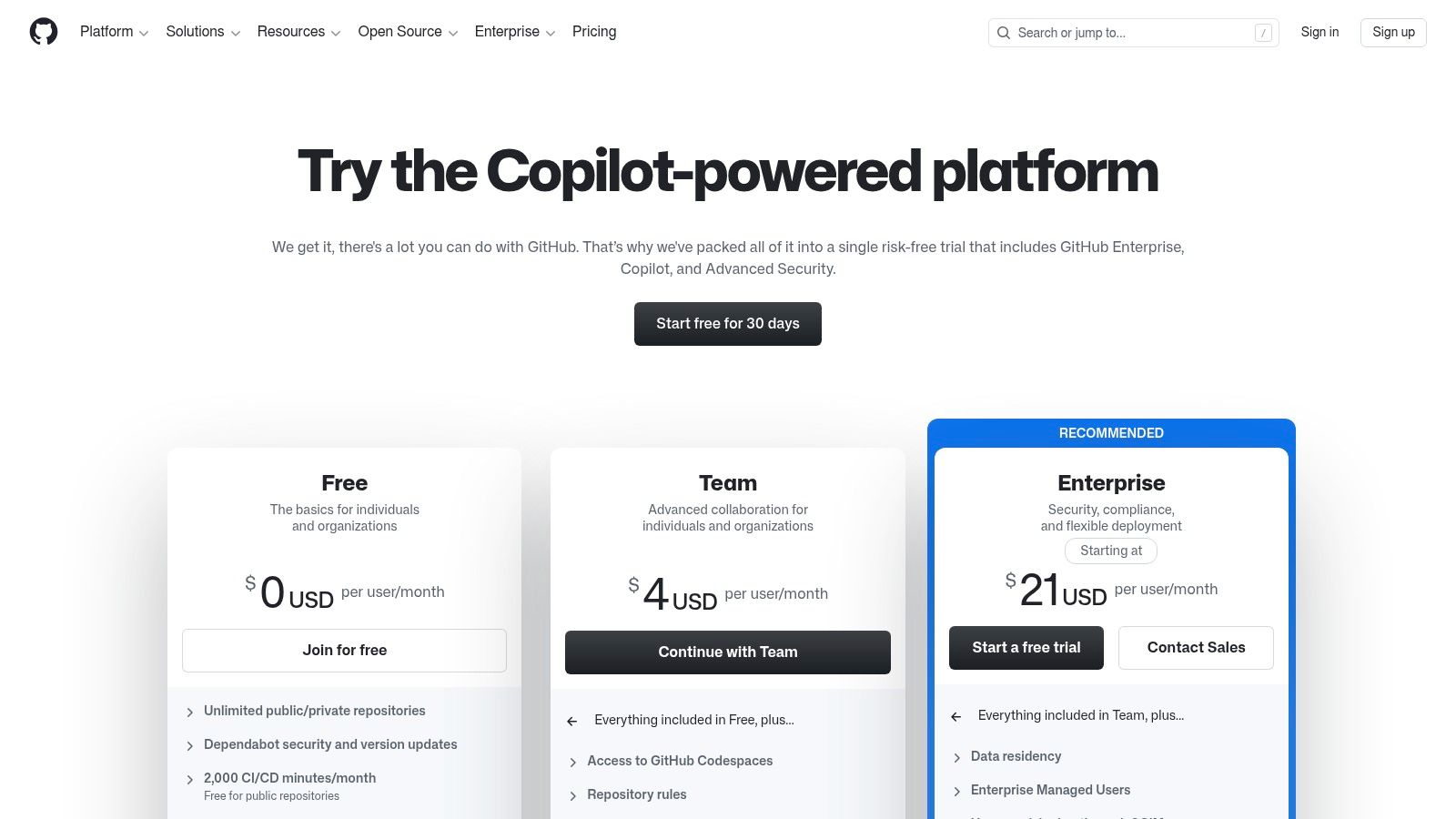
- Pricing: Included for free with all GitHub plans, including the Free tier. The Team plan ($4 per user/month) and Enterprise plan ($21 per user/month) add more advanced features around security and administration. For more context on this integration, see this comparison of Jira and Git workflows.
- Website: github.com/pricing
10. GitLab
GitLab is an all-in-one DevSecOps platform that unifies project planning, source code management, CI/CD, and security into a single application. Instead of stitching together separate tools for issues, repositories, and pipelines, GitLab provides a cohesive environment where planning is directly connected to execution. This integrated approach makes it a strong alternative to Jira for teams who want to reduce toolchain complexity and improve visibility from idea to production.
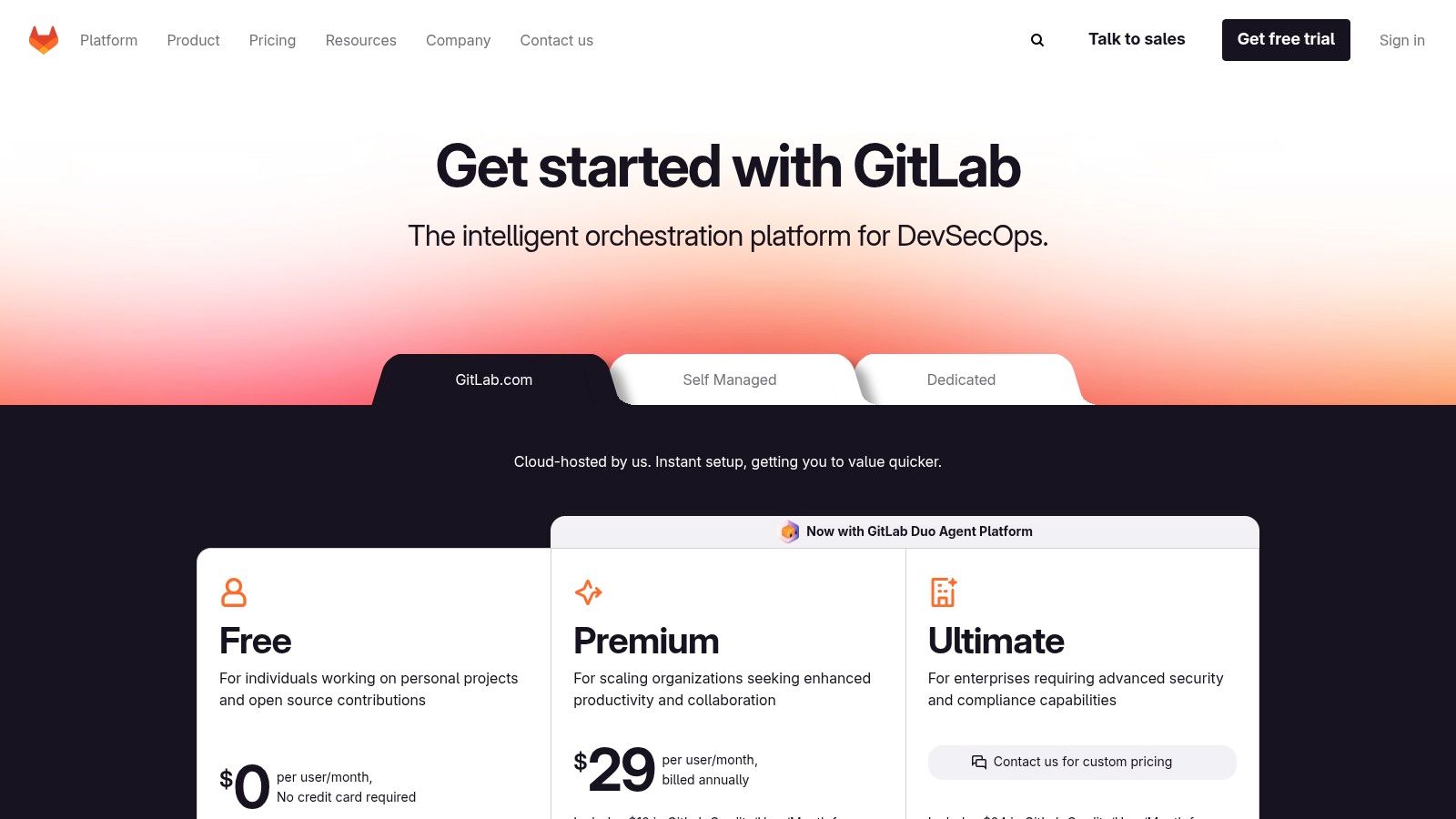
The platform’s power comes from its tight coupling between its modules. You can manage work through issues and epics, see progress on roadmaps, and then trace that work directly to merge requests, CI/CD pipelines, and deployments. For engineering managers, its value stream analytics provide deep insights into cycle times and process bottlenecks. With optional AI features like GitLab Duo, teams can also automate code suggestions, explain vulnerabilities, and summarize issue comments, further embedding intelligence into the daily developer workflow.
Key Details & Pricing
- Best For: Engineering organizations that want to consolidate their toolchain, teams that need strong self-hosted options, and anyone prioritizing a single source of truth from planning to deployment.
- Pros: One platform for the entire software development lifecycle, powerful integrated CI/CD and security scanning, and flexible deployment options (SaaS or self-managed).
- Cons: The planning and issue tracking user experience can feel more utilitarian compared to specialized project management tools. Many advanced governance and portfolio management features are locked behind the most expensive tiers.
- Pricing: The Free plan offers a complete DevOps platform for individuals and small teams. The Premium plan is $29 per user/month, adding enterprise agile planning and release controls. The Ultimate plan is $99 per user/month, providing advanced security, compliance, and portfolio management.
- Website: about.gitlab.com/pricing
11. Notion Projects
Notion Projects positions itself not just as a task manager, but as a fully integrated workspace where documentation, databases, and project management converge. It allows teams to build their project infrastructure from scratch using database-driven tasks, custom properties, and multiple views like boards, timelines, and calendars. This flexibility makes it a powerful alternative to Jira for cross-functional teams that want to keep product specs, meeting notes, and engineering tasks all in one place, reducing context switching.
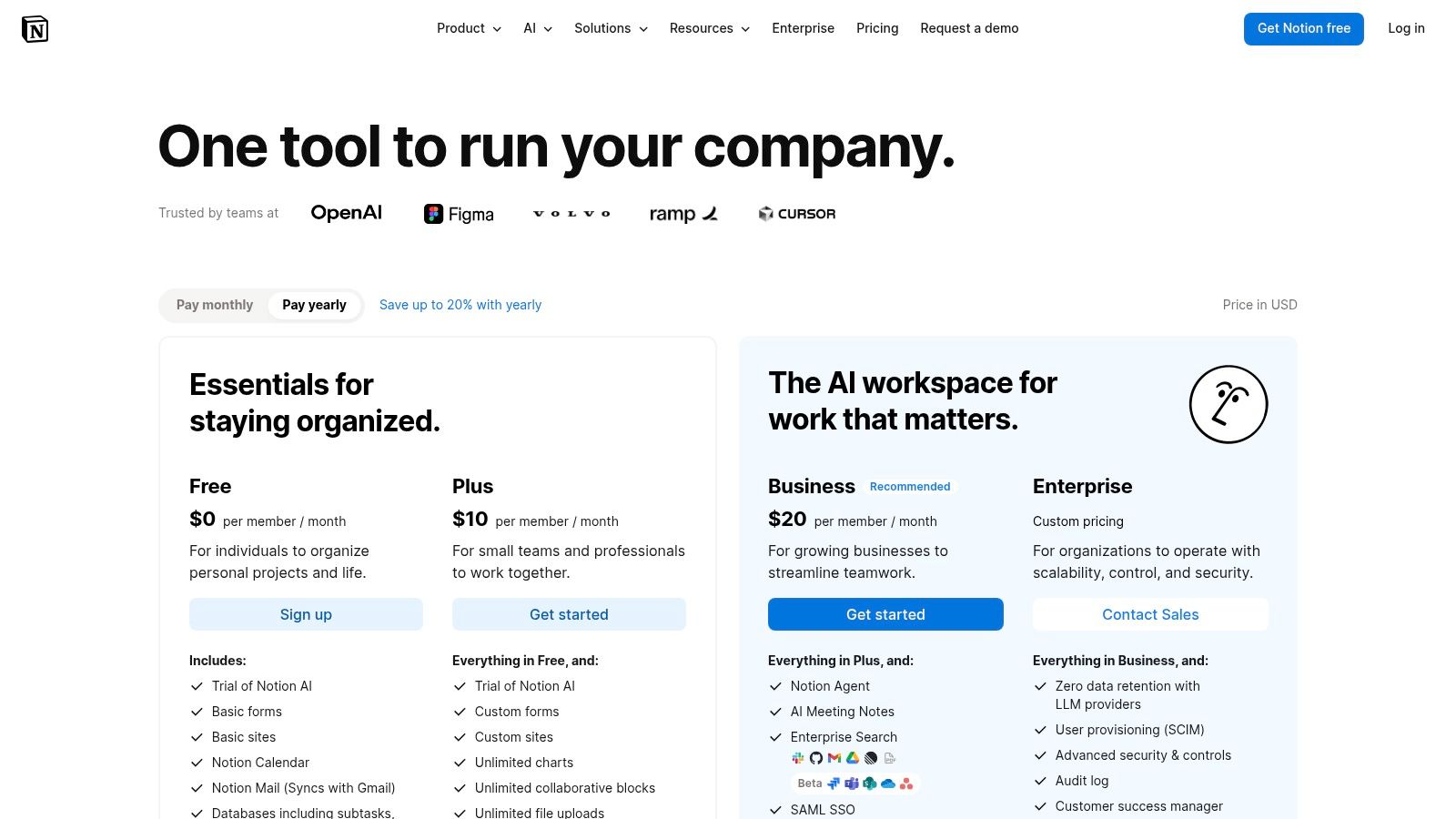
Its core strength is the blend of structured data with unstructured documents. An engineering team can manage a sprint backlog in a Notion database while linking each task directly to its technical design document, all within the same ecosystem. Notion AI further assists by summarizing meeting notes, drafting project plans, and automating repetitive tasks. While it excels as a central hub, it relies on integrations for deep application lifecycle management features like release tracking and automated testing, which are native to more developer-centric tools. When evaluating project management tools, a comparison between Notion vs Trello can help clarify which platform best suits your team’s needs.
Key Details & Pricing
- Best For: Cross-functional teams (PM, design, engineering), startups needing a customizable all-in-one workspace, and organizations looking to consolidate documentation and project tracking.
- Pros: Highly customizable schemas and views, unifies docs and tasks to reduce tool-hopping, and strong AI features for content generation and summarization.
- Cons: Can become disorganized without a well-defined structure upfront. Deep developer tooling for ALM (releases, tests) requires third-party integrations.
- Pricing: A Free plan is available for individuals. The Plus plan is $10 per user/month, and the Business plan is $18 per user/month, adding features like private teamspaces and advanced page analytics.
- Website: notion.so/pricing
12. Taiga
Taiga is an open-source agile project management tool designed for teams using Scrum and Kanban. Its main appeal lies in its clean interface and the flexibility it offers through both cloud and self-hosted on-premises deployment. For teams that prioritize data control, compliance, and want to avoid vendor lock-in, Taiga presents a compelling alternative to Jira. It provides the essential features for agile development without the overwhelming complexity of larger platforms.
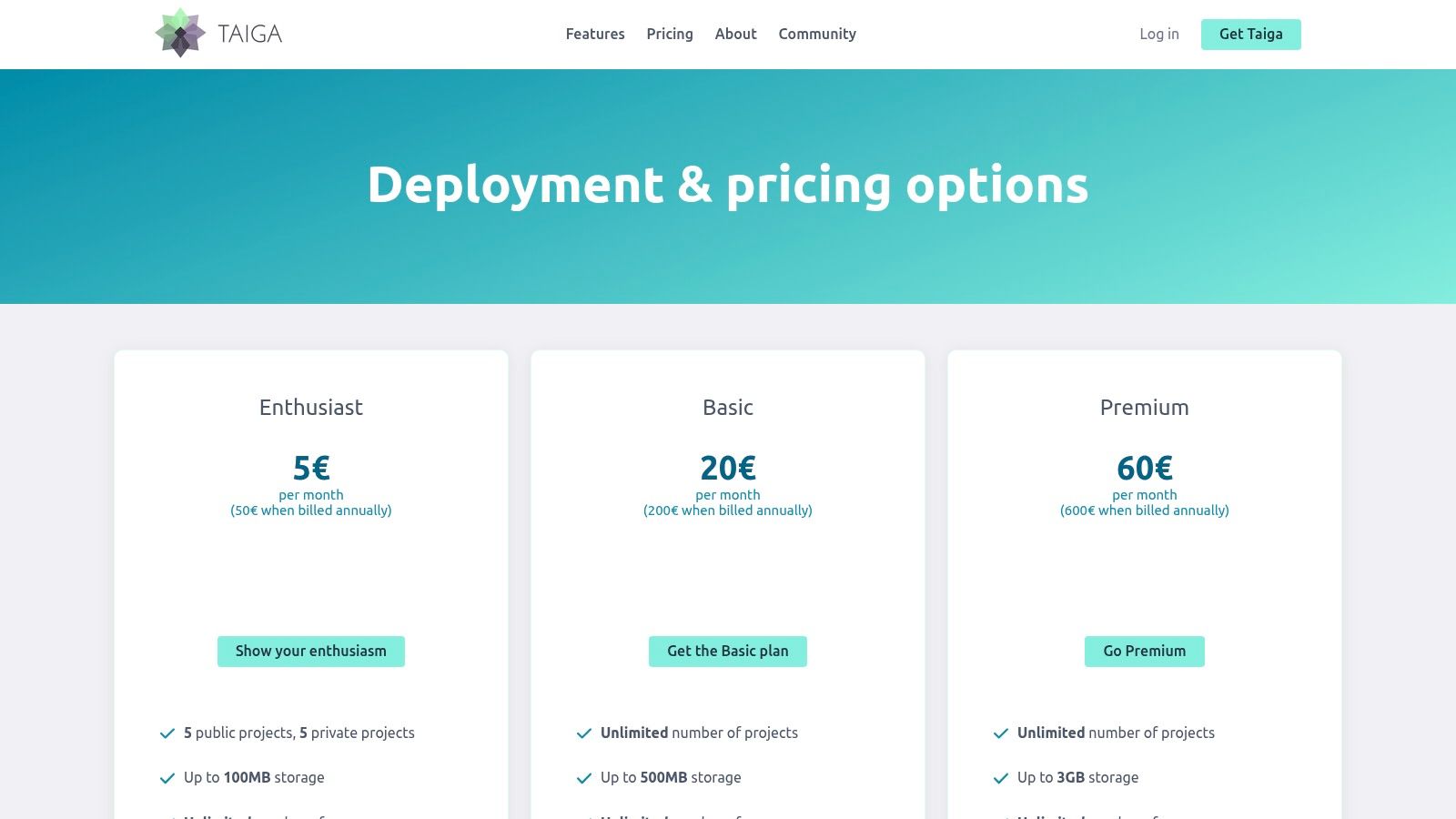
The platform supports core agile workflows with modules for backlogs, sprints, Kanban boards, epics, and user stories. It also includes a built-in wiki for documentation and an issue tracker. While it may not have the extensive app marketplace of its commercial competitors, Taiga’s open-source nature means it can be customized and extended by a development team. This makes it a great fit for organizations that value transparency and want full ownership over their project management environment.
Key Details & Pricing
- Best For: Agile teams, startups, and organizations that require a self-hosted solution for security or compliance reasons, or those who prefer open-source software.
- Pros: Fully open-source with an active community, option to self-host for complete data control, and a clean, lightweight, and developer-friendly interface.
- Cons: The marketplace for integrations is smaller compared to commercial vendors. It offers fewer native features for complex enterprise-level portfolio management.
- Pricing: A Free plan is available for public projects. The Cloud plan starts at $7 per user/month. Self-hosted (on-premises) pricing depends on the support level chosen.
- Website: taiga.io
Top 12 Jira Alternatives: Side-by-Side Comparison
| Tool | Core Focus ✨ | UX & Quality ★ | Pricing & Value 💰 | Target Audience 👥 | Standout 🏆 |
|---|---|---|---|---|---|
| Linear | ✨ Fast issue & project tracking: cycles, roadmaps, analytics | ★★★★ — keyboard‑first, snappy | 💰 Free → Paid; low admin overhead | 👥 Dev-heavy product & engineering teams | 🏆 Ultra‑responsive UI & Git integrations |
| ClickUp | ✨ All-in-one: tasks, docs, goals, automations | ★★★ — powerful but complex | 💰 Freemium; add-ons for AI/features | 👥 Teams consolidating multiple tools | 🏆 Extremely broad feature surface |
| Asana | ✨ Work management: lists, timelines, goals, AI Studio | ★★★★ — familiar, easy onboarding | 💰 Tiered; advanced features on higher plans | 👥 Cross-functional teams, PMs/EMs | 🏆 Strong portfolio & goal mgmt |
| Trello | ✨ Kanban boards, power‑ups, Butler automation | ★★★ — very low friction, flexible | 💰 Freemium; power‑up limits on free | 👥 Lightweight teams and ad‑hoc boards | 🏆 Simplicity & large template library |
| monday.com | ✨ Visual Work OS: boards, automations, time tracking | ★★★ — highly visual, tiered complexity | 💰 Paid per seat/bundles; automation quotas | 👥 Ops, PM, marketing, engineering | 🏆 Rich visual customization & automations |
| JetBrains YouTrack | ✨ Dev-centric issues, sprints, helpdesk | ★★★ — functional, developer-focused | 💰 Free ≤10 users (Cloud); competitive per-user | 👥 Dev teams, JetBrains ecosystem users | 🏆 Cloud & Server deploy + helpdesk module |
| Shortcut | ✨ Lightweight software PM: stories, epics, roadmaps | ★★★★ — developer-friendly UX | 💰 Simple pricing; SMB friendly | 👥 Small–mid engineering teams | 🏆 Fast onboarding with dev workflows |
| Azure DevOps Boards | ✨ Scrum/Kanban, backlogs, Azure CI/CD integration | ★★★ — powerful but can be complex | 💰 First 5 Basic free; best value inside Azure | 👥 Microsoft/Azure-centric engineering orgs | 🏆 Deep integration with Azure pipelines |
| GitHub Projects | ✨ Issues + Projects with PR linkage & automation | ★★★★ — native to GitHub developer flow | 💰 Included with GitHub plans; minimal extra tooling | 👥 Teams living in GitHub repos | 🏆 Zero context switching between code & planning |
| GitLab | ✨ DevSecOps platform: planning → CI/CD → security | ★★★ — all‑in‑one but utilitarian UX | 💰 Tiered; strong self‑managed & SaaS options | 👥 Teams wanting integrated DevOps lifecycle | 🏆 Single platform from plan to deploy |
| Notion Projects | ✨ Docs + databases for tasks, custom views & AI | ★★★ — highly flexible; requires structure | 💰 Freemium → Enterprise pricing | 👥 Cross-functional startups & PMs | 🏆 Unified docs + task DB hub |
| Taiga | ✨ Open-source Scrum/Kanban with self‑hosting | ★★★ — lightweight, community-driven | 💰 Free self-host; paid cloud options | 👥 OSS-preferring teams & privacy-focused orgs | 🏆 Open-source + self‑host control |
Making the Switch: How to Migrate and Maximize Your New Tool
The journey away from Jira is not just about finding a new tool; it’s an opportunity to fundamentally improve your team’s development process. We’ve explored a wide spectrum of options, from the sleek, developer-centric design of Linear and Shortcut to the all-in-one platform power of ClickUp and Monday.com. Each tool presents a different philosophy on how work should be managed, whether it’s the visual simplicity of a Trello board, the code-native integration of GitHub Projects, or the open-source flexibility of Taiga. The right alternative to Jira for you is the one that removes friction, not the one with the longest feature list.
Your decision should be rooted in your team’s unique context. A startup building its first product will have different needs than a large enterprise managing multiple complex projects. For individual developers or small teams deeply integrated with AI coding assistants like Cursor, a tool with strong VS Code integration and minimal overhead, like Linear or GitHub Projects, might be the perfect fit. Engineering managers seeking better visibility into AI adoption and its impact on productivity will benefit from platforms that offer robust reporting or can integrate with analytics tools. The key is to map your team’s pain points directly to a tool’s core strengths.
Your Action Plan for a Smooth Transition
Choosing your new project management hub is just the first step. A successful implementation requires a clear strategy to ensure adoption and prove its value. Don’t try to boil the ocean with a company-wide, overnight switch.
- Run a Pilot Project: Select a small, motivated team to test the new tool on a real, but low-risk, project. Their enthusiasm and feedback will be your most valuable asset in refining the setup and identifying potential roadblocks.
- Focus on Active Data: Resist the urge to import your entire Jira history. This is a chance for a fresh start. Migrate only active epics, current sprint tasks, and recent, relevant issues. A clean slate prevents you from carrying old, inefficient habits into your new system.
- Integrate Deeply into Daily Workflows: The tool must become part of your team’s muscle memory. Configure webhooks for GitHub or GitLab, set up notifications in Slack or Teams, and make sure every developer can connect their tasks directly to their code commits. The goal is to make the tool disappear into the background, serving the developer rather than demanding their attention.
The ultimate sign of a successful switch is when your team spends less time managing work and more time doing it. Your project management tool should be a silent partner that accelerates delivery, not a gatekeeper that slows it down.
Finally, a successful migration is one you can measure. To truly understand the impact of moving away from a legacy system, you need to quantify the “before and after.” This is especially critical for teams adopting AI-assisted workflows. By tracking metrics like cycle time, PR-to-ticket linkage, and even AI-driven contributions, you can build a data-backed case showing the ROI of your new tool. This proves that your choice wasn’t just a matter of preference; it was a strategic decision that made your development team faster, happier, and more effective. Finding a great alternative to Jira is about reclaiming developer focus and building a better way to work.
Ready to measure the real impact of your new workflow? Zest connects directly to your new project management tool and your team’s code to provide clear visibility into development velocity and AI adoption. See exactly how your switch from Jira impacts productivity and get the data you need to prove it was the right move. Learn more at Zest.
Jira Alternative Playbook
Transition your team to a modern project management tool that accelerates development instead of slowing it down.
📊 Core Metrics
- Cycle Time Reduction — Measure the decrease in time from issue creation to completion.
- Pilot Team Adoption Rate — Percentage of the test group actively using the new tool daily.
- AI-Workflow Integration — Number of tasks successfully linked to AI-assisted commits or PRs.
🕹️ My Cheatcodes
- 🌱 Pilot First, Scale Later — Test with a small, eager team before a full rollout.
- 🦎 Migrate Active Work Only — Avoid importing years of irrelevant history for a clean start.
- ⚡ Integrate, Don't Isolate — Connect the tool to GitHub, Slack, and VS Code to embed it in daily habits.
📈 Reflection Points
- 💡 Does this tool solve our biggest Jira pain point?
- 🧩 How much configuration is needed before it provides value?
- 📘 Can we measure the "before and after" impact on our team's speed?
✅ Before You Switch
- 🔍 Define 3-5 key evaluation criteria for your team.
- 📊 Identify a low-risk pilot project.
- 🧭 Document the process for connecting the tool to your code repositories.
- 📈 Set a baseline for your current team velocity to measure against.
Gallery
Lemon shots



