
AI Software Engineering: A Practical Guide
AI software engineering isn’t about replacing developers; it’s about giving them a powerful collaborator. Think of it as a fundamental change in how we build software, where artificial intelligence is used to automate, accelerate, and augment every single part of the development process. This allows engineers to step away from repetitive tasks and focus their brainpower on creative thinking and solving tough problems.
How AI Is Redefining Software Engineering
For years, software development has been a deeply manual craft. Developers painstakingly write, test, and debug every line of code by hand. It’s a process that works, but it’s also slow and leaves a lot of room for human error. AI software engineering flips that model on its head.
The best way to think about it is like a master craftsperson suddenly getting a team of incredibly skilled assistants.

The craftsperson—our software engineer—is still in charge. They guide the vision, make the critical design choices, and apply their hard-won expertise. But now, their AI assistants handle the grunt work. They can spin up boilerplate code in seconds, draft unit tests, or refactor a messy function based on a simple command. This partnership doesn’t make the engineer’s skills obsolete; it supercharges them, acting as a force multiplier for the entire team.
The New Role of the Software Engineer
This new way of working changes the developer’s job from being just a coder to more of a strategic guide. Instead of getting bogged down in the how of writing code, engineers can dedicate more time to the what and the why.
Their day-to-day responsibilities now often include:
- Prompt Engineering: Learning how to “talk” to AI models to get exactly the code you need.
- AI Output Validation: Acting as the expert reviewer to ensure AI suggestions are accurate, secure, and performant before they make it into the codebase.
- System Architecture: Designing systems that smartly weave in AI-generated components.
- Creative Problem-Solving: Focusing on the unique, high-level challenges that AI still can’t touch.
The core idea is augmentation, not replacement. AI handles the rote, predictable tasks, freeing human developers to innovate and tackle more complex architectural challenges faster than ever before.
A Practical Shift Across the SDLC
This isn’t just theory; it’s happening in real-world workflows right now. From the first glimmer of an idea to the final push to production, AI is making a tangible difference.
Prototyping that used to take days can now be done in a few hours. Debugging gets a lot smarter, with AI assistants pointing out likely causes for bugs and even proposing the fix.
To really get a handle on this shift, it helps to understand the bigger picture, including the advantages and disadvantages of artificial intelligence. This change empowers engineers to build better, more solid software at a speed we’ve never seen before, turning them from simple coders into true architects of intelligent systems.
Understanding the Modern AI-Powered Workflow
Shifting to an AI-augmented approach fundamentally changes how we build software. It’s not about replacing developers—it’s about giving them supercharged tools to design, validate, and ship code faster and better. This new way of working is built on three core pillars that, when combined, seriously amplify a developer’s abilities.

These pillars are all about crafting clear instructions for AI, weaving AI models into our apps, and then using AI to make sure everything we build is rock-solid. Getting this workflow right is the secret to unlocking the true power of AI software engineering.
The First Pillar: Prompt Engineering
At its heart, prompt engineering is the skill of talking to an AI effectively. It’s the difference between asking a vague question and giving a detailed brief that gets you exactly what you need. A fuzzy prompt leads to generic, often useless code, but a well-crafted one can spit out a production-ready function in seconds.
Think of it this way: telling a junior developer to “make a user login” is a recipe for confusion. But what if you said, “Create a Python function using Flask that accepts a JSON object with ‘email’ and ‘password’ fields, validates them, and returns a JWT token on success”? That level of clarity gets you a precise result, fast. This is quickly becoming a non-negotiable skill for any developer.
The whole point is to give the AI enough context—like existing code, specific libraries, or design constraints—so it can act less like a tool and more like an informed teammate.
The Second Pillar: Model Integration
Model integration is where the magic happens. It’s the practical step of hooking an AI’s brain into your actual application. This usually means connecting your software to a Large Language Model (LLM) or another specialized AI model through an API. This is how the abstract power of AI becomes a real, tangible feature for your users.
But it’s not just plug-and-play. Engineers have to weigh some critical trade-offs:
- Performance vs. Cost: The most powerful models often come with higher latency and a bigger price tag per API call. The trick is finding the right model for your app’s needs without breaking the bank.
- Specialization vs. Generality: A general-purpose model like GPT-4 can do a lot, but a fine-tuned model trained for a single task (like translating code between languages) will almost always be faster and more accurate for that specific job.
- Security and Data Privacy: When you integrate external models, you have to be incredibly careful with data. You need to ensure sensitive user information is never exposed or compromised during those API calls.
This explosion in capability is fueling some serious market growth. The market for AI-augmented software engineering shot up from US$3.18 billion to US$4.64 billion in just one year. That’s a massive 46.0% CAGR, as companies pour billions into AI coding tools to boost productivity. You can dig into the numbers in The Business Research Company’s market report.
The Third Pillar: AI-Augmented Testing
The final piece of the puzzle is AI-augmented testing. This moves quality assurance from a manual, often mind-numbing task to a proactive, intelligent process. Instead of developers trying to dream up every possible edge case, AI tools can analyze a codebase and generate comprehensive test suites on their own. This doesn’t just save a ton of time; it also catches tricky bugs a human might easily overlook.
These AI-powered testing tools can:
- Generate Unit Tests: Automatically write tests that cover various paths and conditions within a function.
- Identify Hidden Edge Cases: Simulate weird and unexpected user inputs to find logical weak spots.
- Predict Potential Failures: Analyze new code changes to flag areas that are at high risk of introducing bugs.
This smarter approach to quality even extends to code reviews. More and more teams are using AI to streamline your code reviews with AI automation, catching common mistakes and ensuring style consistency before a human reviewer ever lays eyes on the pull request. It makes the entire development cycle faster and the final product much more reliable.
The shift to an AI-driven SDLC brings new life to familiar development stages. Here’s a quick look at how things are changing.
Key Components of an AI-Driven SDLC
| Development Stage | Traditional Approach | AI-Augmented Approach |
|---|---|---|
| Requirements | Manual documentation and analysis | AI-assisted user story generation and analysis |
| Design | Whiteboarding and manual diagramming | AI-generated architecture suggestions and mockups |
| Coding | Manual code writing and debugging | AI code completion, generation, and debugging help |
| Testing | Manual test case creation and execution | AI-generated test suites and bug detection |
| Deployment | Manual CI/CD pipeline configuration | AI-optimized deployment strategies and monitoring |
| Maintenance | Manual code refactoring and bug fixing | AI-suggested code improvements and automated fixes |
By integrating AI at each step, teams aren’t just speeding up old processes; they’re fundamentally changing how they think about building and maintaining software.
The Essential AI Engineering Toolkit
Getting started with AI software engineering is a bit like a musician moving from a single acoustic guitar to a full recording studio. You suddenly have a whole new set of specialized tools at your disposal. Success isn’t about finding one magic bullet; it’s about learning how to use a curated set of instruments together to create something amazing.
The modern AI engineering stack is an ecosystem. You’ve got code assistants acting as your creative partner, powerful platforms for managing the AI models themselves, and smart frameworks that handle the tedious but crucial work of quality assurance. Each piece plays a specific, vital role.
AI Code Assistants: The In-Editor Partners
The tools you’ll feel the impact of first are AI code assistants. These aren’t clunky, separate apps. They live right inside your code editor (your IDE), suggesting completions, finishing lines of code, and sometimes even generating entire functions on the fly. Think of it as having a tireless pair programmer who knows dozens of languages and frameworks inside and out.
GitHub Copilot is probably the most well-known of the bunch, working seamlessly inside editors like VS Code. It reads the context of your code and comments to offer surprisingly relevant suggestions. Then you have tools like Cursor, which is an AI-first code editor built from the ground up to make working with AI a natural part of the development flow.
In this shot, you can see GitHub Copilot turning a simple comment into a functional block of code, right in the editor. This kind of immediate feedback is what makes these assistants so powerful. It slashes the time you’d normally spend on boilerplate code and routine logic.
By taking over the repetitive, predictable parts of coding, these assistants free you up to focus on the bigger picture—things like system architecture and genuinely hard problems—instead of getting bogged down in syntax.
MLOps Platforms: Managing the AI Brain
Once you have an AI model, you can’t just drop it into an application and walk away. You need a way to manage its entire lifecycle, and that’s where MLOps (Machine Learning Operations) platforms come in. They provide the critical infrastructure for deploying, monitoring, and updating the AI models that give your software its intelligence.
A couple of the big players here are:
- Hugging Face: This is like a giant community hub for pre-trained models, datasets, and tools. It lets you find and experiment with cutting-edge models without having to build them from the ground up.
- Weights & Biases: This platform is all about tracking your experiments and versioning your models. It gives your team a clear view of how models are performing, which makes it much easier to debug problems and reproduce good results.
Properly managing your models is a core part of AI software engineering. It’s what makes the “AI” in your software reliable and easy to maintain. A huge piece of this, especially with newer generative models, is prompt engineering. This guide on What is Prompt Engineering is a great place to start learning that skill.
AI-Powered Testing Frameworks
Writing the code is only half the job. You still have to make sure it’s high-quality and bug-free. AI-powered testing frameworks are starting to automate this traditionally manual process. These tools can scan your code, spot potential weak points, and generate tests that cover edge cases a human might easily overlook.
We take a much deeper look at this space in our guide to AI developer tools, which covers many of the best options out there.
For instance, Diffblue can autonomously write entire unit tests for Java codebases. On the front-end, a tool like Applitools uses visual AI to spot UI bugs and inconsistencies that older testing methods would miss. Bringing these tools into your workflow helps you build a much stronger quality assurance safety net with way less manual effort.
Measuring Success and Proving ROI
Bringing AI into your software engineering workflow is more than just a tech upgrade—it’s a serious investment. And like any investment, you need to be able to prove it’s paying off. To do that, we have to look past the old-school metrics. Things like “lines of code” or “story points” just don’t tell the whole story when AI is in the picture.
What we really need is a new set of key performance indicators (KPIs) that show exactly how much more efficient and effective your team has become with AI’s help. This isn’t just about numbers for a report; it’s about building a solid, data-backed case that shows how AI tools directly lead to better business results. It’s how you demonstrate faster delivery, higher-quality code, and, ultimately, lower development costs.
Key Performance Indicators for AI-Driven Teams
To get a real sense of how AI is working for you, focus on a few specific metrics that highlight the changes in your team’s day-to-day work. These KPIs cut through the noise and give you a clear view of AI’s impact.
-
Code Churn Reduction: This is a big one. Code churn measures how often code gets rewritten or deleted right after it’s committed. A lot of churn usually means the initial code missed the mark. When AI helps generate code from clear prompts, it tends to be more on-target from the get-go, which should lead to a noticeable decrease in code churn.
-
Time to Merge for AI-Generated Pull Requests: How long does it take for a pull request (PR) with AI-generated code to get merged? A short merge time is a great sign. It means the AI-assisted code is high-quality, easy for human developers to review, and sails through automated checks.
-
Developer Velocity Increase: This might be the most important metric of all, even if it’s a bit tricky to quantify. It’s all about how quickly your team can ship valuable features. When AI handles the repetitive, boilerplate tasks, your developers are freed up to tackle the really complex problems. The result? A measurable increase in the rate of feature delivery and a shorter cycle time from an idea to a live feature.
These metrics paint a much more accurate picture of progress. If you want to go even deeper, there are plenty of other software engineering productivity metrics that fit perfectly with an AI-powered workflow.
Connecting Metrics to Business ROI
Tracking these KPIs is just the start. The real magic happens when you connect them to your company’s bottom line. The market numbers tell a powerful story. The global AI software market is on track to hit an incredible US$467 billion by 2030, and the AI code generation niche alone is projected to reach US$25.7 billion.
This explosive growth is happening for a reason. Developers are slashing debugging time by up to 55%. With 78% of companies now using AI, teams are seeing productivity jump by 26-55% and earning a $3.70 ROI for every single dollar they invest. You can discover more insights about these market trends from ABI Research.
The infographic below breaks down some of the key tools in a modern AI dev toolkit that are driving these impressive results.
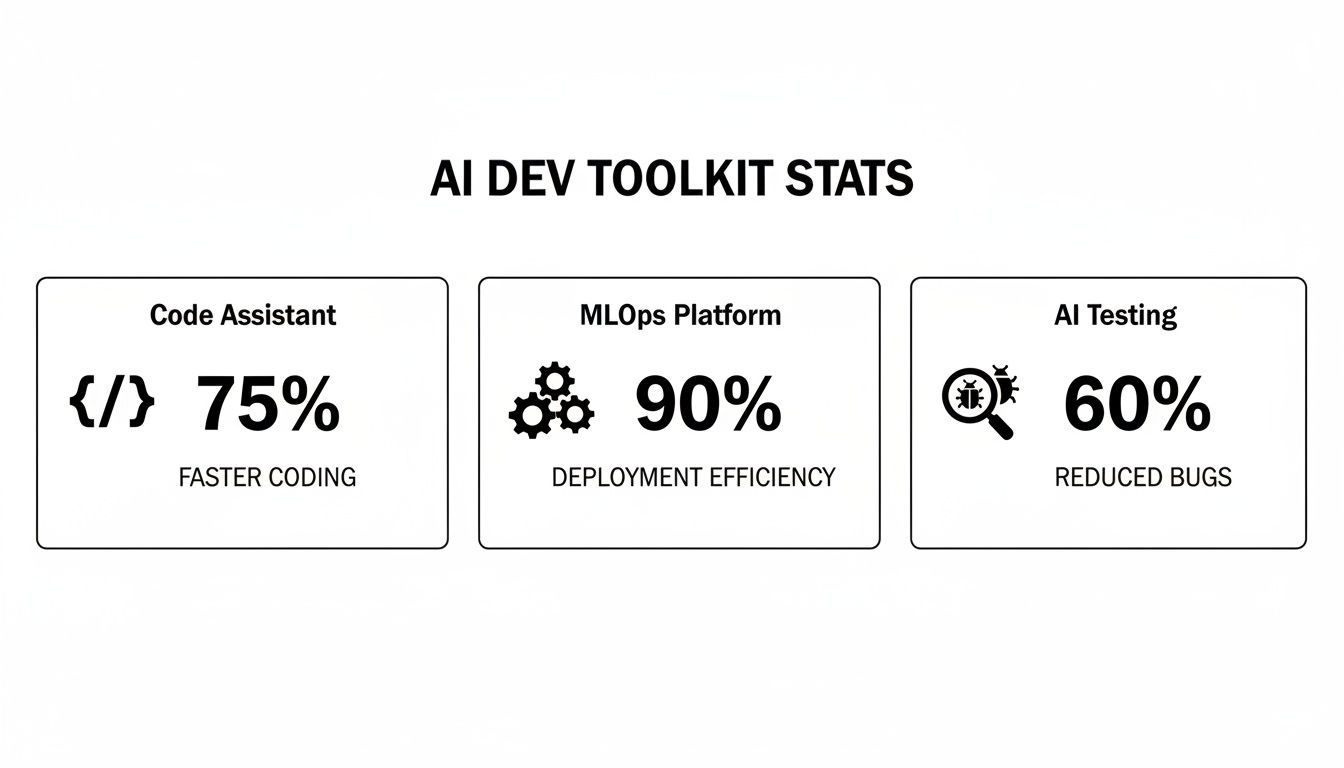
From code assistants to MLOps platforms, each piece of the puzzle helps streamline a different part of the workflow, all adding up to faster, more dependable software.
Driving Team Adoption and Upskilling
Getting your team to actually use new AI tools is more of a people problem than a tech problem. You can have the best AI assistants in the world, but they’ll just gather dust if your engineers are skeptical, afraid, or simply don’t know how to use them effectively. For engineering leaders, this means adoption isn’t about flipping a switch; it’s about a smart strategy built on education, clear communication, and empowerment.
The best way to start is small. Forget about a big, company-wide mandate. Kick things off with a focused pilot program instead.
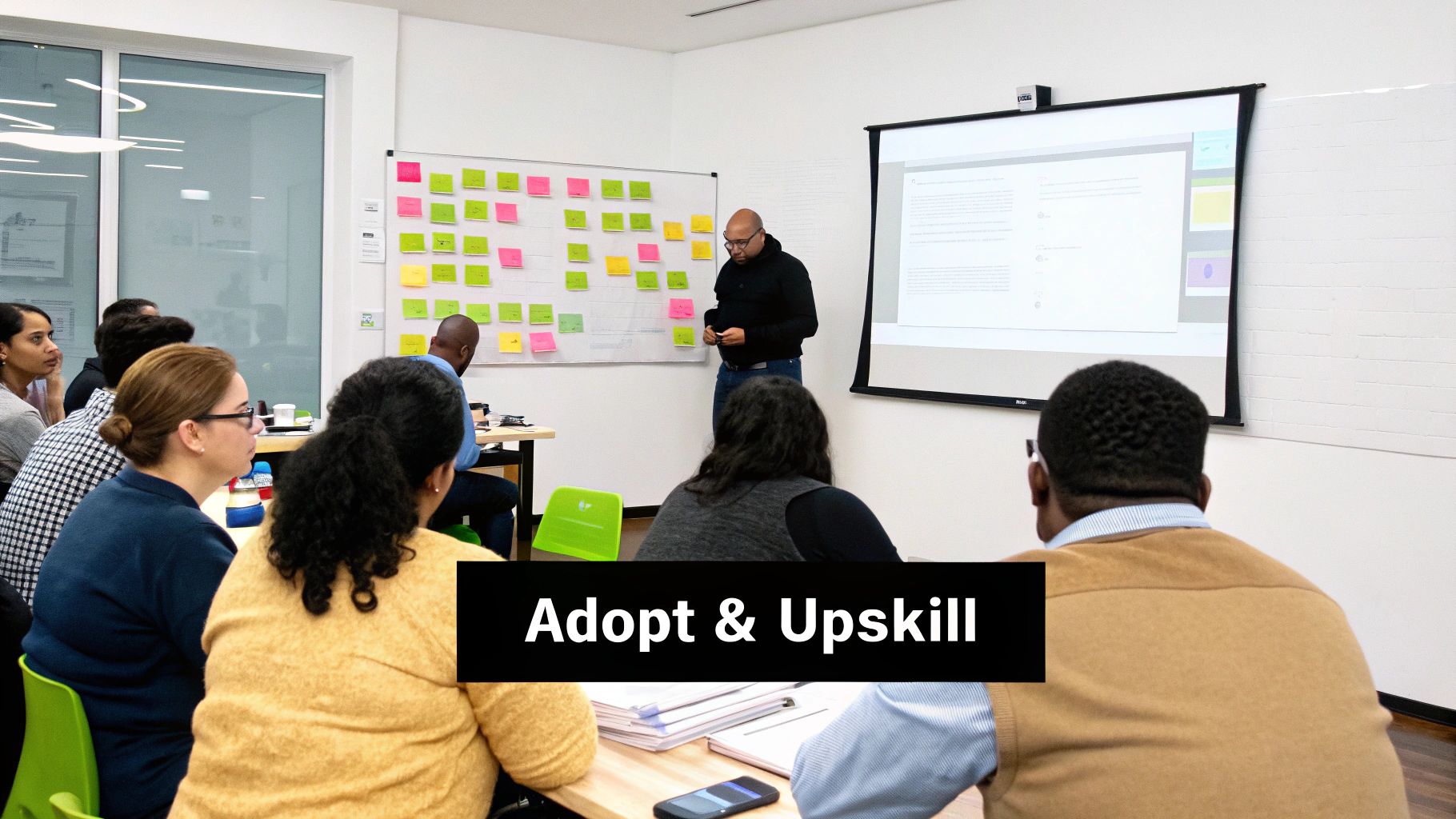
This approach lets you experiment without a ton of risk. Pick one project and a handful of your most enthusiastic developers—the ones who are always tinkering with new tech. Let them run with it. When they get some tangible wins, you’ll have powerful internal case studies and, more importantly, a group of champions who can genuinely vouch for the tools to the rest of the team.
Cultivating a Supportive Learning Culture
Once you’ve got that initial buy-in, it’s all about upskilling. You can’t just give people access to a tool and expect magic. You need to create a culture where learning is encouraged and AI becomes a natural part of how everyone works.
This means investing in your team’s education. Run hands-on workshops that teach the real skills an AI software engineer needs today. These sessions should be practical and aimed at building confidence.
- Effective Prompt Engineering: Show your developers how to talk to AI models to get the code they actually want. This isn’t just about asking a question; it’s about giving context, setting boundaries, and knowing how to tweak prompts for better results.
- Validating AI-Generated Code: Teach the team how to properly review, test, and debug anything an AI spits out. Hammer home the point that the engineer is, and always will be, the final authority on code quality and security.
- Tool-Specific Best Practices: If you’re using tools like GitHub Copilot or Cursor, hold dedicated sessions to share power-user tips, shortcuts, and advanced techniques.
The real goal here is to reframe AI. It’s not a replacement for developers. It’s an augmentation tool—a powerful assistant that handles the grunt work so they can focus on hard problems and creative solutions.
A Practical Checklist for a Smooth Rollout
Let’s be honest, new technology can be scary. To get everyone on board, you need a structured plan that’s transparent and puts the developer experience first. Your team should feel empowered by these tools, not threatened.
Here’s a simple checklist to guide you through the process:
- Communicate the Vision Clearly: Start with the “why.” Explain that you’re bringing in AI tools to make their lives easier, cut down on tedious tasks, and speed up innovation—not just to cut costs.
- Provide Comprehensive Training: A single kickoff meeting won’t cut it. Offer a mix of workshops, videos they can watch on their own time, and even pair-programming sessions. People learn in different ways.
- Establish Clear Guardrails: Set down some ground rules, especially around security and IP. Make sure everyone understands how to use these tools responsibly from day one.
- Create Robust Feedback Loops: Open up channels for developers to share what’s working, what’s not, and what they need. Use that real-world feedback to adjust your strategy, offer better support, and celebrate the wins.
By taking these steps, you can turn that potential resistance into genuine excitement. You’ll build a team that isn’t just ready for the future of AI software engineering—they’ll be actively shaping it.
The Future of AI in Software Development
We’re moving past the point where AI is just a fancy autocomplete. The next wave of AI software engineering is about true partnership—where AI goes from a helpful tool that finishes your code to a genuine collaborator that can dream up, build, and even manage entire software systems. This isn’t some far-off sci-fi concept; it’s happening right now, fueled by a firehose of investment and dizzying technological leaps.
And when I say “firehose,” I mean it. Private funding in generative AI has hit a staggering US$33.9 billion. If you zoom out, total AI spending worldwide is on track to reach US$1.5 trillion, with a mind-boggling US$644 billion of that dedicated to generative AI. This money is pouring into the foundational layers—the APIs, training compute, and data platforms—that will soon be as essential to a developer as their IDE. You can get a sense of the sheer scale of this in the Stanford HAI AI Index Report.
The Rise of Autonomous AI Agents
One of the most exciting frontiers opening up is the world of autonomous AI agents. These aren’t just smarter chatbots. Think of them as sophisticated systems you can hand an entire development task to. Imagine an agent that takes a simple product requirement, maps out the technical specs, writes the code, builds the tests, and pushes the feature to production with you just giving the final sign-off.
These agents are the next logical step. We’re already seeing early versions that can tackle GitHub issues or run with multi-step coding projects on their own. As they get better, the role of a human engineer will fundamentally change. We’ll spend less time in the weeds writing code and more time as high-level architects, guiding fleets of these agents to build and maintain massive, complex applications.
Convergence of Specialized Models
The future isn’t a single, giant AI that does everything. It’s more like an orchestra of highly specialized models, each playing its part perfectly. A single development task might soon involve:
- A code generation model to write the core business logic.
- A security analysis model that sniffs out vulnerabilities.
- A UI/UX design model to prototype intuitive front-end components.
- A documentation model to write crystal-clear guides for users and other devs.
This ecosystem of specialists creates a final product that’s far more robust and polished than what any single, general-purpose model could pull off. For us developers, the new crucial skill will be conducting this symphony—knowing which specialized agent to call on and how to weave their outputs into a cohesive whole. This is a future where building software becomes a dynamic conversation between human vision and machine intelligence.
Frequently Asked Questions
It’s only natural to have questions as you start working with AI in your development workflow. Career security, code risks, and just figuring out where to begin are all common concerns. Let’s tackle some of the biggest questions head-on.
Will AI Replace Software Engineers?
Nope. AI isn’t here to replace software engineers; it’s here to promote them. The job is shifting from just writing code line-by-line to orchestrating systems, guiding AI, and solving much bigger problems.
Think of it this way: AI is great at the tedious stuff. It can spit out boilerplate code, write basic unit tests, or handle simple refactoring in seconds. This frees you up to focus on what humans do best—architecting complex systems, thinking through tricky logic, and coming up with creative solutions AI can’t even imagine. Your new role is to be the conductor, leading an AI-powered orchestra to build better software, faster.
What Are the Biggest Risks of Using AI in Development?
The main pitfalls are code quality, security holes, and intellectual property headaches. You have to treat AI-generated code with a healthy dose of professional skepticism. It’s a tool, not a flawless oracle.
AI models can easily write code that looks right but is hiding subtle bugs or major security flaws. Without a sharp human eye, those mistakes can slip right into production. There’s also the risk that the AI might pull in copyrighted code from its training data, which could land your company in legal trouble.
To keep these risks in check, your team needs a solid game plan:
- Always Review the Code: Every single line of AI-generated code needs to be reviewed by a human who knows what they’re doing. No exceptions.
- Scan Everything: Use automated security tools to check for vulnerabilities before anything gets merged.
- Have Clear IP Policies: Make sure everyone on the team understands the rules for using AI tools to avoid IP infringement.
How Can I Start Learning AI Software Engineering Skills?
The absolute best way to learn is by doing. You can read all the theory you want, but you won’t really get it until you roll up your sleeves and start building.
First, get an AI code assistant like GitHub Copilot or Cursor and weave it into your daily work. Focus on getting good at prompt engineering—learning how to write clear, specific prompts that give the AI all the context it needs. Use it for real tasks, like generating tests, refactoring a clunky function, or even just explaining a piece of code you don’t understand.
The fastest way to learn is to build something. Pick a small personal project and challenge yourself to create it almost entirely with AI’s help. You’ll be forced to learn how to prompt, debug, and validate in a safe environment.
Once you’re comfortable with an assistant, take the next step. Dive into the API documentation for one of the big models from OpenAI, Anthropic, or Google. Try building a simple app that makes calls to the API. This hands-on experience is invaluable for understanding how to integrate AI into a larger system, moving you beyond just using a chat-based tool.
Ready to measure and improve your team’s AI-assisted coding? With Zest, you can turn daily activity into actionable insights, share winning prompts, and see the real impact of AI on your workflow. Start spotting bottlenecks and scaling best practices today. Find out more at https://meetzest.com.
Master AI Software Engineering
Turn your engineering team into an AI-augmented powerhouse by focusing on strategic adoption, new metrics, and practical upskilling.
📊 Core Metrics
- Developer Velocity — Measure the increase in feature delivery speed and reduction in cycle times.
- Code Churn Reduction — Track the decrease in rewritten code, indicating higher initial quality.
- AI-Assisted Merge Time — Monitor how quickly AI-generated pull requests are reviewed and merged.
🕹️ My Cheatcodes
- 🌱 Augment, Don't Replace — Frame AI as a collaborative tool that handles rote tasks, freeing engineers for complex problem-solving.
- 🦎 Trust But Verify — Enforce rigorous human review and security scanning for all AI-generated code.
- ⚡ Learn by Building — The fastest path to skill acquisition is integrating AI tools into small, real-world projects.
📈 Reflection Points
- 💡 Am I reviewing AI-generated code with the same rigor as human-written code?
- 🧩 Which of my team's repetitive tasks could be offloaded to an autonomous AI agent?
- 📘 How can I create a pilot program to build internal champions for AI tool adoption?
Gallery
Lemon shots



