
12 Best AI Productivity Tools for Developers in 2025

The conversation around AI in software development has shifted from “if” to “how.” Developers are no longer just dabbling with AI; they are building entire, sophisticated workflows around it. This acceleration demands a clear understanding of which tools actually deliver on their promises versus those that just create noise. This article cuts through that noise.
This is not another generic list. It is a comprehensive, curated guide to the 12 most impactful AI productivity tools for developers. We dive deep into real-world use cases, honest limitations, and practical integration strategies to help you achieve maximum impact. The goal is to move you beyond basic autocompletion and help you construct a powerful, efficient AI-assisted development stack that genuinely saves time and elevates code quality. Indeed, for accelerating ideation and enhancing creative output, integrating a dedicated AI brainstorming tool can transform the developer’s thought process.
In this resource, we will analyze everything from foundational code assistants like GitHub Copilot to AI-native IDEs like Cursor and even workflow managers like Zest, which help you measure and optimize your team’s AI adoption. Each review includes a detailed breakdown of key features, ideal use cases, pros and cons, and current pricing. We provide screenshots and direct links to help you quickly evaluate which platforms best fit your specific needs, whether you’re a solo developer, a dev lead, or part of a platform engineering team. Let’s find the right tools for your stack.
1. Zest
Zest is a standout AI coding workflow manager designed to provide deep, actionable intelligence directly within the developer’s environment. Unlike tools that simply assist with code generation, Zest analyzes your entire AI-assisted coding process in VS Code and Cursor. It transforms daily activities into a feedback loop that helps individual developers and entire teams understand what works, identify bottlenecks, and systematically improve their use of AI. This focus on workflow intelligence makes it a top-tier choice among ai productivity tools for developers.
For teams aiming to scale their AI adoption effectively, Zest provides a level of visibility that is difficult to achieve otherwise. It moves beyond just using AI to strategically managing it.
Key Features & Use Cases
Zest’s features are built around capturing, analyzing, and sharing AI-driven development patterns.
- AI Standups & Metrics: Zest automatically generates daily summaries of your coding activity, highlighting wins, blockers, and time saved using AI. The metrics feed consolidates tasks, tools used, and time spent, offering a clear view of your productivity and helping you spot inefficiencies without manual tracking.
- AI Hints: The platform actively monitors your sessions for signs of struggle, like weak prompts or extended periods without progress. It then surfaces “Hints” to help you correct course, turning moments of friction into learning opportunities.
- Cheatcodes: This unique feature allows you to capture and share effective prompts and multi-step workflows directly from successful coding sessions. Instead of reinventing the wheel, team members can adopt proven strategies from top performers, standardizing excellence and accelerating onboarding.
- Org-Level Dashboards: For engineering managers and platform teams, Zest offers leaderboards and adoption charts. These tools provide a clear, data-driven view of AI usage across the organization, making it easy to track adoption, measure impact, and justify investment.
Our Take: Zest’s core differentiator is its focus on the process of AI-assisted development, not just the output. By capturing real-world workflows as reusable “Cheatcodes,” it creates a powerful system for continuous, team-wide improvement.
Pricing
Zest offers a flexible pricing structure suitable for individuals and large enterprises:
- Developer: Free (3-day history)
- Pro: $5/month (90-day history)
- Team: $10/user/month (365-day history)
- Enterprise: Custom pricing with dedicated support
Pros & Cons
| Pros | Cons |
|---|---|
| Turns daily coding into immediate, actionable insights (Standups, Hints). | Editor support is currently focused on VS Code and Cursor. |
| Captures and shares reusable “Cheatcodes” from real sessions to scale best practices. | The free plan is limited to a 3-day history, which may be insufficient for tracking long-term trends. |
| Provides organization-wide visibility into AI adoption and effectiveness. | Enterprise buyers should proactively request security and compliance documentation, as it is not listed on the public site. |
| A free tier and affordable paid plans make it accessible for developers and teams of all sizes. |
Website: meetzest.com
2. GitHub Copilot
As a quintessential AI pair-programmer, GitHub Copilot integrates deeply into a developer’s existing environment. It works directly within VS Code, Visual Studio, JetBrains IDEs, and even the terminal, providing contextual code completions and chat-based assistance. This tool stands out due to its tight integration with the entire GitHub ecosystem, from autocompleting code based on your repository’s context to assisting with pull request summaries and code reviews.

Key Features & Use Cases
- IDE & GitHub Integration: Copilot feels native. Use it to generate boilerplate code, write unit tests, or explain complex code blocks without leaving your editor. In GitHub.com, it helps you understand pull requests faster.
- Multi-Model Access: Depending on your plan, you can leverage different frontier models (from OpenAI, Anthropic, etc.) for more complex tasks, ensuring you have the right power for the job.
- Copilot CLI: Bring the power of AI to your command line. Ask it to generate complex
gitorghcommands, or explain shell scripts you don’t understand. - Best For: Developers who live in the GitHub ecosystem and want a seamless, integrated AI assistant. It’s one of the best AI productivity tools for developers who prioritize workflow continuity.
Pricing & Tiers
- Copilot Individual: A very accessible starting point at $10/month, offering core autocompletion and chat features.
- Copilot Business/Enterprise: Starts at $19/user/month and adds advanced features like premium model access quotas, enhanced security, and better governance controls for teams.
Pros & Cons
- Pros: Unmatched integration with GitHub repositories and workflows. Broad language and IDE support. The individual plan offers incredible value for core features.
- Cons: Accessing the most powerful models and agent-like features consumes premium requests, which are limited. Advanced team management and security features are locked behind higher-priced tiers.
Website: https://github.com/features/copilot/plans
3. JetBrains AI Assistant
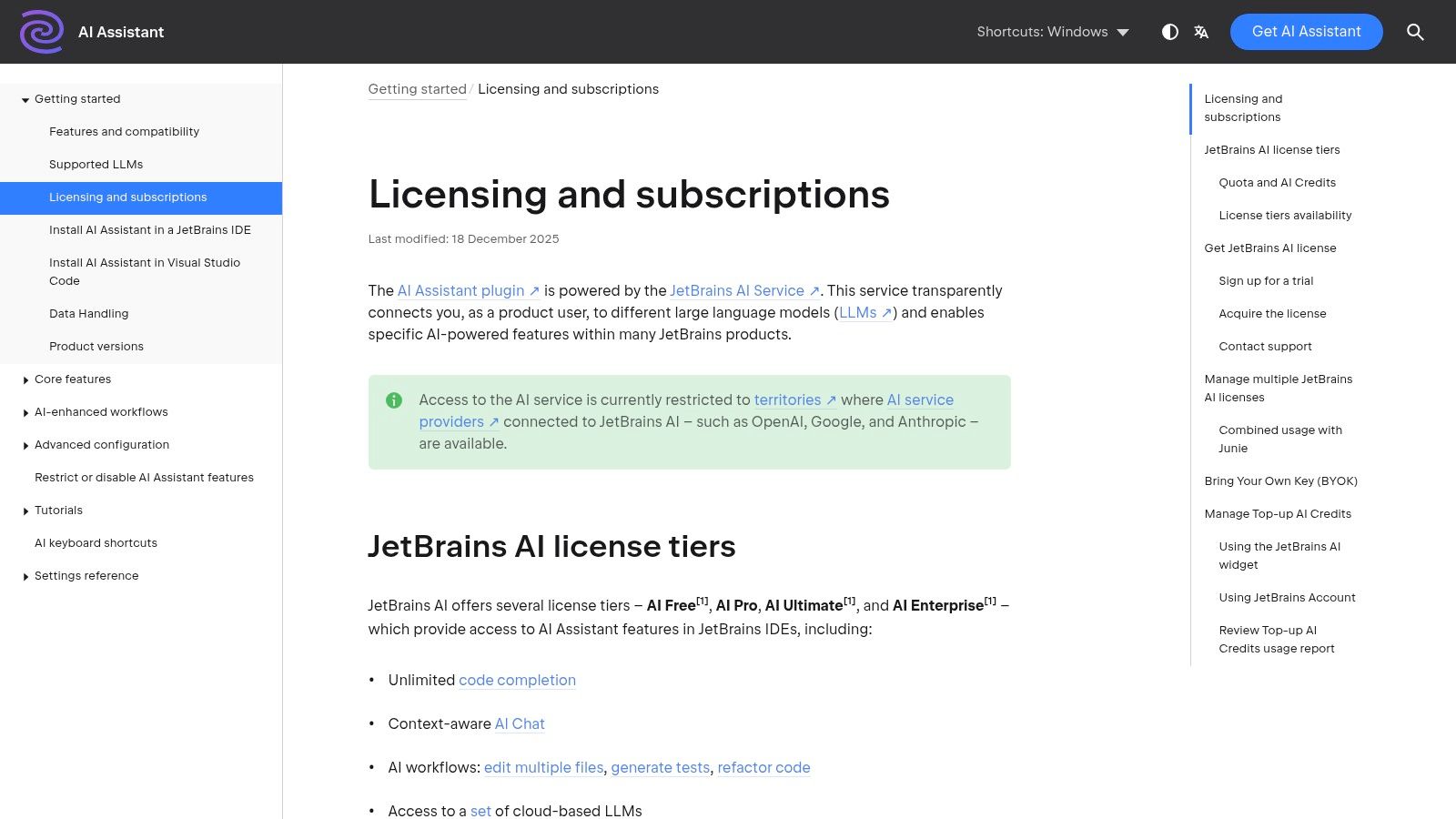
For developers deeply embedded in the JetBrains ecosystem, the AI Assistant offers a first-party, natively integrated experience. Built directly into IDEs like IntelliJ IDEA, PyCharm, and WebStorm, it provides contextual chat, intelligent code actions, and multi-file awareness without requiring external plugins. This tool is a strong choice for teams standardized on JetBrains tools who value a seamless user experience and transparent, usage-based pricing.
Key Features & Use Cases
- Native IDE Integration: Access AI chat, generate documentation, or suggest refactors directly from the editor’s context menu. It understands your project structure for more relevant suggestions.
- Intelligent Actions: Use it to generate unit tests, explain code commits, or even perform complex, multi-file edits based on a natural language prompt.
- Transparent Usage Model: The AI Assistant works on a credit-based system, allowing you to monitor consumption and top up as needed. It also supports local and on-premise models for enhanced privacy.
- Best For: Teams and individual developers who are heavy users of JetBrains IDEs and want an AI assistant that feels like a natural extension of their existing tools.
Pricing & Tiers
- The AI Assistant is an add-on to a primary JetBrains subscription (like an All Products Pack or an individual IDE). Pricing is approximately $10/month or $100/year, which provides a set amount of AI credits for cloud-based models. Top-up packs are available if you exceed your quota.
Pros & Cons
- Pros: Flawless native UX within the JetBrains environment. The transparent credit model prevents surprise bills. Excellent value when bundled with an existing subscription.
- Cons: Cloud-based features can consume credits faster than expected, requiring careful monitoring. Team-level governance and management features are still maturing.
Website: https://www.jetbrains.com/help/ai-assistant/licensing-and-subscriptions.html
4. OpenAI – ChatGPT and API
OpenAI provides direct access to its frontier models through both the user-friendly ChatGPT interface and a powerful, scalable API. This dual offering makes it one of the most versatile AI productivity tools for developers, catering to both immediate interactive tasks like debugging and brainstorming, and the creation of custom, AI-powered internal tools. The platform excels at complex code generation, data analysis, and architectural planning.

Key Features & Use Cases
- Advanced Model Access: Utilize cutting-edge models like GPT-4o for everything from refactoring legacy code and writing documentation to generating complex SQL queries or API integration scripts. The desktop app supports code editing and file uploads for deeper context.
- API for Custom Tools: Embed OpenAI’s reasoning capabilities directly into your internal applications, CI/CD pipelines, or custom developer agents. The API is ideal for automating code reviews, generating test data, or creating internal chatbots.
- Agent & Workflow Capabilities: Use features like GPTs to build custom agents trained on your specific documentation or coding standards, streamlining repetitive tasks and ensuring consistency across your team.
- Best For: Developers and teams who need a flexible solution for both direct AI assistance and building custom, model-driven internal tools. For more on this, explore how to code with ChatGPT effectively.
Pricing & Tiers
- ChatGPT Plus: A $20/month subscription provides priority access to the latest models (like GPT-4o), advanced data analysis, and higher usage limits for individual productivity.
- ChatGPT Team/Enterprise: Starting at $25/user/month (billed annually), these plans add a higher-limit admin console, enhanced security, and team collaboration features.
- API: A pay-as-you-go model where costs scale directly with token usage, offering flexibility for building custom solutions.
Pros & Cons
- Pros: Direct access to the most advanced AI models with frequent updates. Highly versatile, serving both individual developers and enterprise-level custom tool development. Strong enterprise-grade security and compliance controls.
- Cons: API usage costs can escalate quickly and require careful monitoring. Throughput and rate limits can be a constraint for high-volume applications on certain tiers.
Website: https://openai.com/chatgpt/pricing/
5. Amazon Q Developer
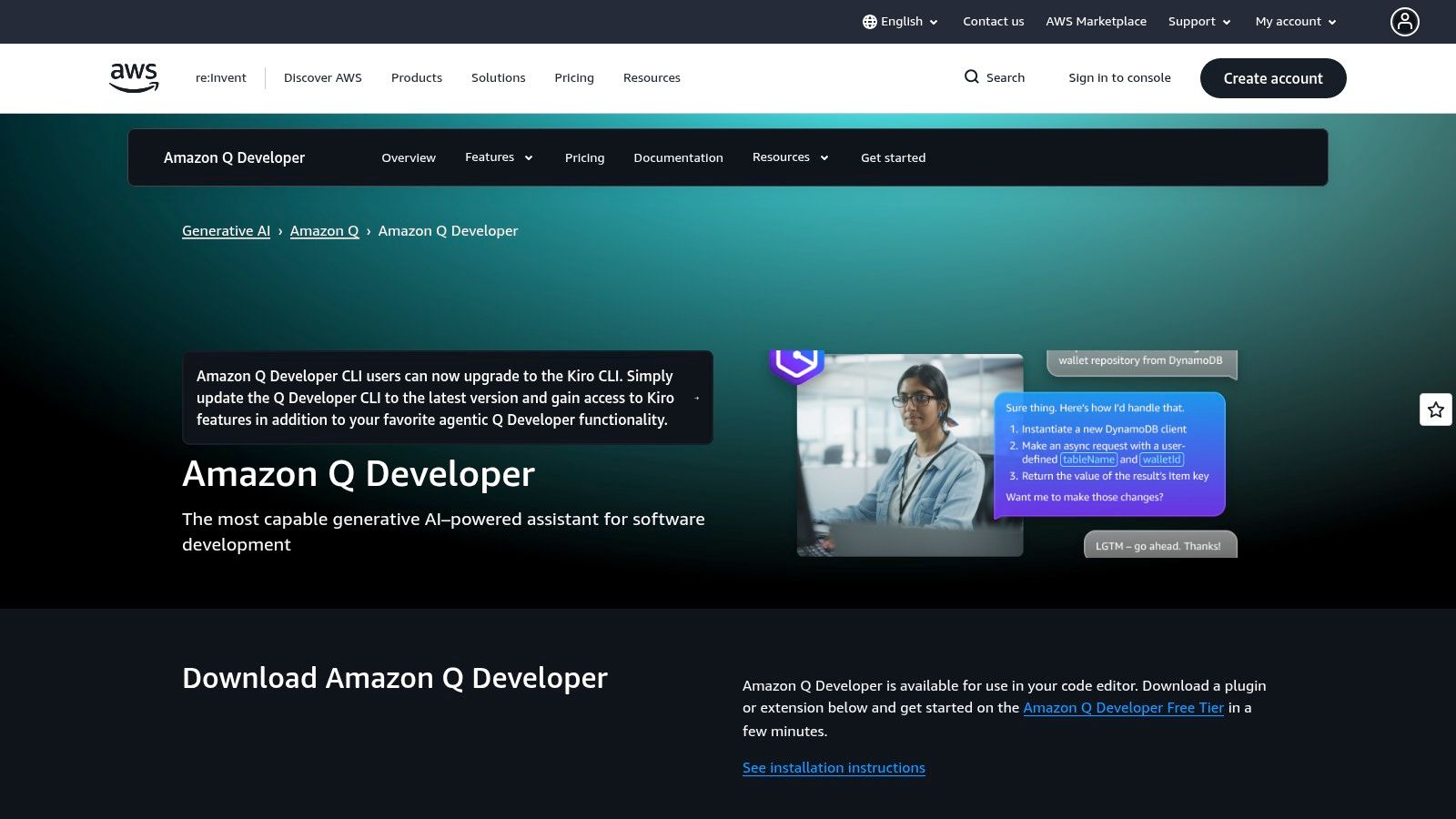
As AWS’s native AI assistant, Amazon Q Developer is purpose-built for developers building, securing, and modernizing applications on the cloud. It integrates across the AWS ecosystem, appearing in the IDE (VS Code, JetBrains), the AWS Console, and the command line. This tool excels by connecting conversational AI assistance with deep insights into your AWS environment, from suggesting AWS SDK code to analyzing security vulnerabilities and guiding infrastructure decisions.
Key Features & Use Cases
- AWS Ecosystem Integration: Get contextual help directly in the AWS Console, ask for CLI commands, or receive AWS-specific code completions in your IDE. It streamlines interactions with services like S3, Lambda, and EC2.
- Agentic Coding & Transformation: Use its agent capabilities for multi-step tasks like implementing features or fixing bugs. It also offers powerful code transformations for upgrading legacy Java and .NET applications.
- Security & Governance: Identifies security vulnerabilities in your code and provides remediation advice. It integrates with AWS Builder ID and IAM for enterprise-grade access control and governance.
- Best For: Teams deeply invested in the AWS ecosystem. It is one of the most effective ai productivity tools for developers modernizing applications or building new cloud-native solutions on AWS.
Pricing & Tiers
- Free Tier: A perpetual free tier is available for individuals, providing core code suggestions and chat functionality.
- Pro Tier: Priced at $19/user/month, this tier unlocks advanced capabilities like agentic coding, security scanning, and the powerful code transformation features for Java and .NET.
Pros & Cons
- Pros: Unmatched, deep integration with AWS services and developer workflows. Strong enterprise governance and security features. The code transformation agent is a powerful tool for modernization.
- Cons: The assistant provides the most value within AWS-centric projects. Its broader, non-AWS coding capabilities may be less extensive than some competitors.
Website: https://aws.amazon.com/q/developer/
6. AWS Marketplace – Machine Learning category
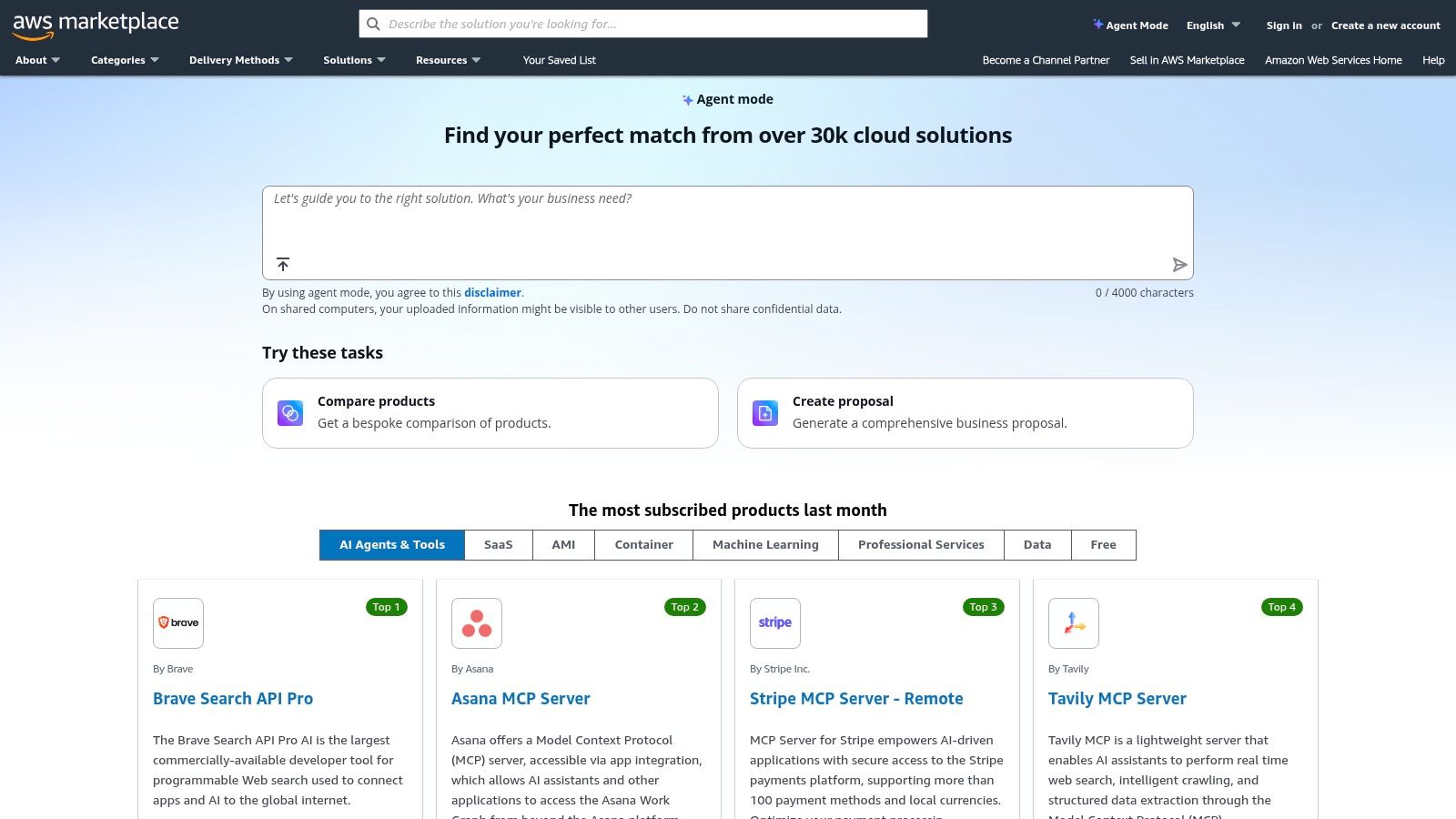
For development teams deeply embedded in the AWS ecosystem, the AWS Marketplace’s Machine Learning category is less of a single tool and more of a strategic procurement hub. It offers a curated catalog of AI models, algorithms, and platforms that can be deployed directly into Amazon SageMaker and other AWS services. This simplifies purchasing and deployment, allowing teams to leverage third-party AI capabilities with the security and billing convenience of their existing AWS account.
Key Features & Use Cases
- Curated Model & Algorithm Listings: Discover and compare pre-trained models from leading providers like Anthropic, AI21 Labs, and Cohere. Each listing includes documentation, performance details, and usage instructions.
- One-Click Deployment: Easily deploy selected models or algorithms to Amazon SageMaker endpoints, streamlining the process of integrating powerful AI into your applications without complex setup.
- Consolidated Billing & Procurement: All software subscriptions and usage fees are billed directly through your existing AWS account, simplifying vendor management and budget tracking for engineering managers.
- Best For: AWS-native teams who need to securely procure and deploy specialized third-party AI models while maintaining centralized governance and billing.
Pricing & Tiers
- Pricing varies significantly by product and is set by the individual vendors. Models often have a free tier, with costs based on per-hour instance usage and/or inference requests. AWS infrastructure costs are separate.
Pros & Cons
- Pros: Simplified procurement and consolidated billing through AWS. Access to a broad selection of vetted, enterprise-ready AI models and platforms.
- Cons: Many offerings require some familiarity with AWS services like SageMaker. Users are responsible for both the model subscription costs and the underlying AWS compute usage fees.
Website: https://www.aws.amazon.com/marketplace?utm_source=openai
7. Microsoft Azure Marketplace – AI + Machine Learning
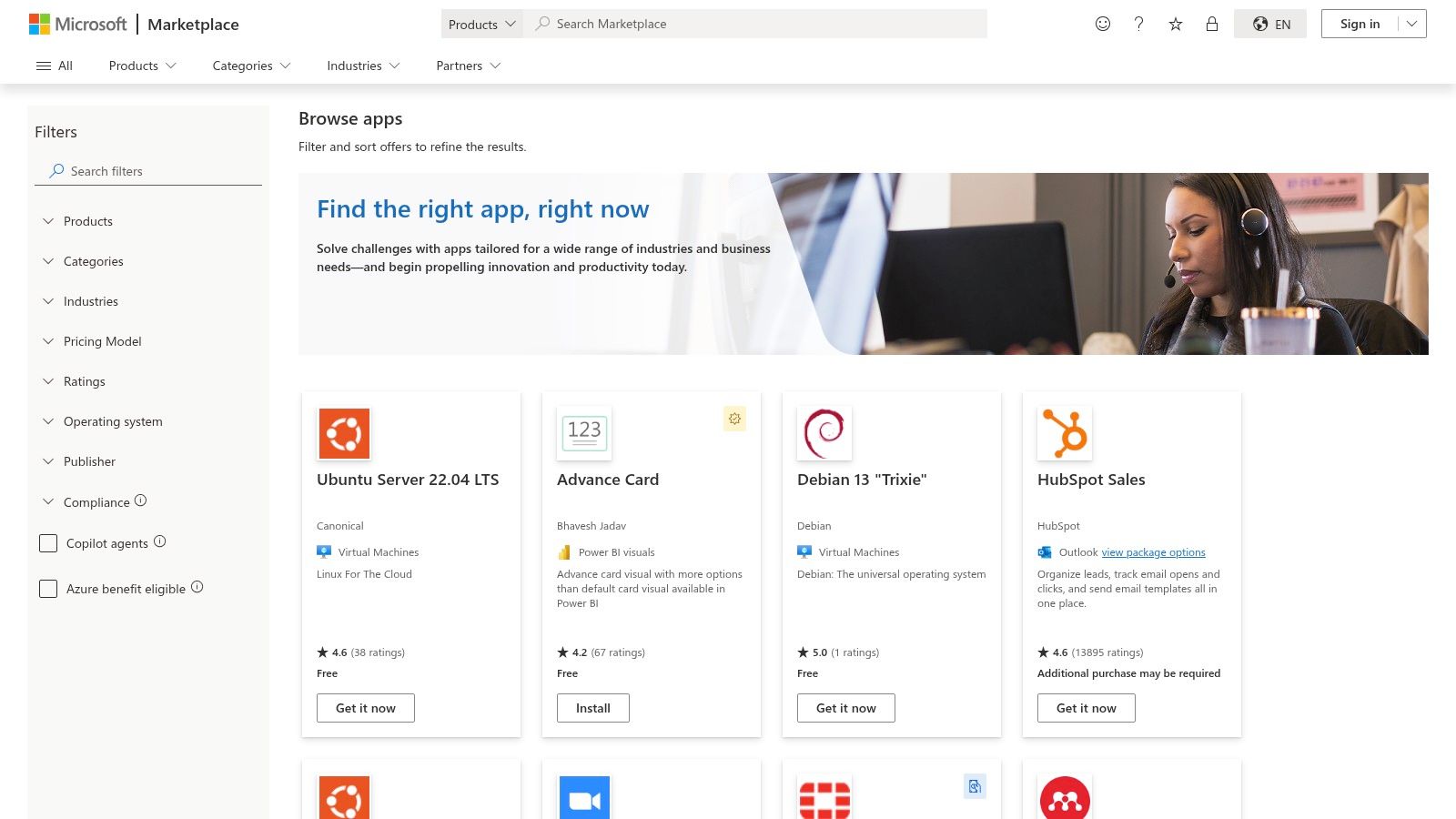
For development teams deeply embedded in the Microsoft ecosystem, the Azure Marketplace is the go-to hub for discovering and deploying enterprise-grade AI. It acts as a centralized catalog for first-party Azure AI services, like Azure OpenAI and Machine Learning, alongside a vast array of third-party models and applications. Its primary advantage is streamlining procurement and governance, allowing organizations to manage AI tooling under their existing Azure billing and security protocols.
Key Features & Use Cases
- Centralized Discovery: Find everything from foundational models to specialized bot services and cognitive APIs in one place, categorized for easy browsing.
- Enterprise Procurement: Leverage private offers, consolidated billing, and existing Azure subscriptions to purchase and manage AI solutions without new vendor onboarding.
- Integrated Governance: Apply Azure’s built-in security, Single Sign-On (SSO), and role-based access controls to any AI tool procured through the marketplace, ensuring compliance.
- Best For: Enterprise development teams that need to deploy pre-vetted, compliant, and scalable AI solutions while maintaining centralized control over billing and security within their Azure environment.
Pricing & Tiers
- Pricing is highly variable and depends entirely on the specific service or third-party application selected. Models range from free and pay-as-you-go to Bring-Your-Own-License (BYOL) and custom enterprise agreements.
Pros & Cons
- Pros: Enterprise-ready purchasing with robust security and compliance. A wide partner ecosystem alongside powerful first-party Azure AI services. Seamless billing and account integration for existing Microsoft customers.
- Cons: Many listings require significant Azure expertise to deploy and configure correctly. The wide variety of pricing models can make cost prediction challenging without careful evaluation.
8. Google Cloud – AI & Machine Learning products and Marketplace
For teams deeply integrated into the Google Cloud Platform, leveraging its native AI and ML services is a logical step for enhancing productivity. Google offers an end-to-end platform that combines proprietary models like Gemini with a vast marketplace of third-party options. This ecosystem is designed for enterprise-grade applications, providing robust data management, training, and deployment capabilities all under a consolidated GCP billing and security model.

Key Features & Use Cases
- Gemini Code Assist: Directly competes with other pair-programmers, offering powerful code completion, generation, and explanation within VS Code and JetBrains IDEs.
- Vertex AI Model Garden: Provides access to over 200 first-party and third-party models, allowing developers to experiment with and deploy the best model for any specific task, from text generation to image analysis.
- Cloud Marketplace Integration: Simplifies the procurement and deployment of third-party AI models with consolidated GCP billing and regionalized pricing, making it easier for teams to manage costs.
- Best For: Engineering teams already using GCP who need a scalable, secure, and fully-managed AI/ML platform with strong enterprise controls and IAM integration.
Pricing & Tiers
- Free Tier: New customers receive $300 in free credits to explore and trial various AI products, including Gemini Code Assist and Vertex AI services.
- Pay-as-you-go: Pricing is model-dependent and based on usage (e.g., characters for input/output). This requires careful cost planning but offers flexibility.
Pros & Cons
- Pros: Exceptional end-to-end ML platform with powerful model management and tooling for production workflows. Large model catalog and robust enterprise controls.
- Cons: The platform delivers maximum value if you’re already committed to the GCP ecosystem. The variable pricing structure can be complex and requires active cost management.
Website: https://cloud.google.com/products/ai?utm_source=openai
9. Hugging Face
Hugging Face serves as the essential community hub and platform for developers working with open-source AI. It’s a vast ecosystem of models, datasets, and collaborative “Spaces” that simplifies prototyping and experimentation. The platform excels at bridging the gap between exploring state-of-the-art models and deploying them for production inference through its unified APIs and Inference Providers, making it a critical part of the modern developer’s AI toolkit.
Key Features & Use Cases
- Model & Dataset Hub: Explore and download thousands of community-contributed models and datasets. This is the go-to place for finding a pre-trained model for nearly any task, complete with extensive documentation and model cards.
- Inference Providers: Route inference requests to over 200 different models with a unified SDK and billing system. This allows you to test various models without committing to a single provider’s infrastructure.
- Spaces: Quickly build and share interactive demos of your machine learning applications directly on the platform. This is perfect for prototyping, creating a portfolio, or collaborating with a team.
- Best For: Developers who want to leverage the open-source community, prototype quickly, and maintain flexibility in their production inference stack. It’s one of the best ai productivity tools for developers building custom AI features.
Pricing & Tiers
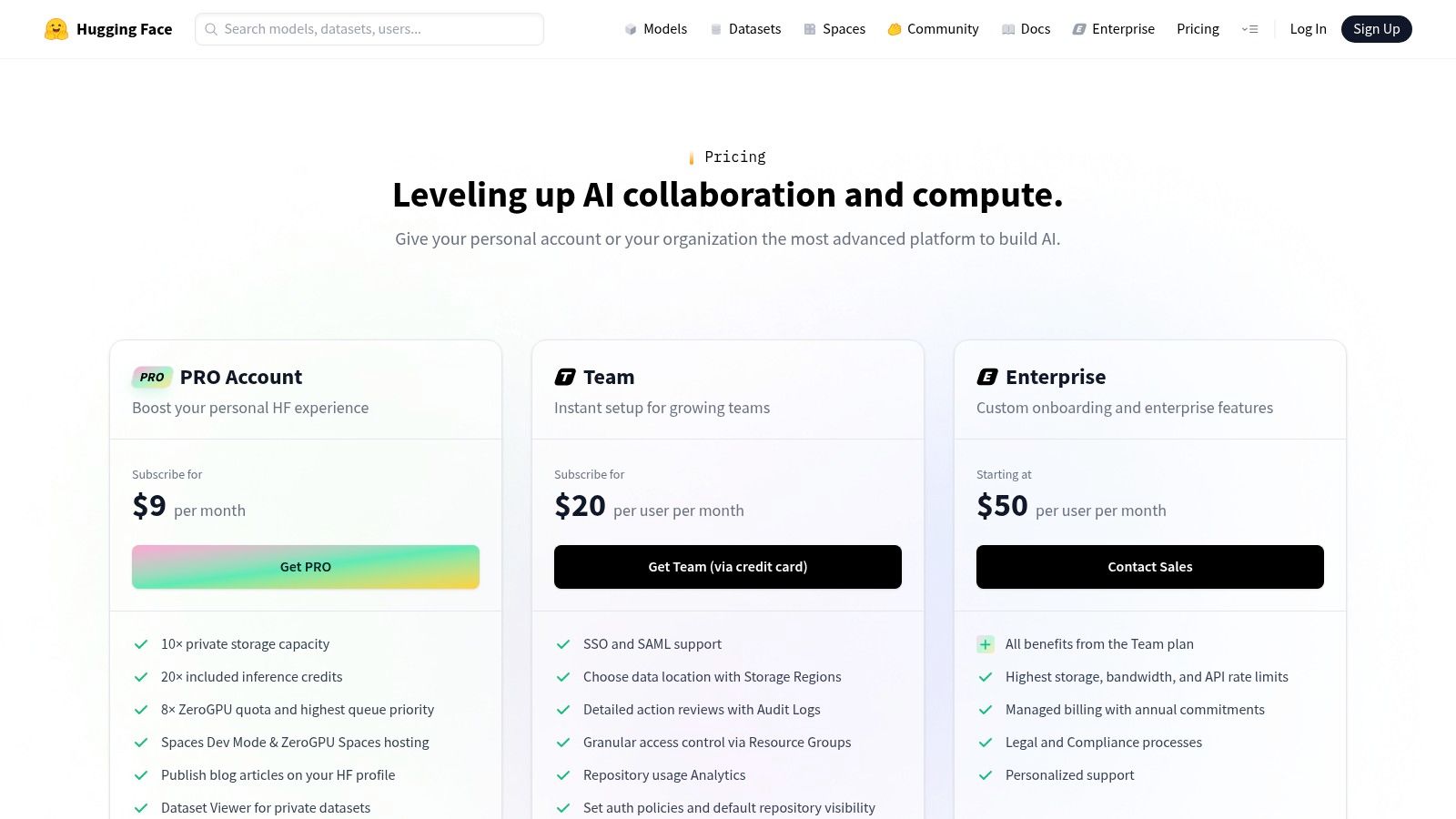
- Free Tier: Offers access to the hub, datasets, and basic Spaces compute.
- Pro: At $9/month, this plan provides more powerful Spaces hardware, private repositories, and a small amount of inference credits.
- Enterprise: Custom pricing for organizations needing enhanced security, dedicated support, and advanced access controls.
Pros & Cons
- Pros: Unmatched selection of open-source models and datasets. Excellent for rapid prototyping with Spaces. The pay-as-you-go inference model offers great flexibility and control over costs.
- Cons: Production-grade SLAs are dependent on the chosen inference provider and your plan. Managing inference credits and quotas can become complex for advanced or high-volume use cases.
Website: https://huggingface.co/pricing?utm_source=openai
10. Cursor IDE
Cursor is an AI-native code editor built from the ground up to integrate artificial intelligence into every part of the development workflow. Instead of adding AI features to a traditional editor, Cursor redesigns the experience around AI-powered chat, code generation, and debugging. It’s forked from VS Code, so developers can retain their familiar keybindings and extensions while gaining powerful new capabilities.
Key Features & Use Cases
- AI-Native Editor: Use the integrated chat to ask questions about your entire codebase, generate new files, or debug complex issues. Cursor’s large context windows allow the AI to understand project-wide dependencies.
- Multi-Model Support: Unlike single-provider tools, Cursor lets you switch between models from OpenAI (GPT-4), Anthropic (Claude 3), and Google (Gemini) to find the best one for your specific task.
- Codebase-Wide Actions: The “AI with codebase” feature allows you to reference your entire project’s context, making it one of the best ai productivity tools for developers working on large-scale refactors or feature implementations.
- Best For: Developers and teams who want to fully embrace an AI-first workflow without leaving the comfort of a VS Code-like environment. If you find yourself wanting to go beyond simple autocompletion, exploring different Cursor alternatives or adopting the editor itself is a logical next step.
Pricing & Tiers
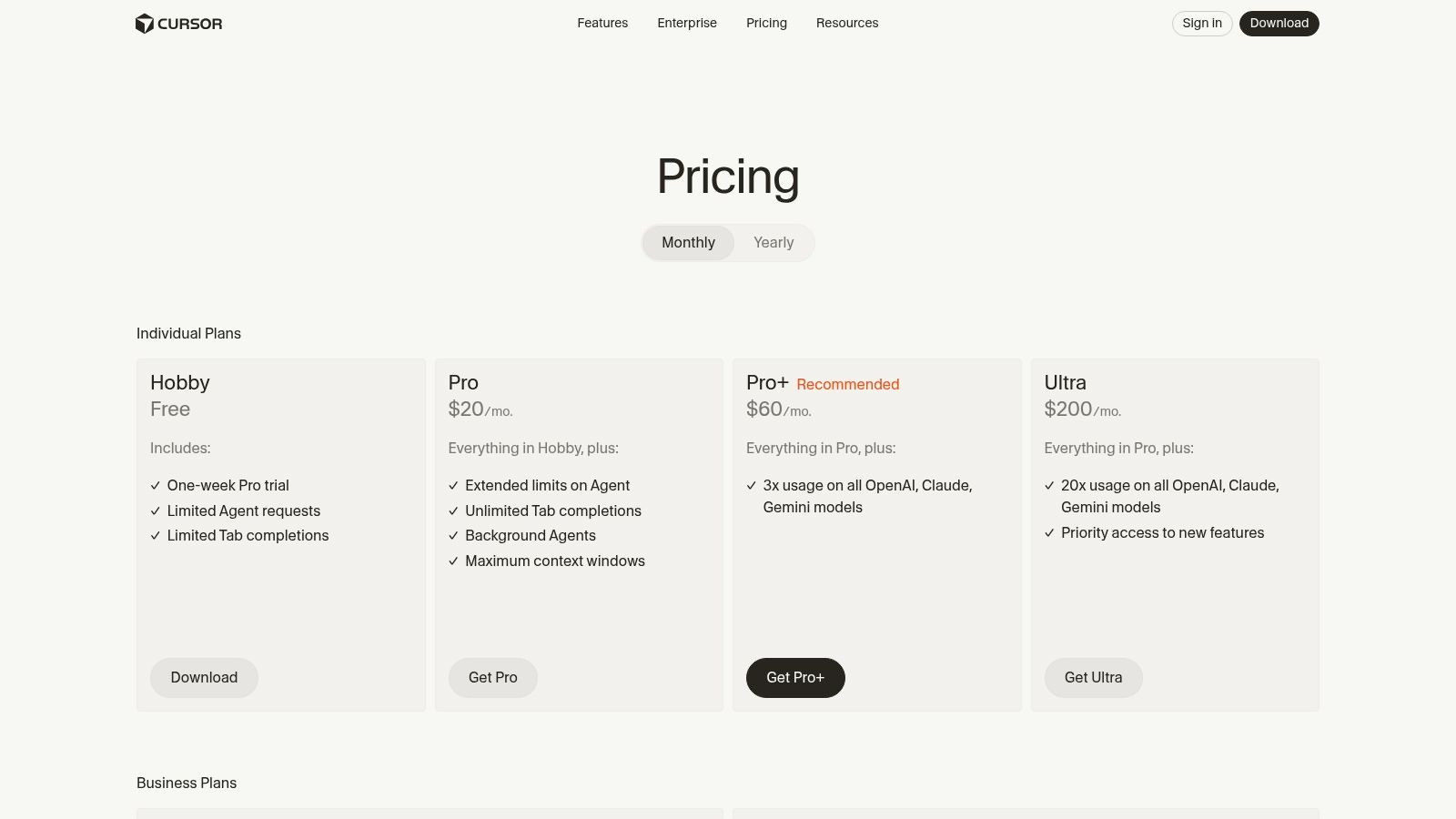
- Free: A generous starting tier for basic AI features with limited usage.
- Pro: At $20/month, this plan unlocks more powerful models, faster responses, and unlimited “AI with codebase” requests.
- Business: Starts at $40/user/month (billed annually) for advanced features like SSO, SCIM, enhanced privacy, and centralized billing.
Pros & Cons
- Pros: Deep, native AI integration provides a seamless coding experience. Flexibility with multiple top-tier language models. The editor feels familiar to any VS Code user.
- Cons: Heavy usage on the Pro plan can lead to throttling. Adopting a new IDE, even a familiar one, can require a team-wide change management process.
Website: https://cursor.com/pricing?utm_source=openai
11. Replit – Core/Teams with AI Agent
Replit eliminates local environment setup by offering a powerful, in-browser IDE complete with an integrated AI Agent. It’s designed for rapid prototyping and collaboration, allowing developers to go from an idea to a fully hosted and shareable application in minutes. This makes it an exceptional tool for hackathons, building proofs-of-concept, and creating full-stack demos without configuration friction.
Key Features & Use Cases
- Browser-Based IDE: Write, run, and debug code for any language or framework directly in your browser. Share live, running versions of your app with a single link.
- AI Agent: Access a built-in coding assistant for generating code, refactoring complex functions, explaining snippets, and automating repetitive tasks.
- Instant Deployments: Host web apps, bots, and APIs directly from the editor with zero configuration. Perfect for getting a live URL for a demo quickly.
- Best For: Developers needing to prototype and share web applications fast. It’s one of the best AI productivity tools for developers who prioritize speed from concept to a shareable demo.
Pricing & Tiers
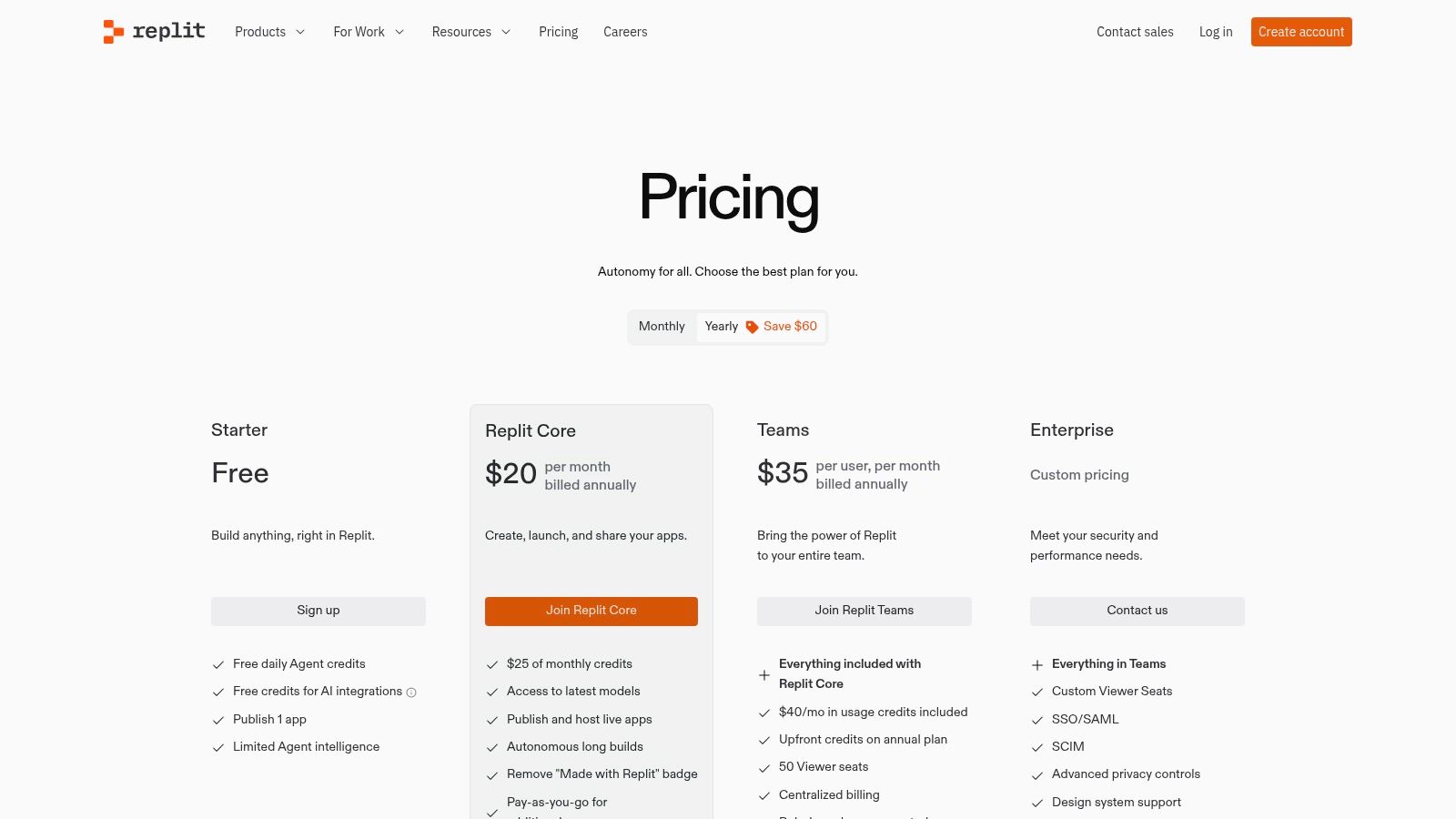
- Free: A generous free tier for public projects and basic usage.
- Replit Core: Starts at $20/month (billed annually) and includes a more powerful workspace, private projects, and access to the advanced Replit AI model.
- Teams: A custom-priced tier offering centralized billing, role-based access controls (RBAC), and enhanced collaboration features for organizations.
Pros & Cons
- Pros: Unbeatable speed for starting and deploying new projects. The collaborative, browser-based nature is excellent for team projects and demos. The monthly credit model is predictable.
- Cons: Enterprise-level governance features are still evolving. Performance might not match a high-end local machine for very large monorepos or resource-intensive services.
Website: https://replit.com/pricing?utm_source=openai
12. Tabnine
Tabnine carves out its niche as a privacy-first AI coding assistant, making it a strong contender for enterprises with strict compliance and security requirements. It offers flexible deployment options, including SaaS, private cloud (VPC), or fully on-premise, air-gapped installations. This focus on data control allows organizations to leverage powerful AI assistance without compromising their code’s confidentiality.
Key Features & Use Cases
- Enterprise-Grade Security: With options for on-premise or VPC deployment, your code never leaves your secure environment. This is crucial for organizations in regulated industries.
- Organizational Context: Tabnine can be trained on your internal repositories from Git, as well as documentation from Jira and Confluence, providing highly relevant and context-aware suggestions.
- Agentic Workflows: Beyond simple completions, it provides dedicated agents for coding, testing, and even PR reviews, helping to automate different stages of the development lifecycle.
- Best For: Teams and enterprises that prioritize data privacy, code security, and custom model training on their internal knowledge bases.
Pricing & Tiers
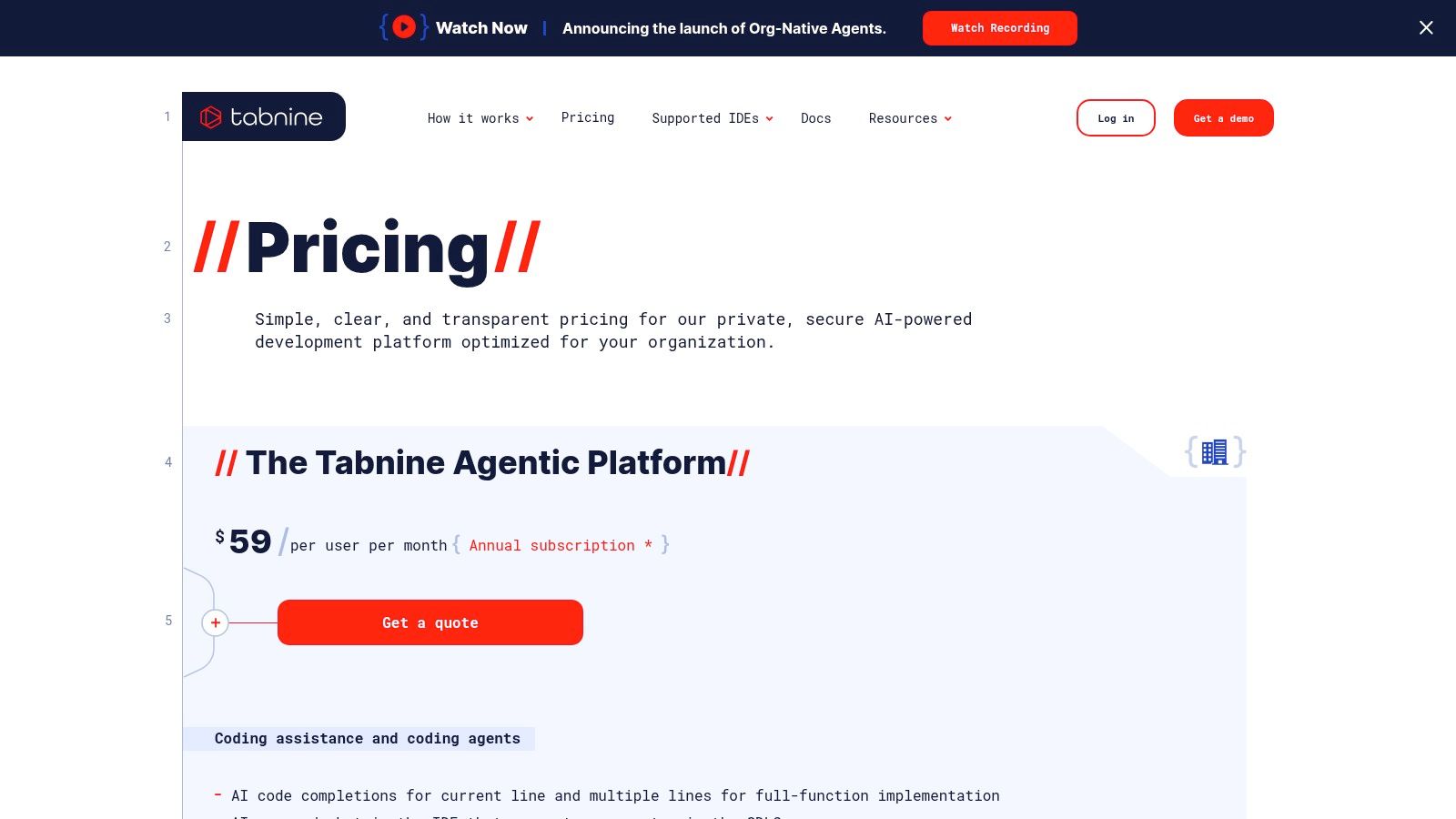
- Pro: A Free tier is available for individuals, offering basic code completion.
- Team: Starts at $12/user/month (billed annually) and adds organizational context and central configuration.
- Enterprise: Custom pricing for advanced features like self-hosting (VPC or on-premise), full compliance, and premium support.
Pros & Cons
- Pros: Unmatched privacy and deployment flexibility (SaaS, VPC, on-prem). Strong focus on enterprise compliance (SOC2/ISO). Code is not used for training public models.
- Cons: Pricing is geared more toward teams and organizations, with fewer entry-level options for advanced individual features. On-premise setup requires dedicated IT resources and management.
Website: https://www.tabnine.com/pricing?utm_source=openai
AI Productivity Tools for Developers — 12-Tool Comparison
| Product | Core features | UX (★) | Pricing / Value (💰) | Target (👥) | Unique selling points (✨) |
|---|---|---|---|---|---|
| Zest 🏆 | AI Standups, AI Metrics, AI Hints, Cheatcodes | ★★★★ | 💰 Free (Dev) · Pro $5/mo · Team $10/user·Enterprise | 👥 Devs, Eng managers, Platform teams | ✨ Prompt‑level insights, reusable real‑session cheatcodes, org adoption leaderboards |
| GitHub Copilot | IDE completions, chat/agent, PR assist, multi‑model access | ★★★★★ | 💰 Low‑cost individual plans; premium model quotas | 👥 Individual devs, repo‑centric teams | ✨ Deep GitHub/repo integration, strong IDE coverage |
| JetBrains AI Assistant | Native IDE chat, refactors, test gen, multi‑file edits | ★★★★ | 💰 Credit/quota model; bundles with JetBrains subs | 👥 JetBrains users, backend teams | ✨ Seamless native UX, transparent metering |
| OpenAI – ChatGPT & API | Chat app, code editor, APIs, agents, projects | ★★★★★ | 💰 Free tiers + usage/API pricing; enterprise plans | 👥 Individual devs, platform builders, enterprises | ✨ Frontier models, agent tools, strong enterprise controls |
| Amazon Q Developer | IDE/CLI/Console integrations, agents, vuln insights | ★★★★ | 💰 Perpetual free tier; Pro with pooled LOC upgrades | 👥 AWS builders, modernization teams | ✨ AWS service integration, Java/.NET transforms, IAM governance |
| AWS Marketplace – ML | Model/packages listings, one‑click SageMaker deploy | ★★★ | 💰 Marketplace pricing + AWS usage billing | 👥 Procurement teams, enterprise ML ops | ✨ Curated procurement, consolidated billing, enterprise reviews |
| Microsoft Azure Marketplace – AI+ML | Agents, models, SaaS offers, private offers | ★★★ | 💰 Offer‑based pricing, Azure billing & SSO | 👥 Azure customers, enterprise buyers | ✨ Enterprise procurement, tight Azure integration |
| Google Cloud – AI & ML | Gemini Code Assist, Vertex AI, model marketplace | ★★★★ | 💰 Usage & model pricing; $300 trial credits for new customers | 👥 GCP teams, ML platform owners | ✨ End‑to‑end ML platform, Gemini tooling, model garden |
| Hugging Face | Model hub, Spaces, inference providers, SDKs | ★★★★ | 💰 PRO/Team plans, pay‑as‑you‑go inference credits | 👥 ML researchers, prototypers, infra teams | ✨ Massive model catalog, easy prototyping, unified routing |
| Cursor IDE | AI‑native editor, chat, agents, Bugbot for reviews | ★★★★ | 💰 Tiered (individual → enterprise) with SSO/SCIM | 👥 AI‑centric devs, fast‑iteration teams | ✨ Large context windows, built‑in agent workflows |
| Replit – Core/Teams | In‑browser IDE, deploys, AI Agent, team billing | ★★★ | 💰 Monthly compute/credit model; Team plans | 👥 Hackathon/PoC teams, educators, fast prototyping | ✨ Instant cloud dev, shareable demos, hosted apps |
| Tabnine | Multi‑IDE assistant, org context ingestion, flexible deploy | ★★★★ | 💰 Team/enterprise pricing; private deploy options | 👥 Security‑sensitive orgs, enterprise teams | ✨ Privacy‑first (SOC2/ISO), VPC/on‑prem/air‑gapped deployments |
Putting It All Together: From Tools to an Integrated AI Workflow
We’ve explored a comprehensive landscape of AI productivity tools for developers, from dedicated IDE assistants like GitHub Copilot and Tabnine to powerful, specialized environments like Cursor and Replit. We’ve also touched on the foundational models and platforms from giants like OpenAI, AWS, and Google Cloud that power this revolution. The sheer number of options can feel overwhelming, but the central takeaway is simple: the goal isn’t just to collect tools, but to build a cohesive, intelligent workflow that amplifies your unique skills.
The most significant productivity gains don’t come from simply installing an extension. They come from a strategic and iterative process of adoption, measurement, and refinement. Think of it less like buying a new hammer and more like learning a new martial art; it requires practice, discipline, and an understanding of when and how to apply each technique for maximum impact.
Choosing Your Starting Stack
To avoid analysis paralysis, start by identifying your single biggest friction point. Don’t try to integrate five new tools at once. Instead, pick one or two that directly address a clear need.
- For Repetitive Code & Boilerplate: If your days are filled with writing predictable code blocks, tests, or documentation, an inline assistant like GitHub Copilot or Tabnine is your best starting point. They integrate directly into your existing VS Code or JetBrains environment and provide immediate value with minimal disruption.
- For Complex Logic & Refactoring: When you need to brainstorm complex algorithms, refactor legacy code, or debug a tricky issue, a chat-centric tool is more effective. This could be ChatGPT in a separate window, the integrated JetBrains AI Assistant, or a fully AI-native environment like Cursor IDE.
- For Team-Wide Consistency & Measurement: If you’re a team lead or engineering manager, your primary challenge is different. You need to ensure that the entire team is leveraging AI effectively and consistently. This is where a workflow manager becomes essential.
The Critical Role of Measurement and Iteration
This brings us to the most crucial step: measuring what works. Without visibility into how you and your team are using these AI productivity tools for developers, you are essentially flying blind. You might feel more productive, but you won’t know why, what prompts are most effective, or how to replicate that success across projects and team members.
This is the exact problem a tool like Zest is designed to solve. It acts as a layer of intelligence on top of your AI tools, capturing your interactions, measuring their impact, and helping you identify and share successful patterns. It turns random experimentation into a structured, data-driven process. You can see which prompts save the most time, what types of tasks are best suited for AI assistance, and build a library of proven “Cheatcodes” for your entire team. To truly maximize the potential of these tools, consider integrating them into a comprehensive AI development workspace templates, which can streamline your entire workflow.
The ultimate vision is to create a powerful, self-improving loop. You identify a pain point, adopt a tool to address it, use a workflow manager like Zest to measure its impact and refine your approach, and then share those winning strategies to elevate the entire team’s performance. Start small, stay focused on a specific outcome, and build your AI-assisted development system one measurable step at a time. This is how you transform a collection of clever gadgets into a true competitive advantage.
Ready to move from experimenting with AI to building a measurable, high-performance development workflow? Zest provides the visibility you need to understand, optimize, and scale your team’s use of AI tools. See what works, share best practices, and turn AI adoption into a repeatable productivity system by trying Zest today.
Optimize Your AI Dev Stack
Turn a random collection of tools into a cohesive, measurable, and high-performance AI-assisted workflow.
📊 Core Metrics
- Time Saved — Reduction in time to complete common tasks like boilerplate generation or debugging.
- Team Adoption Rate — Percentage of developers actively using integrated AI tools daily or weekly.
- Code Quality Improvement — Measurable decrease in bugs caught during PR reviews and QA cycles.
🕹️ My Cheatcodes
- 🌱 Start with Pain Points — Address a single friction point first (e.g., boilerplate) instead of adopting five tools at once.
- 🦎 Measure Everything — Use a workflow manager like Zest to track what works and quantify the actual impact on productivity.
- ⚡ Share Winning Patterns — Create a shared library of effective prompts and workflows ("Cheatcodes") to scale success.
📈 Reflection Points
- 💡 Which repetitive task in my daily workflow could an AI assistant handle?
- 🧩 Am I using the right tool (inline vs. chat) for the complexity of my task?
- 📘 How can I prove the ROI of these tools to my team or manager?
Gallery
Lemon shots



