
AI for Code Your Guide to Faster Development
Let’s be honest, the term “AI for code” sounds a bit like marketing hype. It conjures up sci-fi images of robots cranking out entire applications on their own.
The reality is much more grounded and, frankly, more useful. It’s not about replacing developers; it’s about giving them a superpower.
Think of it less like a robot and more like the ultimate pair programmer. This partner is available 24/7, has memorized nearly every open-source repository on the internet, and never needs a coffee break. It can spot patterns, suggest the next logical line of code, and turn a simple comment like, “create a function to validate an email address,” into a working snippet in seconds.
So, What Does AI for Code Actually Do?
At its core, AI for code is a category of tools designed to help you write, refactor, and test software faster. It’s a fundamental shift in how developers work.
Instead of meticulously typing every character, semicolon, and bracket, you’re now guiding a highly intelligent assistant. You provide the intent and the logic, and the AI handles the tedious syntax and boilerplate.
From Typing to Thinking
This shift from manual labor to strategic guidance changes the game in a few key ways:
- It clears up your mental RAM. You no longer have to remember the exact syntax for a niche library function you use once a year. The AI handles the rote memorization, freeing you up to think about the bigger picture, like architecture and business logic.
- It puts repetitive tasks on autopilot. Writing unit tests, setting up configuration files, or generating data models—these necessary but often mind-numbing tasks can be done in a fraction of the time.
- It shortens the learning curve. For junior developers or anyone tackling a new language, these tools act like interactive tutors. They provide instant examples and fill in knowledge gaps on the fly.
The real magic is in the collaboration. You bring the creative spark, the problem-solving context, and the final sign-off. The AI brings the speed, the massive dataset of patterns, and the automation to get you there faster.
Ultimately, using AI for code is about changing how you build software. It moves you away from the keyboard grind and lets you spend more time in a state of creative flow, solving interesting problems instead of getting bogged down in the details.
The Different Types of AI Coding Tools
Not all AI coding assistants are built the same. The world of AI for code tools is surprisingly diverse, ranging from simple helpers that give you a gentle nudge to full-blown partners that can spin up complex logic from a single sentence. Getting a handle on these different categories is the first step to picking the right tool for the job.
This diagram shows the fork in the road modern developers face: sticking with the traditional, manual path or embracing an AI-assisted workflow.
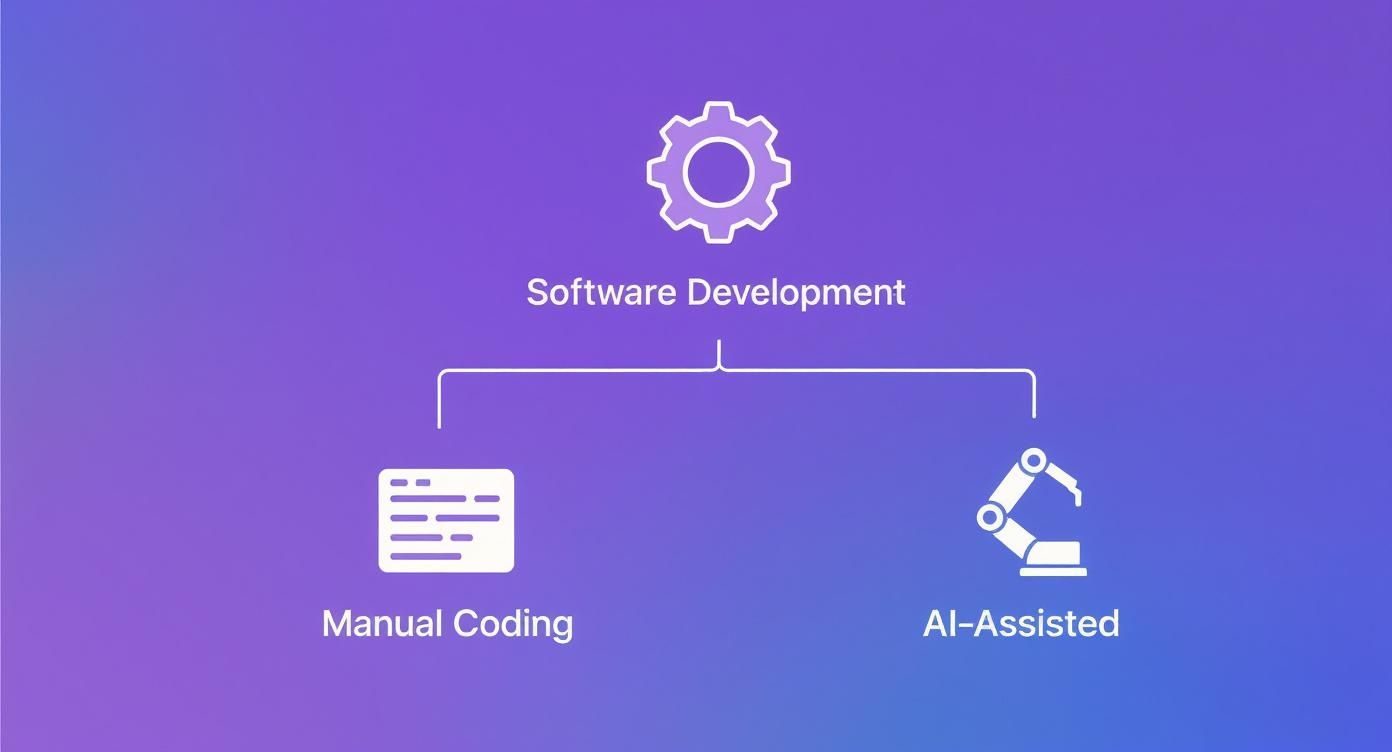
The big idea here is that AI isn’t about replacing developers. It’s about adding a powerful new set of tools to their belt that works alongside their existing skills.
To help make sense of it all, let’s break down the main categories you’ll encounter.
Comparing Categories of AI Coding Tools
The best way to understand the landscape is to see these tools side-by-side. Each category serves a different purpose, from speeding up small tasks to handling major chunks of work.
| Tool Category | Core Function | Primary Use Case | Example Tool |
|---|---|---|---|
| Code Completion | Predicts the next few words or lines of code you’re about to type. | Speeding up routine coding, reducing typos, and finishing familiar patterns. | Tabnine |
| AI Copilots & Chat | Generates entire functions from natural language comments or chat prompts. | Writing new functions, explaining existing code, and brainstorming solutions. | GitHub Copilot |
| Code Generation | Creates entire files, classes, or modules from high-level specifications. | Scaffolding new projects, generating boilerplate, creating API endpoints. | Code-generation CLIs |
| Refactoring & Testing | Analyzes existing code to find bugs, suggest improvements, and write tests. | Improving code quality, optimizing performance, and increasing test coverage. | Sourcery |
As you can see, the choice isn’t about which tool is “best” overall, but which one is best for the specific task you’re facing right now. Now, let’s dig into what makes each one tick.
1. Code Completion on Steroids
The most common form of AI assistance is intelligent code completion, and it’s way beyond the old-school autocomplete that just suggested variable names. Modern tools look at the context of your entire file—sometimes the whole project—to make a seriously good guess at what you need next.
Think of it as the IDE reading your mind. It saves you from typing out repetitive code, cuts down on silly typos, and helps you stay in the zone.
2. AI Copilots and In-Editor Chat
This is where things get really collaborative. AI copilots like GitHub Copilot don’t just finish your sentences; they write entire paragraphs for you. You can describe a function you need in a simple comment, and the copilot will generate the whole block of code right there.
Many of these tools also now feature an in-editor chat. This is a game-changer. You can ask questions about a confusing piece of code, ask for refactoring ideas, or get help debugging without ever leaving your editor. It makes the whole process feel more like a conversation. You can find more examples by checking out some of the best AI tools for writing code.
3. Automated Code Generation
This category takes a bigger leap, focusing on creating large, structured chunks of code from a high-level prompt. These tools are designed to handle the heavy lifting, freeing you up to think about architecture and logic instead of boilerplate.
You provide a clear specification, and the AI can generate entire files, classes, or modules.
These systems are absolute masters of boilerplate. They can scaffold a new API endpoint, write a full suite of unit tests, or create data migration scripts, saving you hours of tedious, repetitive work.
4. AI-Powered Refactoring and Testing
Finally, we have the tools that help improve the code you’ve already written. These AI assistants are incredibly powerful, capable of scanning your codebase to find hidden bugs, suggest performance optimizations, and even refactor messy functions into clean, maintainable code.
It’s no surprise that 84% of developers are already using or planning to use AI assistance in their work. The market for tools like GitHub Copilot and Google’s Gemini has exploded to $7.7 billion.
But there’s a catch. Developer trust in AI-generated code has actually dropped from 40% to just 29% in the past year. Why? Because 66% of developers say they spend a lot of time fixing AI code that’s “almost right,” which can sometimes wipe out the productivity gains. This highlights a critical point: human oversight is essential. These tools are assistants, not replacements, and every suggestion needs a skilled developer’s review to ensure it truly improves the code.
How to Weave AI into Your Daily Workflow
Knowing about AI-for-code tools is one thing. Actually making them a part of your daily grind is where you’ll see the payoff. This isn’t about blowing up your current process and starting over. It’s about spotting those small, high-impact moments where an AI assistant can save you a bit of time or mental gymnastics.
The real goal is to get so comfortable with these tools that they feel like a natural extension of your own coding instincts. Let’s look at how you can do that, whether you’re working in a familiar IDE like VS Code or an AI-first editor like Cursor. We’ll move past the theory and into real-world scenarios you can use right away.

From Blank Files to Functional Code
We’ve all been there: staring at a blank file, knowing you need to write the same boilerplate code for the tenth time this week. This is a perfect job to hand off to an AI. Instead of manually typing out imports, class definitions, and function stubs, just ask for what you need.
A simple prompt can do the heavy lifting:
“Create a new React component named ‘UserProfile’. It should fetch user data from the ‘/api/users/:id’ endpoint and display the user’s name and email. Make sure to include loading and error states.”
In just a few seconds, you’ll have a fully-fleshed-out file with placeholder logic, ready for you to add your unique touch. This completely sidesteps the initial setup friction and lets you dive straight into solving the real problem.
Mastering the Art of the Prompt
The code you get out of an AI is only as good as the instructions you put in. Vague requests get you generic, often useless, results. The secret is learning to write clear, context-rich prompts.
Here are a few tips to get you started:
- Get Specific: Don’t just say, “write a function to sort users.” A much better prompt is, “write a JavaScript function that sorts an array of user objects by their ‘lastName’ property, in alphabetical order.”
- Provide Context: If you’re editing an existing file, the AI needs to know that. Most modern tools automatically use your open files for context, but you can also paste relevant code snippets directly into your prompt to guide it.
- Set the Rules: Tell the AI what not to do. For example, “use functional components with hooks, not class components,” or “solve this without using any external libraries.”
Think of it like writing a great bug report—the more detail you provide upfront, the faster you’ll get to a solid solution. For a deeper dive into one specific tool’s capabilities, our guide on the ChatGPT code interpreter shows just how powerful it can be for problem-solving.
Real-World Scenarios for Daily Use
Let’s walk through a few common tasks where an AI can be your partner in crime. These are practical, repeatable workflows you can start using today.
- Decoding Legacy Code: You’re assigned a bug in a file you’ve never touched. Instead of spending an hour tracing logic, just highlight the confusing function and ask, “Explain what this block of code does, what its inputs are, and what it returns.” You’ll get a high-level summary in seconds.
- Generating Unit Tests: We all know testing is important, but it can be a slog. After you’ve written a function, ask your AI, “Write three Jest unit tests for the ‘calculateTotal’ function. Cover a standard case, an edge case with zero values, and a case with invalid input.”
- Refactoring on the Fly: You come across a gnarly, nested function that’s hard to follow. Prompt the AI with, “Refactor this function to make it more readable and reduce its cyclomatic complexity. Break it into smaller, more focused helper functions.”
Remember, AI is most effective when you already know what you’re doing. It’s a massive accelerator for developers who have a solid foundation, but it can’t replace the critical thinking and final validation that comes from an experienced human.
Each of these examples turns a slow, manual task into a quick conversation. The key is to start small. Pick one or two of these workflows and practice them until they feel automatic. Before you know it, you’ll find AI has become an essential part of how you solve problems every day.
Balancing the Benefits and Risks of AI Code
Bringing AI for code into your workflow is like adding a supercharger to your team’s engine—it offers a massive boost in speed and efficiency. But treating these tools like infallible magic wands is asking for trouble. To get it right, you need a clear-eyed view of both the incredible advantages and the very real risks. The goal isn’t just to code faster; it’s to code smarter while keeping your quality and security standards high.

The Upside: Unlocking New Levels of Productivity
The most obvious win with AI coding tools is how much they speed everything up. Tasks that once ate up hours can now be done in minutes, which radically shortens the path from an idea to a deployed feature.
This newfound speed sends ripples across the entire team:
- Rapid Prototyping: Got an idea? You can now test it at a blistering pace. A developer can spin up an entire proof-of-concept in an afternoon, letting you validate a concept before you sink serious resources into it.
- Accelerated Learning: For junior developers, AI tools act like a patient, always-on mentor. They can see best-practice examples for common problems, get instant explanations of weird syntax, and fill in knowledge gaps without having to interrupt a senior dev.
- Reduced Cognitive Load: Let’s be honest, writing boilerplate code is a drag. By automating the repetitive, mind-numbing stuff, AI frees up developers to focus their brainpower on the real challenges—like system architecture, user experience, and tricky business logic.
The Hidden Risks: Quality and Security Concerns
While the productivity gains are undeniable, they don’t come for free. The speed that AI offers can easily mask underlying issues, creating a mess of technical debt for you to clean up later. It’s critical to know what you’re getting into.
The money behind AI in coding tells a big part of the story. The AI code generation market, valued at $4.91 billion, is expected to skyrocket to $30.1 billion by 2032. Companies are reporting an average return of 3.5 times on their investment. But this velocity has a dark side. AI use is also linked to a four-fold increase in code cloning and a slide in modular design. Even more telling, analysts have seen code churn—the amount of new code that gets deleted or rewritten within two weeks—double. It’s a strong signal that we might be trading long-term quality for short-term speed. You can dig into more of this data and discover more insights about AI-generated code statistics.
Here are the main risks to keep on your radar:
- Degraded Code Quality: AI models learn from a massive soup of public code, which includes plenty of bad habits and anti-patterns. Without a critical human eye, a developer can easily introduce code that’s inefficient, hard to maintain, or just plain wrong.
- The “AI Slop” Problem: When a developer doesn’t have a solid grasp of what they’re building, they might just accept whatever the AI spits out. This leads to code that technically “works” but is a convoluted mess—what some folks are calling “AI slop.” The real problem is that the developer can’t explain why it works, turning future debugging sessions into a complete nightmare.
- Security Vulnerabilities: Just as AI can copy bad coding patterns, it can also replicate common security flaws. A suggested code snippet might look fine on the surface but could easily introduce a vulnerability like SQL injection or cross-site scripting if it’s not carefully vetted by someone who knows better.
The core danger lies in over-reliance. An AI tool is useful if you already know what you’re doing. It can’t replace the foundational knowledge required to know when a suggestion is wrong, inefficient, or insecure.
In the end, the teams that truly succeed with AI will be the ones that find a healthy balance. They’ll embrace it as a powerful assistant for the things they already understand, but they’ll also enforce strict review processes to catch mistakes and maintain high standards. This is how you get the speed boost without sacrificing the stability and security of your software.
Measuring the True Impact of AI on Your Team
https://www.youtube.com/embed/xHHlhoRC8W4
When a team starts using AI-for-code, it often feels like an instant win. Developers feel more productive, and on the surface, things seem to be moving faster. But feelings can be deceiving.
To build a smart, sustainable AI strategy, you have to move past gut checks and into the world of hard data. Is your team actually getting better, or are you just generating more code that ends up getting thrown away? Answering that question means looking at engineering performance in a new light, because traditional metrics don’t always tell the whole story in an AI-assisted world.
Key Metrics to Track in an AI-Driven World
To understand what’s really happening, you need to focus on signals that measure both speed and quality. A jump in one without the other can be a huge warning sign. Here’s what you should be watching.
-
Cycle Time: This is the gold standard for measuring development velocity. It tracks the clock from the first commit on a branch all the way to its deployment in production. A shrinking cycle time is a fantastic indicator that AI is actually speeding up your workflow, helping engineers solve problems and ship code faster.
-
Code Churn: This metric is all about waste. It tracks how much new code gets deleted or completely rewritten shortly after it’s committed, usually within a two-week window. A little bit of churn is normal, but a sudden spike after adopting AI tools is a red flag. It often means developers are cranking out low-quality or just plain wrong code that has to be fixed or tossed, wiping out any initial speed gains.
-
Pull Request (PR) Size: Because AI makes generating code so easy, it can tempt developers into creating massive, sprawling PRs. But smaller, focused PRs are almost always better—they’re easier to review, less risky to merge, and lead to a much healthier codebase. Keeping an eye on PR size helps ensure AI is being used for specific tasks, not just to dump unmanageable walls of code on reviewers.
-
Bug Introduction Rate: Are you shipping faster only to find yourself buried in hotfixes? This metric tracks how many bugs or regressions slip into production with each deployment. If this number starts to climb, it’s a clear sign your review process isn’t catching the subtle mistakes that AI-generated code can sometimes sneak in.
Interpreting the Data: What the Numbers Are Telling You
Collecting data is just the first step. The real magic happens when you start connecting the dots and understanding what the numbers mean.
For example, a shorter cycle time is great, but if it comes with a high code churn rate, you’ve got a problem. This combo suggests developers are moving fast but getting sloppy, leaning on the review process to catch their mistakes. They’re trading thoughtful work for raw output, which just creates more work for everyone else and increases the risk of shipping bugs.
The goal isn’t just to increase output but to improve outcomes. Effective use of AI for code should lead to faster delivery of high-quality, maintainable software—not just a larger volume of code.
Using Data to Prove ROI and Refine Your Strategy
For engineering leaders, these metrics are your best friend for proving the return on investment (ROI) of AI tools. When you can show a measurable drop in cycle time without a corresponding rise in bug rates, you can build a powerful business case for continued investment. These data points help shift the conversation from “AI is expensive” to “AI is a critical driver of our business goals.”
This data also fuels continuous improvement. If you see one team’s code churn is through the roof, you can dig in. Are they struggling with writing good prompts? Do they need more training on how to critically review AI suggestions? Tools built to give you this kind of visibility provide the insights you need to fine-tune your team’s AI practices. By learning more about the key software engineering productivity metrics, you can tailor your approach to what actually works.
Ultimately, measurement turns AI adoption from a hopeful experiment into a data-driven strategy for engineering excellence.
A Practical Playbook for Team Adoption
So, you’re ready to bring AI for code to your entire engineering team. How do you do it right? Simply handing out licenses and hoping for the best is a fast track to chaos. You’ll get inconsistent results, a dip in code quality, and a lot of wasted potential.
To really see a payoff, you need a plan. The goal is to move beyond a few people experimenting on their own and build a shared workflow where AI is a reliable assistant, not a source of problems. This playbook offers a clear path to get there, focusing on simple, practical steps that build consistency, maintain quality, and keep your engineers thinking critically.
Create a Shared Prompt Library
The old saying “garbage in, garbage out” has never been more true. The quality of what you get from an AI tool depends entirely on the quality of your prompt. Instead of making every developer figure this out from scratch, build a shared library of great prompts. Think of it as a team-wide cheat sheet that keeps getting better over time.
Start by collecting prompts for the common tasks your team does every day:
- Generating Boilerplate: Standard prompts for spinning up new API endpoints, React components, or database models.
- Writing Unit Tests: Go-to templates for generating tests that cover common scenarios, edge cases, and error handling for your specific frameworks.
- Refactoring Code: Proven prompts for untangling a complex function or modernizing a piece of legacy code.
A library like this doesn’t just save time—it also drives consistency and helps spread the smart techniques of your best engineers to everyone else.
Establish Clear Review Guidelines
The biggest mistake a developer can make with AI is blindly trusting its output. Your code review process is your most important defense against what I call “AI slop”—code that technically works but is inefficient, insecure, or a nightmare to maintain down the road.
It’s time to update your pull request templates and review checklists with a few AI-specific questions:
- Can the author explain the “why” behind the AI’s solution? If they can’t walk you through the logic, they haven’t really understood or validated it.
- Were other options considered? The AI’s first idea is rarely the only or best one.
- Does the code fit our team’s style guides and patterns? AI models have zero context on your internal standards.
AI-generated code must be held to the same standard as human-written code. Treat every suggestion as untrusted until a skilled developer has thoroughly reviewed and understood it.
Foster a Culture of Critical Thinking
The scale of AI in software development is mind-boggling. It’s estimated that artificial intelligence now accounts for 41% of all code produced globally, with AI systems churning out roughly 256 billion lines of code in a single year. And with 82% of developers using these tools every week, it’s obvious this isn’t just a fad. You can dive deeper into these numbers with this breakdown of AI-generated code statistics.
This massive shift makes one thing crystal clear: we need to train developers to be critical partners with AI, not just passive operators. Encourage your team to interrogate AI suggestions, ask follow-up questions, and challenge the output. This mindset prevents over-reliance and makes sure a human expert always has the final say on quality and direction.
Frequently Asked Questions
It’s completely normal to have a ton of questions when your team starts playing with AI coding tools. This is a big shift from how we’ve always worked, and it’s smart to think through the long-term impact. Let’s tackle some of the most common questions head-on—from job security to code safety and making the business case for these new tools.
Will AI for Code Replace Software Developers?
Nope. Think of it less as a replacement and more as a superpower. AI is fantastic at handling the grunt work—the boilerplate code, the repetitive tasks, the stuff that drains your energy. This frees you up to focus on the things that actually require a human brain: architecting complex systems, thinking creatively about a user problem, and making high-level design decisions.
The best developers won’t be replaced by AI; they’ll be the ones who master it. Your core engineering skills become even more important because you’re now the one guiding, reviewing, and refining what the AI produces. The role is shifting from pure code author to a mix of architect, prompter, and expert reviewer.
What Are the Biggest Security Risks with AI Code?
The main dangers are subtle vulnerabilities, accidental data leaks, and intellectual property headaches. These AI models learned from a massive ocean of public code on the internet, and let’s be honest, a lot of that code isn’t secure. A generated snippet might look perfectly fine but have a classic flaw like a SQL injection vulnerability hiding in plain sight.
This is non-negotiable: all AI-generated code must be treated as untrusted. It needs to go through the exact same rigorous security scans, static analysis, and code reviews as anything you’d write by hand. Blindly accepting AI suggestions is asking for trouble.
Another thing to watch out for is sending proprietary code to a third-party cloud service for processing. For companies working on sensitive projects, this is a huge red flag. That’s why on-premise or privacy-first AI solutions are becoming so critical.
How Can I Convince My Manager to Invest in AI Tools?
You have to speak their language: business outcomes. Forget the cool tech aspect for a minute and focus on what the tool actually accomplishes. Frame it as a way to hit deadlines faster, ship more features, and get a real return on the investment.
The best way to do this? Propose a small, controlled pilot program. Pick a team, set a timeline, and track everything. Measure things like cycle time, how often you deploy, and the number of bugs you introduce before and after the team starts using the tool.
When you can walk into a meeting with hard data showing clear improvements, it’s a much easier conversation. The final selling point is about staying competitive—empowering your engineers with better tools is one of the fastest ways to accelerate innovation.
Ready to measure the true impact of AI for code on your team? Zest provides the visibility you need to turn AI experiments into repeatable, team-wide wins. See how your team is really using AI, capture best practices, and ship faster. Get started for free.
AI for Code Scorecard
Use this guide to shift from a manual keyboard grind to a state of creative, AI-assisted flow.
📊 Core Metrics
- Cycle Time — Measure velocity from first commit to production deployment.
- Code Churn Rate — Track wasted work by monitoring code that gets rewritten within two weeks.
- Bug Introduction Rate — Monitor if AI-assisted code leads to more production regressions.
🕹️ My Cheatcodes
- 🌱 Automate the Tedious — Delegate boilerplate, unit tests, and repetitive syntax to your AI partner.
- 🦎 Be Specific with Prompts — Provide clear context and rules to get high-quality code.
- ⚡ Trust But Verify — Treat every AI suggestion as untrusted until you've validated it.
✅ Before Merging AI Code
- 🔍 Can the author explain the logic behind the AI's solution?
- 📊 Does the code fit our team's established style guides?
- 🧭 Were alternative approaches considered before accepting?
- 📈 Has the code passed all security scans and quality checks?
Gallery
Lemon shots



