
A Guide to AI Code Review Automation for Modern Teams
AI-powered code review tools are intelligent systems designed to automatically scan your code for issues related to quality, security, and coding standards. Think of it as a crucial fix for the major bottleneck that’s appeared in today’s fast-paced development cycles. It’s not about replacing human reviewers, but about giving them a powerful assistant to manage the sheer volume of code being produced.
The New Reality of Software Development
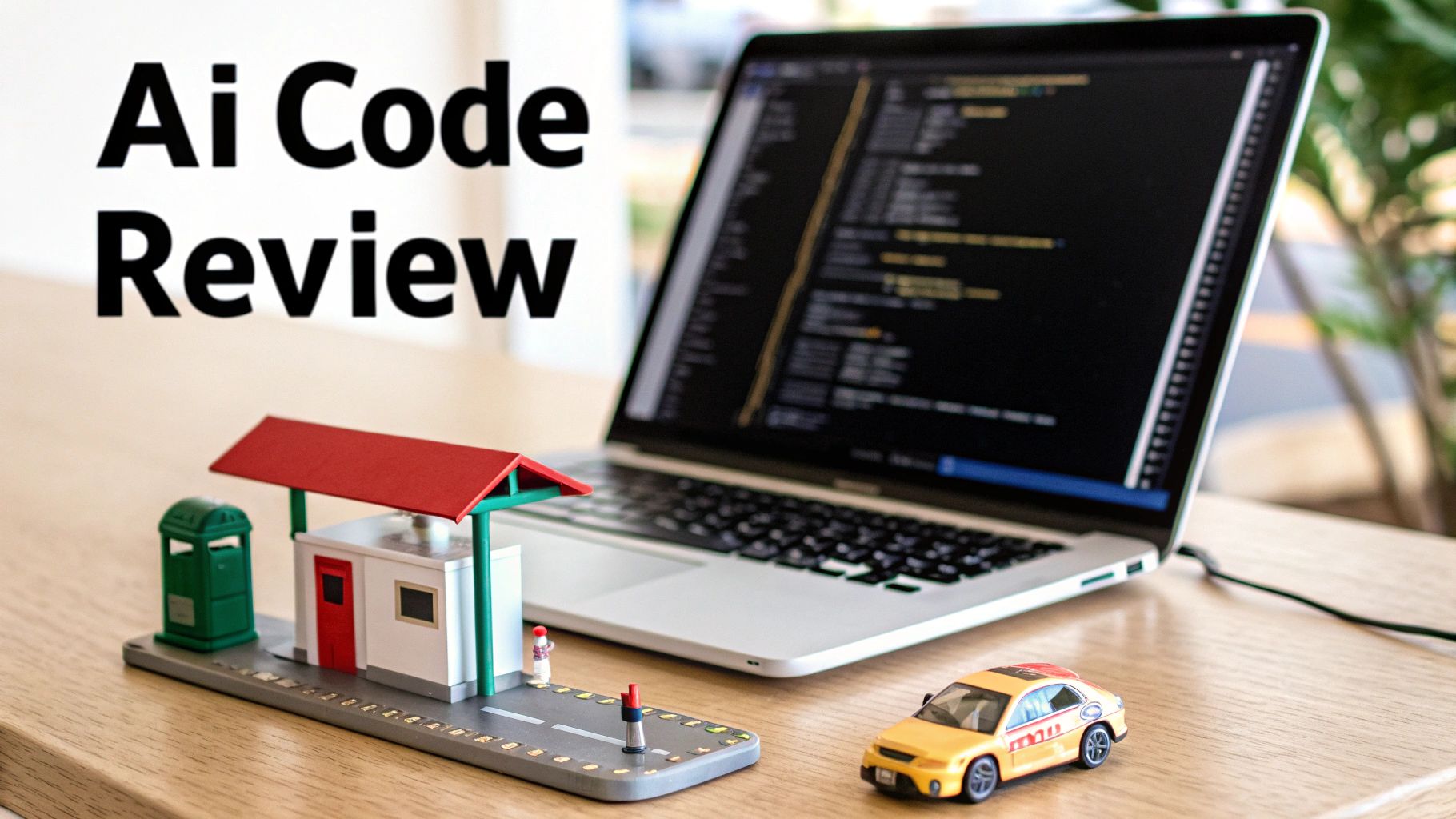
Software development is moving faster than ever. AI coding assistants have strapped a rocket to developers, letting them churn out features and fixes at an incredible rate. But this newfound speed has created a huge traffic jam right at the code review stage.
It’s like building a superhighway where cars can drive at 200 mph, but forcing every single one to stop at a single-lane toll booth with a human operator. The system grinds to a halt. The problem isn’t the speed of development; it’s the manual, time-consuming process of validation.
The Rise of the Validation Economy
This highway analogy perfectly captures the big shift in modern software engineering. The main challenge isn’t just writing code anymore—it’s validating it. The explosion of AI-generated code has fundamentally changed a developer’s job, putting a massive strain on the traditional review cycle.
This isn’t just a hunch; the data backs it up. Developer adoption of AI tools is surging, with projections showing over 45% will be active users by late 2025. And with a mind-boggling 41% of all new code being AI-generated or assisted, the manual review process is simply cracking under the pressure. Teams are writing code much faster than they can ever hope to review it by hand.
AI code review automation is all about using artificial intelligence to systematically check source code for bugs, security holes, style issues, and other best-practice violations—all before a human reviewer even lays eyes on it.
Why Automation Is No Longer a Luxury
In this new world, AI code review automation isn’t just a nice perk; it’s an essential part of a healthy development process. It acts as an automated first line of defense, catching the low-hanging fruit and freeing up senior developers to focus on what really matters: the high-level architecture, business logic, and complex problem-solving. This is a perfect example of the bigger picture of AI in digital transformation, where machines handle the repetitive work so humans can do the creative, strategic work.
Of course, before you jump into AI tools, it helps to have solid foundational code review best practices in place. Automation doesn’t replace these principles; it scales them in ways a human team never could.
Here’s why it’s so critical:
- Faster Delivery: AI finds issues almost instantly, which drastically cuts down on the back-and-forth between developers and reviewers. The result is shorter pull request cycle times.
- Better Code Quality: The AI is relentless. It scans for subtle bugs and security vulnerabilities that a tired human reviewer might easily overlook late on a Friday afternoon.
- A Happier Team: Automation takes the personal sting out of code reviews. Feedback becomes objective and data-driven, turning a potential point of conflict into a collaborative learning moment.
Ultimately, AI code review automation brings balance back to the development workflow. It ensures the validation “toll booth” can finally keep up with the incredible speed of AI-assisted coding.
How AI Code Review Automation Actually Works
So, how does this all work under the hood? It’s best to forget the idea of a single, all-knowing machine. Instead, think of AI code review automation as a team of hyper-specialized digital experts that jumps into action the second a developer opens a pull request. Each expert has a specific job, and together, they provide layers of feedback in a flash.
The whole process kicks off by plugging directly into your team’s existing workflow. The AI tool connects right into version control systems like GitHub or GitLab. When new code is pushed, the AI acts just like another teammate—it gets notified, pulls down the code changes, and starts its analysis. Its findings are then posted as comments right in the pull request thread, exactly where you’d expect them.
The Two Brains of AI Review
At the heart of these systems are two different but complementary types of AI. They work together to give feedback that’s both high-level and incredibly detailed.
First, you have the Contextual Brain, which is usually powered by a Large Language Model (LLM). This is the part of the AI that figures out the what and the why of the code.
- Figuring Out Intent: By reading the code, comments, and even the pull request description, the LLM can piece together what the developer was trying to accomplish. It then checks if the code’s logic actually matches that goal.
- Spotting Best Practices: Having been trained on billions of lines of open-source code, it knows good patterns from bad ones. It might suggest a more elegant or efficient way to write a function, just like a senior dev would.
- Checking for Clarity: This brain can also spot confusing variable names or areas that are missing comments, suggesting improvements to make the code easier for the next person to understand and maintain.
Next up is the Specialized Brain. This is made up of smaller, fine-tuned models built to hunt for very specific types of problems. This is where AI review really separates itself from older tools. For a deeper look at how those traditional systems work, our guide on what is static code analysis is a great place to start.
Think of the specialized brain as a panel of experts: a security guru who only looks for vulnerabilities, a performance engineer obsessed with speed, and a stickler for the style guide who makes sure every line is perfect.
From Training Data to Actionable Feedback
These AI models aren’t pulling their suggestions out of thin air; they’re the result of intense training. They learn by sifting through massive codebases, identifying millions of examples of both great and not-so-great code. This is how they build a deep understanding of what a bug, a security risk, or a bad practice actually looks like.
Here’s a simple look at the workflow from start to finish:
- Code Ingestion: The tool grabs the new code from a pull request.
- Multi-Model Analysis: The code is run through both the LLM (for context) and the specialized models (for specific issues like potential SQL injection or inefficient loops) at the same time.
- Feedback Generation: The AI pulls all its findings together and writes clear, human-readable comments. It doesn’t just flag an error; it explains why it’s a problem and often gives you a code snippet showing exactly how to fix it.
- Reporting: All these comments are posted directly in the pull request. This creates a real conversation, allowing the developer to discuss, apply, or dismiss the suggestions right where the work is happening.
This entire cycle happens in a matter of minutes. It provides an initial review that’s far more insightful than what you’d get from traditional linters or static analysis. This frees up your human reviewers from catching routine mistakes, so they can focus on the bigger picture—like the architecture and logic of the solution.
The Real-World Benefits of Automating Code Reviews
Bringing AI into your code review process is much more than a simple tech upgrade. It’s a strategic shift that pays off in real, measurable ways. While the technology itself is fascinating, its true value comes from how it reshapes a team’s daily work across three key areas: Speed, Quality, and Culture.
Forget the theory for a moment. These benefits build a rock-solid business case for any engineering team that wants to keep up. They directly tackle the most common headaches in software development—sluggish feedback, inconsistent standards, and the friction that often comes with reviews.
The Speed Pillar: Unlocking Faster Delivery Cycles
The first thing you’ll notice is a massive boost in development speed. In a typical workflow, a pull request can languish for hours, sometimes days, just waiting for a human reviewer to find a spare moment. That “wait time” is a silent killer of productivity.
AI reviewers, on the other hand, get to work instantly. They can deliver a thorough first-pass review within minutes of a pull request opening. This immediate feedback means developers can fix minor issues on the spot instead of having to switch gears and jump back into that code hours later.
This quick, automated check clears the runway for human reviewers. They can then spend their valuable time on the tricky stuff—the architectural decisions and complex logic—without getting bogged down in style nits or common mistakes. The result? A much shorter pull request cycle, which means new features get into production faster.
This diagram shows how the pull request becomes the central hub for this process, with AI-driven analysis of bugs and security, all enhanced by LLM insights.
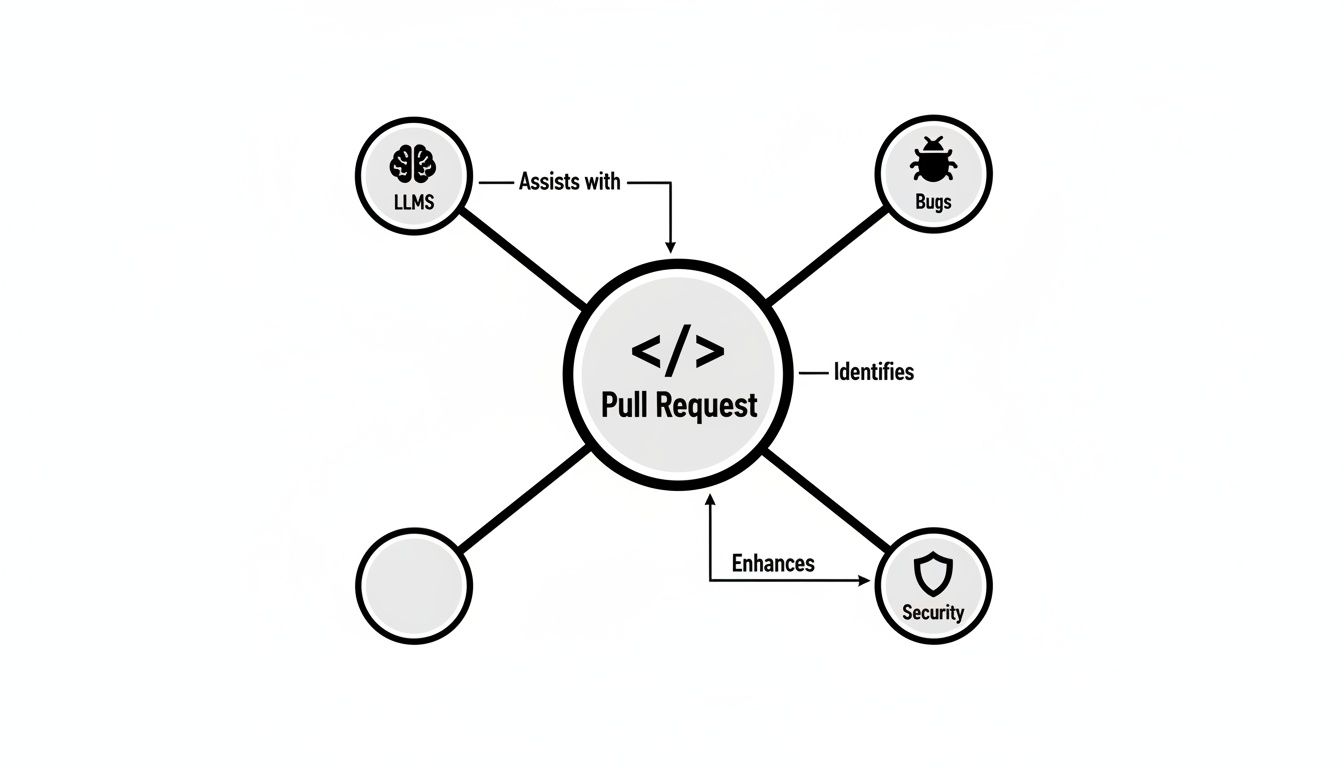
It’s clear the pull request is no longer just a manual gate but an intelligence hub, making sure a comprehensive review happens right away.
The Quality Pillar: Raising the Bar for Code Health
Speed is great, but speed without quality is just a faster way to build up technical debt. This is where AI automation really proves its worth, acting as a tireless guardian of your codebase. Human reviewers, no matter how sharp, can get tired or miss things. An AI never does.
It methodically scans every single line of submitted code, looking for a huge range of potential problems:
- Subtle Bugs: AI can spot things like off-by-one errors, null pointer exceptions, and race conditions that a human eye might easily glance over.
- Security Vulnerabilities: It’s trained to recognize common weak spots like SQL injection or cross-site scripting, adding a crucial layer of defense.
- Performance Bottlenecks: The system can flag inefficient algorithms or slow database queries that could cause headaches in production.
This kind of consistent, deep analysis leads directly to a more reliable and secure codebase. Research from 2025 backs this up, showing that teams using AI-powered code review reported an 81% improvement rate in code quality. That’s a huge leap from the 55% for fast teams without AI. As highlighted in Qodo’s State of AI Code Quality report, this shows how automation doesn’t just make you faster; it turns that speed into lasting quality.
The Culture Pillar: Fostering Collaborative Improvement
Maybe the most overlooked benefit is the positive ripple effect on team culture. Let’s be honest, traditional code reviews can feel personal and a bit confrontational, putting developers on the defensive. Feedback from a senior dev can sometimes land like criticism.
When feedback comes from an objective AI, it’s just data. This depersonalizes the review process, shifting the focus from individual critique to collective improvement.
Developers are far more open to suggestions when they see the AI as a helpful co-pilot, not a gatekeeper. Every pull request becomes a chance to learn something new, helping junior developers get up to speed faster and reinforcing best practices for the whole team. It fosters a culture where the goal isn’t just to merge code, but to write better code, together.
To see just how different the two approaches are, let’s compare them directly.
Manual vs AI-Powered Code Review
This table breaks down the key differences between the traditional way of reviewing code and what’s possible with AI automation.
| Metric | Manual Code Review | AI Code Review Automation |
|---|---|---|
| Feedback Time | Hours to Days | Minutes |
| Issue Detection | Relies on human availability and expertise; prone to fatigue and inconsistency. | Consistent, exhaustive scans for bugs, security flaws, and style issues. |
| Review Focus | Often gets stuck on minor “nit-picking” (style, syntax). | Frees humans to focus on high-level architecture and business logic. |
| Team Dynamic | Can lead to subjective feedback, friction, and delays. | Objective, data-driven feedback fosters collaboration and learning. |
| Developer Experience | Frequent context switching and waiting for feedback. | Immediate feedback loop keeps developers in flow and productive. |
In the end, AI code review automation creates a positive feedback loop. Faster reviews lead to higher-quality code, which in turn builds a more positive and productive engineering culture for everyone.
Integrating AI Into Your Team’s Workflow
Bringing AI code review automation into your team isn’t as simple as flipping a switch. The best rollouts treat the AI like a new team member. It needs to be onboarded properly, not just activated. This means taking a thoughtful, step-by-step approach to build trust, avoid disruption, and show real value from the get-go.
When you introduce it gradually, your team starts to see the AI as a helpful assistant, not a robotic gatekeeper. The goal is to make its feedback a natural and welcome part of the development cycle. That process starts small.
Phase 1: Start With a Pilot Program
Jumping straight into a department-wide deployment is a recipe for pushback and confusion. Instead, start with a pilot program. Pick one enthusiastic team and a non-critical project to test the waters. This gives you a low-stakes environment to learn and make adjustments.
This pilot phase is incredibly valuable for a few key reasons:
- Gather Real-World Feedback: You’ll see how the tool actually performs on your codebase and with your workflows, which is always different from a sales demo.
- Identify an Internal Champion: Someone on the pilot team—maybe the lead or just the most vocal supporter—will become a powerful advocate when you’re ready to expand.
- Refine Your Onboarding Process: This is your chance to work out the kinks in training materials and documentation before anyone else sees them.
Think of this initial phase as a learning exercise. By starting small, you collect the data and success stories you need to build momentum for a bigger rollout.
Phase 2: Customize the AI to Your Standards
Let’s be honest, no two engineering teams are the same. You have your own coding standards, architectural patterns, and unwritten rules. A generic, out-of-the-box AI configuration is going to create more noise than signal, leading to alert fatigue and eroding the trust you’re trying to build.
So, the next critical step is to fine-tune the AI. You need to configure its rule set to match your team’s specific needs, enforcing your established conventions. Just as important, you need to disable the rules that simply don’t apply to your projects. Customizing the tool shows developers you respect their workflow and that the AI is there to help, not hinder.
By aligning the AI’s feedback with your internal style guides, you transform it from a generic code checker into a true extension of your team’s engineering philosophy. This makes the suggestions feel relevant and valuable, encouraging adoption.
The best tools feel like they belong in your existing environment. AI code review automation isn’t meant to replace your foundational tools; it enhances them. It should plug right into your existing code review and pull request systems, keeping the feedback loop tight and delivering insights right where your developers are already working.
Phase 3: Scale and Measure Across the Organization
Once your pilot program is a success and the AI is dialed in to your standards, you’re ready to scale. A smooth company-wide rollout hinges on two things: clear communication and solid data.
Start by sharing the wins from your pilot team. Use concrete metrics like a reduction in pull request cycle times or a drop in post-deployment bugs to make your case. This data-driven approach is far more compelling than just saying “it’s great” and helps get other teams excited about the change.
As you expand, set up a clear framework for measuring the impact of AI code review automation across the entire engineering department. You should be tracking key performance indicators (KPIs) from day one to continuously show its value and find opportunities to improve.
Here are the essential steps for a successful rollout at scale:
- Develop Clear Documentation: Create simple, easy-to-follow guides that explain how to use the tool and interpret its feedback.
- Hold Onboarding Sessions: Host quick training workshops for each new team. Walk them through the workflow and give them a chance to ask questions.
- Establish a Feedback Channel: Set up a dedicated Slack channel or another forum where developers can ask for help, report issues, and share what’s working.
- Continuously Monitor Metrics: Keep a close eye on KPIs like review time, code churn, and even developer satisfaction to prove the tool’s ROI and guide future tweaks.
By following this phased roadmap, you can weave AI into your workflow smoothly, build lasting trust with your team, and unlock the true potential of automated code reviews.
Measuring the True Impact of AI Reviews
So, how do you actually prove that an AI code review automation tool is pulling its weight? It’s easy to fall into the trap of just counting the number of bugs the AI flags, but that’s a classic vanity metric. It feels good, but it doesn’t tell you the whole story.
The real value isn’t just in catching mistakes; it’s about how automation changes the entire dynamic of your team. We’re talking about improvements in speed, efficiency, and where your developers get to spend their most valuable time. To make a convincing case to leadership, you have to connect the dots between the tool and what the business actually cares about: productivity, cost savings, and happier, more effective developers.
Key Performance Indicators: Looking Beyond Bug Counts
To tell a powerful story with data, you need to focus on the right Key Performance Indicators (KPIs). Instead of just saying the tool is “working,” you can show how it’s making the development lifecycle faster, cheaper, and more predictable.
These are the metrics that reveal the ripple effect of automation. They show how you’re shipping features faster and, just as importantly, freeing up your most experienced (and expensive) engineers to work on the hard stuff.
Here are the core metrics you should be tracking:
- Pull Request (PR) Cycle Time: This is the big one. It measures the total time from when a PR is first opened to the moment it’s merged into the main branch. If this number is going down, your team is moving faster. It’s a direct signal of increased velocity.
- Code Churn: Ever see a PR where the code gets rewritten over and over again after the first review? That’s churn. High churn can point to unclear requirements or sloppy feedback. AI helps by giving consistent, standardized feedback right away, cutting down on the back-and-forth.
- Senior Developer Review Load: Think about how many hours your senior engineers spend on routine code reviews—nitpicking style issues or catching simple mistakes. AI automation should slash this time, freeing them up for high-impact work like system architecture, mentoring junior devs, and solving the truly complex problems.
By focusing on cycle time and senior developer engagement, you shift the conversation from “how many typos did the AI find?” to “how much faster are we shipping features, and how much more effective are our most experienced engineers?”
Building Your Business Case with Data
Once you start tracking these KPIs, you can build a business case that’s hard to ignore. The data will clearly show how AI code review automation isn’t just another expense—it’s a direct contributor to your bottom line. For an even more robust framework, you can take a deeper dive into how to measure code quality.
Let’s break down how to frame this with clear, measurable goals.
Key Performance Indicators for AI Code Review
This table shows the essential metrics to track for measuring the effectiveness and return on investment of an AI code review automation tool.
| Metric | What It Measures | Goal |
|---|---|---|
| PR Cycle Time | The end-to-end duration of a pull request, from creation to merge. | Decrease by 25% or more. This directly accelerates feature delivery and shortens feedback loops. |
| Code Churn | The percentage of code that is rewritten during the review process. | Decrease. Lower churn means higher quality initial commits and less wasted effort. |
| Senior Dev Review Time | The hours senior engineers spend on routine, low-level feedback. | Decrease significantly. Free up senior talent for architectural design and mentoring. |
| Review Wait Time | The time a PR sits idle waiting for its first human review. | Decrease. AI provides an instant first pass, eliminating this common bottleneck. |
When you track and present this kind of data, you move the discussion from subjective feelings to objective facts. You can show, with numbers, exactly how automation is making your team better and helping the business hit its goals.
Common Pitfalls and How to Avoid Them
Bringing in any new tool is tricky, especially when it touches something as personal as code review. Let’s be honest, you’re going to hit some bumps in the road. Knowing what these are ahead of time is the best way to make the transition to AI code review automation a smooth one.
Think of it this way: you want your team to see the AI as a helpful copilot, not a backseat driver. By anticipating the common friction points, you can make sure it feels like the former.
Pitfall 1: “A Robot Can’t Review My Code!” (Developer Skepticism)
The first wall you’ll likely hit is a cultural one. Your senior developers, who have spent years learning the nuances of your codebase, are going to be skeptical. And why wouldn’t they be? They might think, “an AI can’t possibly get the context here.” It’s a natural reaction. If their first experience with the tool is a bad one, you’ll have a hard time winning them over later.
How to Avoid It: The trick is to build trust, not force compliance. Start by setting up the AI to only offer non-blocking suggestions. Instead of failing a build, it should just post comments on the pull request, like any other team member would. This lets developers interact with the feedback, discuss it, or even ignore it. It positions the AI as a helpful assistant, not a gatekeeper, and gives your team the space to get comfortable with it on their own terms.
Pitfall 2: The Boy Who Cried Wolf (Alert Fatigue)
Want to get a new tool ignored? Easy. Just make it incredibly noisy. If the AI floods every pull request with dozens of trivial suggestions about comma placement or other minor style nits, developers will start tuning it out. The genuinely useful feedback gets completely lost in the noise, and the tool quickly becomes more annoying than helpful.
How to Avoid It: Invest the time to fine-tune the ruleset. A smart rollout isn’t about flipping on every switch the tool offers. It’s about curating the checks that actually matter to your team and your standards. Turn off the rules that are too aggressive or subjective.
The goal is to make every piece of AI feedback count. A handful of truly insightful comments is infinitely more powerful than a hundred nitpicks. When the AI only speaks up with something valuable, your team will learn to listen.
Pitfall 3: The “Computer Said So” Trap (Over-Reliance)
The opposite problem is just as dangerous. This is what happens when developers start blindly accepting every AI suggestion without thinking. While the AI is fantastic at catching common mistakes, it has zero business context. It doesn’t understand why the code was written a certain way or the long-term architectural vision. Mindlessly accepting a suggestion could introduce a subtle but serious bug down the line.
How to Avoid It: Make it clear that the AI is a support tool, not a replacement for human judgment. Encourage your team to treat its feedback just like they would from a human colleague: consider the suggestion, understand the reasoning behind it, and then make a decision. The developer is always the final authority. The AI’s job is to sweat the small stuff so humans can focus on the big picture—the things that require critical thought and deep project knowledge.
Got Questions About AI Code Review? We’ve Got Answers.
Adopting any new tool, especially one that touches something as critical as your code, naturally brings up some questions. It’s smart to be skeptical. Both engineering leaders and developers want to know exactly how this technology will fit in, what it can and can’t do, and how to get started without causing chaos.
Let’s tackle these common concerns head-on. Getting these answers sorted out is the best way to ensure a smooth rollout and get your whole team on board.
Will AI Just Replace Human Code Reviewers?
Not a chance. The real goal here is to make your human reviewers more powerful, not to replace them. Think of it this way: AI is fantastic at the tedious, repetitive parts of a code review. It can spot common mistakes, check for security vulnerabilities, and enforce style guides tirelessly, 24/7.
This frees up your developers to focus on what humans do best—the stuff an AI can’t touch. You still need a person to weigh in on high-level architecture, make sure the business logic is sound, and understand the why behind the code. The AI acts like a super-diligent junior developer, handling the first pass so your senior engineers can focus their brainpower on the bigger, more strategic picture.
How Secure Is My Code with an AI Review Tool?
This is probably the most important question, and rightfully so. Any reputable AI review tool puts security first. Top-tier, enterprise-ready solutions usually offer a couple of options to keep your code safe. Many can be deployed on-premise or in your own private cloud, meaning your proprietary code never, ever leaves your environment.
If you opt for a SaaS version, look for vendors that offer end-to-end encryption and have iron-clad data privacy policies. They should explicitly state that your code will not be used to train their public models. Before you sign on with any tool, do your homework. Ask about their security practices and look for certifications like SOC 2 compliance to be sure your intellectual property is in safe hands.
How Much of a Headache Is It to Set Up?
Getting started is surprisingly fast. Most modern ai code review automation tools are built to integrate directly with platforms like GitHub, GitLab, or Bitbucket and can be connected in just a few clicks. They usually ship with smart, pre-configured rules based on industry best practices, so you’ll see value almost immediately.
The real work comes in the fine-tuning phase after the initial setup. This is where you’ll want to customize the rules to perfectly match your team’s specific coding standards and conventions.
Here’s a great tip for a painless rollout: start in “shadow mode.” Let the AI post comments and suggestions on pull requests without actually blocking merges. This gives your team a chance to get comfortable with the feedback and build trust. Once they see how helpful it is, you can gradually start turning on stricter enforcement.
Automate Your Code Reviews
Use this guide to integrate AI seamlessly, boosting speed, quality, and team collaboration.
📊 Core Metrics
- PR Cycle Time — reduction in time from PR creation to merge
- Senior Dev Review Load — hours freed up from routine, low-level feedback
- Code Churn Rate — decrease in code rewritten during the review process
🕹️ My Cheatcodes
- 🌱 Start Small — begin with a pilot program on a non-critical project
- 🦎 Tune the Noise — customize AI rules to avoid alert fatigue and build trust
- ⚡ AI is a Copilot — reinforce that AI suggests, but humans decide
📈 Reflection Points
- 💡 Are we blindly accepting AI suggestions without critical thought?
- 🧩 Is the AI feedback actionable or just creating noise?
- 📘 Are we using freed-up dev time for high-impact architectural work?
✅ Before Merging
- 🔍 Run a pilot program to gather real-world data
- 📊 Align AI rules with your team's specific coding standards
- 🧭 Establish clear metrics (KPIs) to measure impact
- 📈 Create a feedback channel for developers to share insights
Gallery
Lemon shots



