
The Top 12 AI Code Generation Tools for Developers in 2026

The landscape of software development is undergoing a seismic shift. AI code generation tools have grown from simple autocomplete suggestions to partners capable of building entire applications, refactoring complex logic, and even reviewing pull requests. With a market full of options, from IDE-native assistants to powerful standalone agents, choosing the right tool for your workflow, team, and budget is a major challenge.
This guide cuts through the marketing claims to provide a detailed breakdown of the 12 leading AI coding tools available today. We’ll move beyond generic feature lists to offer a practical analysis of each tool’s real-world strengths, weaknesses, ideal use cases, and pricing. You’ll find screenshots, direct links, and integration notes for VS Code and Cursor, helping you visualize how each platform fits into your existing environment.
The burgeoning field of AI-powered development is deeply connected with modern cloud infrastructure. For more insights into how these systems interact, you can explore resources tagged with AI in Cloud.
Whether you’re a solo developer aiming to speed up personal projects, a startup team standardizing effective prompts, or a CTO defining an organization-wide AI strategy, this resource will equip you to make an informed decision. Our goal is to help you select and implement the best AI code generation tools to genuinely improve your development cycle. We will examine each option’s capacity for everything from generating boilerplate code and writing unit tests to debugging and documenting your work. Let’s dive in.
1. GitHub Copilot
As Microsoft and GitHub’s flagship AI coding assistant, GitHub Copilot is arguably the most recognized of all AI code generation tools. Its strength lies in its deep integration within the GitHub ecosystem, making it a natural choice for teams already standardized on GitHub for version control and CI/CD. Copilot provides contextual code completions directly in your IDE, supports multi-file edits, and includes a powerful chat interface for generating tests, explaining complex code, or performing refactors.

Key Differentiators & Use Cases
Copilot extends beyond simple code completion. The Copilot for Pull Requests feature automatically generates PR descriptions from your commit messages, while Copilot Workspace acts as an agent that can take a GitHub issue, devise a plan, and implement the code changes required to fix it. This makes it an effective tool for both individual developers and entire engineering organizations.
Practical Tip: Use Copilot Chat to generate documentation. Open a complex file and ask, “Create Markdown documentation for this file, explaining its purpose, functions, and parameters.” It’s a massive time-saver for maintaining project knowledge.
Limitations and Pricing
The main drawbacks involve its pricing structure and resource limits. The “premium request” model for advanced agents can be confusing, and organizations must carefully monitor usage to avoid unexpected costs. Enterprise plans offer essential controls like private code handling, policy enforcement, and IP indemnification.
- Pricing: Starts at $10/month for individuals. Team and Enterprise plans offer more features at $19 and $39 per user/month, respectively.
- Availability: Integrates with VS Code, JetBrains IDEs, Visual Studio, and Neovim.
- Website: https://github.com/features/copilot
2. Cursor (AI IDE)
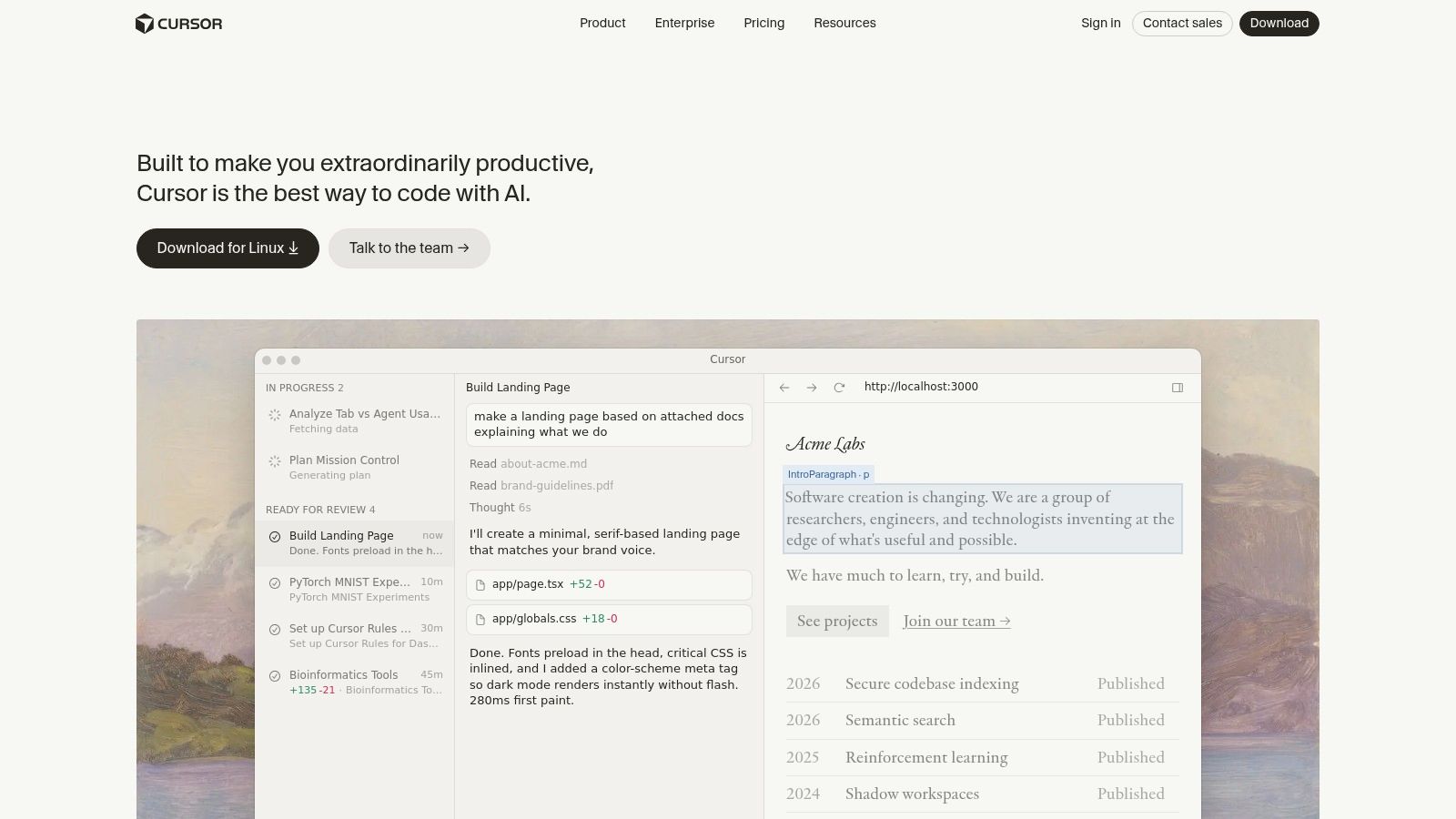
Rather than an extension, Cursor is a complete, AI-first Integrated Development Environment (IDE) forked from VS Code. This makes it an appealing option for developers who want AI deeply embedded in their core workflow, not just bolted on. Its design philosophy centers on agentic development, where the AI can understand and act on complex, multi-file tasks, making it one of the more forward-thinking AI code generation tools available.
Key Differentiators & Use Cases
Cursor’s strength is its developer-centric user experience that “speaks IDE.” Features like the in-editor agent allow for complex refactors across your entire codebase, and you can easily switch between different models (like GPT-4o and Claude 3 Opus) to find the best one for the job. For teams, its “Bugbot” feature can automatically review code and flag issues based on custom rules. For an in-depth look at AI-native IDEs, explore tools like Cursor (AI IDE), which offers an integrated AI experience for developers.
Practical Tip: Use the “Codebase” context feature before asking for a change. Type
@Codebasein the chat to give the AI full context of your project structure. This helps it generate much more accurate, project-aware code and refactoring plans.
Limitations and Pricing
The main drawback is that since it’s a fork of VS Code, some official extensions and updates can lag behind Microsoft’s main release cycle. Additionally, the pricing model is based on model usage, so teams with heavy AI users might see costs increase quickly. Enterprise plans provide important controls, including SSO/SCIM, shared team chats, and detailed analytics on AI usage.
- Pricing: A free tier is available with limited model usage. Pro costs $20/month for more advanced model access, while the Business plan is $40 per user/month.
- Availability: Standalone IDE for macOS, Windows, and Linux.
- Website: https://cursor.com
3. Windsurf (Codeium’s AI‑native IDE)
As the AI-native IDE from Codeium, Windsurf is built around its Cascade agent, which specializes in multi-step planning and execution. This positions it as an agent-focused alternative to other popular AI code generation tools. Its core strength is its ability to take a high-level task, create a step-by-step plan, and then execute that plan by editing multiple files, running commands, and showing you the results.
Key Differentiators & Use Cases
Windsurf excels at autonomous agent workflows where a developer provides a goal and the AI handles the implementation details. The Cascade agent can be run in “Turbo mode” for full auto-execution, or you can review and approve each step. It connects to your broader development environment through MCPs (Multi-Codebase Providers) and plugins, enabling one-click previews and deploys for a complete code-to-live cycle. This makes it ideal for tasks like creating new API endpoints or refactoring a feature across several files.
Practical Tip: Use Windsurf for complex, multi-file changes. Start with a prompt like, “Add a new
user_idfield to theordersmodel, update the database schema, and modify thecreateOrderAPI endpoint to include it.” The Cascade agent will map out and execute the necessary changes.
Limitations and Pricing
The platform is still relatively new, so its team governance and policy management features are less mature than some competitors. The migration from the older Codeium extension model to the Windsurf IDE also created some initial uncertainty for existing users. Its pricing is a straightforward token and quota-based model, which avoids the complexity of credit-based systems but still requires teams to monitor usage.
- Pricing: Follows a simple token and quota-based pricing model. Specific tiers are available on their site.
- Availability: Offered as a standalone AI-native IDE with a companion JetBrains plugin for Cascade.
- Website: https://windsurf.com
4. Amazon Q Developer
Evolving from the CodeWhisperer service, Amazon Q Developer is AWS’s entry into the AI developer assistant space. It is designed for end-to-end software development, offering code completions, chat, and specialized agents for tasks like code transformation and security analysis. It functions both within the AWS ecosystem and on local projects, with a strong focus on enterprise needs through detailed admin dashboards and usage controls.

Key Differentiators & Use Cases
Amazon Q Developer stands out with its built-in code transformation agents, which can automate large-scale upgrades like upgrading Java versions. It also offers robust security features, scanning code for vulnerabilities and providing remediation suggestions. For organizations heavily invested in AWS, it provides a cohesive experience, integrating with AWS identity and console workflows for streamlined management and billing. The ability for admins to suppress suggestions matching public code is a key feature for risk-averse teams.
Practical Tip: Use the
/fixcommand in your IDE with Amazon Q. When you encounter a bug or a failing test, highlight the problematic code and use/fixin the chat to get targeted, actionable suggestions for resolving the issue directly in your editor.
Limitations and Pricing
The primary limitation is its deep connection to the AWS ecosystem; teams not using AWS may find the identity and console integration less beneficial. While the Pro plan’s monthly price is competitive, the metered pricing for code transformations (based on lines of code changed) can introduce variable costs that need careful monitoring. These overages, while powerful, require budget awareness to avoid unexpected expenses on large-scale refactoring projects.
- Pricing: A free tier is available. The Pro plan is $19 per user/month, including a set number of code transformation credits.
- Availability: Integrates with VS Code, JetBrains IDEs, and the AWS command-line interface (CLI).
- Website: https://aws.amazon.com/q/developer/pricing/
5. Google Gemini Code Assist
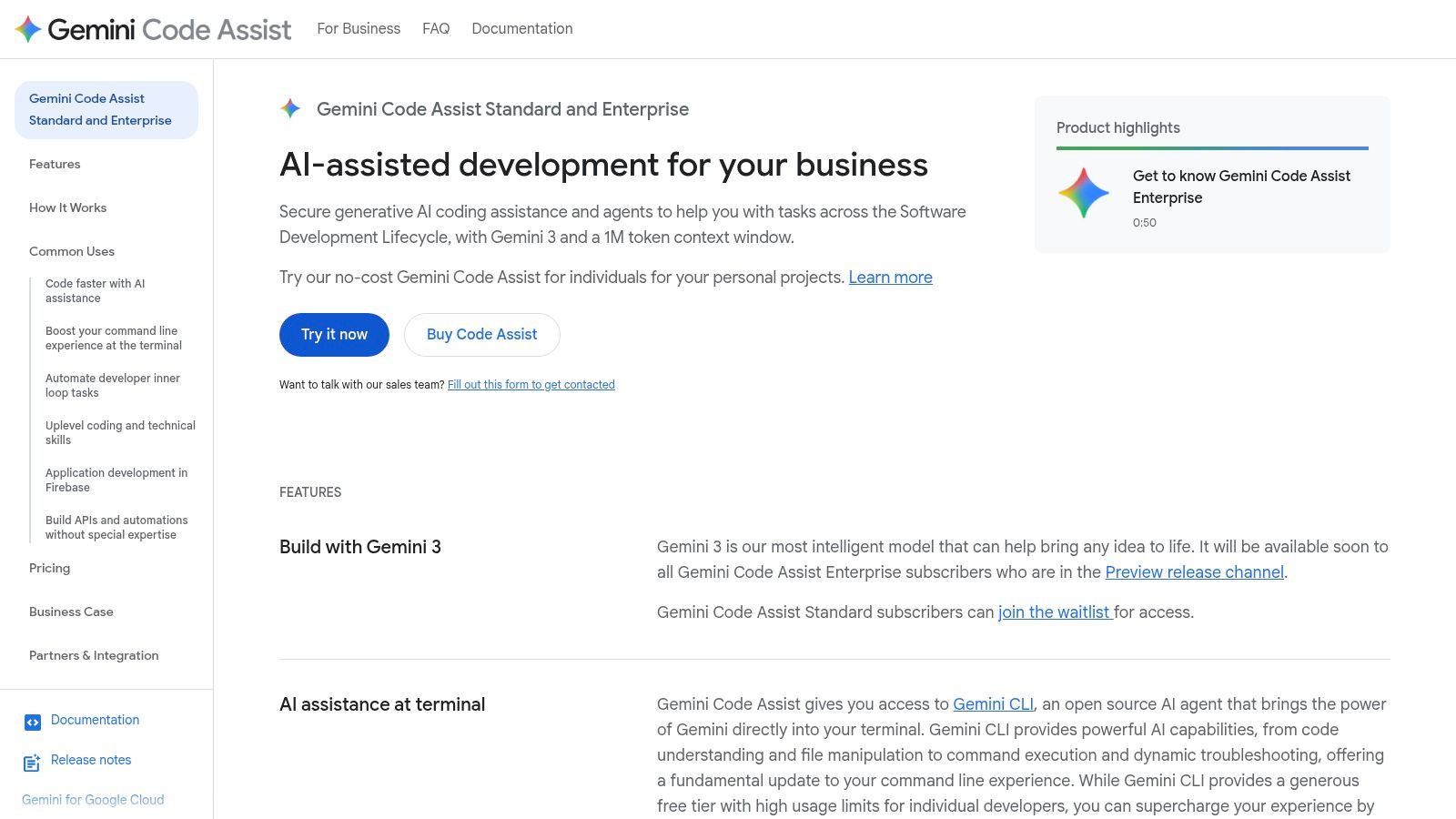
As Google’s entry into the AI coding assistant space, Gemini Code Assist is designed for deep integration with Google Cloud Platform (GCP) and Vertex AI. Its main strength comes from its ability to understand massive codebases, offering repo-scale context for complex refactoring and feature implementation. This makes it a strong contender for organizations already invested in the Google Cloud ecosystem, providing a unified AI experience from IDE to deployment.
Key Differentiators & Use Cases
Gemini Code Assist excels at tasks requiring large context, like modernizing an entire service or implementing features that span multiple files. Its enterprise identity features (Cloud IAM, WIF) offer the security and access controls that large companies need. This focus on enterprise-grade security and its tight bond with GCP services make it one of the better AI code generation tools for teams managing cloud-native applications on Google’s infrastructure.
Practical Tip: Use the Gemini CLI to perform repository-wide analysis. Ask it, “Identify all API endpoints in this repository that are missing authentication checks and suggest a fix.” This can be a powerful security auditing tool. Or, if you need help with testing, you can read up on the unit testing definition and ask Gemini to generate test cases for specific functions.
Limitations and Pricing
The primary drawback is that its full potential is best realized within the GCP environment, which may limit its appeal for other users. Enterprise pricing often requires contacting a sales representative, making cost estimation less direct than some competitors. Furthermore, its feature set and quotas have evolved, so teams must stay aware of the latest updates and service limits.
- Pricing: A generous free tier is available for individuals. Business and Enterprise plans are priced per-user, per-month, typically requiring a sales inquiry.
- Availability: Integrates with VS Code, JetBrains IDEs, and offers a command-line interface (CLI).
- Website: https://codeassist.google/products/business
6. JetBrains AI Assistant
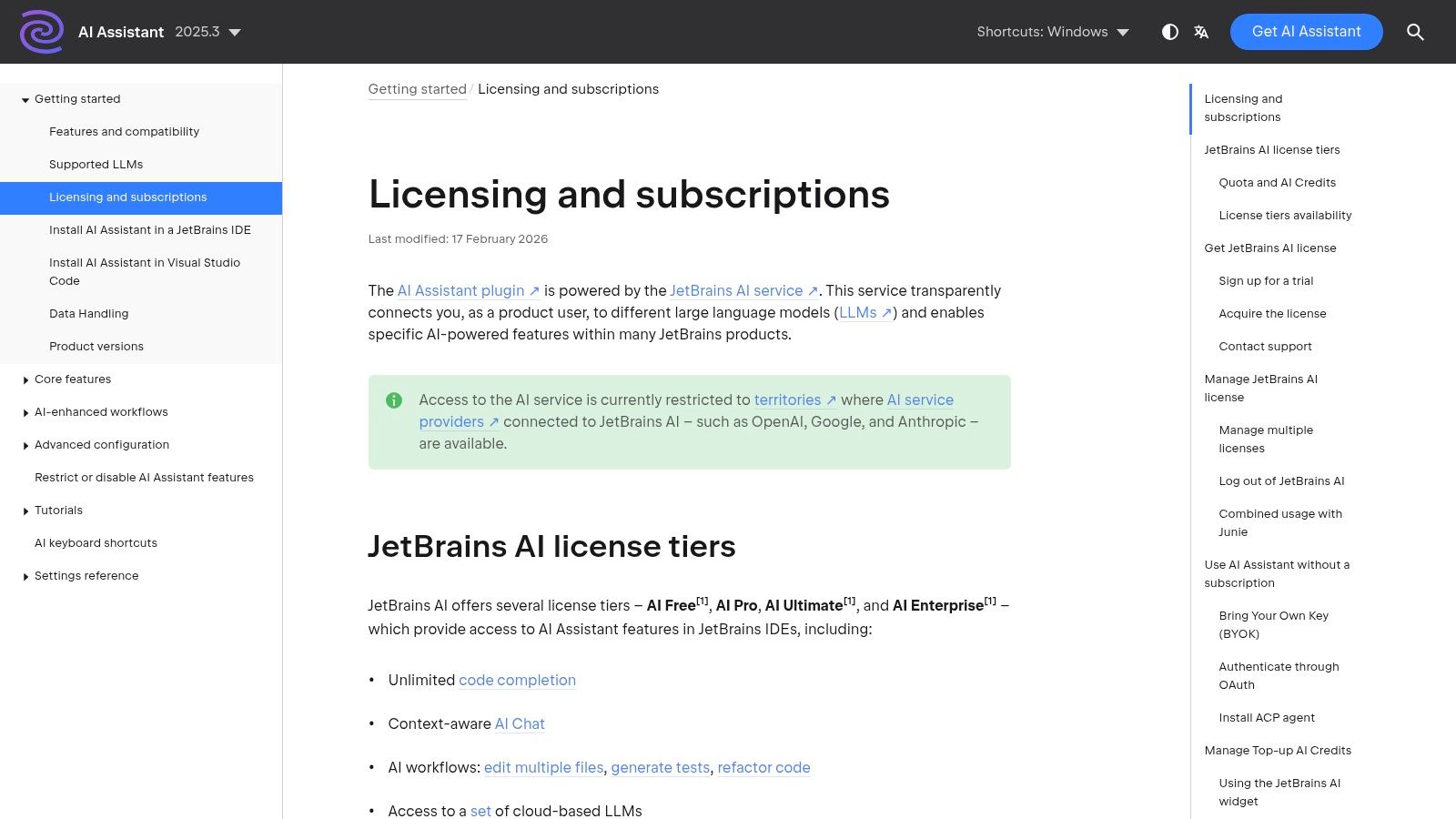
For developers deeply invested in the JetBrains ecosystem (IntelliJ IDEA, PyCharm, WebStorm), the JetBrains AI Assistant offers the most seamless integration available. Rather than a separate plugin, it’s a native capability built directly into the IDEs. It provides familiar features like AI chat, code completions, and in-line actions but with the significant advantage of being context-aware of the entire IDE, including project structure, run configurations, and debugging tools.
Key Differentiators & Use Cases
The standout feature is its deep integration for complex tasks like refactoring, generating unit tests, or explaining runtime errors directly from the console. A major benefit is the flexible model support; users can stick with JetBrains’ proprietary models or connect their own through a “bring-your-own-key” (BYOK) system. This makes it a great choice for teams wanting to standardize on one of the top AI code generation tools while allowing for model experimentation. As you work, remember that mastering prompt techniques will improve your results; check out some best practices for prompt engineering to get the most out of the tool.
Practical Tip: Use the “Explain Commit” action on a set of local changes before you commit them. The AI will generate a concise, descriptive commit message based on the code diff, saving time and improving version control hygiene.
Limitations and Pricing
The primary drawback is its credit-based consumption model, which sits on top of the regular IDE license. While flexible, it can introduce unpredictable costs, as advanced agent-like actions can consume credits quickly. This requires users and teams to monitor their usage to stay within budget. The AI Assistant is tied to an active JetBrains subscription.
- Pricing: Requires a JetBrains AI Pro subscription, which grants a credit allowance. Credits are consumed for different AI actions.
- Availability: Built into all major JetBrains IDEs, including IntelliJ IDEA, PyCharm, WebStorm, and Rider.
- Website: https://www.jetbrains.com/help/ai-assistant/licensing-and-subscriptions.html
7. Tabnine
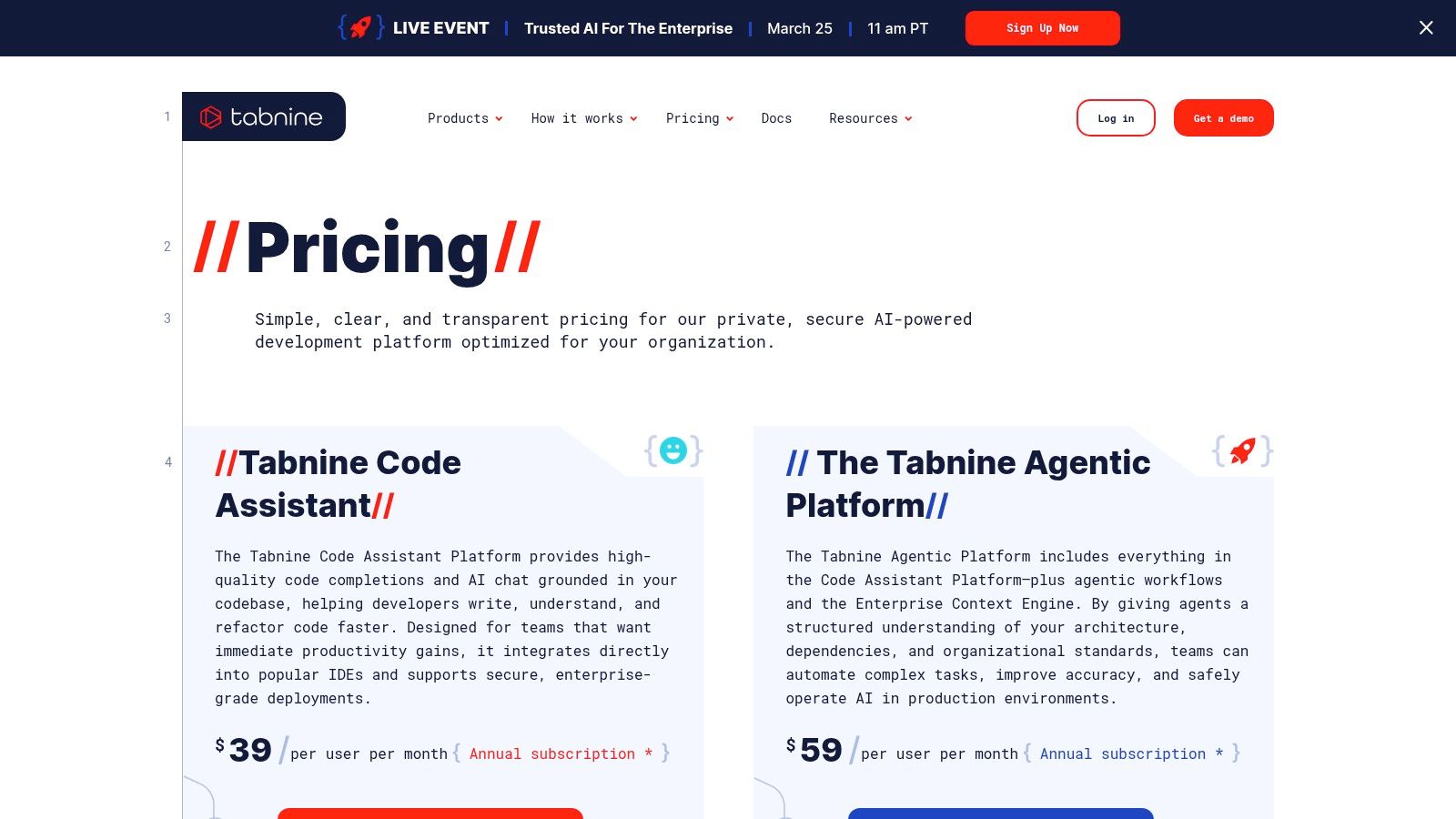
Tabnine carves out its niche by focusing squarely on the enterprise, offering a privacy-first AI code assistant that can be deployed in highly regulated or sensitive environments. Its main appeal lies in its flexibility, with options for SaaS, private cloud (VPC), on-premises, or even fully air-gapped deployments. This makes it one of the few AI code generation tools suitable for organizations with strict data residency and security mandates.
Key Differentiators & Use Cases
Tabnine’s platform is built for governance and control. The Enterprise Context Engine allows the AI to learn from your organization’s private repositories, improving the relevance of its suggestions without exposing your code externally. Agentic workflows can be customized to automate company-specific tasks, and detailed analytics provide management with visibility into AI adoption and impact.
Practical Tip: Use Tabnine’s self-hosted models to enforce coding standards. By training the AI on your approved internal libraries and style guides, you can guide developers toward writing compliant and consistent code from their first keystroke.
Limitations and Pricing
The platform’s enterprise focus means it is less ideal for solo developers or small teams on a tight budget. While there is a free tier, the powerful features like private code training and advanced security are reserved for the Enterprise plan. Additionally, accessing certain LLMs through Tabnine may include a handling fee if you don’t bring your own model API keys.
- Pricing: A free “Basic” plan is available. The “Pro” plan for individuals is $12/month, while the “Enterprise” plan requires a custom quote.
- Availability: Integrates with VS Code, JetBrains IDEs, Visual Studio, and more.
- Website: https://www.tabnine.com/pricing
8. Sourcegraph Cody
Sourcegraph Cody is an enterprise-focused AI coding assistant built on Sourcegraph’s powerful code intelligence and search platform. Its primary advantage is its ability to understand massive, complex codebases, making it a standout choice for organizations with large monorepos or distributed microservices. Cody uses a code graph to provide deep context, which allows it to generate more accurate and relevant completions, explanations, and refactors within a large-scale engineering environment.

Key Differentiators & Use Cases
Where Cody shines is in its enterprise posture. It integrates directly with the Sourcegraph platform, giving administrators robust controls over usage, policy enforcement, and security. Unlike many other AI code generation tools, Cody is designed from the ground up for teams that need to ensure their proprietary code remains private and secure. It’s ideal for onboarding new engineers to a sprawling codebase or for helping senior developers navigate unfamiliar parts of the system.
Practical Tip: Use Cody to get up to speed on a legacy part of your codebase. Ask it questions like, “Explain the control flow for the
payment_processingservice” or “Where is theUserAuthenticationclass defined and how is it used across the repository?”
Limitations and Pricing
Cody’s main limitation is its enterprise-first model. There is no individual “pro” plan, making it less accessible for solo developers or small teams not already invested in the Sourcegraph ecosystem. Pricing is also tied to LLM consumption and configured policies, which requires careful management to control costs. However, for large organizations, this model provides the necessary governance and security that other tools lack.
- Pricing: Free tier available. Enterprise pricing is quote-based and depends on LLM consumption and features.
- Availability: Integrates with VS Code, JetBrains IDEs, and Neovim.
- Website: https://sourcegraph.com/docs/cody/usage-and-pricing
9. Replit AI (Ghostwriter + Agents)
Replit AI brings a powerful pair programmer directly into its all-in-one, browser-based development environment. Its key advantage is the complete elimination of local setup friction, making it an exceptional platform for rapid prototyping, learning new technologies, or collaborative coding sessions. With integrated runtimes and one-click deploys, you can go from an idea to a live application entirely within your browser, supported by AI at every step.

Key Differentiators & Use Cases
Replit’s strength is its seamless, end-to-end workflow. Beyond simple inline suggestions from Ghostwriter, its AI agent can scaffold entire applications, connect to databases, and even deploy the project for you. This makes it one of the best AI code generation tools for building quick proofs-of-concept, running experimental coding “spikes,” or teaching junior developers in a controlled, sharable cloud workspace.
Practical Tip: Use the AI agent to build a quick backend. Try a prompt like, “Create a Python Flask API with a single endpoint
/api/itemsthat returns a JSON list of products.” Replit AI will generate the file structure and code, which you can run and test instantly.
Limitations and Pricing
The primary considerations are its pricing model and workflow dependency. Heavy use of the more advanced AI agent features consumes “Cycles,” Replit’s currency, which can lead to additional costs if not monitored. While perfect for its intended cloud-based use, it is less suited for developers who prefer and have highly customized local IDE setups.
- Pricing: A free tier is available. The Replit Core plan at $20/month includes Replit AI features with a monthly budget of Cycles.
- Availability: Accessible directly in the browser-based Replit IDE.
- Website: https://replit.com/site/ghostwriter
10. Claude Code (Anthropic)
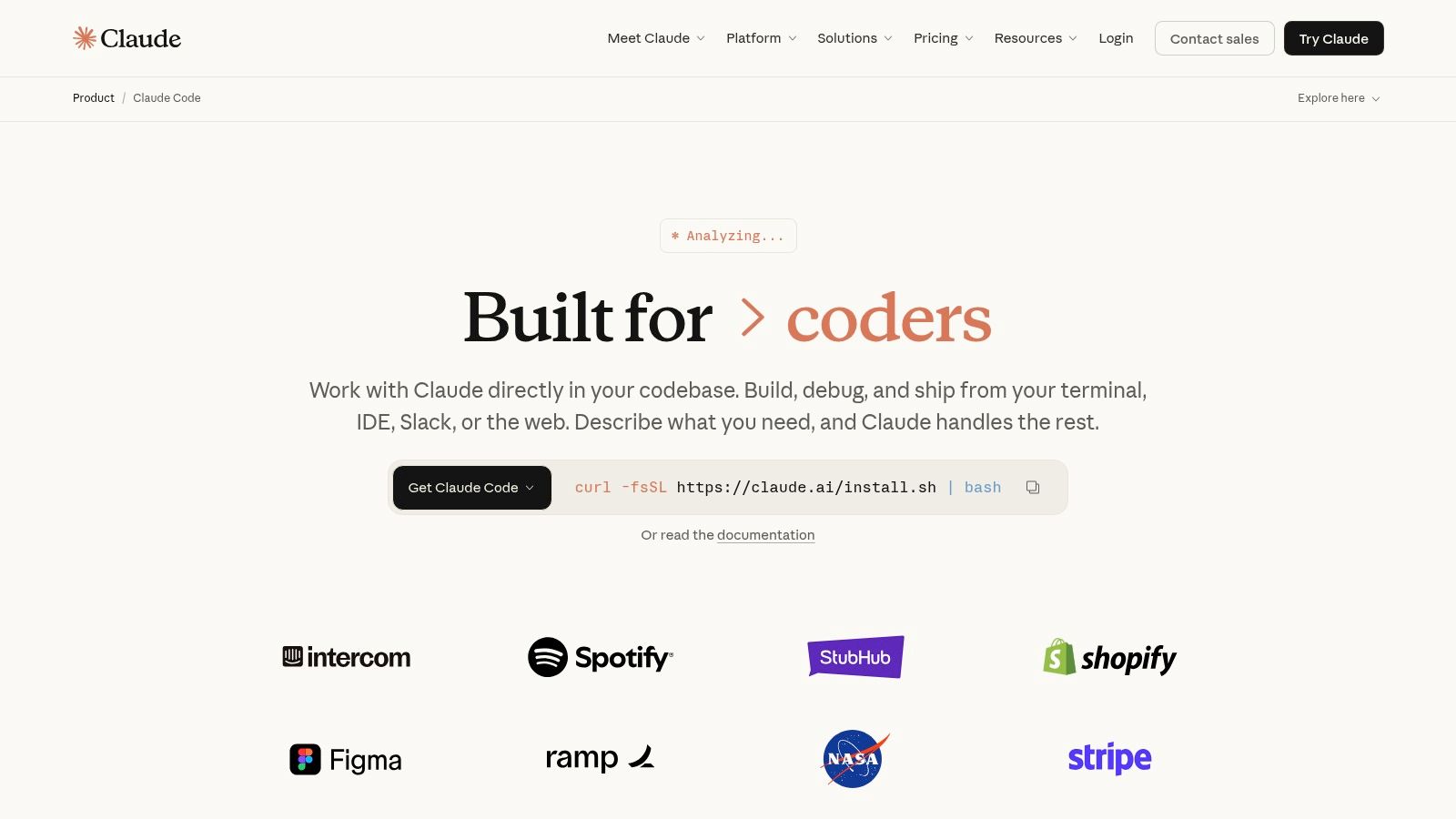
Anthropic enters the AI coding arena with Claude Code, an agentic coding experience focused on repository-scale tasks. It moves beyond simple completions to offer an end-to-end workflow, from understanding GitHub issues to opening pull requests. Its design caters to power users who want an AI assistant deeply integrated into their terminal, IDE, and CI/CD pipeline, making it a strong contender among modern ai code generation tools.
Key Differentiators & Use Cases
Claude Code’s strength is its ability to reason over entire repositories. It can read an issue, formulate a plan, edit multiple files, run tests, and open a PR with the required changes. A standout feature is its Automated Code Review, which uses a multi-agent system to analyze pull requests. This makes it a powerful tool for teams aiming to automate complex development cycles. To get a better sense of how it compares, explore this overview of the ai coding agent landscape.
Practical Tip: Use the command-line interface to delegate entire bug fixes. Start with a command like
claude-code fix GH-123 "Fix the off-by-one error in the pagination logic". The agent will handle the task from there, providing a hands-off experience.
Limitations and Pricing
The main consideration is its consumption-based pricing model, which can be unpredictable. While powerful, the token-metered code review feature can cost $15-$25 for a typical PR, and heavy use of the full-time agent may require careful API budget management beyond a flat subscription. This model may be a barrier for teams needing fixed, predictable costs.
- Pricing: Features like Automated Code Review are billed based on token usage, with costs varying by complexity.
- Availability: Integrates with VS Code, terminals, and CI environments.
- Website: https://claude.com/product/claude-code
11. Roo Code
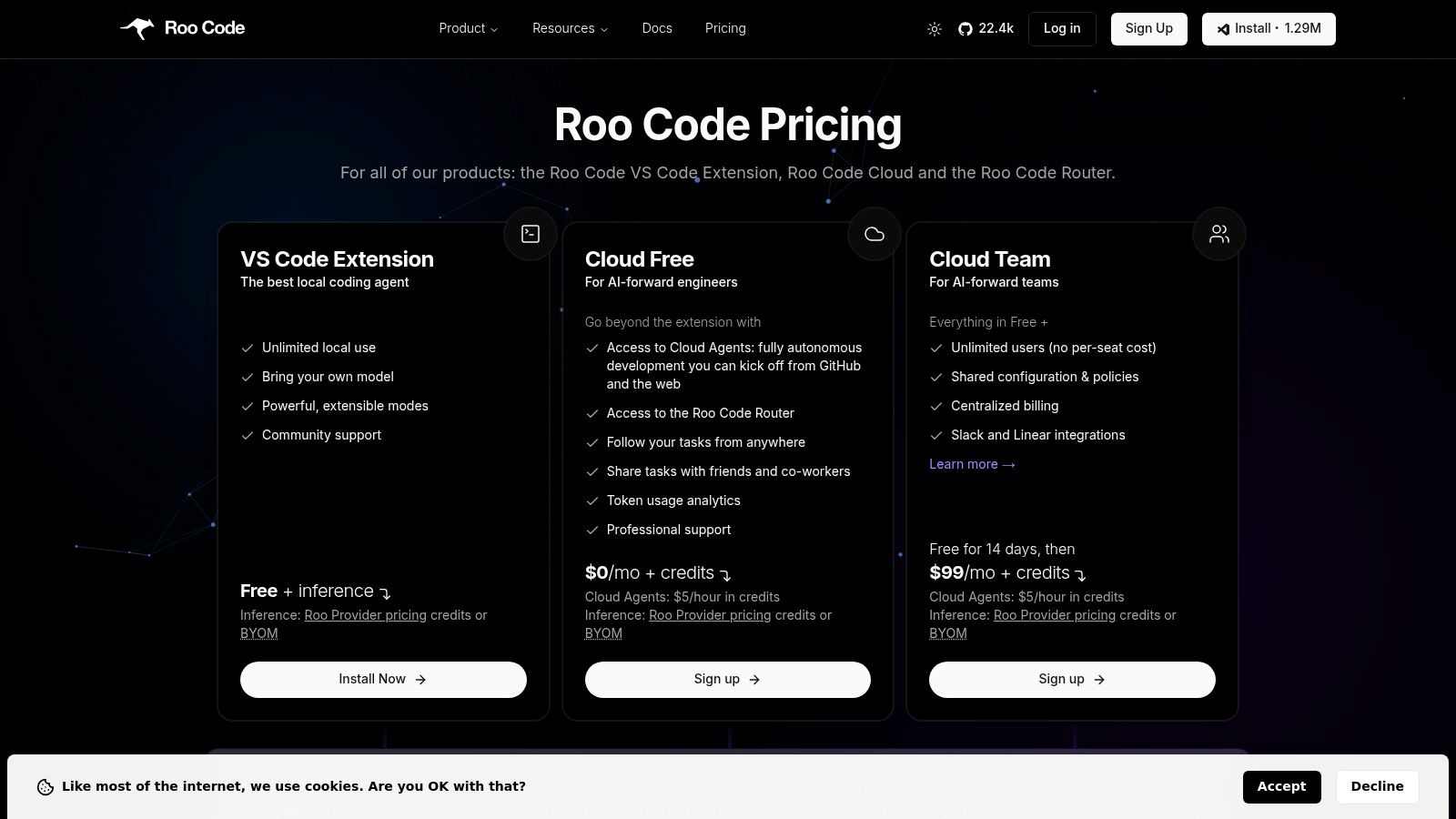
Roo Code carves out a unique niche by focusing on open-source principles and cost control. It offers a free, Apache-2.0 licensed VS Code extension that supports a “bring-your-own-model” (BYOM) approach, giving developers the freedom to connect their preferred AI models from providers like OpenAI, Anthropic, or local instances. This model choice significantly reduces vendor lock-in and allows teams to select the best price-performance option for their needs.
Key Differentiators & Use Cases
The core differentiator is its developer-friendly cost structure. Unlike seat-based pricing, Roo Code’s core extension is free. The optional Roo Cloud service introduces powerful features like autonomous Cloud Agents, smart model routing, and team analytics, all billed transparently with credits based on agent hours. This makes it an excellent choice for startups and teams who want to experiment with AI agents without committing to high upfront seat costs. It’s built for developers who need control over their tools and spending.
Practical Tip: Use the BYOM feature to test different models for specific tasks. You might find that a smaller, faster model is perfect for simple code completion, while a larger, more powerful model is better for complex refactoring or bug-fixing sessions.
Limitations and Pricing
The primary limitation is that a self-managed BYOM setup requires you to provide and manage your own API keys. While the Roo Cloud router simplifies this, it’s still an extra step compared to all-in-one solutions. Additionally, costs for long-running Cloud Agent jobs can accumulate, so it’s important to monitor agent hours. The pricing transparency, however, makes it easy to track and control this usage directly.
- Pricing: The VS Code extension is free. Roo Cloud uses a credit-based system for agent hours and advanced features, with transparent billing.
- Availability: Available as a VS Code extension.
- Website: https://roocode.com/pricing
12. Cline
Cline stands out in the field of AI code generation tools by offering an open-source, locally-run coding agent that prioritizes security and developer control. Its client-side architecture runs directly within VS Code, ensuring that your code remains private. This model is ideal for developers and teams who want to use powerful AI models without being tied to a specific vendor’s subscription or platform.
Key Differentiators & Use Cases
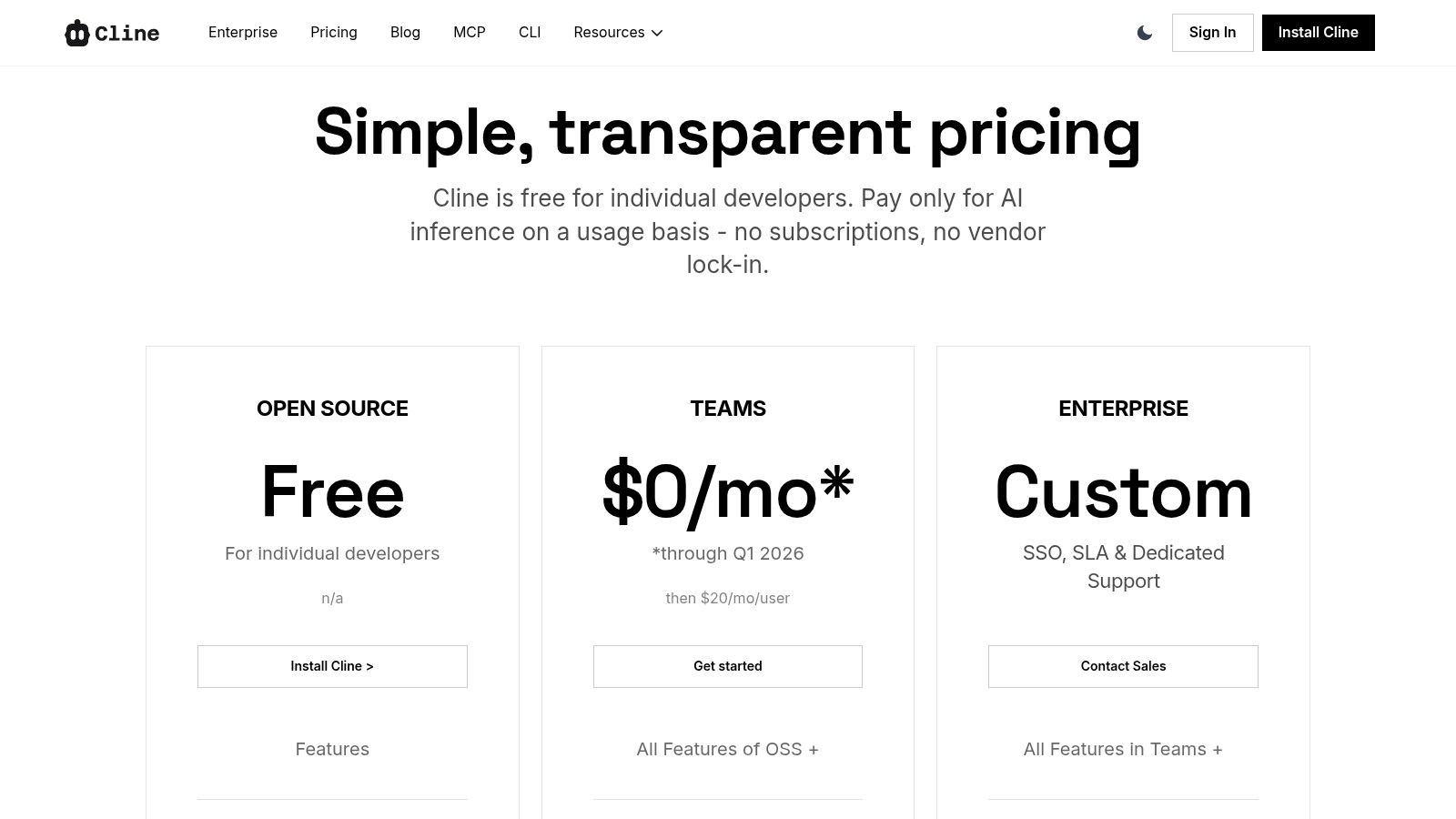
The core appeal of Cline is its “Bring Your Own Key” (BYOK) model. Developers can use the free OSS extension and pay only for the inference costs from their chosen model provider (like OpenAI or Anthropic). This avoids fixed monthly subscriptions for individuals. For engineering leaders, Cline provides essential team management features, including centralized billing, role-based access control (RBAC), and policy dashboards, all while maintaining a flexible, provider-agnostic approach.
Practical Tip: Use Cline’s BYOK feature to experiment with different AI models. You can easily switch between GPT-4o, Claude 3 Opus, and others to see which one performs best for specific tasks like test generation or code refactoring, paying only for what you use.
Limitations and Pricing
The main challenge with Cline is the initial setup. To get the best value, users must configure their own API keys from various providers, which can be a small hurdle for beginners. While the core tool is free for individuals (paying only for inference), the Teams plan introduces per-user fees after a promotional period, which organizations need to account for in their budget.
- Pricing: Free OSS extension for individuals (pay-as-you-go for inference). Teams plan has a per-user fee for added management features.
- Availability: VS Code extension and CLI. JetBrains support is available for teams.
- Website: https://cline.bot/pricing
Top 12 AI Code Generation Tools — Quick Comparison
| Tool | Core features | UX / Quality | Value & Pricing | 👥 Target audience | 🏆 Unique selling points |
|---|---|---|---|---|---|
| GitHub Copilot | ✨ Inline completions, Copilot Chat, PR agents, enterprise controls | ★★★★☆ | 💰 Paid per-user; org quotas & enterprise billing | 👥 GitHub-centric teams & repo workflows | 🏆 Deep GitHub/Actions integration, strong admin controls |
| Cursor (AI IDE) | ✨ In-IDE agents, Bugbot code review, CLI & Cloud agents | ★★★★ | 💰 Usage/tiers (can rise for heavy model use) | 👥 Dev-first teams standardizing AI-first IDEs | 🏆 Developer-centric UX, tight IDE workflow fit |
| Windsurf (Codeium) | ✨ Cascade agent, auto-execute Turbo mode, previews & plugins | ★★★☆ | 💰 Token/quota pricing, simpler than legacy credits | 👥 Agentic devs wanting autonomous flows | 🏆 Strong multi-step agent automation (plan→run→preview) |
| Amazon Q Developer | ✨ IDE/CLI agents, code transforms, admin dashboard | ★★★★ | 💰 Competitive Pro month, LOC-metered transforms | 👥 AWS customers & enterprise teams | 🏆 Tight AWS integration, enterprise privacy/controls |
| Google Gemini Code Assist | ✨ Large-context repo support, IDE + CLI, GCP/Vertex ties | ★★★★ | 💰 Free tier for individuals; enterprise via sales | 👥 GCP-centric orgs & repo-scale workflows | 🏆 Very large context windows, strong reasoning |
| JetBrains AI Assistant | ✨ Deep JetBrains refactors, Junie agent, BYOK & credits | ★★★★ | 💰 Credits + IDE licensing; quota consumption | 👥 JetBrains IDE users & teams | 🏆 Best-in-class JetBrains integration, flexible models |
| Tabnine | ✨ Multi-LLM completions, Enterprise Context Engine, deployments | ★★★★ | 💰 Enterprise pricing; on-prem/VPC/air-gapped options | 👥 Regulated enterprises needing governance | 🏆 Robust deployment/security and provenance features |
| Sourcegraph Cody | ✨ Deep code graph/search, secure enterprise deploy, admin tools | ★★★★ | 💰 Enterprise-centric pricing & LLM consumption costs | 👥 Large monorepo teams & platform orgs | 🏆 Exceptional repo intelligence for very large codebases |
| Replit AI | ✨ In-browser suggestions, agents, cloud workspaces & deploys | ★★★☆ | 💰 Free tier; paid for agents/heavy usage | 👥 Learners, prototyping teams, browser-first devs | 🏆 Zero setup friction, fast prototyping & sharing |
| Claude Code (Anthropic) | ✨ Repo-scale reasoning, IDE/CLI, token-metered code review | ★★★★ | 💰 Token-metered reviews; API budgeting required | 👥 Power users & teams needing strong reasoning | 🏆 Strong multi-agent review and command-line flows |
| Roo Code | ✨ Open-source VS Code agent, BYOM, Roo Cloud credits | ★★★☆ | 💰 Core OSS free; Roo Cloud billed by credits/agent-hours | 👥 BYOM advocates and cost-conscious devs | 🏆 Transparent pricing, zero-seat-cost core extension |
| Cline | ✨ OSS local agent, secure client-side BYOK, teams & RBAC | ★★★☆ | 💰 OSS free; pay for inference or Teams/Enterprise | 👥 Privacy-focused teams & local-first devs | 🏆 Client-side security, low vendor lock-in, pay-per-inference |
Final Thoughts
We’ve journeyed through a detailed landscape of today’s most capable AI code generation tools, from the ubiquitous GitHub Copilot to specialized platforms like Cursor and Amazon Q Developer. It’s clear that these assistants are no longer a niche curiosity; they are fundamental components of the modern software development lifecycle. The core takeaway is that the conversation has shifted from if you should use an AI coding partner to which one you should integrate and how you can master it.
Our exploration of tools like JetBrains AI Assistant, Sourcegraph Cody, and Tabnine shows that the best choice is deeply personal and context-dependent. A solo developer fine-tuning a side project in VS Code has different needs than an enterprise team that requires stringent security, custom models, and deep repository context, which tools like Amazon Q or Google Gemini Code Assist are built to address. The key isn’t finding a single “best” tool, but identifying the right feature set for your specific environment, workflow, and objectives.
Making Your Selection: A Practical Checklist
Choosing the right AI coding assistant requires a clear-eyed assessment of your team’s needs. Before committing to a platform, work through these critical evaluation points:
- Contextual Awareness: How well does the tool understand your codebase? Does it only see the current file (like a basic autocomplete), or can it reason across your entire repository? Tools like Sourcegraph Cody or a well-configured Cursor instance excel here, providing more relevant and accurate suggestions.
- Integration and Workflow: The best tool is one that feels invisible. It should integrate seamlessly into your existing IDE (VS Code, JetBrains, etc.) without disrupting your flow. Consider how its keybindings, chat interface, and inline actions fit with your muscle memory. An AI-native IDE like Cursor might be the answer if you’re willing to adopt a new primary editor.
- Security and Privacy: For any professional team, this is non-negotiable. Where does your code go when you ask a question? Is it used for training public models? Enterprise-grade tools like Amazon Q Developer offer robust data privacy controls, ensuring your proprietary code stays secure. Always review the tool’s data handling policies.
- Team Collaboration and Standardization: How can your team share effective prompts, best practices, and custom instructions? Platforms that offer team-based features for standardizing AI usage can dramatically improve consistency and accelerate onboarding for new developers. This is where engineering managers and dev leads should focus their evaluation.
The Real Task: Becoming a Partner, Not Just a User
Adopting one of these powerful AI code generation tools is only the first step. The true productivity gain comes from changing your mindset. Stop thinking of the AI as a simple autocomplete that occasionally gets lucky. Instead, view it as a junior developer or a pair programming partner. You are the architect; the AI is the tireless builder.
This means you must get better at giving directions. Your skill in prompt engineering, providing clear context, and breaking down complex problems into smaller, AI-manageable tasks will directly determine your success. The most effective developers will be those who master this human-AI collaboration, using the tool not just to write code faster, but to explore new solutions, debug complex issues, and learn new languages or frameworks more efficiently. The ultimate goal is to offload cognitive heavy lifting, freeing you to focus on system design, logic, and creating real value. Your role evolves from a pure code writer to a code director.
If you’re managing a team of developers who are adopting these AI coding assistants, gaining visibility into how they’re being used is essential for measuring impact. That’s where Zest comes in. Zest provides insights into your team’s AI tool usage, helping you identify effective workflows, standardize best practices, and understand the real productivity gains from your investment in AI.
AI Code Generator Mastery
Transition from a casual user to a strategic director of your AI coding assistant.
📊 Core Metrics
- Context-Rich Prompts – Percentage of queries including file/repo context.
- Suggestion Acceptance Rate – Ratio of accepted AI suggestions vs. ignored ones.
- Refactor Efficiency – Time saved by using AI for code modernization and cleanup.
🕹️ My Cheatcodes
- 🌱 Context is King – Always provide the AI with relevant files, error logs, or user stories.
- 🦎 Iterate, Don't Dictate – Start with a broad request, then refine with follow-up prompts.
- ⚡ Verify, Then Trust – Treat AI output as a suggestion, not a final answer. Always test.
✅ Before Choosing a Tool
- 🔍 Assess contextual awareness (file vs. repo)
- 📊 Evaluate IDE integration and workflow fit
- 🧭 Check security and privacy policies
- 📈 Confirm team collaboration features
Gallery
Lemon shots



