
Agile Development Best Practices: Top Tips for 2025
In modern software development, simply adopting an “agile” label isn’t a guarantee of success. The real difference between teams that struggle and teams that thrive lies in the disciplined, consistent application of specific, proven practices. This guide moves beyond abstract theory to deliver a comprehensive roundup of 10 essential agile development best practices that you can implement immediately.
We’ll provide actionable steps, practical examples, and clear checklists tailored for today’s development workflows. The focus is on habits that directly improve collaboration, accelerate delivery speed, and enhance code quality. For teams integrating AI-driven tools to automate tasks and analyze processes, mastering these foundational practices is even more critical. They create the stable, predictable environment where AI assistance can truly amplify productivity, rather than just mask underlying process issues.
Whether you’re a developer using an AI assistant in your editor, a team lead aiming for consistency, or an engineering manager seeking better visibility, this list provides the structure needed to optimize your workflow. You will learn not just what to do, but how to do it effectively, with clear examples like this AI-powered deployment checklist:
✅ Prompt
“Checklist: confirm my Astro site is deployed on Cloudflare Workers with best-in-class performance, SEO, and DX. Verify adapter, asset storage, caching, hydration, and SSR/SSG choices. Give me a clear yes/no on each item and point out fixes if something’s missing.”
📝 Example Response
Astro on Cloudflare Workers — Deployment Checklist
- Adapter → Using
@astrojs/cloudflareor@astrojs/cloudflare/worker? → ✅ Yes - Static vs SSR → Static pages prebuilt + only SSR where required (API, auth, etc.) → ✅ Yes
- Cold start avoidance → Worker bundle < 1MB, no heavy deps → ✅ Yes
- Assets → Offloaded to R2 / Cloudflare Images, not bundled in Worker → ❌ No → Fix: move images to R2 and rewrite URLs
- Caching → Edge cache headers set (
Cache-Control,stale-while-revalidate) → ✅ Yes - SEO → Title/meta tags verified, hreflang (if multilingual), robots.txt and sitemap.xml generated → ✅ Yes
- Core Web Vitals → Partial hydration configured, Lighthouse score >90 → ✅ Yes
- Global Edge → Tested from multiple PoPs (US/EU/Asia) for <100ms TTFB → ✅ Yes
- Limits → Worker within 30ms CPU budget, script <10MB → ✅ Yes
- Monitoring → Wrangler tail + Analytics enabled → ✅ Yes
Result: 9/10 checks passed. Only asset storage needs fixing.
Let’s explore the core practices that turn good teams into exceptional ones.
1. Daily Stand-up Meetings (Daily Scrum)
A core pillar of agile development best practices, the Daily Stand-up is a short, time-boxed meeting, typically lasting no more than 15 minutes. Its purpose is to synchronize the team, identify immediate roadblocks, and foster a shared understanding of progress toward the sprint goal. Team members briefly answer three core questions: What did I accomplish yesterday? What will I do today? What impediments are in my way?
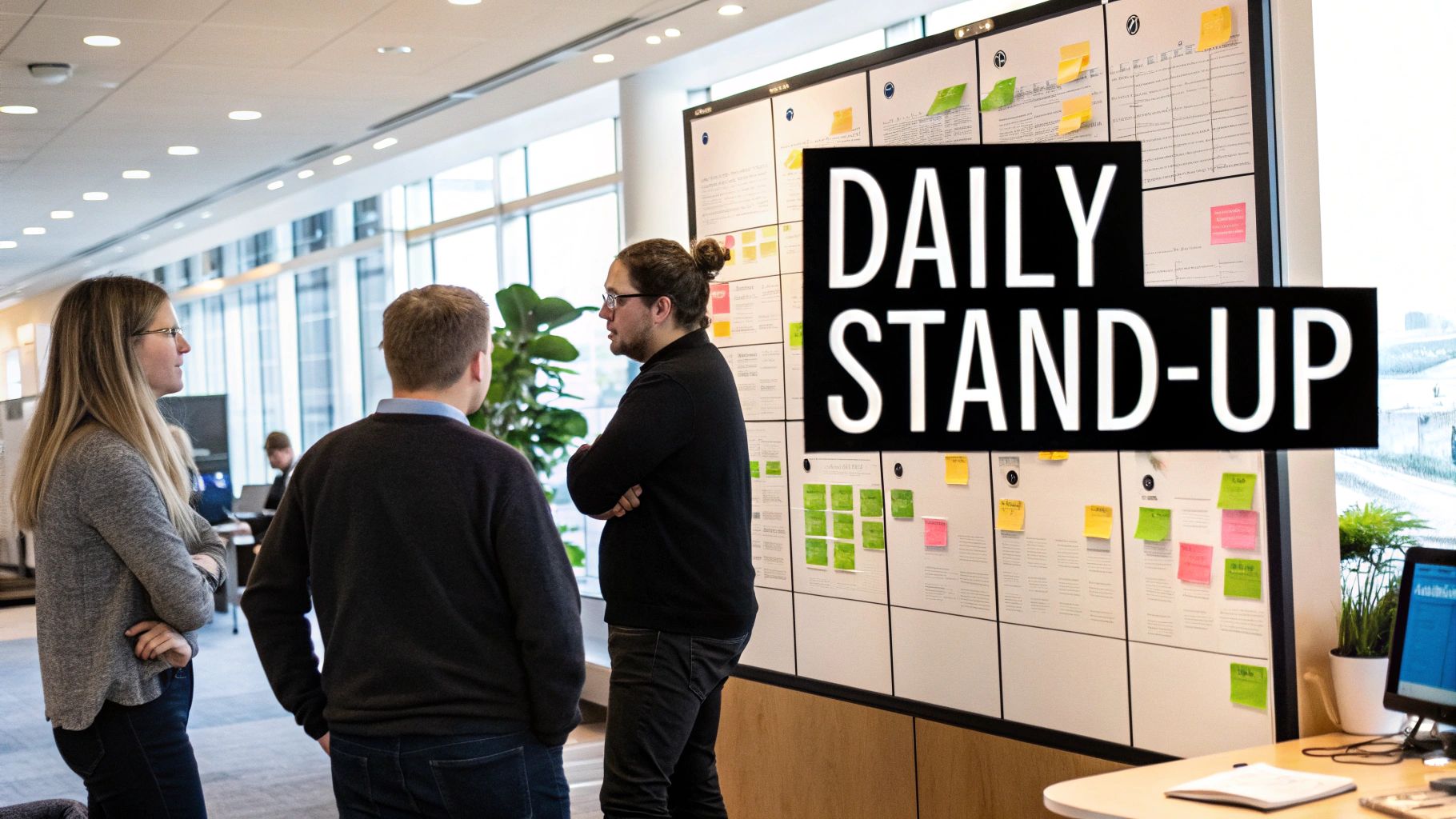
This daily ritual promotes transparency and swift problem-solving, making it invaluable for maintaining momentum. However, with the rise of AI-driven coding workflows, the stand-up’s focus is evolving. Tools like Zest can automate the “what I did” portion by generating an ‘AI Standup’ from daily activity logs, commits, and pull requests. This automation frees up precious meeting time, allowing the live session to concentrate exclusively on strategic problem-solving for the blockers Zest identifies, rather than mundane status reporting.
How to Implement and Enhance Your Daily Stand-up
Implementing an effective stand-up requires discipline and a focus on actionable outcomes. The goal is alignment, not a lengthy status update for management.
Actionable Tips:
- Strict Time-boxing: Use a visible timer to keep the meeting to 15 minutes. This forces concise communication.
- Stand Up: Physically standing helps maintain energy and brevity, discouraging long discussions.
- Focus on Blockers: The most critical part is identifying and assigning owners to resolve impediments immediately.
- Take It Offline: If a discussion starts between two members that doesn’t concern the whole team, agree to connect after the stand-up.
- Use a Visual Board: Center the meeting around your Kanban or Scrum board (like Jira or Trello) to provide a visual anchor for the conversation.
- Rotate the Leader: Let different team members facilitate the meeting to increase engagement and shared ownership.
Key Insight: The true value of a daily stand-up isn’t the reporting; it’s the real-time, peer-to-peer problem-solving and commitment alignment that happens when the team synchronizes daily.
AI-Powered Stand-up Example
Leverage your AI coding assistant to prepare for a more efficient stand-up. Instead of manually recalling tasks, use a prompt to generate a concise summary.
✅ Prompt
“Generate a summary of my work yesterday for my daily stand-up. Include completed tasks from my feature branch feat/user-auth-flow, mention the PR I opened for review, and list the specific database migration issue that is now blocking my progress on the next task.”
📝 Example Response
Daily Stand-up Update:
- Yesterday: Completed the front-end components for the user authentication flow on branch
feat/user-auth-flow. Opened PR #182 for peer review. - Today: Will address feedback on PR #182 and start work on the password reset API endpoint.
- Blockers: I am blocked by a database migration conflict (
Error: column 'last_login' already exists). Need to sync with the backend team to resolve it.
This approach ensures you arrive prepared, keeping your update quick and focused, which is a cornerstone of effective agile development best practices.
2. Sprint Planning and Time-Boxing
Sprint Planning is the collaborative event that kicks off a sprint, defining what the team can deliver and how they will achieve it. This is paired with time-boxing, the practice of allocating a fixed, non-negotiable time period (typically 1-4 weeks) for the sprint. This combination creates a predictable rhythm, fosters intense focus, and is a cornerstone of effective agile development best practices.
This structured approach prevents scope creep and ensures the team delivers a valuable, shippable increment of work on a regular cadence. As AI tools accelerate development, sprint planning becomes even more critical for alignment. An AI assistant like Zest can help teams more accurately estimate story points by analyzing historical data from similar tasks, leading to more realistic sprint commitments and better predictability. Learn more about effective sprint planning strategies to enhance your team’s process.
How to Implement and Enhance Your Sprint Planning
Effective sprint planning requires preparation, collaboration, and a clear goal. The objective is to create a realistic plan that the entire team feels confident in executing, not just to fill a backlog.
Actionable Tips:
- Set a Clear Sprint Goal: Define a single, concise objective for the sprint. This goal should guide all decisions and trade-offs.
- Refine the Backlog First: Ensure the Product Owner has a well-prepared and prioritized backlog before the meeting begins.
- Use Collaborative Estimation: Employ techniques like Planning Poker to leverage the entire team’s collective knowledge for more accurate estimates.
- Plan for 80% Capacity: Don’t overcommit. Leave a 20% buffer for unexpected issues, meetings, or urgent bugs that arise.
- Break Down Large Stories: Decompose user stories into smaller, manageable tasks that can be completed within 1-2 days.
- Protect the Sprint: Once the sprint begins, fiercely protect it from scope changes. Defer new requests to the next sprint planning session.
Key Insight: Sprint Planning isn’t just about selecting tasks; it’s a commitment ceremony where the team collectively owns a goal and creates a shared plan to achieve it, fostering accountability and focus.
AI-Powered Sprint Planning Example
Leverage your AI coding assistant to break down complex user stories into actionable tasks, ensuring nothing is missed during planning.
✅ Prompt
“As a senior developer, break down this user story into a technical task list for sprint planning: ‘As a user, I want to sign up using my Google account so I can access the app quickly.’ Include front-end, back-end, and testing tasks. Estimate a rough t-shirt size (S, M, L) for each.”
📝 Example Response
Technical Task Breakdown for ‘Google SSO Signup’:
- Front-end:
- Create a “Sign up with Google” button on the login page. (S)
- Implement the OAuth 2.0 redirect flow to handle Google’s authentication response. (M)
- Manage loading and error states for the UI during the signup process. (S)
- Back-end:
- Set up a new API endpoint
/auth/google/callbackto receive the token from Google. (M) - Validate the Google token and retrieve the user’s profile information (email, name). (M)
- Create a new user record in our database if one doesn’t exist for that email. (S)
- Generate and return a JWT session token to the client upon successful signup. (S)
- Set up a new API endpoint
- Testing:
- Write an end-to-end test to simulate the full Google signup flow. (M)
This AI-generated breakdown provides a solid foundation for the team to discuss, refine, and accurately estimate the work required, making for a much more efficient sprint planning session.
3. Continuous Integration and Continuous Delivery (CI/CD)
A cornerstone of modern agile development best practices, CI/CD is a practice where code changes are automatically built, tested, and prepared for release to production. Continuous Integration (CI) focuses on frequently merging developer changes into a central repository, after which automated builds and tests are run. Continuous Delivery (CD) extends this by automating the entire software release process up to the point of production deployment.
This automated pipeline significantly reduces risk, lowers the cost of changes, and enables teams to deliver value to users faster and more reliably. AI tools can enhance this process by automatically generating pipeline configurations, suggesting optimizations, and even providing checklists to ensure deployments meet best-practice standards. This level of automation allows teams to focus on building features, confident that their integration and delivery pipeline is robust. You can explore a deeper explanation to learn more about what is Continuous Integration on meetzest.com.
How to Implement and Enhance Your CI/CD Pipeline
Building a successful CI/CD pipeline requires a commitment to automation and a disciplined approach to code quality. The goal is to make releases a non-event, not a high-stress ceremony.
Actionable Tips:
- Start with CI: Begin by automating the build and test process for every code commit before tackling full delivery.
- Invest in Automated Testing: Your pipeline is only as reliable as your tests. Aim for high code coverage and include unit, integration, and end-to-end tests.
- Keep Builds Fast: A build that takes longer than 10 minutes will slow down your team. Optimize build steps and run tests in parallel.
- Use Feature Flags: Decouple deployment from release. Deploy new code to production “dark” and enable it for users when ready.
- Containerize Environments: Use tools like Docker to ensure consistency between development, testing, and production environments, eliminating “it works on my machine” issues.
- Fix Broken Builds Immediately: A broken build should be the team’s highest priority. A “red” pipeline blocks everyone.
Key Insight: CI/CD is not just an automation tool; it’s a cultural shift that instills a discipline of quality and rapid feedback, making it an essential agile development best practice for high-performing teams.
AI-Powered Deployment Checklist Example
Use an AI assistant to generate a best-practice checklist, ensuring your deployments are configured correctly. This saves time and prevents common configuration errors.
✅ Prompt
“Checklist: confirm my Astro site is deployed on Cloudflare Workers with best-in-class performance, SEO, and DX. Verify adapter, asset storage, caching, hydration, and SSR/SSG choices. Give me a clear yes/no on each item and point out fixes if something’s missing.”
📝 Example Response
Astro on Cloudflare Workers — Deployment Checklist
- Adapter → Using
@astrojs/cloudflareor@astrojs/cloudflare/worker? → ✅ Yes - Static vs SSR → Static pages prebuilt + only SSR where required (API, auth, etc.) → ✅ Yes
- Cold start avoidance → Worker bundle < 1MB, no heavy deps → ✅ Yes
- Assets → Offloaded to R2 / Cloudflare Images, not bundled in Worker → ❌ No → Fix: move images to R2 and rewrite URLs
- Caching → Edge cache headers set (
Cache-Control,stale-while-revalidate) → ✅ Yes - SEO → Title/meta tags verified, hreflang (if multilingual), robots.txt and sitemap.xml generated → ✅ Yes
- Core Web Vitals → Partial hydration configured, Lighthouse score >90 → ✅ Yes
- Global Edge → Tested from multiple PoPs (US/EU/Asia) for <100ms TTFB → ✅ Yes
- Limits → Worker within 30ms CPU budget, script <10MB → ✅ Yes
- Monitoring → Wrangler tail + Analytics enabled → ✅ Yes
Result: 9/10 checks passed. Only asset storage needs fixing.
4. Iterative Development with User Feedback
A cornerstone of modern agile development best practices is iterative development, an approach where software is built and released in repeated cycles. Each iteration produces a working increment of the product that is delivered to users to gather feedback. This continuous loop of building, measuring, and learning ensures the team validates assumptions early and builds what users actually need, rather than just what was initially planned.
This practice, popularized by “The Lean Startup,” prioritizes customer feedback over internal speculation. Companies like Dropbox famously used a simple video MVP to gauge interest before writing a single line of production code. Today, AI can accelerate this cycle. Instead of manually sifting through feedback, tools like Zest can analyze user sentiment from support tickets, community forums, and app reviews. This allows teams to quickly identify high-impact feature requests or critical bugs, turning raw user data into prioritized development tasks for the next iteration.
How to Implement and Enhance Iterative Development
Successful iteration requires a cultural shift towards valuing learning and adaptation over rigid adherence to a plan. The goal is to minimize the time between having an idea and getting it in front of real users.
Actionable Tips:
- Define a Clear MVP: Identify the absolute minimum functionality required to provide value and solve a core user problem.
- Schedule Regular User Testing: Create a consistent cadence for getting the product in front of users, even if it’s informal.
- Use A/B Testing: Validate new features and design changes with real data to make objective decisions.
- Embrace Pivoting: Foster a culture where changing direction based on feedback is seen as a sign of strength, not failure.
- Instrument for Analytics: Build in product analytics from day one to understand how features are actually being used.
- Balance Feedback and Vision: Use user requests to inform your roadmap, but don’t let them entirely dictate your long-term product strategy.
Key Insight: Iterative development reduces the risk of building the wrong product. By shipping small, functional increments, you create a tight feedback loop that steers development toward true market needs.
AI-Powered User Story Generation Example
Leverage your AI coding assistant to translate raw user feedback into a well-structured user story for your backlog. This speeds up the process from feedback collection to actionable development work.
✅ Prompt
“Convert this user feedback into a formal Gherkin-style user story for my backlog. The feedback is: ‘I wish I could save my search filters so I don’t have to re-select them every time I visit the dashboard. It’s really annoying.’ The persona is a ‘Power User’ who uses the dashboard daily.”
📝 Example Response
Generated User Story:
- As a: Power User
- I want to: Save my applied search and filter configurations on the dashboard
- So that I can: Quickly access my preferred view without having to manually re-apply filters during each session.
Acceptance Criteria:
- Given I am on the dashboard and have applied filters,
- When I click a “Save View” button,
- Then my filter configuration is saved to my user profile.
- And the next time I visit the dashboard, my saved filters are automatically applied.
This AI-driven approach ensures user feedback is quickly and consistently translated into a format that is ready for the development team, reinforcing one of the most crucial agile development best practices.
5. Backlog Refinement and Prioritization
Backlog refinement is a continuous process of reviewing, updating, and prioritizing the product backlog. This crucial practice, also known as backlog grooming, ensures that upcoming work items are well-defined, properly estimated, and ordered by business value. It prepares the team for future sprints, making sure they are always working on the most impactful features with clarity and purpose.
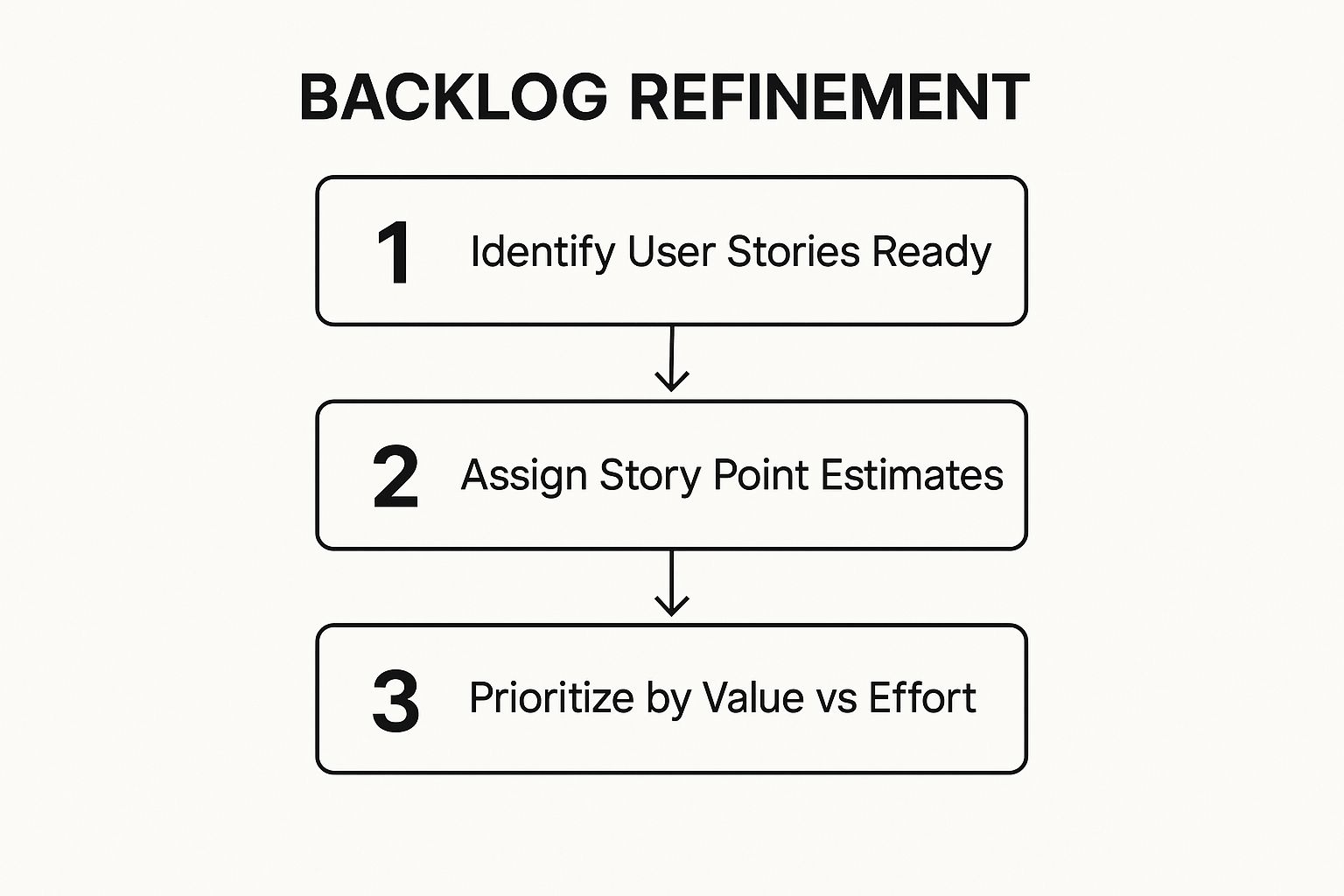
This workflow visualizes the core cycle of refinement: identifying ready work, estimating its complexity, and then making strategic priority calls based on value versus effort. Following this structured approach transforms the backlog from a simple to-do list into a strategic roadmap, which is a hallmark of effective agile development best practices.
How to Implement and Enhance Your Backlog Refinement
Effective refinement is a collaborative team effort, not just a task for the Product Owner. Dedicating a small portion of each sprint to this activity prevents planning bottlenecks and ensures a steady flow of sprint-ready work.
Actionable Tips:
- Allocate Capacity: Dedicate 5-10% of your sprint capacity to refinement activities. This is an investment, not a cost.
- Time-box Sessions: Keep refinement meetings focused and brief, ideally between 60 to 90 minutes.
- Use a Definition of Ready (DoR): Create a checklist that a user story must meet before it can be considered “sprint-ready” (e.g., clear acceptance criteria, dependencies identified).
- Involve the Whole Team: Collaboration between developers, QA, designers, and the Product Owner during refinement leads to more accurate estimates and shared understanding.
- Prioritize Systematically: Use established frameworks like RICE (Reach, Impact, Confidence, Effort) or MoSCoW (Must have, Should have, Could have, Won’t have) to make data-informed priority decisions.
- Split Large Stories: Break down large, complex epics into smaller, manageable user stories using techniques like splitting by workflow steps or business rules.
Key Insight: Backlog refinement is not about creating a perfect, long-term plan. It’s about maintaining a “just-in-time” inventory of 2-3 sprints’ worth of well-understood and prioritized work, ensuring the team can maintain momentum without over-investing in distant plans.
AI-Powered Refinement Example
Use an AI coding assistant to quickly analyze user stories, suggest technical requirements, and identify potential dependencies, which streamlines the refinement process.
✅ Prompt
“Act as a senior software engineer. Analyze this user story: ‘As a user, I want to sign up with my Google account so I can create an account quickly.’ Generate a checklist of technical implementation steps, acceptance criteria, and potential dependencies for our backlog refinement meeting.”
📝 Example Response
Backlog Refinement Checklist for ‘Google SSO Signup’
- Technical Implementation Steps:
- Set up OAuth 2.0 credentials in Google Cloud Platform.
- Add a “Sign up with Google” button to the registration UI.
- Implement the frontend logic to handle the OAuth redirect flow.
- Create a backend endpoint (
/api/auth/google/callback) to receive the auth code. - Verify the token with Google’s servers.
- Check if a user with the Google email already exists in our database.
- If not, create a new user record.
- Generate and return a JWT for the user session.
- Acceptance Criteria:
- GIVEN a user is on the signup page, WHEN they click “Sign up with Google,” THEN they are redirected to Google’s authentication screen.
- GIVEN the user authenticates successfully with Google, WHEN they are redirected back to the app, THEN they are logged in and a new user account is created.
- GIVEN a user with that Google email already exists, WHEN they sign in, THEN they are logged into their existing account.
- Dependencies:
- Requires approved UI/UX designs for the signup button.
- Needs access to the Google Cloud Platform project to configure OAuth credentials.
This AI-generated breakdown provides a solid foundation for discussion, helping the team quickly move to estimation and prioritization.
6. Cross-Functional, Self-Organizing Teams
A cornerstone of agile development best practices is structuring teams to be both cross-functional and self-organizing. This means a single team possesses all the necessary skills (development, testing, design, operations) to deliver a complete piece of working software. The team also has the autonomy to decide how to accomplish its work, free from external micromanagement on technical approaches. Models like Spotify’s squads and Amazon’s “two-pizza teams” exemplify this, enabling faster decision-making and a stronger sense of ownership.
This structure breaks down traditional silos, reducing handoffs and delays that cripple velocity. In an AI-driven workflow, this autonomy is amplified. A cross-functional team can collectively decide which AI tools to adopt or which custom prompts to standardize in their shared Zest library, ensuring the technology serves their specific context. This prevents top-down tool mandates that don’t fit the team’s unique challenges, fostering genuine innovation and accountability from the ground up.
How to Implement and Nurture Autonomous Teams
Building a truly self-organizing team requires trust, clear boundaries, and a commitment to shared goals over individual tasks. The focus shifts from managing people to cultivating an environment where talent can thrive.
Actionable Tips:
- Establish Clear Goals: Define the “what” and “why” (the business outcome), but let the team determine the “how” (the technical implementation).
- Invest in T-Shaped Skills: Encourage team members to have deep expertise in one area (the vertical bar of the T) and broad, collaborative skills in others (the horizontal bar).
- Create a Team Charter: Collaboratively document the team’s mission, roles, responsibilities, and working agreements to create explicit alignment.
- Ensure Direct User Contact: Give the team direct access to the Product Owner and, when possible, end-users to build empathy and make informed decisions.
- Keep Teams Stable: Avoid shuffling members between teams. Long-lived teams build trust, psychological safety, and a deep understanding of their domain.
- Provide Necessary Authority: Equip the team with the tools and permissions needed to build, test, and deploy their software without external dependencies.
Key Insight: True agility comes from small, empowered teams that can operate with the speed and autonomy of a startup. They own their outcomes end-to-end, from ideation to production support.
AI-Powered Team Charter Example
Use an AI assistant to bootstrap your team’s working agreements, ensuring all key aspects of modern development, including AI usage, are covered from the start.
✅ Prompt
“Generate a team charter for a new cross-functional squad named ‘Phoenix’. We are building a new AI-powered analytics dashboard. The charter should define our mission, roles (PO, Dev, QA, UX), communication protocols (stand-ups, Slack), decision-making process, and our principles for using AI tools like Zest for prompt management and code generation.”
📝 Example Response
Team Phoenix - Team Charter
- Mission: To empower users with actionable insights by building a fast, intuitive, and predictive analytics dashboard.
- Roles & Responsibilities:
- Product Owner: Defines ‘what’ and prioritizes the backlog.
- Developers (4): Design, build, test, and deploy features.
- QA Engineer (1): Owns quality strategy and automated testing.
- UX Designer (1): Owns user research and interface design.
- Ceremonies:
- Daily Stand-up: 9:30 AM (15 mins), focused on blockers.
- Sprint Planning: Monday, 10 AM (2 hours).
- Retrospective: Friday, 3 PM (1 hour).
- Communication:
- Primary: Slack channel
#team-phoenix. - Urgent: Direct message or huddle.
- Primary: Slack channel
- Decision-Making: For technical decisions, we use a ‘disagree and commit’ principle after a short, time-boxed discussion. The PO is the final decider on scope.
- AI Usage Principles:
- Prompts: All shared project prompts will be stored and versioned in our team’s Zest library.
- Code Generation: AI-generated code must be understood, reviewed, and tested as if it were manually written.
- Security: No sensitive data or proprietary code in prompts to public models.
This AI-generated charter provides a solid foundation, ensuring your team starts with clarity and alignment, a crucial step in fostering effective, autonomous agile development best practices.
7. Test-Driven Development (TDD) and Automated Testing
Test-Driven Development (TDD) is a transformative discipline among agile development best practices where you write a failing automated test before you write the production code to make it pass. This counterintuitive approach follows a simple, powerful rhythm: write a test that fails (Red), write the minimum code necessary to pass the test (Green), and then improve the code’s design without changing its behavior (Refactor).
This cycle ensures that every piece of code is covered by a test from its inception, resulting in a robust, self-verifying codebase that is safer to change and easier to maintain. AI coding assistants accelerate this process by generating boilerplate test code and refactoring suggestions. For instance, an AI tool like Zest can instantly generate a unit test skeleton based on a function signature, allowing developers to focus on defining the precise test logic and expected outcomes, dramatically speeding up the “Red” and “Green” phases of the TDD cycle.
How to Implement and Enhance Your TDD Practice
Effective TDD is more than just writing tests first; it’s a design practice that improves code quality and developer confidence. The goal is to create a safety net that enables fearless refactoring and sustainable development speed.
Actionable Tips:
- Follow the Testing Pyramid: Focus on a large base of fast unit tests, a smaller layer of integration tests, and very few end-to-end UI tests.
- Keep Unit Tests Fast: Your entire unit test suite should run in minutes, if not seconds, to provide rapid feedback.
- Isolate Units: Use test doubles (mocks, stubs) to isolate the code under test from external dependencies like databases or APIs.
- Structure for Clarity: Use patterns like ‘Arrange-Act-Assert’ or ‘Given-When-Then’ to make your tests easy to read and understand.
- Refactor Tests Too: Treat your test code with the same care as your production code. Keep it clean and maintainable.
- Start Small: Begin by applying TDD to new features or modules before attempting to retrofit an entire legacy system.
Key Insight: TDD isn’t primarily a testing technique; it’s a development technique. The comprehensive test suite is a valuable byproduct of a process that forces you to think through requirements and design before writing a single line of implementation code.
AI-Powered TDD Example
Use your AI coding assistant to jumpstart the TDD process for a new feature. Instead of writing the test from scratch, generate a robust starting point.
✅ Prompt
“Generate a Jest unit test for a new TypeScript function calculateTotalPrice(items, discountCode). The items array contains objects with price and quantity. The function should handle valid and invalid discount codes by calling a validateDiscount service. Follow TDD: create a failing test case for an invalid discount code first.”
📝 Example Response
Initial Failing Test (Red Phase):
// calculateTotalPrice.test.ts import { calculateTotalPrice } from ‘./calculateTotalPrice’; import { validateDiscount } from ‘./services/discountService’;
// Mock the external service jest.mock(‘./services/discountService’); const mockedValidateDiscount = validateDiscount as jest.Mock;
describe(‘calculateTotalPrice’, () => { it(‘should throw an error for an invalid discount code’, () => { // Arrange const items = [{ price: 10, quantity: 2 }]; // Total: 20 mockedValidateDiscount.mockReturnValue({ valid: false });
// Act & Assert
expect(() => calculateTotalPrice(items, 'INVALID')).toThrow('Invalid discount code');
}); });
This AI-generated test provides the perfect “Red” starting point. You can now write the minimal production code to make it pass, fully embracing one of the most powerful agile development best practices.
8. Sprint Retrospectives and Continuous Improvement
A cornerstone of agile development best practices, the Sprint Retrospective is a dedicated ceremony held after the Sprint Review and before the next sprint planning. This meeting provides a safe, structured space for the team to reflect on their recent work: what went well, what challenges arose, and what they could change to be more effective. It is the engine of continuous improvement (Kaizen), turning lessons learned into concrete process adjustments.
This reflective practice ensures the team evolves and adapts, preventing recurring frustrations and optimizing workflows. In an AI-augmented environment, retrospectives gain a new dimension. Instead of relying solely on memory, teams can analyze data from tools like Zest to pinpoint bottlenecks in the dev cycle, such as excessive time spent on PR reviews or common patterns in build failures. This data-driven approach allows retros to focus on systemic issues rather than individual anecdotes, leading to more impactful improvements.
How to Implement and Enhance Your Sprint Retrospective
An effective retrospective generates actionable commitments, not just complaints. It requires psychological safety, where every team member feels comfortable sharing honest feedback without fear of blame, a principle validated by Google’s Project Aristotle research.
Actionable Tips:
- Vary the Format: Keep retrospectives engaging by rotating formats like Sailboat, Mad-Sad-Glad, or Starfish. This prevents monotony and encourages fresh perspectives.
- Focus on Action: Aim for 1-3 concrete, achievable improvement items per retrospective. Assign a clear owner and a due date to each.
- Start with Previous Actions: Begin each session by reviewing the status of action items from the last retro to ensure accountability.
- Use the Prime Directive: Start by stating Norm Kerth’s Prime Directive: “Regardless of what we discover, we understand and truly believe that everyone did the best job they could, given what they knew at the time, their skills and abilities, the resources available, and the situation at hand.”
- Celebrate Wins: Acknowledge successes and team achievements. Positive reinforcement is a powerful motivator.
- Use Anonymous Tools: For sensitive topics, use tools like Retrium or Miro’s private mode to allow for anonymous feedback, fostering honesty.
Key Insight: The retrospective’s purpose is not to assign blame but to improve the system. It transforms the team from passively following a process to actively owning and refining it.
AI-Powered Retrospective Example
You can use an AI assistant to prepare for a data-driven retrospective by analyzing team metrics and identifying patterns that human observation might miss.
✅ Prompt
“Act as a scrum master. Analyze my team’s sprint data from the last two weeks. Our velocity dropped by 15%, and the number of bugs reported in staging increased. Identify potential root causes by correlating PR review times, CI/CD pipeline failures, and the types of tasks completed. Generate key talking points for our upcoming sprint retrospective.”
📝 Example Response
Sprint Retrospective Talking Points:
- PR Lead Time: The average time for a PR to be merged increased by 40% this sprint, primarily due to review delays on large feature branches. Did we have too much work in progress for effective peer review?
- CI/CD Failures: The
integration-testsjob failed on 65% of commits to the main development branch, causing significant rework and context switching. Is our testing suite becoming flaky or is there a recurring infrastructure issue? - Bug Origin: 80% of new bugs originated from the new
payment-processingmodule. This module had the least amount of unit test coverage added during the sprint. Should we establish a minimum code coverage policy for new features?
This AI-generated analysis provides a factual starting point, allowing the team to dive straight into solving well-defined problems, making it a powerful agile development best practice.
9. Definition of Done (DoD) and Acceptance Criteria
A critical component of agile development best practices, the Definition of Done (DoD) is a shared, formal agreement on the quality standards and activities required for a piece of work to be considered complete. While the DoD applies universally to all work items in a sprint, Acceptance Criteria are unique conditions a specific user story must satisfy to be accepted by the Product Owner. Together, they eliminate ambiguity and ensure a consistent level of quality.
This dual-layered approach creates a powerful quality gate. The DoD ensures foundational non-functional requirements like performance, security, and documentation are always met, as seen in Netflix’s DoD which includes chaos engineering tests. AI coding tools can help automate parts of this process by generating boilerplate tests or running automated checks. For example, a Zest prompt could generate a checklist against the team’s DoD, verifying that all conditions are met before a feature is marked as ready for review.
How to Implement and Enhance Your DoD and Acceptance Criteria
Effective implementation turns these concepts from bureaucratic checkboxes into powerful alignment tools that prevent rework and technical debt.
Actionable Tips:
- Start Simple, Evolve: Begin with a basic DoD (e.g., “code reviewed, tests passing”) and mature it in retrospectives. Don’t aim for perfection initially.
- Make It Visible: Display the DoD prominently on your physical or digital team board so it remains top-of-mind.
- Include Non-Functional Requirements: A strong DoD includes criteria for security, accessibility (like WCAG 2.1 AA), and performance.
- Automate Checks: Integrate DoD items into your CI/CD pipeline, such as automated security scans, linting, and code coverage thresholds.
- Use Gherkin Syntax: Write Acceptance Criteria using the Given-When-Then format to ensure clarity for developers, testers, and product owners.
- Involve the Whole Team: QA, developers, and product owners should collaborate on writing both the DoD and specific Acceptance Criteria.
Key Insight: A well-defined DoD acts as a formal quality contract within the team, while clear Acceptance Criteria serve as the contract with the product owner for a specific feature.
AI-Powered DoD Checklist Example
Use an AI assistant to quickly generate a checklist based on your team’s DoD, ensuring nothing is missed before deployment. This is especially useful for complex deployments, such as deploying an Astro site to Cloudflare Workers.
✅ Prompt
“Checklist: confirm my Astro site is deployed on Cloudflare Workers with best-in-class performance, SEO, and DX. Verify adapter, asset storage, caching, hydration, and SSR/SSG choices. Give me a clear yes/no on each item and point out fixes if something’s missing.”
📝 Example Response
Astro on Cloudflare Workers — Deployment Checklist
- Adapter → Using
@astrojs/cloudflareor@astrojs/cloudflare/worker? → ✅ Yes - Static vs SSR → Static pages prebuilt + only SSR where required (API, auth, etc.) → ✅ Yes
- Cold start avoidance → Worker bundle < 1MB, no heavy deps → ✅ Yes
- Assets → Offloaded to R2 / Cloudflare Images, not bundled in Worker → ❌ No → Fix: move images to R2 and rewrite URLs
- Caching → Edge cache headers set (
Cache-Control,stale-while-revalidate) → ✅ Yes - SEO → Title/meta tags verified, hreflang (if multilingual), robots.txt and sitemap.xml generated → ✅ Yes
- Core Web Vitals → Partial hydration configured, Lighthouse score >90 → ✅ Yes
- Global Edge → Tested from multiple PoPs (US/EU/Asia) for <100ms TTFB → ✅ Yes
- Limits → Worker within 30ms CPU budget, script <10MB → ✅ Yes
- Monitoring → Wrangler tail + Analytics enabled → ✅ Yes
Result: 9/10 checks passed. Only asset storage needs fixing.
This AI-driven checklist ensures your deployment aligns perfectly with your team’s Definition of Done for production readiness, a key practice in modern agile development.
10. Pair Programming and Code Reviews
Pair programming and code reviews are cornerstone agile development best practices that embed collaboration directly into the coding process. Pair programming involves two developers working together at a single workstation, while code reviews provide a systematic way for peers to examine code before it’s merged. Both methods are designed to improve code quality, distribute knowledge across the team, and catch defects early.
These practices foster a culture of collective code ownership and continuous learning, ensuring that no single developer is a bottleneck. In an AI-assisted workflow, this becomes even more critical. AI can generate code rapidly, but human oversight through pairing and reviews ensures the output is secure, efficient, and aligned with the project’s architecture. Tools like Zest can accelerate this by identifying complex or risky code sections that warrant a closer, human-led review.
How to Implement and Enhance Your Collaborative Coding
Effective collaboration isn’t just about putting two developers in a room; it’s about creating a structured, positive feedback loop that elevates the entire team’s output. The goal is to improve the code, not criticize the coder.
Actionable Tips:
- Establish Clear Guidelines: Create a checklist for code reviews covering style, performance, security, and logic.
- Use the “Driver-Navigator” Model: In pair programming, one person (the Driver) writes the code while the other (the Navigator) reviews it in real-time and thinks strategically.
- Time-box Pairing Sessions: To maintain focus and energy, limit pair programming sessions to 60-90 minutes before taking a break or switching roles.
- Automate Linting and Formatting: Use tools like ESLint or Prettier to handle stylistic debates automatically, allowing reviews to focus on substantive issues.
- Keep Pull Requests Small: Small, focused PRs are easier and faster to review, encouraging more thorough feedback.
- Practice Asynchronous and Synchronous Reviews: Use asynchronous reviews for non-blocking changes and schedule synchronous pairing sessions for complex or critical features. For more details on this, learn more about secure code reviews here.
Key Insight: The ultimate goal of pairing and reviews is not just to find bugs. It is to build a shared understanding of the codebase and elevate the team’s collective skill, which is essential for sustainable agile development best practices.
AI-Powered Code Review Example
Leverage your AI coding assistant to conduct a preliminary, automated review of your pull request, catching common issues before a human reviewer ever sees it. This speeds up the feedback cycle significantly.
✅ Prompt
“Act as a senior software engineer. Review my pull request for a new user authentication API. Check for security vulnerabilities like SQL injection, ensure proper error handling for all API endpoints, verify adherence to RESTful principles, and check for missing unit tests for the primary logic.”
📝 Example Response
Pull Request Pre-Review Checklist:
- Security (SQL Injection) → All database queries use parameterized statements. → ✅ Pass
- Error Handling → Endpoint
POST /loginis missing atry-catchblock for database connection failures. → ❌ Fail → Fix: Wrap the database call in atry-catchblock and return a500status on failure. - RESTful Principles → Using
GETfor a logout endpoint. → ❌ Fail → Fix: ChangeGET /logouttoPOST /logoutas it changes the state of the user’s session. - Test Coverage → The
authenticateUserservice function lacks unit tests to cover failed login attempts. → ❌ Fail → Fix: Add a test case that asserts the function’s behavior with an invalid password.
Result: 1/4 checks passed. Address the three failed items before requesting a human review.
This AI-driven pre-check ensures that when a teammate reviews your code, they can focus on high-level architectural and logical decisions rather than common, easily fixed errors.
Agile Best Practices Comparison Table
| Practice / Item | Implementation Complexity 🔄 | Resource Requirements ⚡ | Expected Outcomes 📊 | Ideal Use Cases 💡 | Key Advantages ⭐ |
|---|---|---|---|---|---|
| Daily Stand-up Meetings (Daily Scrum) | Low: Short, daily 15-min meetings; needs facilitation | Low: Time from all team members daily | Improved team alignment and blocker detection | Teams needing daily synchronization and quick updates | Enhances communication, accountability, and reduces other meetings |
| Sprint Planning and Time-Boxing | Medium: Requires upfront planning and estimation | Medium: Team time per sprint start | Predictable delivery rhythm and capacity control | Teams requiring structured sprint goals and scope control | Limits WIP, improves forecasting, reduces scope creep |
| Continuous Integration and Continuous Delivery (CI/CD) | High: Requires setup of automation, tests, and pipelines | High: Tools, infrastructure, skilled team | Faster releases, higher code quality, early bug detection | Software teams aiming for frequent, reliable releases | Accelerates time to market, reduces errors, supports multiple daily releases |
| Iterative Development with User Feedback | Medium: Requires iteration cycles and user involvement | Medium: User feedback sessions and prototyping | Reduced product risk, early validation and pivot ability | Products needing validation and frequent user input | Increases user satisfaction, reduces waste, encourages innovation |
| Backlog Refinement and Prioritization | Medium: Requires ongoing effort and stakeholder input | Low-Medium: Product Owner and team time | Well-groomed backlog aligned with business value | Agile teams needing clear priorities and smooth sprint planning | Reduces sprint planning time, aligns work to priorities, improves estimation accuracy |
| Cross-Functional, Self-Organizing Teams | High: Requires cultural change and skill diversity | High: Cross-skilled team members and autonomy | Faster delivery, higher quality, innovation | Organizations moving toward agile team autonomy and broad skillsets | Enables autonomy, reduces handoffs, improves morale and flexibility |
| Test-Driven Development (TDD) and Automated Testing | High: Requires discipline, test writing before code | Medium-High: Developer skill and test infrastructure | Better code quality, reduced bugs, safer refactoring | Teams focused on quality, maintainability, and CI/CD readiness | Improves design, reduces defects, provides executable documentation |
| Sprint Retrospectives and Continuous Improvement | Low-Medium: Regular reflection meetings with facilitation | Low: Team time at sprint end | Continuous process improvements and team trust | Teams focused on continuous learning and process optimization | Builds trust, empowers teams, addresses issues early |
| Definition of Done (DoD) and Acceptance Criteria | Low-Medium: Requires consensus and documentation | Low: Team and stakeholder coordination | Clear completion criteria, better quality and predictability | Teams needing standardized quality gates and clear deliverable standards | Eliminates ambiguity, prevents technical debt, ensures consistent quality |
| Pair Programming and Code Reviews | Medium-High: Requires collaboration and process discipline | Medium: Two developers or review cycles | Higher code quality, shared knowledge, fewer defects | Teams improving code quality and collective ownership | Reduces defects, spreads knowledge, accelerates onboarding |
Making Agile Stick: Your Path to Continuous Improvement
You’ve explored a comprehensive set of agile development best practices, from the daily rhythm of stand-ups to the strategic discipline of sprint retrospectives. We’ve covered the structural power of CI/CD pipelines, the collaborative energy of pair programming, and the clarity brought by a well-defined Definition of Done. Each practice represents a tool designed not just to accelerate development, but to build a more resilient, responsive, and human-centric engineering culture.
Adopting agile isn’t about flipping a switch; it’s a gradual, intentional process of cultural change. The journey from traditional workflows to true agility is an iterative process in itself. The key is to avoid trying to implement all ten practices at once. Instead, identify your team’s most significant bottleneck. Is it unpredictable delivery? Start with Sprint Planning and Time-Boxing. Is quality a recurring issue? Focus on Test-Driven Development (TDD) and enhancing your code review process.
Your Actionable Path Forward
The path to mastering agile is built on small, consistent steps. Think of it as a continuous improvement loop, powered by the very principles you’re adopting.
- Start Small, Win Early: Select one or two practices from this list that directly address a current pain point. For instance, if your team struggles with unclear requirements, begin by rigorously defining Acceptance Criteria for your next two user stories. This small change can deliver immediate clarity and a tangible win.
- Embrace the Retrospective: The Sprint Retrospective is your most critical tool for change. Treat it as a non-negotiable ceremony where the team can honestly assess what’s working and what isn’t. Use this feedback to decide which agile practice to adopt or refine next.
- Integrate AI with Intention: As you adopt AI-driven tools like Zest, these agile frameworks become even more crucial. For example, you can create a standardized AI prompt to act as a checklist for your Definition of Done, ensuring every developer verifies key quality and deployment criteria before marking a task complete.
Here’s a practical example of a prompt a developer could use to enforce deployment best practices, tying AI directly into your agile workflow:
✅ Prompt
“Checklist: confirm my Astro site is deployed on Cloudflare Workers with best-in-class performance, SEO, and DX. Verify adapter, asset storage, caching, hydration, and SSR/SSG choices. Give me a clear yes/no on each item and point out fixes if something’s missing.”
📝 Example Response
Astro on Cloudflare Workers — Deployment Checklist
- Adapter → Using
@astrojs/cloudflareor@astrojs/cloudflare/worker? → ✅ Yes - Static vs SSR → Static pages prebuilt + only SSR where required (API, auth, etc.) → ✅ Yes
- Cold start avoidance → Worker bundle < 1MB, no heavy deps → ✅ Yes
- Assets → Offloaded to R2 / Cloudflare Images, not bundled in Worker → ❌ No → Fix: move images to R2 and rewrite URLs
- Caching → Edge cache headers set (
Cache-Control,stale-while-revalidate) → ✅ Yes - SEO → Title/meta tags verified, hreflang (if multilingual), robots.txt and sitemap.xml generated → ✅ Yes
- Core Web Vitals → Partial hydration configured, Lighthouse score >90 → ✅ Yes
- Global Edge → Tested from multiple PoPs (US/EU/Asia) for <100ms TTFB → ✅ Yes
- Limits → Worker within 30ms CPU budget, script <10MB → ✅ Yes
- Monitoring → Wrangler tail + Analytics enabled → ✅ Yes
Result: 9/10 checks passed. Only asset storage needs fixing.
Ultimately, these agile development best practices are about creating a system for sustainable success. They empower teams to build the right thing, build it well, and continuously improve their ability to do both. By fostering communication, transparency, and a relentless focus on delivering value, you’re not just optimizing a workflow; you’re building a foundation for innovation and high-performance that will serve your team long into the future.
Ready to supercharge your agile practices with data-driven insights into your AI-assisted workflows? Zest provides the visibility you need to understand how your team uses AI, helping you standardize effective prompts and measure the impact on your development velocity. See how your team is truly working and optimize your agile process by visiting Zest.
Gallery
Lemon shots



