
7 Proven Agenda for Stand Up Meeting Formats for High-Performing Teams in 2026
The daily stand-up is a cornerstone of agile development, but it can easily become a stale, low-value ritual. Many teams fall into the trap of reciting status updates without generating real insight or momentum. The right agenda for a stand up meeting transforms it from a routine check-in into a powerful engine for alignment, problem-solving, and continuous learning. When teams are using AI coding assistants and other advanced tools, the traditional format often isn’t enough to capture the full picture.
Teams need dynamic agendas that surface critical blockers, celebrate data-driven wins, and capture the valuable lessons learned from this new way of working. This guide moves beyond the basics to provide seven battle-tested stand-up meeting agendas. Each one is tailored for different team structures and goals, from classic three-question formats to modern, async-native debriefs designed for the AI-powered development lifecycle. We’ll explore exactly how to implement each agenda and show how tools can automate the process, turning daily activity into actionable insights that accelerate your entire team. You’ll leave with concrete templates ready to deploy immediately, ensuring your next stand-up is focused, efficient, and genuinely useful.
1. The Three-Question Format (What I Did, What I’m Doing, Blockers)
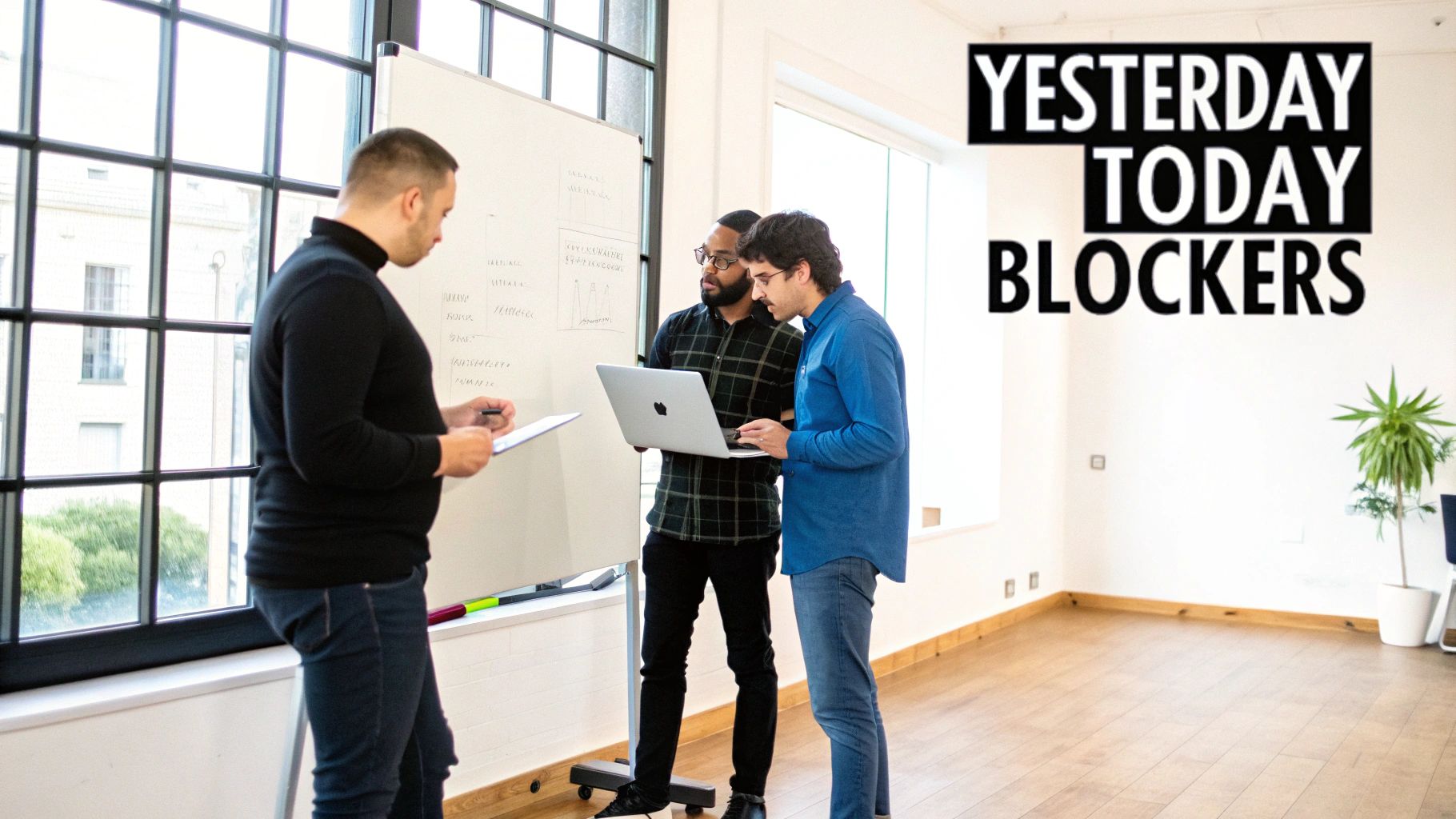
The Three-Question format is the cornerstone of agile development and the most widely recognized agenda for a stand up meeting. Popularized by the Scrum framework, its strength lies in its simplicity and laser focus on progress and impediments. Each team member provides a concise update by answering three core questions: What did I accomplish yesterday? What will I work on today? What is blocking my progress?
This structure creates a predictable rhythm that keeps the team aligned and surfaces issues immediately. It’s not a status report for management; it’s a daily commitment and synchronization point for the development team. Its universal adoption by tech giants like Microsoft and innovative engineering teams at Spotify proves its effectiveness in fostering transparency and accountability at scale.
When and Why to Use This Format
This agenda is ideal for software teams practicing Scrum or any agile methodology that values daily syncs and rapid feedback loops. Use it when your primary goals are to:
- Identify Blockers Quickly: The “What’s in my way?” question is a built-in mechanism to flag and escalate problems before they derail the sprint.
- Maintain Daily Alignment: It ensures everyone on the team has a clear picture of what their peers are focused on, reducing duplicate work and fostering collaboration.
- Promote Accountability: By stating daily goals publicly, team members make a commitment to their peers, which helps drive focus and personal ownership of tasks.
Key Insight: The Three-Question format shifts the focus from “being busy” to “making progress.” It forces each developer to articulate their contribution to the sprint goal, not just list activities.
Actionable Tips for Implementation
To get the most out of this classic format, integrate modern tools and disciplined practices:
- Automate the Prep: Use a tool like Zest to pre-populate answers. Zest’s AI can analyze daily activity logs from VS Code, Cursor, and other developer tools to automatically draft what was done and suggest what’s next, saving valuable meeting time.
- Focus on Blockers: Make it a rule that each team member must either share one concrete blocker or one significant win. This prevents updates from becoming a monotonous task list.
- Strict Timeboxing: Keep each person’s update to 90-120 seconds. Use a timer. If a deeper discussion is needed, take it offline or schedule a separate problem-solving session immediately after the stand-up.
- Highlight AI-Driven Wins: When a team member shares a win, encourage them to mention if an effective AI prompt or workflow was involved. This reinforces best practices and promotes knowledge sharing across the team.
2. The Metrics-Driven Format (Activity, Velocity, AI Adoption)
The Metrics-Driven format shifts the daily stand up from a narrative-based update to a quantitative review of team performance. Instead of describing tasks, each member shares key data points like code velocity, feature completion rates, and AI tool adoption. This agenda for a stand up meeting turns daily activity into measurable insights, enabling managers to track progress against concrete goals.
This data-centric approach is embraced by high-performance teams at companies like Atlassian and GitHub, which use DevOps metrics to drive continuous improvement. It transforms the stand up into a real-time health check for the sprint, making performance transparent and highlighting areas for optimization. The focus is on objective data, not subjective feelings of progress.

When and Why to Use This Format
This agenda is ideal for teams focused on optimizing their engineering processes, particularly those adopting DevOps or SRE principles. For teams keen on integrating advanced metrics like AI Adoption into their stand-ups, understanding the foundational concepts of planning artificial intelligence is crucial. Use it when your primary goals are to:
- Boost Performance with Data: Make informed decisions based on real-time metrics, not just gut feelings. It helps identify performance bottlenecks and opportunities for improvement.
- Measure AI Adoption and ROI: Quantify the impact of AI tools by tracking metrics like AI-assisted commits, time saved, and adoption rates of effective cheatcodes.
- Align with Business Objectives: Connect daily engineering work directly to broader company goals (OKRs) by tracking progress against key results. You can find more details in our post on what DORA metrics are.
Key Insight: A metrics-driven stand up reframes accountability around outcomes, not just activity. It answers the question, “How effective are we?” rather than just, “What are we doing?”
Actionable Tips for Implementation
To successfully run a metrics-driven stand up, leverage automation and a culture of continuous improvement:
- Automate Metric Collection: Use a tool like Zest to automatically pull and display key metrics from development environments. Zest can aggregate data on code velocity, stuck time, and AI tool usage, presenting it in an easy-to-digest dashboard.
- Display a Leaderboard: Drive engagement and friendly competition by showing a company-level leaderboard for metrics like AI adoption or effective workflow usage during the meeting.
- Pair Metrics with Context: Never discuss a number in isolation. If velocity dropped, ask why. Was it a complex new feature, a learning curve with a new tool, or an unresolved blocker?
- Focus on Actionable Insights: Use AI Hints from tools like Zest to explain metric anomalies. For example, high “stuck time” can reveal team members struggling with weak prompting skills, creating a coaching opportunity.
3. The Learning-Focused Format (Wins, Lessons, Cheatcodes)
This innovation-oriented agenda for a stand up meeting shifts the focus from task completion to continuous improvement and knowledge sharing. Instead of reporting what was done, each team member shares their recent wins (successful implementations), lessons learned (valuable failures or insights), and “cheatcodes” (reusable strategies, prompts, or code snippets). This format is designed to accelerate team capability and turn individual experiments into collective wisdom.
The philosophy behind this structure is proven in the engineering cultures of companies like Etsy and Google, which champion blameless postmortems and psychological safety to foster learning. It transforms the daily stand up from a status check into a high-value knowledge transfer session, where the team’s collective intelligence grows daily. This approach directly supports modern developer workflows that rely heavily on experimentation with AI tools.

When and Why to Use This Format
This format is perfect for teams looking to build a strong learning culture, especially those leveraging AI and new technologies where best practices are still emerging. Use it when your primary goals are to:
- Scale Best Practices: It systematically surfaces and distributes effective techniques, preventing valuable insights from staying siloed with one developer.
- Accelerate Skill Development: By openly discussing both successes and failures, the team learns faster and avoids repeating the same mistakes.
- Build a Knowledge Hub: This format naturally creates a repository of practical solutions and “cheatcodes” that can be documented and reused, boosting long-term productivity. You can explore a deeper dive into knowledge sharing best practices here.
Key Insight: This format reframes “failure” as a “lesson learned,” creating a psychologically safe environment where team members are encouraged to experiment and innovate without fear of blame.
Actionable Tips for Implementation
To make your learning-focused stand up effective, establish a clear process for capturing and sharing insights:
- Formalize Cheatcode Submissions: Use a simple template (e.g., Problem, Solution, Prompt/Code) to standardize how cheatcodes are shared. This makes them easy to understand, search for, and apply.
- Leverage AI to Surface Learning: Use a tool like Zest to automatically identify learning moments. Zest’s AI can flag inefficient prompts or novel workflows, providing concrete data to kickstart discussions about lessons and wins.
- Create a Peer-Review System: Encourage team members to rate and comment on shared cheatcodes. This feedback loop helps refine the best ideas and highlights the most valuable contributions.
- Reward Knowledge Sharing: Implement a simple rewards system, such as a shout-out or small prize, for the team member whose cheatcode is most frequently used or saves the most time. This incentivizes active participation.
4. The Blockers-First Format (Problem-Solving Triage)
The Blockers-First format inverts the traditional stand up meeting agenda to prioritize what matters most: impediments. Instead of saving obstacles for last, this approach front-loads the discussion on blockers, dependencies, and problems. Each team member first reports any issues preventing progress, ensuring the entire team’s attention is focused on problem-solving from the very beginning.
This format treats the daily stand-up as a triage session, acknowledging that the highest return on investment comes from unblocking team members, not just hearing status updates. It is a core practice in Kanban, incident command systems, and high-performing SRE teams, where flow and rapid issue resolution are paramount. This model is built on the principle that a blocked task represents a direct threat to throughput and must be addressed immediately.
When and Why to Use This Format
This agenda is perfect for teams whose work involves high levels of interdependency or those operating in complex, fast-moving environments. Use this format when your key objectives are to:
- Maximize Team Throughput: By tackling blockers first, you directly address the biggest drags on velocity and ensure work keeps flowing smoothly.
- Foster a Proactive Culture: It encourages developers to identify and articulate problems without hesitation, creating a psychologically safe environment for raising issues.
- Enable Rapid Problem-Solving: Surfacing impediments when everyone is present allows for immediate collaboration, assignment of resolution owners, and swarming on critical issues.
Key Insight: This format shifts the meeting’s purpose from reporting status to actively clearing the path forward. It turns the stand up into a tactical, forward-looking huddle focused on maintaining momentum.
Actionable Tips for Implementation
To make the Blockers-First format effective, you need discipline and the right tools:
- Use AI to Pre-Identify Blockers: Leverage a tool like Zest to analyze developer activity logs. Zest’s AI Hints can automatically detect patterns like “stuck time” on a file, weak AI prompts, or frequent session interruptions, flagging potential blockers before the meeting even starts.
- Structure the Time: Allocate the first 5 minutes strictly to identifying blockers. The next 5 minutes can cover plans, and the final 2-3 minutes can be for celebrating wins or resolutions.
- Categorize and Track Blockers: Create clear categories (e.g., Technical, Dependency, Knowledge) to understand patterns. Tracking these helps reveal systemic issues, which you can explore further by reading about common engineering issues and their solutions.
- Assign Ownership Immediately: When a blocker is raised, assign a resolution owner on the spot with a clear deadline. This ensures accountability and prevents issues from falling through the cracks.
5. The Async-Native Format (Recorded Updates, Threaded Insights)
The Async-Native format is a modern, distributed-first approach that swaps real-time meetings for recorded video updates or detailed written summaries. This agenda for a stand up meeting respects different time zones and work styles by allowing team members to consume updates and provide feedback on their own schedule. It champions deep work by minimizing interruptions, a philosophy championed by remote-first pioneers like Gitlab and Automattic.
This model is built on trust and high-quality tooling. Instead of a verbal roll call, team members post structured updates in a shared channel. Discussions happen in threaded conversations, creating a persistent and searchable log of decisions, blockers, and solutions. This approach not only improves inclusivity for neurodivergent team members but also builds a valuable knowledge base over time.
When and Why to Use This Format
This format is essential for globally distributed teams or organizations with a strong remote-first culture. It is also highly effective for teams that value deep, uninterrupted focus time. Use this agenda when your goals are to:
- Maximize Productivity: Eliminate the cost of context-switching by replacing a daily synchronous meeting with an asynchronous check-in that doesn’t break development flow.
- Improve Inclusivity: Accommodate different time zones, languages, and communication preferences, ensuring everyone can contribute thoughtfully without the pressure of a live meeting.
- Create a Permanent Record: Build a searchable archive of daily progress, decisions, and blocker resolutions that is invaluable for onboarding new members and referencing past sprints. For teams adopting this format, exploring ways to leverage a live feed for seamless connection can be beneficial, as discussed in an article on unlocking the power of internal asynchronous communications.
Key Insight: The async-native format transforms the stand-up from a fleeting, verbal event into a durable, written artifact. This shift prioritizes clear, deliberate communication over real-time presence, fostering a more thoughtful and documented engineering culture.
Actionable Tips for Implementation
To make async stand-ups effective, you need structure and the right tools:
- Automate Updates with AI: Leverage Zest’s AI Standups feature to automatically generate draft summaries from a developer’s daily activity logs. This reduces the manual effort of writing updates and ensures they are grounded in actual work accomplished.
- Use Structured Templates: Enforce a clear template for every update (e.g., Yesterday’s wins → Today’s focus → Blockers/needs). This consistency makes updates easy to scan and digest.
- Encourage Video Updates: Suggest short (2-3 minute) video recordings using tools like Loom. This helps retain the personality and nuance often lost in text, fostering a stronger human connection.
- Thread Discussions by Topic: Organize follow-up conversations in threads under the original update. This keeps discussions focused and reduces notification noise for the rest of the team.
- Schedule Optional Syncs: Hold a 15-minute optional synchronous call once or twice a week. Use this time exclusively for addressing complex blockers that are difficult to resolve asynchronously and for social connection.
6. The Session Debrief Format (What Went Well, What Stuck, Iteration Plan)
As AI coding assistants become integral to development, the Session Debrief Format reframes the daily stand-up from a task-list recitation to a powerful learning loop. This agenda for a stand-up meeting focuses on deconstructing AI-assisted coding sessions to extract valuable insights. Team members answer: What went well during my session? Where did the AI or I get stuck? What’s the iteration plan for the next attempt?
This format transforms individual developer-AI interactions into collective team intelligence. It’s a retrospective-infused stand-up designed to surface patterns of effective AI usage and identify weak prompts that need improvement. This approach is gaining traction in communities like the Cursor IDE user base and is a common theme in GitHub Copilot usage documentation, where the goal is to master the new human-AI development paradigm.
When and Why to Use This Format
This agenda is perfect for engineering teams deeply invested in using AI coding assistants and looking to standardize best practices. Use it when your primary goals are to:
- Accelerate AI Adoption: It creates a safe space to discuss struggles with AI tools, turning “stuck moments” into teachable opportunities for the entire team.
- Build a Prompt Library: By collectively analyzing what works and what doesn’t, teams can build a repository of high-leverage “cheatcode” prompts for common tasks.
- Improve Development Patterns: This format helps identify where AI excels and where it fails, allowing teams to refine their workflows and avoid common AI-induced pitfalls.
Key Insight: The Session Debrief shifts the focus from “what tasks are done” to “how we are getting work done more effectively.” It treats prompt engineering as a core team skill to be continuously improved.
Actionable Tips for Implementation
To make your Session Debriefs impactful, focus on structure and data-driven insights:
- Leverage AI-Powered Prep: Use a tool like Zest to automatically surface insights for discussion. Zest’s AI Hints can flag weak prompts, identify moments of developer struggle, and pinpoint session derailments, providing concrete data to kickstart the conversation.
- Structure the Debrief: Organize the discussion around a clear flow: Session Wins → Stuck Moments → “Cheatcode” Extraction → Team Iteration. This keeps the meeting focused and ensures actionable outcomes.
- Create a Shared Template: Implement a simple, shared document where developers log debriefs using a format like: Task → Prompt Used → Result → Why it Worked/Failed. This creates an invaluable knowledge base.
- Vote on “Cheatcodes”: As a team, vote on which weak or failed prompts are most important to solve. Dedicate time to collaboratively build a “cheatcode” solution (an improved prompt or workflow) and track its adoption.
7. The Hybrid Format (Time-Boxed Sync + Async Follow-Up)
The Hybrid Format is a pragmatic agenda for stand up meetings, engineered for modern distributed teams that need to balance real-time connection with deep, uninterrupted focus. It combines a short, time-boxed synchronous meeting focused on critical issues with a more detailed asynchronous update process. This approach respects developers’ time while ensuring urgent problems are addressed immediately.
This model, embraced by forward-thinking companies like Stripe and Figma, acknowledges that not all information needs a live audience. A brief 10-15 minute sync call is reserved for high-priority blockers and quick decisions, while comprehensive progress updates, key learnings, and detailed solutions are shared asynchronously. This blend optimizes for both high-bandwidth collaboration and thoughtful, documented communication, making it a scalable solution for hybrid and remote-first engineering organizations.
When and Why to Use This Format
This agenda is perfect for distributed or hybrid teams struggling with meeting fatigue but still needing a strong sense of alignment. Use it when your goals are to:
- Maximize Focus Time: It drastically reduces time spent in meetings, freeing up valuable engineering hours for coding and problem-solving.
- Improve Documentation: Asynchronous updates create a persistent, searchable record of progress, decisions, and shared knowledge that live meetings lack.
- Accommodate Global Time Zones: It offers flexibility for teams spread across different continents, as the sync portion can be rotated or recorded for those unable to attend live.
Key Insight: The Hybrid Format redefines the purpose of the stand-up. The sync meeting is for unblocking the team now, while the async component is for informing and aligning the team over time.
Actionable Tips for Implementation
To successfully adopt a hybrid model, discipline and the right tools are essential:
- Strict Sync Agenda: Dedicate the first 10 minutes of the sync call exclusively to discussing and resolving blockers. Use the final 5 minutes for any urgent decisions that require real-time input.
- Leverage AI for Prep: Use a tool like Zest to generate AI Standup summaries that serve as a mandatory pre-read before the sync call. This ensures everyone arrives with full context.
- Keep Discussions in the Right Place: Vigorously protect the sync meeting from scope creep. Encourage team members to move detailed technical discussions or knowledge-sharing to asynchronous threads.
- Rotate and Record: If your team is globally distributed, rotate the sync meeting time to accommodate different time zones. Always record the call and post the recording alongside a Zest-generated summary for anyone who missed it.
7-Format Stand-Up Agenda Comparison
| Format | Implementation Complexity (🔄) | Resource Requirements (💡) | Expected Outcomes (⭐📊) | Ideal Use Cases (📊) | Key Advantages (⚡) |
|---|---|---|---|---|---|
| The Three-Question Format (What I Did, What I’m Doing, Blockers) | 🔄 Low — familiar, easy facilitation | 💡 Low — 15-min daily sync, basic issue-tracker integration | ⭐⭐⭐⭐ — clear progress tracking; fast blocker visibility 📊 | Daily status for mixed-experience dev teams, distributed squads | ⚡ Quick to adopt; concise visibility; reduces meeting time |
| The Metrics-Driven Format (Activity, Velocity, AI Adoption) | 🔄 High — needs instrumentation and dashboards | 💡 High — analytics, data pipelines, dashboarding tools | ⭐⭐⭐⭐ — objective KPIs, adoption & ROI visibility 📊 | Enterprises, CTOs, teams measuring AI impact and throughput | ⚡ Data-driven decisions; surfaces adoption gaps and bottlenecks |
| The Learning-Focused Format (Wins, Lessons, Cheatcodes) | 🔄 Medium — requires facilitation and curation | 💡 Medium — time for deep dives, cheatcode library, moderation | ⭐⭐⭐⭐ — builds org knowledge; reduces ramp-up time 📊 | Startups, product/platform teams focused on rapid learning | ⚡ Accelerates knowledge transfer; promotes experimentation |
| The Blockers-First Format (Problem-Solving Triage) | 🔄 Medium — structured triage; needs experts present | 💡 Medium — senior availability, blocker tracking, ownership process | ⭐⭐⭐⭐ — faster unblocking; reduces cascading delays 📊 | Platform, infra, SRE, Kanban teams where blockers cascade | ⚡ Prioritizes high-ROI problem resolution; creates accountability |
| The Async-Native Format (Recorded Updates, Threaded Insights) | 🔄 Low–Medium — governance and review discipline needed | 💡 Medium — recording tools, AI summaries (Zest), time to review | ⭐⭐⭐ — inclusive participation; searchable documentation📊 | Remote-first, time-zone distributed, neurodivergent-friendly teams | ⚡ Reduces meeting fatigue; time-zone friendly; preserves context |
| The Session Debrief Format (What Went Well, What Stuck, Iteration Plan) | 🔄 Medium — session instrumentation + skilled facilitation | 💡 Medium — AI session data (Zest), templates, developer time | ⭐⭐⭐⭐ — improves AI-assisted workflows; extracts cheatcodes 📊 | Dev teams using AI coding assistants; teams optimizing prompt engineering | ⚡ Directly improves prompt effectiveness; rapid feedback loops |
| The Hybrid Format (Time-Boxed Sync + Async Follow-Up) | 🔄 Medium–High — coordinates two workflows | 💡 Medium — short syncs, async tooling, clear processes | ⭐⭐⭐⭐ — balanced cohesion and documentation; scalable 📊 | Scaling orgs with mixed co-located and distributed members | ⚡ Balances real-time decisions with async depth; scalable solution |
Choosing the Right Agenda for Your Team’s Workflow
The perfect agenda for a stand up meeting isn’t a rigid template you download and enforce forever. As we’ve explored through various formats, from the classic three-question structure to the innovative async-native model, the most effective agenda is a dynamic tool tailored to your team’s immediate context, challenges, and goals. There is no single “best” format, only the one that best serves your team right now. The true power lies in recognizing that the stand-up itself is a product to be iterated upon.
Your journey to a more effective meeting starts with a simple diagnosis. Is your team consistently blindsided by dependencies? The Blockers-First Format can bring those issues to the forefront immediately. Are you a globally distributed team struggling with time zones and meeting fatigue? The Async-Native Format offers the flexibility and focus you need. For teams pushing the boundaries with new tech, the Learning-Focused Format can transform a simple status update into a powerful knowledge-sharing session. The key is to consciously select an agenda that targets a specific pain point rather than defaulting to a familiar but ineffective routine.
From Theory to Actionable Practice
To make this transition successful, follow these concrete next steps:
- Diagnose Your Pain Point: In your next retrospective, dedicate time to discussing the stand-up. Ask the team: “What is the biggest problem our current stand-up fails to solve?” Is it poor visibility, slow problem-solving, or a lack of connection?
- Select a New Agenda: Based on that diagnosis, choose one of the formats detailed in this article as an experiment. Announce the change, explain the “why” behind it, and commit to trying it for a full sprint.
- Integrate and Automate: Leverage tools to handle the logistical overhead. For instance, a tool like Zest can automatically pull in development metrics for a Metrics-Driven Stand-up or compile asynchronous updates, ensuring the data is ready before the meeting even starts. This frees up the team to focus on strategic conversation, not just reporting.
- Gather Feedback and Iterate: After the trial period, review its effectiveness. Did it solve the identified pain point? What worked, and what didn’t? Use this feedback to either refine the new format, try another, or create a unique hybrid model that fits your team’s unique workflow.
By treating your stand-up as a strategic ritual rather than a mandatory chore, you unlock its true potential. A well-chosen agenda for a stand up meeting does more than just track progress; it actively accelerates it. It builds a culture of proactive problem-solving, continuous learning, and transparent collaboration, directly impacting your team’s velocity, innovation, and overall morale. Stop settling for a meeting that just checks a box and start designing one that truly empowers your team to do their best work.
Ready to stop guessing and start measuring the impact of your meetings? Zest automatically captures engineering metrics and summarizes asynchronous updates, giving you the data you need to run any of the agendas in this guide effectively. See how you can transform your stand-ups from status reports into strategic hubs by trying Zest today.
Master Your Stand-Up Agenda
Transform your daily sync from a routine status check into a high-impact collaboration ritual.
📊 Core Metrics
- Time-to-Unblock — How quickly critical blockers are identified and resolved.
- Meeting Efficiency — Percentage of stand-up time spent on problem-solving vs. reporting.
- Agenda Adherence — Consistency in following the chosen format sprint-over-sprint.
🕹️ My Cheatcodes
- 🌱 Diagnose First — Identify the team's biggest pain point before choosing an agenda.
- 🦎 Iterate Like a Product — Treat your stand-up format as an experiment to be refined.
- ⚡ Automate Reporting — Use tools to pull data automatically, saving time for strategic discussion.
📈 Reflection Points
- 💡 Is our current agenda solving our most pressing problem?
- 🧩 Are we just reporting status or are we actively solving problems?
- 📘 Could an async component make our meeting more efficient?
✅ Before Your Next Stand-Up
- 🔍 Identify one clear goal for the meeting.
- 📊 Select an agenda format that directly supports that goal.
- 🧭 Communicate the new format and its purpose to the team.
- 📈 Prepare any required data or updates in advance.
Gallery
Lemon shots



