
A Proven Agenda for Daily Standup Meetings That Work

An effective agenda for a daily standup is what keeps the meeting from turning into a rambling status report. The goal is to keep it focused, under 15 minutes, and all about smashing blockers. It transforms a daily chore into a strategic huddle where the team aligns on what truly matters.
Why Most Daily Standups Are a Waste of Time
Let’s be real. A lot of daily standups feel more like a mandatory check-in than a useful part of the day.
What’s supposed to be a quick, 15-minute sync often drags into a 30-minute slog, killing the team’s momentum before the day even gets going. The problem isn’t the meeting itself—it’s the lack of a disciplined agenda.
Without structure, the standup easily spirals into a series of long-winded monologues. Team members just list every single task they ticked off yesterday. That’s not alignment; it’s a status report for a manager, which completely misses the point of a peer-to-peer huddle.
The Common Pitfalls of Unstructured Standups
The problems are painfully predictable. When there’s no agenda, conversations drift. Before you know it, half the team is pulled into a deep technical debate to solve an issue that only affects two people. That’s a classic sign your standup is broken.
Other all-too-common symptoms include:
- Going way over time: The 15-minute rule is supposed to be sacred, yet these meetings often stretch to 30 or even 45 minutes, just eating away at productive time.
- Zoned-out participants: You can see it in their eyes. People are just waiting for their turn to talk instead of actively listening for ways they can help or sync up.
- Blockers that never get resolved: Someone mentions the same blocker for three days straight, but there’s no clear plan or person assigned to actually fix it.
These issues have only gotten worse with remote and hybrid work. It’s so much harder to read the room and keep everyone focused when you’re all just heads in boxes on a screen. This is where a tight, structured agenda becomes absolutely non-negotiable for keeping the team connected. To fix this, you need to apply some broader effective meeting management tips to turn these sessions around.
A standup without a clear agenda is just another meeting. A standup with a clear agenda is a competitive advantage. It’s the difference between reporting on the past and aligning for the future.
And this isn’t a small problem. Recent industry data showed daily standups accounted for a staggering 3.0 million meetings, making them one of the most common meeting types out there. What should be a quick 15-minute huddle often doubles or quadruples in length, completely defeating its purpose. Ultimately, a solid agenda for a daily standup isn’t just about being organized—it’s about reclaiming your team’s focus and making every minute count.
The Building Blocks of a High-Impact Standup Agenda
Let’s be honest, most standups have gone stale. The classic “yesterday, today, blockers” script often turns into a robotic, low-energy recitation of tasks. To build a standup that actually fuels momentum, we need to rethink the whole approach.
A truly effective standup isn’t about reporting on activity; it’s a quick, focused huddle to align on outcomes. The goal is to spark a dynamic conversation about making real progress toward shared goals. A simple but powerful way to do this is by structuring the meeting around the work itself, often by “walking the board” (your Jira or Trello board) from right to left, focusing first on the items closest to being done.
Reframe the Core Questions
The language we use matters. A slight change in how you frame the questions can completely shift the meeting’s energy from passive reporting to active collaboration.
- Instead of “What did you do yesterday?” try: “What progress did you make on our sprint goals since we last synced?” This ties individual work back to the team’s mission.
- Instead of “What will you do today?” try: “What’s your main focus today to move the needle, and do you need any input from the team?” This makes collaboration the default.
- Instead of “Any blockers?” try: “What’s standing in your way, and who is the best person to help you solve it?” This turns roadblocks into an immediate, team-owned action item.
Without this kind of structure, standups inevitably drift into unfocused chatter, run over time, and leave everyone feeling disengaged. It’s a predictable downward spiral.
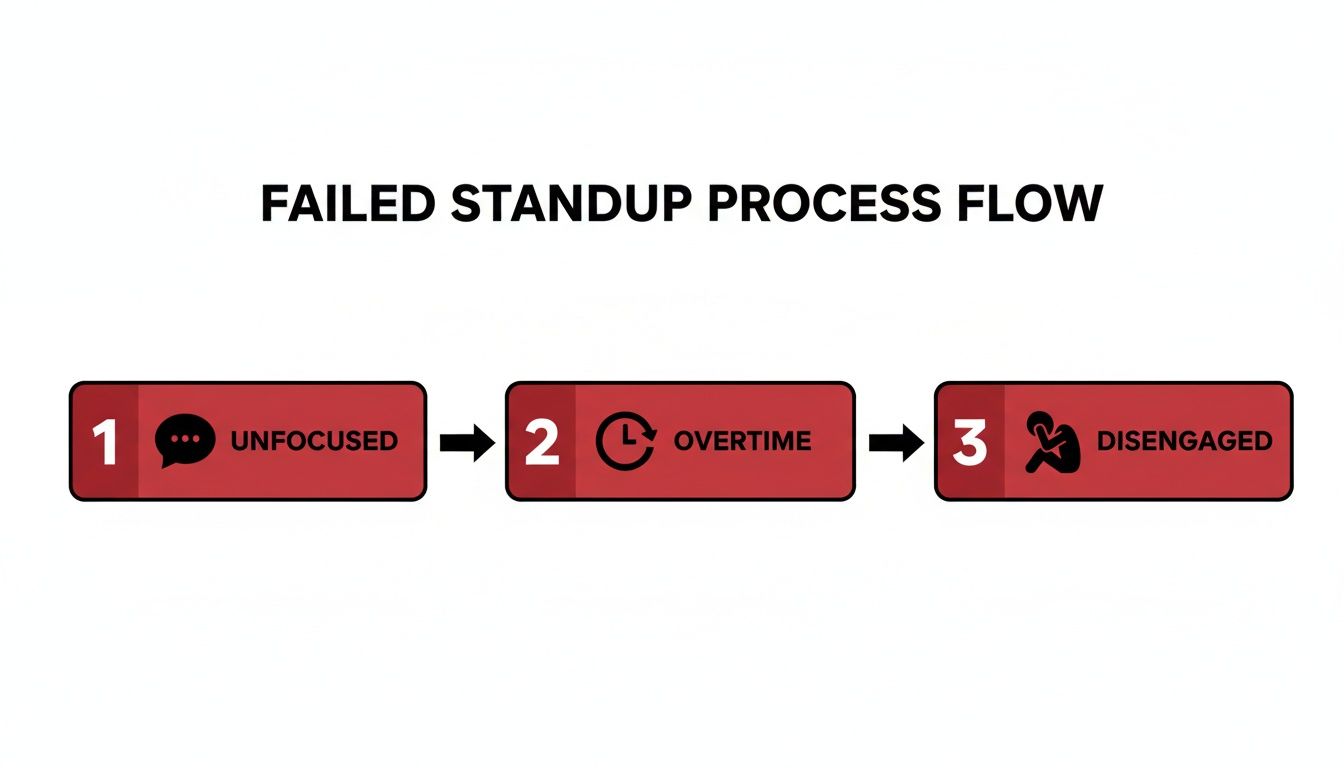
This is exactly why a disciplined agenda isn’t just nice to have—it’s essential for keeping the meeting valuable and on track.
Here’s a practical, time-boxed template you can adapt for a 15-minute standup with a team of about 7 people. It ensures you cover the essentials without getting bogged down.
Time-Boxed Daily Standup Agenda Template
| Phase | Objective | Time Allotment |
|---|---|---|
| Check-In (Optional) | A quick, non-work-related icebreaker to build connection. | 1-2 minutes |
| Sprint Goal Review | Briefly restate the sprint goal to ground the team in the ‘why’. | 30 seconds |
| Walk the Board | Discuss tickets in progress, starting with those closest to ‘Done’. | 10-12 minutes |
| Blocker Triage | Quickly identify all blockers and assign owners for resolution. | 1 minute |
| Wrap-Up | Acknowledge progress and confirm any follow-up meetings. | 30 seconds |
This structure keeps the energy high and the focus tight, making sure everyone walks away with a clear picture of the day ahead.
The Time-Box and The Parking Lot
Two rules are non-negotiable for a standup that people don’t dread: strict time-boxing and the “parking lot.”
Every person’s update should be a crisp 60-90 seconds. That’s it. It’s the facilitator’s job to politely—but firmly—interject if someone starts to ramble or dive too deep.
Any topic that requires a longer technical discussion or a problem-solving session needs to be “parked.” You simply acknowledge its importance and agree to tackle it in a separate chat right after the standup, including only the people who need to be there. This is the secret to respecting everyone’s time.
The purpose of the daily standup is to align the team for the next 24 hours, not to solve every problem on the spot. A well-managed ‘parking lot’ is the single best tool for maintaining this focus.
This isn’t just a gut feeling; the data backs it up. A staggering 79% of workers say a clear agenda makes meetings more productive. That’s a huge number, especially when you consider that a different study found 70% of meetings actually prevent people from getting their work done.
Even fully distributed companies like GitLab live by these principles, running innovative async standups in Slack that prove the agenda’s value in any format. A strong agenda is the bedrock of effective teamwork and one of the most important knowledge sharing best practices you can adopt.
How to Adapt Your Standup for Any Team Setup
A rigid, one-size-fits-all agenda for a daily standup just doesn’t cut it. I’ve seen it time and again: what works for a team sharing an office completely falls apart for a remote or hybrid squad. True agility isn’t about sticking to a script; it’s about tweaking your process to fit how your team actually works.
The secret sauce is having a single, shared source of truth that everyone can see. A digital Kanban board in a tool like Trello or Jira is perfect for this. When everyone is literally on the same page, the conversation naturally shifts from “Here’s what I did” to “Here’s how we’re moving our work forward together.”
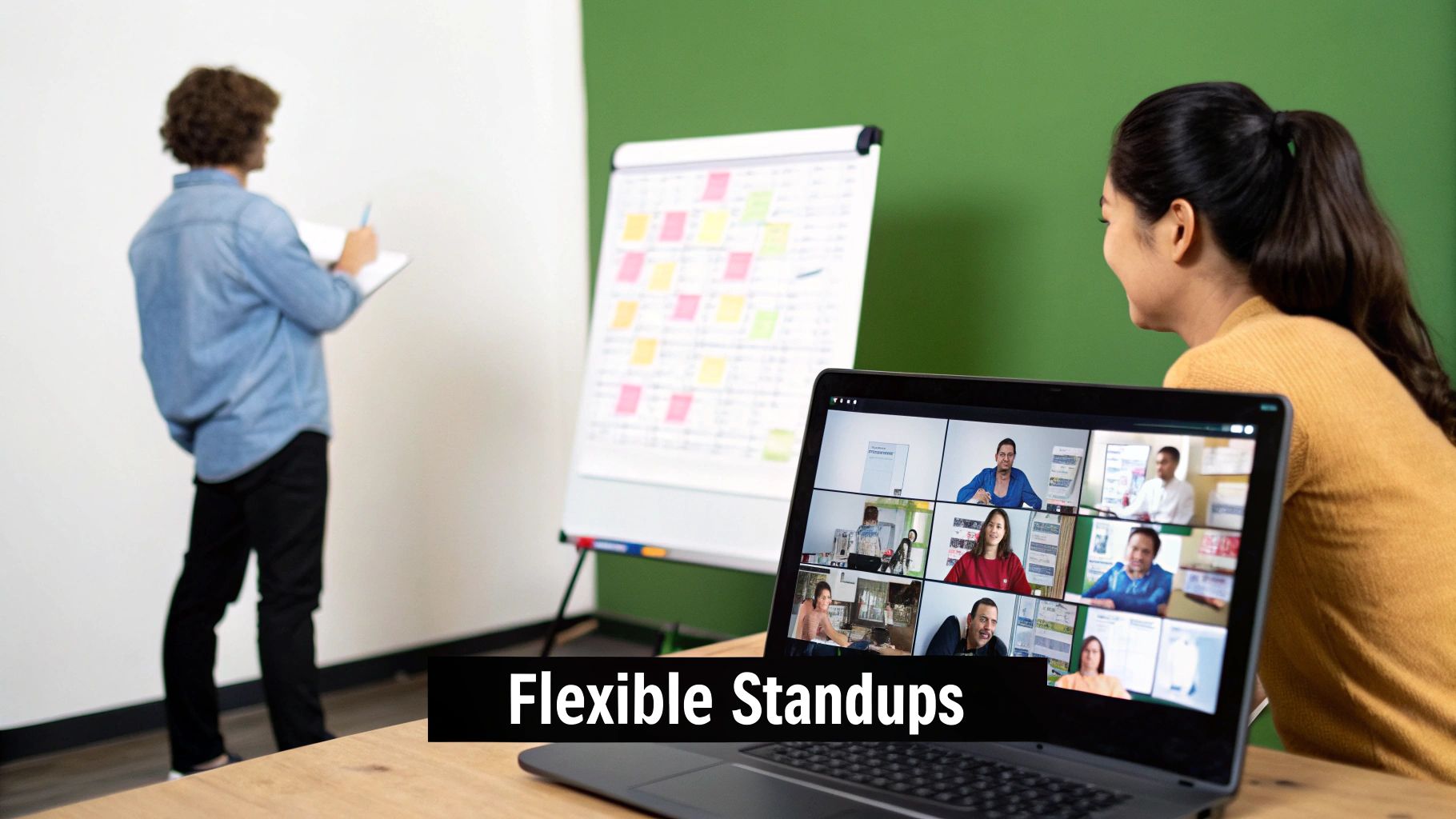
Tailoring the Standup for Remote Teams
For fully remote teams, the standup is more than just a sync—it’s often the main social and cultural touchpoint of the day. The biggest pitfall is letting it become a sterile, transactional meeting where everyone just reports in and logs off. You have to be deliberate about building real connection.
One of the best things I’ve seen teams do is kick things off with a quick, one-minute non-work question. Something fun like, “What’s the best thing you ate this week?” or “Share one weekend win.” It’s a small thing, but it breaks the ice and reminds everyone they’re working with other human beings. Beyond that, simple things like keeping cameras on and using a virtual whiteboard for quick brainstorms can make a world of difference.
Running Effective Asynchronous Standups
What about when your team is scattered across the globe? A daily video call is often a non-starter. This is where the standup moves into a written format, usually in a dedicated Slack or Microsoft Teams channel.
The key to a great async standup is a consistent, scannable template. It forces clarity and makes it easy for others to quickly understand where things stand. A good one usually includes:
- 🎯 Today’s Top Priority: What’s the one thing you’re laser-focused on today?
- 🚧 Blockers: Spell out exactly what’s in your way and @tag the person who can help.
- 🤝 Sync Needs: Call out who you need to connect with to get your work done.
This approach creates a living, searchable record of progress and problems. It’s a way to keep everyone aligned while respecting the fact that people are working on different schedules.
Navigating the Hybrid Challenge
Honestly, hybrid setups are probably the trickiest to get right. The number one goal is to avoid creating two different experiences: the “A-team” in the office and the “B-team” working from home. Inclusivity is everything.
The best practice is to run every meeting as if it were fully remote, even if only one person is dialing in. This means everyone—including those in the office—joins the video call from their own laptop. It levels the playing field, letting remote folks see faces and body language, not just the back of someone’s head across a conference table.
Investing in a high-quality conference room microphone and camera is non-negotiable. And the facilitator has to be on their A-game, consciously making space for remote team members and calling on them directly for input. When you get it right, a person’s physical location has zero impact on their ability to contribute.
Using AI and Automation to Run Better Standups
Imagine this: you walk into your daily standup, and all the updates are already there, blockers are highlighted, and key insights are waiting for you. This isn’t some far-off dream. It’s what happens when you bring smart automation and AI into your daily huddle.
Instead of trying to remember what happened yesterday, these tools pull real data straight from a developer’s workflow. This cuts out the annoying prep work that usually leads to vague, hand-wavy updates. The meeting can finally skip the boring status reports and get right to the good stuff—the strategic chats that actually push the project forward.
From Manual Reporting to Automated Insights
Let’s be honest, the biggest flaw in a traditional standup is relying on human memory. It’s just not that reliable, especially first thing in the morning. A developer might completely forget about a critical blocker they hit late yesterday or struggle to explain their progress without rambling.
This is where tools like Zest come in. By plugging directly into a developer’s IDE, like VS Code or Cursor, it automatically logs their progress, wins, and roadblocks as they happen. All this information gets rolled up into a clean, data-backed summary—what Zest calls an ‘AI Standup’. This is a huge deal for any team trying to build a better agenda for a daily standup.
When you automate the “what did you do?” part, you free up everyone’s time to focus on what people are actually good at: solving problems and working together. The conversation naturally shifts from reporting the past to planning the future.
This kind of automation gives managers a crystal-clear picture of team velocity and potential bottlenecks without ever having to ask for a status update. The data does the talking. To take it another step, some teams record meetings and transcribe them with AI, which makes creating documentation practically effortless.
Turning Standups into Collaborative Learning
AI tools can do more than just automate the boring stuff; they can make your standups smarter by spotting patterns you might have missed.
For instance, Zest has features like shared prompts and ‘Cheatcodes’ that turn the daily meeting into a real learning session. When a developer figures out a brilliant AI prompt or a clever way to solve a tricky problem, they can save it as a ‘Cheatcode’.
This screenshot shows how Zest surfaces key developer activities and metrics, giving a clear, automated overview of what the team is accomplishing.
In the next standup, that shared insight becomes a talking point. Suddenly, the whole team can learn from one person’s breakthrough. It’s a simple but powerful way to shift the meeting from a series of individual reports to a collaborative brainstorm focused on getting better together.
This approach makes the entire meeting more focused, data-driven, and genuinely valuable for everyone involved. For a deeper dive into structuring these meetings, you might be interested in our complete guide to the ideal stand up agenda.
Solving the Most Common Standup Problems
Even with a perfect agenda, daily standups can still go off the rails. It happens. The real skill is spotting these bad habits early and steering the team back on course before they become ingrained in your culture. Let’s look at a few of the most common headaches and how to fix them.
You’ll know it when you see it. The meeting consistently creeps past the 15-minute mark. Someone gives an update that’s either painfully vague (“I’m still working on the ticket”) or so detailed it turns into a long, winding story. Blockers get mentioned day after day, but they never seem to go anywhere.
When Updates Turn into Rambling Stories
We’ve all been in a standup with a storyteller. Instead of a quick, focused update, you get a five-minute narrative detailing every twist and turn of their previous day. This doesn’t just eat up precious time; it’s a surefire way to make everyone else tune out.
Often, this just comes down to a lack of clarity on what a good update actually looks like. The fix is to be direct and reset expectations. A good facilitator can politely jump in with something like, “That sounds like an important detail for the follow-up. What’s the key takeaway for the team right now?” It gently redirects the conversation without putting anyone on the spot.
The facilitator’s main job isn’t just to start and end the meeting; it’s to protect the team’s time and focus. A gentle interruption is often the kindest thing you can do for the group.
When the Standup Becomes a Problem-Solving Marathon
This is another classic pitfall: the standup morphs into a deep technical debate. Two engineers start trying to solve a complex coding problem right then and there, while the rest of the team just stands around, completely disengaged.
This is exactly what the “parking lot” technique was made for. The moment a conversation starts diving too deep, the facilitator needs to step in.
Just say, “This is a crucial discussion, but it’s too detailed for this meeting. Let’s put it in the parking lot. Can you two sync up right after this?” This validates the importance of the topic while respecting everyone else’s time. Don’t forget the final step: make sure it’s crystal clear who owns that follow-up conversation.
To help you diagnose these issues on the fly, here’s a quick-reference guide.
Common Standup Pitfalls and How to Fix Them
This table breaks down the most frequent issues that derail daily standups and gives you actionable ways to get them back on track.
| Problem (Symptom) | Root Cause | Actionable Solution |
|---|---|---|
| Meeting runs long | Lack of time discipline; deep problem-solving | Use a visible timer. Strictly enforce the “parking lot” for detailed discussions. |
| Vague or overly-detailed updates | Unclear expectations on update format | Coach team members on focusing updates around sprint goals and blockers. Provide a simple template if needed. |
| Recurring, unresolved blockers | No clear ownership or accountability | Immediately assign an owner to each blocker and a deadline for the next action. Make it a real person, not “the team.” |
| Low team engagement | Meeting feels like a status report for a manager | Reframe questions to encourage team collaboration, not just individual reporting. Ask, “Who can help with this?” |
In the end, a great agenda for a daily standup sets the stage, but it’s the facilitator who has to keep the show running smoothly. By tackling these common problems head-on, you ensure the meeting stays a short, high-value sync that actually energizes the team for the day ahead.
A Few Common Questions About Standup Agendas
Even with the best-laid plans, questions always pop up when you’re trying to get your team’s daily huddle just right. Honestly, it’s the small details that often make the difference between a good standup and a great one.
Here are some straightforward answers to the questions I hear most often from teams trying to nail down their agenda for a daily standup.
What’s the Best Format for a Daily Standup Agenda?
The best format is always the one that keeps the team focused on moving work forward, not just listing off what they did. We all know the classic “yesterday, today, blockers” script, but a more effective approach I’ve seen work time and again is to “walk the board.”
Instead of going person by person, you review your team’s shared board (like Jira or Trello) from right to left. You start with the tickets closest to the ‘Done’ column and work your way back. This little switch completely changes the conversation’s focus to completing work.
This format is great because:
- Everyone can literally see the progress being made.
- It naturally encourages the team to swarm on tasks that are almost finished.
- Blockers and dependencies become glaringly obvious.
Ultimately, the best format is whatever gets the meeting done in under 15 minutes and leaves everyone knowing exactly what needs to happen next.
How Do You Keep a Standup from Going Over 15 Minutes?
Ah, the age-old problem. This is easily the most common struggle, and it comes down to one thing: discipline. Strict time-boxing is your best friend here, and it’s not just on the facilitator—it’s on everyone.
Put a timer on the screen where everyone can see it. Politely but firmly hold each person to a 60 to 90-second limit for their update. Your most powerful tool, though, is the “parking lot.” The second a conversation veers into deep technical problem-solving, the facilitator has to jump in.
Just say, “That’s a really important conversation, but let’s take it offline. Can you two sync up right after this?” It shows the topic matters while respecting the time of everyone else in the meeting.
This one habit is the single most effective way to keep the standup on track and focused on its real purpose: quick alignment, not deep problem-solving.
Who Should Be Talking During a Daily Standup?
The daily standup is a meeting for the people doing the work—the developers, designers, QA engineers, and anyone else with their hands on the keyboard. It’s their time to sync up and help each other out.
While managers, product owners, or other stakeholders can absolutely listen in, they should be observers, not active participants. The conversation needs to stay a peer-to-peer sync among the doers.
When a standup turns into a status report for a manager, a couple of bad things happen:
- It kills team ownership. The dynamic shifts from “how do we solve this?” to “how do I justify my time to the boss?”
- It hurts psychological safety. People become hesitant to admit they’re stuck or ask for help if they feel like they’re being evaluated.
By keeping the focus on the core team, you build a culture where everyone feels responsible for the team’s success and is comfortable asking for a hand—which is what a standup is all about.
Your Daily Standup Scorecard
If you’re going to optimize something, you need to measure it. I’ve found that the best way to turn standups from a routine status update into a genuinely strategic meeting is to keep a simple scorecard. It helps you stay honest about what’s working and what isn’t.
Core Metrics To Track
You don’t need a dozen KPIs. In my experience, these three give you 90% of the picture:
- Meeting Duration: Are we keeping it tight? The goal is always under 15 minutes. Track how often you hit or miss that target.
- Blocker Resolution Rate: This is the big one. What percentage of blockers get an owner and are actually solved within 24 hours? If this number is low, your standup is just a venting session.
- Team Alignment Score: After the standup, how well does everyone understand the top priorities? This is a bit more qualitative, but a quick poll or gut-check can tell you if you’re all on the same page. For a more data-driven approach, consider tracking key software engineering productivity metrics to see if your standups are truly moving the needle.
My Go-To Cheatcodes
Over the years, I’ve developed a few “cheatcodes” that almost always improve a struggling standup.
- Focus on Blockers, Not Status: This is the cardinal rule. We’re here to clear the road ahead, not to read a diary of what we did yesterday. Make “what’s stopping you?” the most important question.
- Use a ‘Parking Lot’: The moment a discussion gets too deep or technical, someone should say, “Let’s park that.” It’s a simple way to respect everyone’s time and take those longer conversations offline with only the relevant people.
- Automate the Grunt Work: I’m a big fan of using AI tools like Zest to pull in data-driven updates from Jira or GitHub. It saves everyone prep time and surfaces insights that people might have missed.
Questions For Reflection
Finally, ask yourself and the team these questions every few weeks to make sure the standup is still serving its purpose.
- Is every single person in this meeting actively contributing? If not, why are they here?
- Are we just naming blockers, or are we solving them? There’s a huge difference.
- Does our format still work for our team? A fully in-office team has different needs than a hybrid or fully remote one. Be ready to adapt.
Optimize Your Daily Standup
Transform your daily huddle from a status report into a strategic, high-energy alignment session.
📊 Core Metrics
- Meeting Duration — success is staying under the 15-minute goal
- Blocker Resolution Rate — percentage of blockers solved within 24 hours
- Team Alignment Score — how clearly the team understands daily priorities post-meeting
🕹️ My Cheatcodes
- 🎯 Focus on Blockers, Not Status — prioritize clearing the road ahead over reciting past actions
- 🅿️ Use a 'Parking Lot' — move deep technical discussions offline to respect everyone's time
- 🤖 Automate the Grunt Work — leverage tools to pull data-driven updates and surface key insights automatically
📈 Reflection Points
- 💡 Is every attendee actively contributing, or just observing?
- 🧩 Are we just naming blockers, or are we assigning owners and solving them?
- 📘 Does our current standup format (e.g., hybrid, async) truly serve our team's needs?
Gallery
Lemon shots



