Daily Scrum: agenda for daily scrum meeting that actually works
Let’s be honest—how many daily scrums have you been in that felt like a complete chore? It’s that all-too-common, robotic recital of tasks instead of a sharp, strategic huddle. A solid agenda for a daily scrum meeting is the secret to flipping that script. It turns a tedious status report into a powerful 15-minute tactical sync, all centered on hitting that Sprint Goal.
Think of it as a daily huddle for the team, focused on planning the next 24 hours, not just reporting on the last 24.
Why Your Daily Standup Feels Like a Waste of Time
Does your daily scrum drag on forever? Does it constantly veer off into deep problem-solving sessions? Or worse, does it feel like you’re just giving a status update to a manager who’s silently listening in? If you’re nodding along, you’re definitely not alone.
The root of the problem usually comes down to one thing: a fundamental misunderstanding of the meeting’s purpose. This isn’t a performance review. It’s a planning session for the developers, by the developers.
The classic three questions—what I did, what I’ll do, what’s blocking me—often fall flat. They turn the meeting into a mechanical checklist where everyone reports their tasks in a vacuum. You lose the connection to the bigger picture and the chance to see how everyone’s work fits together. That’s where momentum goes to die. The standup becomes a string of monologues instead of a collaborative conversation.
The Shift from Reporting to Planning
The point isn’t just to list what you did yesterday. It’s to explain how your work is moving the team closer to the Sprint Goal and to collectively map out the next day. A good agenda forces this crucial shift in thinking.
It nudges the team to spot dependencies, flag potential roadblocks before they become five-alarm fires, and organize themselves to clear the way forward.
The Daily Scrum is a key inspect and adapt meeting. When it feels like a waste of time, it’s often because the team is inspecting individual tasks instead of adapting their collective plan to meet the Sprint Goal.
This small but powerful change moves a team from passively reporting on the past to actively owning the future. It’s a game-changer for team morale and productivity in engineering, putting the power of daily planning right where it belongs: in the hands of the people doing the work.
The Real Cost of a Bad Agenda
A sloppy standup doesn’t just burn 15 minutes; it sets a disjointed, reactive tone for the rest of the day. And this isn’t a niche problem. A staggering 87% of Scrum teams hold daily scrums, and it’s been a core part of the framework for decades.
There’s real data to back this up. Studies have shown that teams who get their daily scrums right can see productivity jump by as much as 25%. When your agenda is broken, you’re not just having a bad meeting—you’re leaving a huge performance boost on the table. You can dig into more of these numbers in these agile statistics on Parabol.co.
Reframing the Three Core Questions for Real Impact
We all know the classic trio of Daily Scrum questions: What did I do yesterday? What will I do today? What’s in my way? They’re the foundation, but let’s be honest—they can easily turn your daily huddle into a stale, robotic status report.
The secret isn’t to ditch these questions entirely. It’s to give them a facelift, shifting the focus from individual to-do lists to our collective Sprint Goal. This simple change is what elevates a team from just going through the motions to genuinely collaborating and solving problems together. It’s about moving from “I” to “we.”
From Individual Tasks to Sprint Goal Contribution
A much more powerful way to approach the daily sync is to frame the conversation around outcomes, not just activities. As a Scrum Master, you can gently guide this shift with a few subtle tweaks to the prompts.
-
Instead of: “What did you do yesterday?”
-
Try asking: “How did your work yesterday move us closer to the Sprint Goal?”
-
Instead of: “What will you do today?”
-
Try asking: “What’s the most important thing you can do today to help the team achieve the Sprint Goal?”
-
Instead of: “Do you have any blockers?”
-
Try asking: “What’s slowing you or the team down from making progress on the Sprint Goal?”
These reframed questions encourage a deeper level of thinking. They push team members to see how their individual contributions fit into the bigger picture, making it easier to spot dependencies and jump in to help each other out. Of course, for these questions to have a real impact, the team first needs to prioritize product backlog effectively so everyone is clear on what matters most.
Keeping the Meeting on Track and On Time
That 15-minute timebox isn’t just a suggestion; it’s a critical constraint that keeps the meeting sharp, focused, and respectful of everyone’s time. Your best friend here is a clear, repeatable agenda. The Scrum Master’s job isn’t to be a time cop but to be the guardian of the team’s focus.
A well-structured agenda is the backbone of a successful Daily Scrum, something that 87% of Scrum teams rely on, according to Scrum Alliance data. It’s all about trimming the fluff and getting straight to the actionable stuff. This is a key reason why 78% of practitioners recommend Scrum for standardizing team practices.
When the daily sync devolves into a simple status report, it creates information silos. But when it’s treated as a tactical huddle, it becomes a powerful forum for adaptation and problem-solving.
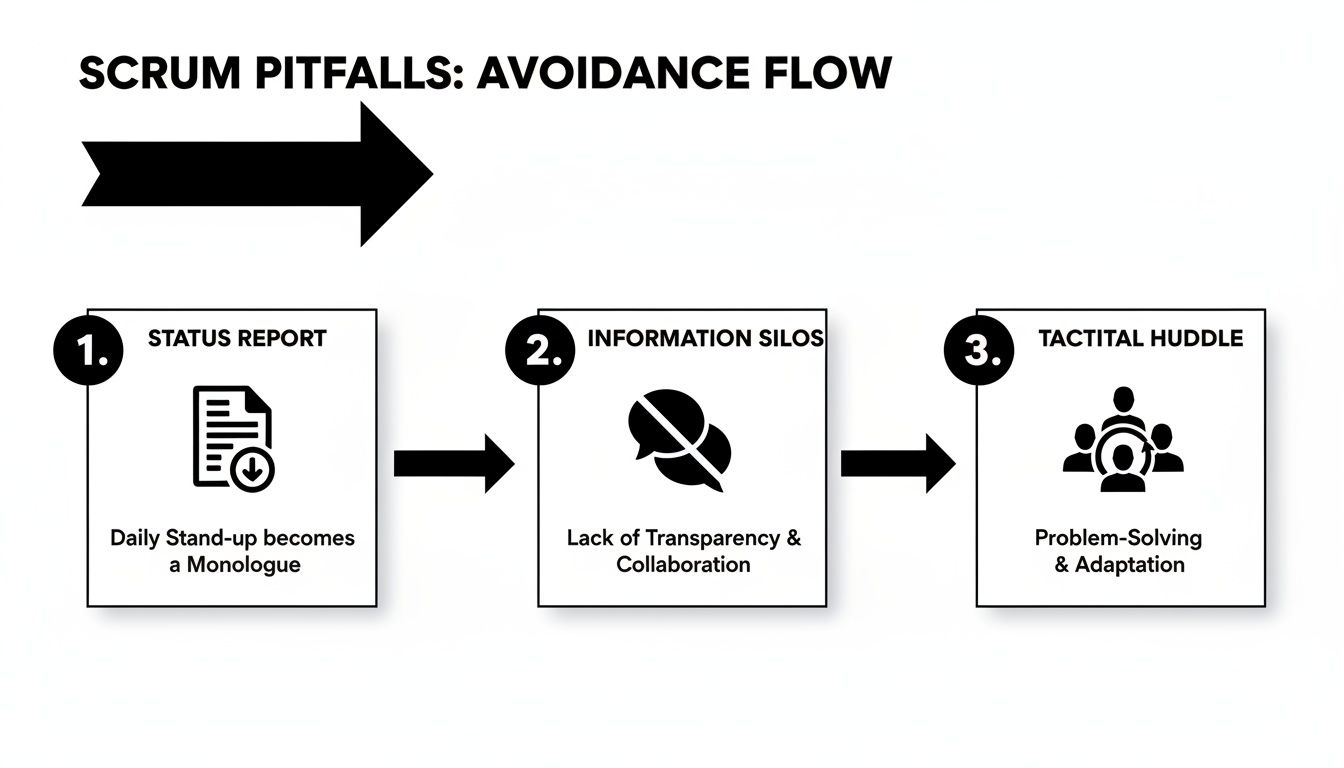
This simple visual nails the point: we’re aiming for a tactical huddle, not a round-robin of status updates.
The 15-Minute Daily Scrum Agenda Breakdown
To keep things tight and effective, here’s a minute-by-minute breakdown you can use. This structure provides a clear rhythm and ensures every phase of the meeting has a purpose.
| Time (Minutes) | Phase | Focus & Key Questions | Role Responsibility (Scrum Master) |
|---|---|---|---|
| 0-1 | Setting the Stage | Welcome everyone. Briefly state the Sprint Goal to anchor the conversation. | Kick off the meeting on time. Remind everyone of the Sprint Goal. |
| 1-12 | The Team Sync | Developers share progress, plans, and impediments, focusing on the Sprint Goal. | Facilitate the flow from one person to the next. Gently redirect any deep-dive technical discussions to a follow-up meeting. |
| 12-14 | Adapt the Plan | Quickly discuss any necessary adjustments to the day’s plan based on what was shared. “Do we need to swarm on anything today?” | Listen for opportunities to adjust the plan. Ensure the team is forming a coherent plan for the next 24 hours. |
| 14-15 | Closing | Acknowledge the plan. End the meeting on a positive and forward-looking note. | Formally close the meeting on time. Make sure any follow-up discussions (“parking lot” items) are scheduled with the right people. |
By sticking to a clear timeline, you create a predictable and efficient routine. The team knows what to expect, how to contribute, and that their time will be valued, which is the cornerstone of a healthy and productive Daily Scrum.
Adapting Your Agenda for Remote and AI-Powered Teams
Let’s be honest: the energy of a team huddled around a physical whiteboard is tough to replicate over a video call. As more teams go remote or hybrid, that classic agenda for a daily scrum meeting has to change with the times. Keeping that focused, collaborative spirit alive means doing more than just firing up Zoom; it requires a deliberate rethink of how you run your standup.
The jump to remote work brings its own unique headaches. It’s way easier for people to tune out when you can’t see their body language. And while async updates in Slack are great for some things, they often miss that spontaneous, “hey, I can help you with that” moment that a live chat provides. The trick is to strike a balance that keeps the core purpose—syncing up and planning the day—while fitting the reality of a distributed team.

Making Remote Standups Actually Work
For a remote daily scrum to be worth everyone’s time, engagement is everything. That means setting some clear ground rules and really leaning into your digital tools.
- Cameras On, Mics Ready: This is the bare minimum, but it’s the most important rule. Seeing faces builds trust and helps you know if people are actually engaged or just checking their email.
- “Walk the Board” Digitally: Your Kanban board (Jira, Trello, you name it) is your team’s single source of truth. The Scrum Master should share their screen and walk through the tickets, usually from right to left, focusing on what’s closest to being done. This keeps the conversation laser-focused on moving work forward.
- Get Good at Using the “Parking Lot”: Remote conversations can go off the rails fast. If a topic starts getting too deep for a quick update, call it out. “Great point, let’s put that in the parking lot and grab the right people to discuss it after this.” This move is crucial for respecting that 15-minute timebox.
A remote standup fails the moment it turns into a boring, round-robin status report. It succeeds when you use the technology to focus everyone on the Sprint Goal, just like you would if you were all in the same room.
Bringing AI into Your Scrum
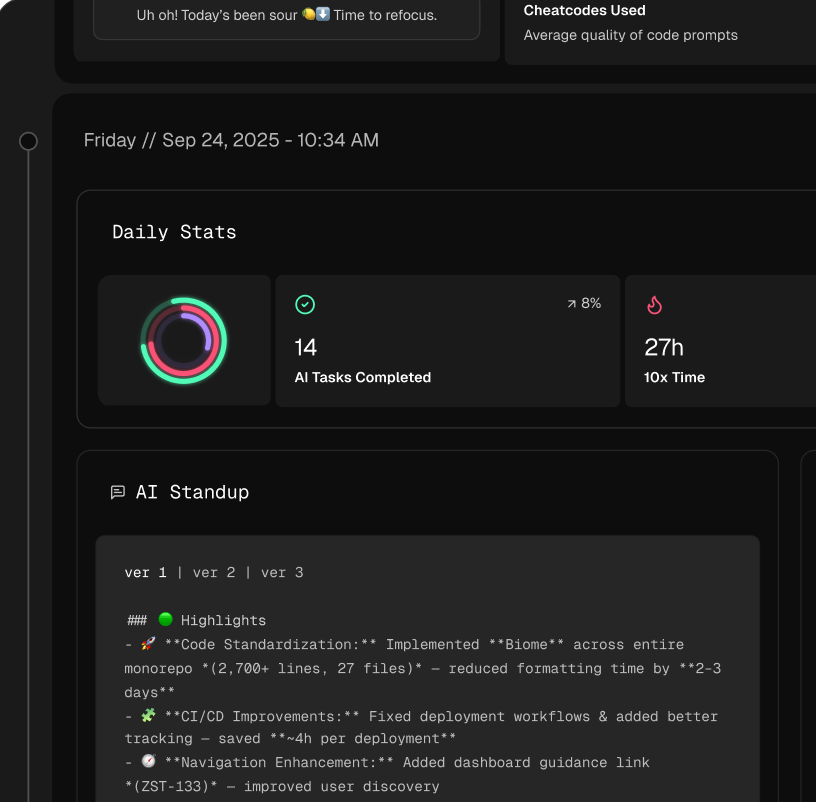
The next big shift in daily scrums is the introduction of AI to handle the boring stuff and surface insights you might have missed. A smart AI meeting assistant can automate note-taking and summaries, freeing up the team to focus on solving problems, not just reporting them.
Think about it: you start your standup, and an AI-generated summary is already there waiting for you. It highlights yesterday’s wins, flags a potential conflict between two developers’ work, and points out that one story is dragging on longer than estimated. We dive deeper into how AI is changing software engineering workflows in another guide. This kind of pre-meeting intel completely changes the conversation from “What did you do?” to “How do we fix this?”
The AI-Powered Daily Scrum Agenda
Here’s a practical look at how an AI-enhanced agenda could flow:
- The AI Sprint Health Check (2 mins): The Scrum Master kicks things off by sharing the AI-generated report. It shows progress toward the Sprint Goal, the burndown chart velocity, and any flagged risks, like a critical pull request that’s been sitting unreviewed for a day.
- Focus on the Bottlenecks (10 mins): The team jumps straight into the issues the AI surfaced. The conversation is immediately tactical: “How do we get this PR reviewed and unblocked?” or “What adjustments do we need to make today based on this data?”
- Confirm the Day’s Plan (3 mins): With the problems addressed, the team quickly aligns on the plan for the next 24 hours. Everyone leaves knowing exactly what the priorities are.
This isn’t about the future; it’s about making every single minute of your standup count right now. It transforms the daily scrum from a routine ritual into a genuinely strategic, data-driven planning session.
Common Daily Scrum Problems and How to Fix Them
Even the most disciplined teams can find their daily scrums going off the rails. What starts as a sharp, focused huddle can slowly decay into a dreaded daily chore that provides little value. The key is spotting these anti-patterns early and gently correcting course to keep your agenda for a daily scrum meeting on point.
When a standup starts to drift, it’s rarely one person’s fault. It’s usually a collection of small habits that have crept in over time. The good news? These common issues have pretty straightforward fixes. A few minor adjustments can get your daily sync back to being the high-value planning session it’s meant to be.
The Status Report Zombie
This is probably the most common pitfall I see. The daily scrum devolves into a status report where each person speaks directly to a manager or stakeholder who’s just listening in. The collaborative, peer-to-peer spirit vanishes.
-
The Problem: The team’s updates become a performance for an audience instead of a planning conversation. The focus shifts from “How do we meet our Sprint Goal?” to “How can I prove I was busy yesterday?”
-
The Fix: The Scrum Master needs to gently redirect the conversation back to the team. A simple phrase works wonders here: “Thanks, Sarah. Now, can you share that with the rest of the team? Let’s all get aligned on how this moves us forward today.” If a stakeholder’s presence is consistently changing the dynamic, the Scrum Master should chat with them privately to clarify the meeting’s true purpose.
Endless Technical Debates
Here’s another classic: two developers get sucked into a deep technical rabbit hole, hijacking the meeting while everyone else’s eyes glaze over. The daily scrum is for identifying roadblocks, not solving them live with the entire team.
The moment you start drawing architectural diagrams or debugging code during a standup, you’ve lost the plot. The goal is to identify the fire, not put it out with the whole team watching.
A simple yet incredibly effective tool for this is the “parking lot.” As soon as a deep-dive conversation begins, anyone on the team should feel empowered to call it out.
- The Script: “This sounds like an important discussion. Let’s park it for now, and you two can sync up right after the scrum to hash out the details.”
This approach respects the importance of the issue without sacrificing everyone else’s time. You acknowledge the problem, schedule a proper follow-up, and keep the standup moving. Recognizing these common issues in engineering culture is the first step toward building healthier team habits.
Breaking the 15-Minute Timebox
If your daily scrum consistently runs over 15 minutes, that’s a huge red flag. It’s a clear sign that the agenda has become too loose or the meeting’s purpose has been forgotten. This is such a critical issue that Scrum.org often points to timebox breaches as a symptom of deeper cultural problems.
While these challenges are common, the data shows the benefits of Scrum are massive. An impressive 85% of teams report an improved work-life balance, a benefit directly tied to the communication boost from these daily meetings, as highlighted in Scrum statistics on ProProfsProject.com. To get that value, you have to protect the timebox.
-
The Problem: The team is likely trying to solve problems during the meeting, or individuals are giving updates that are far too long and detailed.
-
The Fix: The Scrum Master can set the tone by reminding everyone to be concise before starting. A visible timer also works wonders to create a natural sense of urgency. If the team is still struggling, try shaking up the format. A “walk the board” approach, where you discuss tickets closest to the “Done” column first, often forces a more focused, faster-paced conversation.
Troubleshoot Your Daily Scrum
Use these quick fixes to resolve common standup anti-patterns and protect your team’s momentum.
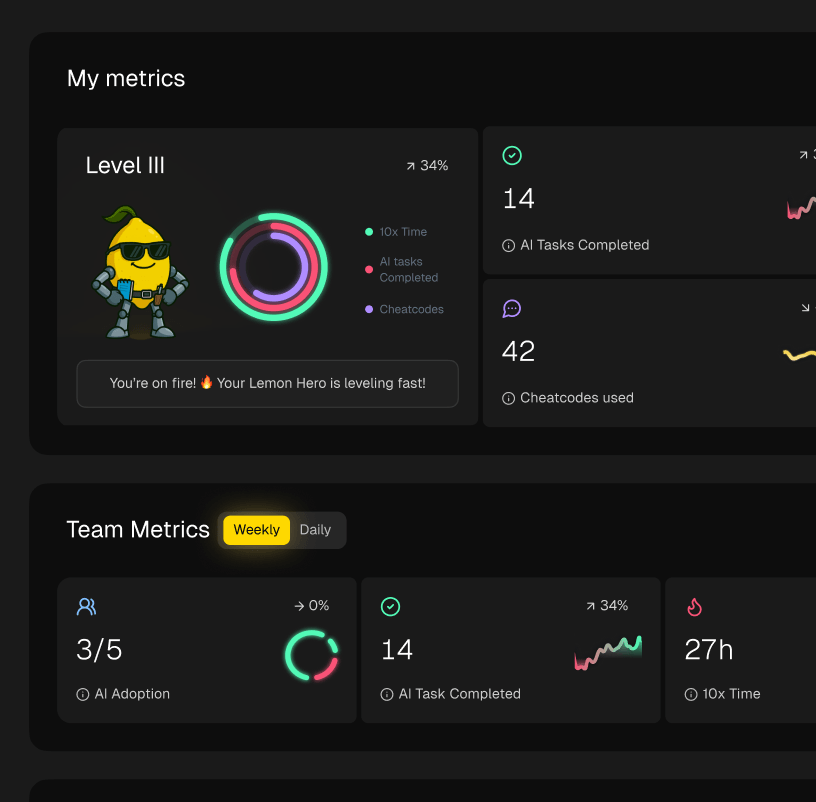
📊 Core Metrics
- Timebox Adherence — Percentage of scrums completed within the 15-minute limit.
- Parking Lot Usage — Frequency of deep-dive topics being correctly deferred.
- Blocker Resolution Time — Average time from when an impediment is raised to when it’s resolved.
🕹️ My Cheatcodes
- 🌱 Redirect, Don’t Shut Down — Gently guide status reports back to the team, not a manager.
- 🦎 “Park It” Promptly — Defer any deep technical debate to a follow-up with the right people.
- ⚡ Walk the Board — If updates are slow, switch to discussing tickets closest to ‘Done’ first.
📈 Reflection Points
- 💡 Is our conversation directed at each other or at a manager?
- 🧩 Are we identifying blockers or trying to solve them in the meeting?
- 📘 Does everyone arrive prepared to give a concise, goal-oriented update?
Ready-to-Use Daily Scrum Agenda Templates
Theory is one thing, but having a practical, copy-pasteable agenda can make all the difference. Think of these templates not as rigid rules, but as solid starting points. Pick the one that feels right for your team, try it out, and don’t be afraid to tweak it until it fits your unique workflow perfectly.
The Classic Three-Question Template
This is the standard for a reason. It’s simple, direct, and incredibly effective for teams just getting the hang of Scrum or those who feel their standups have lost focus and need a reset.
- Best for: New Scrum teams, teams struggling with focus.
- Duration: 15 minutes
- Agenda Breakdown:
- Welcome & Sprint Goal Reminder (1 min): The Scrum Master kicks things off by quickly restating the Sprint Goal. This keeps everyone aligned.
- Round-Robin Updates (12 mins): Each Developer takes their turn answering the big three questions:
- What did I do yesterday to help the team meet the Sprint Goal?
- What will I do today to help the team meet the Sprint Goal?
- Are there any impediments in my way?
- Plan Adjustment & Close (2 mins): A quick huddle to discuss any immediate adjustments needed based on the updates.
The “Walk the Board” Template
This approach flips the script by focusing on the work itself, not the people. It’s a fantastic way to zero in on the flow of value and is a natural fit for teams with a well-maintained Kanban or Scrum board.
- Best for: Teams with a strong visual workflow, or those focused on clearing work-in-progress (WIP).
- Duration: 15 minutes
- Agenda Breakdown:
- Focus on “Done” (1 min): Start on a high note by celebrating any work items moved to “Done” since the last meeting.
- Walk Right to Left (12 mins): Begin the discussion with the items closest to being finished. For each ticket, the question isn’t “what did you do?” but “what’s needed to move this forward?”
- Confirm Priorities & Close (2 mins): Wrap up by making sure everyone is clear on what to pull into their queue next.
The AI-Enhanced Template
For teams already using modern development tools, this agenda uses data to spark a much more strategic conversation. Instead of relying purely on memory, you let the data guide you.
- Best for: Teams using AI assistants like GitHub Copilot or Linear, and teams focused on data-driven improvements.
- Duration: 15 minutes
- Agenda Breakdown:
- AI Health Check (3 mins): Review an AI-generated summary of key metrics—things like burndown velocity, sprint progress, and flagged risks (e.g., stale pull requests).
- Address Bottlenecks (10 mins): The conversation immediately hones in on the issues surfaced by the AI. This is all about targeted problem-solving.
- Strategic Alignment (2 mins): Based on the data and discussion, confirm the plan for the day to tackle the most critical items.
My Personal Playbook for Better Agendas
Running a great standup is both an art and a science. Here are a few core principles and quick checks I’ve relied on over the years to turn daily meetings into high-impact planning sessions.
Key Health Metrics to Watch
- Sprint Goal Alignment: What percentage of daily updates are actually tied to the sprint objective? If it’s low, you’ve lost focus.
- Timebox Adherence: Are you consistently finishing within the 15-minute window? Going over is a sign the meeting is turning into a problem-solving session.
- Blocker-to-Done Rate: How fast are identified impediments getting resolved? This tells you how responsive and unblocked your team truly is.
My Go-To “Cheat Codes”
- 🌱 Start with the Goal: Never skip this. Always anchor the conversation by restating the Sprint Goal first. It frames every update.
- 🦎 Walk the Board: My favorite trick for teams that get bogged down in status updates. It shifts the focus from “what I did” to “how we get this work done.”
- ⚡ Use AI Insights: If you have the tools, let data do the heavy lifting. Start the meeting by reviewing AI-flagged bottlenecks for a laser-focused discussion.
Checklist Before Your Next Standup
- [ ] Choose the template that best fits your team’s current maturity and challenges.
- [ ] Share the new agenda with everyone beforehand so they know what to expect.
- [ ] Be prepared to gently guide the conversation to stick to the new format.
- [ ] After a few sessions, ask the team for feedback. Is it working? What could be better?
Got Questions About Your Daily Scrum Agenda? You’re Not Alone.
Even with the perfect template, things get messy. Real-world scrum is full of weird edge cases and questions that pop up as you try to get into a good rhythm. I’ve been there. This section is your field guide for those common “what if” moments.
Let’s dive into the questions I hear most often from teams. Nailing these little details is what separates a daily scrum that feels like a chore from one that genuinely helps the team win the day.
Who Actually Needs to Talk During the Daily Scrum?
Simple answer: The Developers. This is their meeting, full stop.
The Daily Scrum is the Developers’ time to huddle up, sync on progress toward the Sprint Goal, and make a plan for the next 24 hours. The Scrum Master and Product Owner can be there, but they’re mostly observers.
The Scrum Master’s job is to make sure the meeting happens and doesn’t spill over its tight 15-minute timebox. They don’t run it. The Product Owner can listen in to get a sense of how things are tracking, but they shouldn’t be adding new work or asking for status updates. That’s a different meeting.
The minute your Daily Scrum feels like a status report to a manager, it’s broken. The magic happens when it’s a peer-to-peer planning session, not a performance for an audience.
What if We Always Go Over 15 Minutes?
If you’re consistently breaking the 15-minute timebox, that’s a huge red flag. It’s a classic sign that the meeting has lost its focus. Usually, it means the team is trying to solve big, hairy problems on the spot instead of just identifying them.
The best fix I’ve ever seen is the “parking lot.” It’s simple. When a discussion gets too deep or technical, anyone on the team can say, “Let’s park that.” The people involved then agree to connect right after the standup to sort it out. This one little rule is a game-changer for keeping the meeting on track and respecting everyone’s time.
Can We Just Do Our Daily Scrum in Slack?
Sure, you can. Asynchronous standups are a lifeline for remote-first or globally distributed teams. The core idea is the same—focus on the Sprint Goal and clear away any blockers.
But be aware of the trade-off. You lose the spontaneity of a live conversation, where quick clarifications happen and a bit of team chemistry is built. For an async standup to work, your team has to be incredibly disciplined about reading and actually responding to each other’s updates. I’ve found that using tools that pull in real data to enrich the async updates makes them way more useful than a simple wall of text in a channel.
Does the Agenda Have to Be the Same Every Single Day?
Absolutely not. The agenda is a tool for the team, not a rulebook you have to follow blindly. The classic three questions are a fantastic starting point, but they aren’t the only way. As your team gets more comfortable working together, the format should evolve.
For example, a lot of mature teams I’ve worked with prefer to “walk the board.” They start with the work items closest to the “Done” column and work their way left. This keeps the conversation focused on unblocking work and maintaining flow. Other teams might start by pulling up a burndown chart to ground the discussion in reality.
The best format is whatever helps your team build a solid plan for the day and call out what’s holding them back—all within that critical 15-minute window.
Master Your Scrum Agenda
Turn every daily huddle into a high-impact planning session that drives real progress toward the Sprint Goal.
📊 Core Metrics
- Timebox Adherence — Percentage of meetings completed within the 15-minute limit.
- Blocker Resolution Time — Average time from raising an impediment to its removal.
- Goal-Focused Updates — Ratio of updates tied to the Sprint Goal vs. general status.
🕹️ My Cheatcodes
- 🌱 Start with the Goal — Anchor every meeting by restating the Sprint Goal first.
- 🦎 Walk the Board — Shift focus from individual reports to collective work by discussing tickets right-to-left.
- ⚡ Use the "Parking Lot" — Defer deep technical debates to a follow-up, keeping the scrum on track.
📈 Reflection Points
- 💡 Is this a planning session for the team, or a status report for a manager?
- 🧩 Are we identifying problems, or trying to solve them live in the meeting?
- 📘 Does our agenda help us adapt our plan for the next 24 hours?
Gallery
Lemon shots